
Conclusion / First View
If you’re a freelance designer, marketing manager, or small creative team tasked with producing commercial visuals quickly—without risking copyright issues or brand inconsistency—you’re likely stuck between MidJourney V7’s artistic capability and Adobe Firefly 3’s legal safety net.
MidJourney V7 excels when you need visually striking, conceptually unique images and have time to refine prompts through iteration. It’s the choice for agencies and designers who prioritize aesthetic differentiation and can afford trial-and-error workflows.
Adobe Firefly 3 fits teams that need reliable, commercially safe outputs integrated into existing Adobe workflows—especially when legal compliance, brand consistency, and speed matter more than artistic experimentation.
Neither tool replaces human creative direction. MidJourney demands prompt expertise; Firefly requires understanding of Adobe’s ecosystem. Your choice depends less on “which is better” and more on whether your business prioritizes creative exploration or operational predictability.
Introduction: Why This Comparison Matters

Choosing between MidJourney V7 and Adobe Firefly 3 isn’t a question of technical superiority—it’s a business decision disguised as a creative tool comparison. Both platforms generate high-quality images from text prompts, but they serve fundamentally different operational needs.
The confusion stems from conflating “image quality” with “business fit.” A stunning MidJourney render means nothing if it can’t be legally used in client campaigns. Conversely, Firefly’s copyright indemnification is irrelevant if your output looks generic compared to competitors.

For solo entrepreneurs, freelancers, and small marketing teams, the wrong choice wastes time in three ways: learning a tool that doesn’t match your workflow, producing outputs your clients can’t use, or spending budget on features you’ll never access. This comparison cuts through marketing claims to focus on practical constraints: legal risk tolerance, workflow integration, creative control requirements, and cost-effectiveness for brand-friendly image generation in commercial design contexts.
The evaluation lens here prioritizes real-world commercial use—ads, social media content, product mockups, pitch decks, and client deliverables—where both aesthetic quality and legal defensibility determine whether an image asset actually drives business value or becomes a liability.
Who This Comparison Is Best For

This comparison serves professionals caught between creative ambition and operational reality. You’re likely facing one or more of these situations:
Freelance designers and consultants who need to deliver client-ready visuals but lack in-house legal review. You’re often asked to produce “something like this reference image” while avoiding copyright infringement. Your challenge isn’t technical skill—it’s balancing creative expectations with liability risk when clients demand commercial usage rights.
Marketing managers at small companies (under 50 employees) responsible for visual content without a dedicated design team. You’re expected to maintain brand consistency across channels, produce ad creatives quickly, and work within compliance guidelines—all while juggling other responsibilities. You need tools that reduce decision fatigue, not increase it.
Agency teams handling multiple brands where each client has different style requirements, legal risk profiles, and approval processes. Your bottleneck isn’t generating images—it’s version control, client revisions, and ensuring every asset can be legally deployed across paid media.
Content creators expanding into commercial partnerships who previously used AI for personal projects but now face brand deals requiring usage rights documentation. You’re discovering that “AI-generated” doesn’t automatically mean “commercially usable,” and clients are asking questions you can’t answer.
Common mistake: Choosing based on visual output alone. Many users test both tools with sample prompts, pick whichever looks better, then encounter problems weeks later when integrating into actual workflows or facing client legal questions.
Another mistake: Assuming Adobe integration means Firefly is “easier.” If you don’t already use Photoshop or Illustrator daily, Firefly’s ecosystem advantages disappear—you’re just paying for software you won’t leverage.
Third mistake: Believing MidJourney’s artistic freedom eliminates the need for creative skills. Both tools require direction. MidJourney’s flexibility means more decisions, not fewer. Inexperienced users often produce visually interesting images that don’t serve business objectives.
Real example: A freelance social media manager chose MidJourney for e-commerce client work based on Reddit recommendations, spent three weeks mastering prompt engineering, then discovered the client’s legal team wouldn’t approve any AI outputs without copyright indemnification. Switching to Firefly meant relearning workflows and explaining delays to the client.
Why Each AI Fits That Need
MidJourney V7
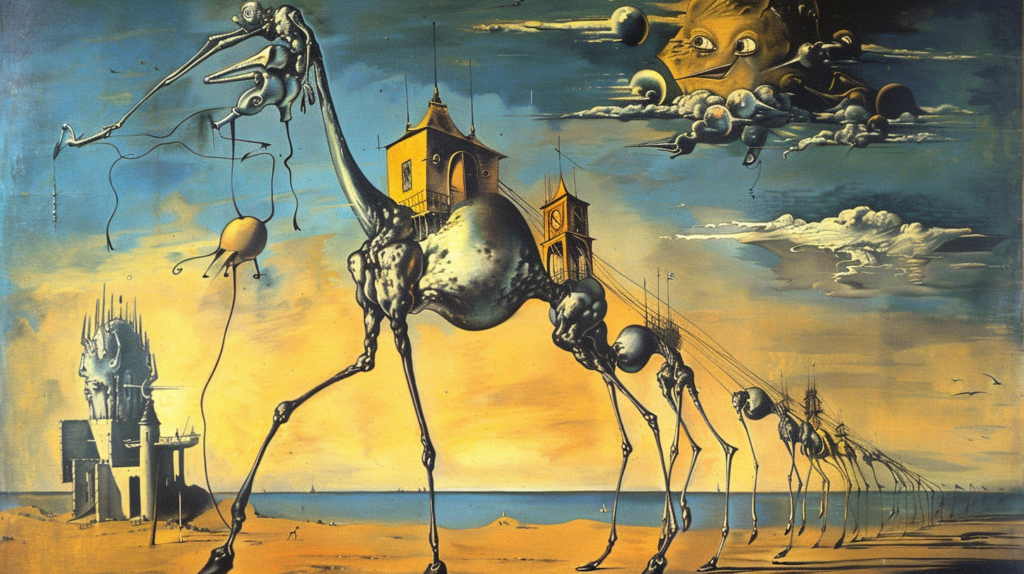
MidJourney functions as a creative exploration engine optimized for users who value aesthetic differentiation and have processes to handle iteration-heavy workflows.
General-purpose usefulness: MidJourney excels when the goal is conceptual uniqueness—campaign concepts, pitch visuals, art direction references, or any scenario where “looking different from competitors” is the primary objective. It’s particularly strong for illustrative styles, surreal compositions, and stylized interpretations that feel authored rather than stock-like.
Learning curve: Moderate to steep, depending on desired control. Basic prompts yield results immediately, but professional-grade outputs require understanding prompt syntax, parameter flags, style references, and iterative refinement techniques. Discord-based interface adds friction—conversations scroll, reference images get buried, and version tracking happens manually. Budget 20-40 hours to develop consistent prompt strategies for commercial work.
Thinking support: MidJourney forces creative problem-solving through constraint. The tool doesn’t guide you toward specific outcomes—you articulate vision through text, review outputs, adjust language, and repeat. This iteration loop benefits users who think through making: designers who prototype visually, art directors who need to explore multiple directions quickly, or creative strategists who use visuals to communicate abstract concepts to stakeholders.
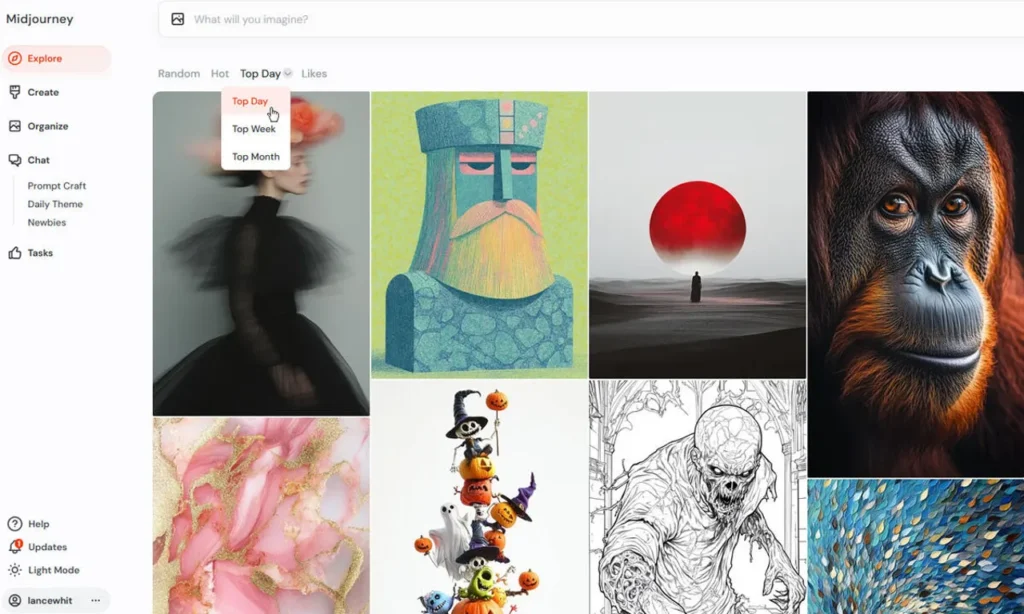
Integration: Minimal. MidJourney outputs are standalone image files. You download JPGs or PNGs, then manually import into design tools, presentation software, or asset management systems. No native Adobe integration, no API for workflow automation, no batch processing beyond Discord commands. This isolation works when image generation is a discrete creative step—less effective when images need to flow through multi-tool production pipelines.
Business result it supports best: Creative differentiation in competitive markets. When brand positioning depends on visual distinction—boutique agencies, design-forward startups, premium product launches—MidJourney’s aesthetic range justifies the workflow overhead. Example: A sustainable fashion brand using MidJourney to generate campaign mood boards that feel craft-made rather than algorithmic, giving creative teams conceptual anchors that stock imagery or generic AI can’t provide.
Adobe Firefly 3

Firefly operates as a production-oriented image generator designed for users already embedded in Adobe ecosystems who prioritize operational efficiency and legal certainty over maximum creative flexibility.
General-purpose usefulness: Firefly excels in high-volume, compliance-sensitive contexts—ad creative testing, product page imagery, social media variants, email marketing visuals, or any scenario where “good enough, legally safe, and fast” beats “artistically exceptional but risky.” It’s particularly effective for photographic styles, product mockups, and compositions that match brand guidelines rather than challenge them.
Learning curve: Low for Adobe users, moderate for newcomers. If you already use Photoshop, Illustrator, or Express, Firefly’s interface patterns feel familiar—panels, adjustment layers, effect controls. Non-Adobe users face dual learning: both the tool and the surrounding ecosystem. The advantage is guided workflows—Firefly suggests options, shows real-time previews, and structures decisions in ways that reduce blank-canvas paralysis. Budget 5-15 hours for proficiency if starting from Adobe competency, 30+ hours if learning the ecosystem simultaneously.
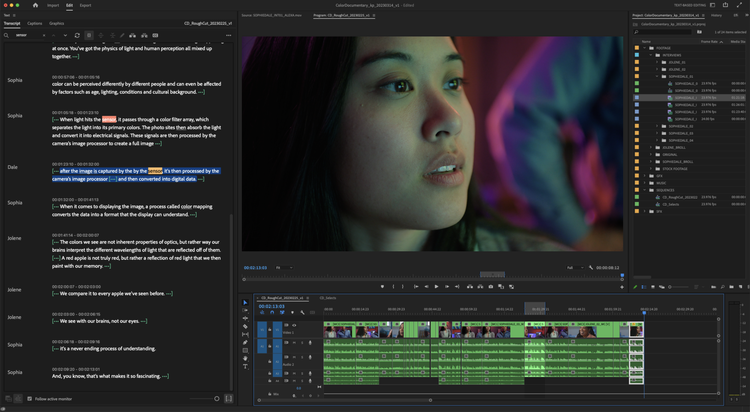
Thinking support: Firefly emphasizes structured creativity through templates, style presets, and reference image matching. Rather than forcing full creative articulation through text, it offers guardrails: “Generate variations like this example,” “Apply this brand’s color palette,” “Match this photo’s composition.” This scaffolding helps users who think in terms of refinement rather than blank-slate generation—marketing managers adapting existing assets, designers maintaining brand consistency across campaigns, or non-designers executing creative briefs.
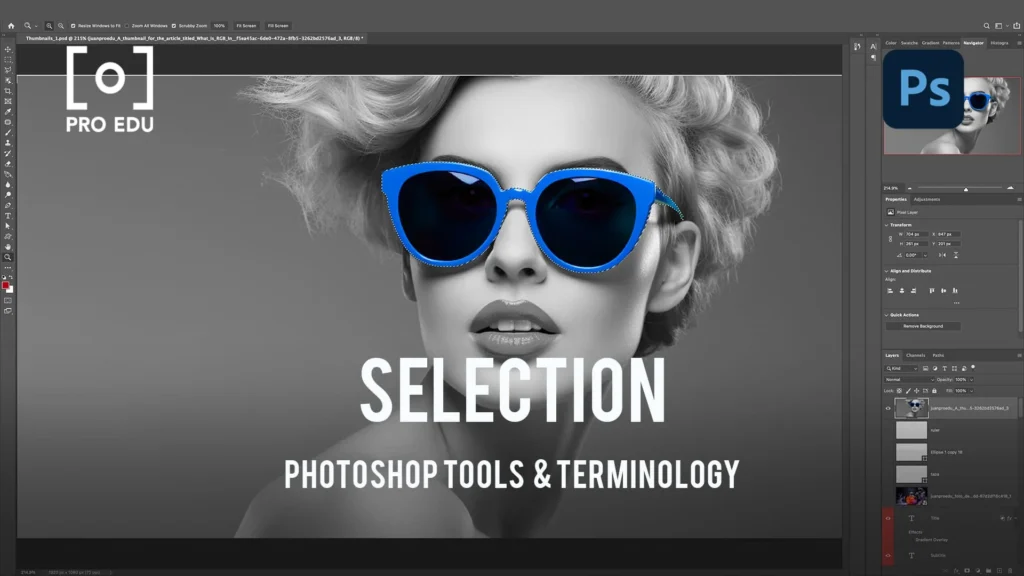
Integration: Deep within Adobe Creative Cloud. Generate images directly in Photoshop as layers, apply Firefly effects in Illustrator, access outputs through Adobe Express for social templates. This native integration means assets carry metadata, maintain version history, and flow through established approval workflows. For teams using Adobe products for final delivery, Firefly eliminates export-import friction. Less valuable if your production pipeline uses Figma, Canva, or other non-Adobe tools.
Business result it supports best: Operational scalability with legal confidence. When business growth depends on producing more commercial content without proportionally increasing design staff—performance marketing agencies, e-commerce companies, content marketing teams—Firefly’s copyright indemnification and workflow integration justify the ecosystem lock-in. Example: A DTC skincare brand using Firefly to generate hundreds of ad creative variants for Meta testing, knowing each asset is covered by Adobe’s commercial usage terms and can be deployed immediately without legal review delays.
Who Should Choose Another AI

Not every image generation need fits MidJourney or Firefly. Recognizing when you need different tools prevents wasted trial-and-error cycles.
Skip both if you need pixel-perfect control or technical precision. AI image generation introduces variability by design. If your work requires exact reproduction of technical specifications—architectural blueprints, medical diagrams, engineering schematics, or legal documents—rule-based design tools or manual creation remain necessary. Neither MidJourney nor Firefly guarantees text accuracy, dimensional precision, or complete stylistic control across generations.
Skip both if your output needs zero variation. Brand systems requiring absolute consistency—think major corporation logo usage, pharmaceutical packaging, or financial institution marketing under strict compliance—can’t tolerate the slight differences AI introduces between generations. Template-based systems or traditional design workflows offer the repeatability these contexts demand.
Consider vertical-specific alternatives if your domain has specialized requirements. Real estate marketers might benefit from tools designed for property visualization. Fashion designers might need AI trained specifically on textile patterns and garment construction. Scientific researchers might require generators trained on domain-specific imagery. General-purpose tools like MidJourney and Firefly sacrifice depth in specific verticals for breadth across use cases.

Look elsewhere if you’re seeking cost savings over hiring designers. Both tools require creative direction to produce business-useful outputs. If your goal is eliminating design roles rather than augmenting them, you’ll likely produce mediocre content faster—not valuable content cheaper. AI image generation works best as a capability multiplier for people who already understand visual communication, not as a replacement for that expertise.
Skip if you can’t articulate what you want visually. Neither tool reads minds. If you struggle to describe desired outcomes in words or provide reference examples, the problem isn’t tool choice—it’s creative brief development. Work on clarifying visual objectives before adopting generation tools.
Avoid if legal ambiguity is completely unacceptable. While Firefly offers indemnification, legal frameworks around AI-generated content continue evolving. Highly conservative legal teams at large enterprises may reject AI imagery entirely regardless of provider warranties. In such cases, commissioned photography and traditional illustration remain the only options satisfying internal counsel.
Use Cases by Business Goal
Productivity

Internal communication and documentation: Both tools reduce time spent sourcing visual examples for internal presentations, process documentation, or team briefings. MidJourney suits conceptual illustrations—visualizing abstract strategy ideas, creating metaphorical imagery for training materials, or generating creative prompts for brainstorming sessions. Firefly fits when images need to match existing brand assets or quickly replace stock photography in slide decks without legal review delays.
Trade-offs: MidJourney requires more upfront time investment per image—testing prompts, refining outputs, managing versions through Discord—but produces more distinctive results that hold attention in presentation contexts. Firefly generates acceptable images faster with less iteration, useful when quantity matters more than memorability. For recurring documentation needs, Firefly’s template system saves time; for one-off strategic communications where impact matters, MidJourney’s creative range justifies extra effort.
Operational consideration: Neither tool integrates with common productivity platforms (Notion, Confluence, Google Workspace) natively. Images require manual download and upload regardless of choice. The productivity gain comes from reducing external vendor dependencies, not from workflow automation.
For teams looking to maximize AI-driven efficiency across operations beyond just image generation, explore broader strategies in AI Efficiency.
Revenue / Marketing

Paid advertising creative: This use case reveals the starkest difference between tools. Firefly’s commercial usage guarantee and rapid variant generation make it the default choice for performance marketing teams running high-volume Meta, Google, or TikTok campaigns. Generate dozens of ad creative variations, A/B test quickly, and scale winning concepts without legal friction. MidJourney’s outputs often look more distinctive—potentially higher scroll-stopping power—but introduce legal uncertainty that slows media buying processes and creates approval bottlenecks.
Social media content: For organic social (no paid promotion), MidJourney’s aesthetic differentiation can justify the extra workflow complexity, especially for brands where visual identity drives engagement—fashion, design, lifestyle, creative services. Posts need to stand out in feeds; generic-looking AI imagery gets ignored. For brands prioritizing posting frequency over aesthetic uniqueness—SaaS companies, B2B services, local businesses—Firefly’s speed and template system enable higher output volume with less creative overhead.

Email marketing visuals: Firefly’s advantage in email contexts comes from Adobe Express integration—generate header images that automatically resize for mobile, match brand color palettes, and flow into email builder tools. MidJourney requires separate optimization steps. However, if email design happens outside Adobe tools (Mailchimp, Klaviyo custom templates), integration benefits disappear and MidJourney becomes viable for brands wanting editorial-quality hero images.
Landing pages and web content: Both tools work, but page context matters. MidJourney suits hero sections, about pages, or editorial content where image quality influences brand perception. Firefly fits repetitive content needs—product category pages, blog post headers, resource libraries—where consistency and speed outweigh individual image impact.
Trade-offs in speed vs nuance: Firefly typically generates usable results in 2-5 iterations; MidJourney often requires 8-15 refinements for commercial-grade outputs. For campaigns testing multiple concepts weekly, Firefly’s speed enables broader experimentation. For quarterly brand campaigns where each image represents significant investment, MidJourney’s depth justifies longer iteration cycles.
Revenue impact consideration: The tool that helps you ship campaigns faster usually matters more than the tool that produces slightly better individual images. Delayed launches from workflow friction or legal review cost more than aesthetic mediocrity in most commercial contexts.
Discover how other businesses are leveraging AI for measurable growth in AI Revenue Boost.
Systemization / Automation

Workflow integration depth: Firefly offers clear advantages for teams standardizing creative production. Adobe’s API access (available in enterprise tiers) enables custom workflow automation—triggering image generation from form submissions, batch processing product imagery, or integrating with DAM systems. MidJourney lacks official API access, forcing reliance on community-built workarounds or manual Discord workflows that don’t scale beyond small teams.
Brand guideline enforcement: Firefly’s style reference system can encode brand parameters—color palettes, composition rules, photography styles—into reusable presets that ensure on-brand outputs even when different team members generate images. This systematization reduces creative review cycles. MidJourney requires each user to maintain prompt templates manually; brand consistency depends on individual prompt engineering skill rather than system-enforced constraints.
Long-term stability vs flexibility: Adobe’s commercial commitment to Firefly (backed by Creative Cloud subscription model) suggests sustained development and backward compatibility—critical for businesses building long-term processes around the tool. MidJourney’s independent structure offers less certainty about feature stability, pricing changes, or API availability for business users. The trade-off: Adobe’s stability comes with ecosystem lock-in; MidJourney’s independence means fewer dependencies but less predictability.

Asset management: Neither tool includes built-in DAM, but Firefly outputs can sync with Adobe’s asset libraries, enabling centralized storage with metadata and usage rights tracking. MidJourney outputs require manual organization through third-party systems. For teams managing thousands of images across multiple campaigns, this integration difference significantly impacts retrieval time and compliance tracking.
Scaling considerations: Firefly’s pricing model (included with Creative Cloud subscriptions for most use levels, with Firefly-specific credits for high volume) becomes cost-effective as usage scales across teams. MidJourney’s per-seat Discord-based licensing can become expensive and operationally awkward for organizations with 10+ creative staff. However, for solo operators or very small teams, MidJourney’s lower entry cost and no-ecosystem-commitment makes initial adoption easier.
For comprehensive approaches to building AI-powered systems in your business operations, see Solo DX.
AI Comparison Table + Explanation
| Axis | MidJourney V7 | Adobe Firefly 3 |
| Ease of Use | Moderate – Discord interface requires adaptation; prompt mastery needed for consistent quality | Low – Familiar Adobe UI patterns; guided workflows reduce decision paralysis |
| Best For | Creative agencies, design studios, brands prioritizing visual differentiation | Marketing teams, in-house creative ops, Adobe Creative Cloud subscribers |
| Strengths | Aesthetic range and artistic expressiveness; strong illustrative and stylized outputs; independent tool (no ecosystem lock-in) | Commercial usage indemnification; native Adobe integration; template-based efficiency; brand consistency tools |
| Limitations | No copyright indemnification; Discord-based workflow; limited automation; requires prompt expertise | Narrower aesthetic range; ecosystem dependency; less distinctive outputs in competitive creative contexts |
| Pricing Perception | Lower entry cost ($10-60/month individual tiers); costs increase with team size | Bundled with Creative Cloud (value for existing subscribers); standalone use less economical |
Why Choice Depends on Business Maturity and Goals

Early-stage businesses and solo practitioners often overvalue aesthetic ceiling and undervalue workflow friction. MidJourney’s creative possibilities feel exciting during evaluation, but Discord-based coordination becomes frustrating when juggling multiple clients. Unless your business model depends on visual differentiation—creative agencies, design consultancies, premium brands—Firefly’s operational efficiency usually delivers more value than MidJourney’s artistic range.
Growth-stage companies (scaling from 5 to 25 employees) face the opposite problem: they’ve often built workflows around whatever tools early team members preferred, then struggle to standardize as creative responsibility distributes across more people. At this stage, systematic tools like Firefly become essential for maintaining output consistency, even if individual image quality suffers slightly. The business challenge shifts from “create great images” to “ensure everyone creates acceptable images without constant creative direction.”
Established brands with defined creative processes can absorb either tool effectively because they have surrounding systems—brand guidelines, creative briefs, review workflows, legal protocols—that compensate for tool weaknesses. These organizations choose based on operational integration rather than tool capability. If Adobe infrastructure exists, Firefly makes sense. If creative happens outside Adobe, MidJourney’s independence becomes an advantage rather than limitation.
The maturity trap: Assuming your business should use the tool that “serious” companies use. Adobe’s enterprise presence and legal guarantees feel safer, but small businesses without compliance departments or multi-tool workflows may pay for features they’ll never leverage. Conversely, choosing MidJourney because it feels more “creative” ignores that most commercial image needs don’t require maximum aesthetic flexibility—they require reliability, speed, and legal clarity.
How to Choose the Right AI
Decision checkpoint 1 – Legal risk tolerance: If you’re producing content for paid media, retail partnerships, or client deliverables where copyright claims would create business liability, Firefly’s indemnification becomes non-negotiable. If images are for organic social, internal use, or contexts where you can remove content quickly if issues arise, MidJourney’s legal ambiguity becomes manageable risk.
Decision checkpoint 2 – Existing tool ecosystem: Already paying for Adobe Creative Cloud? Firefly’s bundled access eliminates incremental cost and leverages existing integrations. Using Figma, Canva, or other non-Adobe tools? MidJourney’s independence means one less vendor dependency. Don’t adopt Firefly unless you’re committed to Adobe workflows—the tool’s value comes from integration, not standalone capability.
Decision checkpoint 3 – Creative control requirements: Do your visuals need to look distinctly different from competitors, or do they need to match established brand patterns? MidJourney serves differentiation; Firefly serves consistency. Most businesses overestimate how much differentiation their content actually requires. A DTC skincare brand competing on Instagram needs distinctive aesthetics. A B2B SaaS company illustrating blog posts needs acceptable imagery that doesn’t distract from written content.
Decision checkpoint 4 – Team technical skill distribution: If one person handles all creative work and has time to develop prompt engineering skills, MidJourney’s learning curve is surmountable. If multiple team members need to generate images occasionally—marketers, product managers, customer success reps—Firefly’s guided interface reduces training overhead and quality variance across users.
Decision checkpoint 5 – Time-to-output expectations: How much iteration can you afford per image? Marketing campaigns testing dozens of concepts weekly need Firefly’s rapid generation. Brand campaigns producing hero imagery for quarterly launches can invest in MidJourney’s refinement process. Match tool to cadence, not to absolute quality ceiling.
Common mistake: Choosing based on hype cycles. Tool discussions online skew toward enthusiasts who value technical novelty and creative exploration. These users aren’t representative of typical business needs. Reddit communities praise MidJourney’s artistic breakthroughs; Adobe gets criticized for being “corporate” and “derivative.” But businesses succeed by shipping effective work consistently, not by using the most celebrated tools.
Common mistake: Using AI as replacement rather than augmentation. Both tools require creative direction to produce business-useful outputs. Believing AI eliminates the need for design judgment leads to mediocre content deployed faster. Better approach: use AI to expand what existing creative capacity can accomplish—enable one designer to explore ten directions instead of three, or allow marketers to prototype concepts before briefing external agencies.
Common mistake: Ignoring workflow integration until after adoption. Tool evaluation should include testing actual end-to-end processes: generating image, making client revisions, importing into final deliverable format, tracking usage rights, archiving for future reference. Many businesses choose based on image quality in isolation, then discover workflow friction doubles production time.
For structured frameworks on implementing AI tools into decision-making processes, explore strategies in AI Workflows.
FAQs
Is MidJourney V7 better than Adobe Firefly 3 for small business marketing?
It depends on what “better” means in your context. MidJourney produces more aesthetically distinctive images that can help small businesses stand out in crowded markets, particularly for brands where visual identity drives customer perception—boutique agencies, design studios, lifestyle products. However, Firefly offers faster production, clearer commercial usage rights, and easier team scalability, making it better for businesses prioritizing operational efficiency over maximum creative differentiation. Most small businesses overestimate how much aesthetic uniqueness their marketing actually requires. If you’re uncertain, start with Firefly’s legal safety and speed, then consider MidJourney if creative differentiation becomes a proven growth lever.
Can I use AI-generated images for paid advertising without legal issues?
It depends on the tool and your usage terms. Adobe Firefly provides commercial usage indemnification, meaning Adobe accepts legal responsibility if copyright issues arise from generated images—this protection is critical for paid media where content reaches large audiences and attracts more scrutiny. MidJourney doesn’t offer equivalent protection; while their terms grant commercial usage rights to subscribers, you bear liability risk if generated outputs inadvertently resemble copyrighted works. For paid advertising—Meta ads, Google display, sponsored content—Firefly’s legal clarity justifies its use even if MidJourney might produce more visually striking alternatives. For organic social where you can quickly remove problematic content, the risk calculation differs.
Which AI tool requires less creative skill to produce professional results?
Neither tool eliminates the need for creative judgment, but they require different skill profiles. Adobe Firefly has lower barriers for producing acceptable results—its template system and guided workflows help non-designers create on-brand imagery without deep creative expertise. However, “acceptable” often means “similar to what competitors produce” because Firefly optimizes for consistency over uniqueness. MidJourney demands more creative articulation skill (prompt engineering, visual reference knowledge) but rewards that investment with outputs that can look distinctly different from generic AI aesthetics. If your team lacks design background, Firefly reduces quality variance between users. If you have creative expertise and time to iterate, MidJourney offers higher creative ceilings.
How do these tools handle brand consistency across multiple images?
Firefly provides systematic brand consistency through style reference features and Adobe’s asset libraries—you can create reusable presets encoding color palettes, composition rules, and photography styles that ensure on-brand outputs even when different team members generate images. This systematization reduces creative review cycles and maintains cohesion across large content volumes. MidJourney requires manual consistency management through prompt templates and style references that each user must apply individually. Brand consistency in MidJourney depends on user discipline and prompt engineering skill rather than system enforcement. For organizations with multiple people generating branded content, Firefly’s structural consistency tools provide significant operational value.
Can these AI tools replace hiring designers or photographers?
No, and approaching them with that expectation leads to disappointing results. Both MidJourney and Firefly function as capability multipliers for people who already understand visual communication—they help existing creative talent produce more variations, explore more directions, or prototype concepts faster. They don’t replace the strategic thinking, client communication, revision interpretation, or design judgment that human creatives provide. Businesses attempting to substitute AI generation for creative roles typically produce higher volumes of mediocre content rather than reducing costs effectively. Better application: enable your existing designer to accomplish more, allow marketers to prototype ideas before briefing external agencies, or reduce reliance on stock photography for supplementary content. The value comes from augmentation, not replacement.
Next Steps
Ready to make more informed decisions about AI tools for your business?
- Compare AI – Explore detailed comparisons of other AI tools across different business contexts
- AI Efficiency – Discover how to maximize productivity with AI-powered workflows and reduce operational overhead
- AI Revenue Boost – Learn strategies for leveraging AI tools to drive measurable business growth and revenue impact
- Solo DX – Build systematic processes for solo entrepreneurs and small teams using AI for digital transformation
- AI Workflows – Access frameworks and templates for integrating AI tools into existing business operations effectively
Leave a Reply