
Introduction
Running a small business in 2026 means juggling countless tasks while facing constant demand for professional visual content. For freelancers and solo entrepreneurs overwhelmed with image generation, traditional design workflows consume valuable time and resources that could drive business growth. Expensive software subscriptions, steep learning curves, and the need to switch between multiple tools create bottlenecks that slow productivity.
The frustration is real: you need eye-catching graphics, branded materials, and ad creatives that convert, but hiring a designer isn’t in the budget and DIY efforts rarely match professional quality. Enter Ideogram 3.0, a generative AI platform engineered to transform visual content creation for small businesses. Unlike generic image generators, Ideogram 3.0 specializes in typography accuracy, text-within-image rendering, and rapid iteration of professional-grade graphics. For those seeking Ideogram 3.0 efficiency for small business operations, this tool eliminates traditional barriers of design expertise and time investment, allowing entrepreneurs to generate publication-ready visuals in minutes rather than hours.
Key Concepts of AI Efficiency

Understanding how AI efficiency transforms business operations requires examining three foundational concepts that explain why tools like Ideogram 3.0 deliver measurable productivity gains. These principles aren’t abstract theory; they represent the daily realities that determine whether a small business owner finishes work at 6 PM or midnight.
Cognitive Offloading

Cognitive offloading refers to delegating mental tasks to external systems, freeing your brain’s limited capacity for higher-value work. When you use Ideogram 3.0 to generate a product banner instead of manually positioning text layers in Photoshop, you’re offloading technical execution while retaining creative direction. Design software requires remembering layer hierarchies, adjustment settings, and export specifications—all consuming working memory that could be spent on strategic decisions like messaging and brand positioning.

Consider a freelance consultant preparing a client presentation. The traditional workflow demands opening design software, selecting fonts, aligning elements, and troubleshooting text kerning—each step requiring active decision-making. With Ideogram 3.0 efficiency for small business workflows, the consultant describes their visual need: “Create a professional slide header with ‘Q1 Growth Strategy’ in bold modern typography.” The AI handles typography, layout, and visual hierarchy, allowing focus on presentation content rather than pixel-pushing.
Research shows our working memory holds roughly four chunks of information simultaneously. When design execution no longer consumes those slots, they’re available for creative ideation and business strategy. For small business owners wearing multiple hats, this redistribution of mental resources represents the difference between surviving and thriving.
Context Switching Cost

Context switching occurs when you shift attention between different work types, and each transition carries a cognitive “restart tax.” For small business owners, this manifests as lost time and increased errors. Creating visual content amplifies this because it exists in a separate workflow domain—you’re writing in Google Docs, but creating images requires switching to Photoshop or Canva, learning its interface, creating assets, then returning to your primary task.
Image generation through Ideogram 3.0 collapses this barrier by integrating visual creation into natural language workflows. Instead of “stop writing, open design tool, create image, return to writing,” the workflow becomes continuous: describe the visual, receive options, select, integrate. This preserves the flow state that drives productive sessions.

Fewer context switches enable deeper work quality and less end-of-day mental fatigue. For solo entrepreneurs managing multiple responsibilities simultaneously, minimizing context switching through tools like Ideogram 3.0 directly impacts both output volume and professional sustainability.
Workflow Orchestration
Workflow orchestration describes how business processes connect and trigger each other. In manual workflows, these connections require human intervention at each step. Efficient workflows orchestrate elements so one task’s completion automatically enables the next without administrative overhead.
Ideogram 3.0 enables orchestration by producing production-ready assets in standard formats compatible with Facebook Ads, Google Ads, email platforms, and content management systems. This eliminates reformatting work between creation and deployment. A social media manager can generate visuals, download in appropriate dimensions, and move directly to scheduling.
Consider a small online retailer launching a seasonal promotion. Traditional processes involve briefing designers, reviewing drafts, requesting revisions, then resizing for multiple channels—a linear chain where marketing waits on each sequential step. With Ideogram 3.0, the retailer generates multiple promotional concepts in one session, tests them immediately, and iterates based on engagement data. Workflow orchestration transforms week-long launches into same-day deployments.
For Ideogram 3.0 efficiency for small business operations, orchestration eliminates bottlenecks that disproportionately affect resource-constrained teams. Visual content production no longer gates other activities; it flexibly supports whatever the business priority demands.
How Ideogram 3.0 Helps Efficiency

Ideogram 3.0’s architecture delivers efficiency gains through four core capabilities that address the specific pain points small businesses face when creating visual content. Each feature translates to measurable time savings and quality improvements that compound across daily operations.
Advanced Typography & Text-in-Image Rendering

Typography accuracy represents Ideogram 3.0’s most distinctive advantage. While many image generators struggle with spelling and text placement, Ideogram 3.0 reliably renders readable, properly formatted text within images—essential for business communications where typos destroy credibility. The model understands text as structured information, enabling precise control over messaging.
When you prompt “Create a promotional banner with ‘Limited Time Offer’ in bold sans-serif,” Ideogram 3.0 generates options where text is spelled correctly, positioned prominently, and stylistically appropriate. The AI considers contrast ratio, text hierarchy, and typographic conventions that define professional design.
The business result: elimination of manual text layout that consumes disproportionate time. A freelance designer creating social media announcements might spend 20 minutes fine-tuning text placement per post. With Ideogram 3.0, generating five variations with different typographic treatments takes two minutes. The role shifts from technical execution to editorial curation.
Realistic scenario: A fitness coach promoting a new program needs Instagram graphics announcing “21-Day Challenge Starts Monday.” They prompt Ideogram 3.0 with their message and aesthetic preferences. Within seconds, they receive professionally-designed options with correct spelling, appropriate imagery, and on-brand typography—completing in five minutes what previously required 30 minutes or $50 outsourcing.
Rapid Iteration & Style Variation
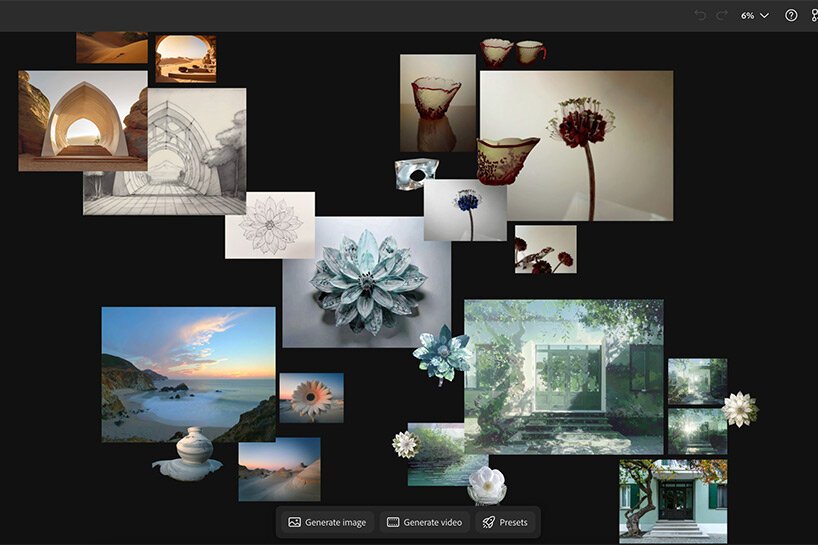
Speed of iteration determines how quickly businesses can test and refine visual messaging. Traditional design requires recreating assets when concepts don’t work. Ideogram 3.0’s generation speed (15–30 seconds) enables true iterative design where testing multiple approaches costs minutes rather than hours, fundamentally changing the economics of visual optimization.
Users describe visual requirements, receive four variations, provide feedback, and regenerate refined versions. The AI learns from selection patterns, progressively aligning outputs with preferences. Style parameters control aesthetic direction—minimalist, bold, vintage, corporate—allowing consistent brand alignment.
Business result: Marketing becomes data-driven rather than opinion-based. An e-commerce seller testing product banners generates ten variations, deploys them as split tests, and identifies the highest-converting option within days. This iterative efficiency means small businesses achieve testing sophistication previously limited to larger competitors.
Example: A wedding photographer updating their website hero image generates variations emphasizing different aspects: “romantic sunset couple,” “artistic black and white portrait,” “candid joyful moment.” Reviewing twelve options takes ten minutes. They identify finalists, regenerate refined versions, and select the final design—completing professional hero image selection in under 30 minutes instead of a full-day photoshoot.
Ad Creative Generation & Format Optimization

Advertising creative requires multiple asset sizes for different platforms: square for Instagram, vertical for Stories, landscape for Facebook. Traditional workflows multiply design time by the number of formats needed. Ideogram 3.0 addresses this by generating platform-optimized variations from a single creative concept.
The model understands common aspect ratios and composition requirements for advertising contexts. Users specify format needs, and Ideogram 3.0 produces appropriately composed images where key elements remain visible across different crops.
Business impact: Campaigns launch faster because creative production no longer bottlenecks on sequential design work. Small businesses running multi-channel promotions can generate complete asset libraries in one sitting.
Example: A consultant promoting a webinar needs graphics for email headers, Facebook ads, LinkedIn posts, and website banners. With Ideogram 3.0, they describe the webinar’s message once, specify four required formats, and receive appropriately composed variations for each platform. Total time: 20 minutes versus 2-3 hours traditionally.
Natural Language Control & Prompt Refinement
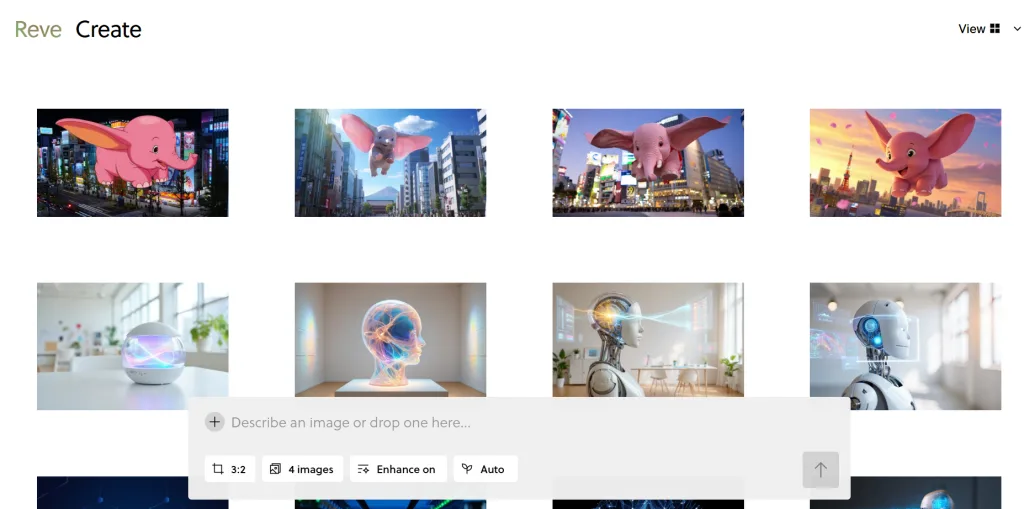
Professional design tools require specialized knowledge—Photoshop has thousands of features needing training to use effectively. Ideogram 3.0 eliminates this prerequisite by accepting instructions in plain English, allowing anyone to direct visual creation without understanding technical design concepts.
Users describe what they want, review results, and iteratively refine through conversational adjustments. The AI maintains context across refinements, understanding that “make the text larger” refers to the previous generation. This contextual continuity creates a design conversation rather than isolated requests.
Business outcome: Design capabilities are democratized. Small business owners without aesthetic training produce professional-quality visuals by describing needs clearly. Visual quality no longer correlates with design budget.
Example: A real estate agent needs a property listing flyer. They prompt: “Modern real estate listing with ‘Stunning Downtown Loft’, clean minimalist style.” Initial results are good but the headline needs more prominence. They refine: “Make headline bold and larger, use navy blue.” Total time: four minutes versus 25 minutes with template-based tools.
Ready to cut admin time in half? Try Ideogram 3.0 https://ideogram.ai/
Use Cases: Small Business & Freelancer Efficiency

Real-world application of Ideogram 3.0 varies significantly based on business model, but common patterns emerge around time savings, quality improvements, and reduced dependency on external design resources. These personas illustrate how different professional contexts benefit from Ideogram 3.0 efficiency for small business workflows.
Risks: Hallucination, Privacy, Over-Reliance

Generative AI occasionally produces confident but incorrect outputs. In visual generation, this might manifest as anatomically impossible figures or text spelling errors. These don’t occur frequently but require verification before publication.
Privacy considerations arise when using prompts describing proprietary products or confidential strategies. Review terms of service regarding data usage. For sensitive projects, consider whether prompts might reveal competitive intelligence.
Over-reliance represents the subtlest risk. As AI handles more tasks, skills atrophy. Maintaining baseline manual competence ensures you’re not entirely dependent on external platforms. Additionally, over-reliance can lead to creative homogenization if everyone uses similar tools with similar prompts.
Mitigation Tips
Implement a review checklist: verify text spelling, confirm visual accuracy, assess brand alignment, check for inadvertent trademarked elements. This 30-second review catches issues before publication.
For privacy, anonymize prompts when possible. Use generic descriptions that protect specifics while generating relevant results. Combat over-reliance by maintaining manual skills through periodic practice. Schedule quarterly sessions in traditional design software to ensure you can create without AI assistance if needed. Embrace AI augmentation rather than replacement—use AI for execution-heavy tasks while preserving human involvement in strategic decisions and quality validation.
FAQs

What is AI efficiency for small business?
AI efficiency for small business refers to leveraging artificial intelligence tools to automate time-consuming tasks, allowing business owners to focus on high-value activities like strategy, client relationships, and growth initiatives. In the context of visual content creation, it means using platforms like Ideogram 3.0 to generate professional graphics in minutes instead of hours, eliminating the need for extensive design skills or expensive outsourcing. The efficiency gain isn’t just speed—it’s the removal of bottlenecks that previously prevented small businesses from competing visually with larger competitors. AI efficiency transforms visual content from a scarce, expensive resource into an abundant, accessible capability that scales with business needs.
Can AI replace admin work?
AI can automate significant portions of administrative work but rarely replaces it entirely. For visual administration—creating graphics for social posts, email campaigns, presentations, and marketing materials—tools like Ideogram 3.0 dramatically reduce manual effort while still requiring human oversight for quality control and strategic alignment. The realistic expectation is that AI handles 60–80% of execution work while humans provide creative direction, brand consistency checks, and final approval. This partnership model preserves quality while reclaiming time that small business owners can redirect to revenue-generating activities. Complete replacement of administrative work isn’t the goal; strategic augmentation that lets you accomplish more with existing resources is the practical outcome.
How do freelancers use AI to save time?
Freelancers primarily use AI tools like Ideogram 3.0 to compress the execution phase of creative projects, allowing them to serve more clients without proportionally increasing working hours. A graphic designer generates initial concept variations through AI, curates the best options, and refines them with human expertise—reducing project completion time by 40–60% while maintaining or improving output quality. Content creators use AI to produce supporting visuals for articles, social posts, and newsletters without learning complex design software. The time savings compound across projects: what used to require four days of design work now completes in two days, enabling freelancers to double client capacity or reclaim time for marketing, skill development, and personal life.
What’s the best AI tool for reducing workload?

The “best” AI tool depends on your specific bottleneck. For visual content creation—social media graphics, marketing materials, ad creative—Ideogram 3.0 excels due to superior typography rendering and rapid iteration capabilities. Its strength is generating publication-ready visuals from text descriptions without requiring design expertise. For written content, tools like Claude serve different needs. The optimal approach isn’t finding one universal tool but identifying which specific tasks consume disproportionate time in your workflow and selecting specialized AI solutions for those bottlenecks. Most small businesses benefit from a focused toolkit of 2–3 AI tools rather than attempting to use dozens of specialized platforms. Start by solving your single biggest time drain, measure results, then expand strategically.
Do I need technical skills to use AI?
No specialized technical skills are required to use Ideogram 3.0 effectively. The platform operates through natural language descriptions—you explain what you want in plain English rather than using technical design terminology or software commands. Someone with zero design background can generate professional-quality visuals by describing their needs: “Create a professional email header with the text ‘Monthly Newsletter’ in modern typography with abstract technology elements in blue tones.” The AI handles technical execution like font selection, color balance, composition, and export formatting. The learning curve involves understanding how to describe visual concepts clearly and iteratively refine results through prompt adjustments—communication skills rather than technical expertise. Most users achieve competent results within 1–2 hours of experimentation.
Conclusion

The transformation of visual content creation through AI represents more than incremental improvements—it fundamentally redistributes where small business owners invest limited time and energy. Ideogram 3.0 efficiency for small business operations manifests as reclaimed hours redirected to activities AI cannot replicate: strategic thinking, relationship building, and business development. The tool amplifies human capabilities by handling technical execution that previously created bottlenecks.
For freelancers and solo entrepreneurs overwhelmed with image generation, the shift from maker to director of AI capabilities offers a practical path forward. You no longer need design expertise to produce professional visuals. The democratization of design capabilities levels playing fields previously favoring businesses with dedicated creative teams and substantial budgets.
The key reminder: AI is augmentation, not replacement. Ideogram 3.0 works best when integrated into workflows where humans provide strategic oversight while algorithms handle execution. This partnership preserves creative judgment and brand alignment that distinguish your business while eliminating time-consuming technical work that drains resources without adding strategic value.
Approach AI adoption with a phased, realistic mindset. Start with one specific visual task consuming significant time. Use Ideogram 3.0 consistently for two weeks. Measure time saved and quality outcomes. If results justify continued use, expand to additional applications. This incremental approach builds competence, validates efficiency gains, and creates sustainable integration rather than abandoned tools.
Next Steps
Ready to transform your visual workflow? Explore these resources to deepen your understanding of AI-powered business efficiency:
- ? Compare AI – Evaluate different AI tools and find the best match for your specific business needs and workflow requirements.
- ? AI Revenue Boost – Discover how AI integration directly impacts business growth, revenue generation, and competitive positioning in your market.
- ? Solo DX – Learn comprehensive digital transformation strategies designed specifically for solo entrepreneurs and small teams operating with limited resources.
- ?? AI Workflows – Access detailed implementation guides, workflow templates, and best practices for integrating AI tools into daily business operations efficiently.
Leave a Reply