If you’re a solo developer, freelancer, or small team lead trying to figure out which AI coding assistant actually saves time without adding complexity, this comparison cuts through the noise. ChatGPT excels at conversational debugging and iterative problem-solving with strong code explanation capabilities, making it ideal for developers who think out loud and need a flexible reasoning partner. Gemini 3 offers superior multimodal understanding—analyzing screenshots, diagrams, and error messages alongside code—which benefits visual learners and those working across documentation, design files, and implementation simultaneously. Neither tool replaces foundational programming knowledge, and both require clear prompting to avoid generic outputs. Your choice depends less on which AI is “better” and more on whether you need conversational depth (ChatGPT) or integrated multimodal context (Gemini 3) for your specific workflow.
Introduction: Why This Comparison Matters
Choosing between ChatGPT and Gemini 3 for programming feels unnecessarily complicated because most comparisons focus on benchmarks rather than real workflow decisions. You’re not selecting a tool for abstract performance—you’re trying to reduce the cognitive load of debugging at 11 PM, speed up documentation reviews, or get unstuck when Stack Overflow doesn’t have your exact error message. The confusion stems from overlapping capabilities: both tools handle code generation, explanation, and debugging, but they approach context integration and interaction patterns differently.
This article reframes the decision around practical business outcomes. Instead of asking “which AI is smarter,” we examine which tool fits how you actually work: Do you prefer refining ideas through conversation, or do you need an assistant that understands your Figma mockup, error screenshot, and legacy codebase documentation simultaneously? The chatgpt vs gemini for coding beginners question misses the point—beginners and experienced developers alike benefit from understanding which interaction model matches their problem-solving style. We’ll also address best ai assistant for solo developers 2026 considerations, since working without a team changes what “good enough” means for code review, architecture decisions, and technical debt management.
By the end, you’ll understand not just feature differences but decision triggers: the specific moments in your development workflow where one AI provides measurably better support than the other, and where both fall short.
Who This Comparison Is Best For

This comparison serves developers and technical decision-makers facing a specific set of constraints: limited time for tool evaluation, mixed skill levels across projects, and uncertainty about whether AI coding assistants deliver measurable value or just add another subscription cost. You’re likely in one of these situations:
Freelance developers managing multiple client codebases struggle with context-switching between unfamiliar frameworks. You might spend an hour remembering how a specific client’s Django setup handles authentication before making a small change. Traditional documentation searches interrupt flow, and you need an assistant that quickly reconstructs context from existing code rather than requiring you to explain everything from scratch.
Solo founders writing code outside their primary expertise face a different problem: you understand business logic but lack fluency in implementation patterns. When your React component isn’t re-rendering properly, you don’t need a computer science lecture—you need someone to explain what’s happening in terms of your specific code, why it’s broken, and what minimal change fixes it. The value isn’t in learning React comprehensively; it’s in shipping the feature today.
Small team leads without dedicated DevOps resources often inherit infrastructure decisions made by previous contractors. You’re modifying deployment scripts you didn’t write, and the original developer isn’t available. An AI that can parse existing bash scripts, explain what’s happening, and suggest safer modifications matters more than one that generates greenfield solutions from scratch.

Common mistake: Choosing an AI based on which handles the most programming languages. Unless you’re genuinely polyglot across ten frameworks, what matters is depth of support for your actual stack plus strong general reasoning. A developer who works primarily in Python and occasionally touches JavaScript doesn’t benefit from an AI that supports forty languages superficially.
Another common mistake: Expecting AI to replace code review or architectural thinking. Both ChatGPT and Gemini 3 generate plausible-looking code that may introduce subtle bugs, security issues, or maintainability problems. The value proposition isn’t “write code for me” but “accelerate the parts of coding that don’t require deep expertise,” like writing boilerplate, explaining unfamiliar syntax, or generating test cases from existing functions.
Real-world example: A WordPress plugin developer spends fifteen hours weekly answering support tickets that require reading client error logs, checking PHP versions, and diagnosing conflicts between plugins. An AI with strong multimodal capabilities can analyze screenshot error messages and correlate them with documentation faster than manually searching forums. The business outcome isn’t “better code”—it’s recovering ten hours weekly for actual development instead of support archaeology.
Why Each AI Fits That Need
ChatGPT for Conversational Debugging and Iterative Problem-Solving

ChatGPT structures interactions around extended dialogue, which mirrors how experienced developers actually debug: forming hypotheses, testing them, and refining based on results. When you’re stuck on why a database query returns empty results despite correct syntax, ChatGPT excels at walking through logical possibilities—checking connection strings, examining query construction, verifying table names—without requiring you to formulate the perfect question upfront.
The learning curve favors developers comfortable with written communication. You don’t need to master special syntax or learn tool-specific commands; you describe the problem as you would to a colleague. This reduces activation energy for quick questions: instead of deciding whether something is “worth” opening an IDE debugger, you paste an error message and get immediate context.
Thinking support emerges through ChatGPT’s ability to maintain conversational context across multiple exchanges. When debugging a complex authentication flow, you can reference “that middleware we discussed three messages ago” without re-explaining the entire architecture. This persistence matters for problems that require iterative refinement rather than single-shot answers.
Integration and compatibility lean toward general-purpose tooling rather than specialized IDE plugins. ChatGPT fits workflows where you’re already context-switching between browser tabs, terminal windows, and documentation. It doesn’t tightly integrate with your development environment, which paradoxically reduces friction for developers who work across multiple machines, remote servers, or client systems where installing extensions isn’t practical.
Supporting example: A developer migrating a legacy PHP application to Laravel hits obscure deprecation warnings. ChatGPT’s strength isn’t knowing every Laravel version’s breaking changes—it’s helping formulate the right search terms, explaining what deprecated functions likely did originally, and suggesting modern equivalents based on the surrounding code context. The business result is reducing a three-hour research session to thirty minutes, maintaining project momentum instead of getting derailed by framework archaeology.
Gemini 3 for Multimodal Context and Integrated Understanding
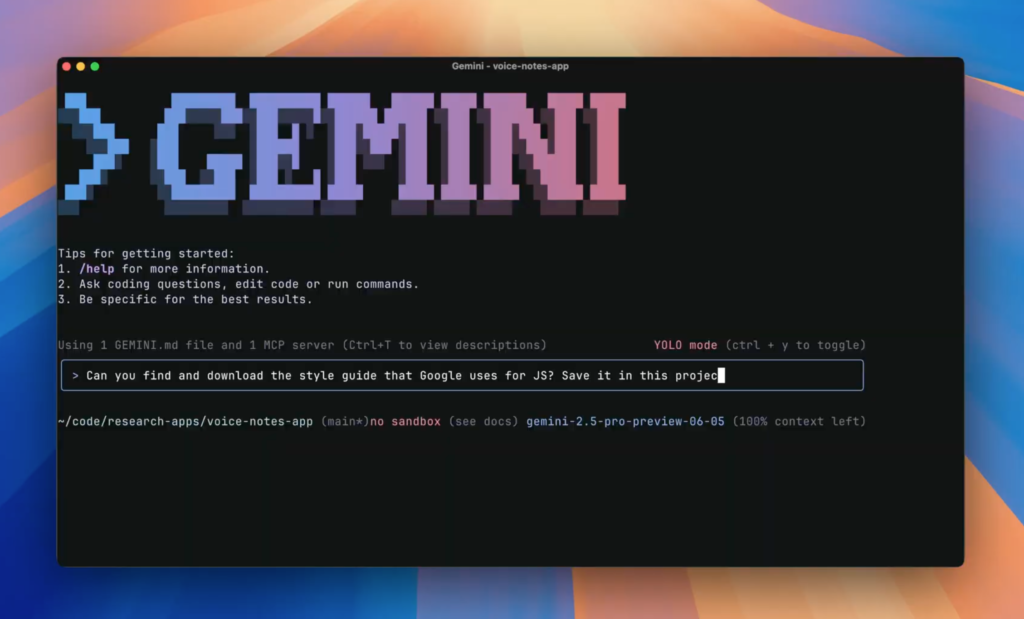
Gemini 3’s defining characteristic is native multimodal processing: it analyzes code alongside screenshots, architectural diagrams, error messages, and documentation PDFs as integrated context rather than separate inputs. This matters when your problem spans multiple representation formats simultaneously.
General-purpose usefulness extends beyond pure code generation to documentation workflows. When client requirements arrive as annotated Figma designs showing desired UI behavior, Gemini 3 can reference the design file directly while discussing implementation approaches. This eliminates the translation step where you verbally describe visual requirements, reducing miscommunication and saving iteration cycles.
Learning curve demands more upfront investment in understanding how to effectively combine context types. Simply uploading a screenshot and asking “fix this” produces generic results; effective use requires framing questions that leverage multimodal understanding—like “this error screenshot shows a CORS issue, and here’s my nginx config file; what’s the mismatch?”
Thinking support manifests differently than ChatGPT’s conversational approach. Gemini 3 excels at pattern recognition across heterogeneous inputs: correlating an error stack trace with corresponding API documentation, or identifying discrepancies between database schema diagrams and actual migration files. Where ChatGPT walks you through logical deduction, Gemini 3 surfaces connections between context sources you might miss.
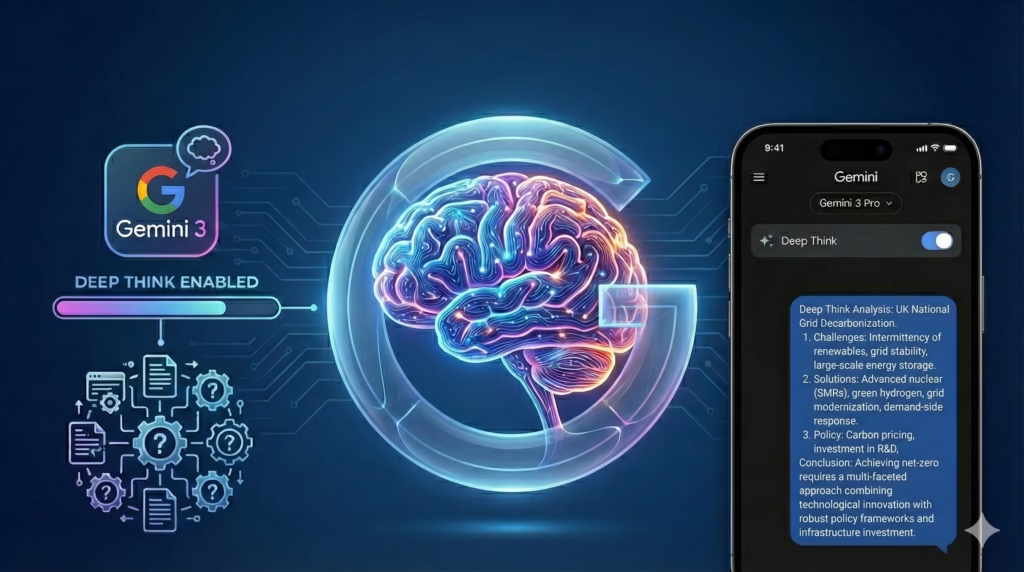
Tool compatibility benefits workflows involving visual documentation, design handoffs, or debugging issues that require screenshotted evidence. For developers working with non-technical stakeholders who communicate requirements through annotated images or recorded screencasts, Gemini 3’s ability to parse visual context reduces the manual transcription burden.
Supporting example: A mobile app developer receives bug reports with screenshots showing layout issues across different device sizes. Gemini 3 can analyze the screenshots alongside existing CSS/layout code, identifying which media queries or flexbox properties cause the visual discrepancy. The business result isn’t just fixing the bug faster—it’s training the developer to recognize similar layout patterns, reducing future debugging time.
Both tools support business outcomes by reducing the time between encountering a problem and implementing a solution, but through different mechanisms. ChatGPT optimizes for problems that benefit from verbal reasoning and iterative exploration. Gemini 3 optimizes for problems where multiple information types must be synthesized simultaneously. Your choice depends on whether your typical bottleneck is “I need help thinking through this logically” versus “I need help connecting these disparate pieces of information.”
Who Should Choose Another AI

Neither ChatGPT nor Gemini 3 serves situations requiring deterministic outputs, strict compliance validation, or domain-specific vertical solutions. Understanding these limitations prevents misallocating time and budget.
Regulated industries with code compliance requirements need tools that guarantee outputs meet specific standards—HIPAA for healthcare applications, PCI-DSS for payment processing, or industry-specific frameworks like MISRA for automotive systems. General-purpose AI models generate plausible code that may violate subtle compliance rules. A medical device developer can’t use AI-generated code without extensive manual review that negates time savings. These scenarios benefit from rule-based linters, compliance-specific static analysis tools, or specialized code generation platforms built around regulatory frameworks.
Teams managing legacy COBOL, Fortran, or proprietary language codebases encounter AI limitations around training data scarcity. While ChatGPT and Gemini 3 handle mainstream languages effectively, their understanding of decades-old business logic encoded in uncommon languages remains superficial. A bank maintaining COBOL transaction systems gets better results from consultants specializing in legacy modernization than from general AI assistants.
High-stakes production systems where bugs have financial or safety implications demand review processes that general AI can’t replace. Both tools occasionally generate subtle logical errors or security vulnerabilities—SQL injection risks, improper input validation, race conditions in concurrent code. An e-commerce platform processing thousands of transactions hourly can’t deploy AI-generated payment logic without security review that requires human expertise. The cost of a single production bug outweighs months of AI subscription fees.
Use Cases by Business Goal
Productivity

Internal dashboards and data visualization represent high-value AI use cases because they balance complexity with tolerance for iteration. A small business owner building an admin panel to track customer metrics doesn’t need pixel-perfect design—they need functional data display quickly. ChatGPT handles this well through conversational refinement: start with a basic table layout, add filtering, improve styling incrementally. Each iteration takes minutes rather than hours researching charting libraries.
ChatGPT pros: Natural iteration cycle matches how non-developers think about features (“can we add a date range filter?”). No need to formally specify requirements upfront.
ChatGPT cons: May suggest outdated libraries or patterns that worked in training data but have been superseded. Requires verification of suggested packages.
Gemini 3 pros: Can reference dashboard mockups or competitor screenshots while generating code, reducing back-and-forth about visual requirements.
Gemini 3 cons: Less effective for pure logic problems that don’t benefit from visual context.
Automation scripting for repetitive tasks—like generating weekly reports from databases, processing uploaded files, or synchronizing data between systems—benefits from AI-assisted development because one-off scripts don’t justify extensive optimization time. A freelancer who manually exports client data monthly can describe the process to ChatGPT and get a working Python script in one session.
Business outcome: Internal productivity tools that would take three days of research and development get built in four hours, and they’re “good enough” because perfect efficiency doesn’t matter when humans previously did the task manually. Explore more productivity strategies at AI Efficiency.
Systemization / Automation
Workflow integration between existing tools—connecting Stripe webhooks to Slack notifications, syncing CRM data to spreadsheets, or automating deployment pipelines—represents high-leverage AI use because the logic is straightforward but setup friction is high. ChatGPT can generate Zapier alternative scripts or webhook handlers that would otherwise require reading multiple API documentations.
ChatGPT pros: Handles API integration patterns well, including error handling, retry logic, and logging.
ChatGPT cons: May suggest solutions that work in development but fail under production load (rate limiting, concurrent requests).
Gemini 3 pros: Can analyze existing workflow diagrams or screenshots of current manual processes while designing automation logic.
Gemini 3 cons: Less tested for long-term reliability patterns like graceful degradation or circuit breakers.
Long-term stability vs flexibility trade-off: ChatGPT’s conversational refinement fits workflows that need ongoing adjustment—adding new Slack channels, modifying notification rules. Gemini 3’s multimodal strength suits initial setup where visual workflow documentation clarifies requirements, but changes require more explicit re-prompting.
Infrastructure as code for small-scale deployments—Docker configurations, nginx setups, CI/CD pipelines—benefits from AI assistance because syntax is complex but underlying logic follows established patterns. A developer deploying their first production application can describe desired behavior and receive working configuration files.
Business outcome: Systemization tasks that would require hiring DevOps consultants for short-term projects become feasible for solo developers, reducing monthly operational overhead. Discover more workflow optimization approaches at Solo DX.
AI Comparison Table + Explanation
| Axis | ChatGPT | Gemini 3 |
|---|---|---|
| Ease of Use | Conversational interface requires no special syntax; natural for developers comfortable expressing problems verbally | Multimodal capabilities demand understanding how to effectively combine text, code, and images; steeper learning curve for optimal results |
| Best For | Iterative debugging, explaining unfamiliar code, refining solutions through dialogue, exploring alternative approaches | Analyzing visual context (UI bugs, design mockups, error screenshots), correlating documentation with implementation, cross-referencing multiple file formats |
| Strengths | Maintains conversational context across extended exchanges; strong at explaining “why” behind code patterns; accessible for quick questions without setup | Native multimodal understanding eliminates manual transcription of visual information; effective at surfacing connections between disparate context sources |
| Limitations | Purely text-based interaction misses information encoded in screenshots or diagrams; occasionally suggests outdated libraries or patterns | Less refined for pure logical reasoning that doesn’t benefit from visual inputs; requires more explicit prompting structure |
| Pricing Perception | Subscription tiers balance casual use (free) with intensive use (Plus/Team); generally viewed as affordable for individual developers | Pricing perceived as competitive but multimodal features may not justify costs for developers working primarily with code files |
Why choice depends on business maturity and goals: Early-stage solo developers benefit more from ChatGPT’s low barrier to entry—you can start getting value immediately without learning optimal prompting strategies. The conversational model accommodates uncertainty: you don’t need to know what you don’t know, which matches early-stage exploration.
Established freelancers or small teams handling client work across diverse tech stacks benefit from Gemini 3’s multimodal capabilities because client communication often involves visual artifacts (design files, annotated screenshots, architecture diagrams). The investment in learning effective multimodal prompting pays off when it eliminates ten email exchanges clarifying requirements.

Business maturity also affects tolerance for AI limitations. Bootstrapped founders prioritize shipping speed over code perfection; ChatGPT’s occasional suboptimal suggestions matter less than rapid iteration. Teams managing client work with contractual quality commitments need tighter validation processes, which reduces the relative speed advantage of either tool.
Goal alignment matters more than features: if your primary bottleneck is understanding existing code faster, both tools help, but ChatGPT’s explanation depth typically wins. If your bottleneck is translating visual requirements into implementation, Gemini 3’s multimodal strength provides clearer advantages.
How to Choose the Right AI

Decision checkpoints for selecting between ChatGPT and Gemini 3:
Budget reality: Both tools offer free tiers sufficient for casual use. Paid plans ($20/month range) become necessary when you’re using AI multiple hours daily. Calculate ROI based on hourly rate: if you bill $100/hour and AI saves five hours monthly, the subscription pays for itself in the first week. However, if you’re checking AI once weekly for occasional questions, free tiers suffice indefinitely.
Time-to-output expectations: ChatGPT typically reaches working solutions faster for pure code problems because conversational refinement feels natural. Gemini 3 requires more upfront context assembly (gathering relevant screenshots, documentation excerpts) but may reach better solutions in fewer iterations when visual information is relevant. Track your actual usage: if you’re spending fifteen minutes gathering context before asking questions, you’re over-preparing.
Team technical skill variance: In solo situations, choose based on personal preference. In small teams with mixed skills, ChatGPT’s natural language interface has lower training overhead—non-technical team members can ask questions without learning special syntax. Gemini 3 suits teams already comfortable with structured communication and documentation.
Review or compliance requirements: Neither tool replaces code review for production systems. If your workflow includes mandatory peer review or automated security scanning, treat AI outputs as first drafts requiring validation. This reality check prevents over-reliance: AI speeds up drafting but doesn’t eliminate testing responsibilities.
Common mistake: choosing based on hype cycles. When a new AI model launches with impressive benchmarks, it’s tempting to switch tools immediately. Benchmark performance rarely translates directly to your specific workflow. A model that excels at LeetCode-style algorithm questions may underperform at explaining your legacy codebase’s business logic. Stick with whichever tool you’ve already integrated into your workflow unless you’re experiencing specific, measurable problems.
Common mistake: using AI as a replacement rather than tool. If you’re prompting AI to “build me a web application” without understanding component architecture, state management, or deployment, you’re creating unmaintainable code. Effective use treats AI as an accelerant for tasks you could do manually but want to complete faster—writing boilerplate, generating test cases, explaining unfamiliar syntax.
When to use both: Some workflows genuinely benefit from multiple tools. During initial exploration with client mockups and requirements (multimodal context), Gemini 3 clarifies specifications. During implementation and debugging (iterative problem-solving), ChatGPT provides better conversational flow. The subscription cost of both tools ($40/month combined) may be justified if you’re billing $75+ hourly and genuinely use each tool’s strengths regularly.
Decision trigger example: You’re debugging a frontend layout issue. With ChatGPT, you paste CSS code and describe the problem verbally (“flexbox items aren’t centering”). With Gemini 3, you screenshot the actual broken layout alongside code. If you can clearly articulate the problem in text, ChatGPT is faster. If the problem is “this doesn’t look right but I’m not sure why,” Gemini 3’s visual analysis helps.
Explore structured decision frameworks for AI tool selection at AI Workflows.
FAQs
Is ChatGPT better than Gemini 3 for small business owners learning to code?
Neither tool is objectively “better” for beginners; the right choice depends on learning style. ChatGPT’s conversational interface feels more natural for people accustomed to asking questions and refining understanding through dialogue. You can express confusion naturally (“I don’t understand why this function isn’t returning the right value”) without formulating technically precise questions. Gemini 3 benefits visual learners who understand concepts better through diagrams, screenshots, and seeing examples alongside explanations. If you’re learning from video tutorials and frequently screenshot examples to reference later, Gemini 3’s multimodal understanding aligns with that workflow. The real success factor isn’t which AI you choose—it’s whether you’re using AI to accelerate learning concepts you’re actively studying, not as a replacement for understanding fundamentals.
Can I use AI to write production code without knowing how to program?
Technically yes, functionally no. Both ChatGPT and Gemini 3 can generate working code from natural language descriptions, but production-ready code requires understanding edge cases, security implications, performance characteristics, and maintainability considerations that AI doesn’t reliably handle. You can build simple tools—basic CRUD applications, data processing scripts, automation workflows—with minimal programming knowledge, but you’re accumulating technical debt that becomes costly when requirements change. The sustainable approach: use AI to accelerate learning programming fundamentals, not bypass them. A non-programmer building a business tool should either invest time learning enough to evaluate AI-generated code critically, or budget for occasional expert review before deploying anything that handles sensitive data or critical business processes.
Next Steps

Choose your next area of focus based on where AI can deliver the most immediate business value:
- Compare AI — Explore detailed comparisons across other AI tools and use cases
- AI Efficiency — Discover workflows and strategies for maximizing AI productivity gains
- AI Revenue Boost — Learn how to apply AI to revenue-generating activities and marketing
- Solo DX — Find approaches for solo developers and small teams building sustainable systems
- AI Workflows — Access structured frameworks for integrating AI into existing development processes
Leave a Reply