
If you’re running a small business and need to create marketing visuals, social media graphics, or branded assets without hiring a full-time designer, the choice between Ideogram 3.0 and Adobe Firefly 3 comes down to this: Ideogram 3.0 excels at creative exploration and text rendering with a simple interface that requires minimal design experience, while Adobe Firefly 3 delivers production-ready images with brand consistency and integrates seamlessly into existing Creative Cloud workflows. Ideogram suits bootstrapped businesses prioritizing speed and experimentation. Firefly fits teams already invested in Adobe’s ecosystem or those requiring consistent brand execution across multiple assets. Neither tool replaces strategic design thinking—both require clear prompting and iteration to produce usable business content.
Introduction: Why This Comparison Matters
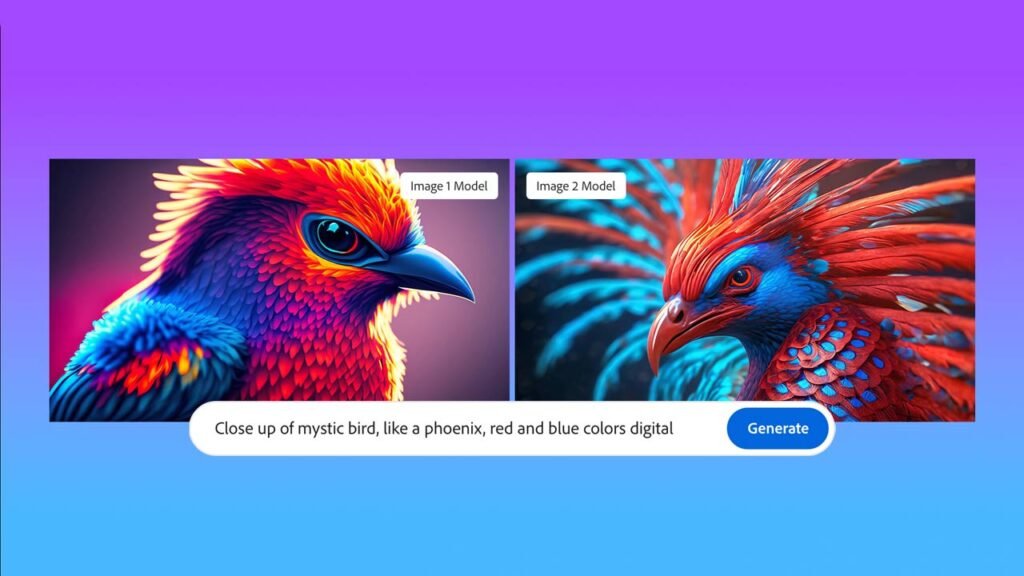
Choosing between AI image generators feels overwhelming because most comparisons focus on technical capabilities—resolution, style options, prompt accuracy—rather than business outcomes. When you’re managing a small business, the real question isn’t which AI produces the most photorealistic images, but which tool helps you maintain a consistent brand presence while reducing dependency on expensive design resources.
The Ideogram 3.0 vs Adobe Firefly 3 for image generation decision matters because these tools approach commercial use differently. Ideogram positions itself as a standalone creative platform optimized for text-in-image generation and rapid visual exploration. Adobe Firefly 3 functions as part of a larger ecosystem designed for production workflows, with built-in brand controls and direct integration into tools you may already use for editing and collaboration.
This comparison cuts through feature lists to focus on practical decision-making: which AI reduces cognitive load for non-designers, which supports repeatable brand systems, and which pricing model aligns with unpredictable project volumes. Understanding these differences helps you avoid common mistakes—paying for unused enterprise features, struggling with tools that don’t match your team’s technical skills, or choosing based on trendy capabilities that don’t translate to actual business value.
Who This Comparison Is Best For

This comparison addresses small business owners, marketing managers, and solo entrepreneurs who need visual content regularly but lack dedicated design teams. You’re likely experiencing one of these situations: spending too much time tweaking Canva templates that still look generic, paying per-project rates to freelance designers for simple social media graphics, or delaying marketing campaigns because creating visuals feels like a separate full-time job.
Common pain points include not knowing whether AI-generated images can legally be used in commercial contexts, uncertainty about how much prompt engineering is “too much work,” and confusion about whether subscription costs justify the output quality compared to stock photo services. You might be a service business owner creating educational content, an e-commerce operator needing product mockup variations, or a consultant building branded presentation decks without design expertise.

Typical mistakes in this category include choosing AI tools based on impressive gallery examples without testing whether those results are reproducible for your specific business needs. Many users expect AI to eliminate the need for creative direction entirely, then feel frustrated when outputs require iteration and refinement. Others select tools with advanced features—3D rendering, style transfer, API access—that remain unused because day-to-day needs are simpler: Instagram posts, email headers, blog featured images.
Real-world examples: A freelance consultant needs 3–4 custom graphics weekly for LinkedIn posts and client presentations, values speed over pixel-perfect design, and has no Adobe subscription. A retail business manager creates seasonal promotional materials, needs brand color consistency, and already uses Photoshop for photo editing. A nonprofit coordinator produces event flyers and social media announcements with minimal design skills and an extremely limited budget. Each situation demands different trade-offs between creative flexibility, workflow integration, and learning investment.
Why Each AI Fits That Need

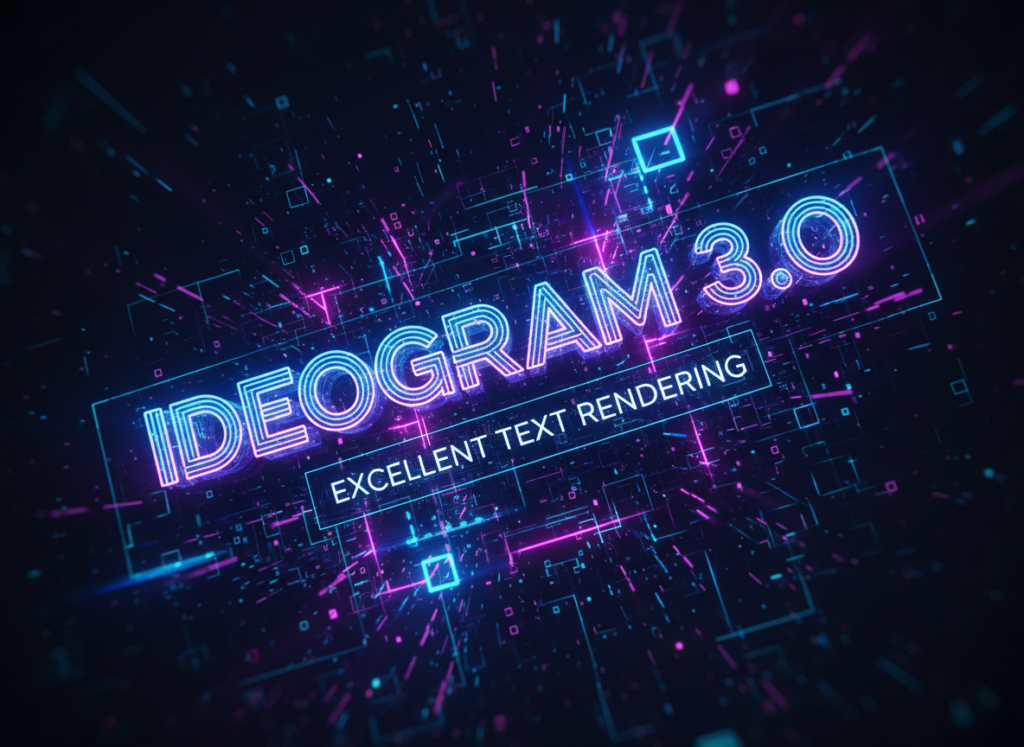
Ideogram 3.0 serves businesses prioritizing creative experimentation and text-heavy visual content with minimal technical friction. Its core strength lies in generating images with embedded text that remains legible and aesthetically integrated—solving a persistent problem where most AI generators produce garbled or distorted typography. For small businesses creating promotional graphics, quote cards, announcement visuals, or text-based social media content, this capability reduces the need for post-generation editing in separate design software.
The learning curve is deliberately shallow. Users interact through a straightforward web interface requiring only text prompts and optional style parameters. There’s no requirement to understand layers, masks, or composition rules. This accessibility supports non-designers who need to produce content quickly without investing weeks in tutorials. The tool encourages iterative exploration: generate multiple variations rapidly, identify promising directions, refine through prompt adjustments rather than manual editing.
Ideogram’s thinking support manifests as style presets and “Magic Prompt” enhancement, which expands brief descriptions into more detailed instructions that improve output quality. This feature bridges the gap between vague creative intent (“something professional for a webinar announcement”) and the specific language AI models respond to effectively. For business users without design vocabulary, this reduces cognitive load and improves first-attempt success rates.
Integration is intentionally minimal—Ideogram functions as a standalone web application without native plugins for other software. Outputs are downloaded as PNG or JPEG files and imported manually into presentation software, social media scheduling tools, or website builders. This simplicity benefits users who want a focused tool rather than complex ecosystem dependencies, but it does mean incorporating generated images into broader workflows requires additional steps.
The business result Ideogram supports best is rapid content creation for digital marketing channels where volume and variety matter more than pixel-perfect refinement. Service businesses publishing regular educational content, coaches creating engagement posts, or small teams running social media campaigns benefit from the ability to produce diverse visual concepts quickly without designer dependencies or extensive software knowledge.

Adobe Firefly 3 fits businesses requiring production-quality assets with brand consistency and integration into existing creative workflows. Its primary advantage is native embedding within Adobe’s Creative Cloud ecosystem—generate images directly inside Photoshop, Illustrator, or Express without leaving your working environment. For teams already paying for Adobe subscriptions, this eliminates context-switching and allows generated content to be immediately refined using professional editing tools.
The learning curve is moderate. While basic generation requires only text prompts similar to Ideogram, accessing Firefly’s full value demands familiarity with Adobe’s interface conventions and the ability to leverage complementary tools. Users with existing Photoshop skills can treat AI generation as one layer in a broader composition process, combining generated elements with photos, vector graphics, and manual adjustments. This complexity becomes an advantage rather than barrier for teams with some design experience.
Firefly’s thinking support appears through “Content Credentials” metadata and brand kit integration. Content Credentials transparently tag AI-generated images, supporting compliance requirements and ethical disclosure practices. Brand kit functionality lets users predefine color palettes, fonts, and style guidelines, then apply them consistently across generated images—critical for businesses maintaining visual identity across multiple campaigns and team members.
Integration extends beyond Creative Cloud. Firefly connects with Adobe Stock, enabling users to access licensed reference imagery during generation. Generated assets automatically sync across Adobe apps via cloud storage. For businesses using Adobe for video editing (Premiere), presentation design (InDesign), or web development (Dreamweaver), Firefly becomes part of a unified production pipeline rather than an isolated tool.
The business result Firefly supports best is scalable brand execution across multiple channels and formats where consistency and professional polish justify additional complexity. Marketing agencies managing client brands, in-house teams producing campaign variations, or businesses with established visual guidelines benefit from the ability to generate on-brand assets that integrate seamlessly into professional production workflows.
Who Should Choose Another AI

Neither Ideogram 3.0 nor Adobe Firefly 3 is appropriate if your business needs highly technical or industry-specific visualization that demands precision rather than creative interpretation. Medical practices requiring anatomically accurate diagrams, engineering firms needing CAD-compatible technical illustrations, or legal services creating courtroom evidence visualizations should use specialized software with verification and compliance capabilities that general-purpose AI generators lack.
Businesses requiring extremely high-volume automated generation integrated into backend systems—e-commerce platforms dynamically creating thousands of product variation images, real estate services auto-generating listing flyers from database feeds, or news organizations producing real-time infographics—need tools with robust APIs, batch processing capabilities, and programmatic controls. While both Ideogram and Firefly offer some automation features, they’re optimized for hands-on creative workflows rather than lights-out production pipelines.
Organizations subject to strict regulatory oversight or liability concerns around content authenticity should proceed cautiously with any AI image generation. Financial services, healthcare providers, or government agencies where misleading visuals could trigger compliance violations or legal consequences may find that traditional design processes—despite higher costs and slower timelines—offer necessary accountability and audit trails that AI tools cannot yet provide reliably.
Finally, teams expecting AI to completely eliminate design thinking or creative judgment will be disappointed regardless of which tool they choose. Both platforms require clear creative direction, iterative refinement, and judgment about which outputs align with brand strategy and audience expectations. If your business lacks anyone willing to develop basic visual literacy—understanding composition, color relationships, or audience-appropriate style—the bottleneck isn’t the tool, it’s organizational capacity.
Use Cases by Business Goal
Productivity

For internal productivity applications—creating dashboard graphics, process diagrams, training materials, or internal presentation visuals—both tools reduce dependency on design resources but with different efficiency profiles.
Ideogram 3.0 excels at rapid generation of explanatory graphics with embedded text. Creating a simple workflow diagram, illustrative concept image for a training slide, or visual separator for a report section requires only a descriptive prompt and takes seconds. The lack of integration with productivity software like PowerPoint or Google Slides means you’ll download images and insert them manually, but the speed of generation often compensates for this extra step. Limitations appear when you need precise layouts or when iterating on a specific concept requires systematic variation rather than creative reinterpretation—Ideogram’s strength is diverse exploration, not controlled refinement.
Adobe Firefly 3 integrates productivity workflows more smoothly for teams already using Adobe products. Generating a background image for a presentation slide while working in Adobe Express, or creating section dividers for a PDF report in Acrobat, keeps you in a single environment. The ability to apply brand colors and style guidelines ensures internal materials maintain visual consistency even when multiple team members create content. However, the cognitive overhead of learning Adobe’s interface and the cost of Creative Cloud subscriptions may not justify these benefits if internal documents don’t require brand polish or if your team uses non-Adobe productivity software.
Trade-off: Ideogram optimizes for speed and simplicity in one-off visual needs, while Firefly supports systematic brand application across ongoing content production. Choose Ideogram if internal visuals are functional rather than brand-critical; choose Firefly if maintaining professional consistency in internal communications matters to company culture or external-facing internal documents.
Looking to maximize efficiency across your business operations? Explore more strategies at AI Efficiency.
Revenue / Marketing
Revenue-generating activities—social media marketing, email campaigns, advertising creative, website imagery—demand both volume and brand alignment, making the choice between these tools particularly consequential.
Ideogram 3.0 supports rapid campaign experimentation and social media content calendars. Generating 10 variations of an Instagram quote graphic, creating announcement images for weekly newsletter editions, or producing eye-catching hero images for blog posts becomes straightforward. The text rendering capability is valuable for promotional graphics with pricing callouts, event dates, or key messaging that must remain legible. Speed enables A/B testing different visual approaches before committing to paid promotion. Limitations emerge in brand consistency—without preset style controls, maintaining cohesive visual identity across hundreds of social posts requires disciplined prompt engineering and manual oversight.
Adobe Firefly 3 delivers marketing assets that integrate into professional campaign workflows. Creating Facebook ad variations, email header images, or website banner designs with consistent brand application supports cohesive multi-channel campaigns. Integration with Adobe Express streamlines social media scheduling and content calendar management. The ability to generate images that align with established brand guidelines reduces review cycles and approval friction for businesses with formal brand management. However, the complexity and cost may exceed what’s necessary for experimental or early-stage marketing where speed and iteration matter more than polish.
Trade-off: Ideogram enables rapid testing and high-volume content creation for bootstrapped marketing operations, while Firefly supports professional campaign execution with brand consistency for more mature marketing functions. Choose Ideogram if you’re building marketing presence through volume and experimentation; choose Firefly if you’re scaling established campaigns that demand brand integrity.
Discover how to leverage AI for revenue growth at AI Revenue Boost.
Systemization / Automation

Long-term operational efficiency depends on repeatable processes rather than one-off creative outputs—an area where integration capabilities and workflow stability matter significantly.
Ideogram 3.0 offers API access for programmatic generation, enabling businesses to integrate image creation into custom workflows or internal tools. A content agency might build a client portal where users input campaign parameters and automatically receive branded graphic options. An e-commerce business could generate product announcement graphics based on inventory database updates. However, Ideogram’s positioning as a creative exploration tool means its API and automation features are less mature than its manual interface—suitable for moderate automation needs but not enterprise-scale production pipelines.
Adobe Firefly 3 integrates deeply into Adobe’s workflow ecosystem, supporting systemization through template systems, batch operations, and Creative Cloud Libraries. A marketing team can create master templates with variable zones for AI-generated imagery, ensuring every campaign asset follows the same structural framework while allowing creative variation. Adobe’s extensive documentation, plugin ecosystem, and professional user community provide resources for building sophisticated automated workflows. The trade-off is complexity—systemizing Firefly-based workflows requires technical expertise or dedicated operations personnel that smaller businesses may lack.
Trade-off: Ideogram suits businesses building lightweight automation around specific creative needs without heavy infrastructure investment, while Firefly supports comprehensive workflow systemization for teams with technical resources and long-term Adobe platform commitment. Choose Ideogram if you need targeted automation wins; choose Firefly if you’re building enduring creative operations infrastructure.
Learn more about optimizing business processes at Solo DX.
AI Comparison Table + Explanation
| Axis | Ideogram 3.0 | Adobe Firefly 3 |
|---|---|---|
| Ease of Use | Simple web interface, minimal learning curve, no design experience required | Moderate complexity, benefits from Adobe familiarity, integrated into professional tools |
| Best For | Rapid social media content, text-heavy graphics, creative experimentation | Brand-consistent marketing assets, professional campaign execution, integrated creative workflows |
| Strengths | Superior text rendering, fast iteration, standalone simplicity, accessible to non-designers | Creative Cloud integration, brand kit controls, Content Credentials metadata, production-quality outputs |
| Limitations | Limited brand consistency tools, manual workflow integration, basic editing capabilities | Requires Adobe ecosystem knowledge, higher cost barrier, complexity exceeds simple use cases |
| Pricing Perception | Subscription feels justified for high-volume content creation, less appealing for occasional use | Value depends heavily on existing Adobe investments, expensive as standalone tool |
The choice between these tools fundamentally depends on business maturity and operational goals rather than objective technical superiority. Early-stage businesses experimenting with visual content formats benefit from Ideogram’s low friction and rapid exploration capabilities—you can test whether AI-generated graphics resonate with your audience before committing to complex workflows or expensive subscriptions.
Established businesses with defined brand guidelines and existing creative operations gain more value from Firefly’s integration and consistency features. The ability to generate on-brand assets that slot directly into production workflows justifies the higher complexity and cost when visual consistency impacts brand perception and when multiple team members create content that must align with central brand strategy.
Consider also your team’s technical capacity. A solo entrepreneur or small team without design background finds Ideogram’s simplicity enabling rather than limiting—it reduces barriers to creating visual content that enhances marketing effectiveness. A team with existing Adobe skills and infrastructure experiences Firefly as a natural extension of current capabilities rather than an additional tool to learn.
The pricing perception shifts based on usage patterns. Businesses producing daily social media content, weekly newsletter graphics, or regular campaign assets find subscription costs justifiable for either platform. Organizations with irregular visual needs—quarterly reports, annual presentations, occasional promotional pushes—may struggle to justify ongoing subscription costs when per-project design fees or stock imagery services cost less over time.
Neither tool eliminates the need for strategic creative judgment. Both require clear prompting, iterative refinement, and human oversight to produce results that align with brand values and audience expectations. The efficiency gains come from reducing execution friction and expanding creative options, not from replacing design thinking entirely.
FAQs

Is Ideogram 3.0 better than Adobe Firefly 3 for small business marketing?
Neither is objectively “better”—the right choice depends on your operational context. Ideogram suits businesses prioritizing content volume, speed, and minimal technical barriers, particularly valuable for solo entrepreneurs or small teams without design resources. Firefly fits businesses requiring brand consistency across campaigns, integration with professional creative workflows, or teams already invested in Adobe’s ecosystem. Evaluate based on your team’s skills, existing tool infrastructure, and whether rapid experimentation or polished brand execution matters more to your current business stage.
Can I use AI-generated images for commercial purposes legally?
Both Ideogram 3.0 and Adobe Firefly 3 grant commercial usage rights for generated images under their respective terms of service, but with important nuances. Ideogram provides commercial licenses to paid subscribers; free tier outputs may have restrictions. Firefly includes commercial rights within Creative Cloud subscriptions and provides Content Credentials metadata that transparently disclose AI generation, supporting ethical use and potential regulatory requirements. Always review current terms of service for your specific subscription tier, and consider whether your industry or clients require disclosure of AI-generated content beyond legal minimums.
Which AI tool is easier for non-designers to learn?
Ideogram 3.0 presents a lower learning barrier for users without design experience, requiring only text prompts and offering immediate results through a straightforward web interface. Adobe Firefly 3 assumes some familiarity with creative software conventions and integrates into Adobe’s ecosystem, creating complexity that benefits experienced users but can overwhelm beginners. However, “easier to learn” doesn’t automatically mean “better business fit”—Firefly’s complexity enables capabilities that may justify the learning investment if brand consistency and professional workflows matter to your operations.
How much does it cost to use these AI image generators for business?
Based on publicly available information as of 2025, Ideogram operates on a freemium model with paid tiers offering increased generation limits, higher resolution, and commercial licensing starting around $8-16 monthly. Adobe Firefly 3 is included in Creative Cloud subscriptions, which range from approximately $20-55 monthly depending on plan level, or available as a standalone Firefly subscription at lower cost. True business cost includes not just subscription fees but also learning time, workflow integration effort, and whether you’ll use other included tools enough to justify ecosystem pricing.
Next Steps

Ready to make an informed decision about AI tools for your business? Explore these resources:
- Compare AI – Detailed comparisons of AI tools across business functions
- AI Efficiency – Strategies for maximizing operational efficiency with AI
- AI Revenue Boost – Using AI to drive business growth and revenue
- Solo DX – Digital transformation approaches for small teams and solo entrepreneurs
- AI Workflows – Practical frameworks for integrating AI into business processes
Leave a Reply