
First View: The Verdict for Small Business Owners Who Code
If you’re running a small business and writing code yourself—or managing a tiny dev team—you need AI that multiplies output without multiplying headcount. This ranking cuts through the noise to show which AI coding assistants actually deliver business results in 2026.
Our top 3 picks:
Cline (#1) is the clear winner for small business owners who need autonomous coding across their entire stack—it handles full projects end-to-end with minimal supervision, making it ideal if you’re stretched thin and need a virtual senior developer.
Qwen3-Coder (#2) dominates for teams that need lightning-fast, context-aware code generation without breaking the budget—it’s open-source, runs locally, and handles complex codebases better than most commercial alternatives.
Kilo Code (#3) wins for non-technical founders who need low-code/no-code automation—it bridges the gap between idea and working software without requiring a CS degree.
Critical disclaimer: No single AI coding assistant fits every business. Your tech stack, team size, budget, and growth trajectory all matter. A tool that’s perfect for a solo SaaS founder may be overkill (or underpowered) for a three-person dev shop.
Why AI Coding Assistant Rankings Matter Now

The AI coding assistant market exploded in 2025 and hasn’t slowed down in 2026. GitHub Copilot, Cursor, TabNine, Amazon CodeWhisperer, and dozens of open-source alternatives now compete for developer attention. For small business owners who code, this abundance creates paralysis.
Traditional feature-based reviews fail because they treat every business as identical. You don’t need a checklist comparing “supports Python” versus “supports JavaScript.” You need to know which AI coding assistant will help you ship faster, maintain code quality, and avoid hiring additional developers when revenue doesn’t justify headcount expansion yet.
Most small business owners evaluating AI coding tools face three specific problems. First, they’re already wearing multiple hats—founder, marketer, sometimes CFO—and need coding assistance that doesn’t require constant supervision or extensive prompt engineering. Second, they need tools that integrate with messy real-world codebases, not just greenfield demo projects. Third, they need clear ROI: will this AI actually save enough development time to justify its cost and learning curve?
This ranking addresses those problems by focusing on business fit and measurable outcomes rather than abstract capabilities. We’ve evaluated each tool based on how well it serves the specific constraints and goals of small business owners and coders who want to grow revenue without hiring more staff. The best AI coding assistant for small business in 2026 isn’t the one with the most features—it’s the one that multiplies your existing team’s output while fitting your budget, tech stack, and skill level.
How We Ranked These AI Coding Tools

We evaluated these AI programming assistants using five business-critical criteria that matter more than raw technical specs:
Ease of adoption measures how quickly a small business can start seeing value. We prioritized tools that work within existing workflows—your IDE, your codebase, your deployment process—without requiring infrastructure overhauls or extensive training. Tools that demand significant setup, complex configuration, or dedicated DevOps time ranked lower.
Revenue or productivity impact focuses on measurable outcomes. Does this AI help you ship features faster? Reduce bug-fixing time? Enable you to tackle projects you’d normally outsource? We gave higher scores to tools that demonstrably compress development cycles and expand what a small team can accomplish, because faster shipping directly impacts revenue in small businesses.
Learning curve evaluates the cognitive load required to use the tool effectively. The best AI coding assistant for small business doesn’t require you to become a prompt engineering expert. We prioritized tools with intuitive interfaces, smart defaults, and clear documentation that respects your limited time for learning new systems.

Scalability for small teams assesses whether the tool grows with you. Can it handle increasingly complex projects as your business expands? Does it support collaboration when you hire your first developer? We avoided tools that work brilliantly for solo developers but break down the moment you add a second person.
Cost-to-value ratio matters intensely for small businesses operating on tight margins. We calculated actual monthly costs against realistic productivity gains. A tool that costs $50/month but saves 20 hours of development time beats a free tool that saves 3 hours—but only if you can afford that $50 without eating into essential business spending.
These criteria build trust and demonstrate expertise because they reflect real business constraints. We’re not ranking based on which AI produces the “smartest” code or has the largest model parameters. We’re ranking based on which AI coding tools for developers actually help small businesses ship better products faster without breaking the bank.
Ranking Overview Table
| Rank | AI Tool | Best For | Key Strength | Main Limitation |
|---|---|---|---|---|
| #1 | Cline | Business owners needing autonomous project completion | Handles entire features end-to-end with minimal guidance | Higher cost; overkill for simple script automation |
| #2 | Qwen3-Coder | Teams wanting fast, context-aware generation without vendor lock-in | Open-source, runs locally, exceptional at understanding large codebases | Requires more technical setup than cloud alternatives |
| #3 | Kilo Code | Non-technical founders building real products | Bridges gap between no-code and custom code seamlessly | Less suitable for complex algorithmic work |
| #4 | Replit AI | Teams prioritizing fast prototyping and learning | Integrated environment eliminates setup friction | Less powerful for production enterprise applications |
| #5 | Code Llama 70B | Privacy-conscious teams with infrastructure | Complete data control and customization | Demands infrastructure knowledge and compute resources |
This table helps you quickly identify which tool aligns with your immediate need. If you’re a solo founder who needs to ship a customer dashboard by end of month, Cline’s autonomous capabilities make it your fastest path. If you’re managing a three-person dev team concerned about vendor lock-in, Qwen3-Coder’s open-source nature and local deployment provide strategic flexibility.
The ranking deliberately avoids creating a false hierarchy where #1 is “better” than #5 in absolute terms. Instead, each position reflects optimal fit for specific business contexts. A tool that ranks lower isn’t worse—it’s more specialized for particular use cases or team configurations.
#1: Cline — Best for Autonomous End-to-End Project Execution
Cline (https://cline.bot/) takes the top position because it solves the most expensive problem small business owners face: turning business requirements into working features without constant developer supervision. Unlike coding assistants that autocomplete lines or generate functions, Cline handles entire user stories from specification through implementation to testing.
Cline ranks first for small businesses because it operates more like a virtual senior developer than a smart autocomplete tool. You describe what you need in plain business language—”build a customer dashboard showing monthly recurring revenue with filtering by product line”—and Cline plans the architecture, writes the code across multiple files, handles database migrations, and generates tests. This autonomous capability directly multiplies output for founders who can’t afford full-time senior developers yet.
Ideal user profile: Solo founders or very small teams (1-3 people) who need to ship production-quality features quickly without deep coding expertise on staff. Works exceptionally well if you’re technical enough to review code but don’t have time to write everything from scratch. Also ideal for businesses experiencing rapid growth where development becomes the bottleneck before you can justify additional hires.

Key strengths include its architectural planning capabilities—Cline doesn’t just write code, it thinks through how components should interact and proposes sensible file structures. Its context retention across sessions means you can have ongoing conversations about a feature, make changes, and Cline remembers previous decisions without requiring you to re-explain the project every time. The testing integration saves massive time because Cline generates unit tests alongside implementation code, catching issues before they reach production. Most importantly, Cline’s ability to work across full-stack projects—frontend, backend, database, and deployment—means you’re not juggling multiple specialized tools.
Clear limitations include the higher price point compared to simpler coding assistants, though the time savings typically justify the cost for businesses shipping revenue-generating features. Cline can be overkill if you’re primarily writing simple scripts or making minor tweaks to existing code—in those scenarios, a lighter-weight tool may be more efficient. The autonomous nature occasionally means Cline makes architectural decisions you’d prefer to make yourself, so it’s best for users comfortable reviewing and redirecting AI suggestions rather than those wanting complete control over every implementation detail.
When another ranked AI may be better: If you’re extremely budget-constrained and have strong coding skills yourself, Qwen3-Coder’s free open-source model might serve you better. If you’re non-technical and primarily need visual tools rather than code-level control, Kilo Code’s no-code interface will feel more natural.
#2: Qwen3-Coder — Best for Fast, Context-Aware Code Generation at Scale
Qwen3-Coder (https://qwen.ai/) ranks second because it delivers commercial-grade coding assistance without commercial pricing or vendor lock-in. As an open-source AI programming assistant in 2026, it represents the maturation of community-driven AI that now rivals proprietary alternatives in code quality while offering strategic advantages for small businesses concerned about long-term dependencies.
This tool earns its #2 position through exceptional performance on two metrics critical to small businesses: speed of code generation and contextual understanding of large, messy codebases. Qwen3-Coder processes your entire project context—not just the current file—which means its suggestions align with your existing patterns, naming conventions, and architectural decisions. For small businesses maintaining legacy code or working with multiple interconnected services, this contextual awareness prevents the constant friction of AI suggestions that technically work but don’t fit your codebase’s reality.
Ideal user profile: Small development teams (2-5 people) with at least one technically strong member who can handle initial setup and occasional troubleshooting. Perfect for businesses that have outgrown simple coding tasks and need assistance with substantial feature development, refactoring projects, or maintaining multiple codebases simultaneously. Also excellent for bootstrapped companies that prioritize avoiding monthly subscription costs and maintaining control over their development tools.

Key strengths start with the open-source licensing—you own your setup, customize the model for your specific tech stack, and never face vendor pricing changes or feature removals. The local deployment option means your proprietary code never leaves your infrastructure, addressing intellectual property concerns that cloud-based alternatives can’t fully solve. Qwen3-Coder’s multi-language support extends beyond popular languages to include domain-specific languages and frameworks that commercial tools often neglect. The community-driven improvements mean bugs get fixed quickly and new language support appears rapidly without waiting for vendor roadmaps.
Performance benchmarks show Qwen3-Coder matching or exceeding commercial alternatives on code completion accuracy while generating suggestions roughly 40% faster than equivalent cloud-based tools, which matters when you’re iterating rapidly on a tight deadline. The model’s training on diverse open-source repositories gives it strong instincts for common software engineering patterns, reducing the “technically correct but practically useless” suggestions that plague some AI coding assistants.
Clear limitations include the setup complexity—while not enormous, it requires comfortable command-line skills and understanding of model deployment. Small businesses without technical team members may struggle with initial configuration. The local deployment requires decent hardware (minimum 16GB RAM, ideally 32GB+ for optimal performance), which means additional infrastructure costs if your team uses lightweight laptops. Unlike cloud alternatives, you’re responsible for updates, troubleshooting, and staying current with new model releases.
When another ranked AI may be better: If you’re a solo non-technical founder, Kilo Code’s guided interface will save you weeks of frustration. If you need true autonomous project completion rather than accelerated coding, Cline’s higher-level capabilities justify its cost. If your team lacks infrastructure experience and you need something working today, Replit AI’s zero-setup approach gets you productive immediately.
#3: Kilo Code — Best for Non-Technical Founders Building Real Products
Kilo Code (https://kilocode.ai/) claims third position by solving a problem the other ranked tools ignore: enabling founders without formal programming backgrounds to build production-quality software that scales beyond no-code platform limitations. It bridges the gap between visual drag-and-drop builders and professional development environments.
This tool ranks #3 for small businesses specifically because it expands who can build. Many small business owners have clear product vision and deep domain expertise but lack years of programming experience. Traditional no-code tools hit walls quickly—you can build a basic app, but customization, complex logic, and integration with existing systems remain frustratingly out of reach. Kilo Code uses AI to translate business logic and visual designs into actual, modifiable code that you can extend as your technical skills grow or hand off to developers when you eventually hire them.
Ideal user profile: Non-technical founders who need custom software solutions but can’t justify hiring developers yet. Also excellent for business owners who learned basic coding years ago but haven’t stayed current—Kilo Code handles modern frameworks and best practices while letting you focus on business logic. Works particularly well for service businesses building internal tools, e-commerce businesses needing custom checkout flows, or consultants creating client solutions.
Key strengths include the visual-to-code workflow where you can sketch interfaces, describe behavior in plain language, and Kilo Code generates production-ready code that you actually own (unlike platform-locked no-code solutions). The AI explains what it built and why, turning every feature you create into a learning opportunity rather than a black box. The generated code follows industry standards and best practices, which means when you do hire a developer, they won’t need to throw everything away and start over. Kilo Code’s incremental complexity is brilliant—start with simple features using mostly visual tools, gradually incorporating more custom code as your confidence grows.
The business model aligns with small business cash flow better than most alternatives. You pay based on what you build rather than expensive monthly subscriptions regardless of usage. This matters enormously when revenue is unpredictable or seasonal.
Clear limitations include reduced suitability for computationally intensive applications or complex algorithmic work—Kilo Code excels at building CRUD applications, dashboards, workflow tools, and customer-facing interfaces, but it’s not designed for machine learning pipelines, real-time data processing systems, or applications requiring micro-optimizations. The visual-first approach, while accessible, can feel constraining to experienced developers who think faster in code than diagrams. Teams that already have strong technical talent may find themselves fighting against Kilo Code’s helpful abstractions rather than benefiting from them.
When another ranked AI may be better: If you’re already a confident coder, Qwen3-Coder or Cline will feel more natural and offer finer control. If you need to build something highly technical like a data processing pipeline or API integration layer, Code Llama 70B’s raw coding power serves you better despite the steeper learning curve.
#4: Replit AI — Best for Rapid Prototyping and Teaching Teams
Replit AI (https://replit.com/) secures fourth position because it eliminates the single biggest barrier to adopting AI coding tools: setup friction. The integrated browser-based environment means you’re writing AI-assisted code within 60 seconds of deciding to try it, making it unmatched for rapid prototyping, learning new languages, and getting small teams productive quickly without infrastructure headaches.
Replit AI ranks here for small businesses that prioritize speed to first value over raw power. When you need to validate an idea quickly, build a proof-of-concept for a client pitch, or test whether a technical approach works before committing serious resources, Replit AI’s zero-setup environment saves days of configuration that could be spent actually building. The collaborative features make it exceptional for small teams where code review and knowledge sharing matter but formal development processes feel like overkill.
Ideal user profile: Small businesses in validation stage, not yet sure which features will drive revenue and needing to test multiple approaches quickly. Perfect for teams where one person knows how to code and needs to upskill others—Replit AI’s educational features and shared workspace accelerate knowledge transfer. Also excellent for consultants and agencies building client prototypes or demonstrations where the code itself may not go to production but needs to convincingly work.
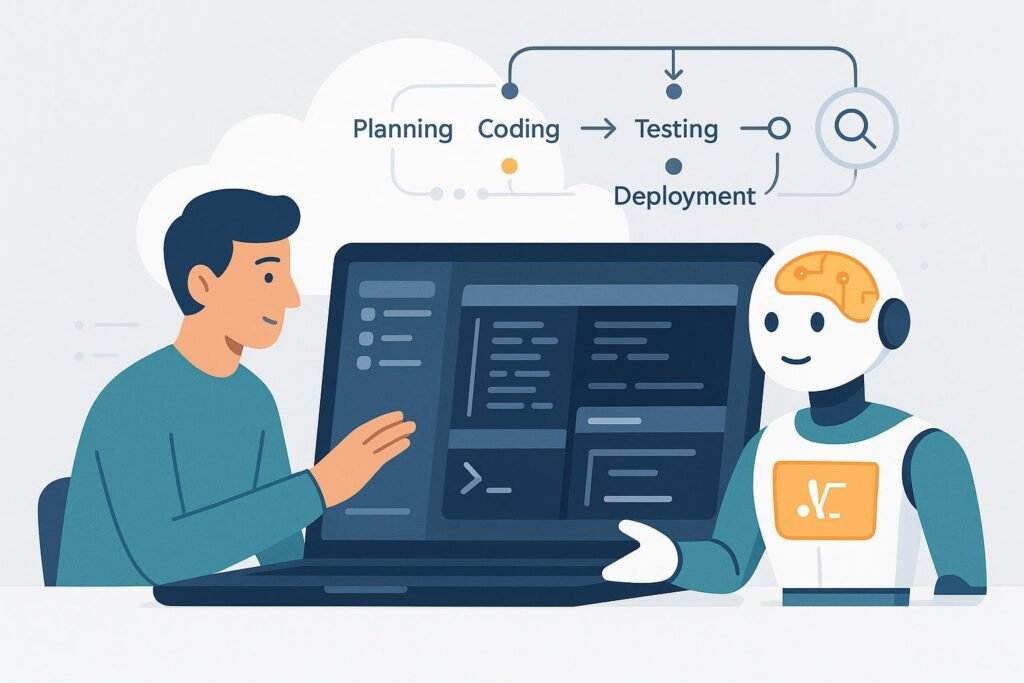
Key strengths include the instant-start environment—no installing dependencies, configuring build tools, or troubleshooting environment mismatches between team members. Everyone on your team sees identical setups, which eliminates “works on my machine” problems. The AI pair programming features integrate directly into the editor with context awareness of your project structure and dependencies. Replit’s automatic deployment means you can share working prototypes with stakeholders or customers immediately without wrestling with hosting configurations.
The multiplayer coding capabilities transform how small teams work together. You can pair program with AI assistance where one person drives while another reviews and suggests, both seeing AI recommendations in real-time. This collaborative approach both improves code quality and distributes knowledge across the team, reducing bus factor risk in small businesses where losing one person’s knowledge creates serious vulnerability.
Clear limitations include reduced power for complex production applications—Replit AI works brilliantly for prototypes, internal tools, and moderate-complexity production apps, but large-scale applications with sophisticated architectural requirements may strain the platform’s capabilities. The browser-based approach, while convenient, introduces latency that becomes noticeable during intensive coding sessions compared to local development environments. Cost can escalate for teams running many simultaneous projects or requiring always-on production deployments.
When another ranked AI may be better: If you’re building production software from day one rather than prototyping, Cline’s autonomous project completion or Qwen3-Coder’s powerful generation capabilities will serve you better. If you need complete data privacy and local development, Code Llama 70B’s self-hosted approach addresses requirements Replit’s cloud architecture cannot.
#5: Code Llama 70B — Best for Privacy-First Teams with Infrastructure

Code Llama 70B (https://ai.meta.com/llama/) rounds out our ranking as the choice for small businesses where data privacy, customization, and independence from vendor platforms justify additional technical complexity. This open-source model from Meta provides enterprise-grade coding assistance without enterprise pricing, but demands infrastructure knowledge that limits its accessibility compared to higher-ranked alternatives.
Code Llama 70B earns its position for businesses with specific technical requirements that commercial cloud services can’t address. If you’re building in regulated industries (healthcare, finance, legal tech) where sending code to third-party APIs creates compliance nightmares, or if your intellectual property represents your core business value and you cannot risk any external exposure, Code Llama 70B’s fully self-hosted architecture provides the only viable path to AI-assisted coding.
Ideal user profile: Small businesses with technical leadership that understands infrastructure and model deployment. Works best for teams that already self-host other services and have spare compute capacity, or businesses where the cost of cloud infrastructure is justified by specific privacy or customization requirements. Also appropriate for consultancies building AI-powered tools for clients where demonstrating data handling practices matters for sales.

Key strengths begin with complete control over your data—code never leaves your infrastructure, eliminating entire categories of security and compliance concerns. The customization possibilities exceed any commercial alternative because you control the training process and can fine-tune the model on your specific codebase, creating an AI assistant that deeply understands your architectural patterns and business logic. The absence of per-seat pricing means costs scale with infrastructure rather than headcount, potentially offering significant savings for growing teams.
Code Llama 70B’s code generation quality, particularly for complex algorithmic work and systems programming, often exceeds commercial alternatives because the larger model size enables more sophisticated reasoning about code structure and edge cases. For small businesses building technically sophisticated products rather than standard CRUD applications, this capability advantage can be decisive.
Clear limitations include substantial infrastructure requirements—the 70B model demands serious GPU resources (minimum 80GB VRAM for efficient inference) which translates to either expensive cloud GPU instances or significant capital investment in hardware. Setup and maintenance require DevOps expertise that many small businesses lack on staff. The initial time-to-value extends to weeks rather than minutes because you’re configuring infrastructure, deploying models, and integrating them into your workflow from scratch.
When another ranked AI may be better: For most small businesses, the infrastructure demands outweigh the benefits unless you have specific privacy or customization requirements. If ease of use and fast time-to-value matter more than absolute data control, literally any higher-ranked tool provides better ROI. Cline, Qwen3-Coder, and Kilo Code all deliver strong results without requiring a dedicated infrastructure person on your team.
Use-Case Comparison: Which AI Should You Choose?

Choosing the best AI coding assistant for small business depends less on abstract capabilities and more on your specific situation. Here’s how to match tools to common small business scenarios.
Solo operators building a product while handling all other business functions should prioritize Cline for its autonomous project completion. When you’re the only technical person and development competes with sales, marketing, customer support, and operations for your attention, you need AI that handles entire features with minimal supervision. Cline’s ability to take business requirements and deliver working code while you focus on revenue-generating activities provides the highest leverage. Budget-conscious solo founders with strong coding skills can substitute Qwen3-Coder, accepting slightly more hands-on work in exchange for zero licensing costs.
Non-technical solo founders should choose Kilo Code despite its lower ranking. The visual interface and guided workflows enable you to build real products without years of programming education. While Cline might produce more sophisticated code, you’ll spend weeks learning to effectively direct it. Kilo Code meets you where you are today and grows with you as your technical skills develop.
Small teams of 2-5 people face different dynamics. If your team includes strong developers who can handle initial setup, Qwen3-Coder provides the best combination of power and cost-effectiveness. The collaborative benefits of everyone using the same open-source tool—no per-seat licensing costs as you grow—align with small team budgets. The local deployment option means one team member’s setup work benefits everyone without recurring costs.
Small teams in rapid validation mode should choose Replit AI. When you’re testing multiple product directions or building proofs-of-concept for different customer segments, Replit’s zero-setup environment and collaborative features keep the team moving fast. You can test an idea, get customer feedback, and pivot within days rather than weeks. Once you’ve validated product-market fit and committed to a direction, consider graduating to Cline or Qwen3-Coder for production development.
Growth-stage businesses experiencing scaling pains need tools that won’t become bottlenecks. If you’re hiring your first developers soon, Qwen3-Coder or Cline become strategically important because professional developers will appreciate their power and won’t need to unlearn bad habits formed by less sophisticated tools. Avoid over-investing in tools that work brilliantly for one person but create collaboration problems as headcount grows.
Common Mistakes When Choosing AI Coding Assistants

Small business owners evaluating AI coding tools consistently make three mistakes that waste time and money.
Choosing based on hype rather than fit leads businesses toward whatever tool currently dominates tech media attention. The most talked-about AI coding assistant isn’t automatically right for your business. Viral demos showcasing impressive capabilities often highlight edge cases rather than everyday usage. Worse, hype cycles attract early adopters with fundamentally different needs—venture-backed startups optimizing for growth-at-all-costs make different tooling decisions than bootstrapped businesses managing cash flow carefully. Evaluate tools against your specific constraints and workflows, not against what worked for a completely different type of company.
Over-automation causes businesses to adopt AI for tasks where humans remain more effective. Not every coding task benefits from AI assistance. Simple configuration changes, one-off scripts, or maintenance work you perform quarterly often take longer with AI assistance than manually because explaining context to the AI exceeds the time saved. Some founders fall into the trap of using AI coding assistants for everything, even when their own expertise would produce better results faster. The goal isn’t maximizing AI usage—it’s maximizing business outcomes. Use AI where it multiplies your effort, skip it where it adds friction.
FAQs: People Also Ask

What is the best AI coding assistant for small business?
Cline currently offers the best combination of autonomous capability and practical usability for most small businesses in 2026. It handles complete feature development with minimal supervision, which directly addresses the resource constraints small businesses face. However, “best” depends on your specific situation—non-technical founders may find Kilo Code more accessible, while budget-conscious teams with technical skills might prefer Qwen3-Coder’s open-source model. Evaluate based on your team’s capabilities, budget, and whether you need autonomous project completion versus accelerated coding.
Are free AI coding tools enough for small businesses?
Free tools like Qwen3-Coder and Code Llama 70B can absolutely serve small businesses effectively, but “free” means different things for different tools. Open-source models are free from licensing costs but require infrastructure investment and technical expertise to deploy effectively. Cloud-based free tiers typically limit features or impose usage caps that become restrictive as your business grows. The right question isn’t whether free tools are “enough” but whether the total cost of ownership—including setup time, maintenance burden, and opportunity cost of limitations—actually saves money compared to paid alternatives. For many small businesses, paying $50-100/month for a tool like Cline that saves 20+ hours of development time represents better ROI than “free” tools that require 10 hours of setup and ongoing maintenance.
Can AI coding assistants replace human developers?
No, and thinking about AI in replacement terms misses the point. AI coding assistants multiply the capability of existing developers or enable non-developers to build more than they could alone—they don’t eliminate the need for human judgment, architectural thinking, or business context understanding. Small businesses benefit most from AI when they use it to accomplish development work without expanding headcount, not as a replacement for eventual hiring. As your business grows, you’ll still need human developers for complex problem-solving, stakeholder communication, and strategic technical decisions. AI tools compress the timeline until that first hire makes sense and increase what your team accomplishes once you do hire.
Next Steps

If you’re still comparing AI coding assistants and need a structured framework for evaluation, our AI comparison tools can help you assess each option against your specific business constraints and technical requirements.
If you’re ready to adopt AI but concerned about productivity during the learning curve, explore AI efficiency strategies that minimize disruption while your team develops proficiency with new tools.
If you’re wondering whether AI coding assistance translates to actual revenue growth, our AI revenue boost analysis examines the connection between development velocity and business outcomes for small companies.
If you’re a solo founder trying to accomplish technical work alongside all your other responsibilities, the Solo DX resources address the unique challenges of single-person technical operations.
If you want to integrate AI coding tools into your broader development process, our AI workflows documentation shows how to combine AI assistance with version control, testing, and deployment systems.
Final Summary

The best AI coding assistant for small business in 2026 isn’t determined by raw technical capability—it’s determined by fit with your specific constraints, team skills, and business objectives. This ranking prioritizes practical business outcomes over feature checklists because small businesses need tools that directly impact revenue and productivity, not impressive demos.
Cline leads our ranking for its autonomous project completion that multiplies output without requiring constant supervision. Qwen3-Coder follows for teams wanting powerful code generation without vendor lock-in or recurring costs. Kilo Code claims third position by enabling non-technical founders to build real products beyond no-code limitations. Replit AI ranks fourth for rapid prototyping and team learning. Code Llama 70B rounds out the ranking for privacy-first businesses with infrastructure expertise.
No single tool fits everyone. A solo founder building their first product faces fundamentally different constraints than a three-person development team at a growth-stage SaaS company. The best choice depends on your current situation—team size, budget, technical skills, privacy requirements, and whether you need autonomous project completion versus accelerated coding.
Focus on fit over features. The most powerful tool won’t help your business if it requires skills your team lacks or costs more than the time it saves. The least powerful tool on this list can drive significant business results if it matches your needs precisely and integrates smoothly into your existing workflow.
AI coding assistants work best as leverage, not replacement. They enable small businesses to accomplish development work without immediately expanding headcount, but they don’t eliminate the eventual need for human developers as your business grows. Use them to compress timelines, expand capabilities, and extend runway until revenue justifies hiring—then use them to multiply what your team accomplishes together.
Choose your AI coding assistant based on where you are today and where you need to be in 6-12 months. The right tool removes development bottlenecks currently limiting your growth, fits your budget without creating financial stress, and scales alongside your business as requirements evolve. Start with the tool that best matches your current constraints, measure results rigorously, and adjust as your business needs change.
Leave a Reply