
Introduction
In 2026, the modern freelancer and solo entrepreneur faces a paradox: while technology has made business more accessible than ever, the sheer volume of administrative tasks threatens to overwhelm creative and revenue-generating work. Email management, social media content creation, client communications, invoicing, project documentation—these necessary evils consume hours that could be spent on billable work or strategic growth.
The shift from manual administrative drudgery to AI-powered daily operations isn’t just about saving time. It’s about reclaiming mental bandwidth, reducing decision fatigue, and allowing small business owners to focus on what they do best. When you’re wearing every hat in your business—marketer, accountant, designer, salesperson, and customer service rep—the cognitive load becomes unsustainable. This is where AI efficiency tools for small business become not just helpful, but essential.
Enter Adobe Express, a platform that represents a smarter alternative to the traditional juggling act. Unlike generic productivity tools or complex enterprise software, Adobe Express brings Adobe’s design heritage into the realm of everyday business operations. It’s not trying to replace your expertise; it’s designed to handle the repetitive, time-consuming tasks that prevent you from applying that expertise where it matters most. From generating social media graphics in seconds to creating professional presentations without starting from scratch, Adobe Express transforms how solo entrepreneurs and freelancers approach their daily workload.
The promise is simple: what once took hours now takes minutes. What once required multiple tools and platforms can now happen in one place. And what once pulled you away from your core work can now run in the background while you focus on growing your business.
Key Concepts of AI Efficiency

Before diving into specific tools and tactics, it’s crucial to understand the fundamental concepts that make AI efficiency tools for small business so transformative. These aren’t just buzzwords—they’re the cognitive and operational principles that explain why AI can have such a dramatic impact on how you work.
Cognitive Offloading
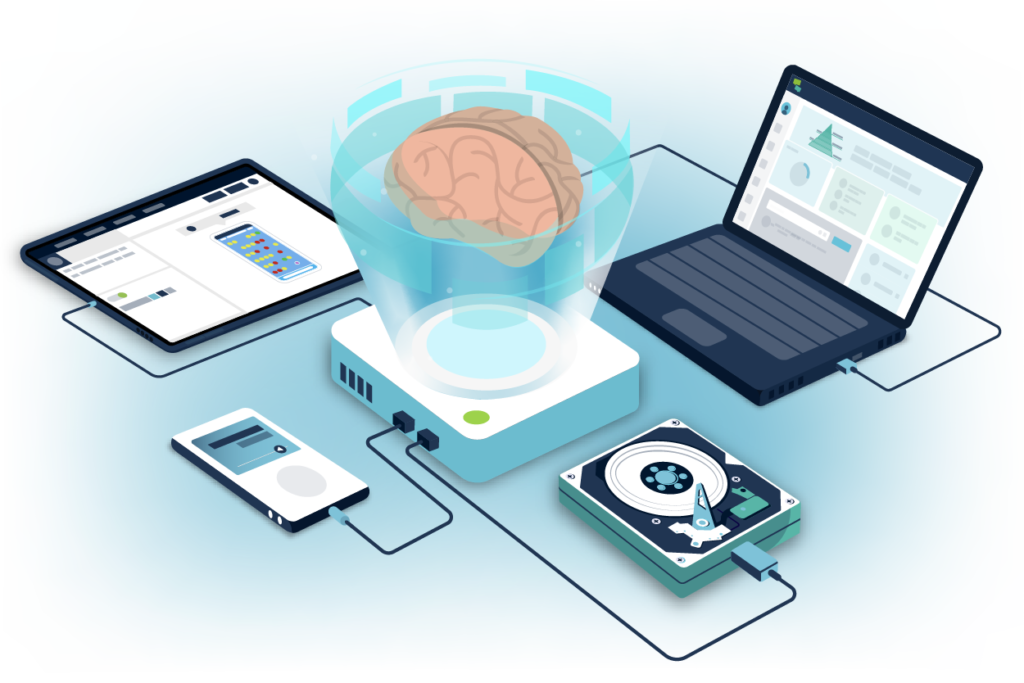
Cognitive offloading refers to the practice of using external tools to reduce the mental effort required for tasks. Every time you have to remember a client’s brand colors, search for the right template, or manually resize an image for different social platforms, you’re using precious mental resources. These seemingly small decisions accumulate throughout the day, leading to decision fatigue.
In a business context, cognitive offloading through AI means you’re not constantly context-switching to handle micro-tasks. When Adobe Express automatically suggests brand-appropriate color palettes based on your previous work, or when it generates multiple size variations of your social post instantly, you’re offloading the cognitive burden of these decisions. The result? Your mental energy remains available for the creative and strategic thinking that actually differentiates your business.
Consider a freelance graphic designer juggling three client projects. Without cognitive offloading, they’re constantly switching between client brand guidelines, remembering which fonts go with which clients, and manually adjusting designs for different deliverables. With AI-powered tools that remember these preferences and automate the repetitive adjustments, the designer’s brain stays focused on creative problem-solving rather than administrative recall.
Context Switching Cost

Research consistently shows that switching between tasks can reduce productivity by up to 40%. For solo entrepreneurs, the cost is even higher because there’s no team to maintain continuity while you’re distracted. When you’re writing a proposal and have to stop to create a social media graphic, then return to the proposal, your brain doesn’t simply resume where it left off—it has to rebuild its working context, which takes time and mental energy.
AI efficiency comes into play by reducing the number of context switches required. When you can generate a social post in 60 seconds without leaving your workflow, versus spending 20 minutes in a separate design tool, you’ve eliminated a costly context switch. When Adobe Express can create variations of your content automatically rather than requiring manual recreation for each platform, you’re maintaining focus on your core message rather than getting lost in formatting details.
For e-commerce owners, this might mean staying in their product strategy mindset while quickly generating promotional graphics, rather than having to shift into “designer mode” every time they need visual content. For consultants, it means drafting a client report without interrupting their analytical flow to manually format charts and diagrams.
Workflow Orchestration
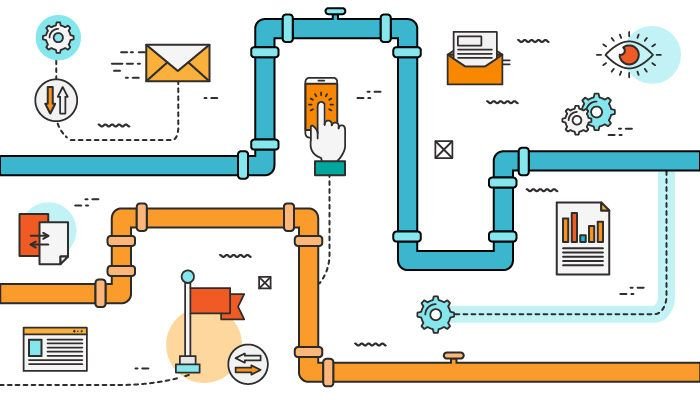
Workflow orchestration is the intelligent sequencing and automation of related tasks so they work together seamlessly. In traditional workflows, you might export a design from one tool, upload it to another for editing, then download it again to share on social media—each step requiring manual intervention and creating opportunities for errors or inconsistencies.
Smart workflow orchestration with AI tools means these connected tasks happen automatically or semi-automatically. When Adobe Express can take your brand assets and generate multiple content pieces in different formats—a social post, an email header, a presentation slide—all maintaining consistent branding, that’s orchestration. You input your core content once, and the system orchestrates the creation of all necessary variations.
This concept is particularly powerful for small business workflow automation because it addresses the reality that small teams don’t have the luxury of specialized tools for every function. They need platforms that understand the relationships between tasks and can handle the connective tissue automatically. A freelance content creator might start with a blog post idea, and through intelligent orchestration, end up with social posts, newsletter content, and presentation materials—all derived from that single seed of content, all brand-consistent, and all created in a fraction of the time manual creation would require.
How Adobe Express Helps Efficiency
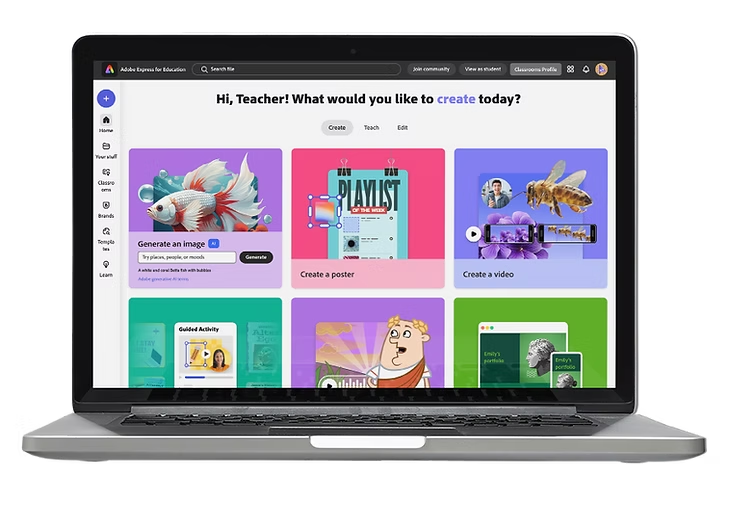
Adobe Express brings these efficiency concepts to life through specific features designed for the realities of small business operations. Here’s how the platform translates AI capabilities into practical time savings and reduced operational friction.
Brand Kit and Consistency Automation
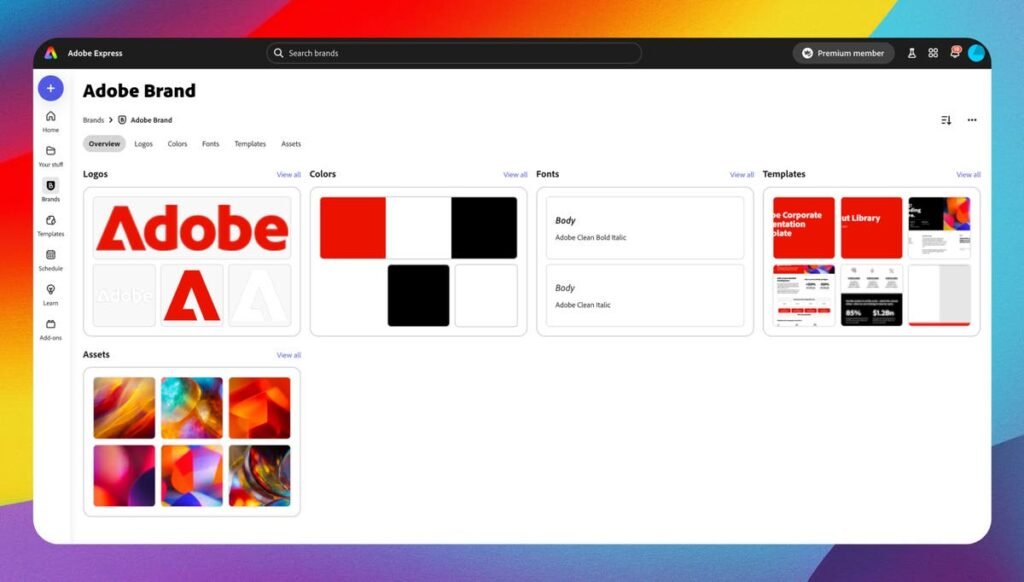
One of the biggest time drains for small businesses is maintaining brand consistency across all materials. Colors, fonts, logos, and design elements need to be consistently applied, but manually ensuring this consistency across dozens of pieces of content is tedious and error-prone.
How it works: Adobe Express’s Brand Kit stores your brand assets—colors, fonts, logos—and automatically applies them to any content you create. More importantly, the AI understands brand context, suggesting complementary colors and ensuring visual hierarchy aligns with your brand identity.
Business result: Zero time spent searching for the right hex code or font name. Instant brand consistency across all materials, which builds professional credibility and recognition. Reduced client revision requests because materials already align with established brand guidelines.
Realistic scenario: A freelance designer working with five different clients used to waste 15-20 minutes per project just setting up their files with the correct brand assets. With Brand Kit, switching between client projects is instant—the right colors, fonts, and logos are automatically available. Over a month of 20 client projects, that’s 5-7 hours saved, plus the intangible benefit of fewer errors and revisions.
Content Resizing and Multi-Platform Adaptation
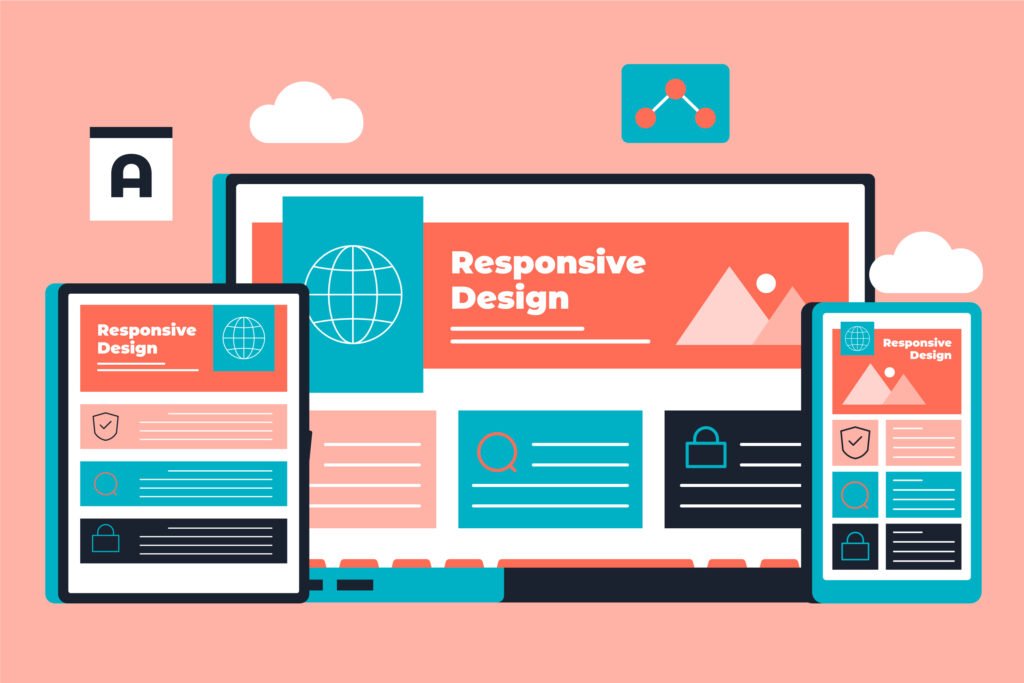
Creating content for multiple platforms traditionally meant recreating designs for each platform’s specific dimensions and format requirements. An Instagram square becomes a Facebook cover, becomes a LinkedIn banner, becomes a Pinterest pin—each requiring manual resizing and layout adjustment.
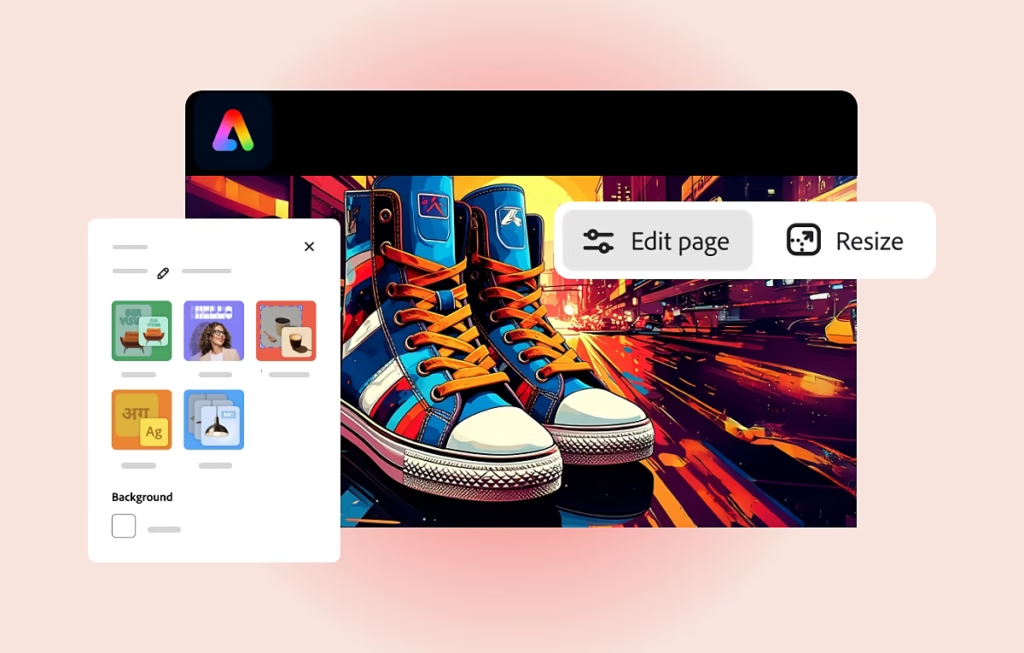
How it works: Adobe Express’s AI-powered resizing doesn’t just scale images—it intelligently recomposes layouts for different aspect ratios. Text reflows, visual elements reposition, and hierarchy adapts to ensure the design works at each size, not just shrinks or crops.
Business result: Create once, deploy everywhere. A single design session produces all the variations you need for comprehensive multi-platform marketing. For businesses active on 3-5 platforms, this feature alone can reduce content creation time by 60-70%.
Realistic scenario: An e-commerce owner launching a product wants to promote it across Instagram, Facebook, Twitter, Pinterest, and their website. Instead of creating five separate designs (or awkwardly cropping one design to fit all platforms), they create one optimal design in Adobe Express and generate four variations in under two minutes. The product launch happens simultaneously across all platforms with professionally optimized visuals, rather than the staggered, compromised approach they used to settle for.
AI-Assisted Text and Copywriting
Writing compelling copy for marketing materials, social posts, or presentations is time-consuming, especially for entrepreneurs whose expertise lies outside of marketing. Adobe Express includes AI writing assistance that can generate copy, refine messaging, or adapt tone for different audiences.
How it works: You provide basic information about what you need—a social post about a service, a headline for a promotion, a description for a product—and the AI generates multiple options. You can specify tone (professional, casual, enthusiastic) and length requirements, and the AI adapts accordingly.
Business result: Overcome writer’s block instantly. Create compelling copy even when writing isn’t your strength. Spend time selecting and refining rather than generating from scratch, which is cognitively easier and faster.
Realistic scenario: A technical founder struggles to write marketing copy that resonates emotionally rather than just listing features. They need social posts for their SaaS product but find themselves staring at blank screens for 30 minutes at a time. With AI assistance in Adobe Express, they input their product benefits, and the AI generates five different copy approaches. They select the best one, make minor tweaks for authenticity, and complete the task in 5 minutes. Their social media presence becomes consistent rather than sporadic because the friction of content creation has been dramatically reduced.
Scheduling and Publishing Integration
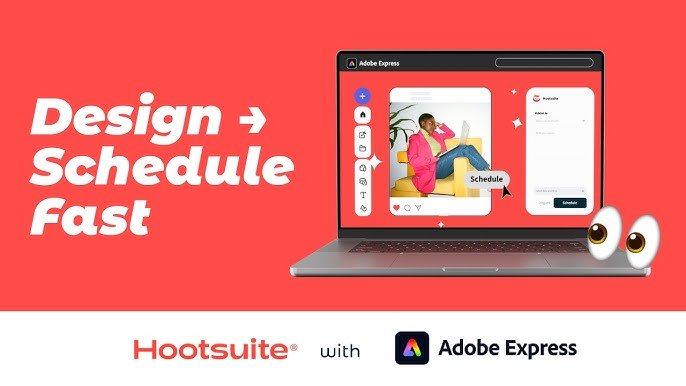
While many platforms offer scheduling, Adobe Express integrates it directly with the creation process. You’re not just making content and then separately scheduling it—the workflow is unified, reducing the context switches and tool-juggling that eat up time.
How it works: After creating your content in Adobe Express, you can schedule posts directly to social platforms without leaving the tool. The AI can even suggest optimal posting times based on when your audience is most active.
Business result: Eliminate the “create, save, upload, schedule” workflow. Batch-create content during your creative sessions and schedule it all at once, maintaining momentum rather than fragmenting the process across multiple sessions and tools.
Realistic scenario: A freelance photographer wants to maintain an active Instagram presence but finds that the start-stop nature of creating and posting interrupts their creative flow. They dedicate one morning per month to creating 20 posts in Adobe Express, scheduling them all before lunch. Their social presence remains consistent and professional, but they’ve consolidated what used to be daily 15-minute interruptions into one focused 3-hour session that doesn’t disrupt their client work throughout the month.
Ready to cut admin time in half? Try Adobe Express ? https://www.adobe.com/express/
Use Cases: Small Business & Freelancer Efficiency
Real-world implementation reveals how these features combine to transform daily operations for different types of small businesses. Here are four detailed personas that illustrate the before-and-after reality of adopting AI tools for solo entrepreneurs.
Creative Freelancer: Sarah, Graphic Designer & Illustrator
With Adobe Express:
Sarah’s new workflow starts with a quick check of inquiries. For promising leads, she generates a proposal presentation using AI-powered templates that she customized once with her brand kit. The entire proposal now takes 20-30 minutes—she focuses on customizing the content and case studies while the design consistency happens automatically.
For social media, she’s built a routine: every Sunday morning, she spends 90 minutes creating the week’s posts. She exports her client work, uses Adobe Express to quickly generate social-optimized versions with captions created by AI writing assistance, and schedules them all at once. Her Instagram and LinkedIn now post consistently three times per week, driving 40% more inquiries than when she posted sporadically.
When clients request platform variations, she uses the resize feature to generate all versions in under five minutes, with intelligent recomposition ensuring each looks intentionally designed for its platform rather than awkwardly cropped. Her portfolio gets updated monthly during dedicated 30-minute sessions rather than being perpetually out of date.
“With Adobe Express, I automated 3 hours of weekly administrative work. I’m still doing creative work all day—but now it’s the creative work I get paid for, not the overhead tasks that used to make me question whether freelancing was sustainable.”
Quantified Impact: 6 hours saved weekly (240 hours annually), 40% increase in social-driven inquiries, reduction in client revision rounds from an average of 3 to 1.5.
Solo Consultant: Marcus, Business Strategy Advisor

Before AI Efficiency Tools:
Marcus’s expertise was in business strategy, not visual design or marketing. Client presentations were his biggest bottleneck—he knew his strategic insights were valuable, but packaging them into compelling presentations was painful. He’d spend 4-5 hours on a single deck, fighting with layout tools and second-guessing his design choices. His presentations were functional but unmemorable.
His thought leadership content—the blog posts and LinkedIn articles that should have been driving his inbound business—was almost nonexistent. When he did write something, he’d struggle to create supporting visuals and would often just post text-only content that got minimal engagement. Client reports followed templated formats he’d created years ago, but updating them was tedious because any changes required manual reformatting throughout the document.
With Adobe Express:
Marcus now approaches presentations differently. He outlines his strategic points in Adobe Express, and the AI generates a professional deck structure. He focuses entirely on content—the strategic insights, data interpretation, and recommendations—while the platform handles visual hierarchy, layout, and brand consistency. A client presentation that used to take 5 hours now takes 90 minutes, and clients consistently comment on how professional and clear his decks have become.
For thought leadership, he’s established a sustainable routine. He writes his insights in a simple format, then uses Adobe Express to create visual quote cards, infographics highlighting his key points, and carousel posts breaking down complex concepts. A single article now generates 4-5 pieces of social content, and his LinkedIn engagement has tripled. He’s publishing consistently, which has shifted his business from 80% outbound prospecting to 60% inbound inquiries.
Client reports now use templates he’s refined in Adobe Express. Updates are quick because the platform handles formatting automatically, and he can generate visual summaries of data that make his reports more impactful. Clients report that his deliverables feel more “finished” and professional, enhancing his perceived value.
“I used to avoid content creation because it felt like I was bad at it. Adobe Express didn’t make me a designer—it removed design as a barrier so my strategic thinking could shine through. My business credibility improved not because my insights changed, but because how I present them finally matches their quality.”
Quantified Impact: 10 hours saved weekly on presentations and content, 200% increase in LinkedIn engagement, shift from 20% to 40% inbound client inquiries.
Technical Founder: James, SaaS Startup Solo Founder
With Adobe Express:
James now treats non-technical business tasks as workflows to optimize rather than creative endeavors to dread. His investor deck process starts with content outlines, then uses AI-generated presentation templates. He focuses on articulating his technical advantages and market opportunity while Adobe Express handles making it look compelling. His pitch deck quality jumped from “tolerable” to “professional,” which he credits with helping him close a seed round.
For product marketing, he established a release cadence supported by template-driven content creation. Each feature release includes: a blog post announcement, social graphics for LinkedIn and Twitter, an email newsletter, and updated website graphics. He creates all of these in a single 2-hour session using Adobe Express templates he’s customized for his brand. His product feels actively maintained and professionally marketed despite being a solo operation.
Educational content has become feasible. He creates how-to guides and feature explainers with annotated screenshots and visual step-by-step guides. The AI writing assistance helps him translate technical explanations into customer-friendly copy. His content marketing has shifted from non-existent to consistent, driving 25% of his free trial signups.
Customer communications are now branded and professional. He uses Adobe Express templates for newsletters, product updates, and feature announcements. Customers have commented on how “grown up” his company feels, which increases trust and reduces churn.
“I spent years thinking I needed to hire a designer or marketer because I’m not creative. Adobe Express showed me I don’t need to be creative—I need to be efficient. I focus on what I’m good at (product development) while AI handles making my business look as professional as my code actually is.”
Quantified Impact: 15 hours saved weekly (reallocated to product development), 60% improvement in investor pitch success rate, 25% of trial signups now attributed to content marketing (previously 0%), 12% reduction in early-stage churn attributed to improved customer communications.
Streamline your workflow with smart automation. Start free with Adobe Express ? https://www.adobe.com/express/
Best Practices for Implementing AI Efficiency
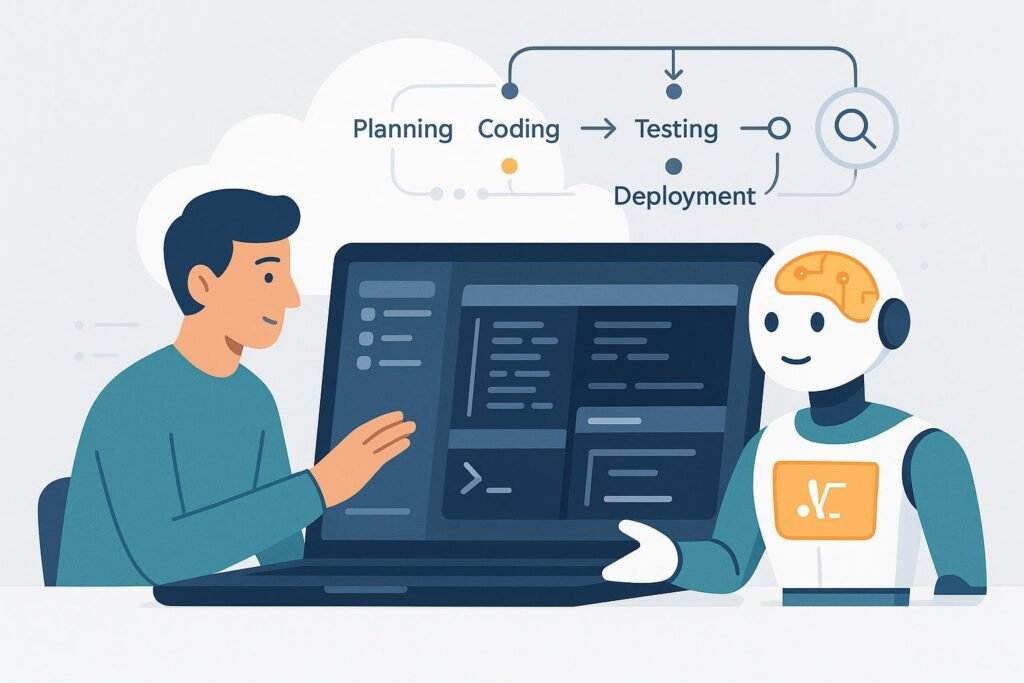
Adopting AI efficiency tools is not about wholesale replacement of your current processes overnight. The businesses that see the best results approach implementation strategically, focusing on sustainable integration rather than disruptive overhaul. Here’s how to implement AI automation for freelancers and small businesses effectively.
Start Small with One or Two High-Impact Tasks
The temptation when discovering AI efficiency tools is to try to automate everything simultaneously. Resist this urge. Instead, identify the one or two tasks that represent the biggest time drains or friction points in your current workflow. For most freelancers and solo entrepreneurs, this is usually either content creation (social media, marketing materials) or client-facing deliverables (presentations, proposals, reports).
Begin by replacing just these tasks with AI-assisted workflows. Spend 2-3 weeks getting comfortable with the new approach, refining your templates, and building muscle memory for the new process. Only after this foundation is solid should you expand to additional use cases. This focused approach prevents overwhelm and allows you to genuinely master each new capability rather than superficially dabbling in many.
For example, if social media content creation is your biggest bottleneck, dedicate your first month to exclusively using Adobe Express for social posts. Create your brand kit, develop a library of customized templates, and establish a batching routine. Once this becomes second nature, then expand to presentation creation or email graphics.
Avoid Tool Overload
The small business technology landscape is crowded with specialized tools, each promising to solve specific problems. It’s easy to end up with a dozen different platforms, each requiring its own login, learning curve, and workflow integration. This fragmentation actually reduces efficiency rather than improving it.
When evaluating AI efficiency tools, prioritize platforms that consolidate multiple functions. Adobe Express, for instance, handles graphic design, content creation, brand management, and scheduling in one place. This consolidation reduces the cognitive overhead of tool-switching and simplifies your workflow. You’re learning one interface, building one library of templates and assets, and working within one cohesive system.
This doesn’t mean you should force everything into a single tool if it genuinely can’t handle a specific need. But before adding another platform to your stack, seriously question whether your existing tools could address that need with a slight workflow adjustment. The best tool isn’t always the one with the most features—it’s the one that integrates most seamlessly into your existing process while solving your highest-priority problems.
FAQs
What is AI efficiency for small business?
AI efficiency for small business refers to using artificial intelligence tools to automate, streamline, or accelerate repetitive tasks that don’t require expert human judgment. Instead of manually creating each social media post, formatting every presentation from scratch, or starting each client proposal as a blank page, AI efficiency tools handle these repetitive elements while you focus on customization and strategy. The goal isn’t to replace your expertise but to eliminate the time-consuming mechanics that prevent you from applying that expertise more broadly. For freelancers and solo entrepreneurs, this typically means reducing administrative overhead by 40-60%, allowing more time for billable client work or business development.
Can AI replace admin work entirely?
AI can significantly reduce administrative work but not eliminate it entirely. Think of AI as handling the “heavy lifting” of admin tasks while you provide direction and final approval. For example, AI can draft client emails, but you’ll review and personalize them before sending. It can generate expense reports from receipts, but you’ll verify accuracy and submit them. It can create presentation drafts from your notes, but you’ll refine the messaging and flow. The tasks still get done, but your time investment shifts from creation to curation and refinement—which is much faster. Most small businesses see admin time reduction of 50-70%, not 100%, and that’s actually ideal because it maintains necessary human oversight while eliminating drudgery.
How do freelancers use AI to save time?
Freelancers use AI tools primarily for content creation, client communications, and project deliverables. A freelance writer might use AI to generate headline options or outline structures, then focus their time on writing the actual content. A freelance designer uses AI to generate template variations and handle multi-platform resizing, spending their creative energy on customization rather than starting from scratch. Consultants use AI to draft presentations and reports, investing their time in strategic insights rather than formatting. The pattern is consistent: AI handles the predictable, repetitive aspects of work while the freelancer focuses on the specialized expertise clients actually pay for. Time savings typically range from 5-15 hours weekly, which translates to either more billable hours or better work-life balance.
Conclusion

The future of solo entrepreneurship and freelancing isn’t about working more hours or juggling more tools—it’s about working smarter through strategic implementation of AI efficiency tools for small business. Adobe Express represents this shift from manual administrative drudgery to AI-augmented operations where your time and mental energy go toward the work that actually differentiates your business.
The entrepreneurs and freelancers who thrive in 2026 and beyond won’t be the ones who resist AI, nor will they be the ones who blindly automate everything. They’ll be the ones who thoughtfully integrate AI to handle the repetitive mechanics of business operations while keeping their expertise, judgment, and creativity at the center of their work. AI doesn’t replace what makes your business valuable—it removes the barriers that prevent you from delivering that value more consistently and professionally.
This isn’t about transformation overnight. It’s about sustainable, incremental improvement. Start with your biggest bottleneck—maybe it’s social media content, client presentations, or marketing materials. Implement AI assistance for that one area, get comfortable with the new workflow, then expand. Track your results. Adjust your approach. Build on what works.
Remember that AI is augmentation, not replacement. The goal isn’t to outsource your thinking to algorithms; it’s to offload the tedious execution so your thinking can shine through more often and more effectively. Your clients don’t pay you for the ability to resize images or format presentations—they pay you for your strategic insight, creative vision, or technical expertise. Let AI handle the former so you can focus on the latter.
The small business owners who adopt this mindset—using AI tools like Adobe Express to reduce admin work with AI while maintaining their irreplaceable human expertise—will find themselves with a competitive advantage that compounds over time: more capacity for client work, more consistent marketing presence, more polished deliverables, and critically, more mental bandwidth for the strategic thinking that actually drives business growth.
Next Steps

Ready to explore how AI can transform your small business operations? Check out these resources:
- Compare AI – Evaluate different AI efficiency tools to find the best fit for your specific business needs
- AI Revenue Boost – Discover how AI tools can directly impact your bottom line beyond just time savings
- Solo DX – Learn comprehensive digital transformation strategies for solo entrepreneurs
- AI Workflows – Explore detailed workflow templates for implementing AI across different business functions
The path to greater efficiency starts with a single step. Whether that’s signing up for Adobe Express, dedicating an afternoon to mapping your current time drains, or simply committing to experiment with AI tools for one aspect of your business—the important thing is to begin. The administrative burden won’t reduce itself, but with the right AI efficiency tools and strategic implementation, you can reclaim your time and focus on what you do best.
Leave a Reply