
Summary Verdict: Which AI Assistant Should You Actually Use?
This ranking is for solo founders, freelancers, and small business owners who need smarter decision-making and faster daily workflows—not just another chatbot. If you’re drowning in operational complexity and want AI that actually thinks through problems rather than just completing tasks, you need to understand the critical differences in reasoning quality across today’s top assistants.
Claude Opus 4.5 leads for complex strategic work requiring nuanced judgment and multi-step analysis. Claude Sonnet 4.5 offers the best balance of speed and intelligence for daily operations. ChatGPT remains strongest for breadth and creative ideation. Perplexity AI excels when you need research-backed answers fast. Genspark AI Browser serves specialized research workflows but falls short for general business use.
Here’s what matters: No single AI fits every business context. The assistant that helps a consultant analyze client data may frustrate a content creator managing editorial workflows. This ranking evaluates thinking quality—the ability to reason through ambiguity, maintain context, and deliver actionable insights—because that’s what actually moves business outcomes forward, not feature lists or marketing claims.
Why AI Rankings Matter Now
The AI assistant market has exploded from a handful of experimental tools to dozens of competing platforms, each claiming to be the best AI assistant for business tasks. For solo founders and small business owners, this abundance creates a new problem: decision paralysis masked as opportunity. You don’t have time to test eight different AI tools, and you can’t afford to bet your operational efficiency on marketing promises.
Traditional feature-based reviews fail because they treat all capabilities as equally valuable. A comprehensive feature list tells you what an assistant can do, but not whether it will actually improve your decision-making speed, reduce cognitive overhead, or help you punch above your weight as a small operation. The gap between “supports file uploads” and “meaningfully analyzes your business documents to surface actionable insights” is the difference between a toy and a tool.
What matters now is fit and outcome. Can this AI handle the ambiguous, context-heavy questions that actually consume your time? Does it maintain coherent reasoning across multi-turn conversations when you’re working through a complex problem? Will it scale with your growing operational complexity, or will you hit a ceiling and need to migrate in six months? These are the questions that determine whether AI becomes genuine leverage or just another subscription burning cash. This ranking evaluates AI assistants through that lens—business outcomes for resource-constrained operators who need thinking quality, not feature quantity.
How We Ranked These AI Tools

This ranking prioritizes thinking quality and business fit over raw feature counts or benchmark scores. We evaluated each AI assistant across five criteria that directly impact solo founders, freelancers, and small business owners managing complex daily workflows.
Ease of adoption measures how quickly you can integrate the AI into existing workflows without restructuring your entire operation. The best AI assistant for business tasks shouldn’t require a training program or workflow overhaul. We tested initial setup, learning curve for core functions, and whether the interface supports rapid iteration or forces you into rigid interaction patterns. Tools that demanded extensive prompt engineering to produce useful outputs scored lower, regardless of their theoretical capabilities.
Revenue or productivity impact evaluates whether the AI genuinely accelerates business-critical work. We focused on real-world scenarios: client communication, strategic analysis, content creation, research synthesis, and decision support. An assistant that helps you close deals faster, reduce revision cycles, or identify opportunities you would have missed delivers measurable value. Tools that simply automate existing tasks without improving output quality or speed provide limited leverage.
Learning curve considers the gap between first use and proficient use. Some assistants produce impressive results immediately but plateau quickly. Others require investment before they become genuinely useful. We assessed documentation quality, the intuitiveness of advanced features, and whether you can discover capabilities organically or need to study guides. For time-constrained operators, a steep learning curve is a hidden cost that often outweighs raw capability.
Scalability for small teams examines whether the AI grows with your business. Can you easily share knowledge, templates, or workflows as you add collaborators? Does pricing remain reasonable as usage increases? We looked for assistants that support evolution from solo operator to small team without forcing platform migration or exponential cost increases.
Cost-to-value ratio balances subscription costs against genuine business impact. Free tiers matter for experimentation, but we focused on whether paid plans deliver proportional value increases. Some assistants charge premium prices for marginally better outputs. Others offer significant capability jumps that justify higher costs for specific use cases. We evaluated pricing transparency, usage limits, and whether costs align with the value created for resource-constrained businesses.
These criteria build trust through practical evaluation, not marketing narratives. We tested each assistant with real business scenarios, not synthetic benchmarks, because your success depends on performance in ambiguous, messy situations where perfect prompts don’t exist.
Ranking Overview Table
This table summarizes how each AI assistant stacks up for general business tasks, making it easier to identify your best starting point based on specific needs rather than overall rankings.
| Rank | AI Assistant | Best For | Key Strength | Main Limitation |
| 1 | Claude Opus 4.5 | Complex strategic analysis and high-stakes decision-making | Superior reasoning depth and context maintenance across long conversations | Slower response times; premium pricing may challenge tight budgets |
| 2 | Claude Sonnet 4.5 | Daily operational tasks requiring balance of speed and intelligence | Optimal speed-to-quality ratio for routine business workflows | Less powerful for extremely complex multi-stage reasoning |
| 3 | ChatGPT | Creative brainstorming and diverse workflow experimentation | Broadest feature set and largest user community for shared learning | Reasoning quality inconsistent on nuanced business logic |
| 4 | Perplexity AI | Research-backed answers and fact-checking | Real-time web search integration with source citations | Limited conversational depth for iterative problem-solving |
| 5 | Genspark AI Browser | Specialized search and information synthesis | Novel search interface for specific research workflows | Narrow use case; doesn’t replace general-purpose assistant |
Reading this table: Rankings reflect thinking quality for general business tasks, not specialization in narrow domains. An AI ranked lower overall may still be your optimal choice for specific workflows. The “Main Limitation” column helps you identify potential friction points before committing to a platform, while “Best For” guides you toward assistants aligned with your primary needs. Consider your typical workday: if you spend most time on strategic analysis, start at the top; if research dominates, Perplexity moves up your priority list despite its overall ranking.
#1: Claude Opus 4.5 — Best for Complex Strategic Analysis
Claude Opus 4.5 from Anthropic (https://www.anthropic.com/) represents the current peak of reasoning quality among AI assistants for business tasks requiring deep analysis and nuanced judgment. This assistant ranks first because it consistently maintains coherent logic across extended problem-solving sessions where other AIs begin contradicting themselves or losing track of constraints you’ve established.
Why it ranks #1: When you’re working through genuinely complex business decisions—evaluating market positioning, analyzing competitive dynamics, or developing strategic frameworks—Opus demonstrates superior ability to consider multiple perspectives, identify unstated assumptions, and reason through second-order consequences. Unlike assistants that pattern-match against training data to produce plausible-sounding answers, Opus appears to actively work through problems, often surfacing considerations you hadn’t explicitly asked about but that directly impact your decision quality.
Ideal user profile: Solo consultants, strategic advisors, and founders tackling high-stakes decisions where the cost of poor reasoning far exceeds the subscription price. If you regularly need to analyze complex client situations, develop positioning strategies, or think through operational tradeoffs with significant financial implications, Opus’s reasoning depth becomes a genuine competitive advantage. This assistant shines when ambiguity is high and cookie-cutter solutions don’t apply.
Key strengths in practice: Opus maintains context and logical consistency across conversations spanning dozens of turns, allowing you to iteratively refine analysis without constantly re-explaining your business situation. It demonstrates strong performance on tasks requiring synthesis—pulling insights from multiple documents or datasets to form coherent strategic recommendations. The assistant handles nuanced requests well, understanding implied constraints and business context without requiring exhaustively detailed prompts. For workflow optimization, Opus excels at identifying process inefficiencies and suggesting improvements that account for your specific operational constraints rather than generic best practices.
Clear limitations: Response speed trails Sonnet and ChatGPT significantly. For rapid-fire operational questions where “good enough fast” beats “excellent slow,” Opus creates friction. The premium pricing tier places it beyond budget for businesses where AI remains an experiment rather than core infrastructure. Additionally, Opus’s thoughtful approach can feel excessive for straightforward tasks—you don’t need deep reasoning to draft a standard client email, and forcing every interaction through Opus wastes both time and money.
When another AI is better: Choose Claude Sonnet 4.5 for daily operational workflows where speed matters and questions don’t require deep multi-stage reasoning. Select ChatGPT when you need creative ideation or are exploring unfamiliar domains where breadth of knowledge matters more than reasoning depth. For research-heavy tasks with clear factual answers, Perplexity’s real-time search integration delivers faster results than asking Opus to reason from its training data.
#2: Claude Sonnet 4.5 — Best for High-Speed Daily Operations
Claude Sonnet 4.5 (https://www.anthropic.com/) occupies the sweet spot for business automation with AI assistants, delivering thinking quality that far exceeds simpler models while maintaining response speeds suitable for interactive daily workflows. This assistant ranks second because it handles the bulk of general business tasks—client communication, content drafting, data analysis, workflow planning—with minimal quality compromise compared to Opus at a fraction of the latency and cost.
Why it ranks #2: Sonnet represents the optimal balance point for AI productivity tools for small business contexts where you need capable reasoning but can’t tolerate slow responses that break workflow momentum. It handles complex instructions reliably, maintains conversation context across typical business interactions, and produces outputs that rarely require extensive revision. For most general-purpose business tasks, Sonnet’s reasoning quality exceeds what you actually need—the constraint becomes your ability to formulate good questions, not the AI’s ability to answer them.
Ideal user profile: Freelancers and small business owners managing diverse daily responsibilities who need a reliable AI for decision-making without the premium cost of Opus. If your workday involves cycling between client communication, content creation, operational planning, and research synthesis, Sonnet handles these transitions smoothly. This assistant particularly suits operators who have moved beyond AI experimentation and are integrating it into core workflows where reliability and speed both matter.
Key strengths in practice: Sonnet excels at daily work management tasks requiring quick turnaround—drafting emails that match your communication style, summarizing meeting notes into action items, analyzing spreadsheets to surface trends, and generating first-draft content for review. It demonstrates consistent performance across varied tasks without the capability dropoff you see in lighter models when questions get complex. The assistant handles context switching well, allowing you to jump between unrelated projects without degraded performance. For AI workflow optimization software needs, Sonnet integrates naturally into existing processes because response speed doesn’t force you to restructure how you work.
Limitations to understand: While Sonnet handles most business reasoning well, it occasionally oversimplifies truly complex strategic questions where Opus would identify additional nuance. For highest-stakes analysis—major investment decisions, critical client deliverables, complex competitive positioning—you may want Opus’s extra reasoning depth despite the speed tradeoff. Sonnet also shows slight performance degradation on extremely long conversations compared to Opus, though this rarely impacts typical business usage patterns.
When another AI is better: Upgrade to Claude Opus 4.5 for strategic analysis sessions where reasoning depth outweighs speed concerns. Switch to ChatGPT when you need access to specific integrations, plugins, or are collaborating with team members already embedded in the OpenAI ecosystem. Use Perplexity AI when your question requires current information beyond Sonnet’s knowledge cutoff rather than reasoning about information you provide.
#3: ChatGPT — Best for Brainstorming and Creative Workflows
ChatGPT from OpenAI (https://chat.openai.com/) remains the most recognized AI assistant for business tasks and ranks third primarily on breadth rather than depth. This assistant excels when you need to explore diverse approaches, generate creative options, or access the largest ecosystem of shared prompts and use cases that help you discover new applications for AI in your workflow.
Why it ranks #3: ChatGPT’s core strength for general-purpose AI for business lies in versatility and the network effects of massive adoption. The sheer volume of users means you’ll find shared templates, prompt strategies, and integration guides for virtually any business application you’re considering. When you’re uncertain how to approach a problem or want to explore multiple angles quickly, ChatGPT’s tendency to generate diverse perspectives becomes valuable rather than a distraction. For entrepreneurs and freelancers still discovering how AI fits their workflow, ChatGPT’s combination of capability and community support reduces the learning curve significantly.
Ideal user profile: AI for freelancers and entrepreneurs who value flexibility and are comfortable trading some reasoning consistency for broader feature access. If your work involves significant creative components—content strategy, marketing concepts, product ideation—ChatGPT’s generative strengths align well with these needs. This assistant particularly suits operators who benefit from OpenAI’s broader ecosystem, including DALL-E for image generation, integrations with common business tools, and access to GPT Store applications built by others.

Key strengths in practice: ChatGPT demonstrates impressive breadth across domains, making it useful when you need general knowledge rather than deep expertise. The assistant handles creative brainstorming sessions well, generating diverse options without getting stuck in single analytical frameworks. For content creation workflows, ChatGPT produces varied outputs that give you multiple directions to choose from rather than a single “best” answer. The platform’s maturity means you’ll find extensive documentation, tutorials, and community resources for virtually any business application. Integration options exceed competitors, with official APIs, third-party plugins, and automation tools that connect ChatGPT to existing business systems.
Notable limitations: Reasoning quality varies significantly based on question complexity and how precisely you phrase requests. On nuanced business logic—analyzing tradeoffs with multiple constraints, maintaining consistency across complex instructions, or working through multi-stage strategic problems—ChatGPT sometimes produces confident-sounding responses that don’t withstand scrutiny. The assistant can lose track of earlier conversation context more readily than Claude models, requiring you to re-establish constraints or correct drift. For general AI for decision making where analytical rigor matters more than creative options, ChatGPT requires more careful prompt engineering and output verification.
When another AI is better: Choose Claude Opus or Sonnet when analytical rigor and reasoning consistency outweigh creative breadth—particularly for client-facing work or strategic decisions where errors carry real costs. Select Perplexity when you need current information with source citations rather than ChatGPT’s knowledge cutoff. For solo operators prioritizing thinking quality over ecosystem access, the Claude models deliver more reliable reasoning on business-critical tasks despite ChatGPT’s larger feature set and community.
#4: Perplexity AI — Best for Research-Intensive Questions
Perplexity AI (https://www.perplexity.ai/) ranks fourth as a specialized tool that excels at a specific subset of general business tasks: research-backed answers requiring current information beyond what traditional AI assistants can provide from their training data. This assistant integrates real-time web search directly into its responses, making it invaluable when your questions demand up-to-date facts, market data, or verification of claims rather than reasoning from first principles.
Why it ranks #4: Perplexity solves a critical limitation of traditional AI assistants—knowledge cutoffs that make them unreliable for anything time-sensitive or rapidly evolving. When you need to research competitors, verify industry statistics, understand regulatory changes, or gather current market intelligence, Perplexity delivers cited answers drawn from recent sources rather than potentially outdated training data. For AI tools for daily work management involving significant research components, Perplexity reduces the time you’d otherwise spend manually searching and synthesizing information.
Ideal user profile: Consultants, analysts, and business owners whose work requires staying current with industry developments and making data-informed decisions. If you regularly need to answer questions like “What are competitors charging for X service?” or “What recent regulatory changes affect Y industry?” or “What’s the current market size for Z?”, Perplexity becomes a research assistant that operates at search-engine speed with AI-level synthesis. This tool particularly suits operators who would otherwise spend hours gathering and verifying information before making decisions.
Key strengths in practice: Perplexity excels at providing quick, sourced answers to factual questions, complete with citations you can verify independently. The assistant handles market research queries well, pulling current data from multiple sources and synthesizing them into coherent summaries rather than forcing you to visit dozens of websites. For competitive intelligence, Perplexity helps you rapidly understand what others in your space are doing without extensive manual research. The citation system builds trust by allowing you to verify claims and explore sources in depth when needed. Response speed for research queries significantly exceeds the workflow of asking a traditional AI, getting an outdated answer, then manually searching for current information.
Significant limitations: Perplexity’s conversational depth doesn’t match general-purpose assistants—it’s optimized for answering discrete questions rather than working through extended strategic analysis. You can’t effectively use Perplexity for iterative problem-solving sessions where you’re refining thinking over many turns. The assistant’s reasoning quality on questions that don’t benefit from web search falls behind Claude and ChatGPT. For tasks requiring maintained context, nuanced analysis of your specific business situation, or strategic thinking rather than fact-gathering, Perplexity’s research strengths become irrelevant.
When another AI is better: Use Claude Opus or Sonnet for any task requiring sustained reasoning, strategic analysis, or working through problems where you provide the context rather than needing external research. Choose ChatGPT when you need creative ideation or are working in domains where current information matters less than generative capability. For general AI workflow optimization software needs beyond research, traditional assistants deliver better performance because most business tasks involve analyzing your specific situation rather than gathering external facts.
#5: Genspark AI Browser — Best for Specialized Search Tasks
Genspark AI Browser (https://www.genspark.ai/) occupies the fifth position as a highly specialized tool that reimagines search and information synthesis but lacks the general-purpose capabilities required for most business workflows. This assistant ranks last not because it performs poorly within its niche, but because that niche—enhanced search and research workflows—represents a fraction of what solo founders and small business owners need from the best AI assistant for business tasks.
Why it ranks #5: Genspark attempts to solve information discovery differently than traditional search or AI assistants, generating synthesized “sparkpages” that compile and organize information on topics rather than returning lists of links or conversational responses. For users whose work centers heavily on research and information gathering across multiple sources, Genspark’s approach offers a novel workflow. However, for the target audience of this ranking—operators needing AI across diverse daily business tasks—Genspark’s specialization becomes a limitation rather than an advantage.
Ideal user profile: Researchers, writers, and analysts whose primary workflow involves gathering and synthesizing information from across the web on specific topics. If you spend significant time manually compiling research from multiple sources into organized overviews, Genspark’s automated approach to this specific task may offer value. This tool suits users comfortable maintaining multiple AI assistants for different purposes rather than seeking a single general-purpose solution.
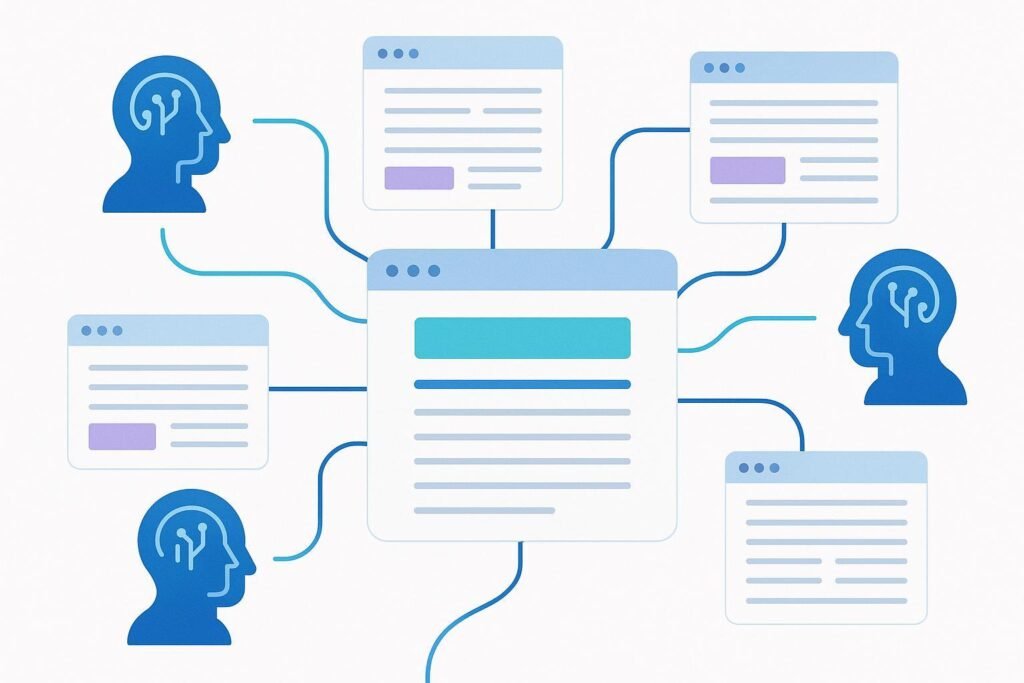
Key strengths explained: Genspark excels at creating organized information compilations on specific topics, potentially saving time compared to manual research and synthesis. The interface offers a different interaction model than chat-based assistants, which some users may find more intuitive for research tasks. For projects requiring broad information gathering across sources—market research, competitive analysis, trend investigation—Genspark’s specialized approach can accelerate initial research phases.
Critical limitations: Genspark doesn’t function as a general business assistant—you can’t use it for client communication, strategic analysis, content creation, or the dozens of other tasks that occupy a typical business owner’s day. The tool lacks conversational depth for iterative problem-solving or maintained context across complex projects. Integration with existing workflows requires adding another platform to your stack rather than consolidating tools. For resource-constrained operators, Genspark’s value proposition struggles because its specialized capabilities don’t reduce your need for a general-purpose AI assistant, meaning you’re maintaining multiple subscriptions and learning multiple interfaces.
When another AI is better: For virtually all general business tasks—strategic thinking, communication, content creation, data analysis, workflow planning—choose Claude Opus, Sonnet, or ChatGPT instead. Use Perplexity when you need research-backed answers but want a conversational interface rather than Genspark’s unique approach. Only consider Genspark if your specific workflow heavily emphasizes the exact type of research synthesis it’s optimized for, and you’re comfortable maintaining it alongside a general-purpose assistant for everything else.
Use-Case Comparison: Which AI Should You Choose?

The right AI assistant for business tasks depends less on objective capability rankings and more on alignment with your specific operational reality. Here’s how to think through your decision based on common business profiles and workflow patterns.
Solo operators managing diverse responsibilities face the broadest range of tasks with the least margin for tool complexity. If you’re bouncing between client work, business development, content creation, and administrative tasks, Claude Sonnet 4.5 delivers the best all-around performance. You need an assistant that handles variety well without forcing you to become a prompt engineering expert. Sonnet’s speed keeps pace with rapid context switching between unrelated tasks, while its reasoning quality ensures you’re not constantly fixing AI-generated errors. The balanced pricing tier makes sense when you’re betting on AI productivity tools for small business but can’t justify premium costs across all activities.
For solo operators whose work skews heavily creative—content creators, designers, marketers—ChatGPT’s breadth and generative capabilities may outweigh Sonnet’s reasoning advantages. You’ll sacrifice some analytical rigor, but gain access to a broader feature set and community resources that help you discover new applications. The tradeoff makes sense when creative ideation matters more than strategic analysis, and you’re comfortable verifying outputs rather than trusting them implicitly.
Small teams beginning to scale need to consider collaboration and knowledge sharing alongside individual capability. Claude Sonnet remains strong here because team members can quickly achieve proficiency without extensive training, and the assistant’s consistency means different team members get reliable results. However, if your team is already embedded in the OpenAI ecosystem or relies on specific ChatGPT integrations, the switching costs may outweigh Sonnet’s reasoning advantages. Evaluate based on existing infrastructure and whether team members will actually adopt a new tool versus continuing with what they know.
Teams whose work involves significant research components should evaluate Perplexity as a complement to, not replacement for, their primary assistant. A researcher using Perplexity for market intelligence while a strategist uses Claude Opus for analysis creates specialization that improves overall team output. The key is avoiding tool sprawl—only add specialized assistants when they eliminate significant friction in high-frequency workflows.
Workflow-specific considerations matter more than general profiles. If your day involves sustained strategic analysis sessions, optimize for reasoning depth with Opus. If you context-switch rapidly between unrelated tasks, optimize for speed and versatility with Sonnet. If your work centers on research and fact-gathering, Perplexity’s specialization delivers value despite limited general capabilities. The mistake is choosing based on reputation or features rather than honest assessment of how you actually work and where AI creates the most leverage in your specific situation.
Common Mistakes When Choosing AI
Business owners consistently make predictable errors when selecting AI assistants, often driven by hype cycles and marketing narratives rather than operational reality. Understanding these patterns helps you avoid costly misdirection.
Choosing based on hype rather than fit remains the most common error. When a new AI model launches with impressive benchmark scores or viral demos, the temptation to switch platforms immediately wastes time and creates disruption. Benchmark performance on academic tasks rarely translates directly to your specific business workflows. A model that excels at coding challenges may struggle with the nuanced business communication that actually consumes your day. Similarly, impressive creative demos don’t guarantee reliable performance on the analytical tasks that drive your revenue. Before switching tools, test specifically on your real workflows—not synthetic examples designed to showcase the AI’s strengths. If your current assistant handles your actual work well, incremental improvements in benchmark scores don’t justify migration costs.
Over-automation without workflow understanding leads to brittle systems that break under real-world conditions. Many operators see AI capabilities and immediately try to automate everything possible, without considering which tasks actually benefit from automation versus human judgment. Automating client communication might save time but risks tone-deaf responses that damage relationships. Automating research without verification processes means confidently incorrect information enters your analysis. The goal isn’t maximum automation—it’s strategic automation of tasks where AI genuinely improves outcomes or frees capacity for higher-value work. Before automating a workflow, manually perform it alongside AI several times to understand where the assistant adds value and where it introduces risk.
Additionally, many operators underestimate the importance of prompt quality and assume AI capabilities alone determine outcomes. The same assistant produces dramatically different results based on how clearly you communicate context, constraints, and desired outputs. Before concluding an AI isn’t capable enough, invest in improving your prompt engineering skills. Often, “upgrading” to a more powerful model simply masks poor communication of what you actually need, and you’d achieve better results by learning to work effectively with your current tool.
FAQs: People Also Ask
What is the best AI assistant for business tasks in 2026?
Claude Sonnet 4.5 offers the best overall balance for most business users, combining strong reasoning quality with response speeds suitable for daily workflows at mid-tier pricing. However, “best” depends heavily on your specific needs—Claude Opus 4.5 excels for complex strategic analysis despite slower speeds, while ChatGPT provides broader feature access and community resources for creative work. Evaluate based on your primary use case rather than general rankings, and consider that many successful operators use multiple assistants for different purposes rather than forcing one tool to handle everything.
Are free AI tools enough for small business needs?
Free tiers provide sufficient capability for experimentation and light usage, but serious business applications typically justify paid plans. Free versions impose message limits, restrict access to advanced models, and often lack features like extended context windows or priority access that matter for professional work. The cost-to-value calculation shifts based on how frequently you use AI and whether it impacts revenue-generating activities—if an AI assistant helps you close deals faster or deliver client work more efficiently, even premium pricing delivers clear ROI. Start with free tiers to validate fit, then upgrade when usage patterns demonstrate genuine business value rather than subscription costs outpacing benefits.
Can AI replace humans in business operations?
AI assistants augment human capability rather than replacing it, particularly for small businesses where judgment and relationship management drive success. These tools excel at accelerating research, drafting content, analyzing data, and generating options, but they lack the contextual understanding, emotional intelligence, and accountability required for high-stakes decisions or client relationships. The most effective approach treats AI as leverage—using it to handle tasks that consume time without requiring uniquely human judgment, freeing capacity for work where your expertise and relationships create differentiated value. Businesses that succeed with AI focus on amplification of human capability rather than wholesale replacement of human involvement.
How fast can I expect results from implementing AI assistants?
Immediate productivity gains appear in straightforward tasks like drafting emails, summarizing documents, or basic research within days of adoption. More significant business impact—improved decision quality, optimized workflows, enhanced client deliverables—typically requires weeks to months as you learn to integrate AI effectively into existing processes and develop better prompting skills. The timeline depends heavily on your willingness to experiment, iterate on workflows, and invest time learning the assistant’s capabilities rather than expecting instant transformation. Set realistic expectations: quick wins validate the investment, but meaningful business leverage builds progressively as you discover where AI creates the most value in your specific situation.
Next Steps

Now that you understand how different AI assistants stack up for general business tasks, your next step depends on your current situation and primary workflow challenges.
If you’re still exploring which AI fits your needs, start with Claude Sonnet 4.5 for general business use or ChatGPT if creative breadth matters more than analytical rigor. Both offer free tiers that let you validate fit before committing to paid plans. Test them on your actual daily work—client communication, content creation, research, strategic thinking—not synthetic examples designed to showcase AI capabilities. After two weeks of real-world use, you’ll have clear data on which assistant improves your workflows versus which creates additional friction.
If you’re ready to optimize your current AI workflows, focus on identifying high-leverage use cases where better AI productivity tools for small business contexts could significantly impact revenue or capacity. Common candidates include client deliverable creation, business automation with AI assistants for routine operational tasks, and AI for decision-making in recurring strategic situations. Map your current time allocation across these areas, then systematically test whether upgrading to Claude Opus for strategic work or adding Perplexity for research components improves outcomes enough to justify additional investment.
If you’re building more sophisticated AI integrations, explore resources on AI workflow optimization software and general-purpose AI for business process automation. The assistants ranked here focus on interactive use cases, but businesses scaling AI adoption often benefit from API access, custom integrations, and automated workflows that extend beyond chat interfaces. Consider whether your next step involves deeper integration of current tools versus adding new capabilities.
For operators specifically targeting efficiency gains or revenue growth through AI, specialized resources on leveraging AI for freelancers and entrepreneurs can help you move beyond general assistance into strategic competitive advantages that differentiate your business in crowded markets.
Leave a Reply