
Manual data work in Google Sheets is costing your team real money — and an ai spreadsheet automation tool can eliminate it in seconds.
In 2026, the average US small business owner spends more than 12 hours per week on spreadsheet work — cleaning data, generating reports, categorizing leads, and drafting content from within cells. That’s $900 to $1,800 in labor costs every month if you factor in even a modest $75/hour rate. And for teams of three to ten people, the numbers multiply fast.
The real problem isn’t that spreadsheets are broken. It’s that most small teams are using spreadsheets the same way they did in 2010: manually. Knowledge lives in individual cells that only one person knows how to interpret. New hires inherit chaotic tabs with no documentation. Marketing creates one reporting format, sales uses another, and the founder spends Friday afternoons reconciling both.
This is the operational chaos that defines the scaling stage for most US small businesses — the moment when one-person habits stop working for a three-person (or ten-person) team.
Numerous AI was built specifically for this problem. As a Google Sheets-native AI add-on, it lets any team member type a plain-English prompt directly into a cell and receive instant AI-generated output: sentiment analysis, SOPs, bulk content, data categorization, formula suggestions, and more. Unlike traditional documentation workflows that can cost $5,000+ in US labor and weeks of calendar time, Numerous AI turns repetitive spreadsheet work into a scalable, automated process that anyone on your team can run.
This article breaks down exactly how Numerous AI enables the kind of small-scale digital transformation — what AI Plaza calls “Solo DX” — that US founders and operators need to scale without hiring an operations manager. You’ll see real use cases, quantified ROI in USD, and a clear path from chaos to repeatability.
Join 10,000+ US small teams using Numerous AI to eliminate operational chaos. See How It Works
What is Solo DX?

Solo DX stands for small-scale digital transformation led by US founders and operators without a dedicated operations team. It’s the process of using lightweight AI tools to systemize knowledge, standardize workflows, and build repeatable processes — without enterprise budgets, IT departments, or consultants.
The term distinguishes a specific stage of growth from other categories. AI Efficiency is about speeding up individual tasks. AI Revenue Boost is about driving new income. Solo DX is about building the infrastructure that makes a growing team function without constant founder intervention.
Here’s how Solo DX compares to adjacent categories:
| Category | Goal | Who It’s For | Example |
|---|---|---|---|
| AI Efficiency | Save time on individual tasks | Solopreneurs | Auto-summarizing emails |
| AI Revenue Boost | Increase revenue with AI | Sales & marketing teams | AI-powered outreach sequences |
| Solo DX | Systemize small-team operations | Founders scaling 1?10 people | AI-generated SOPs in Google Sheets |
| Enterprise AI | Transform large-scale ops | 100+ person orgs | Custom LLM deployment |
Most corporate SOP methods fail for US SMBs because they were designed for hierarchies that don’t exist at this scale. A 5-person design studio in Austin doesn’t have an operations manager to write documentation or a QA team to enforce standards. The founder is the ops manager, the QA team, and the person doing client work.
Consider a 3-person design studio in Austin. The founder handles client intake, a junior designer handles production, and a part-time project manager coordinates timelines. When the project manager leaves, every process they managed — client briefing format, file delivery structure, revision tracking — lives in their head. Replacing them requires 3 to 4 weeks of tribal knowledge transfer at roughly $60/hour for the founder’s time. That’s $7,200 in soft costs just to maintain baseline operations.
Solo DX tools like Numerous AI prevent this by embedding process knowledge into the system itself. When workflows live in Google Sheets as repeatable AI functions, they survive staff turnover, onboard new hires faster, and free the founder from being the only person who knows how things work.
Explore Numerous AI’s features on AI Plaza to see how it fits into a Solo DX stack for US small businesses.
Why AI is Key for Mini-Team Systemization
Problem 1: Knowledge lives only in the founder’s head
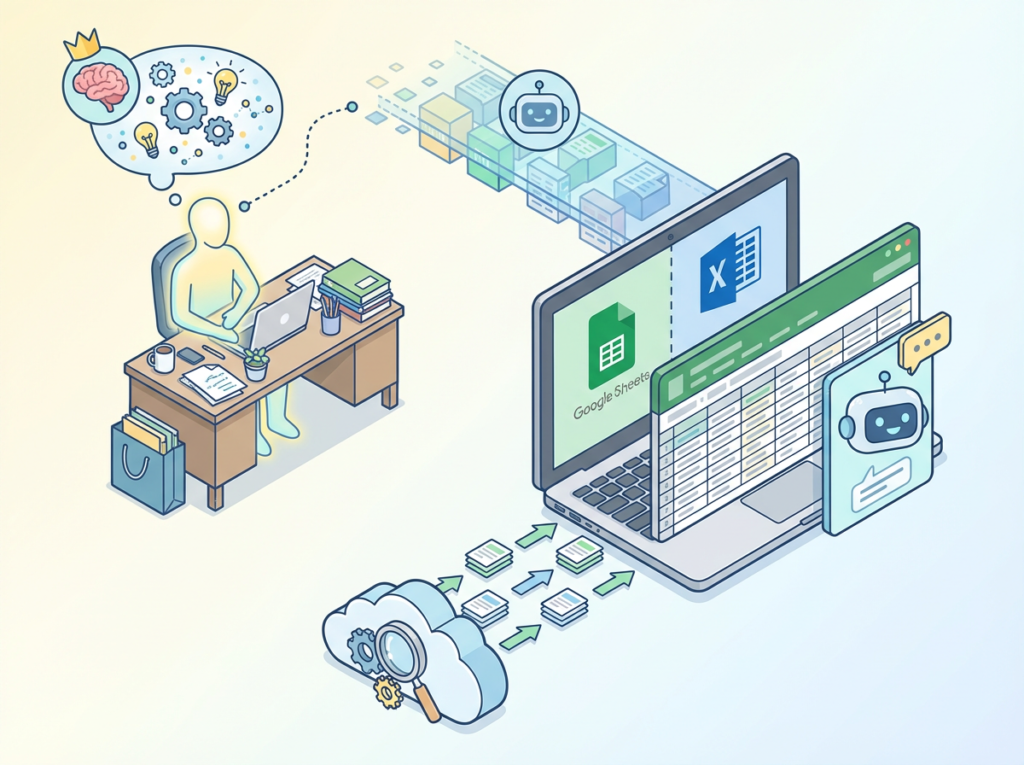
In most US small businesses under 10 people, the founder is the institutional memory. They know which clients need extra handholding, which vendors to avoid, and how the reporting format evolved over 18 months of iteration. When they’re unavailable — sick, traveling, or simply busy — the team guesses.
AI solution: Google Sheets AI automation tools like Numerous AI can capture that institutional knowledge as prompts. Instead of the founder explaining the classification logic for incoming leads every time, they write it once as a Numerous AI formula. Any team member can apply it.
Problem 2: New hires slow down operations
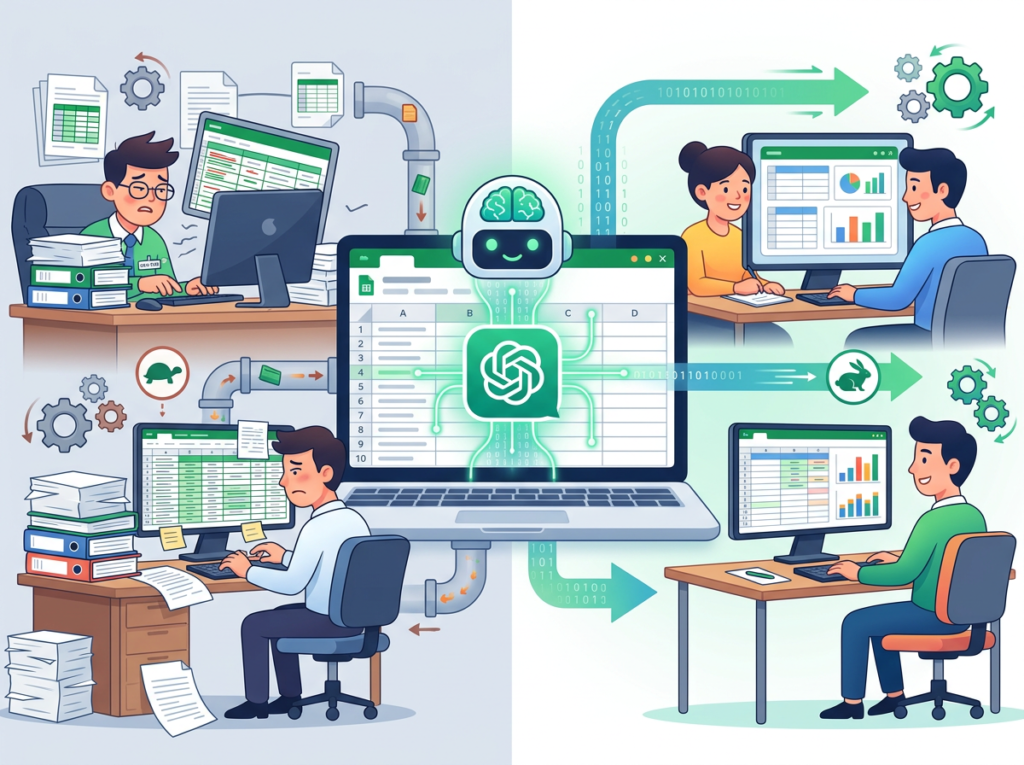
US labor turnover sits above 47% in many service industries. Every new hire in a small team is a significant operational disruption — they consume founder time, make errors on non-documented processes, and take 4 to 8 weeks to reach baseline productivity. At $80/hour for a founder’s time, a single onboarding cycle costs $3,200 to $6,400 in indirect labor.
AI solution: Bulk data automation tools that live inside a shared Google Sheet reduce onboarding friction dramatically. New hires see exactly how data is processed, can run AI functions themselves on day one, and don’t need to ask the founder how things work.
Problem 3: Quality varies across team members

Without documented standards, every team member develops their own approach. One person writes client updates at 300 words, another at 80. One formats reports with headers and summaries, another dumps raw numbers. The inconsistency erodes client trust and creates rework.
AI solution: Spreadsheet automation AI enforces consistency at the output level. When the AI prompt defines the format — “Write a 150-word client update summarizing the following data in a professional tone” — the output is consistent regardless of who runs it.
The Cost Reality

Manual systemization for a 5-person US team typically requires a fractional operations consultant ($150/hour), 30 to 40 hours of process documentation, and weeks of implementation. Total cost: $4,500 to $6,000 minimum, plus ongoing maintenance.
With Numerous AI and a Google Sheets-based workflow: setup takes 2 to 4 hours, subscription costs run $10 to $50/month, and the system is self-documenting because the AI prompts are visible in every cell.
Join 10,000+ US small teams using Numerous AI to eliminate operational chaos. See How It Works
How Numerous AI Enables Solo DX
Feature 1: AI-Generated SOPs and Process Documentation

The most expensive thing a US small business can do is rebuild a process from scratch every time a team member leaves. Numerous AI allows founders to document a process once — in plain English — and apply it to any dataset instantly.
Example: A Denver-based e-commerce brand uses a Numerous AI prompt to categorize 500 incoming product review responses by sentiment and urgency every Monday morning. What used to take a VA 3 hours now runs in under 10 minutes. At $40/hour for VA time, that’s $120 saved weekly, or roughly $6,000 annually on that one task alone — a solid example of what the best ai spreadsheet tools 2026 can deliver.
Estimated savings per documentation cycle: $2,000 in US labor.
Feature 2: Workspace Memory and Consistent Prompt Libraries

Teams that build a shared library of Numerous AI prompts in a master Google Sheet create something more valuable than any wiki: a live, executable knowledge base. Every prompt is tested, versioned, and runnable by any team member.
A 5-person marketing agency in Chicago that maintains 20 core prompts — for client reporting, content ideation, competitive analysis summaries, and lead scoring — eliminates the back-and-forth of re-explaining tasks to junior staff. That reclaimed coordination time, at $65/hour for a senior team member, adds up to $78,000 to $124,800 in annual savings across a full team.
Estimated annual savings: $78,000–$124,800.
Feature 3: Template Automation and Bulk Processing

Numerous AI’s drag-and-fill functionality allows any formula to scale across hundreds of rows instantly. A single AI prompt applied to a 500-row dataset runs in minutes without additional cost per row.
For a San Francisco-based HR team managing applicant tracking in Google Sheets, this means generating a personalized 3-sentence outreach summary for every candidate in a batch, rather than writing each one manually. At $50/hour, processing 200 candidates manually takes 4 hours — $200 per hiring cycle. With Numerous AI, it takes under 5 minutes.
Estimated annual savings: $6,000/year for a team running 3 to 4 hiring cycles per year.
See how Numerous AI works on the full AI Plaza review page for pricing breakdowns and setup details.
Ready to systemize your US team operations in under a week? Try Numerous AI Free | No credit card required | Trusted by 10,000+ US teams
Use Cases by Team Role
Maria — US Startup Founder Juggling 3 Departments (San Francisco, CA)

Old workflow: Maria runs a 6-person B2B SaaS startup in San Francisco. Every week, she manually compiles sales pipeline data, marketing performance metrics, and customer support tickets into a master spreadsheet. It takes 4 to 5 hours of her time — at $150/hour as a founder — to consolidate, clean, and format the data for the Monday team meeting.
AI-powered workflow: Maria installs Numerous AI on her master Google Sheet. She creates three prompts: one that categorizes support tickets by urgency and department, one that writes a one-line summary of each deal’s status, and one that flags any marketing metric that fell more than 15% week-over-week. The full Monday prep now runs in under 30 minutes.
Quantified results: 4 hours saved weekly × $150/hour × 50 weeks = $30,000 annually recovered from repetitive data work.
Maria’s take: “I used to spend Sunday nights in spreadsheets. Now I run three formulas and have the report ready by 9 AM Monday. The AI catches things I used to miss.”
James — Executive Assistant Onboarding Remote Staff (Miami, FL)

Old workflow: James manages HR operations for a 12-person distributed team headquartered in Miami. Every new hire requires a custom onboarding checklist, personalized welcome message, benefits summary, and 30/60/90-day goals document. James creates each one manually from templates, which takes 3 hours per new hire. With 15 hires per year at $55/hour: $2,475 annually just in onboarding document creation.
AI-powered workflow: James builds a Numerous AI-powered onboarding tracker in Google Sheets. When a new hire’s information is entered in row 1 — name, role, department, start date — AI formulas populate personalized onboarding documents across the sheet automatically. He reviews and approves; no manual drafting.
Quantified results: 3 hours × 15 hires × $55/hour = $2,475 reduced to under 30 minutes of review time. Net savings: $2,200+ annually, plus faster time-to-productivity for each new hire.
James’s take: “The AI handles all the routine personalization. I just check for accuracy. It’s made our onboarding feel professional even though we’re a small team.”
Robert — Trainer Documenting Internal Knowledge (New York, NY)

Old workflow: Robert is the head of L&D at a 20-person professional services firm in New York City. He maintains a training library of SOPs, role-specific process guides, and compliance checklists — all in Word docs and PDFs stored in a shared drive no one actually opens. When team members have questions, they come to Robert. He spends 6 to 8 hours per week on direct knowledge-transfer conversations at $90/hour: $27,000+ annually in indirect training costs.
AI-powered workflow: Robert migrates the firm’s core processes into a Numerous AI-powered Google Sheet knowledge base. Team members can type a plain-English question in a cell — “What’s the protocol for handling a client escalation?” — and receive an AI-generated answer sourced from the embedded documentation. Robert updates the source content quarterly; the AI handles all day-to-day retrieval.
Quantified results: Recurring interruptions drop by 70%. Robert reclaims 4 to 5 hours weekly for strategic L&D work. Annual savings: $18,720 in recovered productivity. According to this guide on ai for data processing workflows, structured prompts and caching make repeated knowledge retrieval significantly more efficient than open-ended search.
Robert’s take: “We went from a drive full of PDFs nobody reads to a live knowledge base the team actually uses. The ROI was obvious within the first month.”
Discover Numerous AI’s full use case library at AI Plaza for more role-specific implementation guides.
Join 10,000+ US small teams using Numerous AI to eliminate operational chaos. See How It Works | Used by teams from Silicon Valley to New York
Common Pitfalls & How to Avoid Them

Mistake 1: Using too many disconnected tools
Small US teams often layer Notion, Airtable, Slack, and three different AI writing tools on top of their Google Sheets workflow — and end up with a fragmented system where nothing talks to anything else. The result: more tools, more confusion, no single source of truth.
The fix: Start with one sheet. Use Numerous AI to automate directly inside Google Sheets before adding any new tools. Build the habit of a centralized data layer first.
Mistake 2: Delegating without documentation
Handing off a task to AI doesn’t mean the task is documented. If your Numerous AI prompts live in one person’s sheet and that person leaves, you’re back to zero.
The fix: Build a shared “Prompt Library” tab in your master Google Sheet. Every AI formula gets a plain-English description in the adjacent column. This is documentation that’s actually maintained because it has to be.
Mistake 3: Failing to review AI output
The most common mistake new users make is treating AI output as final. Numerous AI is fast and accurate for structured tasks, but it can hallucinate, miss context, or apply the wrong tone if the prompt is vague.
The fix: Always build a review step into your workflow. Use a simple “Reviewed?” column with a checkbox. For high-stakes outputs (client-facing content, financial summaries), assign a human reviewer before the content leaves the sheet. As highlighted in this overview of AI workflow integration, AI tools perform best when paired with structured human checkpoints.
Mistake 4: Over-relying on Slack and email for knowledge
Many US small teams treat Slack as their knowledge base. Team members search old threads for answers, find conflicting information, and waste time digging through message history.
The fix: Use Numerous AI to create a “Knowledge Sheet” — a living document where recurring questions and their answers are stored as AI-retrievable prompts. Every time someone asks a process question in Slack, the answer gets added to the sheet. Slack stays for real-time coordination; the sheet becomes the memory.
See the full Numerous AI review and setup guide at AI Plaza for a practical implementation checklist.
FAQs

What’s the difference between AI Efficiency and Solo DX?
AI Efficiency is about speeding up individual tasks: summarizing emails faster, writing first drafts more quickly, generating ad copy in seconds. Solo DX is about building the systems and processes that make a growing team function consistently without founder intervention. AI Efficiency benefits one person; Solo DX benefits the whole team structure.
Can small teams afford to use AI?
Yes. Numerous AI’s personal plan starts at $10/month. Compared to a single hour of US labor at $50 to $150, the subscription pays for itself in the first use. For teams spending even 2 hours per week on tasks Numerous AI can automate, the ROI in the first month alone is $400 to $1,200.
Is Numerous AI hard to set up?
No. Installation takes under 5 minutes via the Google Workspace Marketplace. Once installed, the =AI() function works immediately in any cell. Basic tasks like sentiment analysis, data categorization, and content generation require no coding knowledge. Advanced prompt libraries and workflow automation can be set up by a non-technical team member in under an hour.
See the full Numerous AI review and setup guide at AI Plaza for a practical implementation checklist.
Conclusion

In 2026, American small businesses don’t need enterprise budgets to build enterprise-level systems. The same Google Sheets your team already uses every day can become the backbone of a documented, automated, scalable operation — if you treat it like one.
That’s the core value proposition of Numerous AI and the broader Solo DX philosophy: use the tools you already have, eliminate the manual steps that cost real money, and build processes that survive the inevitable team changes that come with growth.
The numbers are clear. Whether it’s $30,000 in recovered founder time, $18,000 in reduced reporting labor, or $9,360 in eliminated operational interruptions, spreadsheet automation ai delivers ROI that justifies the investment in the first week — not the first year.
The best ai spreadsheet tools 2026 offers aren’t about replacing your team. They’re about making your team’s work repeatable, consistent, and survivable at scale.
Start with one process. Pick the most painful recurring task in your Google Sheets workflow. Write one Numerous AI prompt that handles it. Systemize it this week.
Get the full Numerous AI breakdown on AI Plaza and start building a workflow your whole team can run.
Leave a Reply