
HyperWrite AI vs Jenni AI is a decision that looks simple on the surface, but the wrong choice wastes both your time and your budget.
If you’re a freelance content creator or small business owner who needs a flexible AI writing assistant that works across emails, blog drafts, social copy, and client proposals — HyperWrite AI is the stronger fit. Its TypeAhead autocomplete, browser extension, and broad template library make it a practical everyday writing tool for non-academic, business-oriented workflows.
Jenni AI pulls ahead when your primary output is research papers, academic essays, citations, or structured literature reviews. It is purpose-built for academic writing and handles source management, in-text citations (in 2,600+ styles), and PDF-based research in ways HyperWrite simply wasn’t designed to do.
Choose HyperWrite AI if:
- You run a small business and need general-purpose writing across multiple content types
- You want an AI assistant embedded in your browser that helps across Gmail, LinkedIn, Google Docs, and CMS platforms
- Speed and volume matter more than academic rigor
Jenni AI pulls ahead when:
- You’re a student, grad student, or researcher writing papers with citations
- You upload source PDFs and need the AI to generate content grounded in your actual research
- You need APA, MLA, Chicago, or 2,600+ other citation formats auto-generated as you write
Neither is ideal if:
- You need a full content marketing platform (look at Jasper or Copy.ai)
- Your writing demands legal, medical, or compliance-grade accuracy
- Budget is the primary constraint — both paid tiers cost more than simpler tools
Learn more about Jenni AI or HyperWrite AI
Why This Comparison Matters

In 2026, there are well over 100 AI writing tools on the market. Most of them claim to help you “write better, faster.” But feature lists don’t tell you whether an AI will actually save time in your specific workflow — or create new headaches.
The HyperWrite AI vs Jenni AI question is a perfect example of this problem. Both tools use large language models. Both offer AI autocomplete. Both target writers. But they are built for fundamentally different contexts, and choosing the wrong one based on a surface-level comparison can cost you hours of frustration.
Most existing comparisons of these two tools focus on surface-level feature checklists — who has more templates, whose autocomplete is faster. What those articles miss is the business and academic context that actually drives the decision. A freelancer in Denver managing six client accounts doesn’t have the same needs as a graduate student at UNC Chapel Hill finishing a thesis. Treating them as the same audience leads to generic recommendations that help no one.
This comparison focuses on practical decision-making. Not “which tool has more features” but “which tool fits your specific situation, workflow, and budget.” The hyperwrite vs jenni ai comparison question isn’t about which AI writes better sentences in the abstract — it’s about which one integrates into how you actually work and what you’re actually producing.
For US small businesses, the stakes are real. At $20–$45/month per tool, you’re spending $240–$540/year. That investment needs to reduce time on writing tasks, not add a learning curve that costs more than it saves. For students, the calculation is different: citation management and academic tone matter far more than general-purpose output volume.
Supporting keywords that reflect real search intent here — “best ai writing tools for students,” “ai writing assistant for essays,” and “ai tools for academic writing” — all point to users who need specific, context-aware guidance rather than another side-by-side feature grid.
Learn more about Jenni AI or HyperWrite AI
Who This Comparison Is Best For
Situation 1: The Solo Small Business Owner Who Writes Their Own Content

Pain: “I spend 8–10 hours a week writing emails, social posts, proposals, and blog drafts — and none of it comes naturally.”
Challenge: Hiring a copywriter runs $50–$100/hour in most US markets. That’s not sustainable for a 1–3 person operation. You need AI that reduces the time cost of writing across multiple formats.
Needs: A tool that works where you already work — in Gmail, in your browser, in Google Docs. Not a separate writing environment you have to open and manage separately.
Common mistake: Choosing an academic-focused tool like Jenni AI because it looks polished, then discovering it doesn’t help at all with business emails or LinkedIn posts.
Situation 2: The Graduate Student or Academic Researcher

Pain: “I can write my analysis, but managing citations and formatting references takes three times longer than it should.”
Challenge: Academic integrity requirements mean you can’t just paste AI-generated text. You need an assistant that works alongside your thinking, not a content generator.
Needs: Citation management in APA or MLA, PDF upload and source-grounded writing, and an autocomplete that maintains formal academic tone without pushing you toward plagiarism.
Common mistake: Using HyperWrite for academic papers and getting output that sounds like marketing copy — breezy, casual, and completely inappropriate for a journal submission.
Situation 3: The Online Course Creator or Knowledge Worker

Pain: “I need to produce long-form content — outlines, scripts, course modules — but the blank page is a constant bottleneck.”
Challenge: Long-form content takes consistent structure and sustained output. You need an AI that helps you maintain momentum, not just generate a few sentences.
Needs: Strong document editing environment, ability to iterate within a single document, and templates for structured content like outlines, scripts, or course frameworks.
Common mistake: Underestimating the learning curve for either tool. Both take 10–15 hours of real use before you understand how to get consistent results.
Real-world example: Marcus runs a three-person consulting firm in Atlanta. He writes his own proposals, client newsletters, and LinkedIn updates. He doesn’t write academic papers. He doesn’t need citation formatting. He needs something that speeds up the three hours a week he spends staring at blank email drafts. That person should not be paying for Jenni AI’s academic features.
Learn more about Jenni AI or HyperWrite AI
Why Each AI Fits Different Needs
HyperWrite AI: Strengths and Best-Fit Scenarios

HyperWrite AI is a general-purpose AI writing assistant built around flexibility. It uses GPT-4 and related models to power three core surfaces: a document editor, an AI chat interface (HyperChat), and a Chrome extension with its TypeAhead predictive text feature.
General-Purpose Usefulness: HyperWrite excels at drafting content across a wide range of formats — emails, blog posts, social media updates, product descriptions, and marketing copy. Its library of 500+ templates means you can start from a structured prompt rather than a blank page for almost any writing task. Explore HyperWrite AI in detail to see the full template breakdown and how these features work in business workflows.
Learning Curve: Most users report getting useful first drafts within their first session. The TypeAhead feature — which suggests completions as you pause while typing — requires almost no setup. The Chrome extension installs in minutes and works across Gmail, Google Docs, LinkedIn, Notion, and most web-based text editors.
Writing Adaptability: HyperWrite’s personalization engine learns your writing style over time. The more you use it, the more its suggestions align with your natural voice. This is particularly valuable for small business owners who want AI assistance that sounds like them, not like a generic content generator.
Integration & Tool Compatibility: The Chrome extension is HyperWrite’s biggest practical advantage over Jenni AI for business users. Instead of switching between apps, you get AI assistance embedded in whatever tool you’re already using. For a freelancer or small business owner who lives in their browser, this is a genuine workflow multiplier. See our full HyperWrite AI review for a breakdown of how the extension performs across different platforms.
Real-World Business Result: Small business owners using HyperWrite for routine writing tasks — emails, proposals, social posts — report time savings of 3–5 hours per week once they build a consistent workflow with the tool. At $50/hour opportunity cost, that’s $7,800–$13,000 in recovered productive time annually. As noted in this HyperWrite review, the tool performs well across practical writing tasks though it requires some iteration for more specialized content.
Pricing (US Market): Free plan (15 generations/month), Premium at $19.99/month, Ultra at $44.99/month.
Jenni AI: Strengths and Best-Fit Scenarios
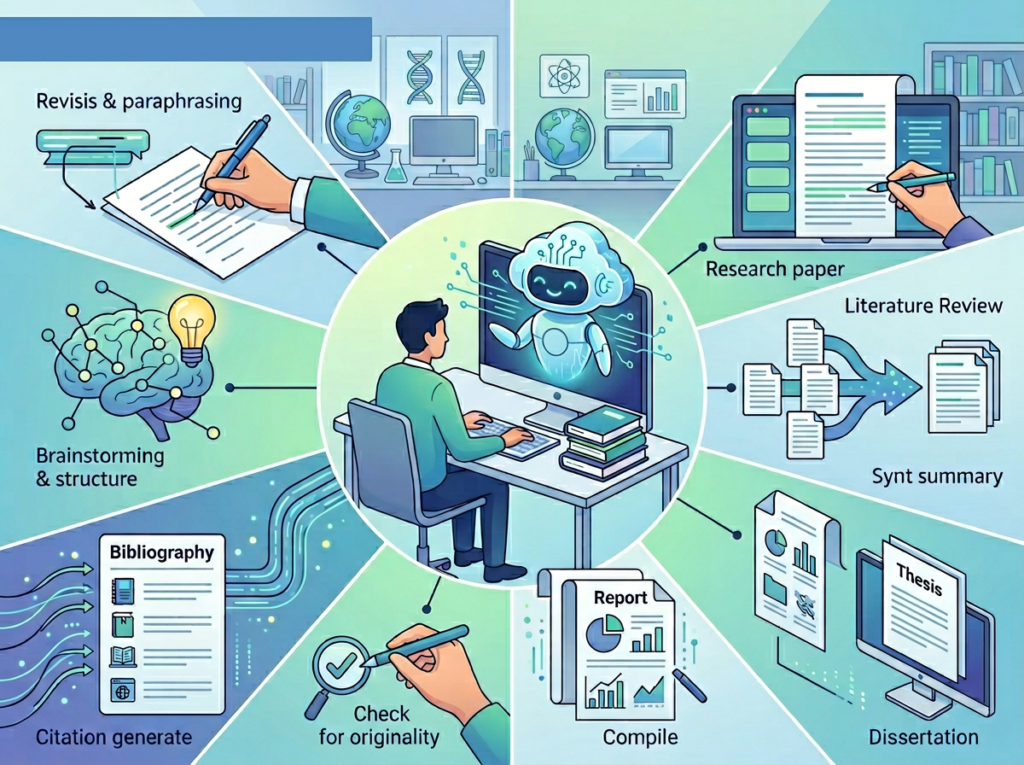
Jenni AI is purpose-built for academic and research writing. It is not trying to be a general-purpose writing tool. That focus is both its greatest strength and its most important limitation.
Academic Writing Engine: Jenni’s core value proposition is that it integrates writing assistance with research management. You can upload your own PDF sources, and the AI generates content grounded in those specific documents — not just its general training data. This is a fundamental difference from HyperWrite’s approach and critical for academic integrity. See our full Jenni AI review to understand how the source-based generation feature works in practice.
Writing Tone and Academic Integrity: Jenni’s autocomplete maintains formal academic register by default — something HyperWrite doesn’t prioritize. For graduate students or researchers who need to maintain a scholarly voice throughout a 20-page paper, this consistency matters. That said, as noted in this analysis of both tools, both tools require careful human review, especially for factual accuracy in academic contexts.
AskJenni Feature: This allows you to query your uploaded PDFs directly — asking the AI to summarize key points, pull relevant quotes, or answer questions based on your source documents. For literature reviews and systematic reviews, this cuts research time significantly. According to this overview of Jenni AI’s academic features, the platform positions itself squarely in the academic writing space rather than general content creation.
Real-World Academic Result: Students using Jenni AI for research papers report writing time reductions of 30–40% on first drafts, primarily from the autocomplete and citation automation features. For a grad student juggling coursework, research, and teaching responsibilities, that time savings is substantial.
Pricing (US Market): Free plan (200 words/day), paid plans starting at approximately $12–$20/month depending on tier. Check jenni.ai directly for current pricing as tiers have evolved in 2026.
Comparative Summary:
HyperWrite generates faster across more content types and integrates directly into your browser workflow. Jenni produces more academically appropriate output with native citation support and source-grounded generation. Your choice depends less on which AI “writes better” and more on what you’re producing: business content or academic research. Learn more about Jenni AI to evaluate whether its academic focus matches your actual use case.
Who Should Choose Another AI Entirely

Need 1: High-Volume SEO Content Production
Why these AIs don’t fit: Neither HyperWrite nor Jenni is optimized for large-scale SEO content workflows. Jenni isn’t designed for it at all. HyperWrite can produce individual blog posts, but it lacks the keyword research integration, content briefs, and bulk generation features that SEO teams need.
Better alternative: Jasper AI, Surfer SEO with AI integration, or Copy.ai for teams producing 10+ pieces of optimized content per week.
Need 2: Real Academic Research Discovery
Why these AIs don’t fit: Jenni AI works with sources you upload — it doesn’t search databases of 100+ million academic papers. If you need AI to help you find and evaluate relevant literature rather than just write based on sources you already have, Jenni’s research capabilities are limited.
Better alternative: Elicit AI or Consensus for AI-powered literature search and synthesis across academic databases.
Need 3: Legal, Medical, or Compliance Writing
Why these AIs don’t fit: Both tools are generative language models without domain-specific training for regulated content. Output quality in legal or medical contexts requires expert human review regardless of which AI you use.
Better alternative: Industry-specific AI tools with compliance features, or AI used purely as a drafting aid with mandatory professional review.
Use Cases by Business Goal
Productivity: Internal Writing and Communication

Use Case: A freelance consultant needs to produce client-facing deliverables faster — weekly status updates, project proposals, and meeting summaries — without sacrificing quality.
Scenario: Current process takes 6 hours per week across 4 clients. Goal: reduce to under 3 hours without lowering quality.
HyperWrite AI Approach:
- Strengths: The Chrome extension means you can draft emails and Google Docs content without switching apps. TypeAhead predicts continuations as you pause, reducing the friction of starting each writing task from scratch.
- Process: Open Chrome extension ? Describe the document type ? HyperWrite suggests completions ? Edit to match client voice
- Time to value: Most users see meaningful time savings within the first week of consistent use
- Limitation: Output still requires editing for client-specific context; generic first drafts are common
Decision Criteria:
- Choose HyperWrite AI if: You write across multiple formats and want AI embedded in your existing browser workflow
- Choose Jenni AI if: Your client deliverables require citations, sourced data, or formal academic-style documentation
For more ways to reduce time on routine writing tasks, explore our AI efficiency strategies that apply across content types and team sizes.
Revenue & Marketing: Customer-Facing Content

Use Case: A small e-commerce business owner needs product descriptions, email sequences, and landing page copy without hiring a copywriter.
Scenario: Current process involves manually writing 10–15 product descriptions per week and a weekly promotional email. Goal: cut that time by 60%.
HyperWrite AI Approach:
- Strengths: Strong template library for marketing copy formats — product descriptions, email subject lines, ad copy, and social posts. The AI adapts to your brand voice over time through its personalization engine.
- Process: Select template type ? Input product details ? Review and edit generated copy ? Publish
- Business impact: Small business owners report cutting copywriting time by 50–70% on standard product and promotional content
- Limitation: First drafts often sound generic; budget time for brand voice editing
Jenni AI Approach:
- Strengths: Better if your marketing involves thought leadership, case studies, or content that requires citing data sources and research
- Process: Upload research and brand data ? Generate content grounded in your sources ? Edit for marketing tone
- Business impact: Higher-quality outputs for content-heavy marketing like white papers or industry reports
- Limitation: Not designed for fast-turnaround commercial copy; interface optimized for academic-style writing
Decision Criteria:
- Choose HyperWrite AI if: Your marketing needs are primarily short-form commercial copy — emails, ads, product pages
- Choose Jenni AI if: Your marketing strategy relies on research-backed long-form content like reports or case studies
To explore more ways AI can directly support revenue-generating activities, explore our AI revenue strategies for small businesses and freelancers.
Side-by-Side Comparison Table
| Comparison Axis | HyperWrite AI | Jenni AI |
|---|---|---|
| Primary Use Case | Business writing, emails, marketing copy, content creation | Academic papers, research essays, citation management |
| Best For | Freelancers, small business owners, content creators | Students, graduate researchers, academics |
| Browser Extension | Yes — works across Gmail, Google Docs, LinkedIn, Notion | No browser-embedded experience; web app only |
| AI Autocomplete | TypeAhead: predicts sentence completions as you pause | Inline autocomplete with academic tone bias |
| Citation Management | Not available | 2,600+ citation styles, auto-updating bibliography |
| PDF Upload & Source Use | Not available | Core feature — AI generates content from your PDFs |
| Template Library | 500+ templates across business and creative formats | Limited templates; focused on academic document types |
| Plagiarism Checker | Built-in | Built-in (note: not a replacement for Turnitin) |
| Writing Tone Flexibility | High — adapts to casual, professional, marketing voices | Lower — defaults to formal academic register |
| Personalization | Learns your writing style over time | Adapts to your uploaded source documents |
| Mobile Access | Via browser extension on desktop; limited mobile | Web-accessible on mobile but not optimized |
| Free Plan | 15 generations/month, 500 TypeAheads/day | 200 words/day |
| Paid Plan Pricing (US) | Premium $19.99/month; Ultra $44.99/month | From ~$12–$20/month (check jenni.ai for current tiers) |
| Best Limitation | Generic first drafts need brand voice editing | Not useful for non-academic business writing |
After-Table Context:
The right tool depends heavily on where you are in your work and what you’re producing.
For students and academics: Jenni AI is not just slightly better — it’s a fundamentally different category of tool. The citation automation and source-grounded generation solve problems that HyperWrite doesn’t even attempt to address. If you’re writing research papers, Jenni is the clearer choice.
For early-stage business owners: HyperWrite’s versatility and browser integration typically deliver faster return on investment. You get AI writing help across every context you already work in, without changing your workflow.
Cost-to-Value for US Market:
- HyperWrite Premium: $19.99/month = $240/year. If it saves 3 hours/week at a $40/hour value rate, that’s $6,240/year in recovered time — a 26x return.
- Jenni AI paid: ~$12–$20/month = $144–$240/year. For a grad student paying out of pocket, the citation automation alone — saving 2–3 hours per major paper across a semester — easily justifies the cost.
Both tools pay for themselves quickly when matched to the right use case. Neither is worth it when chosen for the wrong one.
Frequently Asked Questions

Is HyperWrite AI better than Jenni AI for small business writing?
For general small business writing — emails, proposals, marketing copy, social content — HyperWrite AI is the more practical choice. Its Chrome extension works across the tools small business owners already use, and its 500+ template library covers the most common business writing formats. Jenni AI is built for academic writing and citation management; applying it to business content produces outputs that tend toward overly formal, research-paper-style language. The HyperWrite AI vs Jenni AI decision for small businesses is straightforward: HyperWrite wins when academic features are irrelevant to your workflow.
Can Jenni AI help with non-academic writing like blog posts or emails?
Technically yes, but not well. Jenni AI can generate text for any format, but its design assumptions — formal academic tone, citation-first workflow, structured research documents — create friction when you’re writing a conversational email or a blog post aimed at general readers. Users who try to use Jenni for business content typically find the output needs heavy editing to remove the academic register. For non-academic writing, HyperWrite delivers more usable first drafts with less post-processing.
Do I need both HyperWrite AI and Jenni AI?
Most users don’t. The two tools serve distinct primary audiences. If you are exclusively a student or academic researcher, Jenni AI covers your needs well. If you are a small business owner, freelancer, or general content creator, HyperWrite AI is the more appropriate tool. The overlap scenario — someone doing both serious academic research and significant business writing — exists but is relatively uncommon. At a combined cost of roughly $40–$65/month, running both tools simultaneously is only worthwhile if you use each tool’s core features regularly enough to justify the separate subscription.
Learn more about Jenni AI or HyperWrite AI
Leave a Reply