
Small photography businesses lose thousands in billable hours every year to editing backlogs — ai photo editing for small business is the workflow fix most are still sleeping on.
In 2026, American freelance photographers and small studio owners face a productivity paradox that no amount of talent solves on its own.
You booked the clients. You shot the sessions. The images are beautiful. But now you’re at your desk at 11 PM, three galleries deep in a Lightroom backlog, manually adjusting white balance on photo 847 of 2,300 from last Saturday’s wedding. Your inbox has four new inquiries you haven’t had time to answer. Your delivery deadline for the Johnson family portraits was yesterday.
This is the reality for most solo photographers and small photography studios across the United States. The creative work — the shooting, the client relationships, the artistic vision — gets swallowed by the operational weight of post-production. Editing isn’t just a time sink. It’s a cognitive drain that compounds across every session, every season.
For US photographers billing $75–$200 per hour for their time, every hour spent on repetitive editing adjustments is $75–$200 not earned on new shoots, marketing, or business development. A photographer editing 15 hours per week on tasks AI could handle is leaving $5,625–$15,000 on the table every month.
That’s where AI photo editing for small business changes everything. Imagen AI is an intelligent photo editing platform that learns your personal editing style and applies it automatically across your entire catalog — cutting editing time by 50% or more without compromising the aesthetic you’ve spent years building.
This article gives you four concrete workflows to implement this week, each saving 2–6 hours — plus an honest look at what Imagen AI can and cannot do.
Join thousands of photographers using Imagen AI to deliver faster and shoot more. Start Free Today
Key Concepts of AI Photo Editing Efficiency
Concept 1: Personalized Style Learning — Not Generic Presets
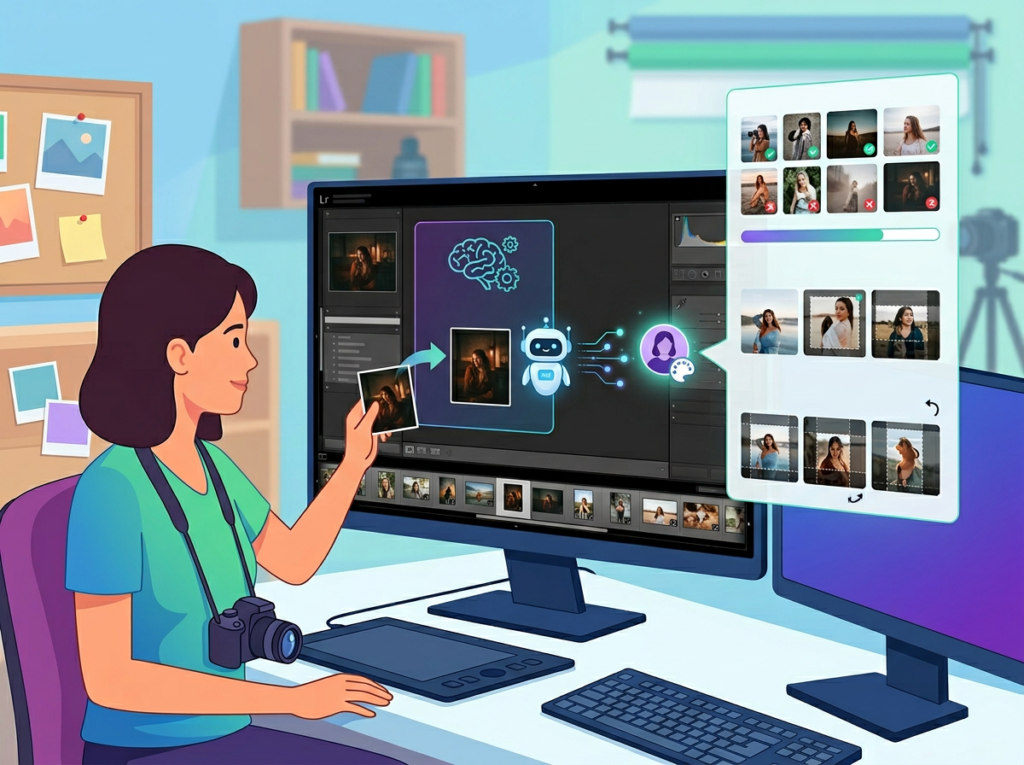
Most photographers have tried Lightroom presets. Most photographers have been disappointed by Lightroom presets. The problem is that presets apply a fixed look regardless of shooting conditions, lighting environments, or subject matter. A golden-hour outdoor preset applied to an indoor newborn session produces inconsistent, unusable results that require more corrective editing than starting from scratch.
AI-powered style learning works differently. Instead of imposing a fixed look, tools like Imagen AI analyze your existing edits — hundreds or thousands of images you’ve already processed — and reverse-engineer your personal editing logic. It learns how you handle underexposed indoor shots versus bright backlit portraits. It learns your preferred skin tone warmth, your contrast philosophy, your shadow recovery tendencies.
The result isn’t a generic filter. It’s a dynamic, evolving model of how you edit. Consider a photographer like Sarah — a freelance family and newborn photographer based in Denver with eight active clients. Before AI editing, Sarah spent 3.5 hours processing a single family session. After building a personalized AI profile, her sessions come back in under 90 minutes, requiring only light review and final tweaks. That’s a 2-hour daily savings across her average workweek — time she now puts toward a senior portraits expansion she’d been planning for two years.
For photographers serious about implementing this kind of efficiency, explore Imagen AI in detail to see exactly how the profile-building process works and what session volume is needed to get accurate results.
Concept 2: Culling Overhead — The Hidden Editing Tax

Research consistently shows that photographers underestimate how much time culling consumes relative to actual editing. For a typical wedding shoot generating 2,500–3,500 raw images, manual culling alone — flagging, star-rating, eliminating duplicates and blinks — takes 2–4 hours before a single editing adjustment is made.
This is what productivity researchers call a “hidden overhead tax”: time that doesn’t produce a deliverable but is required before deliverable production can begin. It’s also one of the highest-fatigue tasks in the photography workflow. Decision fatigue sets in fast when you’re making judgment calls on thousands of near-duplicate images in sequence.
Marcus, a solo wedding photographer in Nashville, tracked his editing time for a full quarter. His culling overhead was averaging 11 hours per wedding — roughly the same as his total editing time. Once he introduced AI-assisted culling, that figure dropped to 4.5 hours. Over a 20-wedding season, that’s 130 hours recovered — the equivalent of 16 full workdays.
Concept 3: Workflow Orchestration — AI as Your Editing First-Pass

The most powerful framing for AI photo editing isn’t “automation” — it’s orchestration. Think of AI as your editing first-pass assistant who handles all the technically sound but creatively straightforward adjustments: exposure normalization, white balance consistency, basic tonal correction, duplicate grouping, blink detection.
You, as the photographer, then step in for the 5–10% of images that require genuine creative judgment: the hero shots, the emotionally charged moments, the technically challenging frames that demand a human eye.
Elena, a boutique portrait studio owner in Atlanta, restructured her entire post-production workflow around this orchestration model. Her previous process: import, manually cull, manually edit batch by batch, export, deliver. Her new process: import, run AI first-pass (culling + profile edit), review AI output for 45 minutes, creative overrides on 8–10 hero images, export. Her monthly editing overhead dropped from 38 hours to 14 hours — 24 hours recovered every month to reinvest in studio marketing and client experience.
Join thousands of photographers using Imagen AI to deliver faster and shoot more. Start Free Today
How Imagen AI Helps Efficiency
Feature 1: Personal AI Profile Training

Imagen AI’s foundation is its profile training engine. You submit a sample of your previously edited images — typically 3,000–5,000 edited RAWs — and Imagen’s machine learning system analyzes the relationship between your raw files and your finished edits across thousands of adjustment parameters.
The resulting profile isn’t a static preset. It’s a dynamic model that interprets each new image individually based on its specific characteristics: scene brightness, color temperature, subject distance, outdoor versus indoor context. Two images from the same session can receive different exposure adjustments if the lighting conditions shifted between frames.
Efficiency ROI: Photographers report editing time reductions of 50–80% on sessions processed through a well-trained personal profile. At a conservative 50% reduction and 15 editing hours per week, that’s 7.5 hours recovered. At $100/hour photographer market rate: $39,000 in annual recovered time value.
Feature 2: Culling Studio — AI-Assisted Image Selection
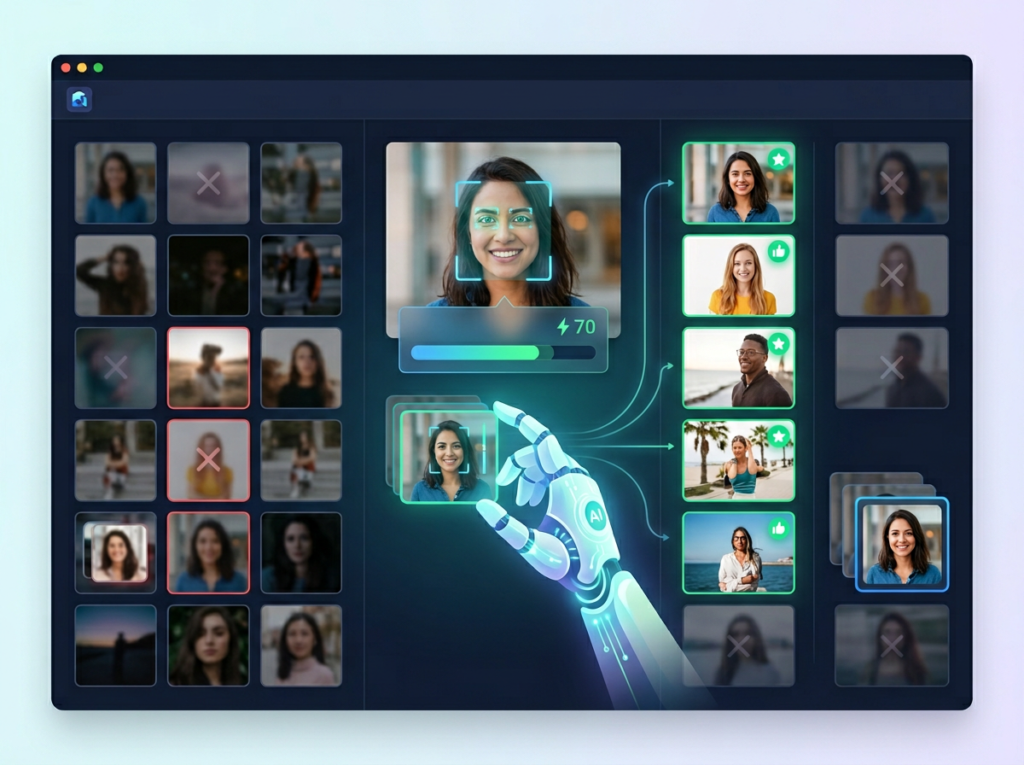
As noted in this detailed workflow breakdown on Fstoppers, Imagen’s Culling Studio addresses one of the most draining parts of the post-production pipeline. The system analyzes sharpness, groups near-duplicate sequences, detects closed eyes and expression changes, and applies customizable strictness settings so you control how aggressive the AI selection is.
The standout feature is Edited Previews — during the culling process, you see images with your personal editing profile already applied, not flat raw files. This eliminates the common problem of rejecting keepers that look dull in raw but would look stunning edited. You’re making selection decisions based on how images will actually look in the final delivery.
Efficiency ROI: Culling time reductions of 60–70% are typical. For a wedding photographer averaging 3,000 images per event: culling time drops from 3–4 hours to 60–90 minutes. Over a 20-event season: 50–60 hours recovered annually.
Feature 3: Multi-Profile Support and Style Evolution

As your photography business evolves — adding new genres, shifting your aesthetic, taking on commercial work alongside personal photography — your AI editing profile needs to evolve with it. Imagen supports multiple distinct profiles: one for your warm, lifestyle family sessions; a separate moodier profile for fall outdoor portraits; a clean, neutral profile for commercial product or headshot work.
You can train new profiles as your portfolio expands and update existing profiles with fresh edits as your style shifts. The AI doesn’t lock you into a single aesthetic defined at the moment of onboarding.
Efficiency ROI: Multi-profile support eliminates manual style-switching between different session types — estimated at 20–30 minutes per session for photographers shooting across multiple genres. Over 100 sessions annually: 33–50 hours recovered.
To see these features in action with workflow examples specific to your photography niche, see our full Imagen AI review.
Ready to cut editing time in half? Try Imagen AI and experience AI photo editing efficiency firsthand. Start Free | No credit card required
Use Cases: Small Photography Business & Freelancer Efficiency

Persona 1: Jessica — Freelance Wedding Photographer in Portland, OR
Business profile: Solo wedding photographer, 22 weddings per year, delivering 600–800 edited images per event. Billing rate: $3,500–$5,500 per wedding.
Old workflow: Jessica shot on Saturdays and spent Sunday through Wednesday editing each wedding. Average editing time per wedding: 18 hours. Culling (4 hours) ? first-pass editing (9 hours) ? color correction review (3 hours) ? export and delivery prep (2 hours). Total annual editing overhead: 396 hours. She was turning down one in four inquiries because she couldn’t fit more bookings into her calendar.
AI-enhanced workflow: After building a personal Imagen profile on 4,500 of her existing edits, Jessica’s per-wedding editing time dropped to 8 hours. Culling via Culling Studio (1.5 hours) ? AI first-pass edit review and overrides (4.5 hours) ? export and delivery prep (2 hours). Annual editing overhead: 176 hours.
Quantified results: 220 hours recovered annually. With that capacity back, Jessica added four weddings to her calendar — $14,000–$22,000 in additional annual revenue.
“I was literally turning away clients because I was buried. Now I have my weekends back and my waitlist is actually a real thing, not just a polite way of saying no.” — Composite based on reported user outcomes.
Persona 2: David — Small Wedding & Portrait Studio Owner in Chicago, IL
Business profile: Owner-operator with one part-time second shooter. Shoots 30 weddings and 60 portrait sessions annually. Managing editing for both his own work and his second shooter’s RAWs.
Old workflow: David was spending 22–25 hours per week on post-production across all session types. The backlog was perpetual — he was often delivering galleries 3–4 weeks after the session, which generated negative reviews and strained client relationships.
AI-enhanced workflow: David implemented Imagen for all session types, building separate profiles for weddings and portraits. His weekly post-production dropped to 11 hours. Delivery timelines shortened from 3–4 weeks to 7–10 days across the board.
Quantified results: 572 hours recovered annually. Faster delivery improved his review scores on The Knot and Google from an average 4.2 to 4.8 stars — directly driving a 15% increase in inquiry volume the following booking season.
As noted in this photography workflow analysis from Christine Dammann, one of the less obvious benefits of AI editing is the mental energy it returns — not just the hours. When David stopped ending every weeknight exhausted from editing, he had the creative bandwidth to redesign his client experience from inquiry to delivery.
“The ROI isn’t just hours. It’s showing up to shoots less burned out and actually enjoying the work again.” — Composite based on reported user outcomes.
Persona 3: Alex — Solo Commercial and Headshot Photographer in San Francisco, CA
Business profile: Primarily shoots corporate headshots, team photos, and commercial product work. High volume, tight turnaround expectations — corporate clients want same-week delivery. 200+ sessions annually.
Old workflow: Sessions were individually short (30–60 images each) but relentless in volume. At 90 minutes average editing time per session: 300+ hours of editing per year. Corporate turnaround pressure meant frequent late nights and weekend work.
AI-enhanced workflow: Alex built a clean, neutral commercial profile. Per-session editing time: 35 minutes. Annual editing overhead: approximately 117 hours.
Quantified results: 183+ hours recovered annually. Alex expanded into video headshot packages — a service he’d been unable to offer due to post-production bandwidth. Video packages now represent 22% of his annual revenue.
For persona-specific workflow templates and implementation guidance tailored to your photography niche, discover how Imagen AI works.
Streamline your photography workflow with smart AI editing Join thousands of photographers using Imagen AI to deliver faster and shoot more. Start Free Today
Best Practices for Implementing AI Photo Editing
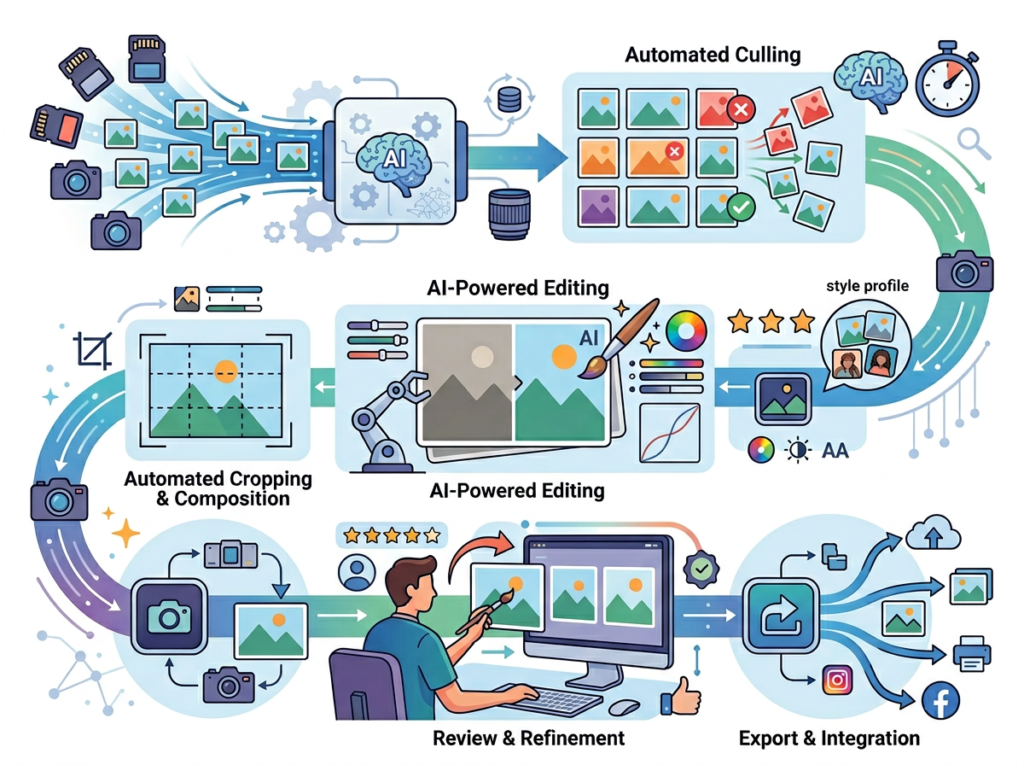
Start with your best edits for profile training. The quality of your AI profile is a direct function of the quality of the edits you submit for training. Don’t submit your entire catalog indiscriminately. Curate 3,000–5,000 of your most consistent, representative edits — sessions where your style is fully expressed and your technical execution is solid. Avoid submitting experimental edits, rushed jobs, or sessions where your style was in flux. Garbage in, garbage out applies here just as in any machine learning context.
Treat AI output as a first-pass, not a final product. The single biggest mistake new AI editing adopters make is treating the AI’s output as delivery-ready without review. Set a consistent review step in your workflow: after AI processing, spend 30–45 minutes reviewing the full gallery at thumbnail scale, flagging any images where the AI made clearly incorrect calls. Then zoom in on the hero shots and key emotional moments for precision review. The AI handles technical consistency; you handle creative judgment.
Avoid tool proliferation. The photography software market is full of point solutions each promising to solve one specific bottleneck. It’s easy to accumulate $150–$200/month in subscriptions across culling tools, editing tools, gallery delivery platforms, CRM systems, and album design software before you’ve noticed how much tool-switching overhead costs you. This overview of AI photo editor considerations illustrates exactly how quickly feature overlap between tools can justify consolidation. Evaluate whether Imagen covers multiple needs (culling AND editing) before adding additional AI tools to your stack. Consolidated workflows outperform fragmented ones.
Track actual time savings for 30 days. Before implementing AI editing, log your editing time per session for two weeks. After implementation, log again for four weeks. Calculate the per-hour savings and annualize it. This isn’t just a motivational exercise — it quantifies the ROI for a tool that has an ongoing subscription cost, and it surfaces whether your profile needs refinement if savings are lower than expected.
Limitations and Considerations
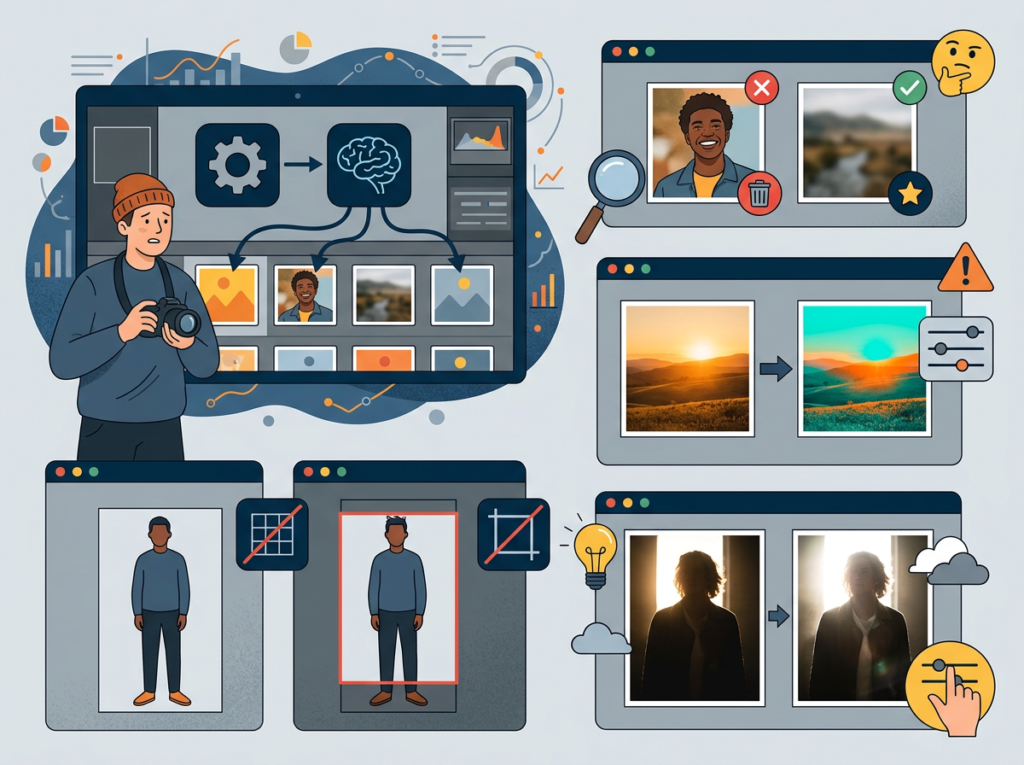
It cannot replace creative judgment on hero images. The images that define a gallery — the first look, the emotional ceremony moment, the portrait where everything aligned perfectly — require human artistic attention. AI tools apply statistical patterns, not emotional intelligence. Budget time for deliberate, hands-on editing of your key images regardless of how well your AI profile performs on the rest of the gallery.
Profile accuracy degrades across significant style shifts. If you’ve recently undergone a major aesthetic change — switching from light and airy to dark and moody, for example — your existing training data will actively work against your new direction. Retrain with a fresh dataset of your new-style edits before relying on AI processing. Using an outdated profile on a stylistically divergent session will produce results requiring more corrective time than starting manually.
Privacy and data considerations require attention. Submitting client images to a cloud-based AI editing service raises legitimate questions about data handling, storage, and client consent. Review Imagen AI’s data privacy policy carefully and consider whether your client contracts address third-party service processing. Some commercial clients — particularly corporate or legal sector clients — may have explicit data handling requirements that affect which cloud services you can use.
Hallucination risk is low but present in culling. AI culling makes probabilistic decisions about image sharpness, expression quality, and composition. Occasionally it will flag a keeper as a reject or pass a technically marginal image. Always do a final review pass of the AI’s rejected images before permanently deleting anything — especially on emotionally significant events like weddings where missed moments cannot be re-shot.
Over-reliance carries a skill atrophy risk. Photographers who hand off all editing to AI tools for extended periods sometimes report losing fluency with manual editing adjustments. Periodically editing sessions entirely by hand — or maintaining hands-on editing for personal projects — keeps your technical instincts sharp.
Join thousands of photographers using Imagen AI to deliver faster and shoot more. Start Free Today
Frequently Asked Question

What is AI photo editing for small business?
AI photo editing for small business refers to using machine learning software to automate the technically repetitive parts of photo post-production — tasks like exposure adjustment, white balance correction, culling, and tonal consistency — so that photographers and small studios can process more images in less time without sacrificing their personal editing style. Unlike generic presets, modern AI editing tools learn your specific editing approach and apply it dynamically across new sessions.
Can AI photo editing replace my editing workflow entirely?
No — and it shouldn’t. AI photo editing is best understood as a first-pass tool that handles the technically consistent adjustments across your bulk images, freeing your time for deliberate creative work on hero shots and key moments. Most photographers using AI editing tools retain full manual control over their most important images and use AI to eliminate the repetitive technical overhead across the rest of their gallery.
How do freelance photographers use AI to save editing time?
Freelance photographers primarily use AI editing tools in two ways: automated culling (having AI sort, group, and flag images before editing begins) and profile-based batch editing (applying a personalized AI model to an entire session simultaneously). The combination can reduce per-session editing time by 50–75%, translating directly into more available booking slots, faster client delivery times, and reduced weekend and evening work.
Conclusion

For small photography businesses in today’s US market, ai photo editing for small business isn’t a luxury add-on — it’s a structural competitive advantage that directly affects capacity, revenue, and quality of life.
The photographers who are thriving in 2026 aren’t the ones editing fastest by hand. They’re the ones who’ve made intelligent decisions about which parts of their workflow genuinely require their creative attention and which parts can be handled by a well-trained AI that knows their style.
Imagen AI represents a mature, practical solution to the editing bottleneck that limits nearly every solo photographer’s growth ceiling. The ROI math is straightforward: at 50 hours of editing time recovered annually and a $100/hour photographer market rate, the annual value of that recovered time is $5,000 — against a tool subscription cost that runs a fraction of that. Realistic returns are often significantly higher.
The adoption path is low-friction: submit your best 3,000–5,000 edits to train a profile. Run one full session through the AI. Review the results honestly. Adjust your training set if needed. Within two to three sessions, most photographers have a working estimate of time saved and whether the output quality meets their standards.
AI is not replacing photographers. It’s eliminating the parts of the job that were never the point. The question isn’t “Should I use AI for editing efficiency?” — it’s “How much longer can I afford not to?”
Join thousands of photographers using Imagen AI to deliver faster and shoot more. Start Free Today
Leave a Reply