
Solo founders who automate repetitive coding work with an ai coding agent for small business reclaim 10+ hours weekly — here’s exactly how.
In 2026, American solo founders face a paradox that’s still crushing productivity at scale. You started your business for freedom and leverage. Instead, you’re wiring up the same Zapier trigger for the third time this month, copy-pasting data between spreadsheets, and manually formatting the same report you generated last Tuesday.
Inbox at 200 unread. Slack notifications muted. To-do list hemorrhaging into a second document.
This isn’t a motivation problem. It’s a systems problem. The system most solo founders are missing is an AI coding agent that treats your internal tooling the way a full-time developer would — except it works at 2 a.m., never needs a sprint retro, and doesn’t charge $120,000 a year in salary.
That’s where Kilo Code enters the picture. Not as a toy for developers who already know how to code, but as an operational partner for solo founders and small business owners who need custom internal tools, automated workflows, and lightweight scripts — without hiring anyone to build them.
For US founders billing $75–$150 per hour on client work, every hour spent on repetitive internal tasks is a direct revenue leak. Fifty hours of manual workflow maintenance per year, at a conservative $100/hour, is $5,000 in lost earning potential — not counting the cognitive toll of context switching.
This guide gives you four specific ai code automation workflows to implement this week — each with realistic time savings of 2–8 hours. By the end, you’ll understand not just what Kilo Code does, but which exact tasks it should own in your business, and which ones you should never hand off to any AI.
Try Kilo Code free and build your first workflow automation this week. Start Free at kilocode.ai | No credit card required
Key Concepts of AI Efficiency
Concept 1: Cognitive Offloading and the Hidden Cost of “Small” Tasks

Cognitive offloading means delegating mental work — memory, calculation, decision routing — to an external system so your working memory stays available for higher-order thinking. When a solo founder uses a no-code workflow automation tool, they offload execution but still carry the design and maintenance burden. An AI coding agent goes further: it offloads design, execution, debugging, and future adaptation, because it can read existing code, understand intent, and extend the system when requirements change.
Sarah, a freelance brand designer in Portland with eight clients, was spending 2.5 hours daily on “task admin” — status spreadsheets, client summaries, file reformatting. None required creativity; all required her presence. After building three automation scripts with an AI coding agent over two weekends, daily admin dropped to 40 minutes — roughly 450 hours reclaimed annually, worth $45,000 at her billing rate.
The tasks felt small individually. Cumulatively, they were her largest productivity drain.
For advanced cognitive offloading strategies and workflow templates, explore Kilo Code in detail.
Concept 2: Context Switching Cost and the 23-Minute Tax
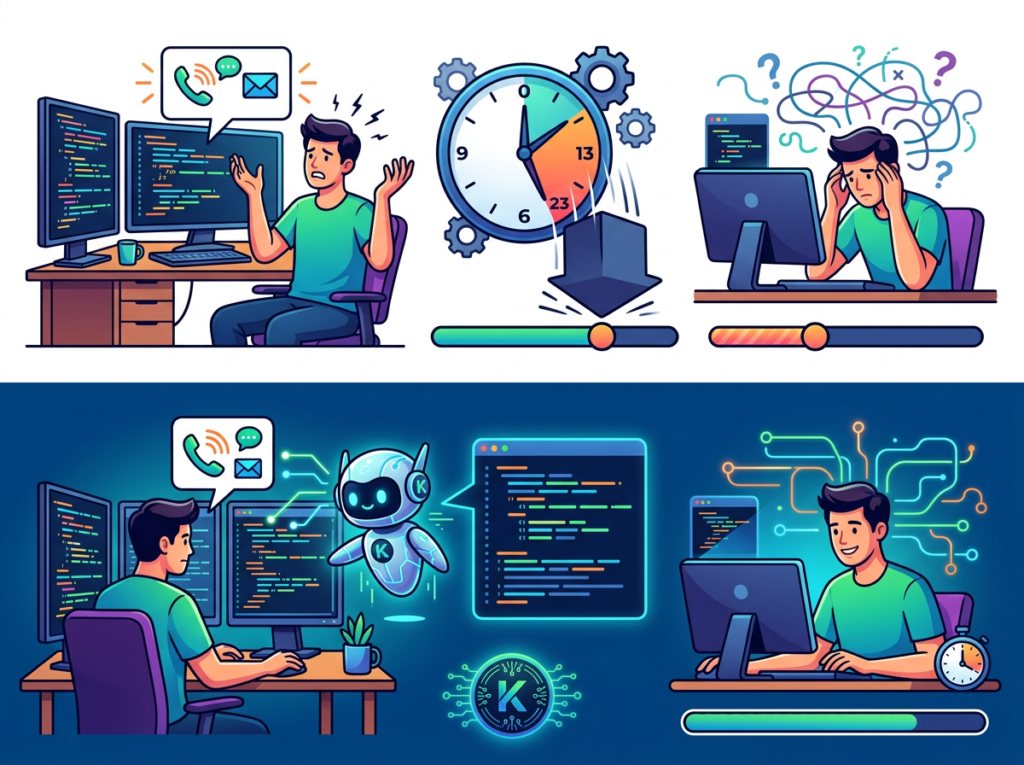
Research on workplace cognition consistently shows that after an interruption, it takes an average of 23 minutes to return to full focus on the previous task. For knowledge workers, this means that even brief interruptions — checking a tool dashboard, manually triggering a report, debugging a broken integration — carry a time tax far larger than the interruption itself.
Marcus, an independent management consultant in Chicago, tracked his interruptions for two weeks before automating. As noted in this efficiency breakdown from a developer who switched to Kilo Code, savings become most visible once you start measuring rather than estimating. Marcus identified 14 recurring tasks pulling him out of deep work daily — CRM data pulls, SQL queries, contact list deduplication. Each took 5–15 minutes, but with the context-switch tax, the real cost was 28–38 minutes per occurrence. Monthly: 22 hours lost. After automating, under 11 hours.
The lesson: automate repetitive tasks with AI and you earn back not just the task time, but the recovery time surrounding it.
Concept 3: Workflow Orchestration — AI as Conductor

The most powerful efficiency gains come not from automating individual tasks, but from orchestrating sequences. Workflow orchestration means building systems where outputs from one task automatically feed into the next, with AI handling the transitions.
Elena, a Shopify store owner in Austin, had a weekly ritual: export orders, run them through a Google Sheet to flag fulfillment anomalies, email summaries to her supplier, then update her inventory dashboard manually. Five tools, seven manual steps, roughly 4 hours per month. After building an orchestration script with an AI coding agent, the entire sequence ran on a trigger — export, analyze, flag, notify, update. Her monthly involvement dropped to reviewing the output in under 20 minutes.
This is the difference between using AI as a faster typist versus using it as a conductor that keeps the entire operational orchestra in sync.
Try Kilo Code free and build your first workflow automation this week. Start Free at kilocode.ai | No credit card required
How Kilo Code Helps Efficiency
Feature 1: Multi-Mode Architecture — Right Tool for Each Stage

Kilo Code operates across five distinct modes: Ask, Architect, Code, Debug, and Orchestrator. For a solo founder building internal tools, this matters because different stages of automation work require fundamentally different cognitive stances.
When you’re planning a new workflow — “I want to automate my invoice reconciliation process” — you need Architect mode, which helps you break the problem into structured steps before writing a single line of code. When you’re debugging a broken webhook, you need Debug mode, which reads error traces, runs diagnostic commands, and iterates on fixes. When you’re chaining multiple automations together, Orchestrator mode coordinates the sequence.
The practical result: you don’t hit a wall when your needs shift mid-task. A solo founder building an automated client reporting system can move from planning to coding to debugging without switching tools or losing context.
Annual time saved from structured mode switching versus ad hoc prompting: approximately 38 hours. At $75–$150/hour, that’s $2,850–$5,700 recovered annually.
Feature 2: Model-Vendor Neutral Philosophy — Cost Control Without Lock-In

One of the structural advantages of Kilo Code for budget-conscious solo founders is its refusal to tie users to a single AI provider. The platform supports models from OpenAI, Anthropic, Google, Mistral, Meta’s Llama ecosystem, and self-hosted deployments — and users can switch freely as performance, pricing, or preference changes.
For a small business owner watching operating costs, this is significant. Subscription-heavy coding assistants typically bundle model access into a fixed monthly fee regardless of usage volume. Kilo Code’s pay-as-you-go token model means light-use months cost proportionally less. As documented in this feature overview of Kilo Code’s VS Code integration, unlike subscription platforms where unused credits are lost, Kilo Code’s flexible approach is more appealing for founders whose workflow automation needs vary by season.
Annual cost optimization through model flexibility: estimated $200–$600 saved compared to fixed-subscription alternatives for typical solo founder usage.
Feature 3: Autonomous Workflow Execution — Build Tools Without Hiring Developers

The core efficiency proposition of Kilo Code for non-developer founders is the ability to describe what a tool should do in plain language and receive working code — not a boilerplate scaffold, but a functional script that fits your specific data structure and business logic. To see these features in action with detailed workflow examples, see our full Kilo Code review.
Consider the value equation: a US freelance developer charges $75–$150/hour for internal tooling work. A simple automation script — say, a Python script that pulls Stripe data, checks for anomalies, and emails a daily summary — takes an experienced developer 3–5 hours to build and test. That’s $225–$750 for a single tool. A solo founder using Kilo Code can build the same tool in an afternoon, with iteration and debugging handled by the agent.
Annual value from tools built without external developer fees: $3,000–$12,000 for a founder who would otherwise commission 4–8 small automation tools per year.
Combined efficiency ROI across all four features: 40x to 120x on a typical annual investment in Kilo Code tokens, relative to the hourly cost of manual task execution or developer outsourcing.
Ready to automate repetitive work without hiring a developer? Try Kilo Code free and build your first workflow automation this week. Start Free at kilocode.ai | No credit card required
Use Cases: Small Business & Freelancer Efficiency

Persona 1: Jessica — Freelance Brand Designer, Portland, OR
The situation: Jessica runs a one-person brand studio with six to nine active clients at any given time. Her technical skills are limited — she knows basic HTML and has used Airtable for project tracking — but she does not consider herself a developer. Her weekly overhead: approximately 10 hours spread across project status updates, invoice generation, file organization across client folders, and client-facing progress reports.
Old workflow: At the end of each week, Jessica would manually compile project notes from Notion, cross-reference them against her time tracker, build a summary for each client, format it in her template, and email it. Two and a half hours, every Friday, without exception.
AI-enhanced workflow: Using Kilo Code, Jessica described what she wanted in plain English: “Pull my time entries from Toggl, match them to client projects in my Notion database, and generate a formatted weekly summary I can send directly.” Kilo Code built a Python script that does exactly this — connecting two APIs, applying her formatting logic, and outputting a draft email per client. The first version took one afternoon to build and two debugging sessions to refine. Now the process runs in under 15 minutes.
Quantified results: Weekly overhead down from 10 hours to 4.5 hours. Annual hours reclaimed: 286. At her $75/hour billing rate, that represents $21,450 in additional revenue potential annually — work she can now take on instead of doing admin.
In her words: “I kept waiting for someone to build the exact tool I needed. Turns out I had to describe it to an AI and it built it for me. I haven’t thought about Friday reports since March.”
Persona 2: David — Independent Management Consultant, Chicago, IL
The situation: David runs a boutique consulting practice advising mid-market companies on operations strategy. He bills at $200/hour, manages his practice solo, and was generating 22 hours of monthly overhead — CRM maintenance, proposal formatting, follow-up sequencing, and weekly performance summaries pulled from multiple data sources.
Old workflow: Every Monday, David spent 3–4 hours producing his weekly operations dashboard — pulling data from HubSpot, cross-referencing project notes, calculating utilization rates, and formatting a summary for personal planning and client reporting. This was his highest-value-destroying task.
AI-enhanced workflow: David used Kilo Code’s Architect mode to plan an automated dashboard pipeline before writing any code. The agent helped him map data flows, identify API connections, and structure the script for maintainability. The result: a script that runs every Sunday night, pulls all relevant data, calculates his metrics, and deposits a formatted markdown report in his Notion workspace. Monday mornings now start with a review, not a build.
Quantified results: Monthly overhead down from 22 hours to 9 hours. Annual hours reclaimed: 156. At $200/hour, opportunity cost recovered is $31,200 per year.
In his words: “I’ve used every productivity tool on the market. This is the first time I felt like I had a technical co-founder who understood my business context.”
Streamline your workflow with smart automation. Join solo founders and entrepreneurs using Kilo Code to build tools without hiring developers. Start Free at kilocode.ai
Best Practices for Implementing AI Efficiency
1. Start with One Workflow, Not a Transformation

The biggest mistake solo founders make when adopting an AI coding agent is treating it as a platform overhaul. They try to automate six processes simultaneously, get overwhelmed when one breaks, and abandon the effort. The better approach: identify the single most repetitive task that costs you 2+ hours per week, automate that one thing, and let it run for 30 days before expanding.
A useful selection criterion: if you’ve done the task more than 20 times and each instance feels identical to the last, it’s ready to automate.
2. Build Human-in-the-Loop Checkpoints

AI-generated automation scripts are not infallible. Data formats change. APIs update. Edge cases emerge. The most resilient automations are designed with human review points — moments where the script pauses and surfaces its output before taking irreversible action. For example, an automation that drafts client emails should deposit those drafts for human review before sending, at least for the first 30 days. This is consistent with the approach described in this in-depth analysis of Kilo Code’s multi-agent architecture, which emphasizes controlled sequencing over full autonomy. This catches errors without sacrificing the time savings.
3. Consolidate Before You Add

Tool bloat quietly kills solo founder productivity. Before using an AI coding agent to build new automation, audit whether the problem you’re solving already has a tool in your stack. If it does, optimize or consolidate. If it doesn’t, a custom script is often cheaper and better-fit than adding a $29/month SaaS that covers only 70% of your needs. Founders who audit before automating typically reduce SaaS spend by $80–$150/month while improving coverage.
Try Kilo Code free and build your first workflow automation this week. Start Free at kilocode.ai | No credit card required
Limitations and Considerations

AI efficiency works best for repetitive cognitive tasks, but falls short at nuanced creativity, legal precision, and sensitive human interactions.
Creative work with high brand stakes. An AI coding agent can automate the delivery of creative work — generating formatted presentations, compiling design assets, building distribution scripts — but it cannot replace strategic creative judgment. Automating your newsletter delivery workflow is smart. Automating the editorial decisions about what to say is not.
Legal and compliance documents. No automation script should generate contracts, terms of service, or compliance filings without direct human review and sign-off by a qualified professional. The risk of hallucinated details in legal contexts is not recoverable through efficiency gains.
Sensitive client or customer interactions. Automated follow-up emails are fine. Automated responses to unhappy customers, complex support cases, or active negotiations are not. The reputational risk from a badly-worded automated message at the wrong moment exceeds the efficiency savings.
Key technical risks: Hallucination in generated code is real — always test scripts in a staging environment before running on production data. Privacy compliance matters — scripts processing customer data must comply with applicable regulations (CCPA for California businesses, relevant state equivalents elsewhere). Over-reliance is subtle but worth naming: the more you delegate to automated systems, the more important it becomes to maintain enough understanding of those systems to troubleshoot when they break.
Frequently Asked Questions

What is AI efficiency for small business?
AI efficiency for small businesses means using AI tools — coding agents, language models, automation platforms — to reduce the time spent on repetitive operational tasks. The goal is not to replace human judgment but to eliminate manual, rule-based work that doesn’t require it, freeing up time for client relationships, product development, and strategic planning.
What’s the best AI tool for reducing workload without hiring developers?
The right tool depends on your technical comfort and automation complexity. For solo founders who want custom internal tools, an AI coding agent like Kilo Code offers the best combination of power and accessibility — particularly for workflows that don’t fit standard no-code tools. For simpler trigger-based automations, tools like Zapier or Make may suffice. The key distinction: no-code tools automate between existing apps; AI coding agents build net-new tools customized to your exact requirements.
Do I need technical skills to use an AI coding agent?
Basic familiarity with concepts like APIs and file structures is helpful but not required. The most effective approach for non-technical founders is to use the agent’s conversational planning modes to describe what you need, then review the generated code at a high level. The skill you need most is the ability to describe your workflow clearly and test the output systematically.
Conclusion

The automation gap in 2026 isn’t a technology problem. The tools exist. The gap is between founders who have deployed an ai coding agent for small business to reclaim their operational hours and those still doing the same repetitive tasks they did two years ago.
Kilo Code sits at a useful intersection: open source enough to be customizable, capable enough to handle real business logic, and accessible enough that a non-developer can build working automation in a weekend. The ROI math isn’t subtle. Billing $75–$150/hour and spending 8 hours per week on automatable work means the annual cost of that manual labor is $31,200–$62,400. A tool that eliminates half of it pays for itself in days.
AI efficiency is augmentation, not replacement. The founders getting the most value from Kilo Code aren’t trying to automate their entire business — they’re surgically targeting the work that costs the most and requires the least human judgment. One workflow, verified, then expanded.
The question isn’t “Should I use an AI coding agent for efficiency?” — it’s “Can I afford to keep doing this manually?”
Try Kilo Code free and build your first workflow automation this week. Start Free at kilocode.ai | No credit card required
Leave a Reply