Introduction
In 2026, the average freelancer or solo entrepreneur juggles an overwhelming array of responsibilities. Between client meetings, project delivery, accounting, and marketing, there’s barely time to breathe—let alone create the steady stream of visual content that modern business demands. Social media posts, ad creatives, website graphics, email headers, promotional materials: the list never ends. Traditional solutions mean either spending hours in design software you barely know, paying premium rates for professional designers, or settling for generic stock images that make your brand blend into the background.
This is where Image Generation AI transforms the game. Rather than wrestling with complex design tools or waiting days for designer revisions, small business owners can now generate custom, professional-quality visuals in minutes using natural language descriptions. Ideogram 3.0 represents the cutting edge of this revolution, offering capabilities that were unimaginable just months ago: flawless text rendering inside images, photorealistic scenes, multiple style options, and brand-consistent outputs that actually look like they came from a professional studio.
For freelancers and solo entrepreneurs overwhelmed with administrative tasks, Ideogram 3.0 isn’t just another tool in an already crowded tech stack. It’s a fundamental shift in how visual content gets created, turning what used to be a bottleneck into a competitive advantage. Instead of spending three hours tweaking a single Facebook ad or waiting two days for a designer’s availability, you can generate multiple variations in minutes, test them immediately, and iterate based on real performance data. This article explores how Ideogram 3.0’s advanced Image Generation capabilities enhance workflow efficiency, reduce creative burnout, and help small businesses maintain a consistent visual presence without the traditional overhead of a design department.
Key Concepts of AI Efficiency

Before diving into Ideogram 3.0’s specific features, it’s crucial to understand the foundational principles that make Image Generation AI so powerful for small business efficiency. These concepts explain not just what the technology does, but why it creates such dramatic improvements in productivity and mental bandwidth.
Cognitive Offloading

Cognitive offloading refers to the practice of transferring mental tasks to external tools, freeing up your brain’s limited working memory for higher-value activities. For small business owners, visual content creation traditionally required holding multiple elements in mind simultaneously: brand colors, typography rules, composition principles, platform-specific dimensions, and message hierarchy. Even simple tasks like creating an Instagram story graphic demanded conscious attention to dozens of details.
Image Generation AI fundamentally transforms this dynamic. Instead of mentally tracking every design element, you describe the desired outcome in plain language: “Create a promotional image for a weekend sale with bold red text saying ‘SAVE 30%’ overlaid on a coffee shop interior, warm lighting, professional photography style.” The AI handles the cognitive burden of translating this description into proper composition, appropriate lighting, readable typography, and visual balance. Your working memory stays free to focus on strategic questions: Which message will resonate with customers? What emotion should this image evoke? How does this fit into our broader campaign?
This offloading effect compounds throughout your day. When you’re not mentally exhausted from wrestling with design software, you have more creative energy for client work, business development, and strategic planning. The reduction in decision fatigue alone can reclaim hours of productive mental capacity each week.
Context Switching Cost

Research consistently shows that switching between different types of tasks carries significant cognitive overhead. When a freelance consultant needs to create a presentation graphic, the context switch from analytical thinking to visual design work can consume fifteen to twenty minutes of refocusing time—not to mention the actual design work itself. For someone creating five to ten visuals per week, these transitions accumulate into hours of lost productivity.
Image Generation AI dramatically reduces context switching penalties in two ways. First, it operates through natural language, the same medium you’re already using for email, documentation, and planning. There’s no mental gear-shift into “design mode” with its specialized vocabulary and spatial reasoning demands. Second, generation speed means you can create visuals within your existing workflow rhythm rather than blocking out dedicated design time. Need a diagram for a client proposal you’re writing? Generate it in the next sixty seconds and continue writing. This seamless integration keeps you in flow state rather than fragmenting your attention across incompatible task types.
For e-commerce owners managing product listings, the context switching savings become even more pronounced. Instead of alternating between product photography sessions, photo editing software, graphic design for promotional materials, and copywriting, you can stay focused on merchandising strategy while generating product showcase images, promotional graphics, and social media content in a unified workflow.
Workflow Orchestration
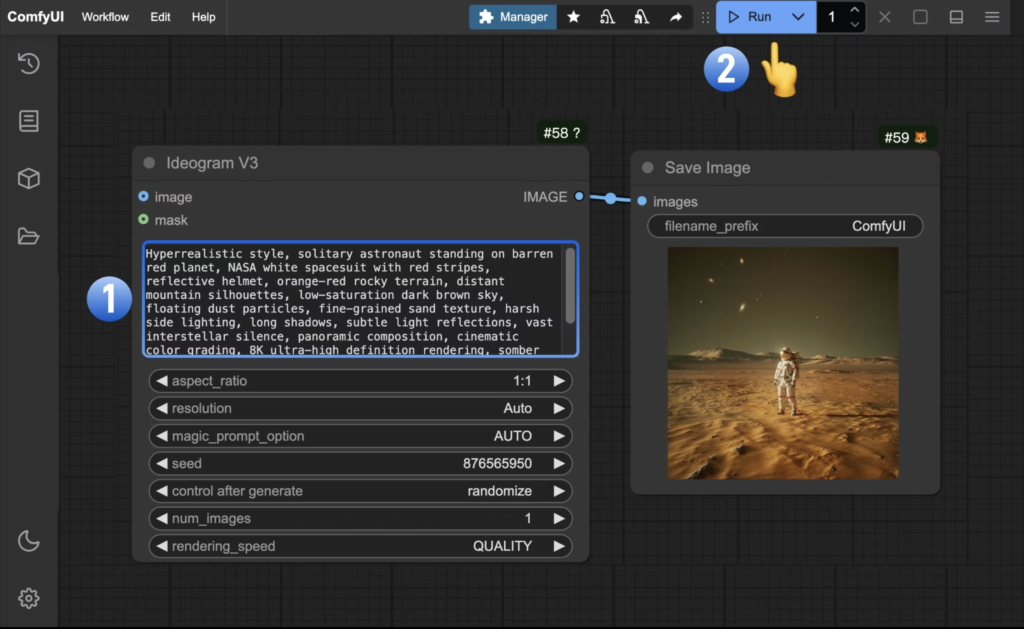
Workflow orchestration describes how different business processes connect and flow into each other efficiently. In traditional visual content creation, orchestration breaks down at multiple points: designers need briefing documents, revision cycles create bottlenecks, file format conversions cause delays, and approval processes drag on for days. Each handoff point introduces friction, miscommunication, and waiting time.
Ideogram 3.0’s approach to Image Generation streamlines orchestration by collapsing multiple workflow stages into a single, immediate process. Concept, creation, and iteration happen in one continuous session. Need to test three different headline variations for an ad? Generate all three versions in minutes, evaluate them side-by-side, then iterate the winner with different visual treatments. The traditional workflow of briefing a designer, waiting for drafts, requesting revisions, and receiving finals simply disappears.
This orchestration efficiency extends beyond individual image creation. When your entire visual content pipeline operates at AI speed, you can align image production directly with other business rhythms. Planning a product launch next week? Generate your complete visual marketing suite the day before based on final messaging decisions. Spotted a trending topic relevant to your business? Create and publish timely visual content while the conversation is still active. The tight orchestration between strategic thinking and visual output transforms how responsive and agile your marketing can be.
How Ideogram 3.0 Helps Efficiency
Ideogram 3.0 brings specific capabilities that directly address the efficiency challenges facing small businesses and freelancers. Understanding these features in practical terms—how they work and what results they drive—illuminates why this tool represents such a significant productivity leap.
Typography & Text-in-Image Excellence
One of Ideogram 3.0’s standout capabilities is its industry-leading text rendering. Traditional image generation AI struggled catastrophically with typography, producing garbled letters, misspelled words, and unreadable fonts. This limitation meant generated images still required manual text overlay in design software, eliminating much of the time-saving benefit.
Ideogram 3.0 solves this problem comprehensively. When you prompt “Create a coffee shop menu board showing ‘Espresso $3.50, Latte $4.75, Cappuccino $4.50’ in elegant chalk lettering on a dark background,” the system renders those exact words with correct spelling, appropriate font characteristics, and proper visual hierarchy. For ad creative generation, this means you can specify your headline, call-to-action, and pricing information directly in your prompt and receive fully-formed marketing materials ready to deploy.
The business impact is immediate and measurable. A solo marketing consultant who previously spent two hours per week creating client social media graphics using Canva can now generate higher-quality alternatives in fifteen minutes. An e-commerce owner launching a flash sale can create an entire series of promotional banners with different discount percentages and product categories in the time it used to take to design a single variation. The efficiency gain isn’t incremental—it’s transformational.
Realistic scenario: Sarah runs a boutique virtual assistance business and needs to create weekly social media posts showcasing client testimonials. Previously, she used a template-based tool, spending thirty minutes per post matching fonts, adjusting text sizes, and ensuring quotes fit within design boundaries. With Ideogram 3.0, she describes the desired aesthetic once—”Professional testimonial card with quote text overlaid on a soft gradient background, modern sans-serif typography, corporate color palette”—then generates customized versions with each new testimonial in under three minutes.
Photorealistic Image Generation

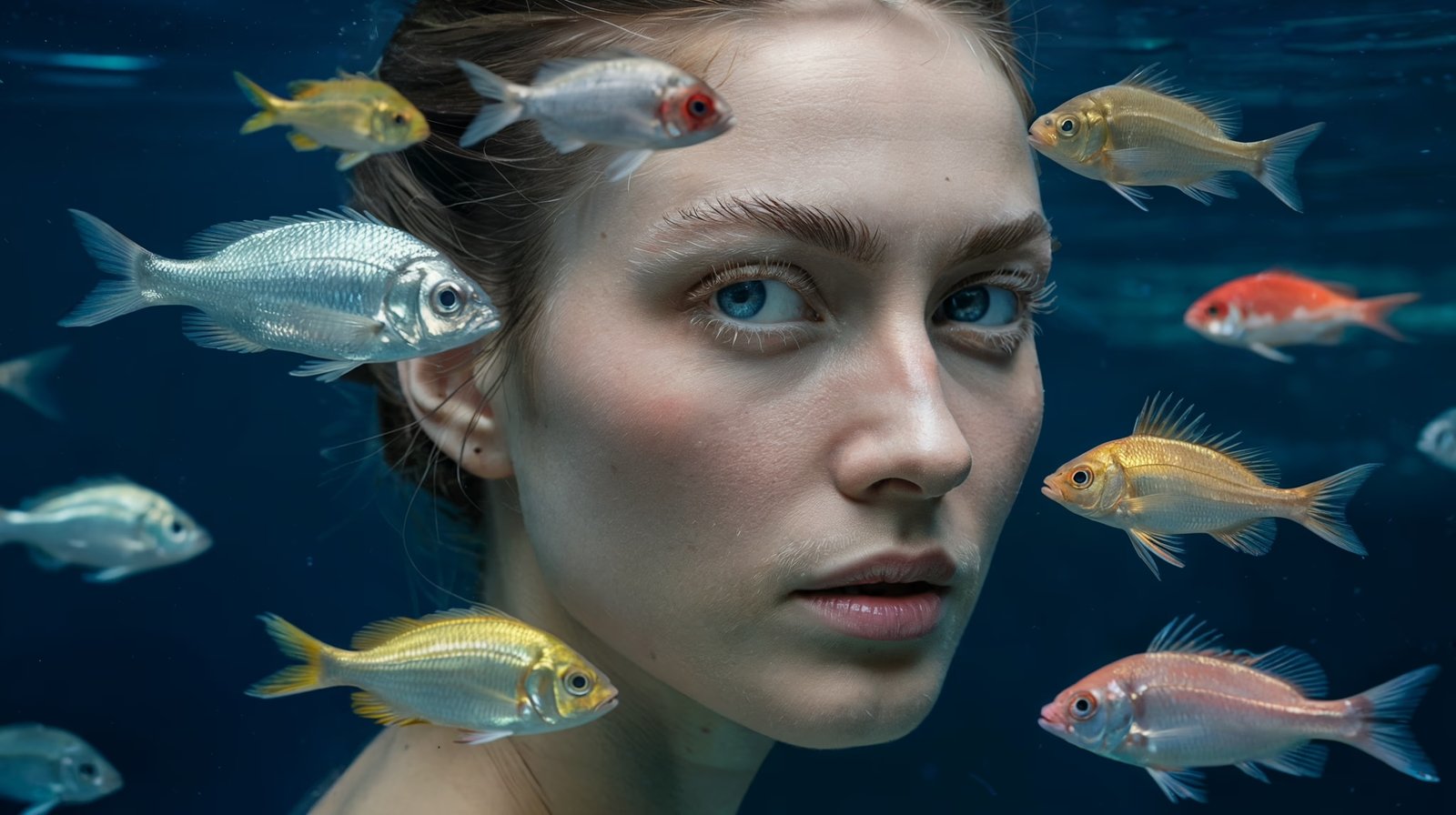
Beyond text rendering, Ideogram 3.0 excels at creating photorealistic scenes that would traditionally require professional photography or expensive stock photo subscriptions. The Image Generation AI understands complex visual concepts, lighting principles, composition rules, and stylistic conventions across dozens of photography genres.
This capability addresses a massive pain point for small businesses: the cost and logistics of obtaining quality photography. Product photography sessions cost hundreds to thousands of dollars. Stock photo subscriptions provide generic images that competitors use too. DIY photography with smartphones rarely achieves professional polish. Ideogram 3.0 offers a fourth option: generating custom photorealistic images that look like they came from a professional shoot but cost only the time to write a detailed prompt.
The business result is both cost savings and creative flexibility. A wellness coach can generate an entire library of meditation and yoga-themed imagery matching their specific brand aesthetic without hiring a photographer or settling for overused stock photos. A restaurant owner can create appetizing food photography for menu updates and social media without scheduling professional shoots every season. The ability to iterate freely—trying different backgrounds, lighting conditions, and styling choices—encourages creative experimentation that would be prohibitively expensive with traditional photography.
Realistic scenario: Marcus operates a sustainable home goods e-commerce store. His products photograph well, but creating lifestyle imagery showing products in beautifully styled room settings requires resources he doesn’t have. Using Ideogram 3.0, he generates photorealistic scenes of his bamboo kitchen utensils in modern minimalist kitchens, his organic cotton bedding in serene bedroom environments, and his recycled glass vases in stylish home offices. These contextual images improve product page conversion rates by helping customers visualize products in their own spaces—all without the expense of staging and shooting lifestyle photography.
Ad Creative Generation Speed

Perhaps the most direct efficiency impact comes from Ideogram 3.0’s ability to compress the ad creative development cycle from days into minutes. Traditional ad creation follows a slow, iterative process: initial concept development, designer assignment, draft review, revision requests, final approval, and file preparation. Even with rapid turnaround designers, this cycle rarely completes in less than twenty-four hours and often stretches across several days.
Image Generation AI collapses this timeline dramatically. Describe your ad concept—target audience, key message, visual style, call-to-action—and receive multiple creative variations immediately. Don’t like the first batch? Refine your prompt and generate another set. Find a promising direction? Create ten variations testing different headlines, imagery, and layouts. The entire process from concept to ready-to-upload ad creative can happen in a single thirty-minute session.
This speed enables entirely new approaches to ad testing and optimization. Instead of committing to a single creative direction and hoping it performs, you can generate diverse creative approaches, test them with small budgets, and scale the winners. Instead of quarterly creative refreshes, you can update ad imagery monthly or even weekly to stay aligned with seasonal trends, product availability, and campaign performance data. The velocity of iteration becomes a competitive advantage.
Realistic scenario: Elena freelances as a social media manager for local businesses. When a client’s weekend promotion requires emergency ad creative on Friday afternoon, she can’t wait for Monday’s designer availability. She uses Ideogram 3.0 to generate multiple Facebook and Instagram ad variations featuring the client’s product, promotional messaging, and brand colors. Within an hour, the client reviews options, selects favorites, and Elena has ads running before close of business. What would have derailed the promotion instead becomes a routine turnaround enabled by AI speed.
Style Consistency and Brand Coherence
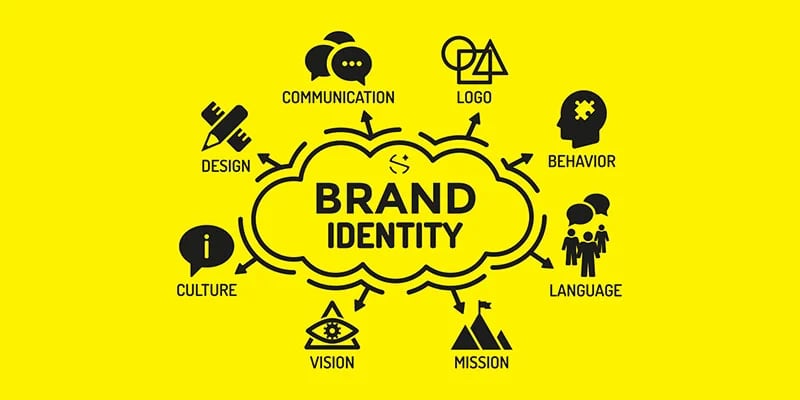
Maintaining consistent visual branding across dozens or hundreds of images traditionally requires either strict design templates (which feel repetitive) or a dedicated brand team (which small businesses can’t afford). Ideogram 3.0 offers a middle path: the ability to define stylistic parameters in your prompts that carry through across all generated images, creating brand coherence without creative stagnation.
By developing a prompt formula that encodes your brand’s visual identity—color palette, typography preferences, photographic style, compositional principles—you ensure every generated image aligns with your established aesthetic. Need fifty Instagram posts this quarter? Your refined prompt serves as a brand guideline that the AI follows consistently, producing varied content that still feels unmistakably yours.
The efficiency gain here is subtle but powerful: you eliminate the quality control overhead of ensuring brand consistency across disparate visual assets. There’s no need to manually adjust colors, swap fonts, or enforce composition rules across individually created images. The AI acts as a built-in brand guardian, applying your established visual standards automatically to everything it generates.
Ready to cut visual content creation time in half? Try Ideogram 3.0 https://ideogram.ai/
Use Cases: Small Business & Freelancer Efficiency
Understanding Ideogram 3.0’s capabilities in abstract terms helps, but seeing how real business personas integrate Image Generation AI into their daily workflows illuminates the practical efficiency gains. These scenarios demonstrate the before-and-after reality of AI-enhanced visual content creation.
Technical Founder: David’s SaaS Startup

Old Workflow: David founded a project management software company and handles most operations solo while keeping development costs lean. Marketing the product requires constant visual content: feature announcement graphics, tutorial screenshots with annotations, social media posts explaining capabilities, blog post headers, and landing page imagery. Without design skills or budget for a full-time designer, his visuals came from a mix of screenshot tools, basic editing software, and free design platforms with obvious template aesthetics.
Creating a single feature announcement graphic—taking screenshots, editing them for clarity, adding explanatory text, and formatting for social media—consumed forty-five to ninety minutes. Weekly content production required five to eight hours, time David felt should go toward product development or customer acquisition. The visual quality gap versus established competitors undermined his startup’s credibility with enterprise prospects evaluating professionalism signals.
New AI-Enhanced Workflow: David uses Ideogram 3.0 to generate professional interface mockups, conceptual illustrations of software features, and polished social media graphics. When announcing a new integration, he generates an illustration showing the connected systems with clean iconography and appropriate tech aesthetic. Tutorial blog posts feature custom diagrams explaining workflows more clearly than screenshots alone. Social media posts include engaging visual hooks that stop scrolls better than text-heavy alternatives.
His weekly content production time dropped to ninety minutes: thirty minutes generating base visuals, thirty minutes for any necessary editing or screenshot integration, thirty minutes for final formatting and scheduling. The six-hour weekly time savings goes directly into customer conversations and product development sprints.
Results: Landing page conversion rates improved eighteen percent after redesigning with AI-generated hero images and feature illustrations versus generic stock photos. Enterprise prospect feedback shifted from questioning brand maturity to discussing implementation timelines. David attributes his ability to maintain consistent marketing output during intense development phases to the efficiency of AI-generated visual content—he can’t afford to stop marketing during product sprints, and AI makes that sustainable.
“As a technical founder with zero design background, Ideogram 3.0 gave me a superpower I didn’t have before. I can create marketing visuals that look like they came from a proper marketing team, maintaining professional appearance without the overhead of actually hiring that team yet.”
Streamline your visual workflow with smart automation. Start free with Ideogram 3.0 https://ideogram.ai/
Best Practices for Implementing AI Efficiency
Successfully integrating Ideogram 3.0 into your workflow requires more than signing up for an account and starting generation. These best practices help you maximize efficiency gains while avoiding common pitfalls that undermine the tool’s value.
Start Small with High-Impact Use Cases
The temptation when discovering powerful AI tools is attempting to revolutionize everything simultaneously. Resist this urge. Instead, identify one or two specific, repetitive visual content tasks currently consuming disproportionate time and focus Ideogram 3.0 exclusively on those initially. For most freelancers and small business owners, the highest-impact starting points are social media graphics, promotional ads, or blog post headers—content you create frequently with established quality expectations.
Spend your first two weeks developing reliable prompt formulas for these core use cases. Learn which descriptive elements produce desired results, how to encode your brand aesthetic into prompts, and what generation settings work best for your needs. This focused mastery creates immediate efficiency gains you can measure and builds confidence before expanding to additional use cases.
Only after establishing smooth, efficient workflows for your initial targets should you explore applying Image Generation AI to other visual content needs. This phased approach prevents the overwhelming “everything at once” implementation failure pattern while building competency incrementally.
Maintain Human-in-the-Loop Quality Control
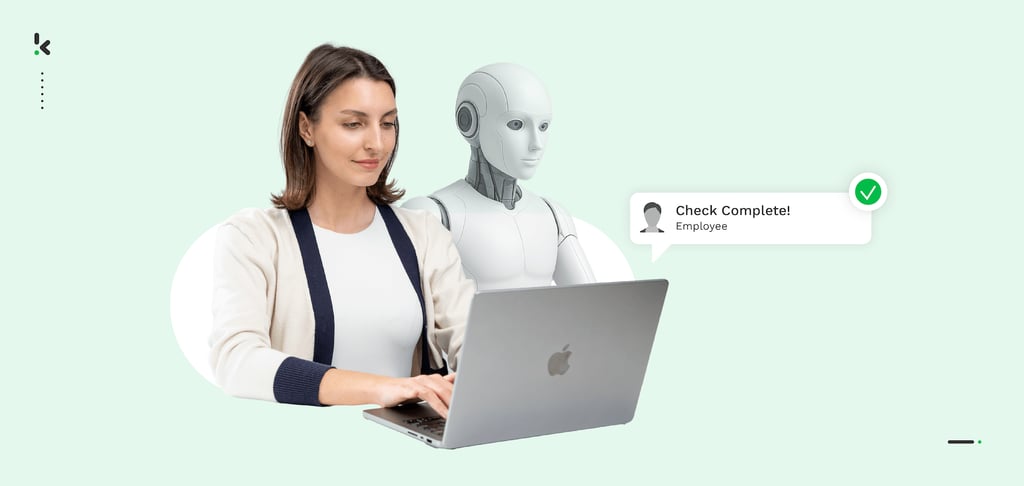
AI-generated content requires human judgment at multiple decision points. Your role shifts from creator to creative director: setting strategic direction, evaluating options, and ensuring outputs meet brand standards and business objectives. Never fall into fully automated, unreviewed content production.
Establish a practical review process: generate multiple variations for each need, evaluate them against your criteria (brand alignment, message clarity, visual appeal), select the best options, and make any necessary refinements before deployment. This human oversight catches AI limitations—occasional anatomical oddities in human figures, contextual misunderstandings, subtle brand misalignments—before they reach your audience.
The review process need not be time-intensive. Evaluating five image variations and selecting the best typically takes two to three minutes. The key is making this quality gate mandatory rather than optional, ensuring your efficiency gains don’t come at the cost of output quality degradation.
Avoid Tool Proliferation Overhead
The AI tools landscape explodes with new options constantly, creating temptation to experiment with every promising platform. This experimentation carries hidden costs: learning curves for each tool, subscription fees that accumulate, cognitive overhead from switching between different interfaces and interaction paradigms, and fragmented workflows spread across multiple platforms.
For visual content creation, resist the urge to use six different AI image generators simultaneously. Master Ideogram 3.0 thoroughly—understanding its capabilities, limitations, optimal prompting strategies, and integration into your existing workflows—before considering alternatives. Deep competency with one excellent tool produces better results than surface-level familiarity with many tools.
When you do evaluate additional tools, apply strict criteria: Does this solve a specific problem Ideogram 3.0 doesn’t address? Will the efficiency gain justify the learning investment and added complexity? Can I consolidate existing tools rather than expanding my stack? This disciplined approach keeps your workflow streamlined rather than fragmented.
Track and Quantify Replaced Activities

Many people adopt AI efficiency tools based on intuition that they’re saving time without measuring actual impact. This creates two problems: you can’t optimize what you don’t measure, and you can’t justify continued investment without quantifiable returns.
Before fully implementing Ideogram 3.0, document your current state: How many hours weekly do you spend on visual content creation? What specific tasks consume that time? What’s the quality level of current outputs? After four weeks of AI-enhanced workflow, measure again using identical metrics. Calculate time savings, quality changes, and any secondary effects like reduced stress or increased creative satisfaction.
This quantification serves multiple purposes beyond personal optimization. It justifies the tool investment if you’re managing business expenses carefully. It identifies which use cases deliver strongest returns, guiding where you expand AI integration next. It provides concrete evidence of value when other team members or stakeholders question the adoption. Most importantly, it grounds your efficiency claims in reality rather than enthusiasm-driven perception.
Limitations and Considerations
Despite Ideogram 3.0’s impressive capabilities, Image Generation AI has important limitations that small business owners and freelancers should understand before becoming over-reliant on the technology.
Where Human Creativity Remains Essential
AI-generated visuals excel at execution—translating described concepts into polished imagery—but struggle with the strategic creative thinking that determines which visuals to create in the first place. Ideogram 3.0 doesn’t understand your business objectives, competitive positioning, audience psychology, or brand evolution strategy. These require human judgment, market understanding, and creative intuition.
The most effective workflow keeps humans responsible for creative strategy and AI responsible for creative execution. You determine that your spring campaign should feature warm, optimistic imagery emphasizing renewal and fresh starts because you understand your customer psychology and seasonal purchasing patterns. Ideogram 3.0 then generates dozens of visually compelling options expressing that strategic direction. The AI amplifies your creative capacity but doesn’t replace the creative thinking itself.
Similarly, highly specialized visual work requiring deep subject matter expertise—medical illustrations, technical diagrams with precise accuracy requirements, legal documents with specific compliance standards—often demands human specialists who understand the domain deeply. AI can assist these specialists but rarely replaces them entirely for high-stakes applications.
Real Risks: Hallucination, Privacy, Over-Reliance

Image Generation AI occasionally produces subtle errors that human review might miss: anatomically impossible hand positions, physically implausible object arrangements, or text that’s mostly correct but contains small spelling variations. These “hallucinations” emerge from how AI systems learn patterns from training data without true understanding of physical reality or language rules.
For business applications, this means generated images require careful review before publication, especially for anything representing your brand externally. A social media post with slightly garbled text in an image corner could undermine professionalism. An impossible shadow angle in a product showcase might subconsciously reduce trust. The efficiency of AI generation creates temptation to skip quality review—resist this temptation.
Privacy considerations also matter when using cloud-based AI services. Prompts and generated images pass through Ideogram’s systems, potentially creating data exposure if you include confidential information in descriptions or generate images depicting sensitive business information. Review terms of service regarding data retention and usage rights, and avoid including genuinely confidential material in prompts.
Perhaps the most insidious risk is cognitive over-reliance: gradually losing the ability to create visuals manually or think visually without AI assistance. Maintain baseline competency with traditional tools and preserve your own visual creative skills even as AI handles routine execution. This protects against service disruptions, ensures you can work when AI isn’t appropriate, and keeps your creative thinking muscles exercised.
Mitigation Strategies
Address these limitations through straightforward practices: Always review generated images before publication, checking for anatomical plausibility, text accuracy, and brand alignment. Maintain clear boundaries regarding what visual content gets created with AI versus what requires human designers or photographers. Keep sensitive business information out of prompts and generated imagery. Periodically create visuals manually to preserve your skills and creative judgment independent of AI assistance.
Most importantly, treat Image Generation AI as a powerful assistant that extends your creative capacity rather than a replacement for creative thinking itself. The technology works best when augmenting human creativity and judgment, not attempting to replace it entirely.
FAQs
What is AI efficiency for small business?
AI efficiency for small business refers to using artificial intelligence tools to automate or streamline repetitive, time-consuming tasks that don’t require uniquely human judgment, freeing business owners and freelancers to focus on strategic work, client relationships, and creative thinking. For visual content creation specifically, it means using Image Generation AI like Ideogram 3.0 to produce marketing graphics, social media images, and promotional materials in minutes rather than hours, without requiring design expertise or expensive creative services. The efficiency gain comes from both direct time savings and reduced cognitive burden—eliminating the mental overhead of design software, stock photo searching, and template customization that traditionally consumed creative energy alongside actual time.
Can AI replace admin work?
AI can automate significant portions of administrative work, particularly repetitive tasks following clear patterns like data entry, scheduling, basic customer inquiries, and standard document generation. For visual content administration specifically—creating social media graphics, promotional materials, blog headers—Image Generation AI substantially reduces manual effort while often improving output quality. However, complete replacement misses the point. The most effective approach uses AI to handle routine execution while humans focus on strategic decision-making, quality oversight, and work requiring emotional intelligence, contextual judgment, or creative problem-solving. Think of AI as eliminating the tedious eighty percent of admin work you’d gladly never do again, freeing you for the valuable twenty percent that truly needs your expertise and attention.
How do freelancers use AI to save time?
Freelancers primarily use AI to compress creation cycles for deliverables that clients value but that don’t differentiate the freelancer’s unique expertise. A content creator generates social media graphics with Ideogram 3.0 in three minutes rather than thirty minutes with template tools, reinvesting saved time in content strategy that justifies premium rates. A business consultant produces polished presentation visuals instantly rather than hiring designers or struggling with PowerPoint, accelerating project delivery and improving client perception. A marketing freelancer creates multiple ad creative variations for testing in an hour instead of a week, enabling data-driven optimization that improves campaign performance. The pattern across successful AI adoption is identifying tasks where execution speed and baseline quality matter more than artisanal craft, then automating those tasks to create capacity for work showcasing your irreplaceable human expertise.
What’s the best AI tool for reducing workload?
The “best” AI tool depends entirely on which work creates your biggest bottleneck. For visual content creation specifically—if you’re spending hours weekly on social media graphics, ad creatives, or marketing materials—Ideogram 3.0 offers industry-leading Image Generation capabilities with exceptional text rendering and photorealistic outputs. For written content, conversational AI tools handle drafting, editing, and research. For data analysis, specialized AI tools automate pattern recognition and reporting. The key insight is that trying to find one universal tool that solves everything usually leads to mediocre results across all applications. Instead, identify your single biggest time drain, find the AI tool that specializes in that specific domain, master it thoroughly, measure the impact, and only then expand to additional tools addressing your next-largest bottleneck. Depth of implementation beats breadth of experimentation for actual workload reduction.
Do I need technical skills to use AI?
Modern AI tools like Ideogram 3.0 are designed for non-technical users and require no coding, command-line interfaces, or specialized technical knowledge. If you can describe what you want in clear English sentences, you can generate professional-quality images. The learning curve involves developing skill with effective prompting—learning which descriptive details produce desired results, how to encode your brand aesthetic into prompts, and how to iterate based on initial outputs. This is creative skill, not technical skill, similar to learning how to communicate effectively with a talented designer. Most users become competent prompters within a few hours of experimentation. That said, some technical comfort with digital tools generally helps: understanding file formats, resolution requirements, and basic image editing accelerates your effectiveness. But these are mainstream digital literacy skills most small business owners already possess, not specialized technical expertise requiring formal training.
Conclusion

The transformation from manual visual content creation to AI-powered Image Generation represents one of the most accessible efficiency improvements available to small businesses and freelancers in 2026. Ideogram 3.0 specifically addresses the pain points that make visual content such a bottleneck: the time required, the specialized skills demanded, the expense of professional services, and the mental overhead of managing complex design workflows.
By handling routine visual execution—social media graphics, ad creatives, promotional materials, blog imagery—Ideogram 3.0 frees creative and strategic capacity for work that genuinely differentiates your business. The efficiency gain isn’t merely about doing the same things faster, though the time savings are substantial. It’s about fundamentally shifting where you invest your limited attention and energy: from template customization and stock photo searching toward creative strategy, client relationships, and business development that actually drives revenue growth.
The most successful implementations recognize that Image Generation AI is augmentation, not replacement. Human creativity, strategic thinking, brand understanding, and quality judgment remain essential. The AI serves as a force multiplier for these human capabilities, executing your creative vision at speeds and scales impossible manually. This partnership approach—human strategy driving AI execution—produces better results than either pure manual work or naive full automation attempts.
For freelancers and solo entrepreneurs overwhelmed with the visual content demands of modern business, Ideogram 3.0 offers a practical path forward. Start with one or two high-impact use cases, develop competent prompting skills through focused practice, maintain quality oversight, and measure actual time savings. This phased, realistic approach to adoption builds sustainable efficiency gains without the disruption of attempting wholesale workflow revolution overnight. The technology works when integrated thoughtfully into existing processes, not when forcing processes to conform to technology capabilities.
Next Steps
Ready to enhance your visual content workflow with AI? Explore these resources to deepen your understanding and expand your capabilities:
- Compare AI – Evaluate different AI tools to find the best fit for your specific business needs and compare capabilities across image generation, writing assistance, and workflow automation platforms.
- AI Revenue Boost – Learn strategies for using AI tools not just for efficiency but for revenue growth, including how improved visual content drives conversion rates and customer engagement.
- Solo DX – Discover comprehensive digital transformation approaches for solo entrepreneurs and freelancers, covering AI adoption across marketing, operations, and client delivery workflows.
- AI Workflows – Access detailed workflow templates and implementation guides showing exactly how successful small businesses integrate AI tools like Ideogram 3.0 into daily operations for maximum efficiency gains.
Leave a Reply