Conclusion / First View
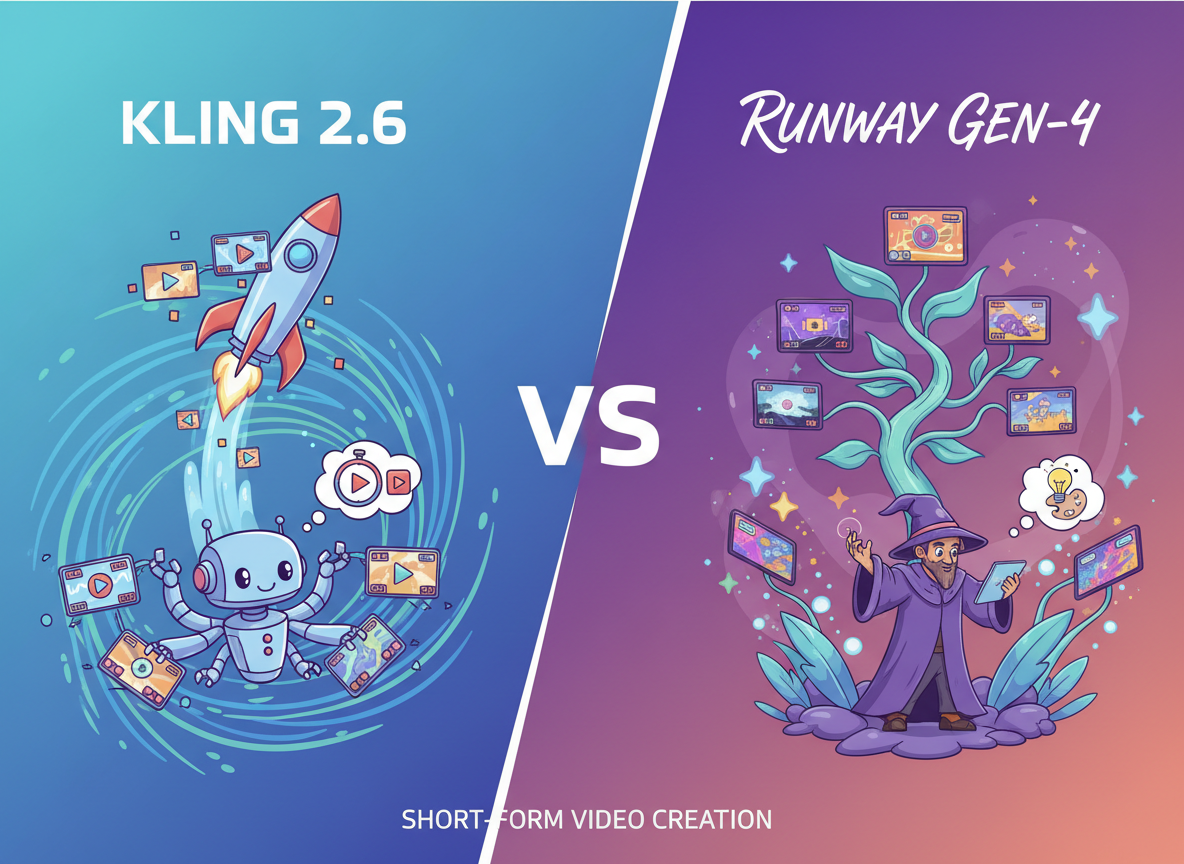
If you’re a creator or marketer producing TikToks, Reels, or YouTube Shorts without a video production team, choosing between Kling 2.6 and Runway Gen-4 depends on your creative control needs and budget constraints. Kling 2.6 offers exceptional motion quality and competitive pricing, making it ideal for creators who need consistent visual output with minimal technical overhead. Runway Gen-4 provides superior creative control through advanced prompting, motion brush features, and director mode—perfect for marketers running A/B tests or creators building brand-consistent content libraries. Neither tool replaces strategic thinking about hook design, pacing, or platform-specific optimization. Kling excels at generating usable clips quickly; Runway rewards users willing to invest time mastering granular controls. Your choice should align with whether you prioritize speed-to-platform or iteration flexibility.
Introduction: Why This Comparison Matters

The explosion of short-form video content has created a brutal bottleneck: platforms reward daily posting, but professional video production requires skills, equipment, and hours most solo creators and small marketing teams don’t have. AI video generators promise to solve this, but the market is fragmented. Runway Gen-4 and Kling 2.6 represent different philosophies—Runway prioritizes filmmaker-grade control through motion brushes and camera directives, while Kling focuses on motion realism and straightforward text-to-video generation.
This comparison cuts through feature lists to address the core business question: which tool helps you publish platform-ready content faster while maintaining the visual quality your audience expects? We’ll examine ai video generator for tiktok workflows, best ai for short form videos decision criteria, and how runway vs kling comparison breaks down across actual production scenarios. The goal isn’t to crown a winner—it’s to match tool capabilities to your specific constraints around budget, creative control needs, and content velocity requirements.
Understanding the trade-offs between these text to video ai tools prevents expensive mistakes like subscribing to over-featured platforms you won’t fully utilize or choosing budget options that force quality compromises your brand can’t afford. For ai video creation for marketing, the right choice multiplies your output without sacrificing the strategic thinking that makes content perform.
Who This Comparison Is Best For

This comparison serves creators and marketers facing specific production realities:
Solo content creators posting 3-7 videos weekly across TikTok, Instagram Reels, or YouTube Shorts who can’t afford ongoing freelancer costs or the learning curve of traditional editing software. You understand platform algorithms reward consistency but lack the time to shoot, edit, and optimize content while managing other business functions. Your pain point isn’t ideas—it’s execution speed.
Small business marketers (teams of 1-3) running multi-channel campaigns who need product demos, testimonial clips, or educational content but have no video production background. You’ve tried stock footage and template tools but need more customization to match brand guidelines. Your challenge: producing professional-looking content without hiring agencies or building in-house video teams.
Freelance social media managers serving 4-8 clients simultaneously who bill for strategy, not production time. You need to generate client-approved video content quickly because your revenue model depends on efficiency. Spending hours tweaking keyframes or troubleshooting rendering issues directly cuts your effective hourly rate.
E-commerce brands testing video ads across Facebook, TikTok, and Pinterest who run frequent A/B tests on hooks, product angles, and CTAs. You need volume and variation more than cinematic quality. Your bottleneck: creating enough creative variants to identify winning combinations before ad fatigue sets in.
Common mistakes this comparison helps avoid: choosing tools based on promotional demo videos rather than sustained production workflows; underestimating how prompt engineering skills affect output quality; assuming “AI-generated” means zero creative input; selecting platforms without considering your team’s actual capacity to learn new interfaces while maintaining client deadlines.
Real-world example: A fitness coach publishing form-check videos needs consistent lighting, clear motion capture, and quick turnaround. They don’t need Hollywood VFX but can’t afford shaky footage or unrealistic physics that undermine their expertise. A wedding photographer creating Reels to showcase venues needs atmospheric b-roll that matches their visual brand but lacks the budget for drone operators or gimbal rigs. Both need AI video tools—but which specific capabilities matter depends on their creative control requirements versus their available production time.
Why Each AI Fits That Need
Kling 2.6
Kling 2.6 addresses the core frustration of early AI video generation: motion that looks uncanny or physically impossible. Built on advanced diffusion models optimized for temporal coherence, Kling delivers realistic physics, natural human movement, and smooth camera motions that pass the “scroll test”—viewers don’t immediately identify content as AI-generated.
Learning curve advantages: The interface prioritizes simplicity over feature density. Text-to-video generation requires minimal technical vocabulary—describe the scene in natural language, adjust duration (5 or 10 seconds), and generate. No need to master motion brush techniques, camera control syntax, or layer-based composition. This directness benefits creators who bill clients for delivered content, not tool expertise.
Motion quality as competitive advantage: Kling’s physics engine handles complex scenarios—fabric movement, liquid dynamics, multi-person interactions—with fewer artifacts than competing tools. For product-focused content (unboxing videos, feature demonstrations, lifestyle shots), this realism directly impacts conversion rates. A skincare brand showing cream texture or a tech reviewer demonstrating device handling needs motion that reinforces rather than undermines product credibility.

Integration efficiency: While Kling doesn’t offer extensive API access, its straightforward export workflow (MP4 download, no watermarks on paid tiers) integrates cleanly with standard editing tools like CapCut, Adobe Premiere Rush, or DaVinci Resolve. Creators can generate multiple clips, select the best outputs, and assemble final videos without wrestling with proprietary formats or re-rendering quality loss.
Business result alignment: Kling optimizes for volume with consistency. Creators needing 20+ clips per week benefit from fast generation times and predictable output quality. The tool excels when your bottleneck is raw content creation, not iterative refinement. A real estate agent creating neighborhood tour videos or a recipe developer producing ingredient prep clips prioritizes throughput—Kling delivers usable footage without extensive prompt engineering.
Cost-effectiveness for sustained use: Kling’s pricing model (credit-based with monthly subscription options) offers predictable budgeting for regular users. Generating 100+ clips monthly becomes economically feasible compared to per-video pricing structures or freelancer rates.
Runway Gen-4
Runway Gen-4 serves creators and marketers who need granular control over every frame. The platform’s director mode, motion brush, and camera control features transform video generation from a black-box process into a directed creative workflow.
Learning curve trade-offs: Mastering Runway requires understanding cinematic concepts—camera movements (dolly, pan, tilt), motion directionality, and scene composition. The motion brush feature, which lets you paint movement paths directly onto still frames, demands spatial reasoning similar to traditional animation. This complexity creates higher barriers but enables outcomes impossible with simple text prompts.
Creative precision advantages: For brand-focused content requiring specific color palettes, composition rules, or visual continuity across series, Runway’s control parameters deliver consistency. A skincare brand maintaining specific lighting aesthetics or a tech startup building product demo libraries benefits from being able to dictate exact camera angles, transition speeds, and focal points.
Iteration support: Runway’s interface facilitates A/B testing workflows. Generate multiple versions with isolated variable changes—same scene, different camera movement; identical composition, varied color grading. This systematic approach suits performance marketers running data-driven creative tests across ad platforms.
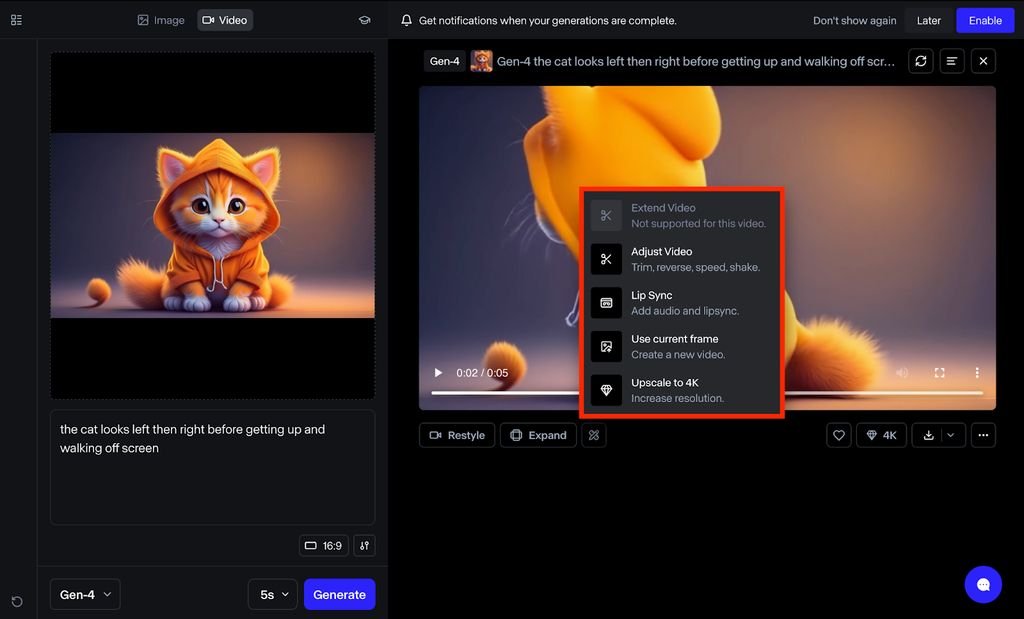
Integration ecosystem: Runway offers more extensive editing tools within the platform—text overlays, audio sync, multi-clip sequencing. For solo creators without separate editing software budgets, this consolidation reduces tool sprawl. The recent API beta also enables workflow automation for teams managing high-volume content calendars.
Business result alignment: Runway optimizes for quality iteration and brand control. Marketing teams building evergreen content libraries, agencies managing multiple brand guidelines simultaneously, or creators developing signature visual styles benefit from the platform’s precision tools. A YouTube educator maintaining consistent thumbnail aesthetics or a consultant creating course module videos prioritizes reproducible quality over raw output speed.
Strategic flexibility: Runway’s feature development roadmap emphasizes creative capabilities—3D object integration, advanced motion controls, multi-scene composition. Teams investing in long-term video content strategies benefit from a platform expanding its creative ceiling rather than focusing solely on generation speed.
Who Should Choose Another AI

Neither Kling 2.6 nor Runway Gen-4 serves every video production need. Consider alternatives if:
You require legally defensible, brand-safe content: AI-generated video currently lacks clear intellectual property frameworks. Heavily regulated industries (finance, healthcare, legal services) or brands with strict compliance requirements may need human-verified production to avoid liability risks. Traditional stock video libraries with usage licenses or in-house production provides legal clarity these AI tools cannot yet guarantee.
Your content demands zero visual artifacts: While both platforms have improved dramatically, AI video generation occasionally produces temporal inconsistencies—brief flickers, morphing backgrounds, or physics violations. High-stakes content like product safety demonstrations, medical procedure explanations, or technical training videos cannot tolerate these artifacts. Professional videography or screen recording tools remain necessary.
You need deterministic, reproducible outputs: AI generation introduces variability—running identical prompts produces different results. Scenarios requiring pixel-perfect consistency (template-based content, serialized instructional videos, version-controlled marketing assets) work better with rule-based tools like After Effects templates, Canva video builders, or Descript’s template system.

Your workflow centers on live footage editing: If you’re primarily cutting together existing video (interviews, event coverage, customer testimonials), AI generation tools don’t address your core need. Focus on AI-powered editing assistants like Descript (transcription-based editing), Adobe Premiere’s Sensei features (auto-reframe, scene detection), or Kapwing’s smart tools instead.
Budget constraints are absolute: Both platforms require monthly subscriptions ($10-100+ depending on usage). Creators testing viability or operating on zero-investment budgets should start with free tiers of Canva, InVideo, or platform-native tools (TikTok’s built-in effects, Instagram’s creation tools) before committing to AI generation platforms.
You’re building complex, multi-character narratives: Current AI video generation struggles with maintaining character consistency across shots, handling dialogue sync, or choreographing multi-person interactions. Scripted content, narrative storytelling, or educational series featuring recurring characters work better with traditional animation tools (Vyond, Animaker) or live-action production.
Use Cases by Business Goal
Productivity
Internal efficiency applications where video replaces text-heavy documentation or asynchronous communication:
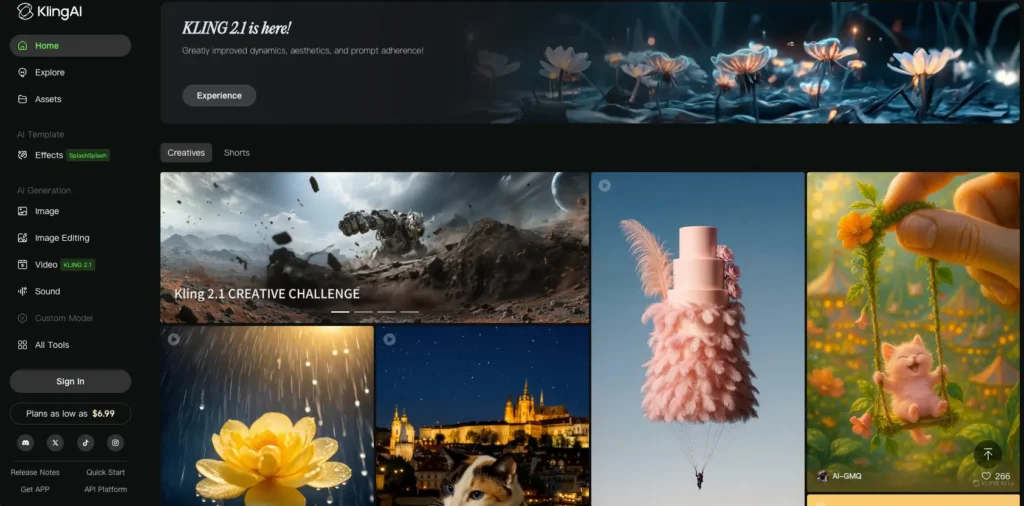
Kling 2.6 excels at generating process demonstration videos—onboarding walkthroughs, software tutorial clips, or standard operating procedure visualizations. A remote team leader creating “how we do X” videos for new hires benefits from Kling’s straightforward generation: describe the process, generate the clip, share immediately. The focus on motion realism ensures UI demonstrations or workflow sequences look professional without manual editing.
Runway Gen-4 suits teams building reusable training libraries requiring visual consistency. A customer success team creating modular troubleshooting videos benefits from Runway’s ability to maintain identical framing, lighting, and composition across 50+ clips. The motion brush feature allows highlighting specific UI elements or guiding viewer attention—critical for technical training content.
Limitations for both: Neither tool currently handles screen recording or live UI capture effectively. For pure software tutorials, dedicated tools like Loom, Tango, or Scribe remain superior. AI video generation works best for conceptual explanations, process overviews, or scenarios where visual metaphors communicate better than screen capture.
Productivity ROI calculation: Compare time investment (prompt writing + generation + selection) against alternatives. If creating a 30-second explainer video takes 15 minutes with AI versus 2 hours with traditional editing, the efficiency gain compounds across weekly or monthly content needs. However, factor in learning curve—your first 10 videos will take longer as you develop effective prompting strategies.
Discover more productivity strategies: AI Efficiency
Revenue / Marketing

Direct conversion applications where video quality impacts purchase decisions or ad performance:
Kling 2.6 serves e-commerce brands running high-volume creative testing. Generate 20 product demo variations showing different use contexts, angles, or lifestyle scenarios, then test across Meta, TikTok, and Pinterest. Kling’s motion quality ensures products look tactile and desirable—critical for fashion, beauty, food, or home goods categories where visual appeal drives purchase intent.
Example workflow: A jewelry brand launches a new collection. Generate 15 different clips showing the same piece in varied settings (office wear, evening event, casual weekend). Test which lifestyle context drives highest CTR and conversion. The speed of generation enables creative testing impossible with traditional photoshoots.
Runway Gen-4 benefits brands prioritizing message precision over volume. A B2B SaaS company creating feature announcement videos needs exact UI representations, specific copy highlighting, and brand-consistent animations. Runway’s control tools ensure messaging accuracy—motion brush directs attention to key features, camera controls emphasize product value, color grading maintains brand standards.
Ad creative fatigue management: Both tools address the core challenge of performance marketing—audiences develop banner blindness to repeated creatives. Kling enables rapid creative refresh through volume; Runway enables systematic variation testing through controlled iteration. Your choice depends on whether your bottleneck is “not enough variations” or “variations lack strategic differentiation.”
Attribution complexity: AI-generated video performs differently across platforms. TikTok’s algorithm favors native-looking content (advantage: Kling’s realism). LinkedIn and email marketing prioritize professional polish (advantage: Runway’s brand control). Test platform-specific performance rather than assuming universal effectiveness.
Explore revenue strategies: AI Revenue Boost
Systemization / Automation
Repeatable workflow applications where content production becomes a standardized operation:
Kling 2.6 integrates into batch production workflows. A content agency serving 12 clients can systematize monthly deliverables: standardize prompt templates, establish quality checkpoints, and create efficient review processes. Kling’s consistency makes this systematization viable—outputs vary less than tools with more creative parameters.
Systematization example: Real estate photography business adds video to service offerings. Develop template prompts for property types (single-family, condo, commercial). Train junior team members on prompt modification rather than videography. Quality control focuses on output selection rather than shooting technique.
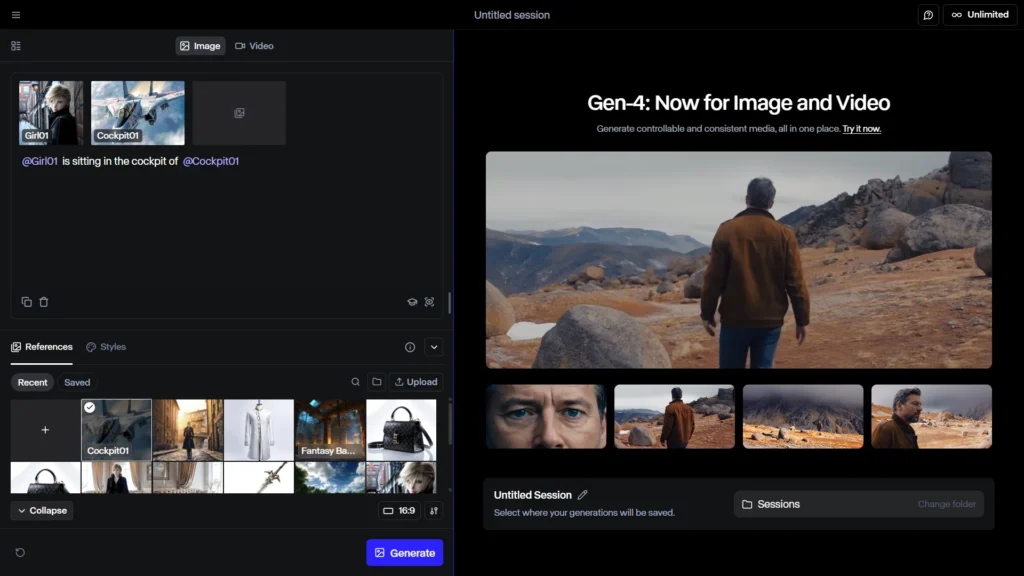
Runway Gen-4 suits agencies building white-label content services. The granular controls enable matching diverse client brand guidelines without starting from scratch each time. Build parameter sets for each client (color preferences, composition rules, motion styles), then generate brand-compliant content systematically.
API and automation potential: Runway’s emerging API access enables integration with content management systems, approval workflows, and publishing schedulers. Teams managing content calendars across multiple platforms can potentially automate: content brief ? video generation ? approval queue ? platform scheduling. Kling currently offers limited programmatic access, favoring manual platform use.
Long-term stability considerations: Systemization requires tool consistency. Both platforms update models regularly, which can shift output characteristics. Document prompt strategies and maintain version control. What works today may need adjustment after model updates.
Scale your operations: Solo DX
AI Comparison Table + Explanation
| Axis | Kling 2.6 | Runway Gen-4 |
| Ease of Use | High—simple text-to-video interface, minimal technical terminology required | Moderate—full feature utilization requires understanding cinematography concepts |
| Best For | High-volume content creators prioritizing consistent output speed and motion realism | Brand-focused marketers needing precise creative control and iterative refinement |
| Strengths | Superior motion physics, natural human movement, competitive pricing for volume users, fast generation | Advanced motion brush, camera controls, director mode, brand consistency tools, platform-integrated editing |
| Limitations | Limited creative control parameters, fewer advanced editing features, minimal API access | Steeper learning curve, higher cost per video at scale, more complex prompt engineering |
| Pricing Perception | Better value for consistent high-volume production (100+ clips/month) | Better value for quality-focused, lower-volume production (20-50 premium clips/month) |
Why choice depends on business maturity: Early-stage creators testing content-market fit benefit from Kling’s low friction—validate whether video content drives engagement before investing in advanced capabilities. Established brands with defined visual identities need Runway’s precision to maintain consistency across growing content libraries.
Resource allocation perspective: Kling optimizes for creator time efficiency—minimize hours per video, maximize publishable outputs. Runway optimizes for creative effectiveness—invest more time per video, maximize strategic impact. Your choice should align with whether your scarcest resource is time or creative quality.
Platform evolution risk: Both tools update frequently. Kling’s simpler interface means fewer features to relearn; Runway’s complexity means updates can obsolete workflows. Consider your team’s capacity to adapt to platform changes when choosing long-term tools.
How to Choose the Right AI

Decision checkpoint framework:
Budget assessment: Calculate total monthly cost including subscription tier, credit usage, and time investment. Kling’s credit system works best for predictable volume; Runway’s tiered pricing suits variable monthly needs. Factor in opportunity cost—if tool complexity delays publishing schedules, cheaper isn’t actually economical.
Time-to-output requirements: Urgent, frequent deadlines favor Kling’s straightforward generation. Strategic campaigns with extended lead times enable Runway’s iterative refinement. Mismatched tool selection creates stress—complex tools under time pressure, simple tools for quality-critical needs.
Team technical skills: Audit honestly—can your team invest 10-20 hours learning cinematography concepts and motion controls? Kling requires basic prompt writing; Runway rewards technical depth. Don’t choose aspirationally; choose based on current capacity.
Review and compliance needs: Brands with approval processes benefit from Runway’s controlled iteration—easier to get stakeholder sign-off when you can systematically address feedback. Kling’s variability makes approval processes unpredictable if reviewers expect specific changes implemented exactly.
Common mistake : Choosing based on demo videos: Platform marketing showcases best-case outputs. Your results depend on prompt engineering skills, which develop over weeks of practice. Don’t expect professional-tier results immediately.
Integration checkpoint: Audit your existing workflow. If you’re already using CapCut, Descript, or Adobe tools, both platforms export standard MP4 files. If you need all-in-one solutions, Runway’s built-in editing reduces tool switching.
Optimize your workflow: AI Workflows
FAQs

Is Kling 2.6 better than Runway Gen-4 for small business marketing?
Neither is universally “better”—optimal choice depends on your specific constraints. Small businesses with limited budgets producing consistent social content (daily posts, weekly updates) benefit from Kling’s lower cost per video and faster generation. Those managing established brands requiring visual consistency across campaigns benefit from Runway’s control parameters that maintain brand standards. Evaluate based on whether your bottleneck is content volume or creative precision, not abstract “better for small business” claims.
Can I create professional-looking TikTok videos using only AI?
AI generation produces visually compelling raw footage but requires strategic thinking AI cannot provide. Successful TikTok content depends on hook design (first 3 seconds), pacing aligned with platform norms, audio selection, and text overlay strategy—elements you control regardless of generation tool. Both Kling and Runway can produce scroll-stopping visuals, but you must supply the content strategy, platform knowledge, and audience understanding that makes videos perform. Think of AI as replacing the camera operator, not the creative director.
Which AI tool is easiest for non-technical users?
Kling 2.6 requires less technical knowledge—if you can write descriptive sentences, you can generate usable video. Runway Gen-4 rewards users willing to learn cinematography concepts (camera movements, composition, motion directionality), making it less accessible but more powerful for those who invest learning time. Non-technical users seeking immediate results should start with Kling; those willing to develop creative skills benefit from Runway’s expanded capabilities. Neither requires coding or traditional video editing expertise.
What’s the realistic learning curve for creating marketing-ready videos?
Expect 5-10 hours with Kling to develop effective prompt patterns and understand generation quirks (aspect ratios, duration sweet spots, quality-cost trade-offs). Runway requires 15-25 hours to master motion brush techniques, camera controls, and advanced features—but this investment compounds as skills transfer across projects. Both platforms require ongoing refinement; your first videos will be experimental. Budget this learning time into project timelines rather than expecting immediate professional outputs. Most users reach “acceptable for publishing” quality within 2-3 weeks of regular use.
Next Steps

Ready to optimize your video content workflow? Explore these resources:
- Compare AI – Detailed comparisons across AI tools for different business needs
- AI Efficiency – Strategies for maximizing productivity with AI tools
- AI Revenue Boost – Converting AI-generated content into measurable business results
- Solo DX – Building sustainable systems for solo creators and small teams
- AI Workflows – Practical workflow templates integrating AI into existing operations
Leave a Reply