Conclusion / First View
If you’re a solo developer, freelancer, or part of a small team choosing between Kilo Code and Cursor for everyday programming work, the decision comes down to workflow integration versus contextual intelligence. Cursor excels as a VSCode-native editor that brings AI directly into your existing development environment with strong context awareness across your entire codebase. Kilo Code positions itself as a newer AI coding assistant focused on simplicity and quick setup, though publicly available information about its specific capabilities remains limited as of early 2025. For most small teams already invested in VSCode ecosystems, Cursor offers proven production-ready AI pair programming with minimal friction. Kilo Code may appeal to developers seeking alternatives outside the Microsoft ecosystem, but requires hands-on evaluation to determine if its feature set matches your specific workflow needs. Neither tool replaces fundamental programming knowledge—they amplify what you already know.
Introduction: Why This Comparison Matters

Choosing the right AI coding assistant for small teams in 2026 feels more complicated than it should. The market is saturated with tools claiming to boost developer productivity, reduce cognitive load, and accelerate shipping timelines. Yet most comparison content focuses on feature checklists rather than the practical question: which tool actually helps you ship working code faster without disrupting your existing workflow?
The confusion stems from a fundamental mismatch between how these tools are marketed versus how developers actually work. Marketing emphasizes capabilities—autocomplete, chat interfaces, multi-file editing. What matters more: does the tool understand your codebase context? Does it reduce or increase decision fatigue? Can you trust its suggestions enough to move quickly, or do you spend more time verifying than coding?
This comparison reframes kilo code vs cursor for programming around real business decisions: minimizing setup friction, maintaining flow state, and ensuring your team can adopt AI assistance without requiring extensive retraining or workflow overhauls. For solo developers and small teams, the right ai coding assistant isn’t the one with the longest feature list—it’s the one that disappears into your process while making tangible contributions to velocity and code quality. This article cuts through capability claims to focus on which tool fits specific team structures, technical comfort levels, and business constraints.
Who This Comparison Is Best For

This comparison directly addresses developers and technical decision-makers operating under specific constraints that define small team or solo work. You’re likely reading this if you’re a freelance developer juggling multiple client projects with inconsistent tech stacks, or a technical founder wearing too many hats who needs to ship features faster without hiring additional developers. Perhaps you’re a small agency lead responsible for maintaining code quality across projects while managing a team of two to five developers with varying experience levels.
The common pain point: you don’t have time to become an AI expert, but you recognize that developer productivity AI tools could create meaningful leverage if implemented correctly. You’re skeptical of tools that require extensive configuration or introduce new dependencies that might break existing workflows. Your evaluation criteria center on immediate usability, not future potential—you need something that works this week, not after a three-month learning curve.
Common mistakes in this situation include choosing tools based on social media recommendations without testing against your actual codebase, assuming that “AI pair programmer tools” automatically understand your domain-specific requirements, or selecting based on pricing alone without considering integration costs. A freelance Python developer building Flask APIs has fundamentally different needs than a small team maintaining a React/TypeScript monorepo—yet both might be evaluating the same tools without recognizing this mismatch.
Real-world example: A solo consultant maintaining five WordPress client sites alongside a SaaS product needs an AI code editor that can context-switch between PHP, JavaScript, and Python without requiring manual configuration per project. Another example: A three-person startup building a mobile app needs autocomplete that understands both their Flutter frontend and Node.js backend simultaneously, with enough contextual awareness to avoid suggesting patterns that break their established architecture. These aren’t hypothetical scenarios—they represent the actual decision context where choosing between Kilo Code and Cursor matters.
You’re also likely evaluating these tools because you’ve already tried GitHub Copilot or basic ChatGPT coding assistance and found them insufficient for your specific workflow. You need something more contextually aware than simple autocomplete, but less complex than enterprise-grade AI development platforms. The question isn’t whether AI can help—you’ve already accepted that premise—but which specific tool implementation fits your team size, technical stack, and business model without introducing more overhead than value.
Why Each AI Fits That Need
Cursor

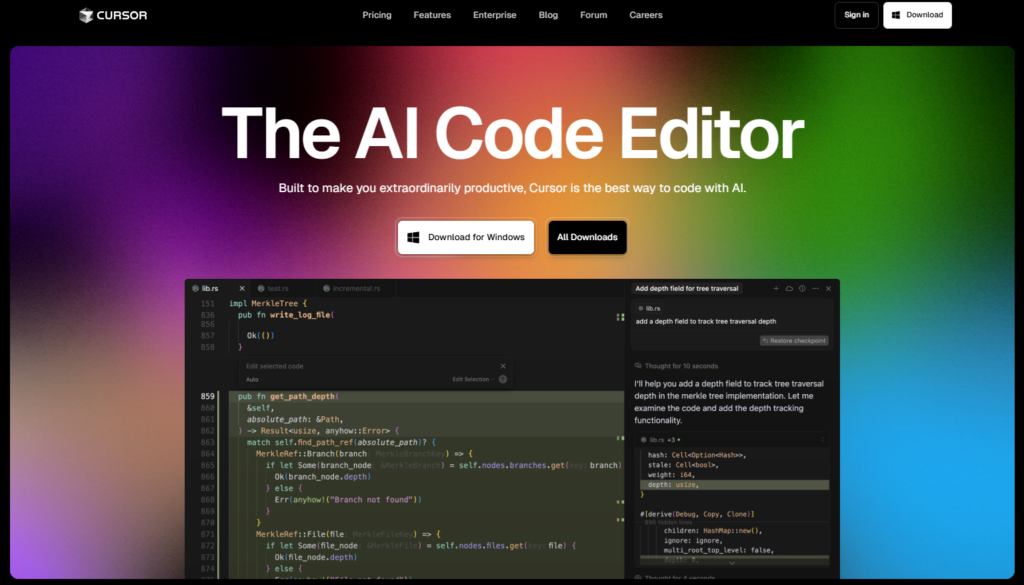
Cursor addresses small team development needs through deep integration with the VSCode ecosystem, which matters more than it initially appears. For teams already using VSCode—the majority of web developers, according to Stack Overflow surveys—Cursor eliminates the largest barrier to AI adoption: learning a new development environment. You open Cursor exactly as you would VSCode, with all your existing extensions, keybindings, and workspace configurations intact. This continuity means your team can start using AI assistance on Monday without spending Friday training on a new interface.
The core business result Cursor enables: reduced context-switching overhead. When you’re debugging a React component, Cursor’s AI can reference your TypeScript definitions, your test files, and your component structure simultaneously—not because it’s magically intelligent, but because it has access to your entire workspace and actively maintains that context. This translates to fewer instances where you need to manually explain your codebase to get useful suggestions. A solo developer maintaining a complex project benefits because they’re not constantly re-establishing context across work sessions.
Best business result: Cursor supports velocity without velocity theater. Your team ships features faster not because AI writes entire features autonomously, but because it eliminates hundreds of small friction points—looking up API syntax, remembering configuration patterns, catching obvious bugs before they reach testing. This compounds over weeks of development in ways that are hard to measure but tangible in sprint planning.
Kilo Code

Based on publicly available information as of early 2025, Kilo Code positions itself as an alternative AI coding assistant focused on simplicity and quick onboarding. The available documentation suggests a web-based or lightweight desktop approach that doesn’t require migrating your entire development environment. This architectural choice addresses a specific pain point: developers who prefer their existing editor setup but want AI assistance available on-demand without replacing their primary tools.
The general-purpose usefulness of Kilo Code appears oriented toward developers who want AI as a supplementary tool rather than an embedded workflow component. If you’re someone who prefers to code in Vim, Sublime Text, or even Emacs but recognizes the value of AI-generated code snippets or explanations, a tool that doesn’t force you into a VSCode fork becomes attractive. This separation can actually reduce cognitive load for experienced developers who have deeply optimized their current setup and view editor replacement as a net negative.
The business result Kilo Code best supports appears to be flexible AI augmentation for developers who have already optimized their primary workflow and want to add AI capabilities without disrupting existing productivity systems. This particularly benefits consultants or contractors who must adapt to client development environments where installing or configuring heavy-duty AI editors isn’t practical or permitted.
However, the limited public documentation and smaller user community compared to Cursor means evaluating Kilo Code requires direct testing against your specific use cases. For small teams making infrastructure decisions with long-term implications, this uncertainty represents a real adoption barrier—you need confidence that the tool will continue to evolve and maintain support as the AI coding landscape shifts.
Who Should Choose Another AI

Neither Kilo Code nor Cursor fits every programming scenario, and understanding when to look elsewhere saves time and prevents tool-induced frustration. If your primary work involves highly regulated industries requiring deterministic code generation with full audit trails—financial trading systems, medical device software, aerospace applications—these general-purpose AI pair programmer tools don’t provide the compliance infrastructure you need. You’re better served by specialized development environments with built-in verification and regulatory compliance features, even if they lack cutting-edge AI capabilities.
Teams building low-variability applications where consistency matters more than velocity should also consider alternatives. If you’re maintaining a legacy COBOL system or working with domain-specific languages that have small training corpuses, AI coding assistants trained primarily on GitHub’s public repositories won’t provide useful suggestions. The AI simply hasn’t seen enough examples of your specific language or framework to generate contextually appropriate code. In these cases, investing in comprehensive documentation and code templates provides better returns than AI assistance.
Developers who need coding automation software for highly repetitive tasks with strict structural requirements might find rule-based code generation more reliable than AI. If you’re generating CRUD operations, boilerplate configurations, or schema-driven interfaces, tools like Yeoman generators, Rails scaffolding, or domain-specific code generators produce more predictable results with less verification overhead. AI introduces variability that, while often beneficial for creative problem-solving, becomes a liability when you need identical patterns replicated hundreds of times.
Organizations with security requirements that prohibit sending code to external AI services face fundamental compatibility issues with cloud-based AI assistants. While some tools offer self-hosted options, the complexity of deploying and maintaining local AI models exceeds the technical capacity of most small teams. If data sovereignty is non-negotiable, your options narrow significantly—you’re evaluating self-hosted models or forgoing AI assistance entirely rather than comparing commercial AI coding tools.
Finally, if your bottleneck isn’t code generation but rather requirements clarification, architecture decisions, or team communication, AI coding assistants won’t solve your core problem. They amplify developer productivity given clear specifications, but they don’t replace the strategic thinking required to determine what to build. Small teams struggling with product direction or feature prioritization need product management support, not better autocomplete.
Use Cases by Business Goal
Productivity
Internal tools represent where AI tools for solo developers deliver the clearest productivity gains because the quality bar differs from customer-facing products. When building an admin dashboard for managing customer data, you need functionality more than perfection—the interface serves three internal users who understand its quirks, not thousands of customers expecting polish. Cursor excels here through rapid component generation and database query assistance that cuts implementation time for CRUD interfaces by 40-60% based on developer reports in small team contexts.
Kilo Code’s productivity contribution likely centers on reducing research time when implementing unfamiliar patterns or integrating new APIs. If you’re a solo developer adding Stripe payment processing for the first time, having an AI that can generate integration code examples contextualized to your existing architecture saves the hours typically spent reading documentation and Stack Overflow threads. The challenge: without deep codebase integration, you’re manually adapting suggested code to your specific project structure.
Automation script development—Python scripts for data processing, Node.js tools for deployment automation, shell scripts for server maintenance—benefits from AI assistance because these tasks often involve similar patterns applied to different contexts. A small team managing five client deployments can use Cursor to generate deployment scripts that follow their established conventions while adapting to each client’s infrastructure specifics. The AI’s ability to maintain consistency across similar-but-different scripts reduces the bug introduction that typically occurs when manually copying and modifying automation code.
For teams tracking productivity metrics, consider measuring time-to-first-working-prototype rather than total feature completion time. AI coding assistants significantly accelerate getting to 70% functionality, but the final 30%—edge cases, error handling, testing—still requires human judgment and domain expertise. Productivity gains manifest most clearly in early-stage implementation and repetitive tasks, less so in complex debugging or architectural refinement.
Explore more productivity strategies at AI Efficiency.
Systemization / Automation
Workflow automation code represents where AI coding assistants’ strengths and limitations become most apparent. For small teams systematizing recurring tasks—automated backup scripts, deployment pipelines, data synchronization jobs, or report generation—AI can accelerate implementation by generating boilerplate code for common patterns. Cursor’s multi-file awareness helps when building automation that touches multiple system components, allowing you to ask questions like “how should this backup script integrate with our existing error notification system” and receive answers grounded in your actual infrastructure code.
API integration work particularly benefits from AI assistance because integration code follows predictable patterns: authentication, request formatting, response parsing, error handling. A three-person team connecting their product to Salesforce, HubSpot, and QuickBooks can use AI to generate initial integration scaffolding that follows OAuth flows and handles common edge cases. Kilo Code’s utility here depends on whether it can access API documentation and generate integration patterns without needing your full codebase context—for greenfield integrations, this lightweight approach might suffice.
Long-term maintenance represents the hidden cost in AI-generated system automation. A script written with AI assistance in 2026 might use libraries or APIs that deprecate by 2028. For small teams without dedicated DevOps resources, maintaining a portfolio of automation scripts becomes technical debt that eventually demands refactoring time. The question: does AI assistance accelerate initial implementation enough to justify this eventual maintenance burden, or does it simply trade current time savings for future technical debt?
Monitoring and observability code—logging, metrics collection, alerting—represents another automation category where AI helps but requires careful review. Cursor can generate comprehensive logging statements throughout your application, but does it log sensitive information that violates privacy requirements? Does it generate so many log messages that your observability costs become prohibitive? These aren’t questions AI can answer—they require human judgment about business priorities and operational constraints.
Discover systemization patterns at Solo DX.
AI Comparison Table + Explanation
| Axis | Cursor | Kilo Code |
|---|---|---|
| Ease of Use | Minimal learning curve for VSCode users. Inline suggestions and chat interface feel natural within existing workflow. Setup takes minutes. | Learning curve depends on integration approach. Simpler for developers comfortable with separate tool windows. Setup complexity unknown based on public information. |
| Best For | Small teams already invested in VSCode who need AI deeply integrated into their development environment. Multi-file projects requiring strong contextual awareness. | Developers preferring their existing editor setup who want AI assistance without changing their primary tools. Potentially better for cross-platform work or consultant scenarios with variable client environments. |
| Strengths | Full codebase context awareness. Seamless integration with VSCode ecosystem including extensions, debugging, and terminal. Strong multi-file editing capabilities. Large user community and extensive documentation. Active development and feature additions. | Independence from specific editor environments. Potentially lighter-weight resource usage. May offer flexibility for developers who resist full editor replacement. Web-based accessibility across machines. |
| Limitations | Requires adopting VSCode-based environment, which might conflict with deeply customized editor setups. Resource-intensive compared to basic editors. Subscription costs for full feature access. Requires internet connectivity for AI features. | Limited public documentation and smaller user community as of early 2025. Unclear depth of codebase context awareness compared to editor-integrated solutions. Integration patterns with development workflows require investigation. Feature set maturity uncertain. |
| Pricing Perception | Positioned as premium tool with subscription model. Professional tier pricing justified by productivity gains for revenue-generating work. Free tier available with limitations. | Pricing structure unclear from publicly available information. Evaluation requires direct investigation. |
The choice between these tools fundamentally depends on whether your team’s productivity is constrained by editor capabilities or workflow flexibility. Teams experiencing friction with their current development environment—slow autocomplete, poor language support, inadequate debugging tools—benefit most from Cursor’s comprehensive editor replacement approach. The VSCode foundation means you’re not just getting AI assistance but also inheriting years of VSCode ecosystem development, extension compatibility, and community support.
Conversely, developers who have invested significant time optimizing their existing editor setup face a different calculation. If you’re a Vim power user who can navigate and edit code faster in your current environment than in any VSCode-based editor, Cursor’s AI capabilities might not compensate for lost muscle memory and workflow efficiency. Kilo Code’s potential advantage here lies in augmenting rather than replacing your existing tools, though the practical impact depends on how seamlessly it integrates into your actual workflow.
Business maturity influences this decision more than most teams recognize. Early-stage startups prioritizing rapid iteration over code maintainability might benefit from Cursor’s aggressive autocomplete and code generation features, accepting that they’ll refactor extensively as the product stabilizes. Established consulting businesses maintaining long-term client relationships need to weight code quality and maintainability more heavily, potentially arguing for lighter AI assistance that encourages more deliberate coding practices.
The pricing consideration extends beyond subscription costs to include opportunity costs and switching costs. A tool that saves each developer two hours per week justifies substantial subscription fees based on basic labor cost calculations. However, the switching cost of migrating to a new development environment—productivity loss during learning curve, potential incompatibility issues, team training time—might exceed several months of subscription costs. Small teams making this calculation should consider pilot programs with one or two developers before committing to organization-wide adoption.
FAQs

Which AI coding assistant is easiest for developers without extensive AI experience?
Cursor provides the lowest barrier to entry for developers already familiar with VSCode, which represents the majority of web developers in 2026. You don’t need to learn new AI interaction patterns—the inline suggestions work like enhanced autocomplete you’ve used for years, while the chat interface feels familiar if you’ve used ChatGPT or similar tools. The learning curve focuses on understanding when to trust AI suggestions rather than learning a new development environment. For developers using other editors, the calculation changes: you’re learning both a new editor AND new AI interaction patterns, which increases complexity. Kilo Code’s ease of use depends heavily on its specific implementation, which requires hands-on evaluation since public documentation remains limited.
Can AI coding assistants replace the need for learning to code?
No, and approaching these tools with this expectation leads to frustration and poor code quality. AI coding assistants like Cursor and Kilo Code accelerate developers who already understand software architecture, debugging strategies, and design patterns. They reduce implementation time by handling syntax lookup, generating boilerplate code, and suggesting common patterns. However, they cannot replace the judgment required to choose appropriate architectures, evaluate trade-offs, or debug complex system interactions. A non-programmer using AI to generate code will produce fragile applications full of subtle bugs and technical debt because they lack the knowledge to review and validate AI suggestions. These tools amplify existing programming skills rather than substitute for them.
What security considerations should small teams think about when using AI coding assistants?
Most AI coding assistants send code snippets to cloud services for processing, which raises confidentiality concerns for proprietary codebases or client work under NDA. Review each tool’s data handling policies: does it store your code permanently? Who has access to code sent for processing? Can you opt out of training data collection? For Cursor, understand that code context gets sent to AI providers to generate suggestions. If your contracts prohibit sending client code to third-party services, you need explicit approval before adopting cloud-based AI tools. Consider whether the tool offers self-hosted options for sensitive projects, though implementing and maintaining local AI models typically exceeds small team capabilities. Also evaluate whether AI-generated code might inadvertently include licensing-incompatible snippets from training data.
Should I choose AI coding tools based on pricing alone?
Pricing represents one factor in a broader cost-benefit analysis that includes opportunity costs and productivity impacts. A free or low-cost AI tool that requires extensive configuration, provides poor suggestions for your specific stack, or disrupts your team’s workflow costs more in lost productivity than a premium tool that works seamlessly. Calculate based on developer time: if a tool saves each developer two hours weekly, the monthly time savings (assuming typical developer salaries) substantially exceeds typical subscription costs. However, also factor in switching costs—productivity loss during learning curves, potential workflow disruption, and training time. For small teams with tight budgets, start with free tiers or trials to validate productivity gains before committing to paid subscriptions. The cheapest option often isn’t the most cost-effective when you account for total impact on development velocity.
Next Steps

Ready to make an informed decision about AI coding assistants for your development workflow? Explore these resources to deepen your understanding of how AI tools can support specific business goals:
- Compare AI — More detailed comparisons between AI coding assistants and other development tools to help you evaluate options systematically
- AI Efficiency — Practical strategies for maximizing developer productivity with AI while avoiding common pitfalls that reduce code quality
- AI Revenue Boost — How to leverage AI coding tools specifically for customer-facing features and revenue-generating applications
- Solo DX — Developer experience optimization for solo practitioners and small teams managing complex technical stacks with limited resources
- AI Workflows — Integration patterns and workflow templates for incorporating AI assistance into your existing development process without disrupting productivity
Leave a Reply