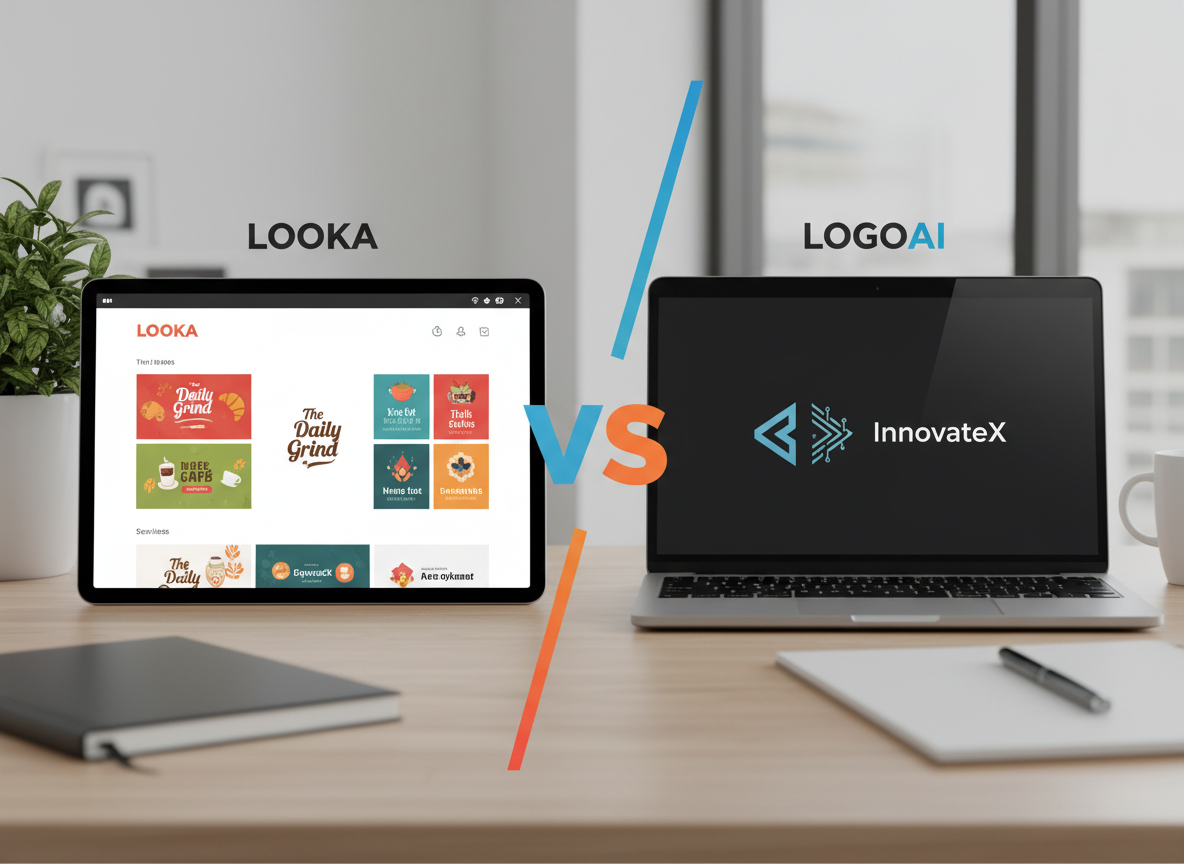
Choosing the wrong AI logo generator doesn’t just cost money — it can cost your brand’s first impression, and that’s a mistake most small businesses can’t afford to repeat.
If you’re a small business owner launching a brand in 2026 and need a professional logo without hiring a designer, Looka and LogoAI are two of the most accessible options on the market — but they serve different situations.
Looka is the better choice if: You want an all-in-one branding experience that goes beyond a logo. Looka’s Brand Kit add-on gives you business cards, social media assets, and a website in one package — ideal if you’re building a brand from scratch and want visual consistency without juggling multiple tools.
LogoAI pulls ahead when: You need speed and competitive pricing for a standalone logo. Its interface gets you from company name to downloadable files faster, and its pricing for vector files is more straightforward for budget-conscious startups.
Neither is ideal if: You need a truly original, one-of-a-kind logo that doesn’t share design DNA with other businesses in your industry. Both platforms are template-based, meaning design elements come from a fixed library. For maximum originality, generative AI tools or a professional designer may serve you better.
Your choice in the looka vs logoai for logo design debate depends less on which tool is “better” and more on what stage your business is in and how much branding support you actually need.
Why This Comparison Matters Now
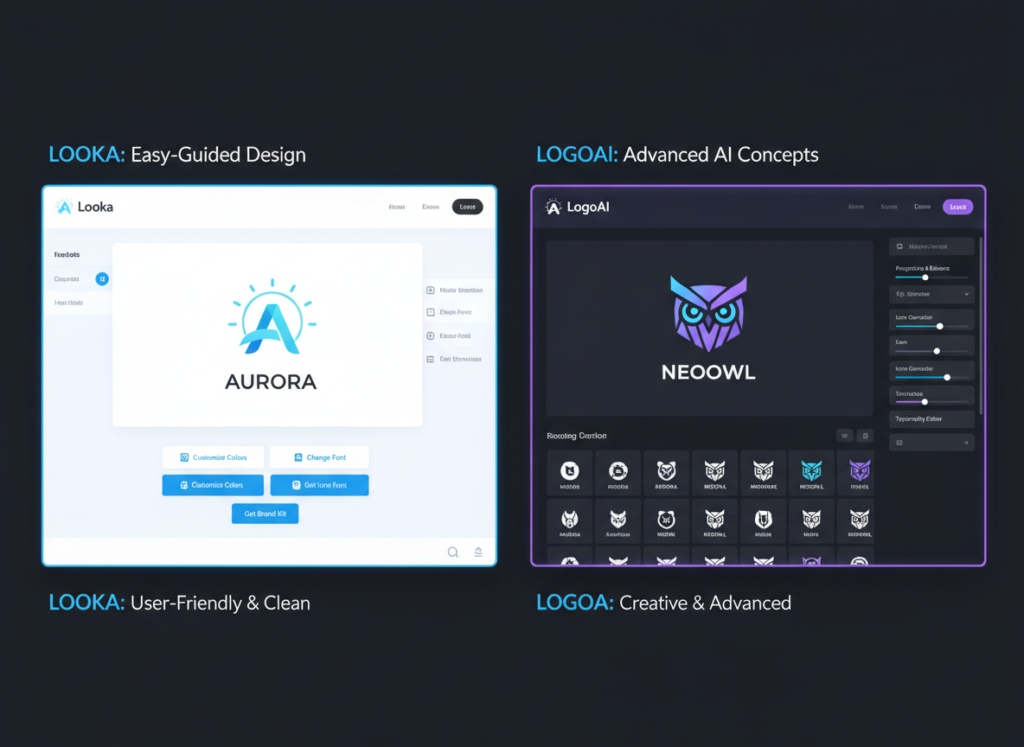
In 2026, there are 30+ AI logo generators competing for your attention — and most comparisons focus on screenshot walkthroughs rather than helping you make an actual business decision. Feature lists tell you what a tool can do; they rarely tell you whether it fits your workflow, your budget, or your brand goals.
The looka vs logoai for logo design question isn’t really about which app has more icons in its library. It’s about understanding what you actually need from a branding tool and whether either platform can deliver it without friction.
This matters because your logo is rarely a one-time task. You’ll need it resized for your website, your email signature, your packaging, and your social profiles. You’ll want it in multiple file formats. And if you’re like most small business owners in the US, you’re not working with a dedicated designer — you need a tool that gives you everything you need to go live fast, without coming back to spend more money every time you need a new asset.
Most comparisons in this space — as seen in this analysis of top AI logo generators — focus on describing the product walkthrough rather than guiding your actual decision. This comparison is built differently. It looks at business outcomes: how much time you’ll spend, what you’ll actually receive for your money, and which tool fits your specific situation.
The ai logo generator for small business market has also matured significantly. Both Looka and LogoAI have added brand management features, expanded their asset libraries, and adjusted pricing. What was true two years ago may no longer apply, which is why an updated, practical comparison is overdue.
Target reader pain points are real here: you’re launching a business or refreshing a brand, you don’t have $500–$2,000 for a freelance designer, and you need something professional enough to build trust with customers. Both tools can serve that goal — but in meaningfully different ways.
Who This Comparison Is Best For
This guide is built for four specific business situations. If you see yourself in one of them, this comparison will help you make a confident decision.
Situation 1: Solo Founder Launching a New Business

You’re starting a business — maybe an e-commerce store, a local service, or a consulting practice — and you need a logo before you can launch a website, order business cards, or create social media profiles. Your budget is tight, you have no design background, and you need results in hours, not weeks.
The common mistake here is over-investing in branding before validating the business concept. You don’t need a $2,000 custom logo on day one. But you do need something clean, professional, and usable across formats. Both Looka and LogoAI can deliver this — the question is which gives you better value for your specific launch checklist.
Situation 2: Startup Founder Needing a Pitch-Ready Brand

You’re preparing for investor conversations, building a product prototype, or launching a beta. Your brand doesn’t need to be perfect, but it needs to look credible. You need a logo, a color palette, and basic typography — fast.
This comparison is not ideal for enterprise marketing teams with in-house designers, established businesses with existing brand guidelines, or founders who require truly custom, one-of-a-kind visual identity work.
Real-world example: Sarah runs a two-person wellness coaching business in Denver. She’s launching an online course platform and needs a logo, a social media kit, and a simple website header before her launch date in three weeks. She has a $200 budget for branding. For her, the right AI logo generator for small business use could save her $800–$1,500 compared to hiring a freelance designer — if she chooses the tool that covers her full asset checklist.
Why Each AI Fits Different Needs
Looka: Strengths and Best-Fit Scenarios

General-Purpose Branding Usefulness
Explore Looka in detail to understand its full scope — but the core value proposition is this: Looka is not just a logo generator, it’s a full branding toolkit. After you create your logo, you can access a Brand Kit that generates hundreds of branded assets including business cards, social media templates, email signatures, and a one-page website. For small business owners who need to build a complete visual identity without hiring multiple vendors, this is a significant advantage.
Looka excels at giving non-designers a guided experience. You input your industry, choose color preferences, select design styles, and pick symbols — and the platform generates a range of logos tailored to those inputs. The process is intuitive enough that most users can go from blank screen to finished logo in under 30 minutes.
Pricing (US Market)
Looka’s pricing has two tracks: a one-time logo purchase starting at $20 (low-resolution only) or $65–$80 for high-resolution files including vector formats. The Brand Kit subscription runs $96–$192/year depending on plan. For businesses that only need a logo, the one-time option is competitive. For those who want ongoing branding support, the subscription provides substantial value.
Real-World Business Result
Small business owners using Looka’s Brand Kit report spending 60–70% less time on brand asset creation compared to doing it manually in tools like Canva, particularly for social media content that requires consistent visual branding across multiple platforms.
LogoAI: Strengths and Best-Fit Scenarios

See our full LogoAI review for a deep dive — but LogoAI’s core strength is streamlined speed at a competitive price point. The platform is designed to get you from company name to downloadable logo as efficiently as possible, with fewer steps and decisions than Looka.
Speed and Simplicity
LogoAI’s onboarding requires only your company name, an optional slogan, and style preferences. Within moments, it generates a grid of logo options you can immediately preview and customize. For founders who know broadly what they want and don’t need extensive guided input, this faster workflow is a genuine advantage.
Pricing (US Market)
LogoAI’s pricing is transparent: $29 for a transparent PNG, $59 for vector formats (SVG). There’s also a subscription tier that includes brand assets and social media templates. Compared to Looka’s one-time purchase options, LogoAI’s vector file pricing is slightly lower — an important consideration for businesses that need scalable file formats for print and signage.
Best-Fit Scenario
LogoAI works best for businesses that need a standalone logo quickly and have a clear sense of their brand aesthetic. It’s particularly well-suited for budget-conscious startups and freelancers who need professional files without committing to a broader brand subscription.
Comparative Summary
Looka generates more brand assets and provides a more guided experience; LogoAI gets you to a downloadable logo faster and at a slightly lower price point for vector files. Your choice depends on whether you need a complete branding toolkit or a fast, standalone logo. As noted in this comparison of leading AI logo tools, both platforms operate on template-based symbol libraries — a meaningful constraint if originality is your top priority.
Use Cases by Business Goal
Productivity: Building Your Brand Identity Efficiently
Use Case: Solo founder needs a complete brand identity before a website launch in two weeks.
Scenario: Manual process without AI tools — hiring a designer, going through rounds of feedback, waiting on file delivery — typically takes 2–4 weeks and costs $500–$2,000 for a basic brand package in the US market.
Looka Approach: Input your business details, select style preferences, generate logo options, customize your chosen design, then activate the Brand Kit to auto-generate social media templates, business card layouts, and email signature graphics. Total time from start to usable asset library: 2–4 hours. The guided workflow minimizes decision fatigue.
LogoAI Approach: Input company name and style preferences, select from generated options, download logo files. If you add their brand kit subscription, you’ll get additional social assets. Total time to logo download: 30–60 minutes. Fewer hand-holding features mean faster output but less comprehensive brand support.
Decision Criteria: Choose Looka if you need a full brand asset library and want guided consistency across all visual touchpoints. Choose LogoAI if you need a logo fast and will handle brand asset creation in another tool.
For more ways to streamline your branding workflow and reduce time spent on repetitive creative tasks, discover AI efficiency strategies that work alongside tools like these.
Revenue & Marketing: Creating a Brand That Converts

Use Case: E-commerce store owner needs a brand identity that builds trust and supports conversion.
Scenario: A logo that looks generic or inconsistently applied across product pages, social ads, and packaging can undermine customer trust — particularly for new businesses competing against established brands online.
Looka Approach: Looka’s Brand Kit produces consistent visual assets across every customer touchpoint automatically. Once your logo is set, social media graphics, ad templates, and even a simple branded website can be generated without manually replicating fonts, colors, and logo placements. This consistency is measurable: consistent brand presentation can increase revenue by 10–20% compared to fragmented visual identity, according to multiple marketing studies.
LogoAI Approach: LogoAI’s subscription tier includes social media templates and brand asset tools, though the library is more limited than Looka’s Brand Kit. For a business that primarily needs Instagram, Facebook, and website assets, LogoAI’s offering is sufficient. The lower price point makes it easier to justify for businesses still validating their market.
Decision Criteria: Choose Looka if brand consistency across all customer-facing channels is a priority. Choose LogoAI if you’re in early-stage testing and need a credible logo without committing to a full branding subscription.
To explore more revenue-focused AI strategies, check out AI revenue growth tactics that go beyond logo design and into full marketing automation.
Systemization & Workflows: Building a Scalable Brand Foundation
Use Case: Small business owner with 3–5 employees needs brand guidelines that new team members and contractors can follow without constant direction.
Scenario: As businesses grow, brand consistency becomes harder to maintain without documented guidelines. A founder who personally manages every design decision creates a bottleneck.
Looka Approach: Learn more about Looka — the Brand Kit includes a brand guideline document that captures your logo, color codes (HEX, RGB, CMYK), font names, and usage rules. This becomes a living reference document you can share with contractors, social media managers, or web developers. It’s not a full brand style guide, but it covers the essentials for small team consistency.
LogoAI Approach: LogoAI provides brand color and font information with your logo files, but does not generate a formatted brand guideline document. For a business that needs to onboard contractors quickly, this is a meaningful gap. You’d need to manually compile brand information for sharing.
Decision Criteria: Choose Looka if you anticipate working with contractors or team members who need documented brand guidance. Choose LogoAI if you’re a solo operator who doesn’t need formalized brand documentation.
For comprehensive team systemization strategies beyond branding, explore Solo DX workflows to build scalable business processes.
Side-by-Side Comparison Table
| Comparison Axis | Looka | LogoAI |
|---|---|---|
| Ease of Use | Guided, step-by-step; excellent for first-timers | Fast and minimal; fewer steps but less guidance |
| Best For | Complete brand identity; ongoing branding needs | Quick standalone logo; budget-focused founders |
| Speed to First Logo | 20–30 minutes | 10–20 minutes |
| File Formats | PNG, SVG, EPS, PDF (higher tiers) | Transparent PNG ($29), SVG ($59) |
| Brand Kit Included | Yes — extensive (subscription add-on) | Yes — limited (subscription tier) |
| Logo Originality | Template-based symbol library | Template-based symbol library |
| Customization Depth | Colors, fonts, layouts, icons, spacing | Colors, fonts, layouts, icons |
| One-Time Logo Price | From $20 (low-res) / $65 (high-res vector) | From $29 (PNG) / $59 (vector) |
| Brand Guidelines Doc | Yes (auto-generated) | No |
| Social Media Templates | Extensive (Brand Kit) | Basic (subscription) |
| Website Builder | Yes (simple branded site) | No |
| Best Use Cases | Launch branding, brand refresh, multi-asset needs | Quick logo, pitch decks, budget launches |
| AI Plaza Rating | ???????? | ?????????? |
After-Table Analysis
Your choice between these two platforms ultimately depends on your business stage and what “branding done” actually means for your situation.
Early-Stage / Pre-Launch (0–3 months): If you need a logo for a pitch deck, a soft launch, or to validate a concept before investing more, LogoAI’s speed and lower price point for vector files makes it the pragmatic choice. You don’t need a full brand kit before you know whether the business is viable.
Active Launch / Growing (3–18 months): As you’re building a website, running social ads, and delivering products or services to real customers, brand consistency starts to matter. Looka’s Brand Kit earns its cost by eliminating the time you’d otherwise spend manually applying your brand to new assets. At $96–$192/year, it pays for itself if it saves you even 4–8 hours of design work annually (at a conservative $25/hour US freelancer rate).
Cost Reality Check (US Market): A one-time high-res logo from Looka costs $65–$80. LogoAI’s vector option costs $59. The difference is marginal. Where cost diverges meaningfully is in the brand kit subscriptions — Looka’s annual subscription is significantly more expensive than LogoAI’s. If you’ll actually use the expanded asset library, Looka’s subscription pays off quickly. If you won’t, you’re paying for features that sit unused.
How to Choose the Right AI for Your Business

Checkpoint 1: What Do You Actually Need Beyond the Logo?
If the answer is “just a logo,” LogoAI’s one-time purchase is the most cost-effective path to a professional, downloadable file. If you need social media templates, a branded website, and business card layouts in addition to the logo, Looka’s ecosystem delivers more complete value.
Reality check: Most founders underestimate how many places their logo appears. Before buying, list every touchpoint — website, email, social profiles, invoices, packaging — and verify which tool covers your actual list.
Checkpoint 2: How Fast Do You Need It?
If you’re presenting a pitch or launching a landing page tomorrow, LogoAI’s faster workflow is the practical choice. If you have a week before launch and want a cohesive brand identity, Looka’s more guided process is worth the extra time.
Reality check: A logo generated in 15 minutes that you second-guess for two weeks costs more time than taking 45 minutes to get it right the first time.
Checkpoint 3: What’s Your Real Budget?
Both tools offer one-time logo purchases in the $29–$80 range. That’s accessible for almost any small business. The decision becomes more nuanced if you’re considering annual subscriptions — Looka’s Brand Kit runs $96–$192/year, which is meaningful for a business in its first year of operation.
Reality check: If budget is tight, start with a one-time logo purchase from either platform. You can always upgrade to a subscription later if the tool proves its value to your workflow.
Common Mistakes to Avoid
Choosing based on visual examples in reviews rather than your own use case is the most common error. The logos that look best in comparison screenshots may not be the right style for your industry. Always run your actual business name through both tools before deciding — the generated outputs will vary significantly based on your input.
Treating a logo purchase as a complete brand identity is another frequent mistake. A logo is one component of a brand. Without consistent color usage, font choices, and asset application, even a great logo fails to build recognition.
For advanced integration strategies and automation workflows that extend your brand into marketing systems, explore our AI workflow guides.
Frequently Asked Questions

Is Looka better than LogoAI for small business logo design?
Neither is universally better — it depends on your specific situation. Looka is the stronger choice if you need a complete brand identity package including social media templates, a brand guideline document, and a simple website. LogoAI is the better option if you need a high-quality standalone logo quickly and at a lower price point for vector files. For most small businesses just starting out: LogoAI for a fast, affordable logo; Looka if you need ongoing brand asset support.
Can I use an AI logo generator if I have no design experience?
Yes — both Looka and LogoAI are built specifically for non-designers. The guided workflows walk you through every decision, from color preferences to icon selection. You don’t need to understand design principles to produce a professional result. That said, you should have a clear sense of your brand personality (professional, playful, minimal, bold) before starting — the more specific your input, the better the generated output.
Should I use Looka or LogoAI for logo design in 2026?
The difference between Looka and LogoAI for logo design in 2026 comes down to scope. If you’re building a brand identity from scratch — logo plus supporting assets — Looka’s ecosystem provides more value in a single platform. If you already have some brand assets and need a new logo, or if you’re on a tight budget, LogoAI’s focused, affordable offering is the pragmatic choice. Both tools use template-based symbol libraries, so neither produces fully unique logos.
How much does it cost to get a professional logo with AI in the US?
Using AI logo generators, you can obtain a professional-quality logo with vector files for $29–$80 as a one-time purchase. This compares favorably to freelance logo design in the US, which typically starts at $300–$500 for basic work and can exceed $2,000 for full brand identity packages. Annual brand kit subscriptions from Looka and LogoAI run $96–$192/year — still a fraction of what you’d spend on ongoing freelance design support.
Leave a Reply