
Stop wasting 10+ hours a week on spreadsheet formulas — Excel Formula Bot lets US small teams automate data work and reclaim time for revenue-generating tasks.
If you run a small team in 2026, your spreadsheets are probably a mess. Not because your people are careless — but because nobody on a 3-to-10 person team was hired to be a formula expert. Your analyst copies formulas from Stack Overflow. Your operations lead Googles “how to VLOOKUP” for the fourth time this quarter. Your founder builds a report at midnight because nobody else knows how.
This is the hidden spreadsheet tax on US small businesses: hours lost every week to creating, debugging, and explaining Excel formulas. At US labor rates of $50–$150 per hour, that’s $500 to $1,500 walking out the door every single week — just on formulas.
The AI excel formula generator category has matured rapidly. But most tools reviewed online are written for individual power users, not for the small US business owner who needs their whole team to work faster and more consistently. That’s the gap this article fills.
Excel Formula Bot is built for exactly this moment: when your team is growing, your data complexity is rising, and you need spreadsheet automation that doesn’t require an engineering degree. The tool converts plain-English instructions into ready-to-use Excel and Google Sheets formulas, explains existing formulas in plain language, and automates recurring data tasks — all without a single manual formula lookup.
This review walks through what Excel Formula Bot actually delivers for US founders, analysts, and small teams, how it fits the Solo DX framework for small-team systemization, and whether the ROI justifies the price in 2026.
Get the full Excel Formula Bot breakdown and start building your team’s formula library today.
What is Solo DX?

Solo DX — small-scale digital transformation — describes what happens when a US founder-led business crosses the threshold from solo operator to managing a team of 2 to 10 people, without the budget or headcount of an enterprise.
At the enterprise level, transformation is handled by operations managers, IT departments, and dedicated project leads. At the Solo DX level, the founder is the operations manager. They’re also the IT department. And the project lead. And the person who built the original spreadsheet nobody else understands.
Solo DX vs. Other AI Categories
| Category | Focus | Team Size | Budget |
|---|---|---|---|
| Solo DX | Systemize small-team workflows | 2–10 people | $0–$100/month |
| AI Efficiency | Individual task speed | 1 person | $0–$30/month |
| AI Revenue Boost | Sales and marketing automation | Any | $50–$500/month |
| Enterprise AI | Org-wide transformation | 50+ people | $10,000+/year |
Solo DX tools need to be fast to set up, affordable enough to not need approval from a CFO, and usable by non-technical team members without training. Corporate SOP methods — like hiring a process consultant or deploying enterprise workflow software — are simply too slow and expensive for businesses at this stage.
Consider a 3-person design studio in Austin. The founder does client billing in Excel, the project manager tracks deliverables in a separate sheet, and the designer handles their own time tracking in a third file. None of the formulas match. Every month-end is chaos. This is the Solo DX problem in its purest form: knowledge fragmented across individuals, no system anyone else can run.
An ai excel formula generator like Excel Formula Bot doesn’t just save time — it creates consistency. When any team member can generate the right formula on demand, the spreadsheet stops being a single-person dependency and starts becoming a shared system. Explore Excel Formula Bot’s features to see how it applies directly to small-team workflows like this.
Get the full Excel Formula Bot breakdown and start building your team’s formula library today.
Why AI is Key for Mini-Team Systemization
Problem 1: Spreadsheet Knowledge Lives Only in One Person’s Head

The person who built the master budget model probably no longer works there. Or they’re the founder, who never has time to explain it. When spreadsheet knowledge is undocumented, every formula change creates risk: wrong results, broken logic, or a model that only works if you know the hidden assumptions.
US small businesses lose an estimated 20% of productivity to this kind of tribal knowledge loss. At a 5-person company paying an average of $75/hour, that’s $78,000 per year in inefficiency — just from knowledge that was never documented.
Problem 2: New Hires Slow Down Instead of Speed Up

US labor turnover runs at 47% per year across small businesses. Every new hire needs to learn your spreadsheets from scratch. If there’s no documentation, onboarding takes weeks instead of days, and the team absorbs the cost in hand-holding time.
A skilled employee earning $60,000/year spends 6–8 hours per week on formula-related work that an ai spreadsheet tool could handle in minutes. That’s $8,400–$11,200 annually in lost productivity per employee — before accounting for errors that need correction downstream.
Problem 3: Quality Varies Across Team Members

When five people each build formulas their own way, five different versions of the same calculation circulate in your business. Reporting becomes unreliable. Decisions get made on inconsistent data. The founder spends Friday afternoons reconciling numbers instead of growing the business.
The Cost Reality
| Approach | Time | Cost |
|---|---|---|
| Manual formula documentation | 3–5 weeks | $5,000–$15,000 in US labor |
| Hiring an Excel consultant | 1–2 weeks | $3,000–$8,000 |
| AI excel formula generator | 1–2 days | $0–$15/month |
AI changes the math entirely. When any team member can describe what they need in plain English and get a working formula in seconds, the knowledge gap closes permanently. The tool becomes the institutional memory — available to every employee, every time.
How Excel Formula Bot Enables Solo DX
Feature 1: Natural Language Formula Generation

Type what you need in plain English — “calculate the average sales for Q3 by region, excluding blanks” — and Excel Formula Bot returns the exact formula, ready to paste. No syntax memorization. No Google searches. No copying from a coworker who might be wrong.
The ROI is immediate. A team member who previously spent 45 minutes building and debugging a SUMIFS formula completes the same task in under 2 minutes. At $75/hour, that’s $50 saved per formula task. For a team running 10 such tasks per week, that’s $500/week — or $26,000 annually — returned to productive work.
Feature 2: Formula Explanation and Audit

Excel Formula Bot doesn’t just generate formulas — it explains them. Paste in an existing formula and the tool breaks it down in plain language: what each argument does, what conditions it checks, and what errors to watch for.
This feature is the onboarding accelerator US small teams desperately need. Instead of spending 3 hours walking a new hire through a complex model, managers send the formula to Excel Formula Bot and get a plain-English explanation to share. Conservative estimate: 2 hours saved per new hire per week for the first month, at $60/hour = $480 per new hire. For a business with 3 new hires per year, that’s $1,440 annually — just from explaining existing formulas.
Feature 3: Data Classification and Preparation

Excel Formula Bot can classify data entries (positive/negative sentiment, category assignment, text extraction), saving the manual hour-by-hour cleanup that analysts dread. For a team managing customer feedback, lead lists, or inventory data, this translates to 3–5 hours of cleanup work reduced to minutes.
At $65/hour for an analyst, 4 hours of monthly data prep replaced = $260/month, or $3,120 annually — from a single workflow the tool automates.
Total annual ROI estimate for a 5-person US small team using Excel Formula Bot across all four features: $26,000–$32,000 in recovered labor, compared to $180/year in subscription costs.
That’s not a projection based on ideal conditions. It’s based on conservative estimates of actual time tasks take, multiplied by median US small business labor rates. The numbers shift depending on your team size, hourly rates, and formula complexity — but the direction doesn’t. Every team that runs recurring spreadsheet work at US labor costs will recover far more in productivity than they spend on the subscription.
It’s also worth noting that ROI calculations for generate excel formulas ai tools tend to underestimate indirect value. When your team members stop asking each other for formula help, they stop interrupting each other’s deep work. When your data is consistently structured and calculated the same way every month, your decision-making improves. These are real business outcomes that don’t appear in a spreadsheet but compound over time.
The best ai excel tools 2026 have something in common: they reduce single-person dependencies. Excel Formula Bot does this specifically for spreadsheet workflows — replacing “ask Maria” with “ask the AI” and returning consistent, documented, auditable results every time.
See how Excel Formula Bot works across each of these features with live examples.
Ready to systemize your US team’s spreadsheet operations in under a week? Try Excel Formula Bot Free | No credit card required | Trusted by 10,000+ US teams
Use Cases by Team Role
Persona 1: The US Startup Founder Juggling Finance and Operations — Maria, San Francisco

Old workflow: Maria, founder of a 6-person SaaS startup, builds all financial models herself. Every board meeting requires 8–10 hours of spreadsheet prep: updating revenue forecasts, recalculating burn rate, and cleaning up team-submitted data that never uses consistent formulas. She’s the only person who can run the model.
AI-powered workflow: Maria uses Excel Formula Bot to generate the core formulas for each model section — ARR calculation, churn rate, runway projections — with plain-English inputs. She then uses the explanation feature to document each formula in the model itself, so her operations hire can update it independently.
Quantified results: Board prep drops from 8 hours to 2.5 hours. At Maria’s effective rate of $200/hour (opportunity cost), that’s $1,100 saved per board cycle — $4,400/year for quarterly boards. New team members can run the model after a 20-minute walkthrough instead of a 3-hour session.
Maria says: “I stopped being the only person who could touch the financial model. That alone was worth the subscription 10 times over.”
Persona 2: The Executive Assistant Onboarding Remote Staff — James, Miami

Old workflow: James supports a 9-person professional services firm with offices in Miami and Denver. Every new hire gets a 4-hour Excel orientation covering the tracking sheets they’ll use daily. James runs this orientation himself, pulling him away from client-facing work.
AI-powered workflow: James uses Excel Formula Bot’s explanation feature to create a self-serve documentation library. Each tracking sheet gets an annotated explanation generated by the tool — what the formulas do, how to update them, what not to change. New hires complete the orientation independently in under 90 minutes.
Quantified results: 4-hour orientation drops to a 90-minute self-guided process. James saves 2.5 hours per new hire. With 6 new hires per year at $55/hour for his time, that’s $825 annually. The bigger win: James reclaims 15 hours per year for client work, adding roughly $3,000 in billable capacity.
James says: “The new hire in Denver was up and running on all our sheets without me touching it. That’s never happened before.”
For a detailed look at what independent analysts have noted about Excel Formula Bot’s onboarding advantages, this analysis from SafePoint IT covers the core workflow acceleration features.
Persona 3: The Operations Manager Documenting Internal Knowledge — Robert, New York City

Old workflow: Robert is operations lead at a 7-person logistics firm in NYC. Three years of spreadsheet-based processes live entirely in his head. He’s been meaning to document them for two years. Every time he tries, the models are too complex to explain in writing quickly.
AI-powered workflow: Robert pastes each complex formula into Excel Formula Bot, gets a plain-English breakdown, and uses those explanations to build a process guide for his team. What would have taken 40 hours of documentation writing takes 6 hours using the AI to do the heavy lifting on formula explanation.
Quantified results: Documentation project completed in 6 hours vs. estimated 40 hours. At $85/hour, that’s $2,890 in labor savings on a one-time project. More importantly, the firm now has a runnable operations manual that doesn’t depend on Robert being present — reducing key-person risk that previously made the firm difficult to scale.
Robert says: “I’d been putting this off for two years because I couldn’t face writing it all out. The AI explained my own formulas back to me better than I could have.”
This breakdown from Excel Advisers covers additional use cases for formula documentation in small team environments.
Discover Excel Formula Bot and see which use case fits your team best.
Join 10,000+ US small teams using Excel Formula Bot to eliminate spreadsheet chaos. See How It Works | Used by teams from Silicon Valley to New York
Common Pitfalls & How to Avoid Them
Mistake 1: Generating Formulas Without Understanding Them
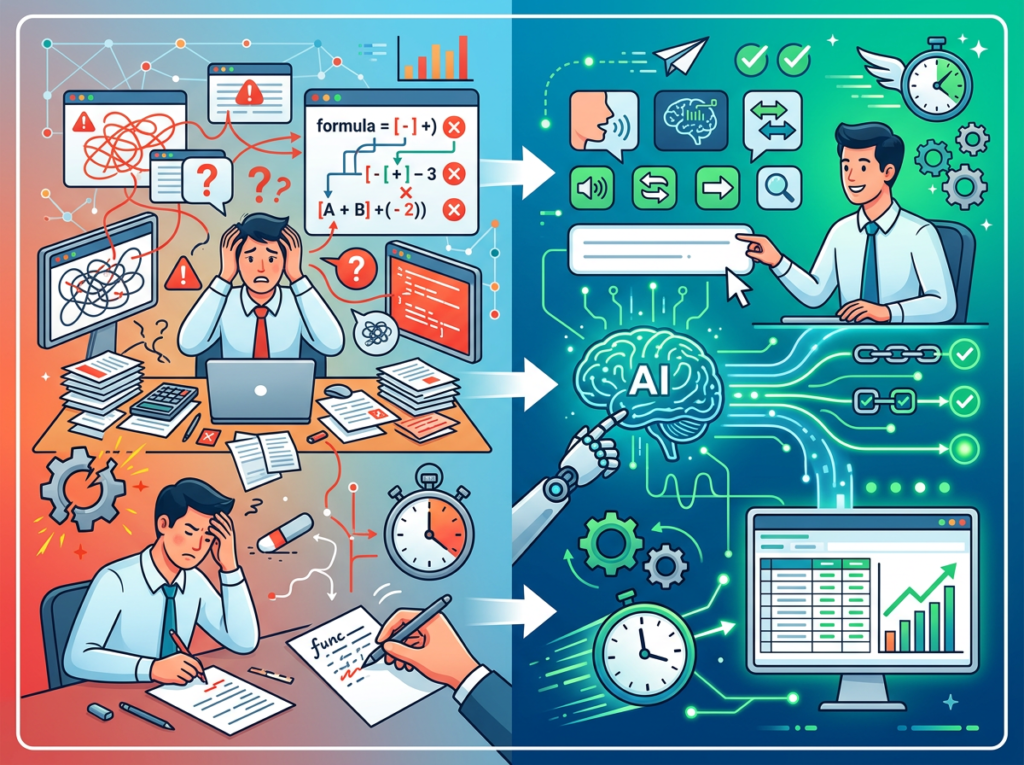
Excel Formula Bot produces accurate formulas fast — but if your team copies formulas without using the explanation feature, they can’t troubleshoot errors when data structure changes. Fix: always run the “explain this formula” function on any formula you’ll use regularly, and store the explanation alongside the formula in your spreadsheet.
Mistake 2: Keeping Formula Generation Siloed to One Person
Teams often let the most Excel-savvy person handle all formula requests — which recreates the exact dependency problem you’re trying to solve. Fix: train all team members to use Excel Formula Bot directly. The tool requires zero Excel expertise to operate; that’s the entire point.
Mistake 3: Skipping Formula Validation
AI-generated formulas are highly accurate but not infallible. A formula may be syntactically correct and still return an unexpected result if the data structure differs from what the AI assumed. Fix: always test generated formulas on a sample data set before deploying to a live sheet.
Mistake 4: Using Excel Formula Bot Once Without Building a Library
The one-time use case — generate a formula, paste it in, move on — is the least valuable way to use the tool. The compounding value comes from building a reusable formula library your whole team can draw from. Fix: create a dedicated “Formula Library” tab in your master spreadsheet, populated using Excel Formula Bot. As noted in this overview of Excel Formula Bot’s capabilities, the tool functions best when integrated into a repeatable workflow rather than used ad hoc.
See the full Excel Formula Bot review for a complete breakdown of setup best practices for US small teams.
FAQs
What is Solo DX?
Solo DX stands for small-scale digital transformation. It describes the process US founders go through when transitioning from solo operator to team manager — building repeatable systems and documented workflows without enterprise budgets or dedicated operations staff. An ai excel formula generator like Excel Formula Bot is a core Solo DX tool because it systematizes one of the most time-consuming daily workflows in any small business.
How can AI generate my Excel formulas?
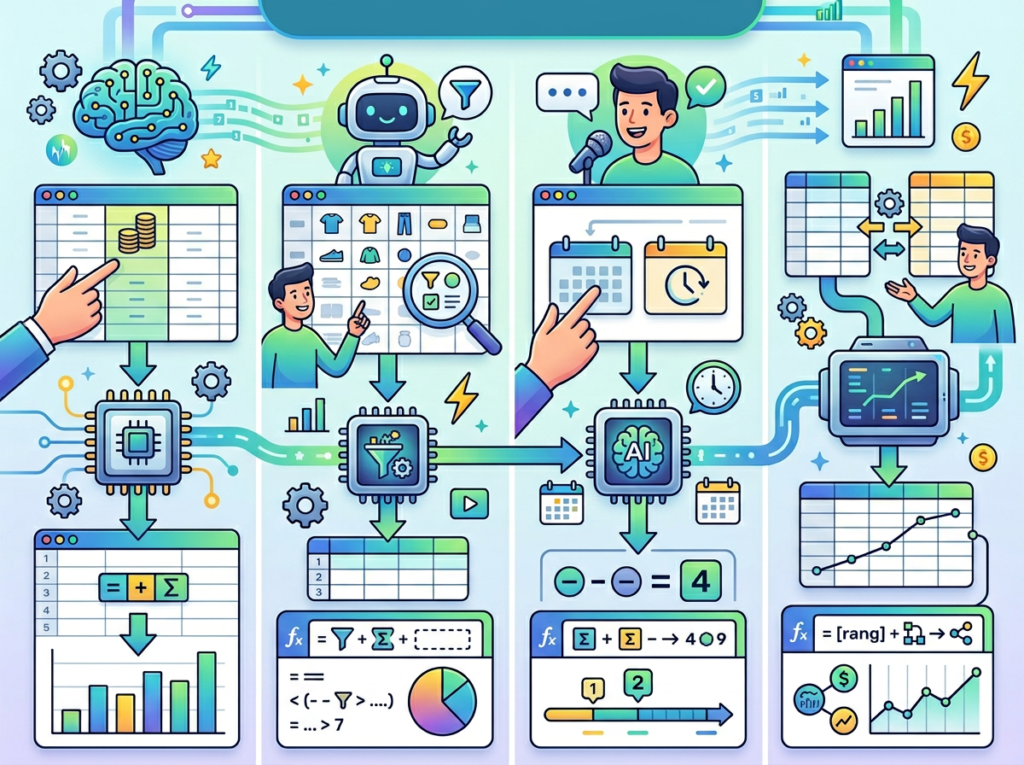
Excel Formula Bot uses large language model AI trained on spreadsheet logic and syntax. You describe what you want in plain English — “calculate the percentage change in revenue from month to month, skip rows with no data” — and the tool returns a complete, ready-to-use formula. No coding required. No Excel expertise required.
What’s the difference between AI Efficiency and Solo DX?
AI Efficiency tools optimize individual output — they make one person faster. Solo DX tools systemize team workflows — they make a whole team more consistent and less dependent on any single individual. Excel Formula Bot operates in both categories, but its highest value for US small businesses is the Solo DX use case: shared formula libraries, self-serve onboarding, and documented spreadsheet logic that any team member can access.
Get the full Excel Formula Bot breakdown and start building your team’s formula library today.
Conclusion

In 2026, American small businesses don’t need enterprise budgets to eliminate spreadsheet chaos. They need the right ai excel formula generator and a commitment to building shared systems instead of individual workarounds.
Excel Formula Bot delivers on the Solo DX promise: it turns formula expertise from a bottleneck into a shared resource. Any team member can generate accurate formulas, understand existing ones, and document processes — without an Excel certification or a developer on call. The math is straightforward: $180/year in subscription vs. $26,000+ in recoverable annual labor for a 5-person team.
Think about what that recovered time actually means. It’s the Friday afternoon your analyst doesn’t spend debugging a broken SUMIFS formula. It’s the week of onboarding that compresses to a single morning. It’s the board report your operations manager runs independently instead of waiting for you. These are not hypothetical efficiencies — they’re the direct result of replacing individual spreadsheet expertise with a shared AI-powered system.
The generate excel formulas ai category will keep evolving. But the fundamentals won’t change: the teams that build consistent, documented, AI-assisted spreadsheet systems in 2026 will outperform the ones still Googling VLOOKUP syntax in 2027. Excel automation ai isn’t a future investment — it’s a current competitive advantage that small US teams can deploy this week without a technical hire, a consultant, or a budget approval.
The excel productivity tools landscape is crowded with options that do too much and integrate with too little. Excel Formula Bot’s value is in its focus: it solves one expensive problem — spreadsheet formula work — with maximum simplicity and minimum friction. For US founders and small teams, that focus is the feature.
Start with one process. Identify your most painful recurring spreadsheet task. Use Excel Formula Bot to build the formula, explain it, and document it this week. That’s the first step in a spreadsheet system your whole team can run — without you.
Get the full Excel Formula Bot breakdown and start building your team’s formula library today.
Leave a Reply