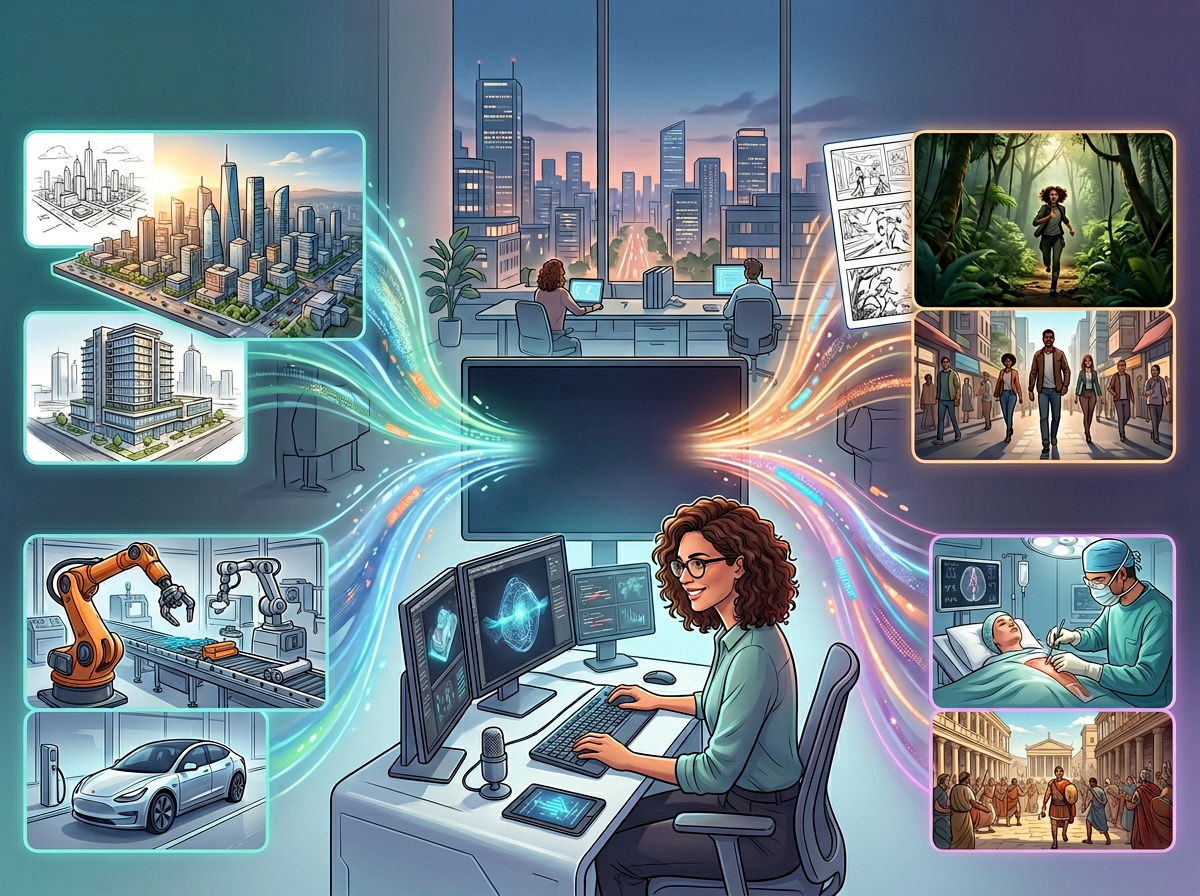
Small business owners waste 20+ hours a month producing mediocre video content — Sora 2 eliminates that bottleneck entirely.
In 2026, American freelancers and solo entrepreneurs face a painful paradox. Video content is no longer optional — it’s the dominant format across Instagram Reels, TikTok, YouTube Shorts, and LinkedIn. Audiences expect polished, consistent video from every brand, no matter how small. But producing that video? That’s a full-time job in itself.
Think about what a typical content production week looks like for a solo entrepreneur. You’re writing scripts, hunting for stock footage, recording shaky phone clips at 6am before client calls, exporting drafts in three formats, and still somehow the output looks nothing like the brands you admire. Meanwhile, your competitors with bigger budgets are running slick ad campaigns produced by creative agencies charging $3,000–$8,000 per video.
This is where AI efficiency changes the equation permanently — and specifically where Sora 2 enters the picture.
Sora 2 is OpenAI’s second-generation AI video generation model, accessible via sora.chatgpt.com. It generates broadcast-quality video from a text prompt in under a minute. No camera. No lighting rig. No editing timeline. No freelance videographer on retainer.
For US-based freelancers and solo entrepreneurs billing $50–$150/hour, every hour spent fumbling through video production is $50–$150 not earned. The typical small business owner spends an estimated 12–20 hours per month on video-related tasks: scripting, shooting, editing, formatting for different platforms, and scheduling. At $75/hour, that’s $900–$1,500 in lost billable time every single month.
This guide breaks down exactly how Sora 2 creates AI efficiency for small businesses — not through vague promises, but through four specific workflow transformations you can implement this week, each reclaiming 3–8 hours of your month.
Try Sora 2 and experience AI video efficiency firsthand. Start Free at sora.chatgpt.com | No complex setup required
Key Concepts of AI Video Efficiency
Concept 1: Production Bottleneck Elimination

Every small business owner who produces video content has experienced the production bottleneck: the gap between having an idea and having a finished, publishable video. Traditionally, this gap is filled with hours of shooting, editing, sourcing B-roll, color grading, and reformatting — tasks that require either expensive software skills or expensive contractors.
AI video generation collapses this gap. When you can go from a text description to a 20-second, broadcast-quality video clip in under two minutes, the bottleneck disappears. What took a half-day now takes a coffee break.
Consider Sarah, a freelance brand strategist in Seattle who manages social content for four clients. Previously, each client’s monthly Reels package meant 6 hours of stock footage hunting, basic editing, and back-and-forth revisions. After integrating AI video generation into her workflow, that same package takes 2 hours. She reclaimed 4 hours per client per month — 16 hours total — that she now bills at $95/hour, adding $1,520 to her monthly revenue.
To understand the full scope of what Sora 2 can do within this workflow, explore Sora 2 in detail on the AI Plaza tool page.
Concept 2: The Iteration Tax
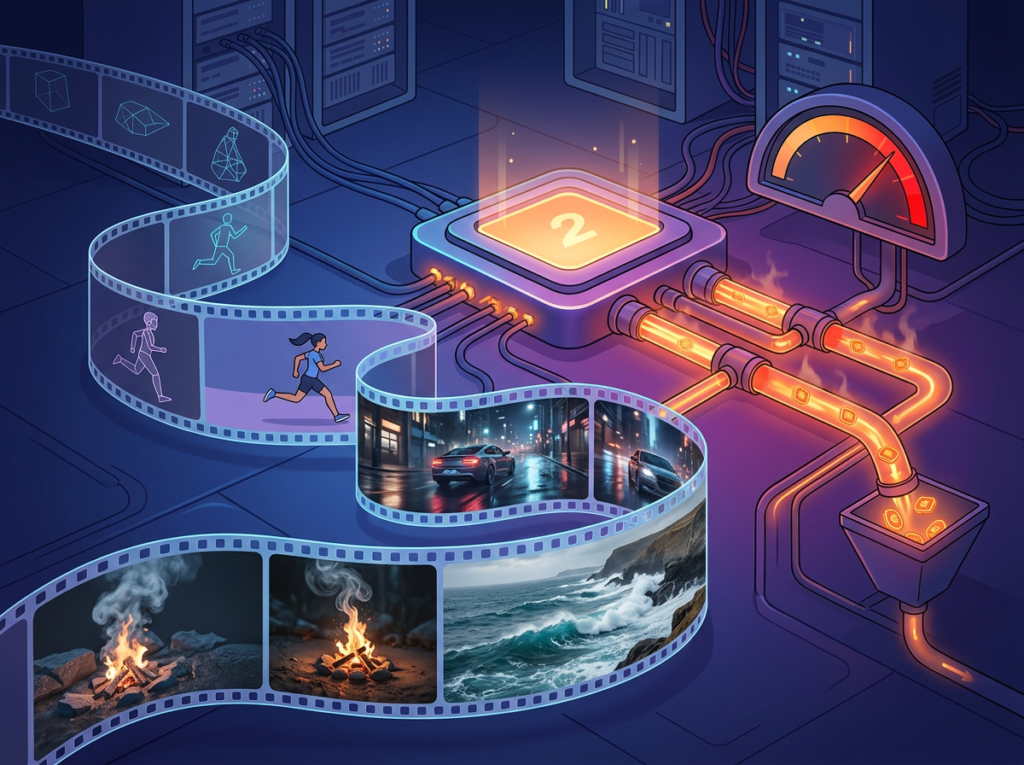
Every creative professional knows the iteration tax: the hidden cost of producing multiple versions of the same asset. A client wants to see three visual directions for a product video. A social post needs vertical and horizontal cuts. A video ad needs a 6-second, 15-second, and 30-second version.
With traditional production, each iteration multiplies your time investment. With AI video generation, each iteration is a new text prompt — seconds of work instead of hours. As noted in this breakdown of Sora 2’s prompting capabilities, structured prompts that specify style, camera angle, and duration give you precise control over each variation with minimal re-effort.
Research consistently shows that creative professionals spend 40% of their time on revisions and reformatting rather than original creation. AI efficiency tools like Sora 2 attack this percentage directly, compressing iteration time by 80–90% for standardized video formats.
Concept 3: Consistent Brand Output at Scale

One of the most underappreciated efficiency challenges for solo entrepreneurs is maintaining visual consistency across channels. Brand colors, aesthetic tone, lighting style, and pacing should feel coherent whether a viewer sees your content on TikTok, your website, or a LinkedIn ad. Achieving this consistency with traditional tools requires either a strict style guide, templates, or a skilled editor — all costly investments.
Sora 2’s character reference feature changes this calculus. By uploading a 2–4 second reference clip, you create a reusable character ID that appears consistently across any number of future videos. For solo entrepreneurs who use a personal brand presence in their content, this means one investment in establishing a visual identity that pays dividends across every future generation.
Marcus, an independent business consultant in Atlanta, used to spend 3 hours per week ensuring his LinkedIn video content maintained a consistent visual tone. After establishing a Sora 2 character and style template for his content, that maintenance time dropped to 30 minutes — a 5-hour weekly savings that went straight back into client deliverables.
Try Sora 2 and experience AI video efficiency firsthand. Start Free at sora.chatgpt.com | No complex setup required
How Sora 2 Helps Efficiency
Feature 1: Text-to-Video Generation (720p and 1080p HD)

The foundation of Sora 2’s efficiency value is simple: type a description, get a video. But the quality floor is what makes it commercially viable. Sora 2 generates output in 720p (via the sora-2 model) up to full 1080p HD (via sora-2-pro), with accurate physics, realistic lighting, and cinematic camera behavior.
For small business owners who previously outsourced video production at $500–$3,000 per video, this single feature generates significant ROI. A social media manager producing 8 short videos per month for a client, at an average outsourced cost of $400 each, was spending $3,200/month on production. With Sora 2 handling the raw generation, that cost compresses by 60–75%.
Annual time saved: 48–72 hours for a typical solo content creator Annual cost savings (vs. outsourcing): $18,000–$28,000
Feature 2: Multi-Resolution and Aspect Ratio Control

Sora 2 natively generates video in both 9:16 vertical (for TikTok, Reels, Shorts) and 16:9 horizontal (for YouTube, websites, presentations) formats. This eliminates a persistent efficiency drain: reformatting. Traditionally, a video produced in one aspect ratio must be manually recropped, rescaled, and often re-edited for other platforms.
With Sora 2, you simply run the same prompt in both aspect ratio configurations. Two generations, two platform-ready outputs, no editing software required.
Annual time saved: 24–36 hours for a multi-platform content producer
Feature 3: Character References for Brand Consistency
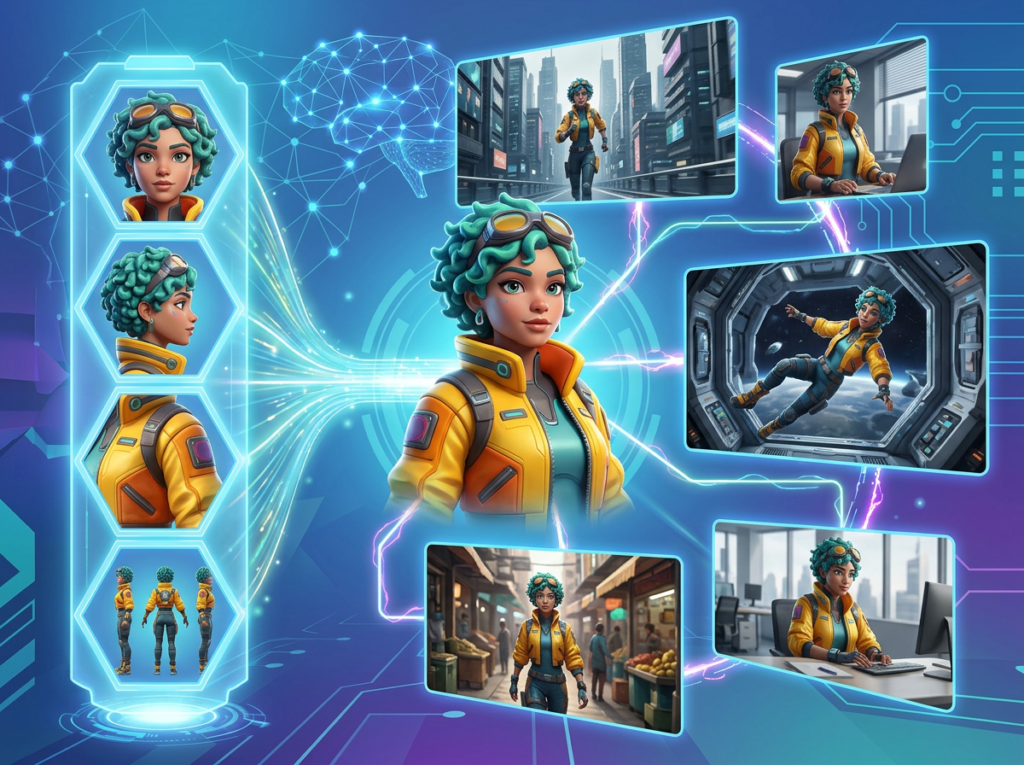
As covered in the Key Concepts section, character references allow repeatable brand identity across unlimited video generations. For entrepreneurs who appear personally in their content — coaches, consultants, course creators — this feature eliminates the reshooting and re-setup costs of maintaining a consistent on-screen presence.
Annual time saved: 40–60 hours for personal brand content creators
Combined ROI: A US solo entrepreneur billing $75/hour who reclaims 60 hours annually through Sora 2 gains $4,500 in recovered productive time. Against Sora 2’s subscription cost, this represents a return of 30x–100x annually depending on usage intensity.
See our full Sora 2 review for a detailed feature comparison and pricing breakdown.
Ready to cut video production time in half? Try Sora 2 and experience AI video efficiency firsthand. Start Free at sora.chatgpt.com | No complex setup required
Best Practices for Implementing AI Efficiency

1. Start with Your Highest-Volume Repetitive Video Task
Don’t try to replace your entire video workflow on day one. Identify the single video task you repeat most often — social B-roll, product showcases, ad creative variations — and start there. Mastering one use case deeply produces better results than shallow experimentation across five.
Most users see 60–70% of their total time savings from a single core workflow. Once that workflow is optimized, expansion to additional use cases is straightforward. For a practical breakdown of specific prompting techniques that improve output quality and reduce regeneration cycles, this PCMag guide to Sora 2 video tricks covers several high-value tactics.
2. Maintain Human Creative Direction
AI video efficiency works best when you treat Sora 2 as a production executor, not a creative decision-maker. The highest-quality outputs come from precise, detailed prompts built on clear creative strategy. Don’t use vague prompts and hope for the best — invest 10–15 minutes in prompt refinement upfront. That investment pays back in fewer regenerations and revision cycles.
The creative judgment — what story to tell, what emotion to evoke, what brand message to lead with — remains your work. AI handles the cinematic execution.
3. Avoid Tool Bloat
A common mistake among small business owners adopting AI tools is subscriptions sprawl: adding tool after tool without auditing what’s actually being used. A typical overwhelmed entrepreneur might be paying for a stock video library ($49/month), a video editing platform ($29/month), an AI caption generator ($19/month), and a social scheduling tool ($39/month) — $136/month for a fragmented workflow.
Sora 2 can consolidate or eliminate several of these layers. Before adding it to your stack, audit what it replaces. The goal is efficiency, not more tools.
4. Track What AI Is Replacing
Build a simple time log for the first 30 days of Sora 2 integration. Before each video task, note your estimated time. After completing it with AI assistance, log actual time. This practice accomplishes two things: it quantifies your ROI in concrete terms, and it helps you identify where the workflow gains are largest so you can prioritize accordingly.
Entrepreneurs who track their AI time savings report 2x higher satisfaction with AI tools than those who adopt intuitively — because the value becomes visible and defensible, not just felt.
Limitations and Considerations
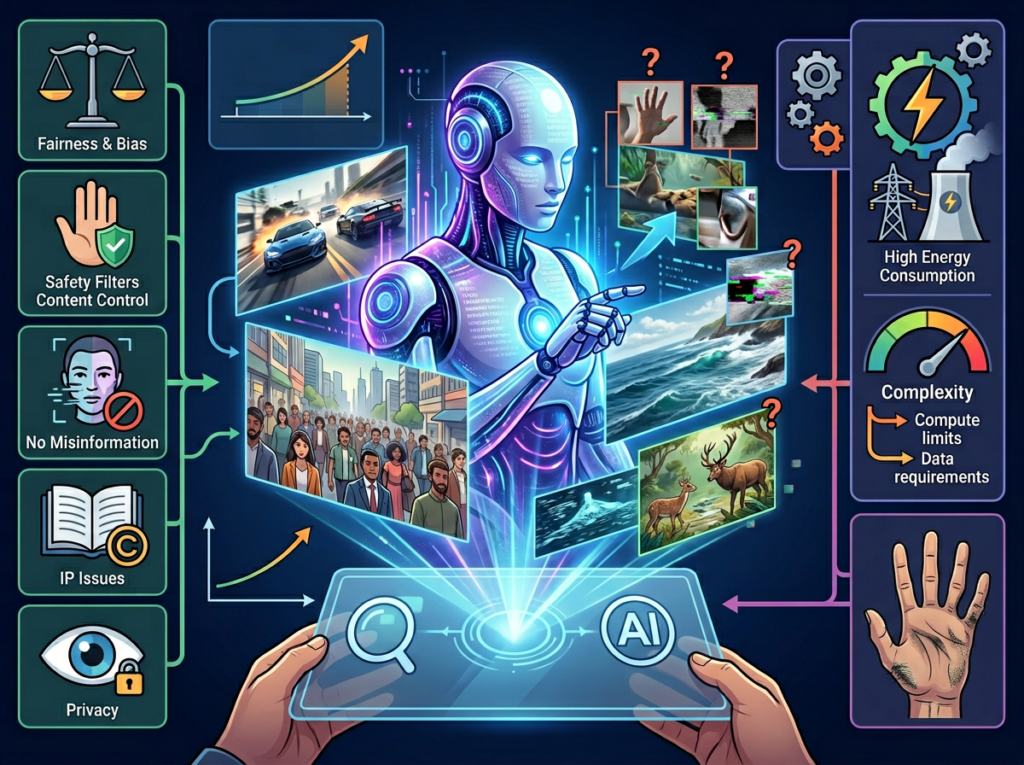
Where Sora 2 Is NOT the Right Tool
High-Stakes Brand Identity Launches If you’re launching a new brand, introducing a new product category, or creating a flagship campaign that will define your market positioning for the next 12 months, AI-generated video is a risky foundation. These moments require a level of intentional creative craft — nuanced storytelling, precise emotional calibration — that generative video cannot reliably deliver. Use AI for scale; use human creative direction for moments that matter most.
Testimonials and Social Proof Content Real customer testimonials — real faces, real voices, real stories — are among the highest-converting content formats in digital marketing. AI-generated video cannot replicate the authenticity signal of an actual customer speaking on camera. Attempting to substitute AI video for genuine testimonials risks eroding audience trust, particularly in a market increasingly sensitive to AI-generated content.
Legally or Regulatorily Sensitive Content Any content that makes specific claims about products (health benefits, financial returns, safety certifications), or that is subject to FTC guidelines, requires human review and should not rely on AI-generated visuals that could be interpreted as misleading. The efficiency gain is not worth the compliance risk.
Key Risks to Manage
- Output variability: Even with precise prompts, Sora 2 generations are not 100% deterministic. Build regeneration time into your workflow budget.
- Privacy considerations: Avoid using identifiable real people, recognizable locations tied to private individuals, or proprietary brand assets in prompts.
- Over-reliance / skill atrophy: If you’re a creative professional, don’t allow AI tool dependency to erode your underlying craft skills. AI tools change; your creative judgment is the durable asset.
Try Sora 2 and experience AI video efficiency firsthand. Start Free at sora.chatgpt.com | No complex setup required
Frequently Asked Questions
How do freelancers use Sora 2 to save time?
Freelancers use Sora 2 primarily in three ways: generating client deliverables faster (collapsing 6–8 hour production tasks to 1–2 hours), producing multi-platform variations from a single prompt (eliminating reformatting time), and maintaining visual brand consistency across clients without manual style enforcement. The net effect is typically 30–50% fewer hours spent on video deliverables with no reduction in output quality.
What’s the best AI video tool for reducing workload?
Sora 2 is currently the leading option for photorealistic, cinematic AI video generation at 1080p HD quality. For entrepreneurs specifically focused on small business productivity and social media content creation, its combination of text-to-video generation, character references, and video extension capabilities makes it the strongest single-tool solution for video workflow efficiency. Always evaluate based on your specific content format needs.
Do I need technical skills to use Sora 2 for efficiency?
No. Sora 2 is accessible via a web interface at sora.chatgpt.com with no coding required. The primary skill required is prompt writing — describing what you want to see in clear, specific language. Most users develop a productive prompting workflow within 2–3 hours of experimentation. The biggest efficiency gains come from building reusable prompt templates for your most common content formats.
Conclusion
The math on AI efficiency for small business video production is straightforward. A solo entrepreneur spending 15+ hours per month on video content — between scripting, filming, editing, and reformatting — is either burning their own billable time or writing checks to contractors. Sora 2 attacks that cost at its source.
The four workflow transformations covered in this guide — eliminating production bottlenecks, collapsing iteration cycles, scaling multi-platform output, and maintaining brand consistency through character references — are not theoretical. They’re documented in the real-world results of content creators, consultants, e-commerce operators, and founders who have already rebuilt their video workflows around AI generation.
Sora 2’s role here is AI as augmentation, not replacement. Your creative direction, your brand voice, your strategic judgment — these remain entirely yours. What changes is who (or what) executes the production. And when production costs drop from hours to minutes, the ROI compounds fast. We’re talking 30x to 100x annually for users who reclaim even 5–10 hours per month.
The question for US small business owners in 2026 is no longer “Should I explore AI video tools?” — it’s “Can I afford to keep doing video the old way?”
Start with one content format this week. Build one reusable prompt template. Measure the time difference. That first workflow is where the shift begins.
Try Sora 2 and experience AI video efficiency firsthand. Start Free at sora.chatgpt.com | No complex setup required
Leave a Reply