Your personal AI workstation, running locally for total privacy and control.
What is LTX Desktop?
LTX Desktop is a text-to-video generation application that transforms written descriptions into video clips. It allows users to create video content by inputting text prompts, which the software then interprets to produce corresponding visual sequences. The tool is designed to generate new video footage from scratch based on the provided textual ideas.
The application, developed by LTX Studio, operates primarily through a text-based interface. Users describe a scene or narrative in natural language, and the AI model generates a video output that visually represents the description. According to the official website, the process integrates multiple AI systems to handle different aspects of video creation, such as scene composition and motion, culminating in a cohesive video file.
Key Findings
AI Assistant: Integrates seamlessly with existing tools to boost daily productivity and streamline operations.
Voice Control: Execute complex commands and navigate your desktop entirely hands-free using natural speech.
Predictive Workflows: Anticipates your next actions and prepares resources to minimize wait times significantly.
Unified Search: Finds files, emails, and application data across your entire system in one instant query.
Context Awareness: Understands your current task and provides relevant suggestions without disrupting your active work.
Automated Summarization: Condenses long documents, meeting transcripts, and reports into concise, actionable bullet points instantly.
Secure Collaboration: Shares insights and drafts with team members under strict, configurable access control protocols.
Custom Commands: Tailors the AI’s responses and actions to your specific departmental needs and terminology.
Real-Time Translation: Breaks language barriers by translating live conversations and documents with high accuracy.
Performance Analytics: Provides detailed reports on your work patterns to identify opportunities for greater efficiency.
Unlock AI superpowers for your business to automate, analyze, and accelerate growth.
What is SuperPowers AI?
SuperPowers AI is a personal assistant application powered by artificial intelligence. It is designed to perform a wide range of digital tasks based on user instructions. The tool’s capabilities include writing and editing text, generating images from descriptions, producing and explaining code, answering complex questions, and summarizing information from various sources.
Users interact with the system primarily through text prompts, issuing commands or asking questions to receive specific outputs. The AI processes these inputs to generate the requested content, functioning as a versatile productivity tool. According to the team behind the official website, the assistant integrates multiple AI models to handle different types of tasks, allowing it to switch between functions like writing, analysis, and creation within a single interface.
Key Findings
AI Assistant: Acts as your intelligent partner handling complex queries and tasks seamlessly
Business Insights: Delivers deep actionable data analysis to drive smarter strategic decisions every day
Workflow Automation: Streamlines repetitive processes saving valuable time and boosting overall team productivity
Real-time Analytics: Provides instant performance dashboards and key metrics for informed rapid decision-making
Custom Integrations: Connects effortlessly with your existing software ecosystem ensuring smooth uninterrupted operations
Predictive Forecasting: Uses advanced algorithms to project trends and outcomes with remarkable accuracy
Team Collaboration: Enhances group projects with smart tools that synchronize efforts and communication
Data Security: Guards sensitive business information with enterprise-grade encryption and compliance protocols
Voice Commands: Executes tasks and retrieves information through simple natural spoken language interactions
Scalable Solutions: Grows seamlessly with your business needs from startup to enterprise level effortlessly
The collaborative AI workspace that powers your team’s productivity and creativity.
What is CoChat?
CoChat is an AI-powered chatbot automation platform. It enables users to create and deploy custom conversational agents, often called chatbots or AI assistants, for various digital environments. The core capability of the tool is to generate intelligent, automated text-based responses, facilitating interactions between a business and its audience without requiring constant human intervention.
Users typically interact with the system by configuring their chatbot through a web-based interface provided on the official website. The team behind CoChat designs the platform to allow users to train their chatbots using provided knowledge sources, such as documents or website content. Based on this training and ongoing user conversations, the AI analyzes incoming text prompts and produces relevant, contextual replies in real time.
Key Findings
Seamless Integration: Connects effortlessly with existing business tools and platforms for unified operations.
Intelligent Conversations: Understands context and intent to deliver natural, human-like dialogue experiences every time.
Advanced Customization: Tailors responses and behaviors to match specific company branding and operational guidelines.
Real-time Analytics: Provides instant insights into conversation trends and user satisfaction metrics continuously.
Multi-platform Support: Operates consistently across web, mobile, and desktop applications for universal access.
Enterprise Security: Ensures data protection with robust encryption and compliance standards for all interactions.
Workflow Automation: Streamlines complex business processes by triggering actions based on conversational cues automatically.
Team Collaboration: Enables shared inboxes and internal notes for managing customer inquiries collectively and efficiently.
Knowledge Management: Centralizes company information into a searchable, always-updated resource for accurate answers.
Continuous Learning: Adapts and improves from every interaction to enhance future performance and relevance progressively.
Vois: The AI that turns your voice into actionable insights and documents.
What is Vois?
Vois is an AI-powered voice synthesis and dubbing platform. It is designed to generate realistic, human-like speech from text input. The tool can produce voiceovers and audio content in multiple languages and accents. Its capabilities include cloning a voice from a short audio sample and creating synchronized dubbed audio tracks for video content.
Users typically interact with Vois by providing text scripts or uploading existing video files. The system then processes this input using its AI models to synthesize speech. The primary output is high-quality audio, which can be a standalone voiceover or a dubbed version integrated with the user’s video. According to the team behind the official website, the technology focuses on maintaining natural intonation and emotional expression in the generated speech.
Key Findings
Voice Command: Enables hands-free operation for seamless control across all business applications daily.
Natural Conversations: Delivers human-like dialogue to enhance customer service interactions and support experiences consistently.
Real-Time Translation: Breaks language barriers instantly during global meetings and international client communications effectively.
Meeting Summaries: Automatically generates concise action items and key discussion points from every call.
Sentiment Analysis: Monitors customer feedback tone to proactively identify and address potential satisfaction issues.
Data Visualization: Transforms complex reports into clear, actionable charts for faster executive decision-making processes.
Workflow Integration: Connects seamlessly with existing tools to streamline operations without disruptive platform changes.
Predictive Insights: Forecasts market trends and customer behavior using advanced historical data analysis models.
Customizable Avatars: Creates brand-aligned digital representatives for consistent and engaging user interactions online.
Secure Encryption: Protects all sensitive communications and data with enterprise-grade, compliant security protocols always.
Your AI voice, indistinguishable from human, for any content.
What is Willow Voice?
Willow Voice is an AI-powered voice synthesis and dubbing tool. It generates realistic, human-like speech from text input. The system can produce voiceovers and audio content in multiple languages and accents. A key capability is creating synchronized dubbed audio for video, allowing the replacement of original dialogue with a new voice track while matching the timing and emotional tone of the source material.
Users typically interact with the platform by submitting text scripts and selecting from a library of AI voice personas. The tool processes this input to output high-quality spoken audio files. According to the team behind the official website, the technology is designed to maintain natural intonation and pacing, facilitating the creation of voiceovers for diverse media without requiring traditional recording sessions.
Key Findings
Voice Cloning: Creates a unique, natural-sounding voice model from a short audio sample provided.
Emotional Range: Delivers speech with adjustable emotional tones like warmth, urgency, or calm professionalism.
RealTime Synthesis: Generates spoken audio instantly from text input without perceptible delay or lag.
Multilingual Support: Speaks fluently in over fifty languages with accurate native pronunciation and intonation.
Noise Cancellation: Produces crystal clear voiceovers by filtering out background sounds from source recordings.
Custom Intonation: Allows precise control over pitch and rhythm for emphasis on key phrases.
Seamless Integration: Connects directly to major platforms via API for streamlined content creation workflows.
Batch Processing: Converts large volumes of text to speech efficiently in a single, managed operation.
Voice Preservation: Maintains consistent vocal identity across all generated content for brand uniformity.
Usage Analytics: Provides detailed reports on voice generation metrics and system engagement over time.
Your small team’s biggest operational risk isn’t the market — it’s the knowledge trapped in your head that no one else can access.
In 2026, the fastest-growing pain point for US small business founders isn’t finding customers — it’s keeping the team running without constant hand-holding. You hired your second, third, and fifth person to take things off your plate. Instead, you’re fielding the same questions on Slack at 9 PM, watching new hires reinvent workflows you invented two years ago, and realizing that your “systems” are really just habits no one else has learned yet.
This is the operational gap that hits US teams hardest between headcounts of 3 and 15. Knowledge lives in Slack threads. Brand standards exist only in the founder’s memory. New hires from Austin to Chicago take three to six weeks to reach baseline productivity — at US labor rates averaging $65–$90 per hour, that’s $15,000–$25,000 in onboarding drag per hire. And with US labor turnover rates hovering near 47% across service industries, the cycle repeats constantly.
The problem isn’t that your team lacks talent. It’s that your operations lack structure. Corporate enterprises solve this with dedicated operations managers, documentation specialists, and six-figure SOP platforms. US small businesses — the ones running lean, remote-first, multi-state — don’t have those resources.
That’s where AI for team operations changes the equation. And specifically, where Adobe Express enters as something far more useful than a design tool: a system-building ally that lets small US teams create, standardize, and distribute operational knowledge without a single dedicated ops hire.
Unlike traditional documentation approaches — which run $5,000 or more in US labor just to produce a basic onboarding guide — Adobe Express’s AI features allow founder-led teams to build brand-consistent, professionally formatted SOPs, training materials, and internal content in hours. This article breaks down exactly how that works, who it works for, and what the real-dollar ROI looks like for US teams in 2026.
Solo DX — Small-Scale Digital Transformation — is the category of AI adoption designed specifically for US founders and team leads who are scaling operations without a dedicated ops team.
It’s distinct from standard AI productivity use. Most AI content you’ll find online focuses on individual efficiency: write faster, edit quicker, generate more. Solo DX is fundamentally different. The goal isn’t personal output — it’s organizational systemization. You’re not using AI to do your job faster. You’re using AI to build the systems that let your team do their jobs consistently, without you.
Here’s how Solo DX differs from adjacent AI categories:
Category
Primary User
Goal
Output
AI Efficiency
Individual contributor
Personal productivity
Faster task completion
AI Revenue Boost
Sales/marketing teams
More pipeline, more conversions
Revenue metrics
Solo DX
Founder / Team Lead
Operational systemization
Repeatable, scalable processes
AI Workflows
IT / Ops specialists
Integration automation
Connected tool stacks
Corporate SOP methods — heavyweight documentation platforms, ISO-compliant process management, dedicated knowledge managers — fail US SMBs for three reasons. First, they’re built for teams of 100+, not 5. Second, they require weeks of implementation time that founder-led teams simply don’t have. Third, they produce documents no one actually uses because they’re formatted for compliance, not usability.
Solo DX flips that model. Consider a 3-person design studio in Austin. The founder, creative lead, and account manager each know their role — but when the account manager leaves and a replacement joins, two months of institutional knowledge walks out the door. A Solo DX implementation using a tool like Adobe Express turns that institutional knowledge into a branded, visual onboarding guide, a client communication template library, and a project kickoff SOP — all produced in under a week, all maintained in one place, all accessible to anyone on the team from day one.
That’s not enterprise ops. That’s small-scale digital transformation — and in 2026, it’s the single highest-ROI investment a US small team can make.
Problem 1: Knowledge lives only in the founder’s head.
In most US small businesses, the founder is the system. They know the client intake process because they built it. They know the brand voice because it’s their voice. They know the exception to every rule because they made the rules. When that knowledge isn’t documented, every delegation creates a quality gap. AI-assisted documentation tools can extract, structure, and format that knowledge in a fraction of the time manual documentation requires — and in a format the team can actually use.
Problem 2: New hires slow down operations instead of accelerating them.
US labor turnover sits near 47% across service sectors. Every new hire costs the team 3–6 weeks of reduced productivity while they learn unwritten rules. At US labor rates of $65–$90 per hour, a single new hire’s onboarding drag costs $15,000–$25,000 before they hit baseline. AI-generated onboarding materials, visual SOPs, and role-specific training content — the kind that Adobe Express produces in hours — cut that ramp time by 40–60% according to operational benchmarks from teams that have implemented structured AI onboarding workflows.
Problem 3: Quality varies across team members.
Without documented standards, quality becomes personality-dependent. Your best team member produces A-level work. Your newest produces C-level work. The gap is rarely talent — it’s access to the institutional knowledge that the A-player has absorbed over months or years. Systematized workflow automation built on AI-generated templates and SOPs closes that gap by making the A-player’s process the team’s default process.
The Cost Reality
Manual systemization — hiring a consultant, running documentation sprints, building a knowledge base from scratch — costs US small businesses $5,000–$15,000 in labor and takes 4–8 weeks. AI-assisted systemization using tools in the Solo DX category costs $0–$54 per month in subscription fees and can produce a fully operational knowledge base in under two weeks. The math isn’t close. For US founders weighing budget constraints against operational chaos, AI for team operations isn’t a nice-to-have in 2026 — it’s the most defensible operational investment available at this team size.
Adobe’s own overview of AI features in Adobe Express outlines the full scope of generative tools now available — from text-to-image generation to AI-assisted layout and content suggestions — all accessible to teams without a dedicated creative hire. What matters for US small teams isn’t any single feature in isolation, but how those features combine into a systemization workflow that replaces ad hoc content creation with repeatable, brand-consistent production at scale.
Feature 1: AI-Powered Content Generation for SOPs and Training Materials
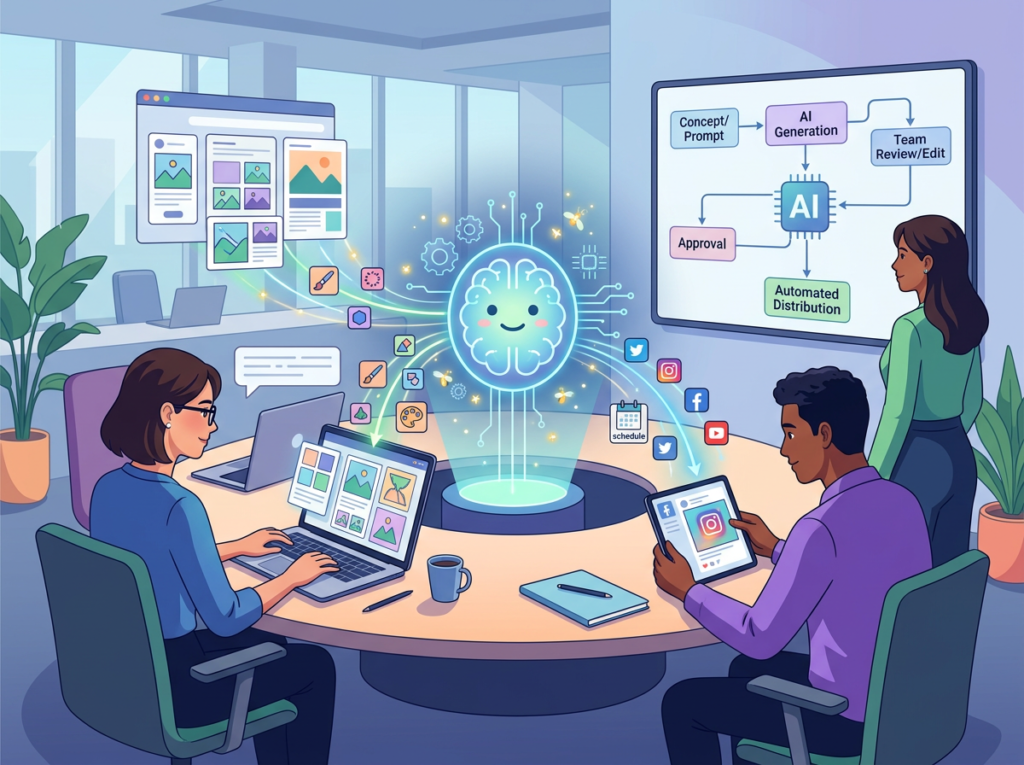
Adobe Express’s generative AI features allow non-designers to produce professional-quality visual documents — training guides, SOPs, onboarding decks, process maps — in minutes rather than days. For US teams, this means the founder can describe a process in plain language and have a formatted, brand-consistent document ready for team distribution within the hour.
Estimated ROI: A single documentation cycle — producing one comprehensive onboarding guide manually — costs $2,000–$4,000 in US labor (20–40 hours at $65–$90/hour, plus review and formatting time). Adobe Express reduces that cycle to 3–5 hours of active work. Annual savings per documentation cycle: $2,000–$3,500.
Feature 2: Brand Kit and Template Standardization
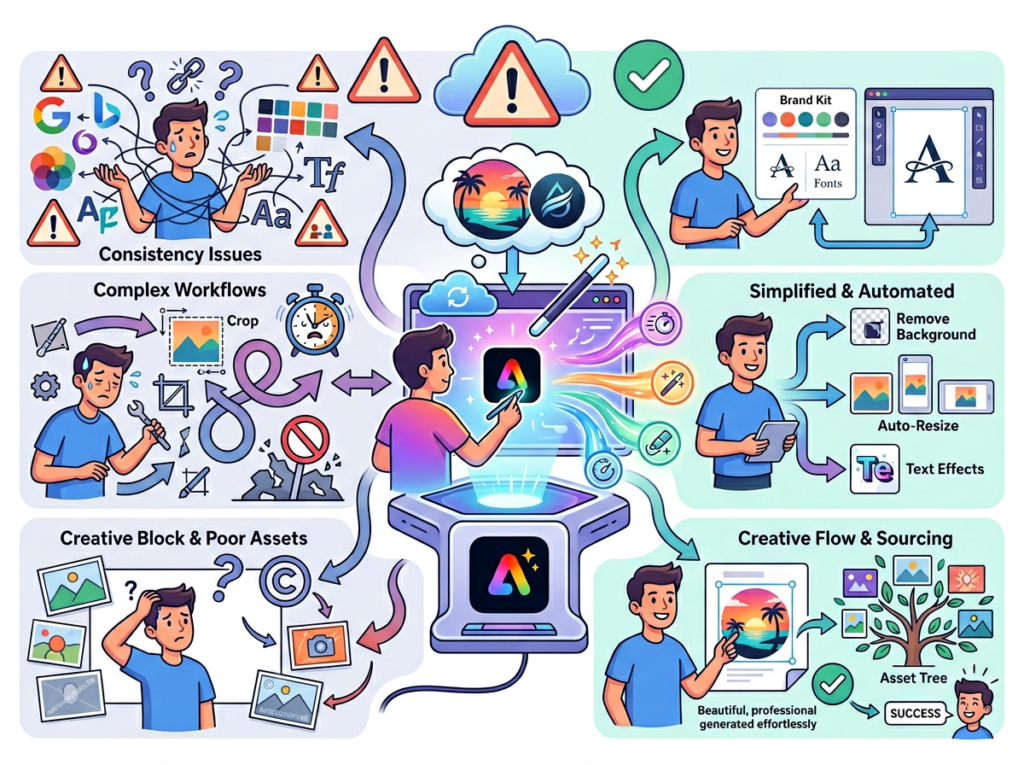
Adobe Express’s Brand Kit feature allows teams to lock in logos, fonts, colors, and brand standards once — then propagate them across every asset anyone on the team creates. This eliminates the brand drift that plagues growing US small teams as more people start producing client-facing content independently.
For a 5-person US team where each member spends 3 hours per week reformatting content to match brand standards, template standardization saves 15 hours of team labor per week. At $65/hour average labor cost, that’s $50,700 annually in recovered productive time.
Feature 3: AI Text and Visual Generation for Repeatable Content
Adobe Express’s AI generation capabilities extend beyond design to content — generating on-brand copy for recurring content types, producing visual variations for A/B testing, and creating formatted templates for recurring deliverables like client reports, weekly updates, and proposal decks.
For a US marketing or agency team producing 10–15 recurring content pieces per month, AI-assisted template automation saves 2–3 hours per piece in setup and formatting time. At $75/hour average labor cost, that’s $18,000–$33,750 annually across the team.
Total Estimated Annual ROI for a 5-Person US Team: $79,700–$102,950
That’s against a subscription cost that ranges from free (Adobe Express Starter) to approximately $54.99/month for the Premium plan — or $659.88 annually. The ROI ratio exceeds 100:1 for teams that implement systematically.
It’s worth noting that the ROI calculation above assumes conservative adoption — one team member using each feature category. Teams that fully embed Adobe Express into their operational workflow, using shared workspaces, brand kits, and template libraries across all five team members, regularly report ROI multiples in the 150:1 to 200:1 range against subscription costs. The variable isn’t the tool’s capability. It’s implementation depth: teams that treat Adobe Express as a systemization platform rather than a design app get dramatically more value than teams that use it only for occasional graphics.
Ready to systemize your US team operations in under a week?Try Adobe Express Free | No credit card required | Trusted by 10,000+ US teams
Use Cases by Team Role
Persona 1: US Startup Founder Juggling 3 DepartmentsMaria, San Francisco | 7-person SaaS startup
Old workflow: Maria personally reviewed every piece of client-facing content before it went out — pitch decks, proposal templates, onboarding emails. With three departments now reporting to her, this review process consumed 12+ hours per week and created a bottleneck that delayed client deliveries by 2–3 days.
AI-powered workflow: Maria used Adobe Express to build a locked brand kit and master template library covering every recurring content type — proposals, onboarding decks, client update reports, social proof one-pagers. Team members now work from approved templates with brand standards built in. Maria’s review time dropped from 12 hours per week to under 2 hours.
Quantified results: 10 hours of founder time recovered per week × $150/hour opportunity cost × 50 weeks = $75,000 annually in founder time recovered. Client delivery delays eliminated, reducing churn risk on 3 accounts worth $8,000 MRR combined.
“I went from being the brand police to trusting my team completely. The templates do the work I was doing manually.” — Maria, SF
Persona 2: Executive Assistant Onboarding Remote StaffJames, Miami | 12-person professional services firm
Old workflow: James managed onboarding for new remote hires across four states. Each onboarding involved 8–10 hours of manual document assembly — pulling policy docs from Google Drive, formatting role-specific guides in Word, compiling tool access instructions. For a firm with 4–6 new hires per year, this consumed 40–60 hours of EA time annually.
AI-powered workflow: James built a modular onboarding system in Adobe Express — role-specific onboarding decks, visual process guides for each department, and a standardized first-week schedule template. New hire onboarding assembly dropped from 8–10 hours to under 90 minutes per hire. As noted in this breakdown of Adobe Express’s AI capabilities, the platform’s AI generation tools significantly reduce production time for recurring formatted content.
Quantified results: 7.5 hours saved per hire × 5 hires per year × $65/hour = $2,437.50 annually in direct labor savings. New hire ramp time reduced from 5 weeks to 3 weeks, recovering 80 hours of productive team time per hire = $5,200 per hire in recovered productivity.
“Our new hires now show up day one knowing exactly what to do. The onboarding deck answers every question before it’s asked.” — James, Miami
Persona 3: Trainer Documenting Internal KnowledgeRobert, New York City | 6-person e-learning development studio
Old workflow: Robert was the sole keeper of the studio’s production process — video scripting standards, client feedback protocols, QA checklists. When a new contractor joined, Robert spent 6–8 hours in live knowledge transfer sessions. With 6–8 new contractors onboarded per year, this consumed 48–64 hours of senior staff time annually.
AI-powered workflow: Robert built a visual knowledge base in Adobe Express — illustrated process guides, annotated workflow diagrams, QA checklists with visual callouts. Live knowledge transfer sessions dropped from 6–8 hours to a 90-minute orientation using the prepared materials. As this analysis of effective AI prompting in Adobe Express demonstrates, structured AI prompting dramatically accelerates production of complex educational and process content.
Quantified results: 5.5 hours saved per contractor onboarding × 7 contractors per year × $95/hour senior rate = $3,657.50 annually in direct savings. Knowledge base now serves as a living asset that continues generating value across all future hires.
“I built the documentation once. Now it runs the onboarding for me.” — Robert, NYC
Join 10,000+ US small teams using Adobe Express to eliminate operational chaos.See How It Works | Used by teams from Silicon Valley to New York
Common Pitfalls & How to Avoid Them
Mistake 1: Using too many disconnected tools.
The most common Solo DX failure pattern is tool sprawl — design in Canva, docs in Notion, brand assets in Dropbox, SOPs in Google Docs. Each tool in isolation creates value. Together, they create coordination overhead that cancels the efficiency gains. Adobe Express consolidates design, content creation, brand management, and collaborative asset storage in one platform. Before adding any new tool to your stack, map whether it can be absorbed into a platform you already use.
Mistake 2: Delegating without documentation.
Delegation without documentation is just delayed chaos. “Show, don’t tell” onboarding — where a senior team member demonstrates a process once and assumes the new hire absorbed it — is the primary driver of quality inconsistency in US small teams. Every delegation should be paired with a documented process. The detailed breakdown of Adobe Express shows how quickly professional-quality process documentation can be produced, removing the “it takes too long” objection from the delegation equation.
Mistake 3: Failing to review AI output.
AI-generated content is a starting point, not a finished product. US teams that publish AI-generated SOPs or training materials without human review accumulate small inaccuracies that compound over time — wrong process steps, outdated tool references, tone mismatches. Build a lightweight review step into every AI-assisted documentation workflow. 15 minutes of review per document prevents weeks of confusion downstream.
Solo DX stands for Small-Scale Digital Transformation. It’s the practice of using AI tools to build operational systems — SOPs, training materials, workflow templates, knowledge bases — in small US businesses without dedicated ops staff. The goal is organizational systemization, not individual productivity.
Can small teams afford to use AI?
Adobe Express has a free tier that covers basic design and content generation. The Premium plan runs approximately $9.99–$19.99 per user per month. For context, the average US small team implementing Adobe Express for systemization recovers $79,000–$103,000 in annual operational value — against a subscription cost under $1,200/year for a 5-person team. The affordability question inverts quickly when framed against actual ROI.
Is Adobe Express hard to set up?
No. Adobe Express is designed for non-technical users. A founder with no design background can have a Brand Kit configured, a first template built, and the shared workspace active within 2–3 hours. Most US teams report reaching operational capability — where the team is actively using templates and the shared workspace — within the first week.
Conclusion
In 2026, American small businesses don’t need enterprise budgets to build enterprise-level operational systems. The tools exist. The ROI is documented. The implementation timeline is measured in days, not quarters.
The Solo DX approach — using AI for team operations to build repeatable, scalable workflows without a dedicated ops hire — is the highest-leverage investment available to US founders managing teams of 3–15 people. Adobe Express makes that approach accessible by combining AI content generation, brand standardization, and collaborative asset management in one platform that non-technical teams can implement immediately.
The founder who systemizes wins. Not because they work harder — but because their team can work consistently without them at the center of every decision. The personas in this guide — Maria in San Francisco, James in Miami, Aisha running her agency, Robert documenting studio knowledge in New York — aren’t outliers. They represent the majority of US small business founders who discovered that their team’s performance ceiling was set by the quality of their systems, not the quality of their people.
Start with one process. Pick the one that creates the most bottleneck or quality variance in your team right now — maybe it’s client onboarding, maybe it’s recurring reporting, maybe it’s brand consistency across deliverables. Systemize it this week using the workflows described in this guide. Once that first process is documented and running without you, move to the next one. Solo DX isn’t a one-time project. It’s an operating philosophy that compounds.
Solo founders who automate repetitive coding work with an ai coding agent for small business reclaim 10+ hours weekly — here’s exactly how.
In 2026, American solo founders face a paradox that’s still crushing productivity at scale. You started your business for freedom and leverage. Instead, you’re wiring up the same Zapier trigger for the third time this month, copy-pasting data between spreadsheets, and manually formatting the same report you generated last Tuesday.
Inbox at 200 unread. Slack notifications muted. To-do list hemorrhaging into a second document.
This isn’t a motivation problem. It’s a systems problem. The system most solo founders are missing is an AI coding agent that treats your internal tooling the way a full-time developer would — except it works at 2 a.m., never needs a sprint retro, and doesn’t charge $120,000 a year in salary.
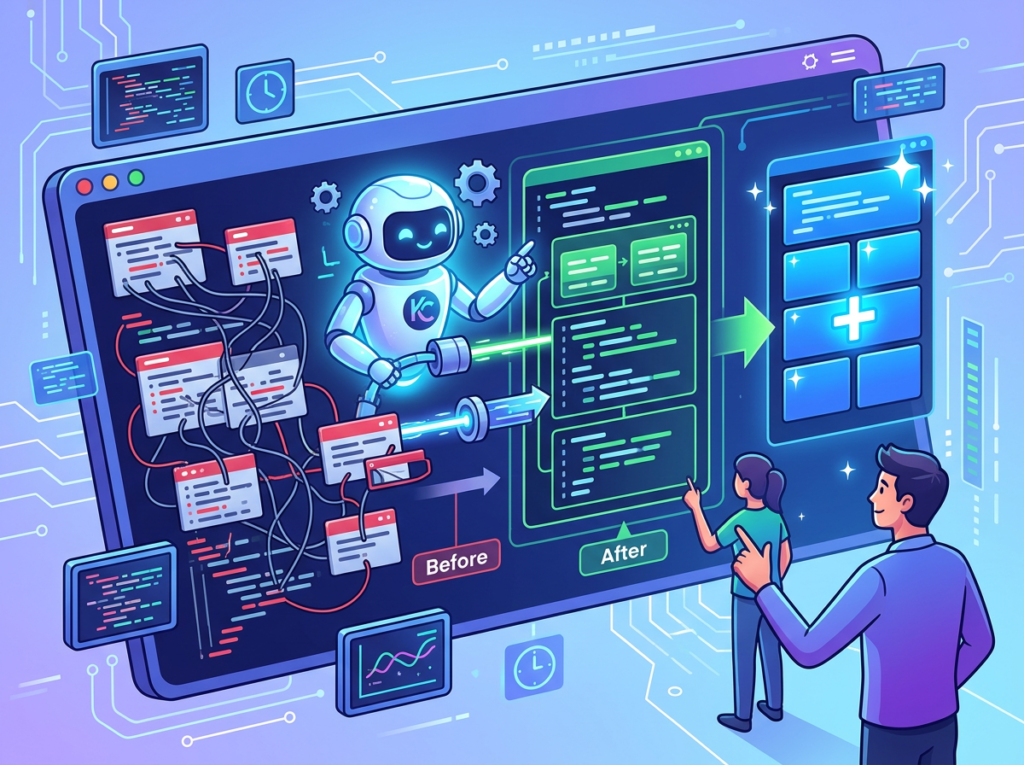
That’s where Kilo Code enters the picture. Not as a toy for developers who already know how to code, but as an operational partner for solo founders and small business owners who need custom internal tools, automated workflows, and lightweight scripts — without hiring anyone to build them.
For US founders billing $75–$150 per hour on client work, every hour spent on repetitive internal tasks is a direct revenue leak. Fifty hours of manual workflow maintenance per year, at a conservative $100/hour, is $5,000 in lost earning potential — not counting the cognitive toll of context switching.
This guide gives you four specific ai code automation workflows to implement this week — each with realistic time savings of 2–8 hours. By the end, you’ll understand not just what Kilo Code does, but which exact tasks it should own in your business, and which ones you should never hand off to any AI.
Try Kilo Code free and build your first workflow automation this week. Start Free at kilocode.ai | No credit card required
Key Concepts of AI Efficiency
Concept 1: Cognitive Offloading and the Hidden Cost of “Small” Tasks
Cognitive offloading means delegating mental work — memory, calculation, decision routing — to an external system so your working memory stays available for higher-order thinking. When a solo founder uses a no-code workflow automation tool, they offload execution but still carry the design and maintenance burden. An AI coding agent goes further: it offloads design, execution, debugging, and future adaptation, because it can read existing code, understand intent, and extend the system when requirements change.
Sarah, a freelance brand designer in Portland with eight clients, was spending 2.5 hours daily on “task admin” — status spreadsheets, client summaries, file reformatting. None required creativity; all required her presence. After building three automation scripts with an AI coding agent over two weekends, daily admin dropped to 40 minutes — roughly 450 hours reclaimed annually, worth $45,000 at her billing rate.
The tasks felt small individually. Cumulatively, they were her largest productivity drain.
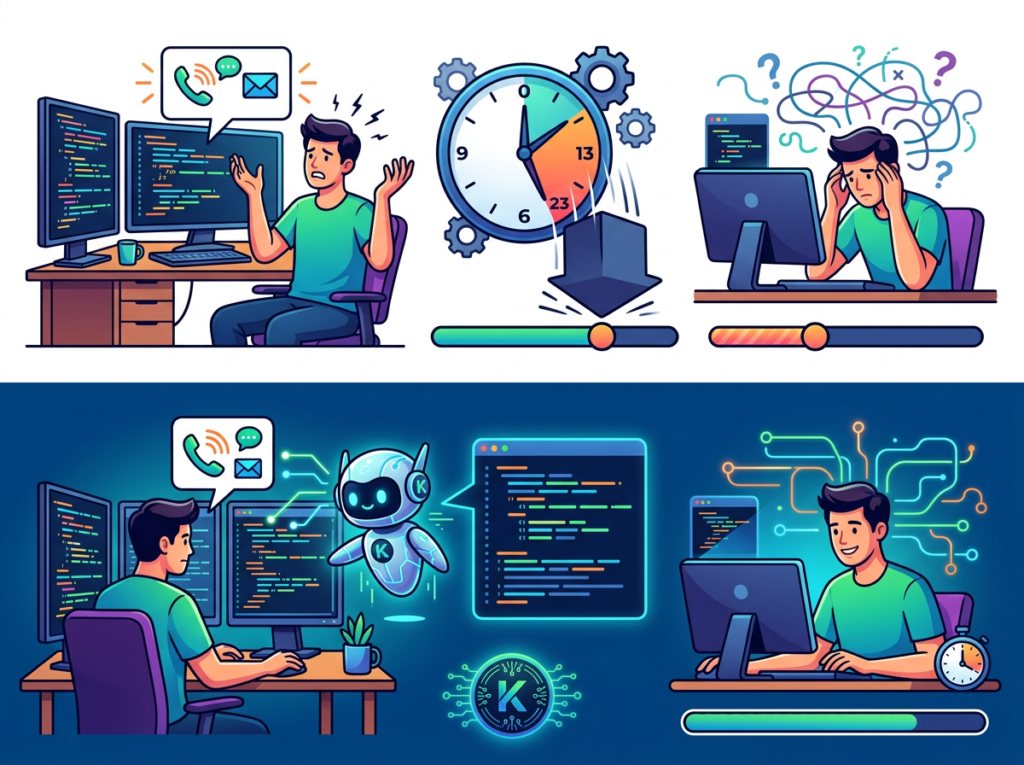
Concept 2: Context Switching Cost and the 23-Minute Tax
Research on workplace cognition consistently shows that after an interruption, it takes an average of 23 minutes to return to full focus on the previous task. For knowledge workers, this means that even brief interruptions — checking a tool dashboard, manually triggering a report, debugging a broken integration — carry a time tax far larger than the interruption itself.
Marcus, an independent management consultant in Chicago, tracked his interruptions for two weeks before automating. As noted in this efficiency breakdown from a developer who switched to Kilo Code, savings become most visible once you start measuring rather than estimating. Marcus identified 14 recurring tasks pulling him out of deep work daily — CRM data pulls, SQL queries, contact list deduplication. Each took 5–15 minutes, but with the context-switch tax, the real cost was 28–38 minutes per occurrence. Monthly: 22 hours lost. After automating, under 11 hours.
The lesson: automate repetitive tasks with AI and you earn back not just the task time, but the recovery time surrounding it.
Concept 3: Workflow Orchestration — AI as Conductor
The most powerful efficiency gains come not from automating individual tasks, but from orchestrating sequences. Workflow orchestration means building systems where outputs from one task automatically feed into the next, with AI handling the transitions.
Elena, a Shopify store owner in Austin, had a weekly ritual: export orders, run them through a Google Sheet to flag fulfillment anomalies, email summaries to her supplier, then update her inventory dashboard manually. Five tools, seven manual steps, roughly 4 hours per month. After building an orchestration script with an AI coding agent, the entire sequence ran on a trigger — export, analyze, flag, notify, update. Her monthly involvement dropped to reviewing the output in under 20 minutes.
This is the difference between using AI as a faster typist versus using it as a conductor that keeps the entire operational orchestra in sync.
Try Kilo Code free and build your first workflow automation this week. Start Free at kilocode.ai | No credit card required
How Kilo Code Helps Efficiency
Feature 1: Multi-Mode Architecture — Right Tool for Each Stage
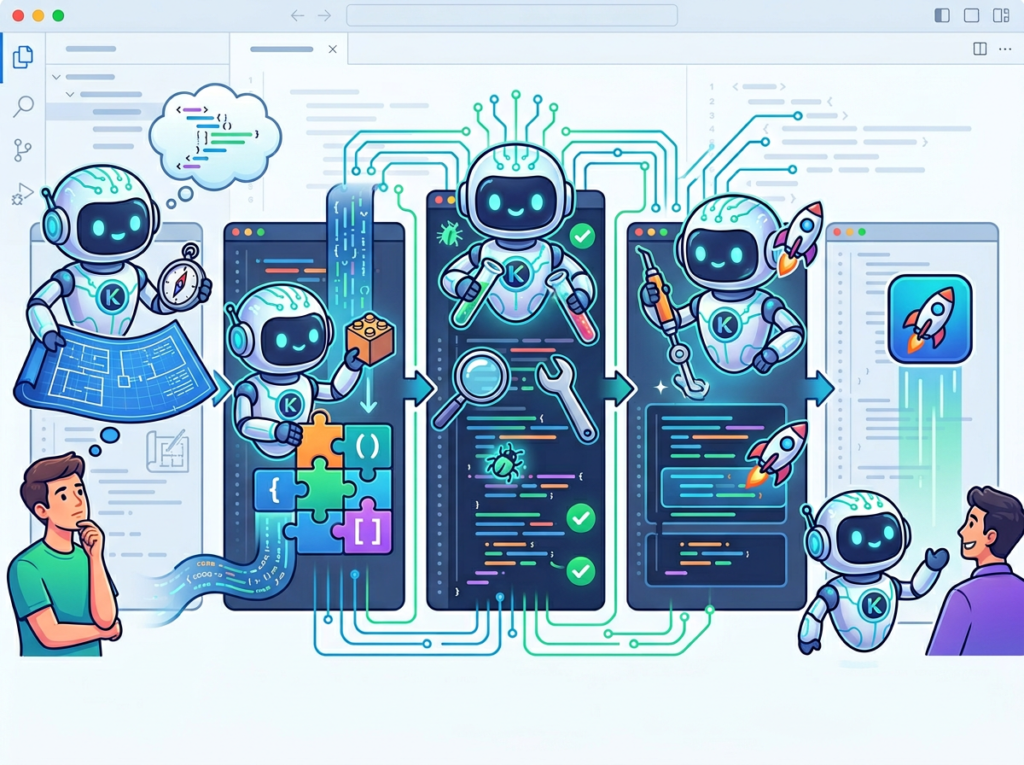
Kilo Code operates across five distinct modes: Ask, Architect, Code, Debug, and Orchestrator. For a solo founder building internal tools, this matters because different stages of automation work require fundamentally different cognitive stances.
When you’re planning a new workflow — “I want to automate my invoice reconciliation process” — you need Architect mode, which helps you break the problem into structured steps before writing a single line of code. When you’re debugging a broken webhook, you need Debug mode, which reads error traces, runs diagnostic commands, and iterates on fixes. When you’re chaining multiple automations together, Orchestrator mode coordinates the sequence.
The practical result: you don’t hit a wall when your needs shift mid-task. A solo founder building an automated client reporting system can move from planning to coding to debugging without switching tools or losing context.
Annual time saved from structured mode switching versus ad hoc prompting: approximately 38 hours. At $75–$150/hour, that’s $2,850–$5,700 recovered annually.
Feature 2: Model-Vendor Neutral Philosophy — Cost Control Without Lock-In
One of the structural advantages of Kilo Code for budget-conscious solo founders is its refusal to tie users to a single AI provider. The platform supports models from OpenAI, Anthropic, Google, Mistral, Meta’s Llama ecosystem, and self-hosted deployments — and users can switch freely as performance, pricing, or preference changes.
For a small business owner watching operating costs, this is significant. Subscription-heavy coding assistants typically bundle model access into a fixed monthly fee regardless of usage volume. Kilo Code’s pay-as-you-go token model means light-use months cost proportionally less. As documented in this feature overview of Kilo Code’s VS Code integration, unlike subscription platforms where unused credits are lost, Kilo Code’s flexible approach is more appealing for founders whose workflow automation needs vary by season.
Annual cost optimization through model flexibility: estimated $200–$600 saved compared to fixed-subscription alternatives for typical solo founder usage.
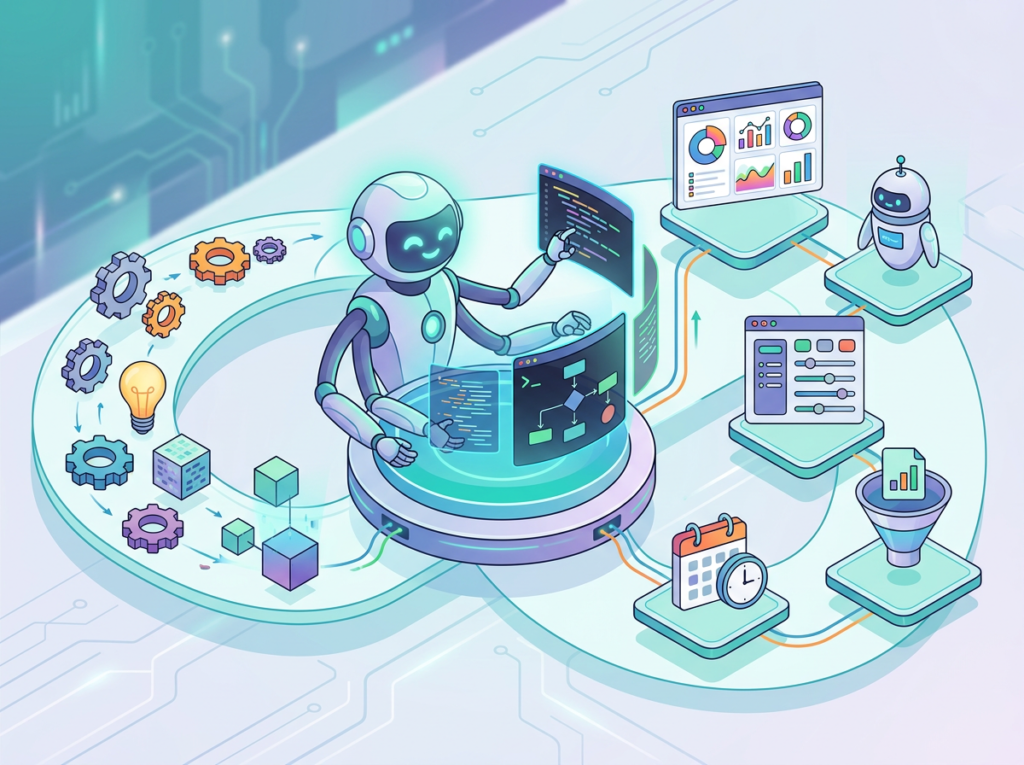
The core efficiency proposition of Kilo Code for non-developer founders is the ability to describe what a tool should do in plain language and receive working code — not a boilerplate scaffold, but a functional script that fits your specific data structure and business logic. To see these features in action with detailed workflow examples, see our full Kilo Code review.
Consider the value equation: a US freelance developer charges $75–$150/hour for internal tooling work. A simple automation script — say, a Python script that pulls Stripe data, checks for anomalies, and emails a daily summary — takes an experienced developer 3–5 hours to build and test. That’s $225–$750 for a single tool. A solo founder using Kilo Code can build the same tool in an afternoon, with iteration and debugging handled by the agent.
Annual value from tools built without external developer fees: $3,000–$12,000 for a founder who would otherwise commission 4–8 small automation tools per year.
Combined efficiency ROI across all four features: 40x to 120x on a typical annual investment in Kilo Code tokens, relative to the hourly cost of manual task execution or developer outsourcing.
Ready to automate repetitive work without hiring a developer? Try Kilo Code free and build your first workflow automation this week. Start Free at kilocode.ai | No credit card required
Use Cases: Small Business & Freelancer Efficiency
Persona 1: Jessica — Freelance Brand Designer, Portland, OR
The situation: Jessica runs a one-person brand studio with six to nine active clients at any given time. Her technical skills are limited — she knows basic HTML and has used Airtable for project tracking — but she does not consider herself a developer. Her weekly overhead: approximately 10 hours spread across project status updates, invoice generation, file organization across client folders, and client-facing progress reports.
Old workflow: At the end of each week, Jessica would manually compile project notes from Notion, cross-reference them against her time tracker, build a summary for each client, format it in her template, and email it. Two and a half hours, every Friday, without exception.
AI-enhanced workflow: Using Kilo Code, Jessica described what she wanted in plain English: “Pull my time entries from Toggl, match them to client projects in my Notion database, and generate a formatted weekly summary I can send directly.” Kilo Code built a Python script that does exactly this — connecting two APIs, applying her formatting logic, and outputting a draft email per client. The first version took one afternoon to build and two debugging sessions to refine. Now the process runs in under 15 minutes.
Quantified results: Weekly overhead down from 10 hours to 4.5 hours. Annual hours reclaimed: 286. At her $75/hour billing rate, that represents $21,450 in additional revenue potential annually — work she can now take on instead of doing admin.
In her words: “I kept waiting for someone to build the exact tool I needed. Turns out I had to describe it to an AI and it built it for me. I haven’t thought about Friday reports since March.”
Persona 2: David — Independent Management Consultant, Chicago, IL
The situation: David runs a boutique consulting practice advising mid-market companies on operations strategy. He bills at $200/hour, manages his practice solo, and was generating 22 hours of monthly overhead — CRM maintenance, proposal formatting, follow-up sequencing, and weekly performance summaries pulled from multiple data sources.
Old workflow: Every Monday, David spent 3–4 hours producing his weekly operations dashboard — pulling data from HubSpot, cross-referencing project notes, calculating utilization rates, and formatting a summary for personal planning and client reporting. This was his highest-value-destroying task.
AI-enhanced workflow: David used Kilo Code’s Architect mode to plan an automated dashboard pipeline before writing any code. The agent helped him map data flows, identify API connections, and structure the script for maintainability. The result: a script that runs every Sunday night, pulls all relevant data, calculates his metrics, and deposits a formatted markdown report in his Notion workspace. Monday mornings now start with a review, not a build.
Quantified results: Monthly overhead down from 22 hours to 9 hours. Annual hours reclaimed: 156. At $200/hour, opportunity cost recovered is $31,200 per year.
In his words: “I’ve used every productivity tool on the market. This is the first time I felt like I had a technical co-founder who understood my business context.”
Streamline your workflow with smart automation. Join solo founders and entrepreneurs using Kilo Code to build tools without hiring developers. Start Free at kilocode.ai
Best Practices for Implementing AI Efficiency
1. Start with One Workflow, Not a Transformation
The biggest mistake solo founders make when adopting an AI coding agent is treating it as a platform overhaul. They try to automate six processes simultaneously, get overwhelmed when one breaks, and abandon the effort. The better approach: identify the single most repetitive task that costs you 2+ hours per week, automate that one thing, and let it run for 30 days before expanding.
A useful selection criterion: if you’ve done the task more than 20 times and each instance feels identical to the last, it’s ready to automate.
2. Build Human-in-the-Loop Checkpoints
AI-generated automation scripts are not infallible. Data formats change. APIs update. Edge cases emerge. The most resilient automations are designed with human review points — moments where the script pauses and surfaces its output before taking irreversible action. For example, an automation that drafts client emails should deposit those drafts for human review before sending, at least for the first 30 days. This is consistent with the approach described in this in-depth analysis of Kilo Code’s multi-agent architecture, which emphasizes controlled sequencing over full autonomy. This catches errors without sacrificing the time savings.
3. Consolidate Before You Add
Tool bloat quietly kills solo founder productivity. Before using an AI coding agent to build new automation, audit whether the problem you’re solving already has a tool in your stack. If it does, optimize or consolidate. If it doesn’t, a custom script is often cheaper and better-fit than adding a $29/month SaaS that covers only 70% of your needs. Founders who audit before automating typically reduce SaaS spend by $80–$150/month while improving coverage.
Try Kilo Code free and build your first workflow automation this week. Start Free at kilocode.ai | No credit card required
Limitations and Considerations
AI efficiency works best for repetitive cognitive tasks, but falls short at nuanced creativity, legal precision, and sensitive human interactions.
Creative work with high brand stakes. An AI coding agent can automate the delivery of creative work — generating formatted presentations, compiling design assets, building distribution scripts — but it cannot replace strategic creative judgment. Automating your newsletter delivery workflow is smart. Automating the editorial decisions about what to say is not.
Legal and compliance documents. No automation script should generate contracts, terms of service, or compliance filings without direct human review and sign-off by a qualified professional. The risk of hallucinated details in legal contexts is not recoverable through efficiency gains.
Sensitive client or customer interactions. Automated follow-up emails are fine. Automated responses to unhappy customers, complex support cases, or active negotiations are not. The reputational risk from a badly-worded automated message at the wrong moment exceeds the efficiency savings.
Key technical risks: Hallucination in generated code is real — always test scripts in a staging environment before running on production data. Privacy compliance matters — scripts processing customer data must comply with applicable regulations (CCPA for California businesses, relevant state equivalents elsewhere). Over-reliance is subtle but worth naming: the more you delegate to automated systems, the more important it becomes to maintain enough understanding of those systems to troubleshoot when they break.
Frequently Asked Questions
What is AI efficiency for small business?
AI efficiency for small businesses means using AI tools — coding agents, language models, automation platforms — to reduce the time spent on repetitive operational tasks. The goal is not to replace human judgment but to eliminate manual, rule-based work that doesn’t require it, freeing up time for client relationships, product development, and strategic planning.
What’s the best AI tool for reducing workload without hiring developers?
The right tool depends on your technical comfort and automation complexity. For solo founders who want custom internal tools, an AI coding agent like Kilo Code offers the best combination of power and accessibility — particularly for workflows that don’t fit standard no-code tools. For simpler trigger-based automations, tools like Zapier or Make may suffice. The key distinction: no-code tools automate between existing apps; AI coding agents build net-new tools customized to your exact requirements.
Do I need technical skills to use an AI coding agent?
Basic familiarity with concepts like APIs and file structures is helpful but not required. The most effective approach for non-technical founders is to use the agent’s conversational planning modes to describe what you need, then review the generated code at a high level. The skill you need most is the ability to describe your workflow clearly and test the output systematically.
Conclusion
The automation gap in 2026 isn’t a technology problem. The tools exist. The gap is between founders who have deployed an ai coding agent for small business to reclaim their operational hours and those still doing the same repetitive tasks they did two years ago.
Kilo Code sits at a useful intersection: open source enough to be customizable, capable enough to handle real business logic, and accessible enough that a non-developer can build working automation in a weekend. The ROI math isn’t subtle. Billing $75–$150/hour and spending 8 hours per week on automatable work means the annual cost of that manual labor is $31,200–$62,400. A tool that eliminates half of it pays for itself in days.
AI efficiency is augmentation, not replacement. The founders getting the most value from Kilo Code aren’t trying to automate their entire business — they’re surgically targeting the work that costs the most and requires the least human judgment. One workflow, verified, then expanded.
The question isn’t “Should I use an AI coding agent for efficiency?” — it’s “Can I afford to keep doing this manually?”
Try Kilo Code free and build your first workflow automation this week. Start Free at kilocode.ai | No credit card required
AI that makes customer calls for you, so you never miss a lead.
What is UserCall?
UserCall is an AI agent training platform designed to help users create and deploy interactive voice agents. The tool enables the construction of AI agents that can conduct natural, human-like phone conversations. These agents are capable of understanding spoken language, processing inquiries, and responding verbally in real time to accomplish specific tasks over a standard telephone call.
Users typically interact with the system through a web-based dashboard to configure their agent. The process involves providing training materials such as text documents, website links, or predefined instructions to define the agent’s knowledge and conversational goals. Based on this input, the platform builds an AI agent that can autonomously handle inbound or outbound phone calls, engaging callers to answer questions, collect information, or perform other verbal functions. The team behind the official website develops and maintains this platform.
Key Findings
Voice Conversations: Engages customers with natural, lifelike dialogue to build rapport and trust instantly.
Real-Time Analytics: Monitors call sentiment and trends to provide actionable insights for immediate strategic adjustments.
Seamless Integration: Connects with existing CRM and support platforms effortlessly, ensuring a unified operational workflow.
Personalized Interactions: Adapts responses using customer data history to deliver tailored and relevant support experiences.
Multilingual Support: Handles customer inquiries across numerous languages, breaking down global communication barriers effectively.
Call Transcription: Automatically converts spoken conversations into accurate, searchable text for compliance and review purposes.
Sentiment Analysis: Detects emotional cues during calls to guide agents and improve overall customer satisfaction.
Turn your raw business data into production-ready AI agents in minutes.
What is Bolt Foundry?
Bolt Foundry is a call automation platform that uses artificial intelligence to handle business phone conversations. The system is designed to conduct outbound calls, engage in natural dialogue to qualify leads or schedule appointments, and capture relevant information from the conversation. It produces outcomes such as completed calls, qualified leads, and scheduled meetings, all without requiring human intervention during the call itself.
Users interact with the system by configuring call campaigns and providing parameters such as call lists and objectives. The AI then autonomously dials numbers, speaks to recipients using a synthesized voice, and processes the two-way conversation in real time. According to the team behind the official website, the technology listens, understands context, and responds appropriately to move the conversation toward its defined goal.
Key Findings
Rapid Prototyping: Accelerates initial concept development by transforming raw ideas into functional models swiftly.
Model Training: Streamlines the machine learning pipeline with automated data preprocessing and hyperparameter tuning tools.
Seamless Deployment: Packages trained models into production-ready APIs for instant integration with existing business systems.
Real-time Monitoring: Tracks model performance and data drift continuously to ensure consistent and reliable outputs.
Collaborative Workspace: Enables teams to co-edit projects and share datasets within a unified, secure environment.
Cost Optimization: Dynamically scales compute resources to minimize expenses while maintaining high-performance processing capabilities.
Version Control: Automatically logs every experiment and model iteration for full reproducibility and easy rollbacks.
Security Compliance: Adheres to enterprise-grade security protocols and data governance standards for safe operations.
Customizable Templates: Offers pre-built project blueprints for common use cases to jumpstart development immediately.
Predictive Analytics: Generates actionable insights and forecasts from your data to guide strategic decision-making processes.