Turn your ideas into stunning visuals and videos in seconds.
What is Make AI?
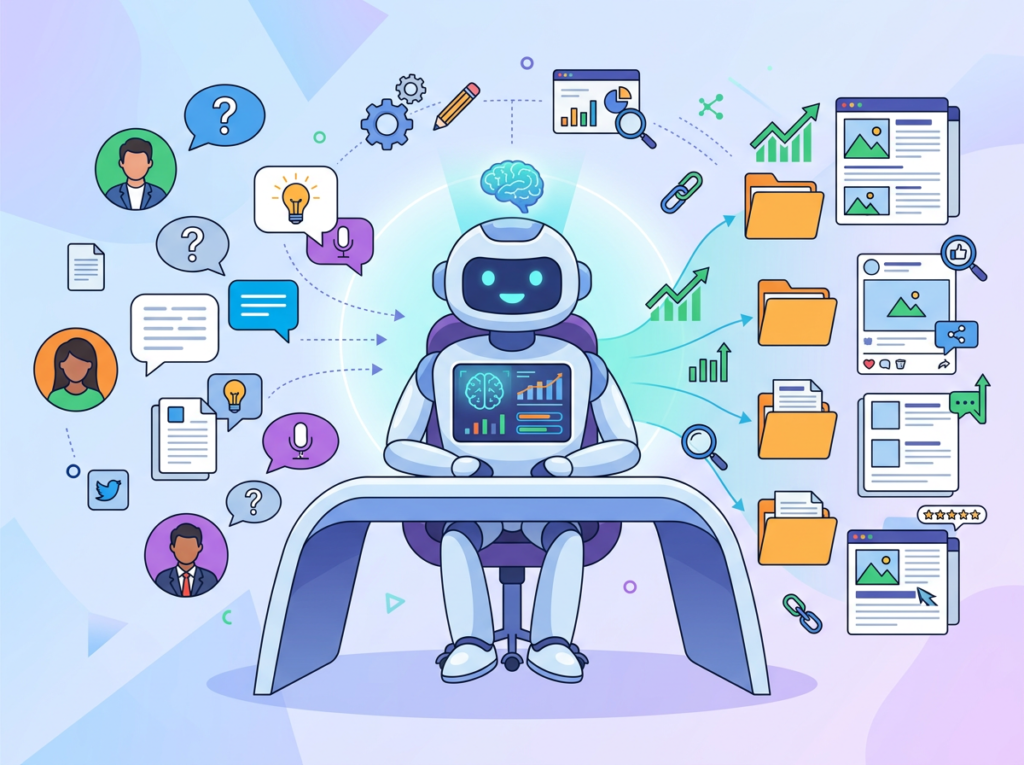
Make AI is a visual automation platform developed by Celonis, a leader in process mining and execution management. The tool is built upon a proprietary, no-code architecture that leverages AI to connect applications and automate complex workflows through a drag-and-drop interface. Its core capabilities include constructing multi-step automations, known as scenarios, that integrate webhooks, APIs, and hundreds of pre-built app connectors. This enables features like data synchronization, lead processing, and automated notification systems. The platform primarily targets business operations teams, marketers, and IT departments in small to medium-sized businesses seeking to automate repetitive tasks without deep technical expertise. Use cases range from synchronizing CRM data with email marketing tools to automating customer onboarding sequences. By embedding directly into existing digital stacks, Make AI significantly reduces manual data entry, minimizes errors, and accelerates process velocity. For teams evaluating similar automation tools, a comparison with Zapier can be useful (https://ai-plaza.io/ai/zapier). According to a Celonis press release, the integration of Make into their suite creates a unified system for identifying and automating process inefficiencies.
Key Findings
Code Generation: Creates clean, production-ready code from simple prompts in multiple languages instantly.
Visual Design: Transforms basic sketches into polished UI mockups with responsive layouts and modern aesthetics.
Content Creation: Generates engaging marketing copy, blog posts, and social media captions tailored to your brand.
Data Analysis: Processes complex datasets to uncover trends and insights with clear, actionable visual reports.
Workflow Automation: Connects your apps and services to automate multi-step business processes without manual coding.
Idea Brainstorming: Facilitates creative sessions by generating unique concepts and structured plans for new projects.
Document Drafting: Produces first drafts of reports, proposals, and emails based on your outlined key points.
Customer Support: Powers intelligent chatbots that provide instant, accurate answers to common customer inquiries.
Market Research: Compiles competitor analysis and industry summaries from vast online data sources quickly.
Performance Optimization: Identifies bottlenecks in systems and suggests specific improvements for speed and efficiency.
Connect your apps and automate work with natural language.
What is Zapier AI?
Zapier AI is developed by Zapier Inc., a company founded in 2011 and known for its expertise in workflow automation connecting thousands of web applications. The technical architecture of Zapier AI leverages a multi-model approach, integrating various large language models (LLMs) like those from OpenAI and Anthropic, which are accessed through APIs and tailored for specific automation tasks. Its key capabilities include natural language instructions to create and modify automated workflows (Zaps), data extraction from documents and emails, and generating content within automated sequences. This tool primarily targets business users and operations teams seeking to automate complex, repetitive tasks without deep technical knowledge. Use cases range from automatically processing support tickets to managing lead data from forms. The business impact is significant, as it deeply integrates AI directly into existing workflows, reducing manual steps and enabling more sophisticated, intelligent automation. For a comparison with other automation tools, visit https://ai-plaza.io/ai/make. According to a Zapier blog post, their AI features are designed to “understand context from your apps and take action,” moving beyond simple triggers to comprehending user intent.
Key Findings
Workflow Automation: Connects your apps and services to automate tasks without any manual coding required.
Intelligent Actions: Executes complex multi-step processes across thousands of popular applications with simple triggers.
Universal Connectivity: Integrates with over six thousand web apps to streamline data flow and communication.
Customizable Zaps: Build automated workflows tailored to your specific business logic and operational requirements.
Trigger Management: Initiates automated sequences based on specific events from your connected applications instantly.
Action Sequencing: Performs subsequent steps automatically after an initial trigger event is successfully detected.
Error Handling: Provides robust notifications and built-in logic for managing failed tasks automatically.
Team Collaboration: Allows shared folder access and permission controls for managing automations across departments.
Data Routing: Moves information between your apps, transforming and filtering it as needed precisely.
Analytics Dashboard: Offers detailed insights into workflow performance, task history, and automation efficiency metrics.
n8n AI is a contextual automation assistant developed by the team behind n8n.io, a popular open-source workflow automation platform. The company, founded by Jan Oberhauser, is known for its developer-friendly approach and community-driven model. Technically, n8n AI is not a single model but a framework that integrates various large language models (LLMs), including OpenAI’s GPT, directly into the n8n workflow canvas. This allows users to leverage AI for tasks like data extraction, content generation, and classification within their automated workflows. Key capabilities include AI-powered node triggers, natural language processing of incoming data, and dynamic content creation. It primarily targets technical business users, developers, and operations teams seeking to enhance their automations with intelligent decision-making. Use cases range from automatically categorizing support tickets to generating personalized marketing copy. The business impact lies in its deep workflow integration, enabling complex, context-aware automations that reduce manual intervention. As noted in a company update, this turns n8n into an “AI workforce” that can reason and act on data. For teams evaluating similar tools, a comparison with other automation platforms like Zapier’s AI features can be useful, as detailed on https://ai-plaza.io/ai/zapier. Further technical specifics on n8n’s AI implementation are available in their official documentation at https://docs.n8n.io/ai/.
Key Findings
Workflow Automation: Design and execute complex automated processes using a visual, code-free interface.
Intelligent Nodes: Connect AI models and services with pre-built nodes for seamless data integration.
Custom Actions: Extend platform capabilities by building personalized nodes tailored to specific business needs.
Error Handling: Manage workflow failures gracefully with built-in logic for reliable, uninterrupted operations.
Team Collaboration: Share and manage workflows securely across departments to streamline project execution.
External Integrations: Connect to thousands of apps and services via native connectors and APIs.
Event Triggers: Initiate workflows automatically based on specific events from internal or external systems.
Data Transformation: Manipulate and reformat data between steps to ensure compatibility across different systems.
Real-time Monitoring: Track workflow execution and performance with detailed logs and live status updates.
Scalable Execution: Run simple or complex workflows reliably, handling increased loads without manual intervention.
If you’re a solo developer, bootstrapped founder, or small team evaluating AI coding assistants with cost as a serious constraint, this comparison addresses the core trade-off: ChatGPT offers mature tooling, extensive community knowledge, and reliable performance across diverse coding tasks, while DeepSeek V3.2 delivers surprisingly competitive coding capabilities at a fraction of the cost—especially through API access. ChatGPT excels for developers who need consistent, well-documented solutions and can justify $20/month subscriptions, making it ideal for client work where reliability matters more than cost. DeepSeek V3.2 suits budget-conscious developers comfortable with newer tooling, particularly those building automated workflows via API where per-token pricing creates significant savings. Neither tool eliminates the need for code review or fundamental programming knowledge, and DeepSeek’s relative newness means less community troubleshooting resources. Your decision hinges on whether you prioritize ecosystem maturity and support (ChatGPT) or cost efficiency with strong technical performance (DeepSeek V3.2).
Introduction: Why This Comparison Matters
Choosing between ChatGPT and DeepSeek V3.2 for programming creates confusion because surface-level feature comparisons miss the practical business decision: cost versus ecosystem maturity. Most developers evaluating these tools already know both can generate code, explain syntax, and assist with debugging. The meaningful question isn’t “which is smarter” but “which delivers better value given my specific constraints”—whether those constraints are budget limitations, need for community support, integration with existing workflows, or tolerance for bleeding-edge tooling.
This comparison matters because DeepSeek V3.2 represents a genuine shift in AI economics. Previously, budget-conscious developers accepted that cheaper AI meant inferior coding performance. DeepSeek disrupts this assumption by offering competitive technical capabilities at dramatically lower API costs, forcing a recalibration: when does ChatGPT’s established ecosystem justify its price premium, and when does DeepSeek’s cost efficiency outweigh its newer, less-documented status?
The chatgpt vs deepseek for solo developers decision particularly matters for bootstrapped businesses where $20 monthly subscriptions accumulate quickly across tools. A freelancer using AI for code generation, documentation, and client communication faces different economics than an enterprise team with centralized budgets. Similarly, chatgpt vs deepseek api for developers building automated code review, documentation generation, or testing workflows confronts different cost structures: ChatGPT’s per-token API pricing versus DeepSeek’s lower rates creates 5-10x cost differences at scale.
By the end, you’ll understand not just feature parity but decision triggers: the specific business situations where ChatGPT’s maturity justifies its cost, where DeepSeek’s pricing enables use cases previously too expensive, and where both tools share the same fundamental limitations that no pricing advantage can overcome.
Who This Comparison Is Best For
This comparison serves developers and technical decision-makers navigating a specific tension: wanting AI coding assistance but facing budget constraints that make tool proliferation unsustainable. You’re likely in one of these situations:
Bootstrapped founders writing code outside their core expertise face the classic build-vs-buy calculation compressed into monthly subscriptions. You need AI help implementing features—authentication systems, payment processing, API integrations—but you’re already paying for hosting, domain registration, email services, and design tools. Adding another $20/month subscription requires justification: will this AI measurably accelerate development enough to offset costs, or are you subscribing to feel productive while actual progress remains marginal?
Freelance developers managing multiple client projects encounter a different constraint: each client’s codebase presents unique debugging challenges, framework quirks, and legacy decisions that require quick context reconstruction. You need an AI that handles diverse technical stacks without requiring extensive per-project configuration, but you’re also tracking monthly expenses against variable client income. The value proposition isn’t abstract “productivity”—it’s whether AI assistance lets you complete two additional client projects monthly, directly converting subscription costs into billable hours.
Small development teams without dedicated DevOps or infrastructure specialists inherit operational complexity: maintaining CI/CD pipelines, debugging deployment issues, optimizing database queries, and managing cloud infrastructure. Team members have varying coding proficiency, and projects span multiple languages and frameworks. You need AI that serves as a force multiplier across skill levels, but team leads also evaluate total cost of ownership: three developers at $20/month each versus a single API account with usage-based pricing presents different budget dynamics.
Common mistake: Evaluating AI tools solely on benchmark performance or feature checklists. A model that scores highest on HumanEval (a coding benchmark) may underperform for your specific needs—explaining legacy PHP code, debugging React state management, or generating SQL queries against your particular database schema. Benchmark performance measures potential; actual value emerges from how well the AI integrates into your existing workflow and knowledge gaps.
Real-world example: A WordPress agency developer builds custom plugins for 15 clients monthly. Each plugin requires similar patterns—custom post types, meta boxes, REST API endpoints—but with unique business logic. Using ChatGPT’s web interface, the developer asks coding questions interactively, paying $20/month. Alternatively, building a local tool that sends code snippets to DeepSeek’s API for explanation and refactoring costs $3-5/month based on actual token usage. The business outcome isn’t which AI writes “better” code—it’s whether the $15 monthly savings across twelve months ($180 annually) justifies accepting DeepSeek’s smaller ecosystem and potentially solving integration challenges independently.
Why Each AI Fits That Need
ChatGPT for Ecosystem Maturity and Reliable Support
ChatGPT’s primary advantage isn’t coding capability in isolation—it’s the surrounding ecosystem that reduces friction when you encounter problems. When ChatGPT generates code that doesn’t work as expected, you can search Stack Overflow, Reddit, or developer forums for “ChatGPT [specific error]” and find community discussions of common issues, workarounds, and effective prompting strategies. This meta-layer of community knowledge accelerates problem-solving beyond the AI’s direct capabilities.
General-purpose usefulness extends across the full development lifecycle: initial exploration and prototyping, implementation and debugging, documentation writing, and explaining technical decisions to non-technical stakeholders. ChatGPT handles context-switching between these activities fluidly. A developer can paste error logs, request debugging help, then immediately shift to asking for user-facing documentation of the same feature without changing tools or re-establishing context.
Learning curve remains minimal for developers already comfortable with conversational interfaces. The web interface requires no API integration, authentication setup, or local configuration. You create an account and start asking questions. This accessibility matters for occasional users who need AI assistance sporadically—configuring API keys and writing integration code for infrequent use represents overhead that diminishes value.
Thinking support manifests through ChatGPT’s ability to discuss architectural trade-offs, not just generate implementations. When evaluating whether to use serverless functions versus traditional servers, ChatGPT can outline considerations around cost, scalability, cold start latency, and vendor lock-in in the context of your specific project constraints. This advisory capacity extends beyond “write code that does X” to “help me think through whether X is the right approach.”
Integration and tool compatibility benefits from OpenAI’s established position. Third-party tools—IDE plugins, browser extensions, workflow automation platforms—prioritize ChatGPT integration because of its user base. A developer using VS Code, Raycast, or Slack can find well-maintained plugins that embed ChatGPT functionality directly into existing workflows, reducing context-switching overhead.
Supporting example: A developer debugging a complex React state management issue spends thirty minutes refining their question through ChatGPT’s conversational interface—sharing component code, explaining expected versus actual behavior, and testing suggested solutions iteratively. When a suggested fix introduces a new error, they paste the error message and continue the conversation. The session’s value isn’t that ChatGPT solved the problem instantly; it’s that the conversational flow matches natural debugging processes, and when the developer encounters similar issues later, searching “ChatGPT React useState closure problem” surfaces relevant community discussions.
Business result: Reduced cognitive load for context-switching and problem-solving, particularly valuable when juggling multiple projects or working under tight deadlines where research friction compounds into significant time loss.
DeepSeek V3.2 for Cost-Effective Performance
DeepSeek V3.2’s defining characteristic is price-to-performance ratio. Based on publicly available information as of early 2025, DeepSeek demonstrates competitive coding capabilities on standard benchmarks while offering API pricing significantly below ChatGPT’s rates. This economic advantage creates different use case possibilities.
General-purpose usefulness focuses specifically on coding tasks rather than general conversation or creative writing. DeepSeek’s training emphasizes mathematical reasoning and code generation, making it particularly effective for algorithmic problems, data structure implementations, and logic-heavy programming. Where ChatGPT tries to be conversationally helpful across all domains, DeepSeek optimizes for technical accuracy in narrower scope.
Learning curve presents a steeper initial climb, primarily around API integration. DeepSeek’s web interface exists but receives less development attention than API access, reflecting its positioning toward developers comfortable with programmatic integration. Using DeepSeek effectively often means writing wrapper scripts, setting up local environments, or integrating into existing development tooling—activities that require upfront technical investment but enable customization.
Thinking support operates differently than ChatGPT’s conversational approach. DeepSeek tends toward direct, technically dense responses rather than explaining concepts from first principles. For experienced developers who want quick answers without pedagogical framing, this efficiency is valuable. For junior developers or those learning new domains, the terseness can feel less supportive.
Tool compatibility remains limited compared to ChatGPT’s ecosystem. Fewer third-party integrations exist, and documentation skews toward API usage rather than point-and-click interfaces. This creates opportunities for developers who build custom tooling: you can create precisely the integration you need without fighting against opinionated defaults, but you’re responsible for building and maintaining that integration.
Who Should Choose Another AI
Neither ChatGPT nor DeepSeek V3.2 serves situations requiring guaranteed code correctness, regulatory compliance, or domain-specific vertical optimization. Understanding these boundaries prevents misallocating resources.
Mission-critical systems where bugs have severe consequences—medical device software, financial trading systems, aviation control systems—cannot rely on AI-generated code without extensive validation that eliminates time savings. Both tools occasionally generate subtle logical errors, security vulnerabilities, or edge case failures. A banking system processing millions of transactions cannot deploy AI-written transaction logic without security audits and formal testing that cost more than writing code manually with established safety practices.
Highly regulated industries with code compliance requirements need deterministic verification tools. Healthcare applications subject to HIPAA, payment processors requiring PCI-DSS compliance, or government contractors working under specific security clearances cannot use general-purpose AI outputs directly. The code may function correctly but violate regulatory requirements in ways neither ChatGPT nor DeepSeek reliably identifies. These scenarios benefit from specialized compliance tools, formal verification systems, or consultants with regulatory expertise.
Teams requiring consistent code style across large codebases may find AI assistance creates more problems than it solves. When maintaining a mature application with established patterns, conventions, and architectural decisions, AI tools suggest solutions optimized for immediate functionality rather than long-term consistency. A developer using ChatGPT might receive React solutions using class components when the team has standardized on hooks, or DeepSeek might suggest database queries that work but don’t match the project’s existing ORM patterns. The cleanup cost of AI-generated code that “works but doesn’t fit” can exceed manual implementation time.
Projects requiring cutting-edge framework features or very recent language updates expose both tools’ training data limitations. If you’re using features introduced in the last six months—new TypeScript capabilities, recent React APIs, or just-released library versions—both ChatGPT and DeepSeek generate solutions based on outdated patterns. The AI confidently suggests approaches that were superseded, requiring you to recognize and correct these mismatches.
Use Cases by Business Goal
Productivity
Internal tool development and automation scripts represent ideal AI coding assistance use cases because they balance technical complexity with tolerance for imperfection. A small business owner building an admin dashboard to track inventory doesn’t need enterprise-grade polish—they need functional data display quickly. ChatGPT handles this through conversational iteration: describe desired features, refine generated code, add functionality incrementally. DeepSeek serves the same goal more cost-effectively for developers comfortable working programmatically: write a script that sends dashboard requirements to DeepSeek’s API, generates components, and automatically creates project files.
ChatGPT pros: Web interface enables quick experimentation without local setup. Conversational refinement feels natural for exploring different approaches.
ChatGPT cons: $20/month subscription cost adds up across team members. Rate limits on free tier disrupt workflow during intensive coding sessions.
DeepSeek V3.2 pros: API pricing makes high-volume automation economically feasible. Lower cost enables experimental features that might not justify ChatGPT expenses.
DeepSeek V3.2 cons: Requires upfront investment building API integration tools. Less helpful for one-off questions that don’t justify API setup overhead.
Data processing and transformation scripts—converting file formats, cleaning datasets, generating reports from databases—benefit from AI assistance because logic is straightforward but syntax varies across languages and libraries. A freelancer receiving client data in inconsistent CSV formats can describe transformation requirements and get working Python scripts handling edge cases like missing values, encoding issues, or malformed rows.
Cost consideration: ChatGPT’s subscription makes sense if you’re writing these scripts conversationally multiple times weekly. DeepSeek’s API pricing wins if you’re building reusable tools that generate transformation scripts programmatically—the per-use cost drops to cents rather than fixed monthly fees.
Business outcome: Internal productivity improvements that would take days of research and trial-and-error get built in hours, and the “good enough” threshold is lower because humans previously did these tasks manually. Explore more productivity strategies at AI Efficiency.
Revenue / Marketing
Technical documentation and API reference generation directly impacts revenue for SaaS products where quality documentation reduces support burden and improves conversion. A developer can feed existing code to either AI and request documentation, but the economic models differ. ChatGPT’s conversational interface suits writing one-off documentation where you’re iteratively refining tone and technical depth. DeepSeek’s API enables automated documentation pipelines: commit code, trigger documentation generation, update docs automatically.
ChatGPT pros: Strong at explaining complex concepts to different audience levels. Can adjust technical depth based on target reader expertise.
ChatGPT cons: Manual process doesn’t scale well for maintaining docs across large codebases. Subscription cost doesn’t decrease with efficient use.
DeepSeek V3.2 pros: API integration enables automated documentation workflows. Cost scales with actual usage—generating docs for small projects costs pennies.
DeepSeek V3.2 cons: Less nuanced at adjusting explanation depth for non-technical audiences. Requires building automation infrastructure.
Code example generation for developer-facing products matters for companies selling APIs, SDKs, or developer tools. Providing examples in multiple languages (Python, JavaScript, Ruby, Go) increases adoption but multiplies documentation burden. A solo founder can use AI to generate equivalent examples across languages rather than writing each manually.
Trade-off consideration: ChatGPT handles cross-language consistency through conversation—you describe desired functionality once and request implementations in different languages. DeepSeek’s API lets you programmatically generate examples in batch, potentially faster and cheaper for large example libraries.
Business outcome: Shipping revenue-enabling features (better docs, more code examples, clearer onboarding) faster than hiring technical writers, with quality sufficient for early customer validation. Find more revenue-focused strategies at AI Revenue Boost.
AI Comparison Table + Explanation
Axis
ChatGPT
DeepSeek V3.2
Ease of Use
Conversational web interface requires zero technical setup; accessible for immediate use by developers of all skill levels
API-first design requires integration effort; steeper initial learning curve but enables customization and automation
Mature ecosystem with extensive community knowledge; reliable performance across diverse coding tasks; strong at explaining “why” behind solutions; well-integrated with third-party tools
Exceptional price-to-performance ratio enables previously uneconomical use cases; strong mathematical and algorithmic reasoning; lower API costs enable experimentation without budget anxiety
Limitations
$20/month subscription cost accumulates across team members; rate limits can disrupt intensive usage; API pricing higher than DeepSeek for equivalent tasks
Smaller community means less troubleshooting resources; newer tool with less battle-tested integration patterns; documentation focuses on API usage over conversational interaction
Pricing Perception
Established paid tier ($20/month) viewed as justified for professional use but creates budget pressure for bootstrapped projects; API costs limit high-volume automation
Disruptively low API pricing (5-10x cheaper than ChatGPT) enables new use cases but requires technical sophistication to access; perceived as “budget option” despite competitive performance
Why choice depends on business maturity and goals: Early-stage bootstrapped founders prioritize cost efficiency over ecosystem maturity. When $20 monthly represents meaningful budget allocation, DeepSeek’s lower costs enable AI assistance that might otherwise feel unjustifiable. The technical overhead of API integration matters less when you’re already writing code daily.
Established freelancers managing client work prioritize reliability and support resources. When client deadlines approach and AI-generated code fails mysteriously, searching “ChatGPT [error]” and finding community solutions matters more than saving $15 monthly. The subscription cost is business overhead justified by reduced troubleshooting time.
Small teams balance both considerations. Team leads might use ChatGPT for interactive problem-solving and architectural discussions where conversational depth adds value, while automating routine tasks through DeepSeek’s API for cost efficiency. The combined approach costs less than putting entire team on ChatGPT subscriptions while maintaining access to both tools’ strengths.
Business goal alignment determines optimal choice. If your primary bottleneck is “we can’t afford AI assistance at all,” DeepSeek’s pricing removes that barrier entirely. If your bottleneck is “AI assistance sometimes wastes more time than it saves because we can’t troubleshoot issues,” ChatGPT’s ecosystem reduces that friction. Neither tool eliminates the fundamental requirement that someone on your team understands code well enough to evaluate AI outputs critically.
How to Choose the Right AI
Decision checkpoints for selecting between ChatGPT and DeepSeek V3.2:
Budget constraints and cost sensitivity: If $20/month feels like meaningful expense requiring justification, start with DeepSeek. The lower cost enables trying AI assistance without commitment. Track actual usage: if you’re using AI multiple hours daily and hitting DeepSeek’s API heavily, total costs may approach ChatGPT’s subscription anyway—at which point, ChatGPT’s ecosystem benefits justify switching. If monthly API costs remain under $10, DeepSeek’s cost advantage persists indefinitely.
Technical sophistication and integration comfort: ChatGPT’s web interface serves developers who want zero-friction access—create account, start asking questions. DeepSeek requires API integration competence: setting up authentication, handling rate limits, parsing responses, managing errors. If you’re comfortable writing integration code and see value in customization, DeepSeek’s API-first approach enables powerful workflows. If you want to avoid infrastructure overhead, ChatGPT’s managed interface removes that burden.
Usage patterns and volume characteristics: For occasional questions (5-10 weekly), ChatGPT’s free tier may suffice indefinitely. For intensive interactive use (multiple sessions daily), ChatGPT’s $20 subscription provides unlimited access without usage anxiety. For high-volume automated processing (thousands of API calls monthly), DeepSeek’s per-token pricing creates 5-10x savings. Analyze your actual workflow: are you having conversations with AI or programmatically processing coding tasks?
Team size and collaboration requirements: Solo developers optimize differently than teams. Individual subscriptions accumulate linearly ($20/developer/month), making ChatGPT expensive for larger teams. DeepSeek’s API usage pools across team members—total costs depend on collective volume rather than headcount. However, ChatGPT’s shared conversation history and better documentation support benefits teams with varying skill levels who need to reference and learn from each other’s AI interactions.
Explore structured decision frameworks for AI tool selection at AI Workflows.
FAQs
Is ChatGPT better than DeepSeek V3.2 for coding beginners?
ChatGPT generally serves beginners better due to ecosystem maturity and conversational interface accessibility. When you’re learning programming, getting stuck is frequent and frustrating—ChatGPT’s ability to explain concepts at different depth levels, provide analogies, and iteratively refine explanations through conversation reduces learning friction. The extensive community resources (Stack Overflow answers, Reddit discussions, tutorial content) mean that when ChatGPT’s explanation doesn’t click, you can search for alternative explanations of the same concept from other users’ conversations. DeepSeek’s API-first design and more technical response style assume baseline comfort with programming concepts and command-line tools. However, cost matters for students or career-changers learning on personal budgets: DeepSeek’s lower cost enables AI assistance for people who can’t justify $20 monthly. The optimal choice depends on whether you value educational support (ChatGPT) or cost accessibility (DeepSeek), but neither tool replaces structured learning through courses, documentation, and hands-on practice.
How does DeepSeek V3.2 coding accuracy compare to ChatGPT in practice?
Based on publicly available information as of early 2025, deepseek v3.2 coding accuracy comparison shows competitive performance on standard benchmarks, but practical accuracy depends heavily on task type and prompting quality. For algorithmic problems, mathematical reasoning, and data structure implementations, DeepSeek demonstrates strong accuracy that often matches or exceeds ChatGPT. For tasks requiring broader context—understanding legacy codebases, debugging complex framework interactions, or generating code that follows project-specific patterns—ChatGPT’s larger training corpus and more extensive fine-tuning may provide advantages. The accuracy difference matters less than reliability and debuggability: when AI-generated code fails, can you understand why and fix it? Both tools occasionally generate plausible-looking code with subtle bugs. The critical skill is recognizing when to trust AI outputs versus when to verify carefully. For production code, treat both tools equally: assume generated code requires review regardless of which AI provided it.
Can I use DeepSeek’s API affordably for a small development team?
Yes, DeepSeek’s pricing model specifically benefits small teams and bootstrapped projects. Based on current API pricing, a small team generating 100,000 tokens monthly (roughly equivalent to reviewing 50 medium-sized pull requests, generating documentation for 20 API endpoints, or processing 100 code explanation requests) costs approximately $5-15 monthly with DeepSeek versus $50-150 with ChatGPT’s API. The savings scale linearly: higher usage maintains the cost ratio advantage. However, “affordable” requires qualification: you need someone technically capable of building and maintaining API integration infrastructure. If integration effort costs three developer-days ($2,400 at $100/hour rate), you need sustained usage where monthly savings ($100-150 vs ChatGPT) recoup that investment within months. For teams already comfortable with API integration and building internal tools, DeepSeek’s pricing enables AI features that are economically infeasible at ChatGPT rates. For teams without that technical capacity, ChatGPT’s managed interface may deliver better total cost of ownership despite higher subscription prices.
Which tool is better for API integration and automated workflows?
DeepSeek’s API-first design and lower costs create structural advantages for automated workflows and chatgpt vs deepseek api for developers scenarios. Automated code review, documentation generation, test case creation, and batch code transformation all benefit from DeepSeek’s per-token pricing because costs scale directly with usage. ChatGPT can certainly handle these use cases via API, but economics favor DeepSeek for high-volume automation. However, ChatGPT’s more extensive API documentation, established integration patterns, and larger community of developers building similar automations reduce implementation risk. If you’re building your first automated workflow and need reference examples to avoid common pitfalls, ChatGPT’s ecosystem provides more guidance. If you’re experienced with API integration and confident in building custom tooling, DeepSeek’s cost efficiency enables experimentation without budget anxiety. The “better” choice depends on whether you’re optimizing for implementation safety (ChatGPT) or operational costs (DeepSeek).
Next Steps
Choose your next area of focus based on where AI can deliver the most immediate business value:
Compare AI — Explore detailed comparisons across other AI tools and use cases
AI Efficiency — Discover workflows and strategies for maximizing AI productivity gains
AI Revenue Boost — Learn how to apply AI to revenue-generating activities and marketing
Solo DX — Find approaches for solo developers and small teams building sustainable systems
AI Workflows — Access structured frameworks for integrating AI into existing development processes
If you’re a solo developer, freelancer, or small team lead trying to figure out which AI coding assistant actually saves time without adding complexity, this comparison cuts through the noise. ChatGPT excels at conversational debugging and iterative problem-solving with strong code explanation capabilities, making it ideal for developers who think out loud and need a flexible reasoning partner. Gemini 3 offers superior multimodal understanding—analyzing screenshots, diagrams, and error messages alongside code—which benefits visual learners and those working across documentation, design files, and implementation simultaneously. Neither tool replaces foundational programming knowledge, and both require clear prompting to avoid generic outputs. Your choice depends less on which AI is “better” and more on whether you need conversational depth (ChatGPT) or integrated multimodal context (Gemini 3) for your specific workflow.
Introduction: Why This Comparison Matters
Choosing between ChatGPT and Gemini 3 for programming feels unnecessarily complicated because most comparisons focus on benchmarks rather than real workflow decisions. You’re not selecting a tool for abstract performance—you’re trying to reduce the cognitive load of debugging at 11 PM, speed up documentation reviews, or get unstuck when Stack Overflow doesn’t have your exact error message. The confusion stems from overlapping capabilities: both tools handle code generation, explanation, and debugging, but they approach context integration and interaction patterns differently.
This article reframes the decision around practical business outcomes. Instead of asking “which AI is smarter,” we examine which tool fits how you actually work: Do you prefer refining ideas through conversation, or do you need an assistant that understands your Figma mockup, error screenshot, and legacy codebase documentation simultaneously? The chatgpt vs gemini for coding beginners question misses the point—beginners and experienced developers alike benefit from understanding which interaction model matches their problem-solving style. We’ll also address best ai assistant for solo developers 2026 considerations, since working without a team changes what “good enough” means for code review, architecture decisions, and technical debt management.
By the end, you’ll understand not just feature differences but decision triggers: the specific moments in your development workflow where one AI provides measurably better support than the other, and where both fall short.
Who This Comparison Is Best For
This comparison serves developers and technical decision-makers facing a specific set of constraints: limited time for tool evaluation, mixed skill levels across projects, and uncertainty about whether AI coding assistants deliver measurable value or just add another subscription cost. You’re likely in one of these situations:
Freelance developers managing multiple client codebases struggle with context-switching between unfamiliar frameworks. You might spend an hour remembering how a specific client’s Django setup handles authentication before making a small change. Traditional documentation searches interrupt flow, and you need an assistant that quickly reconstructs context from existing code rather than requiring you to explain everything from scratch.
Solo founders writing code outside their primary expertise face a different problem: you understand business logic but lack fluency in implementation patterns. When your React component isn’t re-rendering properly, you don’t need a computer science lecture—you need someone to explain what’s happening in terms of your specific code, why it’s broken, and what minimal change fixes it. The value isn’t in learning React comprehensively; it’s in shipping the feature today.
Small team leads without dedicated DevOps resources often inherit infrastructure decisions made by previous contractors. You’re modifying deployment scripts you didn’t write, and the original developer isn’t available. An AI that can parse existing bash scripts, explain what’s happening, and suggest safer modifications matters more than one that generates greenfield solutions from scratch.
Common mistake: Choosing an AI based on which handles the most programming languages. Unless you’re genuinely polyglot across ten frameworks, what matters is depth of support for your actual stack plus strong general reasoning. A developer who works primarily in Python and occasionally touches JavaScript doesn’t benefit from an AI that supports forty languages superficially.
Another common mistake: Expecting AI to replace code review or architectural thinking. Both ChatGPT and Gemini 3 generate plausible-looking code that may introduce subtle bugs, security issues, or maintainability problems. The value proposition isn’t “write code for me” but “accelerate the parts of coding that don’t require deep expertise,” like writing boilerplate, explaining unfamiliar syntax, or generating test cases from existing functions.
Real-world example: A WordPress plugin developer spends fifteen hours weekly answering support tickets that require reading client error logs, checking PHP versions, and diagnosing conflicts between plugins. An AI with strong multimodal capabilities can analyze screenshot error messages and correlate them with documentation faster than manually searching forums. The business outcome isn’t “better code”—it’s recovering ten hours weekly for actual development instead of support archaeology.
Why Each AI Fits That Need
ChatGPT for Conversational Debugging and Iterative Problem-Solving
ChatGPT structures interactions around extended dialogue, which mirrors how experienced developers actually debug: forming hypotheses, testing them, and refining based on results. When you’re stuck on why a database query returns empty results despite correct syntax, ChatGPT excels at walking through logical possibilities—checking connection strings, examining query construction, verifying table names—without requiring you to formulate the perfect question upfront.
The learning curve favors developers comfortable with written communication. You don’t need to master special syntax or learn tool-specific commands; you describe the problem as you would to a colleague. This reduces activation energy for quick questions: instead of deciding whether something is “worth” opening an IDE debugger, you paste an error message and get immediate context.
Thinking support emerges through ChatGPT’s ability to maintain conversational context across multiple exchanges. When debugging a complex authentication flow, you can reference “that middleware we discussed three messages ago” without re-explaining the entire architecture. This persistence matters for problems that require iterative refinement rather than single-shot answers.
Integration and compatibility lean toward general-purpose tooling rather than specialized IDE plugins. ChatGPT fits workflows where you’re already context-switching between browser tabs, terminal windows, and documentation. It doesn’t tightly integrate with your development environment, which paradoxically reduces friction for developers who work across multiple machines, remote servers, or client systems where installing extensions isn’t practical.
Supporting example: A developer migrating a legacy PHP application to Laravel hits obscure deprecation warnings. ChatGPT’s strength isn’t knowing every Laravel version’s breaking changes—it’s helping formulate the right search terms, explaining what deprecated functions likely did originally, and suggesting modern equivalents based on the surrounding code context. The business result is reducing a three-hour research session to thirty minutes, maintaining project momentum instead of getting derailed by framework archaeology.
Gemini 3 for Multimodal Context and Integrated Understanding
Gemini 3’s defining characteristic is native multimodal processing: it analyzes code alongside screenshots, architectural diagrams, error messages, and documentation PDFs as integrated context rather than separate inputs. This matters when your problem spans multiple representation formats simultaneously.
General-purpose usefulness extends beyond pure code generation to documentation workflows. When client requirements arrive as annotated Figma designs showing desired UI behavior, Gemini 3 can reference the design file directly while discussing implementation approaches. This eliminates the translation step where you verbally describe visual requirements, reducing miscommunication and saving iteration cycles.
Learning curve demands more upfront investment in understanding how to effectively combine context types. Simply uploading a screenshot and asking “fix this” produces generic results; effective use requires framing questions that leverage multimodal understanding—like “this error screenshot shows a CORS issue, and here’s my nginx config file; what’s the mismatch?”
Thinking support manifests differently than ChatGPT’s conversational approach. Gemini 3 excels at pattern recognition across heterogeneous inputs: correlating an error stack trace with corresponding API documentation, or identifying discrepancies between database schema diagrams and actual migration files. Where ChatGPT walks you through logical deduction, Gemini 3 surfaces connections between context sources you might miss.
Tool compatibility benefits workflows involving visual documentation, design handoffs, or debugging issues that require screenshotted evidence. For developers working with non-technical stakeholders who communicate requirements through annotated images or recorded screencasts, Gemini 3’s ability to parse visual context reduces the manual transcription burden.
Supporting example: A mobile app developer receives bug reports with screenshots showing layout issues across different device sizes. Gemini 3 can analyze the screenshots alongside existing CSS/layout code, identifying which media queries or flexbox properties cause the visual discrepancy. The business result isn’t just fixing the bug faster—it’s training the developer to recognize similar layout patterns, reducing future debugging time.
Both tools support business outcomes by reducing the time between encountering a problem and implementing a solution, but through different mechanisms. ChatGPT optimizes for problems that benefit from verbal reasoning and iterative exploration. Gemini 3 optimizes for problems where multiple information types must be synthesized simultaneously. Your choice depends on whether your typical bottleneck is “I need help thinking through this logically” versus “I need help connecting these disparate pieces of information.”
Who Should Choose Another AI
Neither ChatGPT nor Gemini 3 serves situations requiring deterministic outputs, strict compliance validation, or domain-specific vertical solutions. Understanding these limitations prevents misallocating time and budget.
Regulated industries with code compliance requirements need tools that guarantee outputs meet specific standards—HIPAA for healthcare applications, PCI-DSS for payment processing, or industry-specific frameworks like MISRA for automotive systems. General-purpose AI models generate plausible code that may violate subtle compliance rules. A medical device developer can’t use AI-generated code without extensive manual review that negates time savings. These scenarios benefit from rule-based linters, compliance-specific static analysis tools, or specialized code generation platforms built around regulatory frameworks.
Teams managing legacy COBOL, Fortran, or proprietary language codebases encounter AI limitations around training data scarcity. While ChatGPT and Gemini 3 handle mainstream languages effectively, their understanding of decades-old business logic encoded in uncommon languages remains superficial. A bank maintaining COBOL transaction systems gets better results from consultants specializing in legacy modernization than from general AI assistants.
High-stakes production systems where bugs have financial or safety implications demand review processes that general AI can’t replace. Both tools occasionally generate subtle logical errors or security vulnerabilities—SQL injection risks, improper input validation, race conditions in concurrent code. An e-commerce platform processing thousands of transactions hourly can’t deploy AI-generated payment logic without security review that requires human expertise. The cost of a single production bug outweighs months of AI subscription fees.
Use Cases by Business Goal
Productivity
Internal dashboards and data visualization represent high-value AI use cases because they balance complexity with tolerance for iteration. A small business owner building an admin panel to track customer metrics doesn’t need pixel-perfect design—they need functional data display quickly. ChatGPT handles this well through conversational refinement: start with a basic table layout, add filtering, improve styling incrementally. Each iteration takes minutes rather than hours researching charting libraries.
ChatGPT pros: Natural iteration cycle matches how non-developers think about features (“can we add a date range filter?”). No need to formally specify requirements upfront.
ChatGPT cons: May suggest outdated libraries or patterns that worked in training data but have been superseded. Requires verification of suggested packages.
Gemini 3 pros: Can reference dashboard mockups or competitor screenshots while generating code, reducing back-and-forth about visual requirements.
Gemini 3 cons: Less effective for pure logic problems that don’t benefit from visual context.
Automation scripting for repetitive tasks—like generating weekly reports from databases, processing uploaded files, or synchronizing data between systems—benefits from AI-assisted development because one-off scripts don’t justify extensive optimization time. A freelancer who manually exports client data monthly can describe the process to ChatGPT and get a working Python script in one session.
Business outcome: Internal productivity tools that would take three days of research and development get built in four hours, and they’re “good enough” because perfect efficiency doesn’t matter when humans previously did the task manually. Explore more productivity strategies at AI Efficiency.
Systemization / Automation
Workflow integration between existing tools—connecting Stripe webhooks to Slack notifications, syncing CRM data to spreadsheets, or automating deployment pipelines—represents high-leverage AI use because the logic is straightforward but setup friction is high. ChatGPT can generate Zapier alternative scripts or webhook handlers that would otherwise require reading multiple API documentations.
ChatGPT pros: Handles API integration patterns well, including error handling, retry logic, and logging.
ChatGPT cons: May suggest solutions that work in development but fail under production load (rate limiting, concurrent requests).
Gemini 3 pros: Can analyze existing workflow diagrams or screenshots of current manual processes while designing automation logic.
Gemini 3 cons: Less tested for long-term reliability patterns like graceful degradation or circuit breakers.
Long-term stability vs flexibility trade-off: ChatGPT’s conversational refinement fits workflows that need ongoing adjustment—adding new Slack channels, modifying notification rules. Gemini 3’s multimodal strength suits initial setup where visual workflow documentation clarifies requirements, but changes require more explicit re-prompting.
Infrastructure as code for small-scale deployments—Docker configurations, nginx setups, CI/CD pipelines—benefits from AI assistance because syntax is complex but underlying logic follows established patterns. A developer deploying their first production application can describe desired behavior and receive working configuration files.
Business outcome: Systemization tasks that would require hiring DevOps consultants for short-term projects become feasible for solo developers, reducing monthly operational overhead. Discover more workflow optimization approaches at Solo DX.
AI Comparison Table + Explanation
Axis
ChatGPT
Gemini 3
Ease of Use
Conversational interface requires no special syntax; natural for developers comfortable expressing problems verbally
Multimodal capabilities demand understanding how to effectively combine text, code, and images; steeper learning curve for optimal results
Best For
Iterative debugging, explaining unfamiliar code, refining solutions through dialogue, exploring alternative approaches
Maintains conversational context across extended exchanges; strong at explaining “why” behind code patterns; accessible for quick questions without setup
Native multimodal understanding eliminates manual transcription of visual information; effective at surfacing connections between disparate context sources
Limitations
Purely text-based interaction misses information encoded in screenshots or diagrams; occasionally suggests outdated libraries or patterns
Less refined for pure logical reasoning that doesn’t benefit from visual inputs; requires more explicit prompting structure
Pricing Perception
Subscription tiers balance casual use (free) with intensive use (Plus/Team); generally viewed as affordable for individual developers
Pricing perceived as competitive but multimodal features may not justify costs for developers working primarily with code files
Why choice depends on business maturity and goals: Early-stage solo developers benefit more from ChatGPT’s low barrier to entry—you can start getting value immediately without learning optimal prompting strategies. The conversational model accommodates uncertainty: you don’t need to know what you don’t know, which matches early-stage exploration.
Established freelancers or small teams handling client work across diverse tech stacks benefit from Gemini 3’s multimodal capabilities because client communication often involves visual artifacts (design files, annotated screenshots, architecture diagrams). The investment in learning effective multimodal prompting pays off when it eliminates ten email exchanges clarifying requirements.
Business maturity also affects tolerance for AI limitations. Bootstrapped founders prioritize shipping speed over code perfection; ChatGPT’s occasional suboptimal suggestions matter less than rapid iteration. Teams managing client work with contractual quality commitments need tighter validation processes, which reduces the relative speed advantage of either tool.
Goal alignment matters more than features: if your primary bottleneck is understanding existing code faster, both tools help, but ChatGPT’s explanation depth typically wins. If your bottleneck is translating visual requirements into implementation, Gemini 3’s multimodal strength provides clearer advantages.
How to Choose the Right AI
Decision checkpoints for selecting between ChatGPT and Gemini 3:
Budget reality: Both tools offer free tiers sufficient for casual use. Paid plans ($20/month range) become necessary when you’re using AI multiple hours daily. Calculate ROI based on hourly rate: if you bill $100/hour and AI saves five hours monthly, the subscription pays for itself in the first week. However, if you’re checking AI once weekly for occasional questions, free tiers suffice indefinitely.
Time-to-output expectations: ChatGPT typically reaches working solutions faster for pure code problems because conversational refinement feels natural. Gemini 3 requires more upfront context assembly (gathering relevant screenshots, documentation excerpts) but may reach better solutions in fewer iterations when visual information is relevant. Track your actual usage: if you’re spending fifteen minutes gathering context before asking questions, you’re over-preparing.
Team technical skill variance: In solo situations, choose based on personal preference. In small teams with mixed skills, ChatGPT’s natural language interface has lower training overhead—non-technical team members can ask questions without learning special syntax. Gemini 3 suits teams already comfortable with structured communication and documentation.
Review or compliance requirements: Neither tool replaces code review for production systems. If your workflow includes mandatory peer review or automated security scanning, treat AI outputs as first drafts requiring validation. This reality check prevents over-reliance: AI speeds up drafting but doesn’t eliminate testing responsibilities.
Common mistake: choosing based on hype cycles. When a new AI model launches with impressive benchmarks, it’s tempting to switch tools immediately. Benchmark performance rarely translates directly to your specific workflow. A model that excels at LeetCode-style algorithm questions may underperform at explaining your legacy codebase’s business logic. Stick with whichever tool you’ve already integrated into your workflow unless you’re experiencing specific, measurable problems.
Common mistake: using AI as a replacement rather than tool. If you’re prompting AI to “build me a web application” without understanding component architecture, state management, or deployment, you’re creating unmaintainable code. Effective use treats AI as an accelerant for tasks you could do manually but want to complete faster—writing boilerplate, generating test cases, explaining unfamiliar syntax.
When to use both: Some workflows genuinely benefit from multiple tools. During initial exploration with client mockups and requirements (multimodal context), Gemini 3 clarifies specifications. During implementation and debugging (iterative problem-solving), ChatGPT provides better conversational flow. The subscription cost of both tools ($40/month combined) may be justified if you’re billing $75+ hourly and genuinely use each tool’s strengths regularly.
Decision trigger example: You’re debugging a frontend layout issue. With ChatGPT, you paste CSS code and describe the problem verbally (“flexbox items aren’t centering”). With Gemini 3, you screenshot the actual broken layout alongside code. If you can clearly articulate the problem in text, ChatGPT is faster. If the problem is “this doesn’t look right but I’m not sure why,” Gemini 3’s visual analysis helps.
Explore structured decision frameworks for AI tool selection at AI Workflows.
FAQs
Is ChatGPT better than Gemini 3 for small business owners learning to code?
Neither tool is objectively “better” for beginners; the right choice depends on learning style. ChatGPT’s conversational interface feels more natural for people accustomed to asking questions and refining understanding through dialogue. You can express confusion naturally (“I don’t understand why this function isn’t returning the right value”) without formulating technically precise questions. Gemini 3 benefits visual learners who understand concepts better through diagrams, screenshots, and seeing examples alongside explanations. If you’re learning from video tutorials and frequently screenshot examples to reference later, Gemini 3’s multimodal understanding aligns with that workflow. The real success factor isn’t which AI you choose—it’s whether you’re using AI to accelerate learning concepts you’re actively studying, not as a replacement for understanding fundamentals.
Can I use AI to write production code without knowing how to program?
Technically yes, functionally no. Both ChatGPT and Gemini 3 can generate working code from natural language descriptions, but production-ready code requires understanding edge cases, security implications, performance characteristics, and maintainability considerations that AI doesn’t reliably handle. You can build simple tools—basic CRUD applications, data processing scripts, automation workflows—with minimal programming knowledge, but you’re accumulating technical debt that becomes costly when requirements change. The sustainable approach: use AI to accelerate learning programming fundamentals, not bypass them. A non-programmer building a business tool should either invest time learning enough to evaluate AI-generated code critically, or budget for occasional expert review before deploying anything that handles sensitive data or critical business processes.
Next Steps
Choose your next area of focus based on where AI can deliver the most immediate business value:
Compare AI — Explore detailed comparisons across other AI tools and use cases
AI Efficiency — Discover workflows and strategies for maximizing AI productivity gains
AI Revenue Boost — Learn how to apply AI to revenue-generating activities and marketing
Solo DX — Find approaches for solo developers and small teams building sustainable systems
AI Workflows — Access structured frameworks for integrating AI into existing development processes
If you’re a small business owner, freelancer, or marketer struggling to produce professional visuals without a design team, choosing between Ideogram 3.0 and Canva AI comes down to one thing: whether you need fast template-based execution or original AI-generated imagery.
Canva AI excels when you need branded social posts, presentation decks, and marketing materials built from templates—fast. It’s familiar, requires minimal creative direction, and integrates design workflows most teams already understand. Ideogram 3.0 shines when you need unique, text-accurate AI images that don’t exist in stock libraries—custom illustrations, product mockups, or concept visualizations that require precise prompt control.
Neither tool replaces professional design judgment. Canva AI automates layout but still depends on your brand decisions. Ideogram creates novel visuals but requires iteration and prompt refinement. For most small businesses running lean, the answer isn’t which AI is “better”—it’s which workflow gap you’re solving first.
Introduction: Why This Comparison Matters
Small business marketing teams face a paradox: visual content drives engagement, yet professional design remains expensive and time-consuming. AI promises to close this gap, but the market now offers fundamentally different approaches—text-to-image generation versus AI-assisted template design—packaged under the same “AI design tool” label.
This confusion leads to poor tool selection. Business owners choose Canva AI expecting it to generate original product photography, then discover it primarily automates layout and offers AI image editing within templates. Others adopt Ideogram 3.0 hoping for one-click social posts, only to realize it excels at creating novel imagery but lacks campaign management features.
This comparison clarifies Ideogram 3.0 vs Canva AI for graphic design through the lens of actual small business workflows: producing social media graphics, marketing collateral, and branded content when you lack dedicated design resources. We evaluate both tools against real constraints—budget limitations, skill variance across team members, and the need to maintain brand consistency while increasing output velocity. The goal isn’t to declare a winner, but to match each AI’s capabilities to specific business situations where it delivers measurable value.
Who This Comparison Is Best For
This analysis serves businesses caught between DIY design bottlenecks and the impracticality of hiring full-time creative staff. You likely recognize yourself in one of these situations:
Solo entrepreneurs and freelancers managing their own marketing alongside client delivery work. You understand visual content matters for social presence and client acquisition, but spending three hours in Photoshop for a single LinkedIn post isn’t sustainable. You need tools that compress design time without requiring formal training, yet still produce professional outputs that don’t undermine your credibility.
Small team leaders (3-10 people) where “marketing” falls to whoever has the lightest workload that week. No one on your team has design experience, but everyone needs to create sales decks, social posts, or client-facing documents. You’re less concerned with creative breakthrough and more focused on consistent brand execution across varied content types—webinar slides, Instagram stories, email headers, PDF reports.
Marketing coordinators at growing businesses tasked with 10x-ing content output without budget for agencies or additional headcount. You’ve inherited brand guidelines, templates, and a backlog of campaigns that all need visual assets. Your challenge isn’t creative concepting—it’s production throughput while maintaining quality standards and brand compliance.
The common thread: you’re evaluating AI design tools for small business marketing to solve capacity problems, not to replace strategic creative thinking. You likely make three common mistakes when tool-shopping: choosing based on demo wow-factor rather than daily workflow fit, underestimating the learning curve for prompt-based tools, or overestimating how much “AI magic” can compensate for unclear brand direction.
For example, a consulting firm owner might adopt Ideogram 3.0 after seeing impressive custom illustrations, only to discover that generating usable visuals requires 15-20 prompt iterations and a clear mental picture of the desired output. Meanwhile, a social media manager might choose Canva AI assuming its templates are limiting, when in reality the template system is precisely what enables their non-designer team to produce on-brand content consistently.
Why Each AI Fits That Need
Ideogram 3.0: Original Visual Asset Generation
Ideogram 3.0 addresses a specific creative problem: you need imagery that doesn’t exist in stock libraries and can’t be easily created through template manipulation. Its core strength is text-accurate image generation—producing custom illustrations, product concepts, or visual metaphors from detailed written descriptions.
The learning curve centers on prompt engineering rather than interface navigation. You describe what you want in natural language, adjust parameters like aspect ratio and style preset, then iterate based on outputs. This workflow suits users comfortable with experimentation and refinement cycles. A freelance brand consultant, for instance, can generate unique hero images for client pitch decks—futuristic office environments, abstract concept visualizations, or product mockups that would cost hundreds through traditional illustration.
Ideogram’s business value emerges in scenarios requiring creative differentiation. When your competitor’s social feed relies on the same stock photo libraries everyone uses, AI-generated visuals that match your exact use case provide subtle competitive advantage. A fitness coach can generate workout progression illustrations showing specific exercises rather than licensing generic gym photos. A SaaS startup can visualize their product’s value proposition through custom diagrams that align perfectly with their messaging.
However, this tool demands clarity of vision. You must know what you want before you can describe it effectively. The AI doesn’t suggest layouts, recommend color schemes, or enforce brand guidelines—it generates what you specify. For businesses with an established visual direction but lacking execution capacity, this works well. For those still defining their brand aesthetic, the open-ended nature can create decision paralysis.
Integration is minimal. Ideogram produces image files you’ll use in other tools—drop into Canva for layout, add to WordPress for blog posts, incorporate into presentation decks. This makes it a content ingredient rather than complete solution, best suited for businesses already comfortable with multi-tool workflows.
Canva AI: Template-Based Design Acceleration
Canva AI operates on different premises: most small business visual content follows predictable patterns (social posts, presentations, one-pagers), and templates pre-loaded with best practices enable faster, more consistent output than starting from blank canvas.
The learning curve is compressed because Canva builds on familiar desktop publishing concepts. You choose a template category (Instagram story, business card, email header), then customize using drag-and-drop editing. AI features enhance this base workflow—Magic Design generates template variations from a single prompt, Magic Eraser removes unwanted elements from photos, Background Remover isolates subjects, and Text to Image creates illustrations within layouts.
This approach excels when your bottleneck is production capacity across multiple content types. A small agency team can maintain brand consistency while letting junior staff create social graphics, senior staff develop client proposals, and founders build investor decks—all using the same tool ecosystem. Templates encode design decisions (hierarchy, spacing, color harmony), reducing the creative burden on non-designers while ensuring outputs meet professional standards.
Canva’s business value concentrates in workflow consolidation. Instead of juggling Photoshop for image editing, PowerPoint for presentations, and Mailchimp for email graphics, one platform handles most routine visual production. A retail business owner can create promotional flyers, update their website hero image, design email campaigns, and produce Instagram stories without context-switching between applications.
The limitation is creative ceiling. Templates offer guardrails that prevent egregious design mistakes but also constrain uniqueness. When every business in your category uses Canva’s “Modern Startup” template set, differentiation erodes. For customer-facing materials where brand distinction matters less than clear communication (internal reports, process documentation, team onboarding decks), this trade-off favors speed. For hero brand moments (website homepage, major campaign launches), template dependence becomes liability.
Integration strength is Canva’s differentiator. Direct publishing to social platforms, team collaboration features, brand kit management, and version history make it a complete design operations platform rather than single-purpose tool. Businesses wanting to centralize visual workflow rather than optimize individual asset creation find stronger fit here.
Who Should Choose Another AI
Neither Ideogram 3.0 nor Canva AI serves every visual content need, and mismatched expectations waste time and budget. You should look elsewhere if:
You require legally compliant, audit-ready outputs in regulated industries (healthcare, finance, legal). AI-generated imagery carries authenticity and rights management questions that template-based design doesn’t fully resolve. Ideogram’s generated images may inadvertently reference copyrighted visual styles, while Canva’s stock library offers clearer licensing. However, both lack the rigorous asset provenance required for high-stakes marketing where image rights disputes carry significant liability. Traditional design services with explicit work-for-hire agreements remain safer for these contexts.
Your content demands are highly specialized within vertical-specific domains. Real estate marketing requires MLS-compliant property flyers with precise legal disclosures; restaurant menus need food photography that meets health department visual standards; medical education materials require anatomically accurate illustrations reviewed by subject matter experts. General-purpose AI design tools can’t encode the domain-specific rules and quality thresholds these scenarios demand—you need industry-specific software or professional services.
You’re producing low-variability, high-volume content where output consistency matters more than individual asset quality. Product catalog photography for e-commerce (hundreds of SKUs requiring identical lighting, angles, backgrounds) benefits from automated studio setups and batch processing workflows, not AI generation or template design. Similarly, architectural rendering, technical documentation diagrams, and engineering schematics require precision and standardization that creative AI tools can’t reliably deliver.
You have zero design judgment and need the AI to make strategic creative decisions, not just execute them. Both tools require you to know whether a layout works, whether colors align with brand, whether an image communicates the intended message. AI assists execution but doesn’t replace taste. If you can’t evaluate whether a social post is visually effective, these tools will simply let you produce ineffective content faster. Start with design education or hire contract help for initial brand foundation before adopting efficiency-focused AI.
Your goal is full design automation without human review or iteration. Current AI design tools generate options and reduce grunt work, but they don’t yet reliably produce publication-ready outputs without human judgment. Expecting to input a prompt and receive a finalized campaign asset ready for paid distribution leads to disappointment across both platforms.
Use Cases by Business Goal
Productivity
Internal operations visuals represent the strongest productivity case for both tools—creating content that drives internal efficiency but doesn’t require hero-level polish.
Ideogram 3.0 fits process documentation and training materials where you need custom diagrams explaining company-specific workflows. A logistics startup can generate warehouse layout visualizations, shipping flow diagrams, or safety procedure illustrations without hiring an illustrator. The investment is prompt iteration time (20-30 minutes per asset) rather than outsourcing budget (typically $200-500 per custom illustration). Quality threshold is “clearly communicates concept” not “portfolio-worthy,” making AI generation’s imperfections acceptable.
Canva AI serves routine reporting and presentation decks where speed and consistency outweigh uniqueness. Monthly team updates, client status reports, internal proposal documents—content that must look professional but won’t be scrutinized for creative distinction. A 10-person agency can maintain visual consistency across all client-facing documents by using shared templates, ensuring junior staff produce on-brand decks without senior review bottlenecks. Time savings compound: reducing deck creation from 2 hours to 30 minutes across 4 weekly meetings saves 6 hours of productive time per week.
The productivity trade-off differs meaningfully: Ideogram reduces cost for custom one-off visuals but increases time investment in prompt iteration. Canva reduces time for recurring content formats but requires upfront investment in template and brand kit setup. A consulting firm producing quarterly thought leadership reports needs Ideogram for unique diagrams illustrating proprietary frameworks. A marketing agency producing 50 social posts weekly needs Canva for template-based throughput.
Decision heuristic: If the same visual format repeats frequently (social posts, email headers, sales one-pagers), template-based productivity gains favor Canva AI. If you need diverse custom imagery with variable creative requirements, Ideogram’s generation approach prevents stock photo licensing costs and illustration outsourcing.
For ongoing productivity optimization, explore AI Efficiency strategies that extend beyond single-tool adoption.
Revenue / Marketing
Customer-acquisition content carries higher quality standards and competitive stakes than internal productivity use cases. Both tools enable revenue-focused marketing, but serve different campaign types.
Canva AI for campaign execution velocity shines in businesses running continuous, multi-channel marketing programs. A DTC e-commerce brand launching weekly product drops needs coordinated visuals across email, Instagram, Facebook ads, and website banners—all maintaining brand consistency while highlighting different products. Canva’s template system enables this coordination: create master template designs, duplicate across channels, swap product images and copy per SKU. One designer can manage output that previously required three.
Revenue impact shows in compressed campaign cycles. Reducing social campaign asset creation from 3 days to 4 hours means reacting to market trends before they expire. A business coach can create promotional graphics for a trending topic Monday morning and have paid ads running by afternoon, capitalizing on attention windows that multi-day production timelines miss. This velocity advantage compounds in businesses where offer frequency drives revenue—courses, events, limited-time promotions.
Ideogram 3.0 for brand differentiation supports positioning-focused marketing where visual uniqueness influences purchase decisions. A boutique consulting firm competing against established players needs brand assets that signal innovation and custom thinking—generic stock photos undermine that positioning. AI-generated hero images for website, pitch decks, and thought leadership content create subtle perception of investment and attention to detail.
Meeting to discuss how to improve performance
The revenue connection is indirect but real. A design agency pitching a rebrand project can showcase “preview concepts” generated through Ideogram during the sales process, demonstrating creative direction without investing hours in client work pre-contract. Conversion rate improvements of 10-15% on high-value deals ($20-50K projects) justify prompt iteration time when traditional concepting would delay proposals by days.
Marketing limitations matter equally. Canva’s template ubiquity means your competitor’s Instagram feed may use identical layouts—differentiation comes from photography, copy, and brand colors, not structural design innovation. Ideogram’s outputs can feel “AI-generated” to audiences developing recognition for common AI visual artifacts (certain lighting patterns, compositional formulas, texture rendering). Neither tool replaces strategic creative direction that positions offerings compellingly.
Revenue decision filter: If you’re competing on execution speed and need to flood channels with on-brand content (e-commerce, coaching, events), Canva AI’s throughput advantages directly impact revenue. If differentiation and positioning drive purchase decisions (consulting, creative services, premium products), Ideogram’s unique visuals support brand perception that influences deal closure.
See AI Revenue Boost for frameworks connecting AI tool selection to specific revenue models.
Systemization / Automation
Long-term business value from AI design tools depends on integrating them into repeatable workflows, not just using them for one-off projects.
Canva AI supports operational design systems where visual content creation becomes routine business process rather than creative project. A SaaS company implementing customer case study production as standard onboarding deliverable can create a Canva template system: interview customer, populate template with quotes and metrics, add logo and product screenshots, publish. Process moves from marketing project requiring design resources to account management workflow any team member executes.
Systemization value grows with team size and content volume. A franchise organization can deploy branded templates to 50 franchise owners, ensuring local marketing matches brand standards without centralized design approval. Brand compliance that previously required review bottlenecks becomes automated through template guardrails. Risk reduction (off-brand materials damaging reputation) and efficiency gains (eliminating review cycles) both contribute value.
Technical integration is Canva’s strength: API access, team permissions, folder structures, and approval workflows turn it into content operations infrastructure. A mid-sized business can build “request Canva design” into their project management tool, assign work to distributed team members, and track completion without email chaos.
Ideogram 3.0 fits workflow automation differently—as an asset generation step within broader content production systems. A content marketing agency publishing 20 blog posts monthly can systematize featured image creation: writer provides topic and key themes, junior team member generates 3-5 Ideogram options following a prompt template, editor selects best option and adds to CMS. This transforms custom illustration from expensive blocker (outsource for $150-300 per post) to routine production step (15 minutes of junior staff time).
The systemization challenge is quality variability. Template-based workflows deliver consistent outputs because templates constrain variables. Prompt-based generation introduces randomness that requires human judgment loops. You can systematize the process (who creates prompts, who reviews outputs, what approval threshold) but not eliminate human evaluation.
Automation decision lens: If your goal is enabling non-specialists to produce compliant, on-brand content without creative decision-making (franchise marketing, distributed teams, high-volume social), Canva’s template system provides the structure needed for delegation and scale. If you’re systematizing custom asset creation currently handled through outsourcing or time-intensive manual work (illustration, concept visualization, hero imagery), Ideogram reduces unit economics but requires defining quality standards and review workflows.
For comprehensive workflow automation approaches, see Solo DX and AI Workflows.
AI Comparison Table + Explanation
Axis
Ideogram 3.0
Canva AI
Ease of Use
Moderate—requires prompt writing skills and iteration comfort; interface is minimal but outputs need refinement
High—familiar template model with drag-and-drop; AI features enhance rather than replace core functionality
Best For
Businesses needing unique, custom imagery that doesn’t exist in stock libraries; original illustrations and concept visualizations
Teams producing high-volume, multi-format content needing brand consistency; social media, presentations, marketing collateral
Template library; all-in-one platform; team collaboration; brand kit management; direct social publishing; faster learning curve
Limitations
Requires clear creative vision; no layout tools; outputs need post-processing; quality variance across generations; standalone tool
Template dependency limits uniqueness; creative ceiling; outputs can feel generic; AI features supplement rather than replace core workflow
Pricing Perception
Usage-based or subscription tiers; cost-effective vs. illustration outsourcing ($200-500 per asset) but time-intensive vs. stock photos ($10-50)
Free tier available; Pro tiers competitive with Adobe; cost spread across multiple use cases makes per-asset economics favorable for high-volume users
This comparison reveals a fundamental choice: ingredient tool vs. complete platform.
Ideogram functions like a specialized ingredient supplier—it produces one thing (AI-generated images) extremely well, which you then incorporate into broader workflows using other tools. This specialization makes sense when that specific ingredient (unique imagery) is your constraint and you have systems to handle everything else (layout, brand management, distribution). A business already using design tools but frustrated by stock photo limitations or illustration costs finds clean fit.
Canva operates as complete platform—covering image editing, layout, brand management, collaboration, and distribution in one ecosystem. This consolidation makes sense when workflow fragmentation is your problem and you’d rather optimize fewer tools than coordinate specialists. A team juggling Photoshop, PowerPoint, Mailchimp, and social media platforms can collapse that stack into Canva, simplifying operations at the cost of specialist depth.
Your business maturity and goals determine fit. Early-stage businesses (0-2 years) benefit from Canva’s all-in-one approach—you’re still defining brand and content strategy, so template guidance prevents common mistakes while you develop taste. Trying to master prompt engineering when you’re also learning business fundamentals creates unnecessary complexity.
How to Choose the Right AI
Decision checkpoints for matching tool to situation:
Budget analysis should include time costs, not just subscription fees. Canva Pro at $120/year seems cheap, but if template constraints force you back to hiring designers for hero moments, actual costs are Canva subscription plus design outsourcing. Ideogram’s per-generation costs appear higher until you compare against illustration outsourcing ($200-500 per custom asset) or stock photo licensing fees accumulating across campaigns. Calculate total cost including opportunity cost of time spent learning and using each tool.
Time-to-output requirements differ by tool architecture. Canva excels at compressed timelines for template-based content—create 10 social posts in an hour because structure is pre-defined. Ideogram requires longer iteration cycles for individual assets but eliminates sourcing and licensing delays for custom imagery. A campaign launching in 48 hours favors Canva; a website refresh with month-long timeline accommodates Ideogram’s iteration.
Team technical skills matter more than marketing admits. “Easy to use” Canva still requires design judgment—understanding visual hierarchy, color harmony, typography pairing. If your team lacks this foundation, templates provide guardrails but don’t teach principles. Ideogram demands prompt engineering skills and iteration comfort—essentially, translating visual imagination into text descriptions then evaluating results. Teams comfortable with experimental, iterative workflows adapt faster than those expecting deterministic, recipe-based tools.
Review and compliance needs shape tool selection for businesses with brand approval gates or regulatory requirements. Canva’s template system makes compliance easier—define approved templates, restrict editing permissions, enforce brand kit usage. Outputs stay within guardrails. Ideogram’s generative nature introduces unpredictability requiring human review loops. If every asset needs legal approval before publication, Ideogram’s variance creates review burden; if creative staff has approval authority, variance enables exploration.
Common mistakes revealing poor tool-market fit:
Choosing based on feature demos rather than workflow context—Ideogram’s impressive image generation in marketing videos doesn’t help if your actual bottleneck is producing 50 on-brand social posts weekly, not creating unique hero images. Canva’s massive template library is irrelevant if you need custom product visualization that templates can’t address.
Treating AI as designer replacement rather than efficiency tool—both platforms augment human judgment, they don’t eliminate need for creative direction. Expecting to input vague prompts and receive publication-ready outputs leads to frustration. You still need to know what good looks like, understand your brand, and evaluate whether outputs serve business goals.
Underestimating the importance of workflow integration—standalone tools that don’t connect to your existing systems create friction. If your team lives in Microsoft ecosystem, Canva’s lack of native PowerPoint integration means export/import steps that slow adoption. If your content workflow centers on WordPress, neither tool publishes directly, requiring manual upload processes.
Selection framework: Map your primary content bottleneck, then match tool strengths.
Bottleneck: Production capacity for templated content ? Canva AI
Bottleneck: Cost of custom imagery ? Ideogram 3.0
Bottleneck: Team design skills ? Canva AI (templates compensate)
Bottleneck: Multi-tool workflow chaos ? Canva AI (consolidation)
For decision frameworks connecting tool selection to business strategy, see AI Workflows.
FAQs
Is Canva AI better than Ideogram for small business social media graphics?
Canva AI serves most small business social media needs more effectively because social content requires high volume, brand consistency, and format variety (posts, stories, reels)—strengths of template-based design. You can produce a week’s worth of coordinated social graphics in an hour using Canva’s template system and brand kit. Ideogram would require 15-20 minutes per unique image generation, making it impractical for daily posting schedules. However, if your social strategy differentiates through visual uniqueness rather than posting frequency, Ideogram’s custom imagery might justify the time investment for hero posts or campaign launches.
Can I use Ideogram 3.0 to replace stock photo subscriptions entirely?
Partially, depending on your imagery needs. Ideogram excels at generating conceptual illustrations, abstract visuals, and custom scenes that align with specific messaging—use cases where stock photos require extensive searching and rarely match exactly. It struggles with photorealistic imagery of real products, recognizable locations, or specific people, where stock photography maintains advantages in authenticity and legal clarity. A hybrid approach works best: use Ideogram for unique concept visuals and metaphorical imagery, maintain limited stock subscription for product photography, lifestyle imagery, and shots requiring legal model releases. This reduces stock licensing costs by 60-70% while ensuring access to imagery types AI generation can’t reliably produce.
Which tool has a shorter learning curve for non-designers?
Canva AI requires less time to productive output because it builds on familiar concepts (templates, drag-and-drop editing) and constrains decisions through pre-designed options. A non-designer can create professional-looking social posts within their first hour using Canva. Ideogram demands developing prompt engineering skills and comfort with iteration—understanding how to describe visual concepts in text, then refining through multiple generations. This typically requires 5-10 hours of practice before consistently generating usable outputs. However, “shorter learning curve” doesn’t mean “no learning required”—Canva still demands design judgment for brand-appropriate color selection, layout hierarchy, and typography pairing. The difference is Canva teaches through template examples while Ideogram requires independent visual conceptualization.
Next Steps
Ready to implement AI design tools strategically?
Compare AI – Explore additional tool comparisons for writing, automation, and business AI
AI Efficiency – Learn frameworks for measuring and optimizing AI tool ROI
AI Revenue Boost – Connect design automation to revenue-generating workflows
Solo DX – Build complete digital transformation strategies for small teams
AI Workflows – Implement repeatable processes for AI-powered content production
If you’re running a small business and need to create marketing visuals, social media graphics, or branded assets without hiring a full-time designer, the choice between Ideogram 3.0 and Adobe Firefly 3 comes down to this: Ideogram 3.0 excels at creative exploration and text rendering with a simple interface that requires minimal design experience, while Adobe Firefly 3 delivers production-ready images with brand consistency and integrates seamlessly into existing Creative Cloud workflows. Ideogram suits bootstrapped businesses prioritizing speed and experimentation. Firefly fits teams already invested in Adobe’s ecosystem or those requiring consistent brand execution across multiple assets. Neither tool replaces strategic design thinking—both require clear prompting and iteration to produce usable business content.
Introduction: Why This Comparison Matters
Choosing between AI image generators feels overwhelming because most comparisons focus on technical capabilities—resolution, style options, prompt accuracy—rather than business outcomes. When you’re managing a small business, the real question isn’t which AI produces the most photorealistic images, but which tool helps you maintain a consistent brand presence while reducing dependency on expensive design resources.
The Ideogram 3.0 vs Adobe Firefly 3 for image generation decision matters because these tools approach commercial use differently. Ideogram positions itself as a standalone creative platform optimized for text-in-image generation and rapid visual exploration. Adobe Firefly 3 functions as part of a larger ecosystem designed for production workflows, with built-in brand controls and direct integration into tools you may already use for editing and collaboration.
This comparison cuts through feature lists to focus on practical decision-making: which AI reduces cognitive load for non-designers, which supports repeatable brand systems, and which pricing model aligns with unpredictable project volumes. Understanding these differences helps you avoid common mistakes—paying for unused enterprise features, struggling with tools that don’t match your team’s technical skills, or choosing based on trendy capabilities that don’t translate to actual business value.
Who This Comparison Is Best For
This comparison addresses small business owners, marketing managers, and solo entrepreneurs who need visual content regularly but lack dedicated design teams. You’re likely experiencing one of these situations: spending too much time tweaking Canva templates that still look generic, paying per-project rates to freelance designers for simple social media graphics, or delaying marketing campaigns because creating visuals feels like a separate full-time job.
Common pain points include not knowing whether AI-generated images can legally be used in commercial contexts, uncertainty about how much prompt engineering is “too much work,” and confusion about whether subscription costs justify the output quality compared to stock photo services. You might be a service business owner creating educational content, an e-commerce operator needing product mockup variations, or a consultant building branded presentation decks without design expertise.
Typical mistakes in this category include choosing AI tools based on impressive gallery examples without testing whether those results are reproducible for your specific business needs. Many users expect AI to eliminate the need for creative direction entirely, then feel frustrated when outputs require iteration and refinement. Others select tools with advanced features—3D rendering, style transfer, API access—that remain unused because day-to-day needs are simpler: Instagram posts, email headers, blog featured images.
Real-world examples: A freelance consultant needs 3–4 custom graphics weekly for LinkedIn posts and client presentations, values speed over pixel-perfect design, and has no Adobe subscription. A retail business manager creates seasonal promotional materials, needs brand color consistency, and already uses Photoshop for photo editing. A nonprofit coordinator produces event flyers and social media announcements with minimal design skills and an extremely limited budget. Each situation demands different trade-offs between creative flexibility, workflow integration, and learning investment.
Why Each AI Fits That Need
Ideogram 3.0 serves businesses prioritizing creative experimentation and text-heavy visual content with minimal technical friction. Its core strength lies in generating images with embedded text that remains legible and aesthetically integrated—solving a persistent problem where most AI generators produce garbled or distorted typography. For small businesses creating promotional graphics, quote cards, announcement visuals, or text-based social media content, this capability reduces the need for post-generation editing in separate design software.
The learning curve is deliberately shallow. Users interact through a straightforward web interface requiring only text prompts and optional style parameters. There’s no requirement to understand layers, masks, or composition rules. This accessibility supports non-designers who need to produce content quickly without investing weeks in tutorials. The tool encourages iterative exploration: generate multiple variations rapidly, identify promising directions, refine through prompt adjustments rather than manual editing.
Ideogram’s thinking support manifests as style presets and “Magic Prompt” enhancement, which expands brief descriptions into more detailed instructions that improve output quality. This feature bridges the gap between vague creative intent (“something professional for a webinar announcement”) and the specific language AI models respond to effectively. For business users without design vocabulary, this reduces cognitive load and improves first-attempt success rates.
Integration is intentionally minimal—Ideogram functions as a standalone web application without native plugins for other software. Outputs are downloaded as PNG or JPEG files and imported manually into presentation software, social media scheduling tools, or website builders. This simplicity benefits users who want a focused tool rather than complex ecosystem dependencies, but it does mean incorporating generated images into broader workflows requires additional steps.
The business result Ideogram supports best is rapid content creation for digital marketing channels where volume and variety matter more than pixel-perfect refinement. Service businesses publishing regular educational content, coaches creating engagement posts, or small teams running social media campaigns benefit from the ability to produce diverse visual concepts quickly without designer dependencies or extensive software knowledge.
Adobe Firefly 3 fits businesses requiring production-quality assets with brand consistency and integration into existing creative workflows. Its primary advantage is native embedding within Adobe’s Creative Cloud ecosystem—generate images directly inside Photoshop, Illustrator, or Express without leaving your working environment. For teams already paying for Adobe subscriptions, this eliminates context-switching and allows generated content to be immediately refined using professional editing tools.
The learning curve is moderate. While basic generation requires only text prompts similar to Ideogram, accessing Firefly’s full value demands familiarity with Adobe’s interface conventions and the ability to leverage complementary tools. Users with existing Photoshop skills can treat AI generation as one layer in a broader composition process, combining generated elements with photos, vector graphics, and manual adjustments. This complexity becomes an advantage rather than barrier for teams with some design experience.
Firefly’s thinking support appears through “Content Credentials” metadata and brand kit integration. Content Credentials transparently tag AI-generated images, supporting compliance requirements and ethical disclosure practices. Brand kit functionality lets users predefine color palettes, fonts, and style guidelines, then apply them consistently across generated images—critical for businesses maintaining visual identity across multiple campaigns and team members.
Integration extends beyond Creative Cloud. Firefly connects with Adobe Stock, enabling users to access licensed reference imagery during generation. Generated assets automatically sync across Adobe apps via cloud storage. For businesses using Adobe for video editing (Premiere), presentation design (InDesign), or web development (Dreamweaver), Firefly becomes part of a unified production pipeline rather than an isolated tool.
The business result Firefly supports best is scalable brand execution across multiple channels and formats where consistency and professional polish justify additional complexity. Marketing agencies managing client brands, in-house teams producing campaign variations, or businesses with established visual guidelines benefit from the ability to generate on-brand assets that integrate seamlessly into professional production workflows.
Who Should Choose Another AI
Neither Ideogram 3.0 nor Adobe Firefly 3 is appropriate if your business needs highly technical or industry-specific visualization that demands precision rather than creative interpretation. Medical practices requiring anatomically accurate diagrams, engineering firms needing CAD-compatible technical illustrations, or legal services creating courtroom evidence visualizations should use specialized software with verification and compliance capabilities that general-purpose AI generators lack.
Businesses requiring extremely high-volume automated generation integrated into backend systems—e-commerce platforms dynamically creating thousands of product variation images, real estate services auto-generating listing flyers from database feeds, or news organizations producing real-time infographics—need tools with robust APIs, batch processing capabilities, and programmatic controls. While both Ideogram and Firefly offer some automation features, they’re optimized for hands-on creative workflows rather than lights-out production pipelines.
Organizations subject to strict regulatory oversight or liability concerns around content authenticity should proceed cautiously with any AI image generation. Financial services, healthcare providers, or government agencies where misleading visuals could trigger compliance violations or legal consequences may find that traditional design processes—despite higher costs and slower timelines—offer necessary accountability and audit trails that AI tools cannot yet provide reliably.
Finally, teams expecting AI to completely eliminate design thinking or creative judgment will be disappointed regardless of which tool they choose. Both platforms require clear creative direction, iterative refinement, and judgment about which outputs align with brand strategy and audience expectations. If your business lacks anyone willing to develop basic visual literacy—understanding composition, color relationships, or audience-appropriate style—the bottleneck isn’t the tool, it’s organizational capacity.
Use Cases by Business Goal
Productivity
For internal productivity applications—creating dashboard graphics, process diagrams, training materials, or internal presentation visuals—both tools reduce dependency on design resources but with different efficiency profiles.
Ideogram 3.0 excels at rapid generation of explanatory graphics with embedded text. Creating a simple workflow diagram, illustrative concept image for a training slide, or visual separator for a report section requires only a descriptive prompt and takes seconds. The lack of integration with productivity software like PowerPoint or Google Slides means you’ll download images and insert them manually, but the speed of generation often compensates for this extra step. Limitations appear when you need precise layouts or when iterating on a specific concept requires systematic variation rather than creative reinterpretation—Ideogram’s strength is diverse exploration, not controlled refinement.
Adobe Firefly 3 integrates productivity workflows more smoothly for teams already using Adobe products. Generating a background image for a presentation slide while working in Adobe Express, or creating section dividers for a PDF report in Acrobat, keeps you in a single environment. The ability to apply brand colors and style guidelines ensures internal materials maintain visual consistency even when multiple team members create content. However, the cognitive overhead of learning Adobe’s interface and the cost of Creative Cloud subscriptions may not justify these benefits if internal documents don’t require brand polish or if your team uses non-Adobe productivity software.
Trade-off: Ideogram optimizes for speed and simplicity in one-off visual needs, while Firefly supports systematic brand application across ongoing content production. Choose Ideogram if internal visuals are functional rather than brand-critical; choose Firefly if maintaining professional consistency in internal communications matters to company culture or external-facing internal documents.
Looking to maximize efficiency across your business operations? Explore more strategies at AI Efficiency.
Revenue / Marketing
Revenue-generating activities—social media marketing, email campaigns, advertising creative, website imagery—demand both volume and brand alignment, making the choice between these tools particularly consequential.
Ideogram 3.0 supports rapid campaign experimentation and social media content calendars. Generating 10 variations of an Instagram quote graphic, creating announcement images for weekly newsletter editions, or producing eye-catching hero images for blog posts becomes straightforward. The text rendering capability is valuable for promotional graphics with pricing callouts, event dates, or key messaging that must remain legible. Speed enables A/B testing different visual approaches before committing to paid promotion. Limitations emerge in brand consistency—without preset style controls, maintaining cohesive visual identity across hundreds of social posts requires disciplined prompt engineering and manual oversight.
Adobe Firefly 3 delivers marketing assets that integrate into professional campaign workflows. Creating Facebook ad variations, email header images, or website banner designs with consistent brand application supports cohesive multi-channel campaigns. Integration with Adobe Express streamlines social media scheduling and content calendar management. The ability to generate images that align with established brand guidelines reduces review cycles and approval friction for businesses with formal brand management. However, the complexity and cost may exceed what’s necessary for experimental or early-stage marketing where speed and iteration matter more than polish.
Trade-off: Ideogram enables rapid testing and high-volume content creation for bootstrapped marketing operations, while Firefly supports professional campaign execution with brand consistency for more mature marketing functions. Choose Ideogram if you’re building marketing presence through volume and experimentation; choose Firefly if you’re scaling established campaigns that demand brand integrity.
Discover how to leverage AI for revenue growth at AI Revenue Boost.
Systemization / Automation
Long-term operational efficiency depends on repeatable processes rather than one-off creative outputs—an area where integration capabilities and workflow stability matter significantly.
Ideogram 3.0 offers API access for programmatic generation, enabling businesses to integrate image creation into custom workflows or internal tools. A content agency might build a client portal where users input campaign parameters and automatically receive branded graphic options. An e-commerce business could generate product announcement graphics based on inventory database updates. However, Ideogram’s positioning as a creative exploration tool means its API and automation features are less mature than its manual interface—suitable for moderate automation needs but not enterprise-scale production pipelines.
Adobe Firefly 3 integrates deeply into Adobe’s workflow ecosystem, supporting systemization through template systems, batch operations, and Creative Cloud Libraries. A marketing team can create master templates with variable zones for AI-generated imagery, ensuring every campaign asset follows the same structural framework while allowing creative variation. Adobe’s extensive documentation, plugin ecosystem, and professional user community provide resources for building sophisticated automated workflows. The trade-off is complexity—systemizing Firefly-based workflows requires technical expertise or dedicated operations personnel that smaller businesses may lack.
Trade-off: Ideogram suits businesses building lightweight automation around specific creative needs without heavy infrastructure investment, while Firefly supports comprehensive workflow systemization for teams with technical resources and long-term Adobe platform commitment. Choose Ideogram if you need targeted automation wins; choose Firefly if you’re building enduring creative operations infrastructure.
Learn more about optimizing business processes at Solo DX.
AI Comparison Table + Explanation
Axis
Ideogram 3.0
Adobe Firefly 3
Ease of Use
Simple web interface, minimal learning curve, no design experience required
Moderate complexity, benefits from Adobe familiarity, integrated into professional tools
Best For
Rapid social media content, text-heavy graphics, creative experimentation
Brand-consistent marketing assets, professional campaign execution, integrated creative workflows
Strengths
Superior text rendering, fast iteration, standalone simplicity, accessible to non-designers
Subscription feels justified for high-volume content creation, less appealing for occasional use
Value depends heavily on existing Adobe investments, expensive as standalone tool
The choice between these tools fundamentally depends on business maturity and operational goals rather than objective technical superiority. Early-stage businesses experimenting with visual content formats benefit from Ideogram’s low friction and rapid exploration capabilities—you can test whether AI-generated graphics resonate with your audience before committing to complex workflows or expensive subscriptions.
Established businesses with defined brand guidelines and existing creative operations gain more value from Firefly’s integration and consistency features. The ability to generate on-brand assets that slot directly into production workflows justifies the higher complexity and cost when visual consistency impacts brand perception and when multiple team members create content that must align with central brand strategy.
Consider also your team’s technical capacity. A solo entrepreneur or small team without design background finds Ideogram’s simplicity enabling rather than limiting—it reduces barriers to creating visual content that enhances marketing effectiveness. A team with existing Adobe skills and infrastructure experiences Firefly as a natural extension of current capabilities rather than an additional tool to learn.
The pricing perception shifts based on usage patterns. Businesses producing daily social media content, weekly newsletter graphics, or regular campaign assets find subscription costs justifiable for either platform. Organizations with irregular visual needs—quarterly reports, annual presentations, occasional promotional pushes—may struggle to justify ongoing subscription costs when per-project design fees or stock imagery services cost less over time.
Neither tool eliminates the need for strategic creative judgment. Both require clear prompting, iterative refinement, and human oversight to produce results that align with brand values and audience expectations. The efficiency gains come from reducing execution friction and expanding creative options, not from replacing design thinking entirely.
FAQs
Is Ideogram 3.0 better than Adobe Firefly 3 for small business marketing?
Neither is objectively “better”—the right choice depends on your operational context. Ideogram suits businesses prioritizing content volume, speed, and minimal technical barriers, particularly valuable for solo entrepreneurs or small teams without design resources. Firefly fits businesses requiring brand consistency across campaigns, integration with professional creative workflows, or teams already invested in Adobe’s ecosystem. Evaluate based on your team’s skills, existing tool infrastructure, and whether rapid experimentation or polished brand execution matters more to your current business stage.
Can I use AI-generated images for commercial purposes legally?
Both Ideogram 3.0 and Adobe Firefly 3 grant commercial usage rights for generated images under their respective terms of service, but with important nuances. Ideogram provides commercial licenses to paid subscribers; free tier outputs may have restrictions. Firefly includes commercial rights within Creative Cloud subscriptions and provides Content Credentials metadata that transparently disclose AI generation, supporting ethical use and potential regulatory requirements. Always review current terms of service for your specific subscription tier, and consider whether your industry or clients require disclosure of AI-generated content beyond legal minimums.
Which AI tool is easier for non-designers to learn?
Ideogram 3.0 presents a lower learning barrier for users without design experience, requiring only text prompts and offering immediate results through a straightforward web interface. Adobe Firefly 3 assumes some familiarity with creative software conventions and integrates into Adobe’s ecosystem, creating complexity that benefits experienced users but can overwhelm beginners. However, “easier to learn” doesn’t automatically mean “better business fit”—Firefly’s complexity enables capabilities that may justify the learning investment if brand consistency and professional workflows matter to your operations.
How much does it cost to use these AI image generators for business?
Based on publicly available information as of 2025, Ideogram operates on a freemium model with paid tiers offering increased generation limits, higher resolution, and commercial licensing starting around $8-16 monthly. Adobe Firefly 3 is included in Creative Cloud subscriptions, which range from approximately $20-55 monthly depending on plan level, or available as a standalone Firefly subscription at lower cost. True business cost includes not just subscription fees but also learning time, workflow integration effort, and whether you’ll use other included tools enough to justify ecosystem pricing.
Next Steps
Ready to make an informed decision about AI tools for your business? Explore these resources:
Compare AI – Detailed comparisons of AI tools across business functions
AI Efficiency – Strategies for maximizing operational efficiency with AI
AI Revenue Boost – Using AI to drive business growth and revenue
Solo DX – Digital transformation approaches for small teams and solo entrepreneurs
AI Workflows – Practical frameworks for integrating AI into business processes
ChatPDF: Ask questions, get instant answers from any PDF.
What is ChatPDF?
ChatPDF is a specialized AI tool developed by a small, independent team focused on document interaction. The application leverages a combination of proprietary processing logic and large language models (LLMs), such as OpenAI’s GPT, to understand and analyze uploaded PDFs. Its core capability is allowing users to converse with their documents, asking questions to extract summaries, locate specific information, or clarify complex points from lengthy texts like manuals, research papers, and contracts. This makes it particularly valuable for students, researchers, and professionals who need to efficiently digest dense material. By integrating directly into workflows that involve document review, ChatPDF can significantly reduce the time spent on manual reading and information retrieval. For a similar tool focused on research, you can explore https://ai-plaza.io/ai/consensus. According to a review by ZDNet, ChatPDF effectively demonstrates how AI can transform static documents into interactive knowledge sources, highlighting its practical utility in academic and business environments.
Key Findings
ChatPDF Analysis: Extracts key insights and answers questions from any uploaded PDF document instantly.
Document Interaction: Engage with your files through a conversational interface for deeper understanding and clarity.
Multi-Language Support: Processes and comprehends PDFs in numerous languages, breaking down global communication barriers effectively.
Data Extraction: Accurately pulls specific figures, dates, and names from complex documents to streamline information retrieval.
Citation Accuracy: Provides precise references to source pages for every answer, ensuring verifiable and trustworthy information.
Research Acceleration: Drastically cuts down literature review time by summarizing lengthy papers and reports comprehensively.
Secure Processing: Maintains strict data privacy with encrypted uploads and no permanent storage of your sensitive documents.
Team Collaboration: Enables shared workspaces for discussing documents and building collective knowledge bases seamlessly together.
Cross-Platform Accessibility: Access your analyzed documents and conversations from any web-enabled device at any time.
Custom Integration: Connects with existing cloud storage and productivity tools to fit into your current workflow perfectly.
Chat with any PDF. Get instant answers and insights from your documents.
What is AskYourPDF?
AskYourPDF is a specialized AI tool developed to extract and interact with information locked within PDF documents. The company behind it focuses on creating practical AI solutions for document processing, leveraging advanced language models to understand and analyze PDF content. Technically, it utilizes a combination of natural language processing (NLP) and machine learning, often integrating with models like GPT for text comprehension and generation, to handle diverse PDF formats including scanned images and complex layouts. Its key capabilities include instant querying, summarization, citation finding, and multi-document analysis. The tool primarily targets students, researchers, legal professionals, and business analysts who regularly work with extensive PDF libraries. By integrating into workflows, it significantly reduces manual review time, allowing users to quickly locate specific data and insights. For a comparison with similar document AI tools, visit https://ai-plaza.io/ai/chatpdf. A study by Adobe on PDF usage underscores the widespread need for such productivity tools, noting that professionals spend significant time managing PDF-based information (source: Adobe PDF Productivity Study).
Key Findings
Document Interaction: Engage with PDFs conversationally using natural language queries and commands instantly.
Instant Analysis: Extracts key information and summarizes lengthy documents in seconds without manual review.
Multi-Format Support: Processes PDFs, Word files, PowerPoint presentations, and text documents seamlessly and reliably.
Data Extraction: Identifies and pulls specific figures, dates, and names from complex documents accurately.
Citation Generation: Provides precise source references for every answer to ensure verifiable information integrity.
Collaborative Annotations: Allows teams to share, comment, and highlight documents within a unified workspace securely.
Cloud Integration: Connects directly with Google Drive, Dropbox, and OneDrive for effortless document management access.
API Access: Enables custom workflow automation and integration with existing business software systems efficiently.
Bulk Processing: Handles hundreds of documents simultaneously for large-scale analysis and data compilation tasks.
Enterprise Security: Ensures full data encryption and compliance with strict global privacy standards always.
ChatDOC: Chat with your documents and get instant, AI-powered answers.
What is ChatDOC?
ChatDOC is developed by a team of AI researchers and engineers focused on document intelligence, leveraging advanced language models to transform static files into interactive data sources. The core technology is built upon a fine-tuned large language model (LLM) architecture, which is augmented with a proprietary retrieval-augmented generation (RAG) system. This allows it to perform deep, context-aware analysis by extracting and reasoning over information from uploaded documents, including PDFs, Word files, and presentations. Key capabilities include precise question-answering with cited page references, automatic summarization, and comparative analysis across multiple documents. It primarily serves students, researchers, and business professionals who need to efficiently analyze lengthy reports, contracts, and academic papers. By integrating directly into workflows, it significantly reduces information retrieval time and improves accuracy in data extraction. For a comparison with similar AI document tools, visit https://ai-plaza.io/ai/chatpdf. According to a technical overview published by the Association for Computational Linguistics, RAG systems enhance factual consistency in AI-generated responses, a principle central to ChatDOC’s design (source: ACL Anthology).
Key Findings
File Chat: Upload and chat with PDFs, Word documents, and PowerPoint slides instantly online.
Ask Anything: Point to any text or chart to ask specific questions for immediate, precise answers.
Instant Answers: Get accurate, sourced answers extracted directly from your documents in real time.
Multi-Document Analysis: Chat with multiple files simultaneously for comprehensive cross-document insights and summaries.
Cited Sources: Every answer includes precise references to the original document for easy verification.
Deep Research: Conduct thorough investigations by querying across entire libraries of uploaded documents efficiently.
Team Collaboration: Share documents and insights seamlessly with your team to enhance group productivity.
Data Extraction: Quickly pull key figures, dates, and names from complex documents without manual searching.
Secure Processing: Your documents are handled with enterprise-grade security ensuring complete privacy and confidentiality.
Anywhere Access: Work with your documents from any device with a consistent, reliable web interface.
Who is it for?
Project Manager
Reviewing lengthy project proposals
Comparing vendor contracts
Compiling weekly status reports
Onboarding new team members
Preparing for client review
Legal Assistant
Organizing discovery materials
Drafting a contract summary
Researching case law
Preparing for client intake
Managing compliance updates
Educator
Creating lesson plans from academic papers
Grading student essays efficiently
Preparing lecture notes
Adapting curriculum materials
Researching for course development
Pricing
Free Plan @ $0
Limit of 10 total free uploads or 2 files per day
Limit of 100 questions in total or 20 questions per day
Supports only PDF files
20 pages per file limit
36 MB per file limit
30 files per collection limit
Pro Plan Monthly @ $8.99/month
Upload up to 300 files every 30 days
Ask up to 300 questions every 24 hours
No page limit for PDF files or 500 pages per file
36 MB per file limit
Supports .pdf, .doc/docx, .txt, .epub, scanned files, and website content
OCR support for up to 500 pages every 30 days
Multi-document chat
Formula recognition
Image chat with GPT-4o
Pro Plan Annually @ $89.90/year
Upload up to 300 files every 30 days
Ask up to 300 questions every 24 hours
No page limit for PDF files or 500 pages per file
36 MB per file limit
Supports .pdf, .doc/docx, .txt, .epub, scanned files, and website content