Build custom web apps visually, powered by AI. No code required.
What is UI Bakery?
UI Bakery is a low-code development platform designed to help users build internal web applications and user interfaces. It functions as a visual UI builder, allowing for the creation of interfaces connected to databases and APIs. The platform enables the assembly of applications using pre-built components and can produce functional web apps with features like data tables, forms, and navigation.
The system operates by providing a drag-and-drop workspace where users visually construct interfaces. Users connect these interfaces to backend data sources, such as SQL databases or REST APIs, to create working applications without writing extensive code. According to the team behind the official website, the tool generates the necessary application code in the background based on the user’s visual design and data connections.
Key Findings
Drag Drop Builder: Design custom applications visually without writing a single line of code.
Instant Deployment: Publish your applications directly to a live URL with one simple click.
Data Integration: Connect seamlessly to databases and APIs to pull in live dynamic data.
Role Management: Control user access and permissions with customizable roles for secure collaboration.
Workflow Automation: Automate complex business processes and data flows to boost team efficiency.
Responsive Design: Ensure applications look and work perfectly on any device or screen.
Real Time Preview: See all changes instantly as you build, accelerating the development cycle.
Pre Built Templates: Jumpstart projects with professionally designed templates for common business applications.
Advanced Analytics: Gain insights with dashboards that track user activity and application performance.
Secure Hosting: Rely on enterprise grade security and reliable hosting for your business apps.
Turn conversations into actionable data and insights instantly.
What is Vocol.AI?
Vocol.AI is an AI-powered voice transcription and conversation analysis platform. Its primary function is to convert spoken language from meetings, interviews, and other conversations into accurate, structured text. The tool can process audio and video recordings, identify different speakers, and generate organized transcripts. Beyond basic transcription, it analyzes the conversation to produce summaries, extract key discussion points, and highlight action items.
Users interact with the system by uploading audio or video files or by recording conversations directly. The AI processes this audio input, transcribes the speech, and then outputs a detailed transcript alongside analytical documents like meeting minutes and summaries. According to the team behind the official website, the platform is designed to handle various accents and noisy environments to produce reliable written records from verbal communication.
Key Findings
Voice Transcription: Converts spoken meetings into accurate searchable text notes instantly and securely.
Meeting Analysis: Identifies key discussion points action items and decisions from any conversation automatically.
Sentiment Tracking: Monitors speaker tone and emotion to gauge meeting engagement and participant sentiment clearly.
Knowledge Search: Finds specific information across all past transcripts using simple natural language queries quickly.
Team Collaboration: Shares clips and highlights from conversations directly with your team for alignment easily.
Workflow Integration: Connects seamlessly with tools like Slack and Zoom to streamline your existing processes.
Custom Vocabulary: Learns your industry terms and acronyms to ensure perfect transcription accuracy every time.
Data Security: Protects all your audio and transcript data with enterprise-grade encryption and strict compliance.
Speaker Identification: Distinguishes between different meeting participants automatically labeling each speaker in the transcript.
Insight Dashboards: Provides visual summaries of meeting metrics trends and participation to reveal actionable insights.
Turn social media followers into loyal customers with AI.
What is Followr.ai?
Followr.ai is an AI-powered social media management tool designed to assist with content creation and scheduling. Its core capabilities include generating text for posts, suggesting relevant hashtags, and producing visual content for platforms like Instagram and TikTok. The tool can create cohesive captions and adapt content to align with specific brand voices and current social media trends.
Users typically interact with the tool by providing initial text prompts or topics related to their brand or campaign. The AI then processes this input to draft multiple post options, propose accompanying visuals, and recommend an optimal posting schedule. According to the team behind the official website, the system automates these planning and creation steps to support a consistent social media presence.
Key Findings
Social Intelligence: Analyzes audience sentiment and trends to craft highly relevant and engaging content strategies.
Content Amplification: Distributes your posts across multiple platforms simultaneously, maximizing reach and driving consistent audience growth.
Competitor Insights: Monitors rival brand activities and performance to identify strategic opportunities and potential market gaps.
Audience Analytics: Delivers deep demographic and behavioral data to precisely understand and segment your target followers.
Engagement Optimization: Suggests optimal posting times and content types to significantly boost interaction rates and visibility.
Campaign Tracking: Measures the performance of marketing initiatives with clear metrics to demonstrate concrete return on investment.
Trend Prediction: Uses advanced AI to forecast emerging trends, allowing brands to create timely and viral content.
Unified Dashboard: Provides a single, comprehensive view of all social channels and key performance indicators instantly.
Automated Scheduling: Plans and publishes your content calendar efficiently, ensuring a consistent and reliable online presence.
Brand Safety: Scans all scheduled content for potential risks to protect and maintain your company’s reputation proactively.
Transform text into engaging videos with AI avatars in minutes.
What is vidBoard?
vidBoard is an AI-powered video creation platform designed to generate and edit professional-looking videos. Its core function is to transform user-provided text, such as a script or article, into a complete video presentation. The tool can produce videos featuring AI-generated avatars that deliver the script as narrators. It typically combines these synthetic presenters with other visual assets like stock footage, text overlays, and background music to create a cohesive final product.
Users interact with the system primarily by inputting their own text content. According to the official website, the AI then processes this script to synchronize a chosen avatar’s lip movements and expressions with the audio narration. The platform, developed by the team at vidBoard.ai, automates the technical aspects of video production, allowing for the quick assembly of a video from textual input without requiring traditional filming or complex editing software.
Key Findings
AI Videos: Create professional videos instantly using simple text prompts and AI avatars.
Voice Cloning: Generate realistic voiceovers in multiple languages from just a short audio sample.
Template Library: Access hundreds of pre-designed video templates for various industries and marketing needs.
Instant Customization: Personalize every video with your logos, fonts, colors, and branded elements seamlessly.
Multi-Platform Export: Download videos optimized for social media, websites, presentations, and email campaigns directly.
Realistic Avatars: Choose from a diverse library of AI presenters who deliver your script naturally.
Text to Video: Transform any blog post, article, or script into an engaging video narrative automatically.
Collaborative Workspace: Invite team members to edit, comment, and approve projects in real-time.
One-Click Translation: Automatically translate your video’s script and voiceover into dozens of global languages.
Analytics Dashboard: Track video performance with detailed viewer engagement metrics and insights for improvement.
Turn data into actionable insights with a single natural language question.
What is Airbook AI?
Airbook AI is an AI personal assistant designed to help users manage and query their data through natural conversation. It connects to various data sources, including databases, business applications, and spreadsheets, allowing users to ask questions about their information in plain language. The system can retrieve specific data points, generate summaries, and create visualizations like charts and graphs based on the underlying connected data.
Users primarily interact with Airbook AI by typing text-based prompts or questions into a chat interface. The assistant interprets these requests, processes the relevant data from the integrated sources, and produces answers, reports, or data visualizations as output. According to the team behind the official website, it is built to understand the context of business data and provide accurate, conversational responses to support data-driven decisions.
Key Findings
Data Integration: Seamlessly connects and synchronizes data from various sources into one unified platform.
Query Intelligence: Understands natural language questions to generate accurate SQL queries and insightful data answers.
Visual Analytics: Transforms complex datasets into clear, interactive charts and dashboards for immediate business understanding.
Team Collaboration: Enables multiple users to work concurrently on shared data projects with version control.
Automated Reporting: Schedules and distributes customized reports to stakeholders automatically, ensuring timely data delivery.
Real-time Insights: Processes live data streams to provide up-to-the-minute analytics for swift decision-making and action.
Security Compliance: Protects sensitive business information with enterprise-grade security protocols and access management controls.
Predictive Modeling: Uses historical data trends to forecast future outcomes and identify potential business opportunities.
Workflow Automation: Orchestrates complex data preparation and analysis tasks into simple, repeatable, and efficient processes.
Custom Dashboards: Builds tailored data views with drag-and-drop widgets to monitor key performance indicators effortlessly.
Turn every meeting into a clear, actionable strategy.
What is Metaview?
Metaview is an AI-powered tool designed to automatically transcribe and analyze spoken conversations from interviews and meetings. Its core function is to convert audio from video calls into accurate, searchable text transcripts. The tool can identify different speakers, extract key discussion points, and generate structured summaries from the dialogue.
Users interact with the system by connecting it to their video conferencing platforms. The AI processes the audio input from recorded calls and produces detailed written transcripts and condensed summaries as its primary outputs. According to the team behind the official website, this automation is intended to capture the factual content of discussions, allowing users to focus on the conversation itself rather than manual note-taking.
Key Findings
Interview Intelligence: Analyzes every candidate interaction to uncover hidden patterns and insights for better hiring.
Candidate Insights: Extracts key behavioral signals and competencies from interviews to predict future job performance accurately.
Bias Detection: Identifies subtle language patterns that may indicate unconscious bias during the interview evaluation process.
Structured Feedback: Transforms open-ended interviewer notes into organized, actionable, and standardized data for clear comparison.
Team Calibration: Aligns hiring teams by comparing feedback and ratings to ensure consistent and fair evaluations.
Predictive Analytics: Forecasts candidate success and retention using historical interview data and performance outcome correlations.
Efficiency Dashboard: Provides a real-time overview of all interview activity and key metrics for swift management.
Compliance Guardian: Automatically flags non-compliant questions and ensures all interviews adhere to legal and regulatory standards.
Skill Mapping: Matches revealed candidate strengths against your role requirements to visualize the alignment gap.
Integration Hub: Connects seamlessly with your existing ATS and HR tools for a unified workflow experience.
Build and launch your online course business in minutes with AI.
What is Vonza?
Vonza is an all-in-one business platform designed to create, manage, and sell digital products and online courses. Its core capabilities allow users to build websites, host video content, process payments, and manage email marketing campaigns from a single integrated system. The platform functions to centralize these operations for entrepreneurs and educators.
Users interact with Vonza through a web-based dashboard where they can upload their course materials or digital content, design their site pages, and configure automated email sequences. The system processes this input to produce a functioning online business hub, handling the technical backend for delivery, access control, and transactions. The team behind the official website develops and maintains this software.
Key Findings
AI Platform: Empowers businesses to create and sell online courses with integrated marketing tools.
Video Hosting: Provides secure, scalable video streaming with customizable branding and detailed analytics dashboards.
Community Building: Fosters member engagement through discussion forums, direct messaging, and exclusive content areas.
Website Builder: Offers drag-and-drop editing for creating professional, mobile-responsive websites without coding knowledge.
Sales Funnels: Designs automated marketing sequences to guide potential customers from awareness to purchase.
Email Marketing: Crafts and sends targeted email campaigns with automation, segmentation, and performance tracking.
Payment Processing: Securely accepts global payments, manages subscriptions, and handles invoicing all in-house.
Course Creation: Delivers tools to build structured multimedia lessons, quizzes, and downloadable resource libraries.
Affiliate Management: Recruits and tracks affiliate partners, automating commission payouts based on custom rules.
Analytics Dashboard: Monitors key business metrics like revenue, student progress, and campaign effectiveness clearly.
The AI-powered CRM that helps your team sell smarter and close faster.
What is OneHash CRM?
OneHash CRM is a customer relationship management platform that integrates artificial intelligence to automate and centralize core sales and support processes. It functions as a unified system for managing contacts, tracking deal pipelines, and handling customer service interactions. The platform is designed to consolidate business communications and data from multiple channels into a single interface.
The system typically operates by allowing users to input and organize their customer data, communication histories, and sales activities. The integrated AI assists by automating tasks like data entry, generating insights from customer interactions, and facilitating workflow automation. According to the team behind the official website, the tool processes this information to help users prioritize leads, manage support tickets, and maintain organized records without manual effort.
Key Findings
Lead Management: Tracks and nurtures potential customers through every stage of the sales pipeline effectively.
Sales Pipeline: Provides a visual dashboard to monitor deal progress and forecast revenue accurately each month.
Contact Management: Centralizes all customer information and interactions in one easily accessible and searchable place.
Task Automation: Streamlines repetitive follow-ups and data entry to save significant time for sales teams daily.
Email Integration: Syncs seamlessly with popular email clients to log all correspondence automatically without switching apps.
Reporting Analytics: Generates insightful reports on sales performance, team activity, and key conversion metrics weekly.
Team Collaboration: Enables shared access to deals, notes, and customer history for improved internal coordination and strategy.
Mobile Access: Allows management of contacts and deals from anywhere via a fully functional mobile application.
Custom Workflows: Adapts to your specific sales process with configurable stages, fields, and automation rules easily.
Security Compliance: Protects sensitive customer data with enterprise-grade security measures and reliable access controls always.
Turn raw data into plain-English answers instantly.
What is TalktoData AI?
TalktoData AI is a data analysis tool that uses natural language processing to generate database queries. Its core function is to translate plain English questions into structured query language (SQL) code. This allows users to retrieve specific information from databases without needing to write the queries manually. The system is designed to produce accurate SQL statements for various data interrogation tasks.
According to the team behind the official website, users interact with the system by typing questions about their data in everyday language. The AI interprets these text prompts and outputs the corresponding SQL code. This generated code can then be executed on connected databases to produce the requested data results, facilitating direct access to information.
Key Findings
Data Analysis: Processes complex datasets instantly to deliver clear and actionable insights for users.
Natural Conversations: Engages users with human-like dialogue to simplify complex queries and enhance understanding.
Instant Insights: Generates immediate, data-driven answers to support faster and more informed business decisions.
Visual Reports: Creates easy-to-understand charts and graphs from raw data for quick visual comprehension.
Secure Processing: Ensures all data interactions are encrypted and protected within a private environment.
Custom Dashboards: Builds tailored data views that track key metrics specific to your business goals.
Team Collaboration: Enables shared workspaces and comments to align your team on data findings.
Seamless Integration: Connects smoothly with popular business tools to centralize your data analysis workflow.
Predictive Analytics: Forecasts future trends and outcomes based on your historical data patterns.
Voice Commands: Allows hands-free data queries and control for efficient multitasking and accessibility.
AI research automation for small business is how lean US teams now compete on intelligence — without adding headcount or enterprise-level tooling budgets.
In 2026, the average 5-person US team is losing 12–18 hours every week to fragmented research, duplicated information gathering, and manual context-switching between tools. A founder in Denver opens eight browser tabs to prep for a client call. A marketing lead in Chicago re-researches competitor pricing her colleague compiled last month but saved nowhere findable. A project manager in Austin spends 40 minutes in Slack archaeology to surface a single data point.
This is the knowledge chaos that defines the early-scaling phase for American small businesses — and it has a direct dollar cost. At US market rates of $65–$85 per hour for skilled knowledge workers, 12–18 wasted weekly hours translate to $780–$1,530 in lost productivity per employee. For a 5-person team, that’s over $375,000 in annual operational drag.
The problem isn’t effort. It’s that most small team workflows were built for a solo founder and never systematized for a growing team. Knowledge lives in individual heads, bookmarked tabs, and buried Slack threads — with no repeatable process for gathering, synthesizing, and distributing business intelligence.
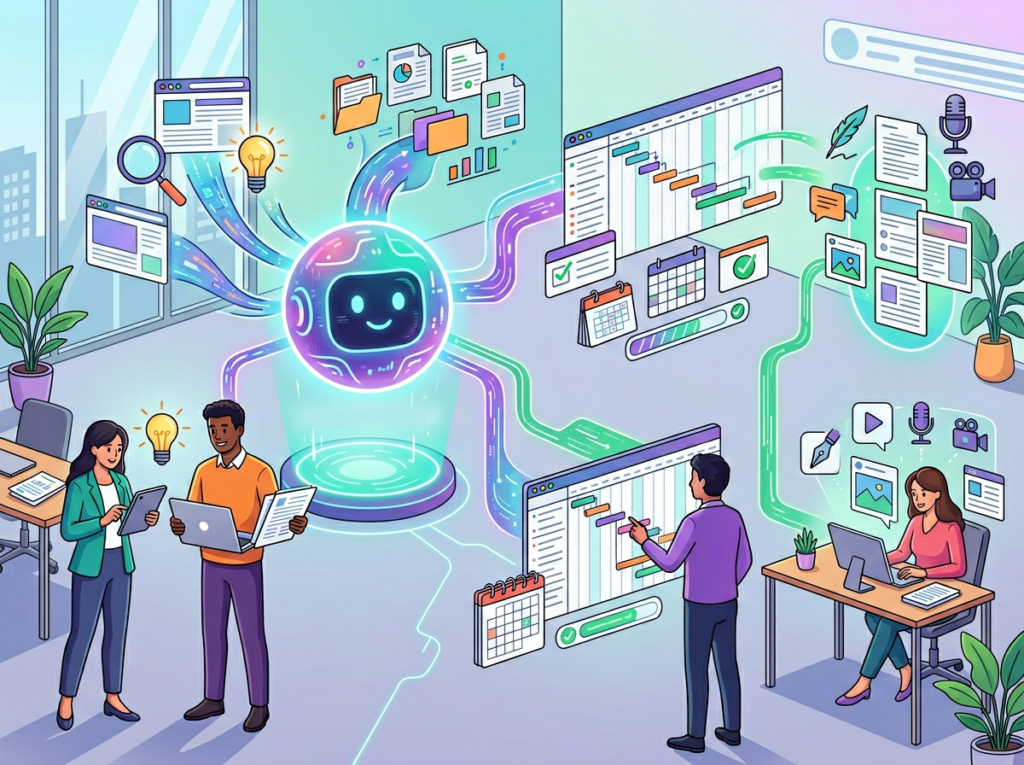
Genspark AI Browser was built to solve exactly this. Unlike productivity tools that organize information you’ve already gathered, Genspark automates the gathering itself. Its Super Agent autonomously browses multiple sources, synthesizes findings into structured reports, and surfaces competitive intelligence in minutes — inside a single browser environment your whole team can align around.
Traditional competitive research and documentation can cost $5,000 or more in US labor per project cycle. AI-assisted research automation brings that cost below $600. This guide shows exactly how Genspark AI Browser enables that transformation for lean US teams.
Solo DX — Small-Scale Digital Transformation — describes the systems-building work US founders and team leads undertake when moving from solo operator to managing a growing team. It’s not enterprise digital transformation or a six-month IT consulting engagement. It’s the unglamorous, high-leverage work of turning founder intuition into documented, repeatable processes that a 3- to 10-person team can follow consistently.
The distinction matters because corporate systemization frameworks don’t translate to small teams. Enterprise SOP methodologies assume dedicated operations staff, months of documentation cycles, and workflow tools costing thousands per seat. For a 4-person design studio in Austin or a 7-person SaaS startup in Denver, those approaches create more overhead than they solve.
Solo DX vs. Other AI Categories
Category
Focus
Team Size
Primary Outcome
Solo DX
Systemization & repeatability
1–15 people
Consistent operations
AI Efficiency
Task speed & automation
Individual
Hours saved per task
AI Revenue Boost
Sales & growth tools
Any
Revenue increase
AI Workflows
Process automation
Any
Reduced manual steps
Solo DX sits at the intersection of all of these, but with a specific lens: building the operational backbone that lets a small team scale without breaking.
Consider a 3-person marketing consultancy in Austin. Before Solo DX, the founder runs every client kickoff from memory — which questions to ask, which competitor benchmarks to pull, which reporting format each client prefers. None of it is written down. When she brings on a second strategist, that person spends three weeks making mistakes the founder would never make, because the knowledge exists only in the founder’s head.
After adopting a Solo DX approach with AI-powered research and documentation tools, the Austin consultancy builds a repeatable client onboarding workflow: a structured competitive research template, an AI-generated briefing process, and a shared knowledge base that every new hire can access on day one. Onboarding time drops from three weeks to four days.
That’s the core promise of Solo DX. You can explore Genspark AI Browser’s features to understand how this tool directly enables this kind of systemization — automating the research and synthesis work that typically requires the most founder time and produces the least documentation.
Why solo operators struggle when teams grow:
Most US founders built their early businesses on personal relationships, industry knowledge, and hustle. Those assets don’t scale past 2-3 people. The businesses that survive the transition to small teams are the ones that convert personal knowledge into shared systems early — before the operational chaos becomes a hiring and retention problem.
The most dangerous operational risk for a US small business isn’t a competitive threat or a market downturn — it’s key-person dependency. A single team member holds all the institutional knowledge, makes all the judgment calls, and becomes a bottleneck for every new hire and every new process.
US knowledge workers spend an average of 2.5 hours per day searching for information they’ve previously accessed. For a founder with a fully-loaded cost of $100/hour, that’s $62,500 per year in knowledge-retrieval overhead. AI research automation addresses this directly: when an AI tool can autonomously gather, synthesize, and store competitive intelligence, that knowledge stops living in one person’s browser history and starts living in a shared, searchable format.
Problem 2: New Hires Slow Down Operations
US private sector voluntary turnover runs at approximately 47% annually across service industries, meaning most small businesses are effectively retraining their entire team every two years. Each new hire who takes 3–5 weeks to reach full productivity costs $7,500–$28,000 in fully-loaded onboarding expenses.
The fastest lever for reducing that cost is documentation — but documentation is what small teams never have time to build. AI-assisted synthesis compresses the cycle dramatically: instead of asking a founder to spend 20 hours writing research SOPs, the AI handles synthesis and the founder reviews a structured output in 90 minutes.
Problem 3: Quality Varies Across Team Members
When six people research six different ways, six different quality levels reach clients or inform decisions. Inconsistency compounds with every new hire. Teams that standardize research with AI tooling produce consistently higher-quality outputs because the AI applies the same depth, structure, and source criteria every time.
The Cost Reality
Manual competitive research and documentation for a single business process typically requires 30–60 hours of skilled labor. At $75/hour, one documentation cycle costs $2,250–$4,500. AI-assisted research automation compresses that to 4–8 hours of review work, bringing effective cost below $600 — an 80%+ reduction per cycle.
1. Autonomous Research Synthesis to $2,000–$4,000 Saved Per Research Cycle
The Super Agent doesn’t just search — it orchestrates. When you assign a research task (“compile a competitive landscape for US project management software used by teams under 20 people”), Genspark autonomously visits relevant sources, extracts structured data, cross-references findings, and returns a formatted report with sourced claims. What typically takes a US knowledge worker 6–8 hours at $75/hour costs $450–$600 in labor. The same task takes Genspark 8–12 minutes.
For a small business running 4–6 competitive research cycles per month, that translates to $2,000–$4,000 in monthly labor savings — roughly $24,000 to $48,000 annually — by systematizing a research function that previously relied on individual team members working in disconnected browser environments.
2. Mixture-of-Agents Intelligence to Better Decisions, Fewer Mistakes
Rather than routing every query through a single AI model, Genspark runs a Mixture-of-Agents system blending GPT-4o, Claude, and Gemini, then applies a reflection step to surface the most accurate synthesized answer. For US small businesses making market entry, pricing, or vendor decisions on limited information, this multi-model approach materially reduces the risk of acting on a single model’s blind spots.
Reducing fact-checking time by 2 hours per research project saves $150 per project at $75/hour — an additional $7,200 annually for teams running one project per week.
3. Sparkpages and Shareable Research Reports to institutional Knowledge That Persists
One of the most costly aspects of small team research is that findings disappear after the meeting. A team member researches a vendor, presents in Slack, adds context verbally — and three months later nobody can reconstruct the original analysis.
Genspark’s Sparkpages generate dynamic, structured research summaries shareable as live links. Every output becomes a persistent, accessible artifact — the foundation of the shared knowledge base that Solo DX requires. Eliminating duplicative re-research saves 3–5 hours weekly, worth $11,700–$19,500 annually per team member at US market rates.
See how Genspark AI Browser works before your next competitive research cycle — the setup takes under 5 minutes and the first autonomous research task typically takes less than 10.
Common Pitfalls & How to Avoid Them
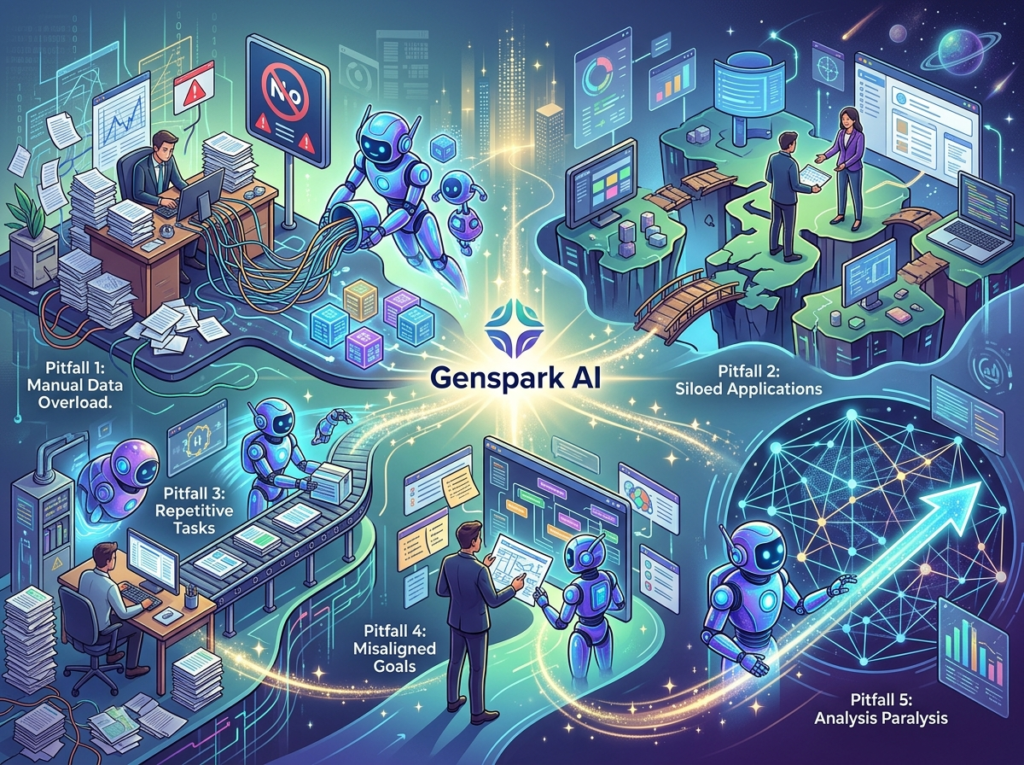
Pitfall 1: Using Too Many Disconnected Tools
The average US small business uses 8–15 SaaS tools, but most teams have never audited whether those tools actually talk to each other. A common failure mode is adopting Genspark AI Browser for research while keeping a separate tool for note-taking, another for documentation, and another for project management — with no automated handoffs between them.
How to avoid it: Audit your current research-to-documentation workflow before deploying Genspark. Map the 3–5 steps from “research starts” to “insight is findable by the whole team.” Then use Genspark’s MCP integrations to eliminate the manual handoff steps. The goal is a pipeline, not a collection of independent tools.
Pitfall 2: Delegating Without Documentation
Some founders adopt AI research automation and immediately delegate all research tasks to the agent — without documenting the research criteria, quality standards, or formatting requirements. The result is technically completed research that doesn’t match the team’s actual needs.
How to avoid it: Before running any autonomous research task at scale, spend 30 minutes writing a clear research brief template: what sources matter, what questions need to be answered, what format the output should take, and what quality signals indicate a good result. Treat the AI like a high-capability team member who needs clear, structured direction to produce excellent work.
Pitfall 3: Failing to Review AI Output
AI research synthesis is accurate and well-structured, but not infallible. Teams that treat Genspark outputs as finished products without review cycles introduce errors into their knowledge base and client-facing materials. The fact-checking feature inside Genspark’s slide creation tool exists precisely because even multi-model synthesis can surface outdated or uncorroborated data points.
How to avoid it: Build a 15–20 minute human review step into every AI research workflow. Treat AI output as a well-prepared first draft, not a final product. Use Genspark’s built-in fact-check functionality for any output that will be client-facing or used to inform significant business decisions. You can learn more about Genspark AI Browser’s quality controls in the full feature breakdown.
FAQs
What’s the difference between AI Efficiency and Solo DX?
AI Efficiency refers to tools that make individual tasks faster — an AI writing assistant that speeds up email drafting, or an AI scheduler that reduces calendar management time. Solo DX refers to the systematic transformation of how a team operates — building the research infrastructure, documentation standards, and repeatable workflows that allow a 5-person team to operate with the consistency and institutional memory of a 20-person team. AI Efficiency is a task-level improvement; Solo DX is an organizational-level transformation.
Can small teams afford to use AI research tools?
Yes. Genspark AI Browser is currently available at no cost — there are no subscription tiers, credit systems, or paywalled features for the core browser and Super Agent functionality. At zero direct cost, the ROI calculation for US small teams is straightforward: any research time saved (at $65–$85/hour US market rates) translates directly to reclaimed founder and team capacity. Even 30 minutes of daily research time saved per team member creates meaningful annual impact.
Is Genspark AI Browser hard to set up?
No. Setup takes under 5 minutes — download the browser, create a free account, and the Super Agent is immediately available. Building a solid research brief template takes another 30–60 minutes. MCP integrations for Notion, Slack, or GitHub add 15–30 minutes more. Most small teams are running functional automated research workflows within their first business day.
In 2026, US small businesses don’t need enterprise budgets to build enterprise-level research infrastructure. The gap between a well-resourced 50-person company and a lean 5-person team used to be measured in research staff and information systems. That gap is now measured in workflow design.
Genspark AI Browser brings autonomous research synthesis, multi-model intelligence, and shareable knowledge artifacts to US small teams at no cost — removing the primary financial barrier that previously made systematic research the exclusive domain of larger organizations. The operational leverage is real: teams that systematize their research workflows reclaim 10–20 hours of productive time monthly, reduce onboarding costs by 40–60%, and build a knowledge base that compounds in value as the team grows.
The bottleneck for most US small teams isn’t ambition — it’s the absence of repeatable systems. AI research automation for small business doesn’t replace your team’s judgment. It removes the operational drag that prevents your team from applying that judgment consistently.
Start with one research process. Map it, automate it with Genspark’s Super Agent, build a brief template, and run it for 30 days. The compounding effect — better decisions, faster onboarding, fewer duplicated efforts — becomes visible within the first month.