Most AI photo editing software comparisons obsess over feature lists — this one focuses on which tool actually fits your workflow and budget.
Choose Picsart if: You’re a social media content creator, small business owner, or freelancer who needs a versatile creative suite beyond just photo editing — design templates, video clips, AI generation, and a mobile-first experience all in one platform. Picsart is built for high-volume creators who want to produce branded content fast without switching between tools.
Choose Fotor if: You’re a photographer, e-commerce seller, or marketer who primarily needs powerful AI-driven photo enhancement, retouching, and product image optimization. Fotor’s editing depth and dedicated AI tools like HDR effects and portrait retouching make it stronger for image quality, not just content volume.
Neither is ideal if: You need professional-grade RAW editing, advanced color grading for print, or enterprise workflow management. Both are consumer and prosumer tools optimized for digital output.
Honest reality check: Your choice between Picsart and Fotor has less to do with which is “better” and more to do with what you’re making, how often, and on what device. Both require free-tier experimentation before committing to a paid plan.
Why This Comparison Matters
In 2026, there are over 80 AI-powered photo and design tools competing for your attention — and most comparisons bury the real question under feature checklists and star ratings. The picsart vs fotor ai photo editor question isn’t about megapixels or filter counts. It’s about whether a tool fits into how your business actually creates and distributes visual content.
The visual content economy has accelerated sharply. Small businesses in the US now need professional-quality images for Instagram, product listings, email campaigns, and web design — often produced by one or two non-designers under constant deadline pressure. AI tools promise to close the gap between what you need and what your team can execute. But the wrong tool wastes time, money, and creative energy.
Most comparison articles stop at feature tables. They don’t tell you that Picsart’s mobile app is genuinely better for on-the-go social content, or that Fotor’s AI background remover performs more consistently on complex product photos. They don’t explain that the difference between $8/month and $20/month adds up to $144/year in real US dollars — money that matters when you’re a 3-person team.
This comparison is built around practical business scenarios. If you’re spending 10+ hours per week creating visual content — or want to get there — read through to find which tool deserves your subscription. As noted in this comparison of leading photo editing platforms, both tools have carved out distinct user bases for good reason. The supporting keywords tell part of the story: “ai photo editing software,” “online ai image editor,” and “best ai photo editor 2026” are all driving significant search traffic — because real buyers are actively deciding right now.
Who This Comparison Is Best For
This comparison is written for business owners and creators who use visual content as a working tool — not as a hobby. Here are the four situations where this decision matters most.
Situation 1: Solo Creator or Freelancer Managing Multiple Brand Accounts

Pain: You’re producing 20–40 pieces of visual content per week across Instagram, Facebook, and client deliverables. You don’t have a design degree and don’t want to learn Photoshop.
Challenge: Speed matters more than perfection. You need templates, AI assistance, and batch editing without a steep learning curve.
Common mistake: Choosing a tool based on a YouTube tutorial rather than testing it against your actual content types.
Situation 2: E-Commerce Seller Needing Product Image Polish
Pain: Your product photos look amateur compared to competitor listings. Returns are partly driven by misleading image quality.
Challenge: You need background removal, shadow enhancement, and color correction — consistently, at volume.
Common mistake: Paying for a full creative suite when 80% of your need is a clean background remover and brightness fix.
Situation 3: Local Business Owner Creating In-House Marketing Materials

Pain: Agency costs are $2,000–$5,000/month. You want to bring content creation in-house but don’t know where to start.
Challenge: Learning curve, time investment, and not knowing which tool produces professional enough output to use publicly.
Common mistake: Assuming the more expensive tool is the more capable one.
Who this comparison is NOT for:
- Professional photographers requiring Lightroom-level RAW processing
- Enterprise teams with dedicated creative departments and Adobe licenses
- Developers building image-processing pipelines (these tools have no API access designed for that use case)
Real-world example: Jason runs a 2-person online supplement brand in Denver. He sells on Shopify and Amazon, posts daily on Instagram, and sends a weekly email campaign. He can’t afford a freelance designer at $65/hour for every asset. He needs one tool that handles product photo cleanup, social posts, and promotional graphics — ideally from his phone. Whether Picsart or Fotor fits his workflow better depends on factors this comparison will clarify.
For advanced integration strategies that connect your visual content workflow to your broader marketing systems, explore our AI workflow guides.
Why Each AI Fits Different Needs
Picsart: Strengths and Best-Fit Scenarios
Picsart has evolved from a filter app into a full-spectrum AI creative platform. For explore Picsart in detail, the value proposition is breadth: it handles photo editing, graphic design, video clips, and AI image generation within a single interface — mobile and web.
General-Purpose Usefulness: Picsart shines when you need to produce a high volume of varied content. Its AI tools include background removal, object eraser, AI-generated backgrounds, image upscaling, and style transfer. The template library is enormous, with thousands of social-first layouts for Instagram Reels, TikTok, Stories, and more.
Learning Curve: Most users get usable output within 30 minutes. The mobile app is intuitive enough that non-designers can generate brand-consistent posts without tutorials. The drag-and-drop design interface is comparable to Canva in ease.
Creative Flexibility: Picsart’s AI image generator allows creators to produce original visuals from text prompts — reducing dependency on stock photo subscriptions. Combined with its remix and sticker tools, it supports a highly iterative creative workflow.
Integration and Output: Picsart exports to all standard formats and sizes. It lacks deep integration with project management tools but connects naturally to social platforms. There’s a growing API ecosystem for developers building lightweight automation.
Real-World Business Result: Social media managers using Picsart report reducing content production time by 40–60% on standard branded posts. The volume capability is its strongest differentiator — if you’re producing 5+ pieces of content daily, Picsart’s workflow is faster.
For advanced integration strategies that connect your visual content workflow to your broader marketing systems, explore our AI workflow guides.
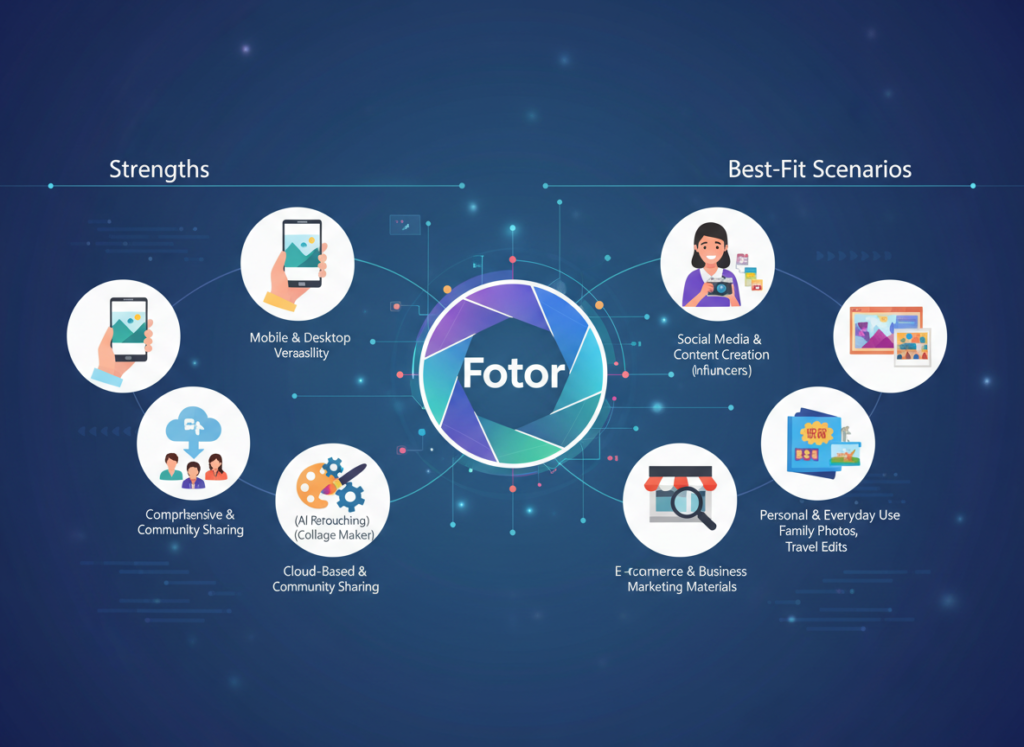
Fotor: Strengths and Best-Fit Scenarios

Fotor is a dedicated AI photo editor built for image quality over creative volume. Where Picsart expands outward into design and video, Fotor goes deeper into the photo itself. See our full Fotor review for a complete breakdown of its feature set.
General-Purpose Usefulness: Fotor’s AI tools focus on image enhancement: portrait retouching, HDR effects, smart denoise, and one-click photo enhancement that applies multi-layered corrections automatically. Its background remover handles complex subjects — hair, transparent objects, fine fabric edges — more reliably than most competitors in its price range.
Learning Curve: Fotor is arguably easier to learn for pure photo editing. The one-click AI enhancement alone delivers professional results in seconds, making it accessible for absolute beginners. The interface is clean and purpose-driven.
Photo Editing Depth: Fotor offers more granular control over color curves, exposure, sharpening, and effects than Picsart. For photographers and product sellers who want fine-tuned adjustments without learning Lightroom, Fotor is a strong middle-ground tool.
Integration and Output: Fotor supports batch processing — a major advantage for e-commerce sellers editing dozens of product images at once. It exports in all standard formats with print-quality resolution options.
Real-World Business Result: E-commerce sellers using Fotor for product photo cleanup report significantly higher conversion rates on platforms like Amazon and Etsy, where image quality directly affects purchase decisions. According to this analysis of photo editing tools for business, Fotor consistently scores higher for image quality output in professional evaluations.
Comparative Summary: Picsart generates content faster and wider; Fotor generates images that look better at the individual photo level. Your choice depends on whether your bottleneck is volume (Picsart) or image quality (Fotor). Learn more about Picsart if you prioritize content output; learn more about Fotor if photo quality is your primary concern.
Who Should Choose Another AI Entirely
Both Picsart and Fotor are excellent tools for digital content creation. But there are clear situations where neither delivers what you actually need.
Need 1: Professional RAW Photo Editing
Why these tools don’t fit: Neither Picsart nor Fotor supports non-destructive RAW editing with the depth of Adobe Lightroom or Capture One. Color profiles, lens correction metadata, and advanced masking are limited.
Better alternative: Adobe Lightroom ($9.99/month) or Darktable (free, open-source).
Example: If you’re a real estate photographer delivering 50 HDR-bracketed RAW files per shoot to clients, neither tool is appropriate for production workflow.
Need 2: Illustration and Vector Design
Why these tools don’t fit: Both are raster-based photo editors. Creating logos, vector illustrations, or scalable brand assets isn’t their purpose.
Better alternative: Adobe Illustrator, Canva Pro (for vectors), or Figma for UI design work.
Example: If your business needs a new logo or brand identity system, use a vector tool — not a photo editor.
Need 3: Team Collaboration and Brand Management
Why these tools don’t fit: Neither Picsart nor Fotor offers robust brand kit management, multi-user permissions, or approval workflows that larger teams require.
Better alternative: Canva for Teams or Bynder for brand asset management at scale.
Example: A 10-person marketing team needing version control, asset libraries, and client approval stages needs a dedicated creative management platform.
Honest assessment: Picsart and Fotor are excellent for individual creators and small teams focused on photo editing and social content. They’re not designed for print production, brand system management, or enterprise-scale creative operations. Use them for what they’re built for — and they’ll deliver strong ROI.
Use Cases by Business Goal
Productivity: Automating Repetitive Image Tasks

Use Case: E-commerce seller needs 50 product photos edited weekly — background removed, brightness corrected, and sized for multiple platforms.
Scenario: Manual process takes 2–3 minutes per image in basic editing tools. Goal: Reduce to under 30 seconds per image using AI batch processing.
Picsart Approach:
- Strengths: AI background remover is fast, handles most product types well
- Process: Upload batch ? Apply AI background removal ? Export to platform-specific sizes
- Limitations: Batch editing on web is functional but less refined than desktop alternatives
- Time to value: Most users achieve consistent results within first session
Fotor Approach:
- Strengths: Batch processing with AI enhancement is more robust; better on complex product backgrounds
- Process: Import batch ? One-click AI enhancement ? Background removal ? Export
- Limitations: Interface slightly slower for very large batches
- Time to value: Immediate for standard product photos; 1–2 hours learning for advanced retouching
Decision Criteria:
- Choose Picsart if: Your products are simple objects on clean surfaces and you also need social graphics
- Choose Fotor if: Your products have complex backgrounds or require consistent color correction across a catalog
For more ways to automate repetitive visual tasks and reclaim hours in your week, discover AI efficiency strategies that extend beyond photo editing into your full content workflow.
Revenue & Marketing: Creating Customer-Facing Visual Content

Use Case: A local restaurant needs weekly promotional graphics for Instagram Stories, email headers, and Google Business profile updates.
Scenario: Current process: outsource to a freelance designer at $50/hour, 2 hours per week = $400/month. Goal: Bring in-house at under $25/month using AI design tools.
Picsart Approach:
- Strengths: Massive template library specifically for food and restaurant businesses; AI text effects; one-click brand color application
- Process: Select template ? Swap photo ? Apply brand colors and fonts ? Export in all sizes
- Business impact: Reduces design spend from $400/month to under $25/month; increases posting frequency
Fotor Approach:
- Strengths: Photo quality of food images is noticeably better; AI enhancement makes even phone photos look professional
- Process: Enhance photo ? Add text overlay using Fotor’s design mode ? Export
- Business impact: Higher visual quality per post; better suited for businesses where photo realism drives sales (food, real estate, beauty)
Decision Criteria:
- Choose Picsart if: Volume and variety of content formats is the priority
- Choose Fotor if: The quality of individual photos is what drives customer decisions
To explore more revenue-focused AI strategies that combine content creation with conversion optimization, check out AI revenue growth tactics used by US small businesses in 2026.
Systemization & Workflows: Building a Repeatable Content System

Use Case: A 3-person marketing agency needs a repeatable weekly content production process for 5 clients — each with different brand guidelines.
Scenario: Current state: team uses 4 different tools, inconsistent output quality, 12 hours/week on content production. Goal: Consolidate to 1–2 tools, build brand kits per client, reduce to 6 hours/week.
Picsart Approach:
- Strengths: Brand kits allow per-client color, font, and logo storage; team collaboration features in paid plans; mobile access for on-site shoots
- Process: Set up brand kit per client ? Use templates as starting points ? Remix and publish
- Long-term stability: Strong for agencies focused on social media output
Fotor Approach:
- Strengths: Consistent photo quality across client deliverables; better for clients in visual industries (real estate, food, products)
- Process: Establish photo enhancement presets per client ? Apply batch ? Combine with Canva or other tool for layout
- Long-term stability: Better as a specialized photo component of a larger workflow than an all-in-one solution
Decision Criteria:
- Choose Picsart if: You need one tool to handle your agency’s full visual output
- Choose Fotor if: Photo quality is the core deliverable and you’re comfortable using a second tool for layout
As highlighted in this overview of photo editing software comparisons, the most effective agencies treat AI tools as workflow components, not replacements for creative judgment. For comprehensive systemization strategies that help small teams scale without adding headcount, explore Solo DX workflows.
For advanced integration strategies that connect your visual content workflow to your broader marketing systems, explore our AI workflow guides.
Side-by-Side Comparison Table
| Comparison Axis | Picsart | Fotor |
|---|---|---|
| Primary Strength | All-in-one creative platform | AI photo enhancement and editing depth |
| Ease of Use | Very intuitive; mobile-first experience | Clean interface; easy for photo editing |
| Best For | Social content creators, agencies, marketers | Photographers, e-commerce sellers, portrait editors |
| AI Features | Background removal, image generator, style transfer, AI expand | Portrait retouch, HDR, smart enhance, background removal |
| Mobile App Quality | Excellent; one of the best mobile creative apps | Good; functional but not mobile-primary |
| Batch Processing | Available; better on web | Strong batch AI enhancement |
| Template Library | Massive (millions of templates and stickers) | Moderate; more photo-focused than design-focused |
| Photo Quality Output | Good for social; not optimized for print | Higher quality; better color accuracy |
| AI Image Generation | Yes; improving but not Midjourney-level | Yes; basic generation capabilities |
| Collaboration Features | Brand kits; team access in paid plans | Limited team features |
| Pricing (US Market) | Free tier available; Plus ~$5/month; Gold ~$13/month | Free tier available; Pro ~$8.99/month; Pro+ ~$19.99/month |
| Offline Access | Mobile app works partially offline | Web-based; limited offline |
| Best Use Case | High-volume social and marketing content | Product photos, portraits, professional image polish |
| Main Limitation | Photo editing depth limited vs dedicated tools | Less versatile for non-photo design tasks |
After-Table Explanation:
The right choice shifts based on where your business is in its growth and what visual content actually drives your results.
Early-Stage / Establishing Presence (0–12 months): If you’re building brand awareness on social media and need consistent output fast, Picsart’s template volume and all-in-one capability give you more tools to experiment with. Testing what content resonates with your audience requires volume — and Picsart supports that.
Growth / Scaling Quality (12–30 months): As your audience grows, image quality starts mattering more than image quantity. Fotor’s superior photo enhancement makes individual pieces of content perform better — especially for e-commerce conversion or portfolio-driven businesses.
Established / Optimizing Systems (30+ months): Many creators and agencies end up using both strategically: see our full Picsart review for social content production, and explore Fotor in detail for product and portfolio photography.
Cost Reality (US Market): At $9–$20/month each, both tools cost $108–$240/year. If either tool saves you 2 hours per week at a $40/hour freelancer rate, that’s $4,160/year in recovered value. Both pay for themselves within the first month for most active users.
For advanced integration strategies that connect your visual content workflow to your broader marketing systems, explore our AI workflow guides.
How to Choose the Right AI for Your Business

Checkpoint 1: What’s Your Primary Content Type?
- Mostly social graphics, templates, and mixed media ? Picsart
- Mostly photos that need enhancement, retouching, or background work ? Fotor
- Reality check: If you answered “both equally,” run a free 2-week trial of each with your actual content and measure which one you reach for first.
Checkpoint 2: Where Do You Primarily Work?
- Phone or tablet, on the go ? Picsart (mobile app is significantly better)
- Desktop or laptop, in a dedicated workflow ? Either (both perform well on web)
- Reality check: Tool friction adds up. If you’re fighting a bad mobile experience daily, you’ll stop using the tool.
Checkpoint 3: Is Volume or Quality Your Bottleneck?
- “I need to post more content” ? Picsart
- “I need my content to look more professional” ? Fotor
- Reality check: Both are legitimate bottlenecks. But solving the wrong one doesn’t move the needle.
Checkpoint 4: Do You Need Design Capabilities Beyond Photo Editing?
- Yes, I need text overlays, social templates, and layout design ? Picsart
- No, I just need excellent photo editing and enhancement ? Fotor
- Reality check: Picsart’s design capabilities reduce your need for additional tools like Canva. Factor that into total cost.
Common Mistakes to Avoid:
Mistake 1: Choosing Based on Social Media Reviews Problem: A tool that works beautifully for a fashion influencer may be wrong for a B2B software company’s LinkedIn content. Fix: Test with your content type, not someone else’s aesthetic.
Mistake 2: Ignoring the Free Tier Problem: Paying for a plan before discovering the tool doesn’t fit your workflow. Fix: Both Picsart and Fotor offer free access. Use them for 2 weeks before committing.
Mistake 3: Expecting AI to Replace Creative Judgment Problem: AI tools accelerate execution; they don’t replace knowing what looks good for your brand. Fix: Use AI to handle the mechanical work (sizing, background removal, color correction); keep your creative direction human.
For advanced integration strategies that connect your visual content workflow to your broader marketing systems, explore our AI workflow guides.
Frequently Asked Questions

Q1: Is Picsart better than Fotor for social media content creation?
For social media specifically, Picsart has a meaningful advantage. Its template library is built around social formats — Instagram Reels, TikTok, Stories, YouTube thumbnails — and its mobile app makes on-the-go content creation genuinely fast. Fotor can produce social content, but it’s optimized for photo quality rather than social format variety. If social media is your primary channel, Picsart is the better daily driver.
Q2: Which tool has better AI background removal — Picsart or Fotor?
Both offer AI background removal, and both perform well on simple subjects. For complex subjects — fine hair, transparent objects, intricate product edges — Fotor’s background remover tends to handle edge detection more precisely. For speed and volume on standard products, Picsart’s background tool is fast and effective. For critical product photography where accuracy matters, test both on your actual images before deciding.
Q3: How much time can AI photo editing tools actually save?
For small business owners handling their own visual content, expect 40–65% time savings on mechanical tasks: background removal, resizing, basic retouching, and template customization. A task that previously took 20 minutes — removing a background, adjusting exposure, exporting in 4 sizes — can realistically take 3–5 minutes with either tool. The more repetitive and formulaic your content production, the higher your time savings. Custom, creative work still requires human input.
Leave a Reply