
Most small business owners lose hours every week to product photo editing — Photoroom’s AI efficiency changes that equation permanently.
In 2026, American freelancers and solo entrepreneurs face a paradox that would have seemed unimaginable a decade ago. The tools to build a competitive brand are entirely within reach — a smartphone, a Shopify store, a social media presence. Yet the daily workload required to actually look competitive has quietly become crushing.
Inbox at 200 unread. Calendar packed. And somewhere in the middle of all that — a product shoot that still needs background removal, resizing for three different platforms, and a batch of 40 SKU images that have to look studio-quality before noon.
This is where AI efficiency for small business stops being a buzzword and becomes a survival skill.
For US freelancers and solo entrepreneurs billing $50–$150 per hour, every hour spent manually editing product photos or resizing images for Amazon, Instagram, and Etsy is $50–$150 not earned. Worse, it’s creative and cognitive energy that could be going toward client acquisition, product development, or strategic growth.
Photoroom is built precisely for this gap. It isn’t a general-purpose AI assistant or a bloated creative suite — it’s a focused AI efficiency tool that handles the visual production workload that bogs down e-commerce sellers, brand designers, and content creators every single day.
This guide doesn’t just explain what Photoroom does. It gives you four specific workflows to implement this week, each designed to reclaim 2–5 hours of your time. You’ll meet four real-world business personas, see before-and-after workflow comparisons, and get honest guidance on where AI still falls short. The ROI case for small businesses is compelling — and by the end of this article, you’ll have the exact framework to evaluate it for your own situation.
Try Photoroom free and experience AI efficiency for visual content firsthand. Start Free | No credit card required
Key Concepts of AI Efficiency

Concept 1: Cognitive Offloading
Cognitive offloading is the practice of delegating mentally demanding but low-creativity tasks to a tool, system, or AI — freeing your working memory for work that actually requires human judgment.
For visual entrepreneurs, this means removing the decision fatigue that comes with repetitive tasks: Is this background clean enough? Does this shadow look natural? Should I resize to 1080×1080 or 1200×1200 for this platform?
These micro-decisions sound trivial. But they accumulate. Research in cognitive psychology consistently shows that decision fatigue degrades judgment quality over the course of a day — meaning that the 40th background removal you do manually is not only slower than the first, it’s worse.
Scenario — Sarah, Freelance Product Photographer in Denver: Before AI tools, Sarah spent 2.5 hours per client shoot on post-processing: masking backgrounds, adjusting shadows, exporting in multiple sizes. By offloading background removal and batch resizing to AI, she reclaimed those 2.5 hours daily and reinvested them into client outreach and shooting additional projects.
For advanced cognitive offloading strategies and workflow templates, explore Photoroom in detail.
Concept 2: Context Switching Cost
Research from the University of California, Irvine found that it takes an average of 23 minutes to fully regain focus after an interruption. For solo entrepreneurs juggling client work, marketing, and operations, context switching is constant — and ruinously expensive.
The hidden culprit in many small business workflows isn’t any single task. It’s the switching between tasks. Every time you move from writing a product description to opening Photoshop to fix a background, you pay a 23-minute cognitive tax when you try to return to writing.
AI efficiency tools like Photoroom collapse multi-step visual workflows into a single, fast operation — minimizing the number of interruptions in your day.
Scenario — Marcus, Independent Marketing Consultant in Chicago: Marcus manages social content for three e-commerce clients. He was losing roughly 5 hours every week switching between his writing tools and image editing software to prepare visual assets. By batching all image edits through an AI tool, he consolidated his visual production into one 45-minute block per day — recovering those 5 hours for billable strategy work.
Concept 3: Workflow Orchestration
The most powerful form of AI efficiency isn’t using AI for a single task — it’s building AI into a workflow so that one action triggers a chain of outputs.
Think of AI as a conductor, not just a performer. The conductor doesn’t play every instrument; they coordinate timing, sequence, and output across an entire system.
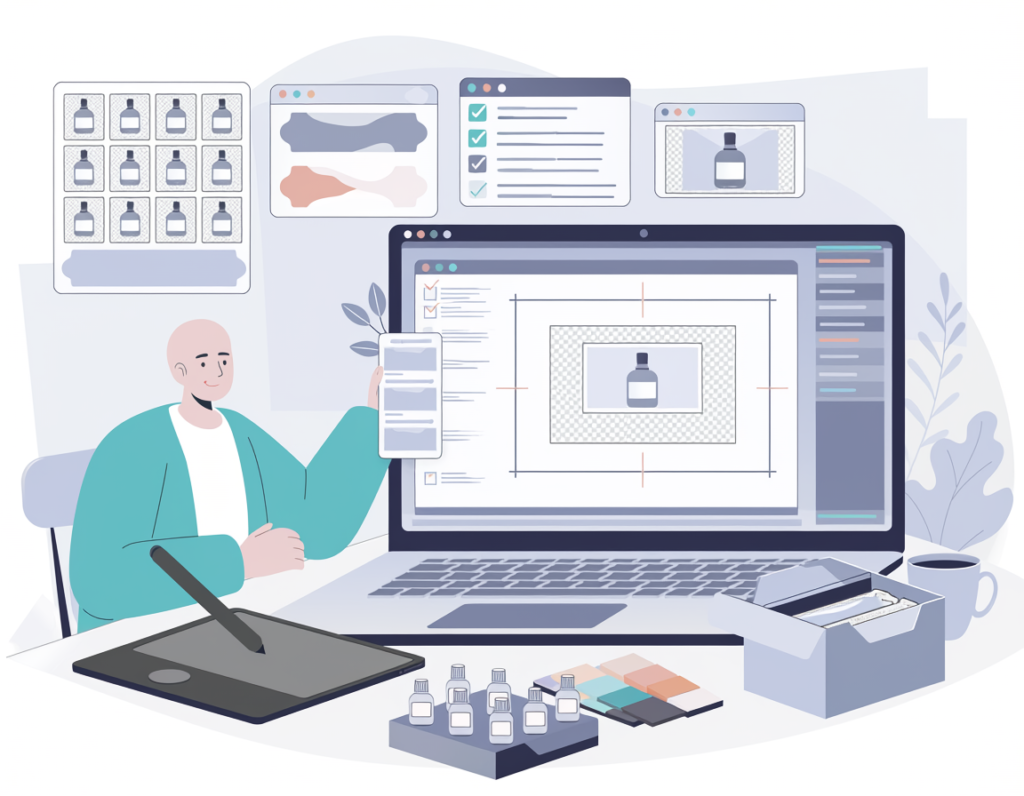
For a small e-commerce business, workflow orchestration looks like this: upload raw product photos ? AI removes backgrounds ? AI generates multiple background variations ? AI batch-exports in platform-specific sizes for Amazon, Shopify, and Instagram — all in one session, without manual intervention at each step.
Scenario — Elena, E-Commerce Store Owner in Phoenix: Elena was manually preparing product images for four sales channels. By orchestrating her image workflow through AI tools, she reduced a monthly 4-hour image prep session to under 45 minutes — reclaiming time she redirected to sourcing new products.
How Photoroom Helps Efficiency

Photoroom helps small businesses achieve AI efficiency through instant background removal, AI background generation, batch processing, and one-click platform-specific resizing — eliminating the most time-intensive parts of visual content production.
Photoroom isn’t trying to be everything. It’s a purpose-built AI efficiency tool for entrepreneurs who need professional-quality product images without a photography studio, a full-time editor, or an expensive creative agency. Here’s how its core features translate directly into time and money saved for US small businesses.
Feature 1: Instant Background Removal
Photoroom’s AI background removal is accurate enough to handle complex edges — hair, transparent objects, irregular shapes — in seconds rather than minutes. For a solo entrepreneur who processes 20–50 product images per week, this alone is transformative.
ROI Calculation:
- Manual background removal: ~4 minutes per image in Photoshop
- Photoroom background removal: ~15 seconds per image
- Weekly volume: 30 images = 2 hours saved per week
- Annual time saved: 104 hours
- At $65/hour (mid-range US freelance rate): $6,760 in reclaimed productive time annually
As noted in this breakdown of Photoroom’s AI editing tools, the workflow simplification goes well beyond just speed — it reduces the skill barrier that previously required Photoshop proficiency.
Feature 2: Batch Processing
Photoroom’s batch mode allows users to apply the same edits — background removal, background replacement, sizing, shadow addition — to dozens of images simultaneously. For any seller managing seasonal inventory or launching new product lines, this is where hours genuinely disappear.
ROI Calculation:
- Batch of 50 images, manual editing: ~5–6 hours
- Batch of 50 images, Photoroom batch mode: ~20–30 minutes
- For monthly product refreshes: 55+ hours saved annually
- At $75/hour: $4,125 in reclaimed time
This step-by-step guide to Photoroom’s advanced editing features walks through how batch workflows can be structured for consistent brand outputs across large image sets
To see these features in action with detailed workflow examples, see our full Photoroom review.
Ready to cut your image editing time in half? Try Photoroom free and experience AI efficiency for visual content firsthand. Start Free | No credit card required
Best Practices for Implementing AI Efficiency
1. Start Small: Pick One Workflow This Week
The biggest mistake entrepreneurs make with new AI tools is trying to integrate them into every workflow simultaneously. The result is overwhelm, inconsistent results, and abandonment.
Start with one repetitive task that currently costs you 1–2 hours per week. For most product-based businesses, this is background removal. Run your next product shoot through Photoroom exclusively. Measure your time. Only after that workflow feels natural should you layer in the next one — batch processing, then AI backgrounds, then platform resizing.
2. Human-in-the-Loop for Final Quality Checks
AI is fast but not infallible. Even the best background removal AI will occasionally struggle with highly reflective products (glass, chrome), transparent items, or complex patterns. Build a final quality check into your workflow — a 2–3 minute scan of batch outputs before they go live.
This is not a limitation that should discourage you. It’s simply good workflow hygiene. The goal is for your quality check to take 3 minutes, not 3 hours. That’s still a massive efficiency gain.
3. Avoid Tool Bloat
A common trap for efficiency-minded entrepreneurs is accumulating too many tools in pursuit of productivity. The math often works against you: three specialized tools at $29–$49/month each adds up to $87–$147/month — and the switching costs between them erode the time savings.
Audit your current stack before adding Photoroom. Can it replace or consolidate tools you’re already paying for? Many users find Photoroom replaces separate subscriptions to background removal tools ($15–$25/month), stock background libraries ($20–$40/month), and basic resize utilities ($10–$15/month) — shifting from ~$129/month to $10–$20/month while expanding capability.
4. Track What AI Is Replacing
If you can’t measure it, you can’t sustain it. Keep a simple weekly time log for your first 30 days using any new AI efficiency tool. Note how long specific tasks take before and after. This serves two purposes: it validates the ROI you’re generating, and it identifies which tasks are still better handled manually — so you don’t waste time forcing AI where it doesn’t fit.
A simple note in your phone or a two-column spreadsheet is enough. The goal is clarity, not complexity.
Limitations and Considerations

Where AI Is NOT Ideal
High-Stakes Brand Creative Direction: AI background generation is excellent for standard e-commerce imagery. It’s less reliable for brand work where a specific aesthetic, lighting mood, or spatial relationship between elements is critical to the creative brief. For flagship campaigns or hero images, human creative direction remains essential.
Legally or Contractually Sensitive Imagery: Product images for FDA-regulated goods, medical devices, or financial services often have compliance requirements around how products are depicted. AI-altered backgrounds or generated environments can inadvertently misrepresent product contexts in ways that create liability. Always verify compliance requirements for your category before using AI-generated backgrounds in regulated industries.
Complex Transparent or Reflective Products: Glass bottles, crystal ware, watch faces, and chrome-finished products remain genuinely challenging for AI background removal. Results vary and often require manual refinement. Factor in additional quality check time for these product categories.
Key Risks to Manage
Consistency Drift: AI-generated backgrounds may produce slightly inconsistent results across a large batch — particularly in color temperature, shadow direction, or background texture. Build a brand style guide that your team (or future you) uses to QC batch outputs against a defined standard.
Over-Reliance and Skill Atrophy: If you completely stop developing manual editing skills, you become dependent on a single tool and subscription. Maintain basic competency in your primary creative tools even while delegating volume work to AI.
Privacy and Data Considerations: Product images containing proprietary designs or unreleased items are processed through Photoroom’s servers. Review their data handling policies before uploading pre-launch product images that represent trade secrets or unreleased intellectual property.
Frequently Asked Questions

What is AI efficiency for small business?
AI efficiency for small business refers to the strategic use of AI tools to automate repetitive, time-consuming tasks — freeing entrepreneurs to focus on high-value activities like sales, strategy, and customer relationships. In the context of visual production, it means tools that handle background removal, image resizing, and asset generation automatically so business owners aren’t spending hours on manual editing.
Can AI replace all my image editing work?Not entirely. AI handles volume work exceptionally well — background removal, batch resizing, background generation for standard e-commerce shots. But it doesn’t replace human creative judgment for brand direction, complex retouching, or work where precision and consistency across a highly specific visual identity are paramount. Think of AI as handling 80% of the workload so you can focus human attention on the 20% that truly matters.
How do freelancers use AI to save time on visual work?
Freelancers typically use AI efficiency tools to compress the post-processing phase of their workflow. Instead of spending 30–60 minutes per client project on background editing and file preparation, they process entire batches in minutes. This either allows them to take on more clients at the same weekly hour commitment, or to maintain their client load while working fewer hours.
Conclusion

The efficiency gap in small business visual production isn’t a talent gap — it’s a workflow gap. Most solo entrepreneurs and freelancers have the eye for quality imagery. What they lack is a system that makes that quality achievable at volume, without consuming every available hour.
Photoroom’s role in AI efficiency for small business is specific and powerful: it takes the most time-intensive phase of visual content production and compresses it by 70–80%. Background removal that took 4 minutes per image takes 15 seconds. Batch processing that consumed an afternoon takes 30 minutes. Platform resizing that required a checklist happens automatically.
For US small businesses, the ROI case is straightforward. At mid-range freelance rates of $65–$100/hour, recovering even 3 hours per week translates to $10,000–$15,000 in productive time annually. Against a tool investment of $120–$240/year, that’s a 40x to 100x return — conservative by most standards.
AI isn’t replacing the creative judgment that makes a brand distinctive. It’s removing the mechanical repetition that prevents that judgment from having space to operate. The entrepreneurs who thrive in 2026 won’t be those who work the hardest — they’ll be those who are smartest about what they allow AI to carry for them.
The question isn’t “Should I use AI efficiency tools?” It’s “Can I afford NOT to?”
Try Photoroom free and experience AI efficiency for visual content firsthand. Start Free | No credit card required
Leave a Reply