Small business owners waste 10+ hours weekly on manual video production — ai video creation tools like JoggAI eliminate that bottleneck for good.
In 2026, American creators, marketers, and small business owners face a painful paradox. Video is the highest-converting content format in digital marketing — yet producing it consistently demands studio time, on-camera talent, video editors, and hours of back-and-forth revisions. For a solo entrepreneur or a lean marketing team in Seattle or Miami, that cost is simply not sustainable.
The inbox is overflowing with client requests. The content calendar shows three videos due this week. The freelance editor just raised their rates to $75 per hour. And the competitor down the street is pushing out two polished product videos every day without breaking a sweat.
That competitor is almost certainly using AI video creation tools.
AI video automation doesn’t just speed up production — it fundamentally restructures how businesses approach content at scale. For US-based marketers billing $50–$150 per hour, every hour spent scripting, recording, and editing a video is revenue displaced. A single product demo video taking four hours means a business running five launches per month absorbs 20 hours of overhead — or $1,000–$3,000 in opportunity cost — before the video goes live.
JoggAI is one of the most capable AI video creation platforms available in 2026, enabling businesses to go from a URL, script, or product description to a polished, avatar-hosted marketing video in minutes. It automates the most time-consuming parts of the video production pipeline: scriptwriting, presenter delivery, avatar creation, voiceover, and multi-language output.
This article covers four specific workflows you can implement this week with JoggAI, each designed to save 3–8 hours of production time per use case. Whether you’re a freelance content strategist, an e-commerce brand owner, or a SaaS founder who needs consistent video output without a production team, the following breakdown will show you exactly how modern ai video creation tools transform operations — not just pipelines.
Try JoggAI free and launch your first AI-generated marketing video today. Start Free at JoggAI | No credit card required
Key Concepts of AI Video Creation
Concept 1: The Production Bottleneck Problem
Traditional video production has a fixed cost floor. Even the leanest solo creator workflow — write script, record on webcam, edit in Premiere, export and upload — takes 3–5 hours per finished minute of polished video. For businesses that need 10–20 videos per month, this creates a ceiling on output that no amount of hustle can break through.
Consider Sarah, a freelance content strategist based in Denver who manages video content for eight e-commerce clients. Before adopting AI video creation workflows, she was spending roughly 12 hours a week on video-related tasks: scripting, coordinating with client spokespeople, reviewing raw footage, and sending revision requests to editors. That 12-hour block represented $600–$1,800 in billable time consumed by production overhead rather than strategy. After switching to an AI-first production workflow using text-to-video generation and AI avatars, she cut that time to under 4 hours weekly — reclaiming 8 hours that now go directly into client acquisition and strategy work.
The key insight: the bottleneck isn’t creativity. It’s the physical execution of production tasks that AI now handles.
Concept 2: The Consistency-at-Scale Gap
Research consistently shows that audiences engage more with brands that post video content on a regular schedule than with those that post sporadically at higher quality. Yet most small businesses can’t maintain that cadence manually. The result is a consistency-at-scale gap: teams know they should be publishing more video, but the production infrastructure doesn’t support it.
Marcus, an independent digital marketing consultant in Chicago who works with local retail brands, experienced this gap firsthand. His clients needed two to three short-form product videos per week for social media, but his workflow could only support two per month without burning out his freelance video editor. By rebuilding his production workflow around AI video tools, he moved from 8 videos per month across all clients to 24 — a 3x increase with no new hires and a lower per-video cost.
As documented in this breakdown of JoggAI’s automation capabilities, connecting the platform to tools like Make.com allows businesses to trigger video creation automatically from a spreadsheet row or CRM entry — turning content production into a repeatable, scalable operation rather than a manual creative sprint.
Concept 3: The Multichannel Format Demand
Modern marketing requires the same core content to exist in multiple formats simultaneously. A product announcement needs a long-form explainer for YouTube, a 60-second version for Instagram Reels, a translated edition for Spanish-speaking customers, and a thumbnail-optimized version for email. Doing this manually multiplies production time by four or five. AI video creation platforms handle format variations, language translation, and export automatically.
Elena, a Shopify store owner in Phoenix, previously spent 6 hours per product video producing both English and Spanish versions with separate voice talent. With AI voice cloning and video translation features, she now produces both in under 90 minutes — saving roughly 18 hours per month on bilingual content alone.
For a deeper look at how these workflows are structured in practice, explore JoggAI in detail on AI Plaza’s tool review page.
How JoggAI Helps Automate Video Creation
Feature 1: URL-to-Video Conversion
JoggAI’s URL-to-Video feature is one of its most operationally powerful tools for e-commerce and product-led businesses. Paste a product page URL, and JoggAI automatically extracts the product name, description, imagery, and key selling points — then assembles them into a structured video script delivered by an AI avatar. No scriptwriting required. No screen recording. No manual editing.
For an e-commerce business launching 10 new SKUs per month, this feature alone can save 30–50 hours annually. At a $65/hour average freelance video editor rate, that’s $1,950–$3,250 in annual savings from a single feature.
Annual time saved: ~40 hours = $2,600–$3,900 in freelance cost reduction
Feature 2: AI Avatar & Custom Avatar Creation
JoggAI provides a library of stock AI avatars — professional presenters that deliver scripts naturally — alongside the ability to create a custom avatar from a short recorded clip. Businesses can maintain consistent on-screen brand presence without recurring recording sessions.
For a consultant or SaaS founder who appears in their own video content, eliminating the need to record fresh footage for every new video can save 2–3 hours per video. Across 20 videos per month, that’s 40–60 hours recaptured every month — time that previously went into camera setup, lighting adjustments, retakes, and upload.
Annual time saved: ~50 hours = $2,500–$7,500 depending on billing rate
Feature 3: AI Voice Cloning and Multilingual Output
JoggAI supports voice cloning (allowing you to replicate your own voice for AI-narrated content) and automatic video translation into 50+ languages. For US businesses targeting bilingual markets or expanding into Latin American or European customer bases, this eliminates the cost of hiring separate voiceover talent for each language version.
A bilingual product video costing $300–$500 per language from a traditional agency can be produced inside JoggAI in minutes. Five bilingual videos per month saves $1,500–$2,500 monthly on voiceover alone.
Annual cost saved: $18,000–$30,000 for multilingual content programs
Feature 4: No-Code Automation via API and Make.com Integration
JoggAI’s API and native Make.com integration allow businesses to build fully automated video production pipelines — triggered by a new row in Google Sheets, a new lead in HubSpot, or a product update in Shopify. Businesses can set up a workflow where inputting an avatar ID, voice ID, and script into a spreadsheet triggers a finished video within minutes, delivered automatically to YouTube, Gmail, or Google Drive — a capability detailed further in JoggAI’s custom avatar knowledge base.
This level of automation removes human labor from the video rendering and distribution stages entirely. For content teams running 50+ videos per month, it can eliminate an entire production role.
Annual time saved: 80–120 hours for mid-volume video operations = $4,000–$12,000
Combined ROI estimate: A business investing in JoggAI’s Pro plan (starting at approximately $19/month, or ~$228/year) and realizing even conservative time savings across these four features recovers that investment within the first production cycle. Across a full year, the return is 30x to 80x depending on output volume and market rates. For a complete breakdown of plans and feature tiers, discover how JoggAI works on AI Plaza.
Ready to eliminate your video production backlog? Try JoggAI free and launch your first AI-generated marketing video today. Start Free at JoggAI | No credit card required
Best Practices for Implementing JoggAI
Successfully implementing AI video creation requires a phased approach that starts with your highest-volume, most repetitive video tasks and expands deliberately rather than attempting to automate everything at once.
Start with one repeatable video type. Don’t try to replace your entire video workflow in week one. Identify the single video format you produce most often — product demos, explainer clips, social media promos — and automate that one first. Get the avatar, script template, and Make.com trigger dialed in. Once the first workflow runs reliably, extend it to the next format. This approach prevents the paralysis that comes from building a complex automation infrastructure before you understand the tool’s outputs.
Treat your first 10 AI videos as calibration, not production. The first batch of JoggAI videos is a learning exercise. Use it to test avatar selection (which stock avatar matches your brand voice?), script length (under 90 seconds performs best for most social formats), and voiceover pacing. Build a short internal rubric for what “approved” looks like before you hand off final approval to the automation.
Maintain a lightweight human review step. Even at high automation fidelity, a 2-minute review before publishing catches edge cases — a mis-rendered product name, an awkward script transition, or an avatar expression mismatched to tone. Build this into your workflow as a quick checkpoint before the Make.com trigger fires the distribution step. As noted in Futurepedia’s coverage of JoggAI, the platform earns consistently high marks for output quality — but the human checkpoint remains best practice.
Track your before-and-after time honestly. Log how long your video production used to take before AI automation. Then track it for 30 days post-implementation. Without concrete before/after numbers, it’s impossible to know which parts of the workflow are generating ROI and which need adjustment. A simple spreadsheet tracking “video type, old time, new time, output quality rating” per video is enough data to optimize intelligently.
Frequently Asked Questions

What are AI video creation tools and how do they work?
AI video creation tools are software platforms that use artificial intelligence to generate video content from text inputs, URLs, or uploaded scripts. They typically combine AI-generated avatars (digital presenters), text-to-speech or voice cloning technology, and automated video assembly to produce finished video files without traditional filming, editing, or voiceover recording. JoggAI, for example, allows users to input a product URL and receive a completed promotional video with an AI presenter within minutes.
What are the best AI video creation tools for small business in 2026?
JoggAI is among the strongest options for businesses prioritizing avatar-hosted video, multilingual production, and no-code automation. It competes with tools like HeyGen and Synthesia on avatar quality, and distinguishes itself through its URL-to-video conversion feature and Make.com integration for fully automated pipelines. The right tool depends on your primary use case: e-commerce product content, sales outreach video, social media content, or corporate training.
Do I need technical skills to automate video creation with AI?
No. JoggAI’s core interface requires no coding knowledge — you select an avatar, paste your script or URL, and generate. The Make.com integration for automation is also no-code: it uses a visual drag-and-drop workflow builder. Setting up a Google Sheets trigger that automatically generates videos requires no programming experience and can be configured in under an hour following JoggAI’s step-by-step automation documentation.
Conclusion
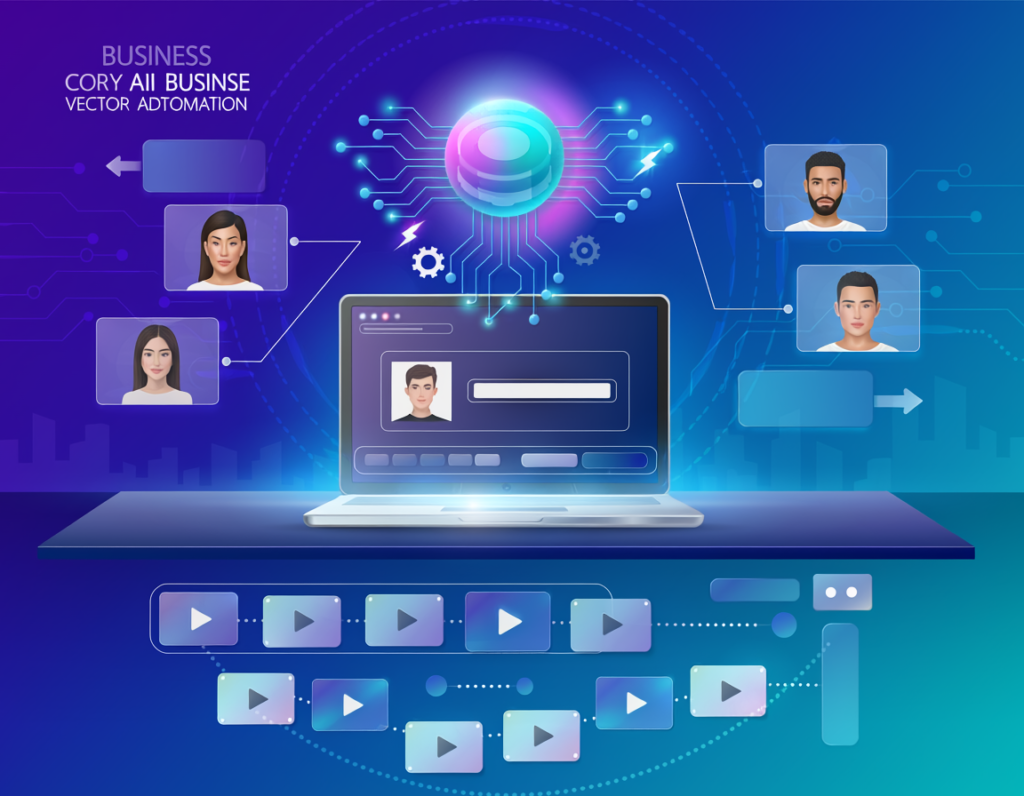
The manual video production workflow — write, record, edit, export, repeat — is no longer a competitive baseline for US small businesses in 2026. AI video creation tools have made it possible to produce professional, avatar-hosted video content at a fraction of the traditional time and cost, and JoggAI sits near the top of that capability curve.
For a US-based freelancer billing at $75/hour, reclaiming 8 hours per week from video production overhead translates to $31,200 in annual billing capacity — recovered from a platform costing under $300/year. That ROI makes the decision to automate video creation with AI a straightforward one.
What JoggAI doesn’t replace is strategic thinking, brand voice judgment, or the authenticity of real human storytelling. The strongest content operations use AI for volume and consistency, and human creativity for the moments that matter most. That’s not a limitation — it’s the right division of labor.
The practical path forward: identify one repeatable video format this week, build a JoggAI workflow around it, and measure the time you get back. Automate the bottleneck first.
The question for US creators and marketers in 2026 isn’t “Should I use AI video creation tools?” It’s “How much production capacity am I leaving on the table by not using them?”
Try JoggAI free and launch your first AI-generated marketing video today. Start Free at JoggAI | No credit card required
Leave a Reply