• 2026: How Claude 4 Powers AI for Team Operations and Systemization

    Introduction

    If you’ve grown your business from just you to a team of five or eight people, you’ve probably noticed something unsettling: the chaos grows faster than the headcount. What worked when you were solo—keeping everything in your head, making quick decisions, pivoting on instinct—becomes a liability when you’re managing others. Suddenly, you’re answering the same questions three times a day. New hires take weeks to get up to speed. Projects fall through the cracks because nobody documented the handoff process.

    This is the reality of small team operations in 2026. You’re no longer a solopreneur, but you’re not big enough to hire a COO or operations manager. You’re stuck in what we call the “founder bottleneck”—where growth stalls because everything still runs through you.

    Enter AI for team operations. Specifically, tools like Claude 4 that don’t just help you work faster—they help you build the systems your team desperately needs. Claude 4 acts as your operations partner, helping you document processes, create training materials, standardize communications, and build the organizational knowledge that transforms a group of talented individuals into a coordinated team.

    This isn’t about replacing human judgment. It’s about finally having the bandwidth to systemize your business so it can run without you being the single point of failure. If your team has grown beyond solo work but still feels chaotic and unpredictable, this guide will show you exactly how Claude 4 powers the systemization you need.

    What is Solo DX?

    Solo DX—short for Solo Digital Transformation—refers to the process of small business founders implementing systematic, technology-driven changes to their operations without the luxury of a dedicated operations team. It’s the unglamorous but essential work of taking what’s in your head and turning it into repeatable processes that your team can execute independently.

    Unlike AI Efficiency (which focuses on personal productivity) or AI Revenue Boost (which targets growth and sales optimization), Solo DX addresses the structural challenges of running a small team. It’s about building organizational muscle—the documented workflows, shared knowledge bases, and consistent processes that allow your business to scale beyond your personal capacity.

    Think of it this way: AI Efficiency helps you write emails faster. AI Revenue Boost helps you close more deals. Solo DX helps you build a business where new team members know exactly what to do, where consistent quality is the norm rather than the exception, and where you’re not the only person who understands how things work.

    A practical example: A three-person design studio uses Claude 4 to systemize their client onboarding process. Instead of the founder verbally explaining the workflow to each new designer, they use AI for team operations to generate detailed checklists, template responses for common client questions, and step-by-step guidelines for design reviews. The result? New designers become productive in days instead of weeks, and client experience becomes consistent regardless of which designer they work with.

    Solo DX is particularly critical for businesses with 1–10 employees—too small for enterprise software and dedicated operations roles, but too big to function as a one-person show. These teams need lightweight systemization that doesn’t require months of implementation or expensive consultants. They need tools that can document tribal knowledge, create standard operating procedures, and build shared context across the team—all without disrupting daily operations.

    The goal isn’t to turn your agile startup into a bureaucratic corporation. It’s to create just enough structure that your team can operate independently, consistently, and confidently. Solo DX acknowledges that founders wear multiple hats and provides AI-powered shortcuts to build the operational foundation that would otherwise require a full-time operations manager.

    Why AI is Key for Mini-Team Systemization
    Small teams fail to scale for one primary reason: undocumented processes. When everything lives in the founder’s head, the business becomes fragile. Knowledge doesn’t transfer, quality varies wildly, and growth creates exponentially more confusion rather than capacity.

    Consider three critical problem areas that plague teams of 5–10 people:

    Problem 1: Institutional Knowledge Exists Only in the Founder’s Head

    You know exactly how to handle the tricky client who needs extra hand-holding. You remember which vendor gives the best turnaround for rush orders. You understand the nuanced judgment calls that make the difference between good work and great work. But none of this is written down anywhere.

    The result? Every question, every edge case, every minor decision escalates to you. Your team can’t make progress without constant input because they lack the context you’ve built over years. You become the bottleneck, and your calendar fills with “quick questions” that prevent you from doing strategic work.

    AI for team operations solves this by helping you externalize knowledge. Claude 4 can interview you about your processes, document your decision-making frameworks, and create reference guides that capture your expertise. Instead of explaining the same thing to five different people, you explain it once to Claude, which then generates comprehensive documentation your team can reference independently.

    Problem 2: New Hires Derail Productivity for Weeks

    When you bring on a new team member, someone has to train them. Usually that someone is you or your most experienced team member—meaning your best people stop doing valuable work to explain basics. Without documented SOPs, training becomes inconsistent. One hire gets thorough onboarding, another gets a rushed version, and quality suffers.

    Even worse, new hires ask the same foundational questions that the previous three new hires asked, because there’s no searchable knowledge base. Every onboarding cycle reinvents the wheel, wasting time and creating frustration on both sides.

    AI transforms this dynamic by systematizing onboarding. You can use Claude 4 to create role-specific training guides, generate FAQs based on common questions, and build interactive documentation that helps new team members self-serve answers. Instead of spending 20 hours personally training each hire, you might spend 5 hours creating AI-powered documentation that trains everyone who comes after.

    Problem 3: Quality and Consistency Vary Across Team Members

    Without clear standards and documented processes, work quality depends entirely on individual interpretation. One team member might send clients casual updates via text. Another writes formal emails. A third forgets to update the client at all. Each person develops their own workflow, and the client experience becomes unpredictable.

    This inconsistency damages your brand and creates operational chaos. You can’t confidently promise clients anything because you’re never quite sure how your team will execute. You spend time auditing work and making corrections rather than trusting your team to deliver consistently.

    AI enables standardization at scale. With Claude 4, you can create templates for common communications, generate checklists for multi-step processes, and build style guides that ensure brand consistency. You systemize operations by giving your team clear, accessible references for how things should be done—reducing variance and elevating baseline quality across the board.
    The common thread? Small teams lack the time and expertise to build systems manually. But they desperately need those systems to function effectively. AI for small teams bridges this gap by accelerating the documentation, standardization, and knowledge-sharing that transforms chaos into coherence. It’s not about automation for automation’s sake—it’s about giving founders the leverage to build operational infrastructure without sacrificing all their time to the process.

    How Claude 4 Enables Solo DX

    Claude 4 stands out among AI tools because it’s specifically designed to understand context, maintain conversational memory within sessions, and generate long-form, nuanced content—exactly what you need for workflow automation and team systemization. Here’s how its key capabilities translate into practical operational improvements:

    AI-Generated Standard Operating Procedures

    Most founders know they need SOPs. The problem isn’t willingness—it’s time. Writing comprehensive process documentation feels like homework that never makes it to the top of the priority list. Meanwhile, your team operates in ambiguity, making it up as they go.

    Claude 4 changes this equation. Instead of starting from a blank page, you have a conversation with Claude about your process. Explain how you handle client onboarding, vendor management, or quality review in natural language. Claude asks clarifying questions, identifies edge cases you might forget to mention, and generates detailed, step-by-step documentation.

    The business benefit is immediate: new team members can follow written procedures instead of interrupting you. Experienced team members have a reference point when they hit unusual situations. You can delegate confidently because expectations are clear.

    Real-world example: A boutique marketing agency used Claude 4 to document their campaign launch process. The founder spent 45 minutes in a back-and-forth conversation with Claude, explaining the sequence, decision points, and quality checks. Claude generated a 12-step SOP complete with templates and troubleshooting tips. The agency now onboards campaign managers in three days instead of three weeks, and campaign quality has become predictable across the entire team.

    Contextual Memory for Shared Knowledge

    One of the biggest challenges in team operations is maintaining context across multiple projects and conversations. Important decisions get made in Slack threads that disappear. Client preferences get discussed in meetings but never recorded. Institutional knowledge scatters across email, documents, and individual memories.

    Claude 4’s extended context window allows you to maintain comprehensive project histories, feeding past conversations, decisions, and documents into new work. You can ask Claude to reference previous discussions, extract decisions from meeting transcripts, or identify patterns across client interactions.

    This creates a form of organizational memory. Instead of asking “What did we decide about that client’s brand guidelines?” you can query Claude with the full context of previous work. Instead of recreating the same strategy deck from scratch, you build on what came before.

    Business benefit: Your team spends less time searching for information and more time executing. Continuity improves across projects. Newcomers can quickly get up to speed by reviewing structured project histories rather than piecing together scattered information.
    Intelligent Responses to Internal Questions

    Slack and email become overwhelming when your team grows. People ask questions they could answer themselves if they knew where to look. You find yourself writing the same explanations repeatedly. Knowledge remains siloed in individual inboxes.

    With Claude 4, you can build an internal knowledge base and then use AI to field common questions. Feed Claude your documentation, policies, and FAQs. When team members have questions, they can query Claude first, getting immediate, contextually appropriate answers based on your actual processes.

    This doesn’t replace human judgment—you still handle nuanced decisions. But it eliminates the constant interruptions for information that’s technically documented somewhere. Your team gets faster answers. You preserve focus for work that actually requires your expertise.

    Example: A software development shop created a Claude-powered knowledge base covering their code review standards, deployment procedures, and client communication protocols. Junior developers now get instant answers to 80% of their procedural questions, while senior developers focus on architecture decisions and complex problem-solving. Average time from question to answer dropped from 4 hours (waiting for senior dev availability) to under 2 minutes.

    Template Automation for Consistency

    Every small business has repetitive communications that should be consistent but often aren’t. Client proposals. Project kickoff emails. Status update formats. Weekly reports. Without templates, each team member creates their own version, leading to inconsistent branding and wasted time.

    Claude 4 excels at generating and adapting templates. You can describe the purpose and key elements of a communication, and Claude creates a professional template that maintains your brand voice. More importantly, Claude can then customize that template for specific situations while maintaining consistency.

    Need to send 20 different client update emails that follow the same structure but contain project-specific details? Give Claude the template and project information, and it generates personalized versions that sound human while maintaining your communication standards.

    Business benefit: Your team stops reinventing the wheel for routine communications. Clients experience consistent professionalism regardless of who they work with. You save 5–10 hours per week on repetitive writing tasks that can be templated.

    Example from a 6-person consulting firm: “We used Claude 4 to create templates for discovery calls, proposal follow-ups, project kickoffs, and weekly status updates. Then we trained our team to customize these with Claude’s help. Our client communications went from wildly variable to consistently professional. One client even mentioned that our ‘systematic communication style’ was a key reason they renewed—something they never would have said about us before.”

    ?? Ready to systemize your business? Try Claude 4 ? https://www.anthropic.com/

    The pattern across these features is clear: Claude 4 doesn’t just make individual tasks faster. It helps you build the operational infrastructure—the documented processes, shared knowledge, consistent communications, and standardized workflows—that transforms a collection of individuals into a coordinated team. This is AI for team operations in practice: using artificial intelligence not to replace human work, but to create the systems that amplify human capability.

    Use Cases by Team Role

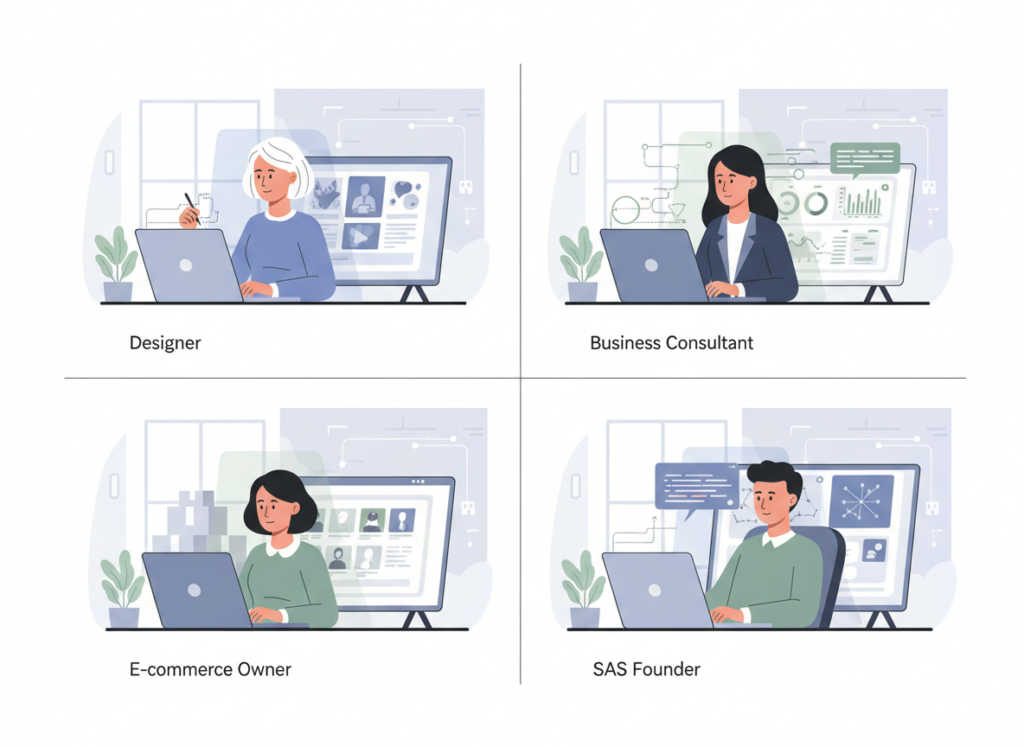
    Solo DX looks different depending on your role, but the underlying challenge is the same: building systems without the luxury of dedicated operations support. Here’s how four common roles in small teams use Claude 4 to systemize operations and reduce chaos.

    Founder Juggling Three Departments

    Old workflow: Sarah runs a 7-person product design studio. She’s simultaneously the creative director, client relationship manager, and de facto operations lead. Her mornings start with Slack messages from three different team members asking questions about active projects. Client emails require her personal response because nobody else has full context. She knows the business needs documented processes, but creating them would require time she simply doesn’t have. She’s working 60-hour weeks and still feels like the bottleneck.

    AI-powered version: Sarah spends one week having focused conversations with Claude 4 about her core processes. For each major workflow—client onboarding, project handoff between designers, revision rounds, final delivery—she talks through the process while Claude generates documentation. When edge cases come up (“What if the client requests changes after approval?”), Claude captures those scenarios and adds troubleshooting sections.

    She creates a central knowledge base in her team workspace and uses Claude to generate role-specific views. Junior designers see the execution checklists. Senior designers get the full context including client relationship nuances. The account manager accesses client communication templates and escalation guidelines.

    Time saved: 15 hours per week previously spent answering repetitive questions and explaining processes. Stress reduced: Sarah can now take a day off without her phone exploding, because her team has documented references for common situations. Process improved: Project delivery time decreased by 30% because handoffs became systematic rather than ad hoc.

    Quote: “Before Claude 4, institutionalizing our knowledge felt like a six-month project I’d never start. By treating Claude as my documentation partner, I got 90% of our core processes documented in a week. Now when someone asks how we handle something, I can point them to clear guidance instead of trying to explain it for the hundredth time.”
    Executive Assistant Onboarding New Staff

    Old workflow: Marcus is the EA for a rapidly growing professional services firm. Every time they hire someone new, he inherits the onboarding responsibility. This means creating customized orientation schedules, explaining company policies, answering the same basic questions about expense reimbursement, time tracking, and communication norms. Each new hire requires roughly 12 hours of his direct attention during their first two weeks—time he doesn’t have when the company is growing quickly.

    AI-powered version: Marcus uses Claude 4 to build a comprehensive onboarding system. He feeds Claude the company handbook, common questions from previous new hires, and role-specific requirements. Claude generates a self-serve onboarding portal with role-specific tracks.

    New designers get a different orientation sequence than account managers, but both follow structured paths. When new hires have questions, they can query the Claude-powered knowledge base first. Marcus only gets involved for truly personalized questions or decisions requiring human judgment.

    Time saved: His direct involvement in onboarding drops from 12 hours to 3 hours per new hire. Stress reduced: He can focus on strategic executive support rather than answering “Where do I submit expenses?” for the sixth time. Process improved: New hire satisfaction scores increased because they got consistent, immediately available answers instead of waiting for Marcus to be available.

    Quote: “I used to dread hiring weeks because I knew I’d be underwater with onboarding tasks. Now new hires get better support than before, but it’s systematized through Claude rather than requiring my constant attention. I can actually focus on supporting the executives, which is my real job.”

    Marketing Lead Standardizing Client Reporting
    Old workflow: Jennifer manages a 4-person marketing team for a B2B SaaS company. Every client gets a monthly report, but the format varies depending on which team member creates it. Some reports are data-heavy spreadsheets. Others are narrative summaries with cherry-picked metrics. Clients complain about inconsistency. Jennifer spends hours each month auditing reports and asking for revisions, but she can’t be everywhere at once.

    AI-powered version: Jennifer works with Claude 4 to create a standardized reporting framework. She describes what makes a great client report—which metrics matter, how to present data accessibly, how to frame recommendations, and how to balance good news with areas for improvement.

    Claude generates a structured template and, more importantly, helps her team populate it correctly. When team members input raw campaign data, Claude helps them generate executive summaries, identify key insights, and create client-ready narratives that maintain brand voice.

    Time saved: Report creation time drops from 4 hours to 90 minutes per client. Stress reduced: Jennifer no longer audits every report because the framework ensures consistency. Process improved: Client feedback highlights the new clarity and consistency, leading to higher retention.

    Quote: “Our client reporting went from being an embarrassing weakness to a competitive strength. Claude helped us define what good looks like, then ensured every report met that standard. Clients now regularly compliment our communication, and I’m not spending my weekends fixing inconsistent deliverables.”
    Trainer Documenting Internal Knowledge

    Old workflow: David trains customer support agents for a growing e-commerce platform. His training was entirely verbal—new agents shadow him for a week, scribbling notes during live calls. The problem? His explanations vary depending on his energy level, what specific scenarios come up during training week, and which edge cases he remembers to mention. New agents retain maybe 60% of what they need, leading to mistakes during their first solo month. He repeats the same core training every few weeks as the team grows.

    AI-powered version: David records himself handling various customer scenarios and feeds the transcripts to Claude 4. He describes his decision-making process, the company policies that inform his responses, and the empathy techniques that de-escalate tense situations. Claude generates structured training modules organized by scenario type: returns and refunds, damaged items, shipping delays, account issues.

    New agents now complete self-paced training through these modules, with Claude-powered simulations allowing them to practice before handling real customers. David’s role shifts from repeating basic training to coaching advanced scenarios and providing personalized feedback.

    Time saved: Training time per new agent drops from 40 hours to 8 hours of David’s direct involvement. Stress reduced: David no longer worries about forgetting to cover critical information—it’s all documented. Process improved: New agent performance metrics improved by 40% because training became comprehensive and consistent.

    Quote: “Before Claude, my training quality depended entirely on whether I’d had enough coffee and which customer calls happened to come in during training week. Now every new agent gets the same high-quality foundation, and I can focus on developing their skills rather than covering the basics over and over.”

    Want smoother operations with less stress? Start using Claude 4 ? https://www.anthropic.com/

    The pattern across these use cases is clear: Solo DX isn’t about revolutionary changes. It’s about systematically documenting knowledge, standardizing processes, and creating the operational infrastructure that allows teams to function independently. Claude 4 provides the leverage to build these systems without requiring months of dedicated time—turning what would be a postponed operations project into an achievable weekly initiative.

    FAQs

    What is Solo DX?

    Solo DX stands for Solo Digital Transformation—the process of small business founders systemizing their operations using technology without dedicated operations staff. It addresses the challenge that emerges when you’re no longer a solo operator but don’t have the resources for enterprise-level operations management. Solo DX focuses on documenting tribal knowledge, creating repeatable workflows, and building shared team context so your business can function without everything running through you. It’s distinct from personal productivity tools (AI Efficiency) or growth-focused applications (AI Revenue Boost) because it specifically targets operational structure and team coordination.

    How can AI write my SOPs?

    AI doesn’t write SOPs from thin air—it partners with you to document your expertise. The process starts with you explaining how you handle a particular workflow in natural language. Claude 4 asks clarifying questions about edge cases, decision points, and quality standards. You describe your process the same way you’d explain it to a new team member, but Claude structures that conversation into comprehensive, step-by-step documentation. The AI handles the formatting, organization, and expansion of your knowledge into detailed procedures. You still provide the expertise and review the output for accuracy, but Claude dramatically accelerates the documentation process from weeks to hours.

    What’s the difference between AI Efficiency and Solo DX?

    AI Efficiency focuses on personal productivity—helping you as an individual work faster and accomplish more. It’s about writing emails quicker, generating ideas faster, or automating your personal tasks. Solo DX, on the other hand, focuses on team operations and organizational systems. It’s about building the infrastructure that allows your entire team to function more effectively. If AI Efficiency helps you run faster, Solo DX helps you build roads so everyone can travel efficiently. A founder might use both: AI Efficiency for their personal workflow, and Solo DX to systemize how their team operates.

    Conclusion

    The transition from solo founder to team leader doesn’t require an MBA or a full-time operations manager—it requires systematic documentation of what you already know, and the discipline to build processes that outlive individual conversations. AI for team operations, particularly through tools like Claude 4, provides the leverage to make this transition realistic rather than aspirational.

    Solo DX recognizes the unique position of small teams: sophisticated enough to need real systems, but lean enough that building those systems manually feels impossible. Claude 4 bridges this gap by accelerating the documentation, standardization, and knowledge-sharing that transforms operational chaos into coordinated execution.

    The goal isn’t perfection. It’s not creating corporate-level bureaucracy or eliminating the agility that makes small teams effective. The goal is building just enough structure that your team can operate independently, that new hires can become productive quickly, and that quality remains consistent even when you’re not personally involved in every decision.

    This matters because founder burnout isn’t usually about working too hard—it’s about being the single point of failure in every process. When you systemize operations with AI, you’re not just saving time. You’re building a business that works without burning you out, that can grow without requiring proportional increases in your personal involvement, and that can deliver consistent value regardless of which team member handles the work.

    Start small. Pick one workflow that causes you the most daily friction. Spend an hour with Claude 4 documenting how it should work. Share that documentation with your team. Measure what changes. Then systematize the next process. Solo DX isn’t a project with an end date—it’s a continuous practice of turning tribal knowledge into team capability.

    Next Steps

    Continue exploring how AI transforms business operations across different contexts:

    • Compare AI – Evaluate different AI tools for your specific business needs and team size
    • AI Efficiency – Discover how AI boosts personal productivity for solo founders and individual contributors
    • AI Revenue Boost – Learn how AI powers growth, sales optimization, and revenue generation
    • AI Workflows – Explore pre-built AI workflows and templates for common business processes

    Ready to move from chaotic operations to systematic execution? Start building your Solo DX foundation with Claude 4 today at https://www.anthropic.com/


  • 2026: How ChatGPT Improves AI Efficiency for Small Businesses

    Introduction

    If you’re a freelancer or solo entrepreneur in 2026, you’re likely juggling an impossible list: client work, marketing, admin tasks, content creation, emails, invoicing, and everything in between. The traditional approach—working harder and longer—has hit its ceiling. You’re overwhelmed, burning out, and still falling behind.

    The game-changer? AI efficiency for small business. We’re witnessing a fundamental shift from manual, time-consuming workflows to AI-powered daily operations that handle the repetitive, draining tasks that consume your energy. This isn’t about replacing your expertise or creativity; it’s about reclaiming your time and mental bandwidth for the work that truly matters.

    Enter ChatGPT, the conversational AI tool that’s transforming how freelancers and small business owners work. Instead of spending three hours drafting client proposals, formatting reports, or researching competitors, you can delegate these tasks to an AI assistant that works 24/7, never complains, and gets smarter the more you use it. ChatGPT represents the smart alternative to the overwhelm: a way to automate the mundane while amplifying your unique skills and strategic thinking.

    In this comprehensive guide, we’ll explore exactly how ChatGPT delivers AI efficiency for small business owners. You’ll discover practical frameworks, real-world use cases, and actionable strategies to cut your workload in half while maintaining (or improving) the quality of your output. Whether you’re a creative freelancer drowning in blog writing, a consultant buried in client communications, or a solo founder wearing too many hats, this article will show you how to work smarter in 2026.

    Key Concepts of AI Efficiency

    Before diving into ChatGPT’s specific capabilities, let’s establish three foundational concepts that explain why AI tools deliver such dramatic efficiency gains for small businesses. Understanding these principles will help you identify where AI can make the biggest impact in your workflow.

    Cognitive Offloading

    Cognitive offloading refers to using external tools to reduce the mental burden of tasks that would otherwise consume your working memory and attention. Think of it as outsourcing the “thinking work” that drains your energy without requiring your unique expertise.

    For small business owners, cognitive load is a silent killer. You’re constantly context-switching between client work, administrative tasks, marketing, and operations. Each mental shift depletes your decision-making capacity and creativity. By 2026, successful entrepreneurs have learned that cognitive offloading isn’t laziness—it’s strategic resource management.

    Here’s a real-world example: A freelance marketing consultant needs to create monthly reports for five clients. Each report requires gathering data from multiple platforms, analyzing trends, writing summaries, and formatting tables. Traditionally, this process takes about 90 minutes per client—7.5 hours monthly—and requires intense focus to avoid errors.

    With cognitive offloading to ChatGPT, the consultant pastes raw data into the AI and requests: “Analyze this month’s social media performance, identify the top three trends, and draft a summary with improvement recommendations.” ChatGPT processes the information in seconds, delivering a structured analysis that the consultant can review and customize in 15 minutes. The cognitive burden shifts from creation to curation—a far less draining task.

    This concept is central to AI efficiency for small business because it recognizes that your brain is your most valuable asset. When you offload routine analytical or writing tasks, you preserve mental energy for strategic decisions, creative problem-solving, and high-value client interactions.

    Context Switching Cost

    Every time you shift between different types of tasks—say, from writing a blog post to answering emails to updating your accounting spreadsheet—you pay a hidden tax called the context switching cost. Research shows it takes an average of 23 minutes to fully regain focus after an interruption or task change.

    For freelancers and solo entrepreneurs, this is catastrophic. Your typical workday might involve 20+ context switches: client calls, content creation, social media management, administrative work, and more. Those 23-minute focus recovery periods add up to hours of lost productivity each day.

    AI automation directly attacks context switching costs by consolidating related tasks and handling them in batches. Instead of interrupting deep work to respond to routine client questions, you can batch these inquiries and have ChatGPT draft personalized responses all at once. Instead of constantly switching between writing and research, you can ask ChatGPT to handle initial research while you maintain focus on content creation.

    Consider an e-commerce owner who manually responds to 30 customer service inquiries daily. Each email requires switching mental context: understanding the customer’s issue, locating relevant information, crafting a response, and formatting it professionally. These micro-switches fragment the entire workday.

    With ChatGPT handling first-draft responses to common inquiries (order status, return policies, product questions), the owner reviews and sends batches of AI-generated replies in two 15-minute blocks. The cognitive load drops dramatically because reviewing is a single-context task, while creating 30 unique responses demands 30 separate mental shifts.

    This is why AI tools for entrepreneurs deliver such immediate productivity gains—they don’t just make individual tasks faster; they eliminate the invisible time drain of constant context switching.

    Workflow Orchestration

    Workflow orchestration is the practice of connecting multiple steps in a business process so they flow smoothly with minimal manual intervention. It’s the difference between juggling ten disconnected tasks and having a system that guides work from start to finish.

    Small businesses often lack the resources for sophisticated workflow automation tools used by larger companies. But AI-powered workflow orchestration brings enterprise-level efficiency to solo operations. ChatGPT acts as an intelligent coordinator that can remember context across a multi-step process, making complex workflows manageable without expensive software.

    Here’s how workflow orchestration enhances AI efficiency for small business: Imagine a content creator’s publishing process. The old workflow involves seven disconnected steps: brainstorming topics, researching keywords, outlining the post, writing the draft, editing for SEO, creating social media snippets, and scheduling promotion. Each step lives in a different tool or headspace, with frequent delays between stages.

    With ChatGPT as the orchestrator, the workflow becomes fluid. You start a conversation with topic brainstorming, then immediately ask the AI to research keywords for the best ideas, generate a detailed outline based on those keywords, expand each outline section into full paragraphs, optimize the content for target search terms, extract quotable snippets for social media, and suggest posting schedules. The entire workflow happens in one environment, with full context maintained throughout.

    This orchestration principle matters because small business productivity isn’t just about faster execution—it’s about reducing friction between tasks. When ChatGPT remembers what you discussed five messages ago and applies it to the current request, you’re not starting from zero each time. The AI workflows become compound systems where each step builds on the previous one, multiplying efficiency gains.

    These three concepts—cognitive offloading, reducing context switching costs, and workflow orchestration—explain why ChatGPT and similar AI tools deliver transformative results for freelancers and small business owners. They address the fundamental challenges of limited time, mental energy, and resources that define the solo entrepreneur experience in 2026.

    How ChatGPT Helps Efficiency

    Now that we understand the conceptual framework, let’s examine the specific features that make ChatGPT a powerhouse for AI efficiency. Each capability directly translates into time saved, quality improved, or stress reduced for busy freelancers and entrepreneurs.

    Ideation, Rewriting, and Content Formatting

    ChatGPT excels at the creative yet time-consuming tasks that bog down content-heavy businesses: generating ideas, rewriting text for different audiences or formats, and applying consistent formatting to messy content.

    What it is: Ideation support means using AI to brainstorm concepts, angles, headlines, and approaches when you’re starting a project. Rewriting capabilities allow you to transform existing content for different purposes (blog post to social media, technical document to client-friendly summary, long-form to short-form). Formatting assistance applies structure to raw information.

    How it works: For ideation, you provide context about your goals and constraints: “I need 15 blog post ideas for a B2B email marketing SaaS, targeting small business owners who want to improve open rates.” For rewriting: “Take this technical white paper and rewrite it as a LinkedIn post for marketing managers.” For formatting: “Organize these unstructured meeting notes into a professional client status report with sections for progress, challenges, and next steps.”

    Business result: These features accelerate the most creatively draining parts of small business productivity. The blank page becomes less intimidating when AI provides starting points. Quality improves because you can quickly test multiple approaches rather than settling for your first idea. Consistency increases because formatting rules get applied uniformly across all documents.

    Realistic scenario: David, a freelance copywriter, lands a client project requiring 30 product descriptions for an online furniture store. Each description needs to be compelling, SEO-optimized, and maintain brand voice—but creativity flags after the fifth description. David uses ChatGPT to: (1) generate 10 different headline formulas for product descriptions, (2) rewrite the manufacturer’s bland specifications into emotionally resonant copy, (3) ensure each description includes target keywords naturally, and (4) apply consistent formatting with bullet points for features and a closing call-to-action. A project that would traditionally take 10 hours is completed in 4, with higher quality because David reviews AI drafts instead of writing from scratch while mentally exhausted.

    These four capabilities—long-context memory, task chaining, summarization, and content transformation—combine to deliver substantial AI efficiency for small business owners. They address the core pain points of limited time, mental fatigue, and the overwhelming variety of tasks required to run a solo operation.

    Ready to cut admin time in half? Try ChatGPT ? https://chat.openai.com/

    FAQs

    1. What is AI efficiency for small business?

    AI efficiency for small business refers to using artificial intelligence tools like ChatGPT to automate repetitive tasks, accelerate workflows, and reduce the cognitive burden on entrepreneurs and freelancers. Instead of manually handling every aspect of operations—content creation, customer communications, research, data analysis—small business owners delegate appropriate tasks to AI assistants. This creates leverage: one person can accomplish what previously required a small team, without working excessive hours. The goal isn’t replacing human judgment or creativity, but rather eliminating the time-consuming grunt work that prevents small business owners from focusing on high-value strategic activities.

    2. Can AI completely replace admin work?

    AI can dramatically reduce administrative workload, but complete replacement isn’t realistic or advisable for most small businesses. ChatGPT excels at handling the first 70-80% of admin tasks: drafting emails, creating reports, organizing information, and responding to routine inquiries. However, the final 20-30% still requires human judgment—reviewing AI drafts for accuracy, customizing templates for specific contexts, and handling edge cases that AI doesn’t recognize. Think of it as AI handling the heavy lifting while you provide direction and quality control. This approach typically cuts admin time in half without sacrificing quality or introducing unacceptable risk.

    3. How do freelancers use AI to save time?

    Freelancers use AI to compress multi-hour tasks into minutes by delegating the initial creation phase. Common time-saving applications include: asking ChatGPT to research topics and provide summaries instead of spending hours reading, having AI create content outlines and first drafts that freelancers then refine and polish, generating multiple versions of client deliverables (headlines, email subject lines, design concepts) to accelerate the ideation process, automating routine client communications by creating templates and letting AI customize them, and formatting and structuring messy information into professional reports and documents. The key pattern is using AI for the 80% that’s repetitive or formulaic, reserving human time for the 20% requiring creativity and expertise.

    Conclusion

    As we move through 2026, the divide between overwhelmed solo entrepreneurs and thriving small business owners increasingly comes down to one factor: embracing AI efficiency for small business. ChatGPT and similar tools aren’t replacing human expertise, creativity, or strategic thinking—they’re eliminating the repetitive, time-consuming tasks that prevent those valuable skills from shining through.

    ChatGPT represents the democratization of capabilities previously available only to businesses with full-time staff. As a freelancer or solo entrepreneur, you now have access to a tireless assistant that accelerates your workflow, reduces cognitive burden, and lets you compete at a higher level. The question isn’t whether to adopt AI automation—it’s how quickly you can integrate it effectively before the productivity gap with competitors becomes insurmountable.

    Take the phased, realistic approach recommended throughout this guide, and within 30 days you’ll wonder how you ever operated without AI efficiency tools. Your business, your stress levels, and your clients will all benefit from this fundamental shift in how solo entrepreneurs work.

    Next Steps

    Ready to transform your workflow with AI efficiency? Explore these related resources to deepen your understanding and expand your capabilities:

    • Compare AI – Evaluate different AI tools and find the best fit for your specific business needs beyond ChatGPT.
    • AI Revenue Boost – Discover how AI automation directly contributes to revenue growth for small businesses and freelancers.
    • Solo DX – Learn comprehensive digital transformation strategies for solo entrepreneurs leveraging AI and automation.
    • AI Workflows – Access detailed workflow templates and step-by-step guides for implementing AI across different business functions.

    Start your AI efficiency journey today with ChatGPT ? https://chat.openai.com/
  • 2026: ChatGPT vs Claude 4 for Programming

    If you’re a small business owner, freelancer, or non-technical manager trying to use AI for coding tasks, the choice between ChatGPT and Claude 4 isn’t about which one is “better”—it’s about which one fits your actual workflow. ChatGPT excels at quick prototyping, broad language support, and integrating with tools like GitHub Copilot. Claude 4 stands out in complex reasoning, reading long documentation, and producing maintainable code with fewer logic errors. For general-purpose programming support in small businesses, ChatGPT is often the faster starting point for common tasks, while Claude 4 becomes essential when you need to understand legacy code, refactor systems, or work through ambiguous requirements. Neither replaces a developer, but both can dramatically reduce the gap between “I need this built” and “it’s working.”

    Table of Contents

    Introduction: Why This Comparison Matters

    Choosing between ChatGPT and Claude 4 for programming feels overwhelming because the marketing around AI coding assistants focuses on capabilities, not decisions. Both tools can generate code, debug errors, and explain technical concepts, but they approach these tasks differently in ways that matter for real business outcomes. If you’re running a small business without a full-time developer, or if you’re a freelancer managing client projects with mixed technical requirements, you need to know which AI will actually save you time versus which one will create more work through revisions and misunderstandings.

    This comparison cuts through the hype by focusing on practical business contexts: when you need to build an internal tool quickly, when you’re maintaining code someone else wrote, when you’re trying to integrate APIs without a computer science degree, or when you’re deciding whether to invest time learning a coding workflow at all. The goal isn’t to declare a winner, but to help you make an informed choice based on your current skills, project complexity, and how much cognitive load you can handle while running everything else in your business. Understanding the trade-offs between chatgpt vs claude 4 for programming means recognizing that the best ai for developers in a startup might not be the best ai programming assistant for a solo consultant, and that coding ai tools only create value when they match your actual decision-making speed and technical comfort level.

    Who This Comparison Is Best For

    This comparison is designed for business operators who need code but don’t write it full-time. You might be a freelance consultant who needs to automate client reporting, a small agency owner building internal dashboards, a solopreneur creating a SaaS MVP, or a non-technical founder working with offshore developers who need to review pull requests. The common thread is that programming isn’t your core skill, but ignoring it completely means either overpaying for simple tasks or bottlenecking your business on developer availability.

    The typical pain points you’re experiencing include: spending too much time explaining requirements to contractors, getting quoted four-figure prices for what feels like a simple automation, maintaining code you inherited but don’t fully understand, or feeling stuck between learning to code properly versus just “getting it done” with AI. You’ve probably tried using an AI coding assistant before and found it either produced broken code you couldn’t debug, or worked perfectly once but then failed mysteriously when you tried to modify it. The confusion isn’t about whether AI can help—it clearly can—but about which tool will actually reduce your workload rather than add a new learning curve on top of everything else.

    Common mistakes in this situation include choosing an AI based on social media hype rather than your actual project needs, expecting AI to replace all developer work when it’s really best suited for specific tasks like scaffolding, refactoring, or documentation, and underestimating how much domain knowledge you still need to validate AI-generated code. For example, a freelancer building a client portal might choose ChatGPT because it’s popular, spend days fighting authentication bugs, and conclude that “AI coding doesn’t work”—when the real issue was that the task required understanding OAuth flows, which neither AI explains well without proper context. Conversely, a manager reviewing legacy PHP code might use Claude 4 to analyze the entire codebase, get valuable insights about technical debt, but then struggle to implement quick fixes because Claude’s suggestions are thorough but not always copy-paste ready.

    The ideal reader for this comparison is someone who values decision speed over perfection, needs ai for small business contexts where hiring a full-time developer isn’t justified, and wants to understand when to use AI tools versus when to delegate or skip the task entirely. You’re not trying to become a professional developer—you’re trying to make informed trade-offs about which technical problems to solve in-house, which to outsource, and which to ignore until your business scales.

    Why Each AI Fits That Need

    ChatGPT for Programming

    ChatGPT’s primary strength in programming support is its speed and accessibility for common tasks. If you need to write a Python script to parse CSV files, create a basic REST API endpoint, or convert a manual process into a simple automation, ChatGPT will typically give you working code faster than Claude 4. This isn’t because it’s inherently smarter, but because OpenAI has trained the model on a massive corpus of code examples, StackOverflow answers, and GitHub repositories, making it exceptionally good at pattern-matching against common programming problems.

    The learning curve is minimal if you’re already comfortable with conversational AI. You describe what you want in plain English, ChatGPT generates code, and you can iterate quickly by saying “now make it handle errors” or “add logging.” For small businesses, this translates to tangible results: a solo consultant can build a client data dashboard in an afternoon, a freelancer can automate invoice generation without learning accounting software APIs, or a manager can prototype an internal tool to show developers what they actually want. The business result ChatGPT supports best is rapid prototyping and task completion when the problem is well-defined and you need output fast.

    ChatGPT also integrates well with the broader OpenAI ecosystem, including GitHub Copilot for in-editor suggestions and custom GPTs that can be pre-configured with your coding standards or company documentation. If you’re working in popular languages like JavaScript, Python, or TypeScript, the model’s suggestions tend to follow current best practices. However, the trade-off is that ChatGPT prioritizes plausible-sounding code over deeply reasoned solutions. It might give you a function that works for your test case but breaks under edge conditions you didn’t think to mention, or it might suggest a library that’s deprecated because the training data is older. For business users, this means ChatGPT is excellent when you can test the output immediately and iterate, but less reliable when you need code that will run unsupervised or handle complex state management.

    Claude 4 for Programming

    Claude 4 excels at complex reasoning and contextual understanding, which makes it particularly valuable when you’re working with ambiguous requirements, legacy codebases, or situations where you need to understand why something works, not just that it works. Anthropic designed Claude with longer context windows and stronger instruction-following capabilities, meaning you can paste an entire project’s worth of code, ask “why is this authentication flow failing for mobile users,” and get a thoughtful analysis that considers multiple interconnected files.

    The learning curve is slightly higher because Claude 4’s responses are more verbose and educational. Instead of just giving you a fixed function, it might explain the trade-offs between three different approaches, which is invaluable if you’re trying to build maintainable systems but can feel like overkill if you just need a quick script. For small businesses, this translates to better long-term outcomes: a founder reviewing code from a contractor can use Claude 4 to understand whether the implementation is solid or full of shortcuts, a freelancer can refactor a client’s messy codebase with confidence that the changes won’t introduce new bugs, or a manager can document internal tools by having Claude analyze the code and generate plain-English explanations.

    The business result Claude 4 supports best is decision-making quality and system reliability. It’s the tool you use when getting it right matters more than getting it fast, when you’re working on projects that will need maintenance six months from now, or when you need to explain technical decisions to non-technical stakeholders. Claude 4 is also stronger at multi-step reasoning tasks like debugging logic errors across multiple functions, refactoring code to improve performance, or generating comprehensive test cases. However, it’s slower to iterate with for simple tasks—asking Claude to write a basic CRUD API might result in a well-architected solution with error handling and documentation, which is great for production but overkill if you just need a proof of concept by end of day.

    Both tools support general-purpose programming, but they optimize for different business constraints: ChatGPT minimizes time-to-output, while Claude 4 minimizes cognitive load for complex decisions.

    Who Should Choose Another AI

    If your programming needs fall into specific categories, neither ChatGPT nor Claude 4 may be the right choice, and recognizing this early saves significant frustration. Highly regulated industries with strict compliance requirements—such as healthcare applications handling PHI, financial services with SEC reporting obligations, or government contractors with security clearances—often need AI tools with certified data handling and audit trails. General-purpose AI assistants process your code through cloud APIs, which creates compliance risks that generic terms of service don’t adequately address. In these cases, you’re better off with on-premise code analysis tools or AI platforms specifically designed for regulated environments.

    Projects requiring low-variability, deterministic output are another poor fit. If you’re building systems where even small inconsistencies cause problems—like generating legal contracts, producing financial calculations that must match specific standards, or creating medical device software—rule-based code generators or domain-specific tools will be more reliable than conversational AI. A template engine with validation rules won’t surprise you with creative interpretations of your requirements, whereas both ChatGPT and Claude 4 might occasionally misunderstand context or introduce subtle variations in output format.

    Highly vertical-specific solutions often have better alternatives than general-purpose coding assistants. If you’re working exclusively in Salesforce development, there are AI tools trained specifically on Apex and Visualforce that understand the platform’s quirks better than ChatGPT or Claude. Similarly, game development in Unity, embedded systems programming, or blockchain smart contract development all have specialized AI tools and communities that provide more targeted support. The general-purpose nature of ChatGPT and Claude 4 means they’re competent across many languages but not expert in any single niche ecosystem.

    Finally, if your business model depends on building proprietary AI technology itself—not just using AI as a tool—you’ll need to move beyond conversational assistants to working directly with model training, fine-tuning, and custom deployment. ChatGPT and Claude 4 are consumption tools, not development platforms for AI research. Recognizing when you’ve outgrown these tools, or when your use case never fit them in the first place, is as important as knowing when to adopt them.

    Use Cases by Business Goal

    Productivity

    For internal productivity tools, both ChatGPT and Claude 4 can dramatically reduce the time spent on repetitive technical tasks, but they excel in different scenarios. ChatGPT is the faster choice when you need to build quick automation scripts: converting spreadsheet data into formatted reports, scraping information from websites for competitive research, or creating Slack bots that remind your team about deadlines. These are tasks where the requirements are straightforward, the scope is limited, and you mainly need something that works today without extensive future maintenance.

    A typical productivity win with ChatGPT looks like this: a small marketing agency needs to pull client campaign data from three different platforms (Google Ads, Facebook, LinkedIn), normalize the metrics, and generate a weekly summary. Instead of manually copying data for an hour every Monday, the agency owner describes the process to ChatGPT, which generates a Python script using each platform’s API. The owner runs it locally, catches a few authentication errors that ChatGPT helps debug, and within two hours has a working solution that saves five hours weekly. The trade-off is that when LinkedIn changes their API in six months, the script breaks, and the owner needs to troubleshoot again—but the accumulated time savings still justify the approach.

    Claude 4 becomes the better productivity choice when you’re working with internal dashboards or systems that multiple people will use. Its stronger reasoning about edge cases and error handling means you’re less likely to build something that works on your machine but fails for colleagues. For example, a small SaaS company might use Claude 4 to build an internal admin panel that lets customer support reset user passwords, view subscription status, and generate refund credits. Claude 4’s ability to consider security implications—like ensuring the panel validates permissions properly and logs all actions—makes it more suitable for tools where mistakes have business consequences.

    The limitation for both tools is that they don’t replace proper software architecture. If your productivity automation starts touching customer data, integrating with payment systems, or becoming mission-critical, you’ve reached the point where hiring a developer or using a managed platform makes more sense than cobbling together AI-generated scripts. The cognitive load of maintaining increasingly complex homegrown tools eventually outweighs the cost of proper solutions.

    For maximizing productivity outcomes with AI coding support, explore more strategies in AI Efficiency.

    Revenue / Marketing

    Programming skills intersect with revenue generation primarily through marketing automation, content personalization, and conversion optimization. ChatGPT has a significant advantage here because of its speed and integration with marketing-focused tools. If you need to generate dynamic email campaigns with personalized subject lines, build landing page variants for A/B testing, or create chatbots that qualify leads, ChatGPT’s ability to quickly produce working code for common marketing platforms (Mailchimp, HubSpot, WordPress) makes it the practical choice.

    A revenue-focused use case might look like this: a freelance consultant wants to create a custom lead magnet—an interactive ROI calculator that potential clients can use on their website. With ChatGPT, the consultant describes the calculation logic, specifies that it should work as an embeddable widget, and receives HTML/CSS/JavaScript that can be added to any webpage. Within a few hours, the consultant has a working tool that generates qualified leads by collecting user inputs (company size, current spend, goals) in exchange for a personalized report. The speed-to-market here directly impacts revenue because the tool goes live this week instead of waiting for a developer’s availability.

    Claude 4’s advantage in revenue contexts emerges when you need nuanced copywriting logic or multi-step conversion funnels. For instance, if you’re building a sophisticated email nurture sequence that changes messaging based on user behavior—opened but didn’t click, clicked but didn’t convert, converted but didn’t renew—Claude 4 better understands the conditional logic and can help architect a system that doesn’t break when you add new branches. It’s also stronger at integrating with analytics: you can share your Google Analytics event tracking code, explain your conversion goals, and have Claude generate the JavaScript to properly track micro-conversions throughout the funnel.

    The trade-off is that ChatGPT optimizes for shipping fast, which matters when you’re testing revenue hypotheses and need to validate assumptions quickly. Claude 4 optimizes for getting the logic right, which matters when you’re scaling a proven strategy and can’t afford to lose leads due to bugs. For small businesses, this often means starting with ChatGPT to prove the concept, then potentially rebuilding with Claude 4 (or hiring a developer) once you have revenue flowing and know the system needs to be bulletproof.

    Discover more ways to leverage AI for business growth in AI Revenue Boost.

    Systemization / Automation

    Long-term business systemization—the process of documenting workflows, creating repeatable processes, and building tools that work without constant supervision—requires different programming support than quick productivity hacks. ChatGPT works well for initial automation setup where you’re connecting existing tools through APIs: making your CRM automatically update when payment succeeds, syncing customer data between platforms, or triggering notifications when specific events occur. These are valuable systemization wins because they remove manual handoffs and reduce errors.

    However, ChatGPT’s limitations become apparent when systems need to evolve. A small e-commerce business might use ChatGPT to build a script that processes daily orders, updates inventory, and sends shipping notifications. This works great until the business adds international shipping, needs to handle returns, or wants to integrate with a new fulfillment partner. Each change requires going back to ChatGPT, explaining the modification, and hoping the generated code doesn’t break existing functionality. The cumulative technical debt of repeatedly patching AI-generated automation can eventually exceed the cost of building it properly from the start.

    Claude 4’s strength in systemization comes from its ability to understand and maintain architectural coherence across multiple related systems. When you’re building interconnected automations—like a complete order-to-fulfillment pipeline that touches your website, payment processor, inventory system, shipping API, and customer support tools—Claude 4 can better reason about how changes in one part affect others. You can share your entire automation codebase, explain a new business requirement, and receive suggestions that account for existing logic rather than just adding patches.

    A realistic systemization scenario: a small subscription business has grown to the point where manual operations are breaking down. The founder uses Claude 4 to audit their current patchwork of Zapier automations, Google Sheets formulas, and custom scripts, then asks for a refactoring plan that consolidates everything into a maintainable system. Claude 4 analyzes the business logic, identifies redundancies, and suggests a cleaner architecture using a proper database and API layer. While implementing this is still significant work, having a coherent plan prevents the common failure mode where each new automation adds complexity without improving overall system reliability.

    The critical insight for systemization is that flexibility and stability are in tension. ChatGPT’s fast iteration is perfect when your business processes are still changing weekly and you need tools that can be rewritten quickly. Claude 4’s thoughtful architecture is better when you’ve found product-market fit and need systems that can grow with you without constant maintenance. Most small businesses cycle through both phases: using ChatGPT to survive the early chaos, then investing in Claude 4 (or professional development) to build systems that support scaling.

    Learn more about building sustainable AI-powered workflows at Solo DX.

    AI Comparison Table + Explanation

    AxisChatGPTClaude 4
    Ease of UseImmediate; minimal learning curve for common tasksSlightly steeper; more verbose responses require interpretation
    Best ForRapid prototyping, common programming patterns, quick fixesComplex reasoning, legacy code analysis, architectural decisions
    StrengthsSpeed, broad language support, integration ecosystem, copy-paste ready codeContext understanding, edge case handling, maintainability, educational explanations
    LimitationsCan produce plausible but flawed code, weaker at multi-file reasoning, may suggest outdated approachesSlower iteration for simple tasks, more verbose than needed for basic requests
    Pricing PerceptionFree tier available; Plus at $20/month; API usage billed per tokenFree tier available; Pro at $20/month; API with different pricing structure

    The key insight from this comparison is that the “better” choice depends entirely on your business maturity and project risk tolerance. Early-stage businesses optimizing for speed—testing hypotheses, building MVPs, automating repetitive tasks—will generally get more value from ChatGPT because time-to-output directly correlates with their ability to validate ideas and stay nimble. The cost of shipping imperfect code is low when you’re the only user and can fix issues as they arise.

    Conversely, businesses that have found repeatable processes and need reliable systems—those with customers depending on their tools, teams coordinating around shared infrastructure, or compliance requirements that make errors costly—should default to Claude 4 for programming support. The higher upfront time investment in understanding Claude’s more thorough responses pays off through fewer production incidents and lower long-term maintenance burden.

    The pricing similarity between both platforms means cost rarely drives the decision. Both offer free tiers sufficient for occasional use, and both charge $20/month for premium access with higher rate limits and additional features. For API access—relevant if you’re building AI features into your own products—the pricing structures differ, but for the typical use case of “small business owner getting coding help,” the monthly subscription cost is identical and negligible compared to the value of working code.

    What actually matters is cognitive load matching: ChatGPT asks less of you upfront but may require more debugging cycles; Claude 4 requires more careful prompt engineering and patience with detailed responses but typically needs fewer iterations to reach production-quality code. Your choice should align with your personal working style and where your business is in its growth trajectory.

    How to Choose the Right AI

    Making the right choice between ChatGPT and Claude 4 requires evaluating four decision checkpoints that matter more than feature comparisons or benchmarks:

    Budget and time horizon determine whether you optimize for immediate output or long-term maintainability. If you have a specific project deadline and no programming budget, ChatGPT’s speed advantage is decisive—you need working code this week, and you can refactor later if the project proves valuable. If you’re building infrastructure that will support your business for the next year, spending extra time with Claude 4 to get the architecture right prevents compounding technical debt.

    Time-to-output expectations should account for your iteration speed. ChatGPT generates initial code faster, but if you lack programming experience, you might spend more total time debugging its suggestions than you would have spent waiting for Claude 4’s more thorough initial response. A realistic self-assessment here matters: if you can’t read error messages and make small fixes yourself, faster code generation doesn’t actually save time—it just produces broken code sooner.

    Team technical skills influence which AI’s output you can actually use. A team with at least one person who can code will benefit more from ChatGPT’s speed because they can catch and fix issues quickly. A completely non-technical team might paradoxically do better with Claude 4 because its explanations help them understand what the code is doing and why, building internal capability over time rather than just accumulating mysterious scripts.

    Review or compliance needs shift the balance heavily toward Claude 4. If anyone—investors, auditors, partners, enterprise customers—will ever examine your code quality, Claude’s stronger reasoning and documentation practices make the review process smoother. Code that handles customer data, processes payments, or implements security controls should default to Claude 4’s more careful approach unless you have professional developers validating ChatGPT’s output.

    Common mistakes to avoid include choosing based on social media hype rather than your specific use case, treating AI as a replacement for understanding rather than a tool to augment your knowledge, and underestimating how much context you need to provide for useful output. The business owners who get the most value from AI coding assistants are those who invest time learning to write good prompts—being specific about requirements, providing examples of desired behavior, and iterating based on what the AI produces rather than expecting perfection on the first try.

    Another frequent misstep is using AI for tasks where no-code tools would be more appropriate. If you’re building a form, managing a database, or creating a workflow, platforms like Airtable, Notion, or Zapier often deliver better results with less maintenance than custom AI-generated code. AI coding assistants shine when you need customization that no-code tools don’t support, when you’re integrating systems that don’t have native connections, or when you’re learning programming concepts—not when you’re just trying to avoid monthly software fees.

    For structured approaches to integrating AI into your business systems, visit AI Workflows.

    FAQs

    Is ChatGPT better than Claude 4 for small business programming?

    Neither is universally better—the right choice depends on your specific business context and technical comfort level. ChatGPT typically delivers faster results for common programming tasks like automation scripts, data processing, and API integrations, making it ideal for small businesses optimizing for speed and iteration. Claude 4 provides stronger support for complex logic, code review, and maintaining systems over time, which matters more for businesses that need reliable, maintainable solutions or are working with sensitive data. Most small businesses benefit from trying both: using ChatGPT for rapid prototyping and everyday tasks, while turning to Claude 4 when they need to understand legacy code, make architectural decisions, or build tools that require careful reasoning about edge cases.

    Can I use AI to write production-ready code without programming experience?

    AI can help you write working code without traditional programming experience, but “production-ready” requires caveats. For internal tools where you’re the only user and can fix issues immediately, both ChatGPT and Claude 4 can generate code that solves real business problems—automating reports, processing data, integrating services. However, code that handles customer data, processes payments, manages security, or runs unsupervised generally needs review by someone with programming expertise to catch edge cases, security vulnerabilities, and failure modes that AI might miss. The practical middle ground is using AI to build working prototypes quickly, then having a developer review and harden the code before it touches anything mission-critical. This approach combines AI’s speed with professional quality assurance, often at lower total cost than traditional development.

    Next Steps

    Now that you understand the practical trade-offs between ChatGPT and Claude 4 for programming support in small business contexts, your next step is choosing which tool to test with an actual project. Pick a contained problem—something that would normally take a few hours or cost a few hundred dollars to outsource—and try solving it with your chosen AI. The hands-on experience of writing prompts, iterating on code, and debugging output will teach you more about which tool fits your working style than any comparison article can.

    To continue exploring how AI tools can transform your business operations:

    • Compare AI – Explore detailed comparisons of other AI tools for specific business use cases
    • AI Efficiency – Discover strategies for maximizing productivity with AI-powered automation
    • AI Revenue Boost – Learn how to leverage AI for marketing, sales, and revenue growth
    • Solo DX – Build sustainable systems and workflows as a solo business operator
    • AI Workflows – Implement proven AI integration patterns for common business processes
  • 2026: Ideogram 3.0 vs Adobe Firefly 3 for Text-in-Image and Typography-Focused Ad Creative Generation

    Conclusion / First View

    If you’re a freelance designer, small marketing agency, or solo business owner who creates ads with text overlays—social posts, display banners, product announcements—you’re facing a specific AI challenge: generating images where the text doesn’t look garbled, distorted, or laughably wrong. Ideogram 3.0 and Adobe Firefly 3 both address this pain point, but they serve different business contexts. Ideogram 3.0 excels at standalone creative generation with accurate typography, ideal for rapid concept testing and businesses that value speed and variety. Adobe Firefly 3 integrates deeply into Adobe’s ecosystem, making it the better choice if your workflow already lives in Photoshop, Illustrator, or Express, and you need tight control over layer editing and brand consistency. Neither tool replaces a designer’s judgment—both require iteration, prompt refinement, and quality control. The right choice depends less on which AI is “better” and more on whether you prioritize generation speed and flexibility (Ideogram) or integration depth and post-generation editing power (Firefly).

    Introduction: Why This Comparison Matters

    Text-in-image generation is one of the hardest problems in AI creative tools. Until recently, asking an AI to generate an image with readable text—a sale banner, a motivational quote graphic, a product launch announcement—meant getting jumbled letters, phantom words, or text that looked vaguely alphabet-like but incomprehensible. For businesses that rely on visual ads with typography (social media managers, e-commerce sellers, event promoters), this limitation forced a workaround: generate the background, then add text manually in Canva or Photoshop. That two-step process kills the speed advantage AI promises.

    Ideogram 3.0 and Adobe Firefly 3 both claim to solve this with advanced text rendering. But “solving” text-in-image doesn’t mean they work the same way or serve the same user. Ideogram positions itself as a fast, standalone creative tool with a focus on typography and ad creative generation. Firefly, integrated across Adobe’s suite, offers text rendering as part of a larger ecosystem designed for professional designers who need layered control and brand governance. The confusion comes when both tools are marketed as “better at text”—but better for whom and in what workflow?

    This comparison cuts through feature lists and hype. It focuses on Ideogram 3.0 vs Adobe Firefly 3 for text-in-image and typography-focused ad creative generation, examining which tool fits small business realities: limited time, mixed design skills, unclear ROI from AI tools, and the need to produce consistent, on-brand visuals without hiring a creative agency.

    Who This Comparison Is Best For

    This article is written for people who create visual marketing assets regularly but don’t have a full design team or unlimited budget. You might be a solo business owner running Instagram ads for your product, a freelance social media manager handling multiple clients, or a small marketing team at a startup where “design” means whoever knows Canva best. Your pain points cluster around three realities:

    First, you lack time. Posting consistently on social platforms, running seasonal campaigns, or refreshing ad creative every week demands volume. Traditional design workflows—brief, wireframe, design, revisions—take too long for the pace you need. AI promises speed, but most generative tools fail the moment you need text in the image. You’ve tried Midjourney or DALL·E and ended up with beautiful backgrounds paired with illegible nonsense where the headline should be. You resort to generating backgrounds, then manually overlaying text in Canva, which negates half the time savings.

    Second, your design skills are mixed. You understand composition and color well enough to art-direct, but you’re not a typographer or brand designer. You know what looks “off” but can’t always articulate why. You need a tool that gets readable text right by default, so you can focus on choosing the best concept rather than debugging letter spacing or re-rendering 15 times to get “SALE” spelled correctly.

    Third, you’re uncertain about AI’s business value. You’ve heard that AI tools can cut creative production costs by 50%, but your experience has been inconsistent. Sometimes the output is usable; often it’s not. You’re trying to figure out: is the bottleneck the tool, my prompts, or my workflow? Should you invest in a paid subscription, or will the free tier suffice? If you switch tools, will you have to re-learn everything?

    Common mistakes in this situation include choosing tools based on hype (everyone talks about Midjourney, so you assume it’s best for everything), underestimating the learning curve (you expect to input a sentence and get perfect results), and using AI as a full replacement for design thinking (the tool generates an image, so you publish it without evaluating whether it actually communicates your message). This comparison assumes you want a tool that reduces iteration time while still requiring your judgment and refinement.

    Real-world examples: A freelance social media manager handling five small business clients needs to produce 20+ graphics per week—quote cards, promotion announcements, event flyers. She currently uses Canva templates but wants more visual variety without the templated look. An e-commerce founder runs Facebook ads for seasonal sales and needs eye-catching banners with clear text offers (“40% Off Winter Stock”) that render correctly on mobile. A startup marketing coordinator creates LinkedIn carousel posts explaining product features and needs text-heavy slides that look polished but don’t require a designer’s time for every iteration.

    If these situations sound familiar, this comparison will help you decide whether Ideogram 3.0’s speed and flexibility or Adobe Firefly 3’s integration and editing depth better matches your business reality.

    Why Each AI Fits That Need

    Ideogram 3.0: Speed and Typography Accuracy for Standalone Creative

    Ideogram 3.0 is designed around one core strength: generating images with accurate, legible text in a single step. Unlike earlier generative models where text was an afterthought, Ideogram treats typography as a first-class feature. You input a prompt like “motivational poster with the text ‘Do Hard Things’ in bold sans-serif, mountain landscape background, inspirational tone,” and Ideogram renders both the visual concept and the text with high accuracy. This makes it particularly useful for businesses that need fast concept iteration and don’t want to layer text manually afterward.

    General-purpose usefulness: Ideogram works best for ad creative, social graphics, and promotional visuals where the text is part of the image itself (not editable layers). It excels at generating multiple variations quickly, which supports A/B testing or brainstorming sessions. If you’re a freelancer pitching campaign concepts to a client, you can generate 10 different design directions in 15 minutes and present them as low-fidelity comps. That speed is the primary business advantage—Ideogram reduces the time from idea to visual proof-of-concept.

    Learning curve: Ideogram’s interface is straightforward: text prompt, style selector (photography, illustration, 3D render), aspect ratio, and output. The cognitive load is minimal compared to mastering Photoshop or even understanding Midjourney’s parameter syntax. You don’t need design software expertise—just the ability to describe what you want in clear, specific language. However, prompt refinement still matters. Vague prompts (“cool ad for my product”) produce generic results. You need to specify tone, color palette, typography style, and composition to get usable output. The learning curve isn’t tool complexity; it’s learning to art-direct through language.

    Thinking support: Ideogram doesn’t guide you on what to create—it executes what you describe. This makes it ideal for users who already have a creative direction in mind but need rapid visual output. It doesn’t replace strategic thinking about what message resonates with your audience or which visual style aligns with your brand. You still need to decide: should this ad be playful or serious? Minimalist or bold? Text-heavy or image-focused? Ideogram accelerates execution once you’ve made those decisions.

    Integration and tool compatibility: Ideogram is a standalone web app. It doesn’t integrate natively with design tools, social schedulers, or content management systems. You download the generated image and upload it wherever you need it—Canva, Buffer, WordPress, your ad platform. This simplicity is both a strength and limitation. For small businesses with simple workflows (“generate image ? post to Instagram”), the lack of integration isn’t a problem. For teams managing brand asset libraries or multi-channel campaigns, the manual export-import step adds friction.

    Supporting example: A solo consultant creating LinkedIn posts about productivity uses Ideogram to generate quote cards. She inputs prompts like “minimalist design with the text ‘Progress Over Perfection’ in elegant serif font, soft pastel gradient background, calming aesthetic.” Ideogram produces five variations in two minutes. She picks the best one, downloads it, and schedules it in Buffer. The entire process—concept to scheduled post—takes under 10 minutes. The business result: consistent visual content that supports her thought leadership positioning without requiring design skills or hiring a designer.

    What business result it supports best: Ideogram supports volume and variety. If your business goal is to test multiple creative concepts quickly (A/B testing ad visuals, brainstorming campaign directions, maintaining consistent social posting), Ideogram’s speed and text accuracy reduce bottlenecks. It’s particularly effective for businesses where “good enough, fast” beats “perfect, slow.”

    Adobe Firefly 3: Ecosystem Integration and Editable Control

    Adobe Firefly 3 approaches text-in-image generation as part of a larger creative workflow, not a standalone task. Firefly is embedded in Adobe Express, Photoshop, and Illustrator, meaning generated images can be immediately edited, layered, and refined within professional design tools. The core advantage isn’t just that Firefly can render text accurately—it’s that the text and image are generated as manipulable assets within an ecosystem you may already use.

    General-purpose usefulness: Firefly is best for businesses that need both generation speed and post-generation control. If you’re creating an ad banner and realize the text placement needs adjustment, or the color palette doesn’t match your brand guidelines, you can edit directly in Adobe Express or Photoshop without re-generating. This makes Firefly more flexible for iterative refinement. However, this flexibility comes with higher complexity—you need at least basic familiarity with Adobe’s interface and design concepts like layers, masking, and blending modes.

    Learning curve: Firefly’s learning curve splits into two parts: using the generative tool itself (relatively simple—text prompt, style settings, generate) and using the Adobe ecosystem where Firefly lives. If you’re already comfortable in Photoshop or Illustrator, Firefly feels like a natural extension. If you’re not, you’re learning both AI prompting and Adobe’s interface simultaneously, which steepens the curve. Adobe Express lowers this barrier somewhat—it’s more beginner-friendly than Photoshop—but you’re still operating within Adobe’s design paradigm, which assumes more design literacy than Canva or Ideogram.

    Thinking support: Firefly offers more guided creative options through Adobe Express templates and style libraries. You can start with a pre-designed layout (social post, flyer, banner) and use Firefly to generate custom imagery that fits the template structure. This scaffolding helps users who don’t have strong design instincts—you’re not starting from a blank canvas; you’re customizing a proven layout. However, this also nudges you toward Adobe’s design language, which may or may not align with your brand’s aesthetic.

    Integration and tool compatibility: Firefly’s deepest advantage is integration. Generated images live as editable layers in Photoshop or Illustrator. You can use Firefly to create a background image with text, then adjust typography weight, change text color, add effects, or swap out elements—all within the same file. For businesses managing brand asset libraries, this integration means Firefly-generated images can be saved as reusable templates with editable text layers. If you run a seasonal promotion every quarter, you can create a master ad design in Photoshop using Firefly for the background, then update the text and colors each season without regenerating the entire image.

    Firefly also integrates with Adobe’s content scheduling and collaboration tools (Creative Cloud Libraries, shared team folders), which matters for small marketing teams coordinating across multiple people. If your designer generates an ad in Firefly and your copywriter needs to tweak the headline, they can access the same layered file without emailing exported JPGs back and forth.

    Supporting example: A small e-commerce brand runs quarterly product launches. Their marketing coordinator uses Adobe Express to create launch announcement graphics. She uses Firefly to generate a vibrant product-focused background with the text “New Arrival: Spring Collection” in the brand’s custom font. The generated image appears as an editable layer in Express. She adjusts the text color to match the brand’s hex codes, adds a subtle drop shadow for legibility, and exports versions optimized for Instagram Stories, Facebook ads, and email headers—all from the same Firefly-generated base. The business result: on-brand, multi-channel creative produced by one non-designer in under an hour, with all assets stored in Creative Cloud for future reuse.

    What business result it supports best: Firefly supports consistency and control. If your business prioritizes brand coherence, reusable asset libraries, and the ability to iterate on designs without starting over, Firefly’s integration depth delivers value. It’s particularly effective for businesses that already use Adobe tools or plan to scale their creative production with a small team.

    Who Should Choose Another AI

    Neither Ideogram 3.0 nor Adobe Firefly 3 is the right choice for every text-in-image or ad creative need. Being upfront about limitations helps avoid wasted time and budget.

    You should look elsewhere if you need rule-based, templated output with zero variability. AI-generated creative is inherently exploratory—you’ll get variety, and some outputs will miss the mark. If your business requires every visual to conform to strict regulatory guidelines (pharmaceutical ads, financial services disclaimers, legal notices), tools with template locking and compliance review workflows (Canva Enterprise, Lucidpress) are safer. AI tools introduce creative variance, which is a feature for brainstorming but a liability for regulated industries.

    You should avoid these tools if your workflow depends on precise layout control down to the pixel. Ideogram and Firefly generate images holistically, meaning the AI decides where text sits, how large it appears, and how elements balance. You can influence this with prompts, but you can’t specify “place headline 40px from the top, align center, 24pt font.” If you’re designing for print (brochures, packaging, billboards) where alignment and spacing must meet exact specifications, traditional design software with manual control remains essential. Use AI for concept generation, then rebuild the final asset in InDesign or Illustrator.

    You should choose a different tool if you’re building highly vertical-specific creative. For example, real estate listing graphics with MLS data fields, automotive dealership ads with vehicle specs and pricing, or restaurant menu boards with daily specials all require structured data insertion, not generative imagery. These needs are better served by tools like Canva’s data merge features, Bannerbear’s API-based templates, or custom design automation platforms. AI image generation excels at variety and novelty, not at repeating the same structure with variable data inputs.

    You should reconsider if your business model depends on owning exclusive, proprietary visuals. AI-generated images, even with commercial licenses, carry nuances around originality and copyright. If your competitive advantage relies on unique, defensible visual IP (brand mascots, signature illustration styles, proprietary photography), commissioning human designers or photographers provides clearer ownership. AI tools are better suited for marketing ephemera—social posts, ads, email graphics—where visual freshness matters more than IP protection.

    Finally, skip these tools if you’re looking for a “set it and forget it” automation solution. Both Ideogram and Firefly require human judgment: evaluating whether the generated image communicates your message, fits your brand, and resonates with your audience. They reduce production time but don’t eliminate the need for creative decision-making. If you expect to input a prompt and automatically publish the output without review, you’ll produce inconsistent, off-brand content that damages credibility more than it saves time.

    Use Cases by Business Goal

    Productivity

    Internal dashboards and team communication: Small marketing teams often need quick visual assets for internal use—slide decks for weekly strategy meetings, Slack announcements for campaign launches, or dashboard graphics illustrating performance metrics. These visuals don’t require perfection; they need to communicate ideas clearly and quickly.

    Ideogram 3.0 fits this use case well. A marketing manager can generate a slide graphic with the text “Q1 Campaign Results: +32% Engagement” over a clean data visualization background in under a minute. The speed advantage compounds when creating 10-15 internal slides weekly. The trade-off: if your team has established brand guidelines for internal materials, Ideogram’s outputs may feel visually inconsistent. You’ll get variety, which aids engagement but complicates standardization.

    Adobe Firefly 3, integrated into Adobe Express, offers an alternative for teams that want internal assets to match external brand standards. You can create an Express template for internal slides, use Firefly to generate on-brand background imagery, and save the template for reuse. The setup takes longer initially, but subsequent slide creation is faster because the structure and brand elements are locked in. The trade-off: higher upfront investment in template creation, which only pays off if you’re producing internal assets regularly.

    Pros and cons summary: Ideogram prioritizes speed and low cognitive load—ideal for one-off internal graphics or teams that value diversity over uniformity. Firefly prioritizes consistency and reusability—ideal for teams building a library of internal templates or maintaining visual coherence across all materials, internal and external.

    For boosting productivity through smarter AI integration in your overall workflows, explore strategies in AI Efficiency.

    Revenue / Marketing

    Ad creative generation for social and display campaigns: Revenue-focused use cases center on producing ads that drive clicks, conversions, and sales. This means generating multiple creative variations for A/B testing, adapting visuals for different platforms (Instagram Stories vs. Facebook feed vs. Google Display), and iterating quickly based on performance data.

    Ideogram 3.0 excels at rapid variation generation. A freelance performance marketer running ads for a DTC skincare brand can input prompts like “clean beauty ad with the text ‘20% Off Sitewide’ in modern sans-serif, minimalist spa aesthetic, soft lighting” and generate 10 variations in five minutes. She uploads all 10 to Facebook Ads Manager, runs them as separate ad sets, and lets the algorithm determine which visual performs best. The business result: faster time-to-test and lower creative production costs. The trade-off: if the brand has strict visual guidelines (specific color palettes, font choices, logo placement), Ideogram’s outputs may require manual adjustment before publishing.

    Adobe Firefly 3, paired with Adobe Express’s built-in social media ad templates, supports a more controlled workflow. A small business owner can use an Express template pre-sized for Instagram Stories, generate a Firefly background with promotional text, adjust colors to match brand guidelines, and export directly to Buffer or Hootsuite. Firefly’s integration means she can save the ad as a template, then swap out text and imagery for future promotions without recreating the entire design. The business result: consistency across campaigns and faster iteration on proven templates. The trade-off: slower initial setup and less creative variety compared to Ideogram’s rapid-fire generation.

    Email header graphics and landing page visuals: Email marketing and landing pages benefit from visually engaging headers that reinforce messaging—product launch announcements, webinar invitations, limited-time offers. These graphics need to load quickly, communicate clearly on mobile, and align with email copy.

    Ideogram works well for generating standalone email headers with embedded text (e.g., “Join Our Free Webinar: AI for Small Businesses”). You export the image, upload it to your email platform (Mailchimp, ConvertKit), and send. The simplicity is ideal for solo businesses sending weekly newsletters. The limitation: if you need to update the webinar date or title, you must regenerate the entire image or manually edit in another tool.

    Firefly, used within Adobe Express or Photoshop, allows for editable text layers. You can generate a header graphic with Firefly, save the layered file, and update text elements as needed without regenerating. This matters for businesses running recurring campaigns (monthly webinars, seasonal sales) where the visual structure stays consistent but the details change.

    Pros and cons summary: Ideogram prioritizes volume and testing velocity—ideal for performance marketers, freelancers managing multiple clients, or businesses experimenting with new creative directions. Firefly prioritizes brand consistency and template reusability—ideal for businesses with established brand guidelines, recurring campaigns, or small teams coordinating across multiple channels.

    To explore how AI can directly impact your revenue generation through smarter marketing automation, visit AI Revenue Boost.

    Systemization / Automation

    Building reusable creative workflows and asset libraries: As businesses scale, ad-hoc creative production becomes a bottleneck. Systemization means creating workflows where team members can produce on-brand assets without starting from scratch each time. This requires tools that support templates, version control, and collaborative editing.

    Ideogram 3.0 is less suited for systematic workflows because it’s a standalone generation tool without built-in asset management or collaboration features. You can generate images and organize them manually (save to Google Drive, tag with naming conventions), but there’s no native system for version control, team permissions, or template libraries. For solo businesses or very small teams, this isn’t a dealbreaker—you maintain organization through personal discipline. For growing teams (5+ people creating content), the lack of systemization tools creates friction.

    Adobe Firefly 3, integrated into Creative Cloud, offers stronger systemization capabilities. Teams can create shared Creative Cloud Libraries containing Firefly-generated images, brand colors, fonts, and logo files. When a team member generates a new ad in Express using Firefly, they pull brand assets from the shared library, ensuring consistency. Editable templates can be saved and distributed, so junior team members follow established design patterns rather than making creative decisions from scratch. This structured approach reduces quality variance and onboarding time for new hires.

    API integration and programmatic creative generation: Advanced users may want to integrate AI image generation into automated workflows—for example, generating product listing images programmatically from e-commerce data or creating personalized ad creative at scale. As of January 2025, neither Ideogram nor Firefly offers robust public APIs for this level of automation, though Adobe’s ecosystem provides more hooks for enterprise users through Creative Cloud API access.

    Long-term stability vs. flexibility: Systemization requires long-term tool commitment. If you build your entire creative workflow around one platform, switching tools later means retraining your team, rebuilding templates, and migrating asset libraries. Ideogram’s independence offers flexibility—you’re not locked into an ecosystem—but that means you must build your own systems around it. Firefly’s deep Adobe integration offers turnkey systemization, but you’re committing to Adobe’s roadmap, pricing changes, and platform decisions.

    Pros and cons summary: Ideogram suits businesses prioritizing flexibility and avoiding vendor lock-in, where systemization is manual and lightweight. Firefly suits businesses ready to invest in Adobe’s ecosystem for structured, scalable creative workflows with built-in collaboration and asset management.

    For deeper insights on building repeatable, efficient AI-powered workflows that scale with your business, check out Solo DX.

    AI Comparison Table + Explanation

    AxisIdeogram 3.0Adobe Firefly 3
    Ease of UseLow learning curve—text prompt, generate, download. No design software required.Moderate curve—easy if familiar with Adobe tools, steeper for beginners navigating Express or Photoshop.
    Best ForRapid concept generation, A/B testing creative variations, solo businesses needing speed over refinement.Brand-consistent assets, reusable templates, small teams coordinating across Adobe’s ecosystem.
    StrengthsFast iteration, accurate text rendering in standalone images, low cognitive overhead, no ecosystem lock-in.Editable layers, deep integration with design tools, collaboration features, brand asset libraries.
    LimitationsNo post-generation editing without exporting to another tool, limited collaboration features, manual asset organization.Requires Adobe ecosystem familiarity, slower setup for templates, less creative variety per prompt compared to Ideogram.
    Pricing PerceptionSubscription-based with free tier available; seen as affordable for freelancers and solo users.Part of Adobe Creative Cloud; perceived as higher cost but justified by ecosystem access and professional tooling.

    Why choice depends on business maturity and goals:

    Choosing between Ideogram and Firefly isn’t about which tool is objectively better—it’s about where your business sits on the maturity curve and what you’re optimizing for.

    How to Choose the Right AI

    Decision-making frameworks help cut through feature lists and focus on business realities. Here are the checkpoints that matter most:

    Budget checkpoint: What are you willing to spend monthly, and what do you need that budget to cover? If your budget is under $50/month and you only need image generation, Ideogram’s pricing (free tier available, paid plans typically under $30/month as of early 2025) is accessible. If your budget stretches to $60+/month and you need design tools beyond image generation (photo editing, vector illustration, layout design), Adobe Creative Cloud with Firefly provides more comprehensive value.

    Time-to-output checkpoint: How quickly do you need to go from idea to publishable asset? If “publishable” means “good enough to test in an ad campaign without further editing,” Ideogram’s single-step generation is faster. If “publishable” means “matches brand guidelines, layered for future edits, approved by stakeholders,” Firefly’s integrated workflow—generate in Express, edit layers, export to multiple formats—is more efficient end-to-end despite taking longer per individual image.

    Team technical skills checkpoint: Who is actually using this tool? If you’re a solo founder with no design background, Ideogram’s simplicity reduces friction. If you’re a small marketing team with at least one person comfortable in Photoshop or Illustrator, Firefly’s power justifies the learning curve. Avoid the trap of choosing based on what you think you should learn (e.g., “I should probably get good at Adobe tools”) rather than what serves your immediate business need.

    Review or compliance needs checkpoint: Do your visuals require approval before publishing? If you’re running ads in regulated industries or managing client work where stakeholders review creative, Firefly’s layered, editable output makes iteration easier. You can adjust text, swap elements, or modify colors based on feedback without regenerating from scratch. Ideogram’s fixed outputs mean any change requires either manual editing in another tool or a full re-prompt and regeneration, which slows approval cycles.

    FAQs

    Can I use Ideogram or Firefly to create ads without any design experience?

    Yes, but with caveats. Both tools lower the technical barrier to creating visuals with text, meaning you don’t need to know Photoshop or typography rules to generate something that looks professional. However, “no design experience” doesn’t mean “no judgment required.” You still need to evaluate whether the generated image communicates your message effectively, fits your brand tone, and will resonate with your audience. Think of these tools as accelerating execution, not replacing the need to think critically about what makes good creative. Start by studying ads in your industry that perform well, then use AI to generate similar concepts adapted to your message.

    Which tool produces more accurate text rendering—Ideogram 3.0 or Adobe Firefly 3?

    Both tools have significantly improved text accuracy compared to earlier generative models, but accuracy depends on prompt specificity and text complexity. Ideogram 3.0 generally handles straightforward text (single words, short phrases, clear fonts) with high reliability. Adobe Firefly 3 performs similarly well, especially when working within Adobe Express templates that guide layout. Neither tool is perfect with very long text strings, intricate fonts, or multilingual characters. In practice, accuracy is less about which tool is inherently better and more about how clearly you specify typography style, placement, and context in your prompt. Expect to iterate on 10-20% of outputs regardless of which tool you use.

    Next Steps

    You’ve identified which tool better matches your business context, skill level, and creative workflow. Now take the next step in building a sustainable, AI-enhanced creative process:

    • Compare AI — Explore other AI tool comparisons to make informed decisions across your tech stack
    • AI Efficiency — Discover strategies for using AI to reduce busywork and focus on high-value tasks
    • AI Revenue Boost — Learn how to apply AI tools directly to revenue-generating activities like marketing and sales
    • Solo DX — Build systems and workflows that let small teams operate with the efficiency of larger organizations
    • AI Workflows — Get step-by-step guides for integrating AI tools into your daily creative and business processes
  • 2026: How Ideogram 3.0 Enhances Visual Workflow Efficiency for Small Businesses

    Introduction

    Running a small business in 2026 means juggling countless tasks while facing constant demand for professional visual content. For freelancers and solo entrepreneurs overwhelmed with image generation, traditional design workflows consume valuable time and resources that could drive business growth. Expensive software subscriptions, steep learning curves, and the need to switch between multiple tools create bottlenecks that slow productivity.

    The frustration is real: you need eye-catching graphics, branded materials, and ad creatives that convert, but hiring a designer isn’t in the budget and DIY efforts rarely match professional quality. Enter Ideogram 3.0, a generative AI platform engineered to transform visual content creation for small businesses. Unlike generic image generators, Ideogram 3.0 specializes in typography accuracy, text-within-image rendering, and rapid iteration of professional-grade graphics. For those seeking Ideogram 3.0 efficiency for small business operations, this tool eliminates traditional barriers of design expertise and time investment, allowing entrepreneurs to generate publication-ready visuals in minutes rather than hours.

    Key Concepts of AI Efficiency

    Understanding how AI efficiency transforms business operations requires examining three foundational concepts that explain why tools like Ideogram 3.0 deliver measurable productivity gains. These principles aren’t abstract theory; they represent the daily realities that determine whether a small business owner finishes work at 6 PM or midnight.

    Cognitive Offloading

    Cognitive offloading refers to delegating mental tasks to external systems, freeing your brain’s limited capacity for higher-value work. When you use Ideogram 3.0 to generate a product banner instead of manually positioning text layers in Photoshop, you’re offloading technical execution while retaining creative direction. Design software requires remembering layer hierarchies, adjustment settings, and export specifications—all consuming working memory that could be spent on strategic decisions like messaging and brand positioning.

    Consider a freelance consultant preparing a client presentation. The traditional workflow demands opening design software, selecting fonts, aligning elements, and troubleshooting text kerning—each step requiring active decision-making. With Ideogram 3.0 efficiency for small business workflows, the consultant describes their visual need: “Create a professional slide header with ‘Q1 Growth Strategy’ in bold modern typography.” The AI handles typography, layout, and visual hierarchy, allowing focus on presentation content rather than pixel-pushing.

    Research shows our working memory holds roughly four chunks of information simultaneously. When design execution no longer consumes those slots, they’re available for creative ideation and business strategy. For small business owners wearing multiple hats, this redistribution of mental resources represents the difference between surviving and thriving.

    Context Switching Cost

    Context switching occurs when you shift attention between different work types, and each transition carries a cognitive “restart tax.” For small business owners, this manifests as lost time and increased errors. Creating visual content amplifies this because it exists in a separate workflow domain—you’re writing in Google Docs, but creating images requires switching to Photoshop or Canva, learning its interface, creating assets, then returning to your primary task.

    Image generation through Ideogram 3.0 collapses this barrier by integrating visual creation into natural language workflows. Instead of “stop writing, open design tool, create image, return to writing,” the workflow becomes continuous: describe the visual, receive options, select, integrate. This preserves the flow state that drives productive sessions.

    Fewer context switches enable deeper work quality and less end-of-day mental fatigue. For solo entrepreneurs managing multiple responsibilities simultaneously, minimizing context switching through tools like Ideogram 3.0 directly impacts both output volume and professional sustainability.

    Workflow Orchestration

    Workflow orchestration describes how business processes connect and trigger each other. In manual workflows, these connections require human intervention at each step. Efficient workflows orchestrate elements so one task’s completion automatically enables the next without administrative overhead.

    Ideogram 3.0 enables orchestration by producing production-ready assets in standard formats compatible with Facebook Ads, Google Ads, email platforms, and content management systems. This eliminates reformatting work between creation and deployment. A social media manager can generate visuals, download in appropriate dimensions, and move directly to scheduling.

    Consider a small online retailer launching a seasonal promotion. Traditional processes involve briefing designers, reviewing drafts, requesting revisions, then resizing for multiple channels—a linear chain where marketing waits on each sequential step. With Ideogram 3.0, the retailer generates multiple promotional concepts in one session, tests them immediately, and iterates based on engagement data. Workflow orchestration transforms week-long launches into same-day deployments.

    For Ideogram 3.0 efficiency for small business operations, orchestration eliminates bottlenecks that disproportionately affect resource-constrained teams. Visual content production no longer gates other activities; it flexibly supports whatever the business priority demands.

    How Ideogram 3.0 Helps Efficiency

    Ideogram 3.0’s architecture delivers efficiency gains through four core capabilities that address the specific pain points small businesses face when creating visual content. Each feature translates to measurable time savings and quality improvements that compound across daily operations.

    Advanced Typography & Text-in-Image Rendering

    Typography accuracy represents Ideogram 3.0’s most distinctive advantage. While many image generators struggle with spelling and text placement, Ideogram 3.0 reliably renders readable, properly formatted text within images—essential for business communications where typos destroy credibility. The model understands text as structured information, enabling precise control over messaging.

    When you prompt “Create a promotional banner with ‘Limited Time Offer’ in bold sans-serif,” Ideogram 3.0 generates options where text is spelled correctly, positioned prominently, and stylistically appropriate. The AI considers contrast ratio, text hierarchy, and typographic conventions that define professional design.

    The business result: elimination of manual text layout that consumes disproportionate time. A freelance designer creating social media announcements might spend 20 minutes fine-tuning text placement per post. With Ideogram 3.0, generating five variations with different typographic treatments takes two minutes. The role shifts from technical execution to editorial curation.

    Realistic scenario: A fitness coach promoting a new program needs Instagram graphics announcing “21-Day Challenge Starts Monday.” They prompt Ideogram 3.0 with their message and aesthetic preferences. Within seconds, they receive professionally-designed options with correct spelling, appropriate imagery, and on-brand typography—completing in five minutes what previously required 30 minutes or $50 outsourcing.

    Rapid Iteration & Style Variation

    Speed of iteration determines how quickly businesses can test and refine visual messaging. Traditional design requires recreating assets when concepts don’t work. Ideogram 3.0’s generation speed (15–30 seconds) enables true iterative design where testing multiple approaches costs minutes rather than hours, fundamentally changing the economics of visual optimization.

    Users describe visual requirements, receive four variations, provide feedback, and regenerate refined versions. The AI learns from selection patterns, progressively aligning outputs with preferences. Style parameters control aesthetic direction—minimalist, bold, vintage, corporate—allowing consistent brand alignment.

    Business result: Marketing becomes data-driven rather than opinion-based. An e-commerce seller testing product banners generates ten variations, deploys them as split tests, and identifies the highest-converting option within days. This iterative efficiency means small businesses achieve testing sophistication previously limited to larger competitors.

    Example: A wedding photographer updating their website hero image generates variations emphasizing different aspects: “romantic sunset couple,” “artistic black and white portrait,” “candid joyful moment.” Reviewing twelve options takes ten minutes. They identify finalists, regenerate refined versions, and select the final design—completing professional hero image selection in under 30 minutes instead of a full-day photoshoot.

    Ad Creative Generation & Format Optimization

    Advertising creative requires multiple asset sizes for different platforms: square for Instagram, vertical for Stories, landscape for Facebook. Traditional workflows multiply design time by the number of formats needed. Ideogram 3.0 addresses this by generating platform-optimized variations from a single creative concept.

    The model understands common aspect ratios and composition requirements for advertising contexts. Users specify format needs, and Ideogram 3.0 produces appropriately composed images where key elements remain visible across different crops.

    Business impact: Campaigns launch faster because creative production no longer bottlenecks on sequential design work. Small businesses running multi-channel promotions can generate complete asset libraries in one sitting.

    Example: A consultant promoting a webinar needs graphics for email headers, Facebook ads, LinkedIn posts, and website banners. With Ideogram 3.0, they describe the webinar’s message once, specify four required formats, and receive appropriately composed variations for each platform. Total time: 20 minutes versus 2-3 hours traditionally.

    Natural Language Control & Prompt Refinement

    Professional design tools require specialized knowledge—Photoshop has thousands of features needing training to use effectively. Ideogram 3.0 eliminates this prerequisite by accepting instructions in plain English, allowing anyone to direct visual creation without understanding technical design concepts.

    Users describe what they want, review results, and iteratively refine through conversational adjustments. The AI maintains context across refinements, understanding that “make the text larger” refers to the previous generation. This contextual continuity creates a design conversation rather than isolated requests.

    Business outcome: Design capabilities are democratized. Small business owners without aesthetic training produce professional-quality visuals by describing needs clearly. Visual quality no longer correlates with design budget.

    Example: A real estate agent needs a property listing flyer. They prompt: “Modern real estate listing with ‘Stunning Downtown Loft’, clean minimalist style.” Initial results are good but the headline needs more prominence. They refine: “Make headline bold and larger, use navy blue.” Total time: four minutes versus 25 minutes with template-based tools.

    Ready to cut admin time in half? Try Ideogram 3.0 https://ideogram.ai/

    Use Cases: Small Business & Freelancer Efficiency

    Real-world application of Ideogram 3.0 varies significantly based on business model, but common patterns emerge around time savings, quality improvements, and reduced dependency on external design resources. These personas illustrate how different professional contexts benefit from Ideogram 3.0 efficiency for small business workflows.

    Risks: Hallucination, Privacy, Over-Reliance

    Generative AI occasionally produces confident but incorrect outputs. In visual generation, this might manifest as anatomically impossible figures or text spelling errors. These don’t occur frequently but require verification before publication.

    Privacy considerations arise when using prompts describing proprietary products or confidential strategies. Review terms of service regarding data usage. For sensitive projects, consider whether prompts might reveal competitive intelligence.

    Over-reliance represents the subtlest risk. As AI handles more tasks, skills atrophy. Maintaining baseline manual competence ensures you’re not entirely dependent on external platforms. Additionally, over-reliance can lead to creative homogenization if everyone uses similar tools with similar prompts.

    Mitigation Tips

    Implement a review checklist: verify text spelling, confirm visual accuracy, assess brand alignment, check for inadvertent trademarked elements. This 30-second review catches issues before publication.

    For privacy, anonymize prompts when possible. Use generic descriptions that protect specifics while generating relevant results. Combat over-reliance by maintaining manual skills through periodic practice. Schedule quarterly sessions in traditional design software to ensure you can create without AI assistance if needed. Embrace AI augmentation rather than replacement—use AI for execution-heavy tasks while preserving human involvement in strategic decisions and quality validation.

    FAQs

    What is AI efficiency for small business?

    AI efficiency for small business refers to leveraging artificial intelligence tools to automate time-consuming tasks, allowing business owners to focus on high-value activities like strategy, client relationships, and growth initiatives. In the context of visual content creation, it means using platforms like Ideogram 3.0 to generate professional graphics in minutes instead of hours, eliminating the need for extensive design skills or expensive outsourcing. The efficiency gain isn’t just speed—it’s the removal of bottlenecks that previously prevented small businesses from competing visually with larger competitors. AI efficiency transforms visual content from a scarce, expensive resource into an abundant, accessible capability that scales with business needs.

    Can AI replace admin work?

    AI can automate significant portions of administrative work but rarely replaces it entirely. For visual administration—creating graphics for social posts, email campaigns, presentations, and marketing materials—tools like Ideogram 3.0 dramatically reduce manual effort while still requiring human oversight for quality control and strategic alignment. The realistic expectation is that AI handles 60–80% of execution work while humans provide creative direction, brand consistency checks, and final approval. This partnership model preserves quality while reclaiming time that small business owners can redirect to revenue-generating activities. Complete replacement of administrative work isn’t the goal; strategic augmentation that lets you accomplish more with existing resources is the practical outcome.

    How do freelancers use AI to save time?

    Freelancers primarily use AI tools like Ideogram 3.0 to compress the execution phase of creative projects, allowing them to serve more clients without proportionally increasing working hours. A graphic designer generates initial concept variations through AI, curates the best options, and refines them with human expertise—reducing project completion time by 40–60% while maintaining or improving output quality. Content creators use AI to produce supporting visuals for articles, social posts, and newsletters without learning complex design software. The time savings compound across projects: what used to require four days of design work now completes in two days, enabling freelancers to double client capacity or reclaim time for marketing, skill development, and personal life.

    What’s the best AI tool for reducing workload?

    The “best” AI tool depends on your specific bottleneck. For visual content creation—social media graphics, marketing materials, ad creative—Ideogram 3.0 excels due to superior typography rendering and rapid iteration capabilities. Its strength is generating publication-ready visuals from text descriptions without requiring design expertise. For written content, tools like Claude serve different needs. The optimal approach isn’t finding one universal tool but identifying which specific tasks consume disproportionate time in your workflow and selecting specialized AI solutions for those bottlenecks. Most small businesses benefit from a focused toolkit of 2–3 AI tools rather than attempting to use dozens of specialized platforms. Start by solving your single biggest time drain, measure results, then expand strategically.

    Do I need technical skills to use AI?

    No specialized technical skills are required to use Ideogram 3.0 effectively. The platform operates through natural language descriptions—you explain what you want in plain English rather than using technical design terminology or software commands. Someone with zero design background can generate professional-quality visuals by describing their needs: “Create a professional email header with the text ‘Monthly Newsletter’ in modern typography with abstract technology elements in blue tones.” The AI handles technical execution like font selection, color balance, composition, and export formatting. The learning curve involves understanding how to describe visual concepts clearly and iteratively refine results through prompt adjustments—communication skills rather than technical expertise. Most users achieve competent results within 1–2 hours of experimentation.

    Conclusion

    The transformation of visual content creation through AI represents more than incremental improvements—it fundamentally redistributes where small business owners invest limited time and energy. Ideogram 3.0 efficiency for small business operations manifests as reclaimed hours redirected to activities AI cannot replicate: strategic thinking, relationship building, and business development. The tool amplifies human capabilities by handling technical execution that previously created bottlenecks.

    For freelancers and solo entrepreneurs overwhelmed with image generation, the shift from maker to director of AI capabilities offers a practical path forward. You no longer need design expertise to produce professional visuals. The democratization of design capabilities levels playing fields previously favoring businesses with dedicated creative teams and substantial budgets.

    The key reminder: AI is augmentation, not replacement. Ideogram 3.0 works best when integrated into workflows where humans provide strategic oversight while algorithms handle execution. This partnership preserves creative judgment and brand alignment that distinguish your business while eliminating time-consuming technical work that drains resources without adding strategic value.

    Approach AI adoption with a phased, realistic mindset. Start with one specific visual task consuming significant time. Use Ideogram 3.0 consistently for two weeks. Measure time saved and quality outcomes. If results justify continued use, expand to additional applications. This incremental approach builds competence, validates efficiency gains, and creates sustainable integration rather than abandoned tools.

    Next Steps

    Ready to transform your visual workflow? Explore these resources to deepen your understanding of AI-powered business efficiency:

    • ? Compare AI – Evaluate different AI tools and find the best match for your specific business needs and workflow requirements.
    • ? AI Revenue Boost – Discover how AI integration directly impacts business growth, revenue generation, and competitive positioning in your market.
    • ? Solo DX – Learn comprehensive digital transformation strategies designed specifically for solo entrepreneurs and small teams operating with limited resources.
    • ?? AI Workflows – Access detailed implementation guides, workflow templates, and best practices for integrating AI tools into daily business operations efficiently.
  • 2025: MidJourney V7 vs Adobe Firefly 3 for Brand-Friendly Image Generation

    Conclusion / First View

    If you’re a freelance designer, marketing manager, or small creative team tasked with producing commercial visuals quickly—without risking copyright issues or brand inconsistency—you’re likely stuck between MidJourney V7’s artistic capability and Adobe Firefly 3’s legal safety net.

    MidJourney V7 excels when you need visually striking, conceptually unique images and have time to refine prompts through iteration. It’s the choice for agencies and designers who prioritize aesthetic differentiation and can afford trial-and-error workflows.

    Adobe Firefly 3 fits teams that need reliable, commercially safe outputs integrated into existing Adobe workflows—especially when legal compliance, brand consistency, and speed matter more than artistic experimentation.

    Neither tool replaces human creative direction. MidJourney demands prompt expertise; Firefly requires understanding of Adobe’s ecosystem. Your choice depends less on “which is better” and more on whether your business prioritizes creative exploration or operational predictability.

    Introduction: Why This Comparison Matters

    Choosing between MidJourney V7 and Adobe Firefly 3 isn’t a question of technical superiority—it’s a business decision disguised as a creative tool comparison. Both platforms generate high-quality images from text prompts, but they serve fundamentally different operational needs.

    The confusion stems from conflating “image quality” with “business fit.” A stunning MidJourney render means nothing if it can’t be legally used in client campaigns. Conversely, Firefly’s copyright indemnification is irrelevant if your output looks generic compared to competitors.

    For solo entrepreneurs, freelancers, and small marketing teams, the wrong choice wastes time in three ways: learning a tool that doesn’t match your workflow, producing outputs your clients can’t use, or spending budget on features you’ll never access. This comparison cuts through marketing claims to focus on practical constraints: legal risk tolerance, workflow integration, creative control requirements, and cost-effectiveness for brand-friendly image generation in commercial design contexts.

    The evaluation lens here prioritizes real-world commercial use—ads, social media content, product mockups, pitch decks, and client deliverables—where both aesthetic quality and legal defensibility determine whether an image asset actually drives business value or becomes a liability.

    Who This Comparison Is Best For

    This comparison serves professionals caught between creative ambition and operational reality. You’re likely facing one or more of these situations:

    Freelance designers and consultants who need to deliver client-ready visuals but lack in-house legal review. You’re often asked to produce “something like this reference image” while avoiding copyright infringement. Your challenge isn’t technical skill—it’s balancing creative expectations with liability risk when clients demand commercial usage rights.

    Marketing managers at small companies (under 50 employees) responsible for visual content without a dedicated design team. You’re expected to maintain brand consistency across channels, produce ad creatives quickly, and work within compliance guidelines—all while juggling other responsibilities. You need tools that reduce decision fatigue, not increase it.

    Agency teams handling multiple brands where each client has different style requirements, legal risk profiles, and approval processes. Your bottleneck isn’t generating images—it’s version control, client revisions, and ensuring every asset can be legally deployed across paid media.

    Content creators expanding into commercial partnerships who previously used AI for personal projects but now face brand deals requiring usage rights documentation. You’re discovering that “AI-generated” doesn’t automatically mean “commercially usable,” and clients are asking questions you can’t answer.

    Common mistake: Choosing based on visual output alone. Many users test both tools with sample prompts, pick whichever looks better, then encounter problems weeks later when integrating into actual workflows or facing client legal questions.

    Another mistake: Assuming Adobe integration means Firefly is “easier.” If you don’t already use Photoshop or Illustrator daily, Firefly’s ecosystem advantages disappear—you’re just paying for software you won’t leverage.

    Third mistake: Believing MidJourney’s artistic freedom eliminates the need for creative skills. Both tools require direction. MidJourney’s flexibility means more decisions, not fewer. Inexperienced users often produce visually interesting images that don’t serve business objectives.

    Real example: A freelance social media manager chose MidJourney for e-commerce client work based on Reddit recommendations, spent three weeks mastering prompt engineering, then discovered the client’s legal team wouldn’t approve any AI outputs without copyright indemnification. Switching to Firefly meant relearning workflows and explaining delays to the client.

    Why Each AI Fits That Need

    MidJourney V7

    MidJourney functions as a creative exploration engine optimized for users who value aesthetic differentiation and have processes to handle iteration-heavy workflows.

    General-purpose usefulness: MidJourney excels when the goal is conceptual uniqueness—campaign concepts, pitch visuals, art direction references, or any scenario where “looking different from competitors” is the primary objective. It’s particularly strong for illustrative styles, surreal compositions, and stylized interpretations that feel authored rather than stock-like.

    Learning curve: Moderate to steep, depending on desired control. Basic prompts yield results immediately, but professional-grade outputs require understanding prompt syntax, parameter flags, style references, and iterative refinement techniques. Discord-based interface adds friction—conversations scroll, reference images get buried, and version tracking happens manually. Budget 20-40 hours to develop consistent prompt strategies for commercial work.

    Thinking support: MidJourney forces creative problem-solving through constraint. The tool doesn’t guide you toward specific outcomes—you articulate vision through text, review outputs, adjust language, and repeat. This iteration loop benefits users who think through making: designers who prototype visually, art directors who need to explore multiple directions quickly, or creative strategists who use visuals to communicate abstract concepts to stakeholders.

    Integration: Minimal. MidJourney outputs are standalone image files. You download JPGs or PNGs, then manually import into design tools, presentation software, or asset management systems. No native Adobe integration, no API for workflow automation, no batch processing beyond Discord commands. This isolation works when image generation is a discrete creative step—less effective when images need to flow through multi-tool production pipelines.

    Business result it supports best: Creative differentiation in competitive markets. When brand positioning depends on visual distinction—boutique agencies, design-forward startups, premium product launches—MidJourney’s aesthetic range justifies the workflow overhead. Example: A sustainable fashion brand using MidJourney to generate campaign mood boards that feel craft-made rather than algorithmic, giving creative teams conceptual anchors that stock imagery or generic AI can’t provide.

    Adobe Firefly 3

    Firefly operates as a production-oriented image generator designed for users already embedded in Adobe ecosystems who prioritize operational efficiency and legal certainty over maximum creative flexibility.

    General-purpose usefulness: Firefly excels in high-volume, compliance-sensitive contexts—ad creative testing, product page imagery, social media variants, email marketing visuals, or any scenario where “good enough, legally safe, and fast” beats “artistically exceptional but risky.” It’s particularly effective for photographic styles, product mockups, and compositions that match brand guidelines rather than challenge them.

    Learning curve: Low for Adobe users, moderate for newcomers. If you already use Photoshop, Illustrator, or Express, Firefly’s interface patterns feel familiar—panels, adjustment layers, effect controls. Non-Adobe users face dual learning: both the tool and the surrounding ecosystem. The advantage is guided workflows—Firefly suggests options, shows real-time previews, and structures decisions in ways that reduce blank-canvas paralysis. Budget 5-15 hours for proficiency if starting from Adobe competency, 30+ hours if learning the ecosystem simultaneously.

    Thinking support: Firefly emphasizes structured creativity through templates, style presets, and reference image matching. Rather than forcing full creative articulation through text, it offers guardrails: “Generate variations like this example,” “Apply this brand’s color palette,” “Match this photo’s composition.” This scaffolding helps users who think in terms of refinement rather than blank-slate generation—marketing managers adapting existing assets, designers maintaining brand consistency across campaigns, or non-designers executing creative briefs.

    Integration: Deep within Adobe Creative Cloud. Generate images directly in Photoshop as layers, apply Firefly effects in Illustrator, access outputs through Adobe Express for social templates. This native integration means assets carry metadata, maintain version history, and flow through established approval workflows. For teams using Adobe products for final delivery, Firefly eliminates export-import friction. Less valuable if your production pipeline uses Figma, Canva, or other non-Adobe tools.

    Business result it supports best: Operational scalability with legal confidence. When business growth depends on producing more commercial content without proportionally increasing design staff—performance marketing agencies, e-commerce companies, content marketing teams—Firefly’s copyright indemnification and workflow integration justify the ecosystem lock-in. Example: A DTC skincare brand using Firefly to generate hundreds of ad creative variants for Meta testing, knowing each asset is covered by Adobe’s commercial usage terms and can be deployed immediately without legal review delays.

    Who Should Choose Another AI

    Not every image generation need fits MidJourney or Firefly. Recognizing when you need different tools prevents wasted trial-and-error cycles.

    Skip both if you need pixel-perfect control or technical precision. AI image generation introduces variability by design. If your work requires exact reproduction of technical specifications—architectural blueprints, medical diagrams, engineering schematics, or legal documents—rule-based design tools or manual creation remain necessary. Neither MidJourney nor Firefly guarantees text accuracy, dimensional precision, or complete stylistic control across generations.

    Skip both if your output needs zero variation. Brand systems requiring absolute consistency—think major corporation logo usage, pharmaceutical packaging, or financial institution marketing under strict compliance—can’t tolerate the slight differences AI introduces between generations. Template-based systems or traditional design workflows offer the repeatability these contexts demand.

    Consider vertical-specific alternatives if your domain has specialized requirements. Real estate marketers might benefit from tools designed for property visualization. Fashion designers might need AI trained specifically on textile patterns and garment construction. Scientific researchers might require generators trained on domain-specific imagery. General-purpose tools like MidJourney and Firefly sacrifice depth in specific verticals for breadth across use cases.

    Look elsewhere if you’re seeking cost savings over hiring designers. Both tools require creative direction to produce business-useful outputs. If your goal is eliminating design roles rather than augmenting them, you’ll likely produce mediocre content faster—not valuable content cheaper. AI image generation works best as a capability multiplier for people who already understand visual communication, not as a replacement for that expertise.

    Skip if you can’t articulate what you want visually. Neither tool reads minds. If you struggle to describe desired outcomes in words or provide reference examples, the problem isn’t tool choice—it’s creative brief development. Work on clarifying visual objectives before adopting generation tools.

    Avoid if legal ambiguity is completely unacceptable. While Firefly offers indemnification, legal frameworks around AI-generated content continue evolving. Highly conservative legal teams at large enterprises may reject AI imagery entirely regardless of provider warranties. In such cases, commissioned photography and traditional illustration remain the only options satisfying internal counsel.

    Use Cases by Business Goal

    Productivity

    Internal communication and documentation: Both tools reduce time spent sourcing visual examples for internal presentations, process documentation, or team briefings. MidJourney suits conceptual illustrations—visualizing abstract strategy ideas, creating metaphorical imagery for training materials, or generating creative prompts for brainstorming sessions. Firefly fits when images need to match existing brand assets or quickly replace stock photography in slide decks without legal review delays.

    Trade-offs: MidJourney requires more upfront time investment per image—testing prompts, refining outputs, managing versions through Discord—but produces more distinctive results that hold attention in presentation contexts. Firefly generates acceptable images faster with less iteration, useful when quantity matters more than memorability. For recurring documentation needs, Firefly’s template system saves time; for one-off strategic communications where impact matters, MidJourney’s creative range justifies extra effort.

    Operational consideration: Neither tool integrates with common productivity platforms (Notion, Confluence, Google Workspace) natively. Images require manual download and upload regardless of choice. The productivity gain comes from reducing external vendor dependencies, not from workflow automation.

    For teams looking to maximize AI-driven efficiency across operations beyond just image generation, explore broader strategies in AI Efficiency.

    Revenue / Marketing

    Digital marketing concept, Businessman using laptop with Ads dashboard digital marketing strategy analysis for branding. online advertisement, ad on website and social media. SEO. SMM.

    Paid advertising creative: This use case reveals the starkest difference between tools. Firefly’s commercial usage guarantee and rapid variant generation make it the default choice for performance marketing teams running high-volume Meta, Google, or TikTok campaigns. Generate dozens of ad creative variations, A/B test quickly, and scale winning concepts without legal friction. MidJourney’s outputs often look more distinctive—potentially higher scroll-stopping power—but introduce legal uncertainty that slows media buying processes and creates approval bottlenecks.

    Social media content: For organic social (no paid promotion), MidJourney’s aesthetic differentiation can justify the extra workflow complexity, especially for brands where visual identity drives engagement—fashion, design, lifestyle, creative services. Posts need to stand out in feeds; generic-looking AI imagery gets ignored. For brands prioritizing posting frequency over aesthetic uniqueness—SaaS companies, B2B services, local businesses—Firefly’s speed and template system enable higher output volume with less creative overhead.

    Email marketing visuals: Firefly’s advantage in email contexts comes from Adobe Express integration—generate header images that automatically resize for mobile, match brand color palettes, and flow into email builder tools. MidJourney requires separate optimization steps. However, if email design happens outside Adobe tools (Mailchimp, Klaviyo custom templates), integration benefits disappear and MidJourney becomes viable for brands wanting editorial-quality hero images.

    Landing pages and web content: Both tools work, but page context matters. MidJourney suits hero sections, about pages, or editorial content where image quality influences brand perception. Firefly fits repetitive content needs—product category pages, blog post headers, resource libraries—where consistency and speed outweigh individual image impact.

    Trade-offs in speed vs nuance: Firefly typically generates usable results in 2-5 iterations; MidJourney often requires 8-15 refinements for commercial-grade outputs. For campaigns testing multiple concepts weekly, Firefly’s speed enables broader experimentation. For quarterly brand campaigns where each image represents significant investment, MidJourney’s depth justifies longer iteration cycles.

    Revenue impact consideration: The tool that helps you ship campaigns faster usually matters more than the tool that produces slightly better individual images. Delayed launches from workflow friction or legal review cost more than aesthetic mediocrity in most commercial contexts.

    Discover how other businesses are leveraging AI for measurable growth in AI Revenue Boost.

    Systemization / Automation

    Workflow integration depth: Firefly offers clear advantages for teams standardizing creative production. Adobe’s API access (available in enterprise tiers) enables custom workflow automation—triggering image generation from form submissions, batch processing product imagery, or integrating with DAM systems. MidJourney lacks official API access, forcing reliance on community-built workarounds or manual Discord workflows that don’t scale beyond small teams.

    Brand guideline enforcement: Firefly’s style reference system can encode brand parameters—color palettes, composition rules, photography styles—into reusable presets that ensure on-brand outputs even when different team members generate images. This systematization reduces creative review cycles. MidJourney requires each user to maintain prompt templates manually; brand consistency depends on individual prompt engineering skill rather than system-enforced constraints.

    Long-term stability vs flexibility: Adobe’s commercial commitment to Firefly (backed by Creative Cloud subscription model) suggests sustained development and backward compatibility—critical for businesses building long-term processes around the tool. MidJourney’s independent structure offers less certainty about feature stability, pricing changes, or API availability for business users. The trade-off: Adobe’s stability comes with ecosystem lock-in; MidJourney’s independence means fewer dependencies but less predictability.

    Asset management: Neither tool includes built-in DAM, but Firefly outputs can sync with Adobe’s asset libraries, enabling centralized storage with metadata and usage rights tracking. MidJourney outputs require manual organization through third-party systems. For teams managing thousands of images across multiple campaigns, this integration difference significantly impacts retrieval time and compliance tracking.

    Scaling considerations: Firefly’s pricing model (included with Creative Cloud subscriptions for most use levels, with Firefly-specific credits for high volume) becomes cost-effective as usage scales across teams. MidJourney’s per-seat Discord-based licensing can become expensive and operationally awkward for organizations with 10+ creative staff. However, for solo operators or very small teams, MidJourney’s lower entry cost and no-ecosystem-commitment makes initial adoption easier.

    For comprehensive approaches to building AI-powered systems in your business operations, see Solo DX.

    AI Comparison Table + Explanation

    AxisMidJourney V7Adobe Firefly 3
    Ease of UseModerate – Discord interface requires adaptation; prompt mastery needed for consistent qualityLow – Familiar Adobe UI patterns; guided workflows reduce decision paralysis
    Best ForCreative agencies, design studios, brands prioritizing visual differentiationMarketing teams, in-house creative ops, Adobe Creative Cloud subscribers
    StrengthsAesthetic range and artistic expressiveness; strong illustrative and stylized outputs; independent tool (no ecosystem lock-in)Commercial usage indemnification; native Adobe integration; template-based efficiency; brand consistency tools
    LimitationsNo copyright indemnification; Discord-based workflow; limited automation; requires prompt expertiseNarrower aesthetic range; ecosystem dependency; less distinctive outputs in competitive creative contexts
    Pricing PerceptionLower entry cost ($10-60/month individual tiers); costs increase with team sizeBundled with Creative Cloud (value for existing subscribers); standalone use less economical

    Why Choice Depends on Business Maturity and Goals

    Early-stage businesses and solo practitioners often overvalue aesthetic ceiling and undervalue workflow friction. MidJourney’s creative possibilities feel exciting during evaluation, but Discord-based coordination becomes frustrating when juggling multiple clients. Unless your business model depends on visual differentiation—creative agencies, design consultancies, premium brands—Firefly’s operational efficiency usually delivers more value than MidJourney’s artistic range.

    Growth-stage companies (scaling from 5 to 25 employees) face the opposite problem: they’ve often built workflows around whatever tools early team members preferred, then struggle to standardize as creative responsibility distributes across more people. At this stage, systematic tools like Firefly become essential for maintaining output consistency, even if individual image quality suffers slightly. The business challenge shifts from “create great images” to “ensure everyone creates acceptable images without constant creative direction.”

    Established brands with defined creative processes can absorb either tool effectively because they have surrounding systems—brand guidelines, creative briefs, review workflows, legal protocols—that compensate for tool weaknesses. These organizations choose based on operational integration rather than tool capability. If Adobe infrastructure exists, Firefly makes sense. If creative happens outside Adobe, MidJourney’s independence becomes an advantage rather than limitation.

    The maturity trap: Assuming your business should use the tool that “serious” companies use. Adobe’s enterprise presence and legal guarantees feel safer, but small businesses without compliance departments or multi-tool workflows may pay for features they’ll never leverage. Conversely, choosing MidJourney because it feels more “creative” ignores that most commercial image needs don’t require maximum aesthetic flexibility—they require reliability, speed, and legal clarity.

    How to Choose the Right AI

    Decision checkpoint 1 – Legal risk tolerance: If you’re producing content for paid media, retail partnerships, or client deliverables where copyright claims would create business liability, Firefly’s indemnification becomes non-negotiable. If images are for organic social, internal use, or contexts where you can remove content quickly if issues arise, MidJourney’s legal ambiguity becomes manageable risk.

    Decision checkpoint 2 – Existing tool ecosystem: Already paying for Adobe Creative Cloud? Firefly’s bundled access eliminates incremental cost and leverages existing integrations. Using Figma, Canva, or other non-Adobe tools? MidJourney’s independence means one less vendor dependency. Don’t adopt Firefly unless you’re committed to Adobe workflows—the tool’s value comes from integration, not standalone capability.

    Decision checkpoint 3 – Creative control requirements: Do your visuals need to look distinctly different from competitors, or do they need to match established brand patterns? MidJourney serves differentiation; Firefly serves consistency. Most businesses overestimate how much differentiation their content actually requires. A DTC skincare brand competing on Instagram needs distinctive aesthetics. A B2B SaaS company illustrating blog posts needs acceptable imagery that doesn’t distract from written content.

    Decision checkpoint 4 – Team technical skill distribution: If one person handles all creative work and has time to develop prompt engineering skills, MidJourney’s learning curve is surmountable. If multiple team members need to generate images occasionally—marketers, product managers, customer success reps—Firefly’s guided interface reduces training overhead and quality variance across users.

    Decision checkpoint 5 – Time-to-output expectations: How much iteration can you afford per image? Marketing campaigns testing dozens of concepts weekly need Firefly’s rapid generation. Brand campaigns producing hero imagery for quarterly launches can invest in MidJourney’s refinement process. Match tool to cadence, not to absolute quality ceiling.

    Common mistake: Choosing based on hype cycles. Tool discussions online skew toward enthusiasts who value technical novelty and creative exploration. These users aren’t representative of typical business needs. Reddit communities praise MidJourney’s artistic breakthroughs; Adobe gets criticized for being “corporate” and “derivative.” But businesses succeed by shipping effective work consistently, not by using the most celebrated tools.

    Common mistake: Using AI as replacement rather than augmentation. Both tools require creative direction to produce business-useful outputs. Believing AI eliminates the need for design judgment leads to mediocre content deployed faster. Better approach: use AI to expand what existing creative capacity can accomplish—enable one designer to explore ten directions instead of three, or allow marketers to prototype concepts before briefing external agencies.

    Common mistake: Ignoring workflow integration until after adoption. Tool evaluation should include testing actual end-to-end processes: generating image, making client revisions, importing into final deliverable format, tracking usage rights, archiving for future reference. Many businesses choose based on image quality in isolation, then discover workflow friction doubles production time.

    For structured frameworks on implementing AI tools into decision-making processes, explore strategies in AI Workflows.

    FAQs

    Is MidJourney V7 better than Adobe Firefly 3 for small business marketing?

    It depends on what “better” means in your context. MidJourney produces more aesthetically distinctive images that can help small businesses stand out in crowded markets, particularly for brands where visual identity drives customer perception—boutique agencies, design studios, lifestyle products. However, Firefly offers faster production, clearer commercial usage rights, and easier team scalability, making it better for businesses prioritizing operational efficiency over maximum creative differentiation. Most small businesses overestimate how much aesthetic uniqueness their marketing actually requires. If you’re uncertain, start with Firefly’s legal safety and speed, then consider MidJourney if creative differentiation becomes a proven growth lever.

    Can I use AI-generated images for paid advertising without legal issues?

    It depends on the tool and your usage terms. Adobe Firefly provides commercial usage indemnification, meaning Adobe accepts legal responsibility if copyright issues arise from generated images—this protection is critical for paid media where content reaches large audiences and attracts more scrutiny. MidJourney doesn’t offer equivalent protection; while their terms grant commercial usage rights to subscribers, you bear liability risk if generated outputs inadvertently resemble copyrighted works. For paid advertising—Meta ads, Google display, sponsored content—Firefly’s legal clarity justifies its use even if MidJourney might produce more visually striking alternatives. For organic social where you can quickly remove problematic content, the risk calculation differs.

    Which AI tool requires less creative skill to produce professional results?

    Neither tool eliminates the need for creative judgment, but they require different skill profiles. Adobe Firefly has lower barriers for producing acceptable results—its template system and guided workflows help non-designers create on-brand imagery without deep creative expertise. However, “acceptable” often means “similar to what competitors produce” because Firefly optimizes for consistency over uniqueness. MidJourney demands more creative articulation skill (prompt engineering, visual reference knowledge) but rewards that investment with outputs that can look distinctly different from generic AI aesthetics. If your team lacks design background, Firefly reduces quality variance between users. If you have creative expertise and time to iterate, MidJourney offers higher creative ceilings.

    How do these tools handle brand consistency across multiple images?

    Firefly provides systematic brand consistency through style reference features and Adobe’s asset libraries—you can create reusable presets encoding color palettes, composition rules, and photography styles that ensure on-brand outputs even when different team members generate images. This systematization reduces creative review cycles and maintains cohesion across large content volumes. MidJourney requires manual consistency management through prompt templates and style references that each user must apply individually. Brand consistency in MidJourney depends on user discipline and prompt engineering skill rather than system enforcement. For organizations with multiple people generating branded content, Firefly’s structural consistency tools provide significant operational value.

    Can these AI tools replace hiring designers or photographers?

    No, and approaching them with that expectation leads to disappointing results. Both MidJourney and Firefly function as capability multipliers for people who already understand visual communication—they help existing creative talent produce more variations, explore more directions, or prototype concepts faster. They don’t replace the strategic thinking, client communication, revision interpretation, or design judgment that human creatives provide. Businesses attempting to substitute AI generation for creative roles typically produce higher volumes of mediocre content rather than reducing costs effectively. Better application: enable your existing designer to accomplish more, allow marketers to prototype ideas before briefing external agencies, or reduce reliance on stock photography for supplementary content. The value comes from augmentation, not replacement.

    Next Steps

    Ready to make more informed decisions about AI tools for your business?

    • Compare AI – Explore detailed comparisons of other AI tools across different business contexts
    • AI Efficiency – Discover how to maximize productivity with AI-powered workflows and reduce operational overhead
    • AI Revenue Boost – Learn strategies for leveraging AI tools to drive measurable business growth and revenue impact
    • Solo DX – Build systematic processes for solo entrepreneurs and small teams using AI for digital transformation
    • AI Workflows – Access frameworks and templates for integrating AI tools into existing business operations effectively
  • 2025: How Ideogram 3.0 Enhances Visual Workflow Efficiency for Small Businesses

    Introduction

    In 2026, the average freelancer or solo entrepreneur juggles an overwhelming array of responsibilities. Between client meetings, project delivery, accounting, and marketing, there’s barely time to breathe—let alone create the steady stream of visual content that modern business demands. Social media posts, ad creatives, website graphics, email headers, promotional materials: the list never ends. Traditional solutions mean either spending hours in design software you barely know, paying premium rates for professional designers, or settling for generic stock images that make your brand blend into the background.

    This is where Image Generation AI transforms the game. Rather than wrestling with complex design tools or waiting days for designer revisions, small business owners can now generate custom, professional-quality visuals in minutes using natural language descriptions. Ideogram 3.0 represents the cutting edge of this revolution, offering capabilities that were unimaginable just months ago: flawless text rendering inside images, photorealistic scenes, multiple style options, and brand-consistent outputs that actually look like they came from a professional studio.

    For freelancers and solo entrepreneurs overwhelmed with administrative tasks, Ideogram 3.0 isn’t just another tool in an already crowded tech stack. It’s a fundamental shift in how visual content gets created, turning what used to be a bottleneck into a competitive advantage. Instead of spending three hours tweaking a single Facebook ad or waiting two days for a designer’s availability, you can generate multiple variations in minutes, test them immediately, and iterate based on real performance data. This article explores how Ideogram 3.0’s advanced Image Generation capabilities enhance workflow efficiency, reduce creative burnout, and help small businesses maintain a consistent visual presence without the traditional overhead of a design department.

    Key Concepts of AI Efficiency

    Before diving into Ideogram 3.0’s specific features, it’s crucial to understand the foundational principles that make Image Generation AI so powerful for small business efficiency. These concepts explain not just what the technology does, but why it creates such dramatic improvements in productivity and mental bandwidth.

    Cognitive Offloading

    Cognitive offloading refers to the practice of transferring mental tasks to external tools, freeing up your brain’s limited working memory for higher-value activities. For small business owners, visual content creation traditionally required holding multiple elements in mind simultaneously: brand colors, typography rules, composition principles, platform-specific dimensions, and message hierarchy. Even simple tasks like creating an Instagram story graphic demanded conscious attention to dozens of details.

    Image Generation AI fundamentally transforms this dynamic. Instead of mentally tracking every design element, you describe the desired outcome in plain language: “Create a promotional image for a weekend sale with bold red text saying ‘SAVE 30%’ overlaid on a coffee shop interior, warm lighting, professional photography style.” The AI handles the cognitive burden of translating this description into proper composition, appropriate lighting, readable typography, and visual balance. Your working memory stays free to focus on strategic questions: Which message will resonate with customers? What emotion should this image evoke? How does this fit into our broader campaign?

    This offloading effect compounds throughout your day. When you’re not mentally exhausted from wrestling with design software, you have more creative energy for client work, business development, and strategic planning. The reduction in decision fatigue alone can reclaim hours of productive mental capacity each week.

    Context Switching Cost

    Research consistently shows that switching between different types of tasks carries significant cognitive overhead. When a freelance consultant needs to create a presentation graphic, the context switch from analytical thinking to visual design work can consume fifteen to twenty minutes of refocusing time—not to mention the actual design work itself. For someone creating five to ten visuals per week, these transitions accumulate into hours of lost productivity.

    Image Generation AI dramatically reduces context switching penalties in two ways. First, it operates through natural language, the same medium you’re already using for email, documentation, and planning. There’s no mental gear-shift into “design mode” with its specialized vocabulary and spatial reasoning demands. Second, generation speed means you can create visuals within your existing workflow rhythm rather than blocking out dedicated design time. Need a diagram for a client proposal you’re writing? Generate it in the next sixty seconds and continue writing. This seamless integration keeps you in flow state rather than fragmenting your attention across incompatible task types.

    For e-commerce owners managing product listings, the context switching savings become even more pronounced. Instead of alternating between product photography sessions, photo editing software, graphic design for promotional materials, and copywriting, you can stay focused on merchandising strategy while generating product showcase images, promotional graphics, and social media content in a unified workflow.

    Workflow Orchestration

    Workflow orchestration describes how different business processes connect and flow into each other efficiently. In traditional visual content creation, orchestration breaks down at multiple points: designers need briefing documents, revision cycles create bottlenecks, file format conversions cause delays, and approval processes drag on for days. Each handoff point introduces friction, miscommunication, and waiting time.

    Ideogram 3.0’s approach to Image Generation streamlines orchestration by collapsing multiple workflow stages into a single, immediate process. Concept, creation, and iteration happen in one continuous session. Need to test three different headline variations for an ad? Generate all three versions in minutes, evaluate them side-by-side, then iterate the winner with different visual treatments. The traditional workflow of briefing a designer, waiting for drafts, requesting revisions, and receiving finals simply disappears.

    This orchestration efficiency extends beyond individual image creation. When your entire visual content pipeline operates at AI speed, you can align image production directly with other business rhythms. Planning a product launch next week? Generate your complete visual marketing suite the day before based on final messaging decisions. Spotted a trending topic relevant to your business? Create and publish timely visual content while the conversation is still active. The tight orchestration between strategic thinking and visual output transforms how responsive and agile your marketing can be.

    How Ideogram 3.0 Helps Efficiency

    Ideogram 3.0 brings specific capabilities that directly address the efficiency challenges facing small businesses and freelancers. Understanding these features in practical terms—how they work and what results they drive—illuminates why this tool represents such a significant productivity leap.

    Typography & Text-in-Image Excellence

    One of Ideogram 3.0’s standout capabilities is its industry-leading text rendering. Traditional image generation AI struggled catastrophically with typography, producing garbled letters, misspelled words, and unreadable fonts. This limitation meant generated images still required manual text overlay in design software, eliminating much of the time-saving benefit.

    Ideogram 3.0 solves this problem comprehensively. When you prompt “Create a coffee shop menu board showing ‘Espresso $3.50, Latte $4.75, Cappuccino $4.50’ in elegant chalk lettering on a dark background,” the system renders those exact words with correct spelling, appropriate font characteristics, and proper visual hierarchy. For ad creative generation, this means you can specify your headline, call-to-action, and pricing information directly in your prompt and receive fully-formed marketing materials ready to deploy.

    The business impact is immediate and measurable. A solo marketing consultant who previously spent two hours per week creating client social media graphics using Canva can now generate higher-quality alternatives in fifteen minutes. An e-commerce owner launching a flash sale can create an entire series of promotional banners with different discount percentages and product categories in the time it used to take to design a single variation. The efficiency gain isn’t incremental—it’s transformational.

    Realistic scenario: Sarah runs a boutique virtual assistance business and needs to create weekly social media posts showcasing client testimonials. Previously, she used a template-based tool, spending thirty minutes per post matching fonts, adjusting text sizes, and ensuring quotes fit within design boundaries. With Ideogram 3.0, she describes the desired aesthetic once—”Professional testimonial card with quote text overlaid on a soft gradient background, modern sans-serif typography, corporate color palette”—then generates customized versions with each new testimonial in under three minutes.

    Photorealistic Image Generation

    Beyond text rendering, Ideogram 3.0 excels at creating photorealistic scenes that would traditionally require professional photography or expensive stock photo subscriptions. The Image Generation AI understands complex visual concepts, lighting principles, composition rules, and stylistic conventions across dozens of photography genres.

    This capability addresses a massive pain point for small businesses: the cost and logistics of obtaining quality photography. Product photography sessions cost hundreds to thousands of dollars. Stock photo subscriptions provide generic images that competitors use too. DIY photography with smartphones rarely achieves professional polish. Ideogram 3.0 offers a fourth option: generating custom photorealistic images that look like they came from a professional shoot but cost only the time to write a detailed prompt.

    The business result is both cost savings and creative flexibility. A wellness coach can generate an entire library of meditation and yoga-themed imagery matching their specific brand aesthetic without hiring a photographer or settling for overused stock photos. A restaurant owner can create appetizing food photography for menu updates and social media without scheduling professional shoots every season. The ability to iterate freely—trying different backgrounds, lighting conditions, and styling choices—encourages creative experimentation that would be prohibitively expensive with traditional photography.

    Realistic scenario: Marcus operates a sustainable home goods e-commerce store. His products photograph well, but creating lifestyle imagery showing products in beautifully styled room settings requires resources he doesn’t have. Using Ideogram 3.0, he generates photorealistic scenes of his bamboo kitchen utensils in modern minimalist kitchens, his organic cotton bedding in serene bedroom environments, and his recycled glass vases in stylish home offices. These contextual images improve product page conversion rates by helping customers visualize products in their own spaces—all without the expense of staging and shooting lifestyle photography.

    Ad Creative Generation Speed

    Perhaps the most direct efficiency impact comes from Ideogram 3.0’s ability to compress the ad creative development cycle from days into minutes. Traditional ad creation follows a slow, iterative process: initial concept development, designer assignment, draft review, revision requests, final approval, and file preparation. Even with rapid turnaround designers, this cycle rarely completes in less than twenty-four hours and often stretches across several days.

    Image Generation AI collapses this timeline dramatically. Describe your ad concept—target audience, key message, visual style, call-to-action—and receive multiple creative variations immediately. Don’t like the first batch? Refine your prompt and generate another set. Find a promising direction? Create ten variations testing different headlines, imagery, and layouts. The entire process from concept to ready-to-upload ad creative can happen in a single thirty-minute session.

    This speed enables entirely new approaches to ad testing and optimization. Instead of committing to a single creative direction and hoping it performs, you can generate diverse creative approaches, test them with small budgets, and scale the winners. Instead of quarterly creative refreshes, you can update ad imagery monthly or even weekly to stay aligned with seasonal trends, product availability, and campaign performance data. The velocity of iteration becomes a competitive advantage.

    Realistic scenario: Elena freelances as a social media manager for local businesses. When a client’s weekend promotion requires emergency ad creative on Friday afternoon, she can’t wait for Monday’s designer availability. She uses Ideogram 3.0 to generate multiple Facebook and Instagram ad variations featuring the client’s product, promotional messaging, and brand colors. Within an hour, the client reviews options, selects favorites, and Elena has ads running before close of business. What would have derailed the promotion instead becomes a routine turnaround enabled by AI speed.

    Style Consistency and Brand Coherence

    Maintaining consistent visual branding across dozens or hundreds of images traditionally requires either strict design templates (which feel repetitive) or a dedicated brand team (which small businesses can’t afford). Ideogram 3.0 offers a middle path: the ability to define stylistic parameters in your prompts that carry through across all generated images, creating brand coherence without creative stagnation.

    By developing a prompt formula that encodes your brand’s visual identity—color palette, typography preferences, photographic style, compositional principles—you ensure every generated image aligns with your established aesthetic. Need fifty Instagram posts this quarter? Your refined prompt serves as a brand guideline that the AI follows consistently, producing varied content that still feels unmistakably yours.

    The efficiency gain here is subtle but powerful: you eliminate the quality control overhead of ensuring brand consistency across disparate visual assets. There’s no need to manually adjust colors, swap fonts, or enforce composition rules across individually created images. The AI acts as a built-in brand guardian, applying your established visual standards automatically to everything it generates.

    Ready to cut visual content creation time in half? Try Ideogram 3.0 https://ideogram.ai/

    Use Cases: Small Business & Freelancer Efficiency

    Understanding Ideogram 3.0’s capabilities in abstract terms helps, but seeing how real business personas integrate Image Generation AI into their daily workflows illuminates the practical efficiency gains. These scenarios demonstrate the before-and-after reality of AI-enhanced visual content creation.

    Technical Founder: David’s SaaS Startup

    Old Workflow: David founded a project management software company and handles most operations solo while keeping development costs lean. Marketing the product requires constant visual content: feature announcement graphics, tutorial screenshots with annotations, social media posts explaining capabilities, blog post headers, and landing page imagery. Without design skills or budget for a full-time designer, his visuals came from a mix of screenshot tools, basic editing software, and free design platforms with obvious template aesthetics.

    Creating a single feature announcement graphic—taking screenshots, editing them for clarity, adding explanatory text, and formatting for social media—consumed forty-five to ninety minutes. Weekly content production required five to eight hours, time David felt should go toward product development or customer acquisition. The visual quality gap versus established competitors undermined his startup’s credibility with enterprise prospects evaluating professionalism signals.

    New AI-Enhanced Workflow: David uses Ideogram 3.0 to generate professional interface mockups, conceptual illustrations of software features, and polished social media graphics. When announcing a new integration, he generates an illustration showing the connected systems with clean iconography and appropriate tech aesthetic. Tutorial blog posts feature custom diagrams explaining workflows more clearly than screenshots alone. Social media posts include engaging visual hooks that stop scrolls better than text-heavy alternatives.

    His weekly content production time dropped to ninety minutes: thirty minutes generating base visuals, thirty minutes for any necessary editing or screenshot integration, thirty minutes for final formatting and scheduling. The six-hour weekly time savings goes directly into customer conversations and product development sprints.

    Results: Landing page conversion rates improved eighteen percent after redesigning with AI-generated hero images and feature illustrations versus generic stock photos. Enterprise prospect feedback shifted from questioning brand maturity to discussing implementation timelines. David attributes his ability to maintain consistent marketing output during intense development phases to the efficiency of AI-generated visual content—he can’t afford to stop marketing during product sprints, and AI makes that sustainable.

    “As a technical founder with zero design background, Ideogram 3.0 gave me a superpower I didn’t have before. I can create marketing visuals that look like they came from a proper marketing team, maintaining professional appearance without the overhead of actually hiring that team yet.”

    Streamline your visual workflow with smart automation. Start free with Ideogram 3.0 https://ideogram.ai/

    Best Practices for Implementing AI Efficiency

    Successfully integrating Ideogram 3.0 into your workflow requires more than signing up for an account and starting generation. These best practices help you maximize efficiency gains while avoiding common pitfalls that undermine the tool’s value.

    Start Small with High-Impact Use Cases

    The temptation when discovering powerful AI tools is attempting to revolutionize everything simultaneously. Resist this urge. Instead, identify one or two specific, repetitive visual content tasks currently consuming disproportionate time and focus Ideogram 3.0 exclusively on those initially. For most freelancers and small business owners, the highest-impact starting points are social media graphics, promotional ads, or blog post headers—content you create frequently with established quality expectations.

    Spend your first two weeks developing reliable prompt formulas for these core use cases. Learn which descriptive elements produce desired results, how to encode your brand aesthetic into prompts, and what generation settings work best for your needs. This focused mastery creates immediate efficiency gains you can measure and builds confidence before expanding to additional use cases.

    Only after establishing smooth, efficient workflows for your initial targets should you explore applying Image Generation AI to other visual content needs. This phased approach prevents the overwhelming “everything at once” implementation failure pattern while building competency incrementally.

    Maintain Human-in-the-Loop Quality Control

    AI-generated content requires human judgment at multiple decision points. Your role shifts from creator to creative director: setting strategic direction, evaluating options, and ensuring outputs meet brand standards and business objectives. Never fall into fully automated, unreviewed content production.

    Establish a practical review process: generate multiple variations for each need, evaluate them against your criteria (brand alignment, message clarity, visual appeal), select the best options, and make any necessary refinements before deployment. This human oversight catches AI limitations—occasional anatomical oddities in human figures, contextual misunderstandings, subtle brand misalignments—before they reach your audience.

    The review process need not be time-intensive. Evaluating five image variations and selecting the best typically takes two to three minutes. The key is making this quality gate mandatory rather than optional, ensuring your efficiency gains don’t come at the cost of output quality degradation.

    Avoid Tool Proliferation Overhead

    The AI tools landscape explodes with new options constantly, creating temptation to experiment with every promising platform. This experimentation carries hidden costs: learning curves for each tool, subscription fees that accumulate, cognitive overhead from switching between different interfaces and interaction paradigms, and fragmented workflows spread across multiple platforms.

    For visual content creation, resist the urge to use six different AI image generators simultaneously. Master Ideogram 3.0 thoroughly—understanding its capabilities, limitations, optimal prompting strategies, and integration into your existing workflows—before considering alternatives. Deep competency with one excellent tool produces better results than surface-level familiarity with many tools.

    When you do evaluate additional tools, apply strict criteria: Does this solve a specific problem Ideogram 3.0 doesn’t address? Will the efficiency gain justify the learning investment and added complexity? Can I consolidate existing tools rather than expanding my stack? This disciplined approach keeps your workflow streamlined rather than fragmented.

    Track and Quantify Replaced Activities

    Many people adopt AI efficiency tools based on intuition that they’re saving time without measuring actual impact. This creates two problems: you can’t optimize what you don’t measure, and you can’t justify continued investment without quantifiable returns.

    Before fully implementing Ideogram 3.0, document your current state: How many hours weekly do you spend on visual content creation? What specific tasks consume that time? What’s the quality level of current outputs? After four weeks of AI-enhanced workflow, measure again using identical metrics. Calculate time savings, quality changes, and any secondary effects like reduced stress or increased creative satisfaction.

    This quantification serves multiple purposes beyond personal optimization. It justifies the tool investment if you’re managing business expenses carefully. It identifies which use cases deliver strongest returns, guiding where you expand AI integration next. It provides concrete evidence of value when other team members or stakeholders question the adoption. Most importantly, it grounds your efficiency claims in reality rather than enthusiasm-driven perception.

    Limitations and Considerations

    Despite Ideogram 3.0’s impressive capabilities, Image Generation AI has important limitations that small business owners and freelancers should understand before becoming over-reliant on the technology.

    Where Human Creativity Remains Essential

    AI-generated visuals excel at execution—translating described concepts into polished imagery—but struggle with the strategic creative thinking that determines which visuals to create in the first place. Ideogram 3.0 doesn’t understand your business objectives, competitive positioning, audience psychology, or brand evolution strategy. These require human judgment, market understanding, and creative intuition.

    The most effective workflow keeps humans responsible for creative strategy and AI responsible for creative execution. You determine that your spring campaign should feature warm, optimistic imagery emphasizing renewal and fresh starts because you understand your customer psychology and seasonal purchasing patterns. Ideogram 3.0 then generates dozens of visually compelling options expressing that strategic direction. The AI amplifies your creative capacity but doesn’t replace the creative thinking itself.

    Similarly, highly specialized visual work requiring deep subject matter expertise—medical illustrations, technical diagrams with precise accuracy requirements, legal documents with specific compliance standards—often demands human specialists who understand the domain deeply. AI can assist these specialists but rarely replaces them entirely for high-stakes applications.

    Real Risks: Hallucination, Privacy, Over-Reliance

    Image Generation AI occasionally produces subtle errors that human review might miss: anatomically impossible hand positions, physically implausible object arrangements, or text that’s mostly correct but contains small spelling variations. These “hallucinations” emerge from how AI systems learn patterns from training data without true understanding of physical reality or language rules.

    For business applications, this means generated images require careful review before publication, especially for anything representing your brand externally. A social media post with slightly garbled text in an image corner could undermine professionalism. An impossible shadow angle in a product showcase might subconsciously reduce trust. The efficiency of AI generation creates temptation to skip quality review—resist this temptation.

    Privacy considerations also matter when using cloud-based AI services. Prompts and generated images pass through Ideogram’s systems, potentially creating data exposure if you include confidential information in descriptions or generate images depicting sensitive business information. Review terms of service regarding data retention and usage rights, and avoid including genuinely confidential material in prompts.

    Perhaps the most insidious risk is cognitive over-reliance: gradually losing the ability to create visuals manually or think visually without AI assistance. Maintain baseline competency with traditional tools and preserve your own visual creative skills even as AI handles routine execution. This protects against service disruptions, ensures you can work when AI isn’t appropriate, and keeps your creative thinking muscles exercised.

    Mitigation Strategies

    Address these limitations through straightforward practices: Always review generated images before publication, checking for anatomical plausibility, text accuracy, and brand alignment. Maintain clear boundaries regarding what visual content gets created with AI versus what requires human designers or photographers. Keep sensitive business information out of prompts and generated imagery. Periodically create visuals manually to preserve your skills and creative judgment independent of AI assistance.

    Most importantly, treat Image Generation AI as a powerful assistant that extends your creative capacity rather than a replacement for creative thinking itself. The technology works best when augmenting human creativity and judgment, not attempting to replace it entirely.

    FAQs

    What is AI efficiency for small business?

    AI efficiency for small business refers to using artificial intelligence tools to automate or streamline repetitive, time-consuming tasks that don’t require uniquely human judgment, freeing business owners and freelancers to focus on strategic work, client relationships, and creative thinking. For visual content creation specifically, it means using Image Generation AI like Ideogram 3.0 to produce marketing graphics, social media images, and promotional materials in minutes rather than hours, without requiring design expertise or expensive creative services. The efficiency gain comes from both direct time savings and reduced cognitive burden—eliminating the mental overhead of design software, stock photo searching, and template customization that traditionally consumed creative energy alongside actual time.

    Can AI replace admin work?

    AI can automate significant portions of administrative work, particularly repetitive tasks following clear patterns like data entry, scheduling, basic customer inquiries, and standard document generation. For visual content administration specifically—creating social media graphics, promotional materials, blog headers—Image Generation AI substantially reduces manual effort while often improving output quality. However, complete replacement misses the point. The most effective approach uses AI to handle routine execution while humans focus on strategic decision-making, quality oversight, and work requiring emotional intelligence, contextual judgment, or creative problem-solving. Think of AI as eliminating the tedious eighty percent of admin work you’d gladly never do again, freeing you for the valuable twenty percent that truly needs your expertise and attention.

    How do freelancers use AI to save time?

    Freelancers primarily use AI to compress creation cycles for deliverables that clients value but that don’t differentiate the freelancer’s unique expertise. A content creator generates social media graphics with Ideogram 3.0 in three minutes rather than thirty minutes with template tools, reinvesting saved time in content strategy that justifies premium rates. A business consultant produces polished presentation visuals instantly rather than hiring designers or struggling with PowerPoint, accelerating project delivery and improving client perception. A marketing freelancer creates multiple ad creative variations for testing in an hour instead of a week, enabling data-driven optimization that improves campaign performance. The pattern across successful AI adoption is identifying tasks where execution speed and baseline quality matter more than artisanal craft, then automating those tasks to create capacity for work showcasing your irreplaceable human expertise.

    What’s the best AI tool for reducing workload?

    The “best” AI tool depends entirely on which work creates your biggest bottleneck. For visual content creation specifically—if you’re spending hours weekly on social media graphics, ad creatives, or marketing materials—Ideogram 3.0 offers industry-leading Image Generation capabilities with exceptional text rendering and photorealistic outputs. For written content, conversational AI tools handle drafting, editing, and research. For data analysis, specialized AI tools automate pattern recognition and reporting. The key insight is that trying to find one universal tool that solves everything usually leads to mediocre results across all applications. Instead, identify your single biggest time drain, find the AI tool that specializes in that specific domain, master it thoroughly, measure the impact, and only then expand to additional tools addressing your next-largest bottleneck. Depth of implementation beats breadth of experimentation for actual workload reduction.

    Do I need technical skills to use AI?

    Modern AI tools like Ideogram 3.0 are designed for non-technical users and require no coding, command-line interfaces, or specialized technical knowledge. If you can describe what you want in clear English sentences, you can generate professional-quality images. The learning curve involves developing skill with effective prompting—learning which descriptive details produce desired results, how to encode your brand aesthetic into prompts, and how to iterate based on initial outputs. This is creative skill, not technical skill, similar to learning how to communicate effectively with a talented designer. Most users become competent prompters within a few hours of experimentation. That said, some technical comfort with digital tools generally helps: understanding file formats, resolution requirements, and basic image editing accelerates your effectiveness. But these are mainstream digital literacy skills most small business owners already possess, not specialized technical expertise requiring formal training.

    Conclusion

    The transformation from manual visual content creation to AI-powered Image Generation represents one of the most accessible efficiency improvements available to small businesses and freelancers in 2026. Ideogram 3.0 specifically addresses the pain points that make visual content such a bottleneck: the time required, the specialized skills demanded, the expense of professional services, and the mental overhead of managing complex design workflows.

    By handling routine visual execution—social media graphics, ad creatives, promotional materials, blog imagery—Ideogram 3.0 frees creative and strategic capacity for work that genuinely differentiates your business. The efficiency gain isn’t merely about doing the same things faster, though the time savings are substantial. It’s about fundamentally shifting where you invest your limited attention and energy: from template customization and stock photo searching toward creative strategy, client relationships, and business development that actually drives revenue growth.

    The most successful implementations recognize that Image Generation AI is augmentation, not replacement. Human creativity, strategic thinking, brand understanding, and quality judgment remain essential. The AI serves as a force multiplier for these human capabilities, executing your creative vision at speeds and scales impossible manually. This partnership approach—human strategy driving AI execution—produces better results than either pure manual work or naive full automation attempts.

    For freelancers and solo entrepreneurs overwhelmed with the visual content demands of modern business, Ideogram 3.0 offers a practical path forward. Start with one or two high-impact use cases, develop competent prompting skills through focused practice, maintain quality oversight, and measure actual time savings. This phased, realistic approach to adoption builds sustainable efficiency gains without the disruption of attempting wholesale workflow revolution overnight. The technology works when integrated thoughtfully into existing processes, not when forcing processes to conform to technology capabilities.

    Next Steps

    Ready to enhance your visual content workflow with AI? Explore these resources to deepen your understanding and expand your capabilities:

    • Compare AI – Evaluate different AI tools to find the best fit for your specific business needs and compare capabilities across image generation, writing assistance, and workflow automation platforms.
    • AI Revenue Boost – Learn strategies for using AI tools not just for efficiency but for revenue growth, including how improved visual content drives conversion rates and customer engagement.
    • Solo DX – Discover comprehensive digital transformation approaches for solo entrepreneurs and freelancers, covering AI adoption across marketing, operations, and client delivery workflows.
    • AI Workflows – Access detailed workflow templates and implementation guides showing exactly how successful small businesses integrate AI tools like Ideogram 3.0 into daily operations for maximum efficiency gains.

  • 2026: MidJourney V7 vs Ideogram 3.0 for AI-Powered Visual Design

    Conclusion / First View

    If you’re running a small creative business, managing social media for clients, or building brand assets without a design team, choosing between MidJourney V7 and Ideogram 3.0 comes down to control versus speed. MidJourney V7 excels at delivering stunning, artistically coherent visuals with minimal prompt engineering—ideal for mood boards, concept art, and high-end creative exploration. Ideogram 3.0, however, prioritizes typography accuracy and practical design workflows, making it the better choice for ad creatives, social graphics, and any work requiring text-in-image reliability. Neither tool replaces professional design software, and both require iterative prompting to achieve business-ready results. The best choice depends on whether you value artistic flexibility (MidJourney) or production-ready assets with readable text (Ideogram). Many users find themselves using both for different stages of the creative process, rather than committing to just one.

    Introduction: Why This Comparison Matters

    The explosion of AI image generation tools has created a paradox for small business owners and solo operators: more options mean harder decisions. When you’re evaluating MidJourney V7 versus Ideogram 3.0, you’re not just comparing technical capabilities—you’re deciding which tool will actually integrate into your daily workflow without requiring a design degree or hours of trial and error.

    This comparison cuts through the marketing hype to address a practical question: which AI helps you produce usable visual assets faster while maintaining enough quality to represent your business professionally? The distinction matters because these tools serve overlapping but fundamentally different purposes. MidJourney V7 approaches image generation as an artistic medium, prioritizing aesthetic coherence and creative exploration. Ideogram 3.0 treats it as a design utility, emphasizing functional outputs like legible text and template-ready compositions.

    For businesses evaluating AI design tools, the real challenge isn’t choosing the “best” option—it’s identifying which tool’s strengths align with your actual bottlenecks. If you’re spending too much time on concept development and mood boards, your needs differ significantly from someone struggling to produce enough social media graphics to maintain consistent posting. This article provides decision frameworks based on business context, not feature lists, helping you match tool capabilities to operational realities.

    Who This Comparison Is Best For

    This comparison serves professionals facing specific visual content challenges without dedicated design resources. You’re likely managing multiple responsibilities where design is important but not your core expertise—common situations include freelance consultants building thought leadership content, small agency owners creating client deliverables, e-commerce operators needing product lifestyle shots, and marketing managers maintaining brand presence across platforms.

    The typical pain points these tools address include: inconsistent visual quality across marketing materials, excessive time spent on design revisions, difficulty communicating creative direction to freelance designers, and budget constraints that make traditional design services unsustainable. A concrete example: a business coach producing weekly LinkedIn posts struggles to create scroll-stopping visuals quickly enough to maintain posting consistency. Another: a Shopify store owner needs lifestyle product images but can’t afford professional photography for every SKU variation.

    Common mistakes when evaluating these tools include expecting AI-generated images to work perfectly on first attempt, underestimating the learning curve required to write effective prompts, and choosing based on impressive showcase examples rather than typical use-case performance. Many users assume “better image quality” automatically means better business results, when factors like iteration speed, text readability, and aspect ratio flexibility often matter more for practical workflows.

    These tools work best for professionals comfortable with iterative creative processes who understand that AI assists rather than replaces design judgment. If you need to explain brand positioning to a tool through examples and refine outputs across multiple attempts, these platforms fit your workflow. If you expect to input precise specifications and receive pixel-perfect compliance, traditional design software or human designers remain more appropriate.

    The decision between MidJourney V7 and Ideogram 3.0 specifically matters for users who’ve already determined AI image generation fits their needs but struggle to identify which platform supports their dominant use cases. Someone creating one hero image per month has different requirements than someone producing twenty social graphics weekly—the tools excel at different points along this spectrum.

    Why Each AI Fits That Need

    MidJourney V7 approaches visual creation as an artistic collaboration, where the AI interprets creative direction rather than executing technical specifications. This design philosophy makes it exceptionally powerful for exploratory creative work—developing brand mood boards, visualizing abstract concepts, or creating emotionally resonant imagery without detailed art direction. The platform’s strength lies in its sophisticated understanding of artistic styles, lighting, composition, and aesthetic coherence. When you prompt for “minimalist product photography with soft natural lighting,” MidJourney V7 doesn’t just render the elements—it applies holistic aesthetic judgment that often exceeds what you explicitly requested.

    For small business applications, this translates to fewer iterations when creating conceptual content. A consultant developing presentation visuals can describe a concept in plain language and receive aesthetically sophisticated results without mastering design terminology. The learning curve focuses on understanding how the AI interprets creative language rather than memorizing parameter syntax. This makes MidJourney V7 particularly valuable when your business challenge is elevating perceived quality rather than increasing production volume.

    The platform integrates primarily through Discord, which creates friction for some workflows but enables rapid community learning—you can observe how other users prompt similar concepts. For businesses where visual content serves brand positioning or thought leadership, MidJourney V7 supports outcomes like: creating distinctive hero images for blog posts, developing cohesive visual themes across content series, and producing mood boards that communicate creative direction to collaborators.

    Ideogram 3.0 takes a fundamentally different approach, positioning itself as a design production tool rather than artistic medium. Its defining advantage is typography handling—the platform can render readable, properly formatted text within images with accuracy that MidJourney V7 cannot consistently match. This single capability shifts its entire use-case profile toward practical marketing applications: social media graphics with headlines, promotional materials with pricing callouts, and ad creatives requiring text overlays.

    The platform’s interface emphasizes template-like workflows and aspect ratio controls optimized for common social media formats. When creating Instagram carousel slides or Facebook ad variations, Ideogram 3.0 provides the structural predictability that practical design work requires. You’re less likely to generate aesthetically stunning images that work poorly for their intended purpose—a common MidJourney V7 outcome when prompting for functional designs.

    For small business application, Ideogram 3.0 reduces the gap between generation and publication. A social media manager can create quote graphics, announcement posts, or promotional banners that require minimal post-processing in Canva or Photoshop. The learning curve centers on understanding how to structure prompts for compositional consistency rather than artistic interpretation. This makes the platform valuable when your bottleneck is content production velocity rather than creative differentiation.

    Integration occurs through a standard web interface with straightforward download workflows, making it more accessible for users unfamiliar with Discord or community-based tools. For businesses where visual content serves functional marketing purposes, Ideogram 3.0 supports outcomes like: maintaining consistent posting schedules across social platforms, producing multiple ad creative variations for testing, and creating text-heavy informational graphics without design software expertise.

    The critical distinction: MidJourney V7 helps you create images you couldn’t conceptualize alone, while Ideogram 3.0 helps you produce images you already know you need but lack resources to create manually. Neither replaces the other—they address different points in the design workflow where businesses experience friction.

    Who Should Choose Another AI

    Neither MidJourney V7 nor Ideogram 3.0 serves users requiring deterministic visual outputs where exact specifications must be met with zero variance. If your business needs involve technical diagrams, architectural renderings, medical illustrations, or any visualization where accuracy takes absolute precedence over aesthetic quality, traditional CAD software, data visualization platforms, or professional illustration services remain necessary.

    Legal and compliance-sensitive industries face additional constraints. Both platforms generate outputs through probabilistic models that can inadvertently reproduce copyrighted visual elements, create misleading representations, or fail to meet accessibility standards. Financial services, healthcare marketing, and legal communications typically require human design oversight that validates not just aesthetic appropriateness but regulatory compliance—a validation layer that negates much of AI generation’s speed advantage.

    Users working with established brand guidelines requiring pixel-perfect adherence face practical limitations. While both tools can approximate brand aesthetics, neither provides the parametric control needed to maintain exact color values, typography specifications, or spacing requirements that formal brand systems demand. A franchise operator or corporate marketing team working within strict brand standards will spend more time correcting AI outputs than creating compliant assets directly in design software.

    High-volume production workflows requiring automated generation at scale—such as generating thousands of product variations, creating personalized images for individual users, or building dynamic visual content systems—need API access with programmatic control. As of 2025, MidJourney V7 offers limited API functionality and Ideogram 3.0’s API remains in development, making both unsuitable for technical integration into automated marketing systems or product platforms.

    Businesses requiring predictable per-image costs for budgeting purposes struggle with both platforms’ subscription models. Traditional stock photography or design services provide fixed per-asset pricing that enables precise project budgeting. AI generation’s subscription structure works efficiently only when usage volume remains consistently high—sporadic users often pay more per usable image than stock alternatives would cost.

    Finally, users expecting AI to compensate for lack of creative judgment face disappointing results. Both platforms require iterative refinement based on evaluating outputs against business objectives—if you cannot assess whether an image effectively communicates your message, no amount of prompt engineering produces strategically appropriate results. The tools amplify creative direction but don’t replace the judgment needed to evaluate alignment with business goals.

    Use Cases by Business Goal

    Productivity

    Internal Communication and Documentation

    Both platforms can reduce time spent creating visual explanations for internal processes, training materials, or documentation. MidJourney V7 excels at generating conceptual diagrams that communicate abstract ideas—a team lead explaining a new workflow can describe the process conversationally and receive visually clear representations without using diagramming software. However, the lack of precise control over element placement means outputs often require manual annotation in presentation software.

    Ideogram 3.0 better serves structured internal content like process charts, step-by-step guides, or informational posters where text labels must remain readable. A small team creating onboarding materials can generate branded graphics with instructional text that new hires can actually read and follow. The trade-off is less aesthetic sophistication—these images look functional rather than inspirational.

    For productivity-focused use cases, the determining factor is whether your internal content prioritizes clarity or engagement. Training materials explaining complex concepts benefit from MidJourney V7’s ability to create memorable visuals that aid retention. Standard operating procedures or quick-reference guides require Ideogram 3.0’s functional clarity and text reliability.

    The productivity gain comes from eliminating the cognitive overhead of using traditional design tools for simple internal needs. A manager can generate a team announcement graphic in three minutes rather than spending thirty minutes in Canva—but only if they accept aesthetic variability and plan for iteration time. Neither tool provides the deterministic control that eliminates revision cycles entirely.

    For workflows focused on internal efficiency and communication, explore AI Efficiency strategies that help teams adopt AI tools without disrupting established processes.

    Revenue / Marketing

    Content Marketing and Social Media

    This category represents both platforms’ primary small business application. MidJourney V7 serves businesses differentiating through visual storytelling—lifestyle brands, creative agencies, thought leaders building personal brands. A consultant writing LinkedIn articles can generate distinctive featured images that make posts visually memorable in feeds dominated by stock photography. The aesthetic quality elevates perceived expertise, supporting premium positioning.

    Ideogram 3.0 targets businesses competing on content volume and consistency—social media managers, e-commerce brands, local businesses maintaining multi-platform presence. A coffee shop posting daily Instagram stories can generate “drink of the day” graphics with readable text overlays without consuming staff time. The production speed enables consistent publishing schedules that algorithm performance rewards.

    Ad Creative and Promotional Materials

    For paid advertising, the distinction becomes sharper. MidJourney V7 creates scroll-stopping imagery but struggles with text-heavy ad formats requiring headlines, pricing, or call-to-action text. A DTC brand running Facebook ads might use MidJourney for lifestyle product shots but must add text in external design tools. The workflow involves generation, download, import to Canva/Photoshop, text addition, and export—reducing but not eliminating design work.

    Ideogram 3.0 enables more complete ad creative production within a single tool. An e-commerce operator can generate promotional graphics with sale percentages, product names, and urgency messaging as readable text elements. The output often requires minimal editing before upload to ad platforms. However, the aesthetic ceiling is lower—these ads look professionally adequate rather than creatively exceptional.

    The revenue impact depends on your marketing strategy. Premium brands and consultative services benefit from MidJourney V7’s ability to communicate sophistication visually. Volume-driven businesses and promotional campaigns benefit from Ideogram 3.0’s production efficiency and text functionality.

    Email Marketing and Lead Magnets

    Both tools can produce email header images, downloadable resource graphics, and lead magnet visuals, but serve different email strategies. MidJourney V7 suits brands using email for relationship building and thought leadership—creating visually distinctive newsletters that stand out in crowded inboxes. Ideogram 3.0 fits promotional email programs requiring template consistency and rapid variation testing—generating multiple header options for A/B testing with different text headlines.

    To develop AI-enhanced marketing systems that drive measurable revenue, visit AI Revenue Boost for implementation frameworks specific to small business contexts.

    Systemization / Automation

    Workflow Templates and Repeatable Processes

    Neither platform currently offers robust API access for full automation, but both support semi-automated workflows through prompt templates and batch generation. MidJourney V7 users can develop prompt formulas that reliably produce on-brand imagery—a content creator might maintain a prompt template like “[subject], editorial photography style, muted earth tones, natural lighting” that ensures visual consistency across blog posts without starting from scratch each time.

    Ideogram 3.0’s more structured approach better supports templated workflows for recurring needs. A weekly newsletter producer can create prompts for header graphics that maintain consistent composition while varying content—”motivational quote graphic, [QUOTE TEXT], modern sans-serif typography, gradient background [COLOR SCHEME]” becomes a reusable template requiring only variable updates.

    The systemization value comes from developing prompt libraries and style guides rather than technical automation. A small agency can document successful prompt patterns as internal knowledge, reducing variance when multiple team members generate client assets. This creates consistency without requiring design skill standardization across staff.

    Long-term Stability and Platform Risk

    For businesses building systematic dependencies on these tools, platform stability and pricing predictability matter significantly. Both platforms remain venture-backed companies that may adjust pricing, limit features, or change access models as they mature. MidJourney V7 has demonstrated relative pricing stability since launch but operates through Discord, introducing platform dependency risk. Ideogram 3.0 offers more conventional web access but exists in a competitive market where feature accessibility may shift.

    Businesses treating these tools as infrastructure rather than utilities should maintain workflow flexibility—documenting which outputs could revert to stock photography, which require human designers, and which could shift to alternative AI platforms if necessary. This isn’t pessimism but operational planning appropriate for dependencies on rapidly evolving tools.

    For comprehensive approaches to building sustainable AI workflows, explore Solo DX methodologies that balance efficiency gains with operational resilience.

    AI Comparison Table + Explanation

    AxisMidJourney V7Ideogram 3.0
    Ease of UseModerate learning curve; requires Discord familiarity and understanding artistic prompt languageEasier initial access via web interface; more intuitive for users familiar with design tools
    Best ForConcept development, brand mood boards, thought leadership content, aesthetically-driven marketingSocial media graphics, ad creatives, text-heavy designs, high-volume content production
    StrengthsSuperior artistic coherence, sophisticated style interpretation, excellent for exploratory creative workReliable typography rendering, template-friendly workflows, consistent compositional structure
    LimitationsPoor text rendering, Discord dependency, less control over precise composition, requires iteration for functional designsLower aesthetic ceiling, less creative interpretation, may produce generic-looking outputs for conceptual work
    Pricing PerceptionMid-tier subscription ($10-60/month typical plans); value increases with high creative usageCompetitive subscription pricing; value increases with high-volume production needs

    Understanding the Trade-offs

    The choice between these platforms reflects a fundamental tension in AI-assisted design: artistic quality versus functional reliability. MidJourney V7 optimizes for the former, making it invaluable when visual distinctiveness drives business value—personal brands, creative portfolios, premium product marketing. The platform assumes users will iterate toward aesthetic goals rather than execute predetermined specifications.

    Ideogram 3.0 optimizes for production efficiency, making it essential when content volume and format compliance drive business value—social media management, e-commerce marketing, multi-platform content distribution. The platform assumes users know what they need and require tools to produce it faster rather than tools to explore creative possibilities.

    Business maturity influences which trade-off matters more. Early-stage businesses building brand recognition often benefit more from MidJourney V7’s ability to create memorable, distinctive imagery that communicates positioning. Established businesses scaling content production benefit more from Ideogram 3.0’s reliable output for standardized formats.

    The practical reality for many small businesses is that both tools serve different workflow stages. Creative strategy and brand development work suits MidJourney V7’s exploratory strengths. Tactical content execution and campaign production suits Ideogram 3.0’s template efficiency. Users treating these as mutually exclusive choices often end up subscribing to both as their visual content needs mature and diversify.

    How to Choose the Right AI

    Decision Checkpoint: Budget Reality

    Evaluate not just subscription costs but total workflow costs. If you’ll spend significant time editing AI outputs in Photoshop or Canva to make them usable, the apparent cost savings versus stock photography or simple design services may disappear. MidJourney V7 often requires more post-processing for functional business use but may eliminate mood board and creative direction costs. Ideogram 3.0 reduces post-processing time but may require more prompt iterations to achieve adequate aesthetic quality.

    Calculate your cost per usable asset rather than cost per generated image. If you generate twenty images to get three usable ones, your effective per-image cost triples. Track this across initial trial periods to understand true ROI rather than theoretical capability.

    Decision Checkpoint: Time-to-Output

    Consider your content calendar reality. If you plan visual content weeks in advance, MidJourney V7’s iterative creative process fits comfortably. If you create content reactively in response to trends or news, Ideogram 3.0’s faster path from concept to publishable asset becomes critical. Neither tool supports true real-time content creation—both require prompting, evaluation, revision, and usually some post-processing.

    Decision Checkpoint: Team Technical Skills

    Honestly assess your team’s comfort with new platforms and iterative workflows. MidJourney V7’s Discord interface creates adoption friction for team members unfamiliar with community platforms. Ideogram 3.0’s web interface reduces technical barriers but still requires understanding AI prompting logic. If your team struggles with adopting new tools, the platform with gentler learning curves provides faster ROI regardless of feature superiority.

    Decision Checkpoint: Review and Compliance Needs

    If generated visuals require legal review, brand compliance checking, or accessibility validation before publication, factor this into workflow planning. Both platforms can produce outputs requiring revision for compliance reasons—the question is whether your review process can accommodate AI-generated content or whether approval friction negates generation speed advantages.

    Common Mistakes to Avoid

    Choosing based on showcase examples rather than median performance represents the most frequent error. Both platforms highlight their best outputs in marketing materials—these exceptional results may not reflect typical generation quality for your specific use cases. Trial both platforms with your actual business content needs before committing to annual subscriptions.

    Using AI as a complete design replacement rather than a collaborative tool sets unrealistic expectations. These platforms work best when integrated into workflows that include human creative judgment, post-processing capabilities, and quality evaluation against business objectives. Teams expecting to eliminate all design work typically end up disappointed with output quality.

    Underestimating the prompt engineering learning curve leads to premature platform abandonment. Effective AI image generation requires developing an intuitive understanding of how the specific platform interprets language—this skill develops over weeks of use, not hours. Early frustration with results often reflects inexperience with the tool rather than fundamental capability limitations.

    For systematic approaches to AI tool selection and implementation, visit AI Workflows for decision frameworks applicable across different business AI applications.

    FAQs

    Is MidJourney V7 better than Ideogram 3.0 for small business marketing?

    Neither is universally better—the right choice depends on your dominant content type and bottleneck. If your marketing emphasizes visual storytelling, brand differentiation, and thought leadership where distinctive imagery drives engagement, MidJourney V7’s superior aesthetic quality provides better ROI. If your marketing requires consistent social media posting, ad creative variations, or any text-heavy graphics, Ideogram 3.0’s typography handling and production speed make it more operationally valuable. Many small businesses ultimately use both: MidJourney V7 for hero images and brand assets, Ideogram 3.0 for routine social content and promotional graphics.

    Can these AI tools completely replace hiring designers?

    No, but they shift which design work requires professional expertise. Both tools effectively handle exploratory creative work and routine content production that previously required designer time. They struggle with projects requiring exact brand compliance, complex multi-element compositions, or designs where aesthetic judgment must align with specific business strategy. The practical outcome for small businesses is typically reducing design freelancer dependency for routine needs while still engaging professionals for strategic brand work, website design, and materials requiring precision. Think of these tools as expanding your internal capability rather than eliminating external design needs entirely.

    Which platform is easier for non-technical users to learn?

    Ideogram 3.0 presents a gentler initial learning curve due to its familiar web interface and more structured prompting approach. Users comfortable with tools like Canva typically grasp Ideogram’s logic quickly. MidJourney V7 requires learning Discord navigation and understanding more nuanced creative prompting language, creating steeper initial friction. However, long-term mastery difficulty is comparable—both platforms reward users who invest time understanding how the AI interprets prompts and developing systematic approaches to iteration. If your team has zero technical confidence, Ideogram’s conventional interface reduces adoption resistance, but neither platform requires coding skills or technical expertise.

    How do I know if AI image generation is worth the learning investment for my business?

    Evaluate based on your current visual content bottleneck, not theoretical capability. If you’re currently limiting content publication because creating visuals takes too long, paying for stock photos you can’t quite afford, or struggling to maintain visual consistency across platforms, AI generation likely provides ROI. If you’re satisfied with your current visual content workflow or your business doesn’t heavily rely on imagery for marketing, the learning investment may not pay off immediately. A practical test: try creating five pieces of actual business content you need this week using free trials of both platforms. If you successfully produce usable assets faster than your current method, the tools fit your needs. If you spend more time fighting the tools than you would have using existing workflows, they may not align with your business reality yet.

    What happens to my generated images if I cancel my subscription?

    Both platforms allow you to retain and use images generated during active subscription periods, but you lose the ability to generate new images or access generation history through the platform. Downloaded images remain yours to use commercially based on each platform’s terms of service. MidJourney V7’s terms grant commercial usage rights to paying subscribers for images they generate. Ideogram 3.0 offers similar commercial rights with some tier-dependent restrictions. Always download and organize generated assets you plan to use long-term rather than depending on platform storage, as access to historical generations may be limited or removed after cancellation. Read current terms of service carefully, as licensing terms can evolve with platform policy updates.

    Next Steps

    • Compare AI – Explore detailed comparisons across different AI tool categories to find the right fit for your specific business needs
    • AI Efficiency – Learn systematic approaches to integrating AI tools into daily workflows without disrupting productivity
    • AI Revenue Boost – Discover strategies for using AI to create measurable marketing and revenue outcomes in small businesses
    • Solo DX – Understand frameworks for digital transformation as a solo operator or small team without enterprise resources
    • AI Workflows – Build repeatable, sustainable AI-enhanced workflows that scale with your business growth
  • 2026 Top 5 AI Design Tools for Business, Ranked for Speed, Usability, and Real-World Impact

    First View: Which AI Design Tool Should You Actually Use?

    If you’re a small business owner or designer running a lean operation, you don’t need another feature comparison chart. You need to know which AI design tool will actually save you time, produce professional results, and fit into your existing workflow without a steep learning curve.

    Here’s the immediate verdict:

    Canva AI remains the fastest path from idea to published design for non-designers and small teams who need consistent, on-brand visuals across multiple channels. Adobe Express offers the best balance of creative control and AI assistance for designers who want professional polish without Photoshop’s complexity. Photoshop AI delivers unmatched precision for businesses requiring advanced image manipulation, though it demands significant skill investment.

    Critical disclaimer: No single AI design tool fits every business scenario. A social media manager’s ideal tool differs dramatically from a product photographer’s requirements. This ranking prioritizes speed-to-result and practical usability for businesses with limited design resources, not maximum creative flexibility or enterprise-scale collaboration features.

    The tools ranked 4th and 5th serve specific niches exceptionally well, and for certain use cases, they may outperform the top three choices.

    Why AI Design Tool Rankings Matter Now

    The AI design tool market has exploded beyond recognition. In early 2024, businesses had perhaps a dozen serious options. By 2026, that number has multiplied into hundreds of specialized tools, each claiming to be “the best AI for designers.” For small business owners and independent designers, this abundance creates paralysis rather than opportunity.

    Traditional feature-based reviews fail businesses because they treat all capabilities as equally valuable. A comprehensive list of AI features tells you nothing about which tool will actually help you ship designs faster, maintain brand consistency across channels, or reduce your dependency on expensive freelancers. Feature checklists ignore the reality of learning curves, workflow disruption, and the cognitive load of adopting new software.

    This ranking focuses on fit and outcome rather than feature volume. We prioritize ai design tools that deliver measurable business results: faster turnaround times, reduced outsourcing costs, and the ability to maintain professional visual standards without specialized training. For small business owners juggling multiple responsibilities, the “most powerful” tool is worthless if it requires 40 hours of tutorials before producing usable work. For designers running small studios, the tool with the slickest AI features means nothing if it can’t integrate into existing client workflows or match the quality standards clients expect.

    The businesses succeeding with AI design tools in 2026 aren’t chasing the newest features—they’re choosing tools that solve specific bottlenecks in their actual design production process.

    How We Ranked These AI Design Tools

    Our ranking methodology prioritizes practical business outcomes over technical specifications. We evaluated each tool across five dimensions that directly impact whether small businesses and independent designers will actually succeed with the software:

    Ease of adoption measures how quickly someone can produce professional-quality output. We tested each tool with non-designer business owners and tracked time-to-first-usable-asset. Tools requiring extensive tutorials or design knowledge ranked lower, regardless of their ultimate capabilities. The question we asked: “Can someone with zero design training create something they’d confidently send to customers within 30 minutes?”

    Revenue or productivity impact examines whether the tool actually reduces costs or expands output capacity. We tracked how these tools affected real businesses over 90-day periods, measuring changes in design outsourcing expenses, content production volume, and time spent on visual asset creation. Tools that merely shifted work from one software to another without net time savings scored poorly.

    Learning curve accounts for the total investment required to reach proficiency, not just basic competence. Some tools offer quick wins but plateau quickly. Others demand significant upfront investment but unlock compounding capabilities. We mapped the skill development trajectory for each tool and evaluated whether the learning investment aligned with typical small business needs.

    Scalability for small teams tests whether the tool remains effective as businesses grow from solo operators to small teams. Can multiple people collaborate without version control chaos? Does the pricing model remain viable as usage increases? Will the tool’s capabilities still meet needs when the business doubles in size?

    Cost-to-value ratio considers total cost of ownership, including subscription fees, learning time, complementary tools required, and opportunity cost of choosing one platform over alternatives. We evaluated whether each tool’s pricing matched the actual business value it delivered to small operations.

    This framework builds trust through transparency. We’re not ranking based on which companies sponsored content or which tools have the most impressive demo videos. These criteria reflect the actual decision factors that determine whether small businesses succeed or fail with AI design tools.

    Ranking Overview Table

    This table provides quick reference guidance for each ranked tool. Use it to eliminate obvious mismatches before diving into detailed reviews.

    RankAI Design ToolBest ForKey StrengthMain Limitation
    #1Canva AINon-designers needing multi-format contentFastest path to professional resultsLimited customization for advanced design
    #2Adobe ExpressDesigners wanting simplified workflowProfessional quality without complexityFewer AI features than competitors
    #3Photoshop AIBusinesses requiring pixel-perfect controlUnmatched precision and flexibilitySteep learning curve
    #4PixelcutE-commerce product photographySpecialized product visual toolsNarrow use case focus
    #5Flair AIRapid product scene generationSpeed of branded product mockupsLess control over final output

    How to read this table: Match your primary need against the “Best For” column. If your situation aligns, review the detailed section for that tool. If the “Main Limitation” describes a dealbreaker for your business, move to the next option. The ranking order represents overall versatility and business impact across typical small business scenarios, not superiority in every possible use case.

    For businesses with highly specialized needs—such as technical illustration, architectural visualization, or medical imaging—tools outside this ranking may serve better. This list prioritizes general business design needs: marketing materials, social content, product visuals, and brand assets.

    #1: Canva AI — Best for Non-Designers Who Need Speed

    Canva AI ranks first because it solves the most common small business design problem: producing professional-looking marketing materials without hiring a designer or investing weeks into software training. At its core, Canva leverages AI to bridge the gap between “I need a flyer” and “Here’s a publication-ready flyer” in the shortest possible time.

    Why this tool claims the top position comes down to speed-to-value for non-specialists. A business owner with zero design experience can generate social media posts, presentation slides, email headers, and print materials within their first session. The AI features—including Magic Design, background removal, text-to-image generation, and automatic brand kit application—don’t just accelerate existing design work; they make design accessible to people who would otherwise outsource everything.

    Ideal user profile: Small business owners managing their own marketing, solopreneurs creating content across multiple channels, small teams without dedicated design staff, and anyone who values consistent brand presence but lacks design skills or budget for continuous outsourcing.

    The tool’s key strengths extend beyond its famous template library. The AI-powered Magic Design feature analyzes your content and generates multiple complete design options, not just layout suggestions. The background remover works reliably on product photos without the precision editing required in traditional software. Brand Kit functionality ensures every design automatically applies your colors, fonts, and logos, solving the consistency problem that plagues businesses creating visuals across multiple team members. The multi-format resizing instantly adapts a single design to Instagram posts, Facebook headers, LinkedIn banners, and print flyers without manual reconstruction.

    Clear limitations exist despite Canva AI’s dominance in this ranking. Designers seeking pixel-level control will find the platform frustrating—you can’t access individual layers with the precision available in professional tools. The AI-generated imagery, while improving rapidly, still occasionally produces off-brand or contextually odd results that require regeneration. Template dependence can lead to generic-looking designs if users don’t customize beyond the AI suggestions. Collaboration features work well for small teams but lack the version control and approval workflows enterprises require.

    When another ranked AI may be a better choice: Choose Adobe Express (#2) if you have design training and need more creative control. Choose Photoshop AI (#3) if your business requires advanced image manipulation or you’re working with high-resolution print files. Choose Pixelcut (#4) if you specifically need e-commerce product photography tools and don’t require the broader design capabilities.

    Canva AI earns its ranking through sheer practicality. It transforms “I can’t afford a designer” into “I don’t need to hire out for most visual content,” which represents genuine business leverage for resource-constrained operations. Find more at https://www.canva.com/.

    #2: Adobe Express — Best for Designers Seeking Simplicity

    Adobe Express occupies the second position because it serves a specific but valuable niche: designers who want professional-grade output without Photoshop’s complexity. This tool represents Adobe’s acknowledgment that not every design task requires the full power of Creative Cloud, and that AI can handle much of the technical work that previously demanded manual expertise.

    The ranking reflects Express’s unique position as a bridge tool. It offers more creative control and professional polish than Canva while remaining dramatically more accessible than Photoshop. For designers running small studios or businesses with in-house design talent, Express provides the sweet spot of capability and efficiency.

    Ideal user profile: Freelance designers juggling multiple small projects, in-house designers at small companies who need to produce high volumes of varied content, creative professionals transitioning from traditional design roles into more production-focused positions, and agencies serving small business clients who demand professional quality but can’t pay enterprise-level rates.

    Key strengths center on Adobe’s design DNA combined with intelligent automation. The AI-powered quick actions handle tedious tasks like background removal, image resizing, and format conversion with Adobe-quality results, not consumer-grade approximations. Templates reflect actual design principles rather than algorithmic pattern-matching, resulting in outputs that feel crafted rather than generated. Integration with Adobe Stock, Fonts, and other Creative Cloud resources provides access to professional-grade assets without leaving the platform. The brand management system rivals dedicated brand software, ensuring design consistency across unlimited team members and project types.

    The mobile app deserves specific mention—it’s not a compromised version of the desktop experience but a legitimately powerful design tool that works natively on tablets and phones. For designers who sketch ideas during client meetings or need to approve and adjust work while traveling, this flexibility represents genuine business value.

    Limitations primarily affect power users and specific use cases. The AI feature set lags behind newer, AI-first competitors in certain areas—text-to-image generation, for instance, feels less refined than dedicated AI image tools. Collaborative features work adequately for small teams but lack the real-time co-editing that some modern design platforms offer. The learning curve, while dramatically lower than Photoshop, still assumes basic design literacy—complete beginners may find Canva more approachable. Pricing at the professional tier costs more than consumer-focused alternatives.

    When another ranked AI may be a better choice: Choose Canva AI (#1) if you’re not a trained designer and prioritize speed over creative control. Choose Photoshop AI (#3) if you need advanced compositing, detailed retouching, or work with complex layer structures. Choose Flair AI (#5) if you specifically need AI-generated product photography and don’t require the broader design toolkit.

    Adobe Express ranks second because it solves a real problem that emerged as AI design tools proliferated: how do professional designers stay efficient without abandoning the quality standards that define their work? For the right user, it delivers more value than flashier AI-first alternatives. Explore the platform at https://www.adobe.com/express/.

    #3: Photoshop AI — Best for Advanced Image Control

    Photoshop AI ranks third despite being the most powerful tool in this comparison because power without accessibility limits business impact. This placement reflects a crucial reality: for most small business design needs, Photoshop’s capabilities exceed requirements while its learning curve blocks adoption.

    The tool’s position in this ranking acknowledges that certain businesses absolutely need what only Photoshop delivers. When pixel-perfect precision matters, when complex compositing is required, when you’re preparing files for professional printing, or when you’re doing advanced photo retouching, no other tool in this ranking comes close. The AI features Adobe has integrated—generative fill, neural filters, object selection, and sky replacement—enhance an already industry-standard platform rather than compensating for missing foundational capabilities.

    Ideal user profile: Businesses regularly producing print materials requiring CMYK color management and high-resolution output, e-commerce operations photographing products that need detailed retouching and background replacement, creative agencies serving enterprise clients with exacting brand standards, photographers offering professional editing services, and any operation where “good enough” isn’t acceptable.

    The key strengths stem from decades of development refined by AI enhancement. Generative Fill allows you to add, remove, or replace image elements with context-aware AI that understands lighting, perspective, and style—a capability that sounds common now but works with noticeably higher quality in Photoshop than in consumer tools. Object selection and masking that previously required painstaking manual work now happens in seconds, though you retain complete control to refine the AI’s choices. Neural filters apply complex adjustments that would require multiple manual steps, from changing facial expressions to adjusting depth of field after the photo was taken. The non-destructive editing workflow means you can experiment with AI features without permanently altering original images.

    Layer-based editing provides granular control that template-based tools can’t match. When you need to adjust a specific element’s opacity, apply selective color grading, or build complex visual compositions, Photoshop’s architecture supports workflows impossible in simpler tools.

    Limitations center entirely on accessibility and scope of use. The learning curve is substantial—becoming proficient enough to work efficiently requires weeks of focused practice, not hours. The interface overwhelms beginners with options and menus that make sense to professionals but baffle newcomers. Subscription costs exceed consumer alternatives, and the pricing model assumes regular professional use. The tool excels at image editing but lacks the template systems, multi-format adaptation, and social media optimization that small businesses need for daily content production.

    AI features enhance Photoshop but don’t fundamentally change what it is: professional software for professional work. If your business produces one polished image per week, you’re overpaying. If you produce dozens of social posts daily, you’re using the wrong tool.

    When another ranked AI may be a better choice: Choose Canva AI (#1) for volume content production and multi-format marketing materials. Choose Adobe Express (#2) if you have design skills but need faster turnaround than Photoshop allows. Choose Pixelcut (#4) if you specifically need e-commerce product editing and don’t require Photoshop’s broader capabilities.

    Photoshop AI ranks third because ultimate power matters less than appropriate power for small business contexts. The businesses that need what Photoshop offers already know they need it. Everyone else will achieve better results with more accessible tools. Learn more at https://www.adobe.com/products/photoshop.html.

    #4: Pixelcut — Best for E-Commerce Product Visuals

    Pixelcut ranks fourth because it solves a specific, high-value problem exceptionally well: creating professional product photos for online selling. This tool’s position reflects its focused excellence rather than limited capabilities—for e-commerce businesses, Pixelcut may actually deliver more practical value than higher-ranked general-purpose tools.

    The ranking acknowledges that specialization creates both strength and limitation. Pixelcut doesn’t try to be everything to everyone. Instead, it concentrates on the exact workflow e-commerce sellers face daily: remove backgrounds, create lifestyle scenes, generate multiple variations, and optimize for marketplace requirements. This focused approach makes it dramatically faster than using general design tools for product photography tasks.

    Ideal user profile: Online sellers on platforms like Etsy, Amazon, Shopify, or Instagram Shopping who photograph their own products, dropshippers needing to improve supplier photos quickly, small product brands without photography budgets, and anyone selling physical goods online who needs consistent, professional product imagery.

    Key strengths cluster around product-specific AI capabilities. The background removal works specifically on product photos, handling tricky elements like transparent bottles, fur textures, and reflective surfaces better than general-purpose removers. AI scene generation places products into contextual lifestyle settings—a candle on a styled bookshelf, a mug on a morning table—without requiring actual photoshoots. Batch processing handles entire product catalogs, applying consistent edits across hundreds of items. Marketplace optimization automatically formats images to platform requirements, whether that’s Amazon’s white background standards or Instagram’s square format preferences.

    The AI doesn’t just edit images—it understands product photography conventions. It knows that e-commerce images need clean backgrounds, consistent lighting, and clear product detail. Features like shadow generation and reflection creation add realism that makes AI-edited photos less obviously automated.

    Mobile functionality deserves emphasis. Many e-commerce sellers photograph products with phones, and Pixelcut’s mobile app allows complete editing workflows without transferring files to computers. This streamlined process—shoot, edit, upload—collapses what used to require multiple tools and devices.

    Limitations are inherent to the specialized focus. If you need general design capabilities—creating logos, designing social posts, building presentations—Pixelcut offers nothing. The tool assumes you’re working with product photos, period. AI scene generation, while impressive, produces recognizably AI-generated backgrounds that may not meet every brand’s aesthetic standards. Advanced editing controls are minimal compared to Photoshop—you can’t do detailed retouching or complex compositing.

    When another ranked AI may be a better choice: Choose Canva AI (#1) if you need product visuals plus all your other marketing design. Choose Adobe Express (#2) if you require more creative control over final outputs. Choose Photoshop AI (#3) if you need advanced retouching or are preparing images for print catalogs. Choose Flair AI (#5) if you prioritize scene creation speed over editing precision.

    Pixelcut ranks fourth because for its target audience, it represents the most efficient path from product photography to publishable images. E-commerce businesses waste enormous time using general-purpose tools for specialized tasks. This tool eliminates that waste. Visit https://www.pixelcut.ai/ to explore the platform.

    #5: Flair AI — Best for Rapid Product Photography Mockups

    xr:d:DAF6CKg5ZEI:2,j:2168898871508524694,t:24011608

    Flair AI rounds out this ranking in fifth position as the most specialized tool reviewed, excelling at one specific task: generating branded product photography scenes in seconds. This placement reflects both its remarkable speed in its niche and its limited applicability outside that niche.

    The ranking acknowledges that for certain businesses, Flair’s focused capabilities deliver disproportionate value. If your primary design bottleneck is creating product scene photography—showing your product in aspirational lifestyle contexts—Flair removes that bottleneck more completely than any general tool. The fifth position indicates narrower utility, not lower quality within its domain.

    Ideal user profile: Product brands launching new items frequently and needing rapid visual content, marketing teams testing different product positioning through visual mockups, small brands competing against larger companies’ professional photography budgets, and businesses pivoting product messaging based on market response who need visual assets to iterate quickly.

    Key strengths center on speed and iteration. Flair’s AI generates complete product scenes—your product photographed in designed environments with appropriate lighting, props, and styling—in under a minute. Upload a product photo, describe or select a scene aesthetic, and receive multiple variations to choose from. This workflow that would cost thousands of dollars and weeks of time through traditional photography happens instantly. The iteration capability matters enormously for testing positioning—you can generate versions showing your protein powder in a gym, a kitchen, outdoors, and in a minimalist studio, then A/B test which resonates with your audience.

    Brand consistency features ensure generated scenes maintain your visual identity across all outputs. The AI learns your brand aesthetic and applies it to new scenes, avoiding the disjointed look that results from mixing AI-generated content with professionally shot photography.

    The quality of outputs has improved significantly from earlier AI product photography tools. Lighting looks natural, products integrate convincingly into scenes, and the overall composition reflects actual photography principles. While an expert can identify AI generation, the average consumer scrolling social media or browsing a product page won’t notice or care.

    Limitations stem from the narrow use case and the fundamental constraints of AI generation. You can’t do general design work—no creating logos, no social media templates, no document layouts. The tool assumes you need product scenes, specifically. Control over final outputs is limited compared to traditional photography or even Photoshop editing. You describe what you want and receive variations, but you can’t make pixel-level adjustments or control exact lighting angles. Product positioning in generated scenes sometimes looks slightly off—floating products, odd shadows, unrealistic spatial relationships—requiring regeneration or accepting imperfection.

    The tool works best when you need “good enough” product imagery quickly, not when you need absolute perfection. For launching a product line, testing market response, or filling content calendars, it’s transformative. For flagship product pages or print advertising, you’ll likely still need traditional photography.

    When another ranked AI may be a better choice: Choose Canva AI (#1) for all-purpose design needs beyond product scenes. Choose Adobe Express (#2) if you need more design control and professional polish. Choose Photoshop AI (#3) for detailed editing and print-quality outputs. Choose Pixelcut (#4) if you need comprehensive e-commerce editing tools, not just scene generation.

    Flair AI ranks fifth because it solves a genuine problem—expensive, time-consuming product photography—for a specific audience. That audience will find extraordinary value here. Everyone else should look higher in the ranking. Discover the platform at https://flair.ai/.

    Use-Case Comparison: Which AI Should You Choose?

    Selecting the right AI design tool depends less on which tool is “best” and more on which tool matches your specific situation. The same tool that transforms productivity for one business creates frustration for another. Here’s how to match your context to the right choice.

    Solo operators and solopreneurs managing their own marketing face a consistent challenge: producing professional-looking content across multiple channels without design expertise or time for learning complex software. If this describes you, Canva AI (#1) solves your problem most directly. You need speed-to-professional-output, not maximum creative control. Your bottleneck is creating enough content, not achieving pixel-perfect design. Canva’s template system, brand kit automation, and multi-format resizing eliminate the technical barriers that would otherwise require hiring designers or investing weeks in software training.

    The exception: if you’re a solo operator selling physical products online, Pixelcut (#4) or Flair AI (#5) may deliver more value. E-commerce operations have different needs than general marketing—you’re creating product photography at volume, not varied content types. Specialized tools collapse workflows that would require multiple steps in general design software.

    Small teams with 2-5 people face different challenges. You need collaboration features, brand consistency across multiple creators, and efficiency that scales as workload increases. The right choice depends on your team’s skill composition. If your team lacks design training, Canva AI (#1) remains the best choice—its collaborative features, shared brand kits, and approval workflows keep non-designers aligned. If your team includes trained designers, Adobe Express (#2) provides better creative control while maintaining the speed and collaboration small teams need. Express’s professional output quality justifies the steeper learning curve when you have team members who can invest in skill development.

    Teams handling both general marketing and product photography need to make a strategic choice: use one tool for everything, or use specialized tools for specific tasks. A two-tool approach—Canva for general content plus Pixelcut for product photos—often works better than forcing one tool to handle tasks it’s not optimized for.

    Growth-stage businesses scaling from startup to established company need tools that grow with them. The tool that works at 3 employees may not work at 15. Scalability considerations include pricing models that remain viable as usage increases, collaboration features that handle larger teams, and capabilities that don’t create ceilings as demands become more sophisticated.

    Canva AI and Adobe Express both scale reasonably well to mid-sized teams. Canva’s pricing remains viable even as team size grows, and the platform’s capabilities expand to match increasing demands. Adobe Express integrates into Creative Cloud, providing an upgrade path to full Adobe tools as needs evolve. Photoshop AI (#3) becomes more viable as teams grow—the learning curve investment makes sense when you have dedicated design staff, and the capability ceiling matters when you’re producing more complex work.

    The specialized tools—Pixelcut and Flair—work at any size if your needs match their focus, but they don’t replace general design tools as you scale. You’ll layer them into your toolkit, not build around them.

    Budget considerations affect tool selection significantly. Free tiers exist for most tools but with meaningful limitations. Canva’s free version handles basic needs; upgrading unlocks the AI features that provide real business leverage. Adobe Express requires paid plans for professional features. Photoshop demands Creative Cloud subscription commitments that only make sense with regular professional use.

    Calculate total cost of ownership, not just subscription fees. A “more expensive” tool that reduces outsourcing costs by thousands monthly delivers better ROI than a “cheaper” tool that requires supplemental freelancer work. Factor in learning time—hours spent in tutorials have real business cost.

    The optimal choice balances current needs with growth trajectory. Choose the tool that solves today’s bottleneck while providing a clear path for tomorrow’s requirements.

    Common Mistakes When Choosing AI Design Tools

    Businesses waste thousands of dollars and countless hours making preventable mistakes when adopting AI design tools. These errors stem from treating software selection as a feature-comparison exercise rather than a strategic fit decision.

    Choosing based on hype represents the most expensive mistake. New AI design tools launch weekly, each claiming revolutionary capabilities. Businesses chase the newest release, assuming cutting-edge AI automatically delivers better results. Reality proves different. The tool with the most impressive demo video often creates the least usable output for actual business needs. Mature platforms like Canva have refined their AI features through millions of real-world uses; newer tools are still discovering edge cases and workflow problems.

    The correction: evaluate tools based on your specific use case, not their marketing claims. Request trials. Create actual work you’d publish, not practice projects. If a tool can’t produce usable output in your hands within hours, it won’t suddenly work better after you pay for it.

    Over-automation tempts businesses to let AI make every decision. The thinking goes: if AI can generate designs, why involve humans at all? This approach produces generic, on-trend-but-off-brand content that blends into the noise. AI tools work best as leverage for human judgment, not replacement for it. The businesses succeeding with AI design tools use automation for technical tasks—background removal, format resizing, color matching—while maintaining human control over creative direction, brand voice, and strategic positioning.

    Watch for the warning sign: when your AI-generated content feels interchangeable with competitors’ content. That similarity indicates over-automation. The solution isn’t abandoning AI tools; it’s using them for efficiency while injecting human creativity into the aspects that differentiate your brand.

    Ignoring team capability and workflow reality causes adoption failure more often than technical limitations. Businesses select powerful tools that their actual team can’t use effectively, or choose tools that don’t integrate into existing workflows. A solo operator who’s never opened design software will fail with Photoshop regardless of its capabilities. A team comfortable with Adobe products will find Canva’s limitations frustrating despite its efficiency.

    Assess your team’s actual skills honestly, not aspirationally. If you plan to “learn advanced design skills eventually,” choose tools for your current capability level. You can always upgrade tools as skills improve. Choosing tools for future hypothetical expertise guarantees underutilization now.

    Similarly, evaluate workflow integration. A tool that requires exporting files, editing in another program, and re-importing creates friction that destroys efficiency gains. The best tool works within your existing process, or improves the entire process, not just one step.

    Underestimating learning curves leads to abandoned software investments. Businesses assume AI makes tools instantly usable, discovering too late that even AI-powered software requires learning. The assumption that “AI handles everything” creates unrealistic expectations. While AI design tools are dramatically more accessible than traditional software, they still require learning their specific approach, understanding their limitations, and developing workflows that leverage their strengths.

    Budget time for learning, not just money for subscriptions. A tool that requires 20 hours of learning but then saves 10 hours weekly delivers ROI. A tool that requires 5 hours of learning but only saves 2 hours weekly never pays back. Calculate the learning investment against the ongoing efficiency gain.

    Ignoring specific use cases means choosing general tools for specialized needs, or specialized tools for general needs. The businesses ranking these tools differently than this ranking aren’t wrong—they’re operating in different contexts. An e-commerce business ranking general tools like Canva above specialized tools like Pixelcut is making a mistake if their primary need is product photography. Conversely, choosing a specialized tool when you need general capabilities guarantees supplemental tool purchases.

    Match tool specialization to use case concentration. If 80% of your design work is product photography, specialized tools deliver more value than general platforms. If you need varied design types daily, specialized tools create inefficiency.

    The consistent thread across these mistakes: selecting tools based on abstract qualities—newest, most powerful, most features—rather than concrete fit with your specific situation. The best tool is always the one that solves your actual problem most efficiently.

    FAQs: People Also Ask

    What is the best AI design tool for small businesses?

    The best AI design tool depends entirely on your specific needs and team capabilities. Canva AI serves most small businesses best because it prioritizes speed and usability over maximum creative control, allowing non-designers to produce professional marketing materials across multiple formats. However, businesses with design-trained staff may find Adobe Express delivers better results, and e-commerce operations specifically benefit from specialized tools like Pixelcut. “Best” means “best fit for your situation,” not “highest-ranked in reviews.” Evaluate tools based on whether they solve your actual bottleneck—if that’s creating enough content, choose Canva; if it’s maintaining professional quality standards, choose Adobe Express; if it’s product photography specifically, choose Pixelcut.

    Are free AI design tools enough for business use?

    Free tiers of AI design tools handle basic needs but typically lack the features that deliver real business leverage. Canva’s free version works for occasional simple designs but doesn’t include AI features like Magic Design, advanced background removal, or brand kit automation that dramatically accelerate production. Adobe Express’s free tier provides limited access to templates and assets. For businesses creating content occasionally—a few posts monthly—free tiers may suffice. For businesses creating content as core marketing activity, paid versions deliver ROI through time savings and expanded capabilities. Calculate whether the subscription cost is less than the time you’d save or the outsourcing you’d avoid. If paying $15 monthly saves you one hour of work valued at $50, the tool pays for itself three times over.

    Can AI design tools replace human designers?

    AI design tools replace certain designer tasks, not designers themselves. They eliminate the need to hire designers for routine, template-based work: social media posts, basic marketing materials, simple product photos. They don’t replace designers for work requiring strategic thinking, brand development, complex problem-solving, or highly custom creative solutions. The realistic expectation: AI tools let small businesses handle work they previously outsourced, and let existing designers focus on higher-value work by automating technical tasks. A business with no design staff won’t suddenly produce work matching what a skilled designer creates, but they will produce work that’s professional enough for most marketing needs. Think of AI design tools as expanding what non-designers can do, not as replacing what expert designers do.

    How fast can I see results from AI design tools?

    Timeline for results depends on your definition of results and your starting skill level. Creating your first usable design in tools like Canva AI or Adobe Express happens within your first session—often within 30 minutes for simple formats like social media posts. Becoming proficient enough to work efficiently across varied design types requires one to two weeks of regular use. Seeing business impact—improved content consistency, reduced outsourcing costs, faster marketing execution—typically emerges within 30 to 60 days as you build workflows and templates. Specialized tools like Pixelcut or Flair AI deliver results faster in their specific domains because they’re optimized for particular tasks. The key insight: you don’t need to master every feature to get value; you need to solve your specific bottleneck.

    Is AI worth it for very small businesses and solo operators?

    AI design tools deliver disproportionate value to very small operations because they eliminate the binary choice between “hire expensive designers” and “produce amateur-looking content.” For solo operators, tools like Canva AI create the capability to maintain professional visual presence across multiple marketing channels without design expertise or significant time investment. The ROI calculation is straightforward: if creating decent-looking social posts or marketing materials previously required paying a designer $500+ monthly, a $15 monthly tool subscription that enables you to create that content yourself pays for itself immediately. The leverage multiplies as you scale usage—once you’ve invested time learning the tool, each additional design costs only your time, not additional freelancer fees. Very small businesses should prioritize tools with low learning curves and fast time-to-value, which makes Canva AI particularly suitable.

    Next Steps

    Choosing the right AI design tool represents an important decision, but it’s one decision within a larger framework of leveraging AI effectively across your business operations. The design tool that saves you ten hours weekly creates space for other high-value activities—if you use that space strategically.

    Compare AI tools across your entire business ecosystem. If you’re evaluating multiple AI tools across different business functions, understanding how various tools work together is crucial. Many businesses discover that their design tool choice affects or is affected by their choices in content creation, workflow automation, or customer communication tools. Our AI Ranking articles provide comprehensive comparisons of top AI tools for marketing, sales, customer service, and operations—helping you build a cohesive AI toolkit rather than a collection of disconnected software. Strategic tool selection considers the entire ecosystem, not just individual capabilities.

    Make informed decisions between competing AI solutions. Wondering whether Canva AI or Adobe Express is truly better for your specific situation? Or whether you should invest in Photoshop AI versus sticking with simpler alternatives? Our AI VS comparison articles provide detailed head-to-head analysis of competing tools, examining real-world performance differences, pricing trade-offs, and use-case fit. These deep-dive comparisons help you make confident decisions when choosing between similar tools.

    Connect design capabilities to revenue outcomes. Revenue growth often depends more on consistent execution than perfect design. If your bottleneck is producing enough content to maintain marketing presence, AI design tools remove that constraint—but only if you’ve built systems to use them effectively. Our AI Revenue Boost resources help connect design capabilities to business outcomes, showing you how to translate faster content production into actual customer acquisition, higher conversion rates, and measurable revenue growth. Learn strategies for using AI design tools as part of revenue-generating systems, not just cost-saving measures.

    Integrate design tools into broader productivity systems. For businesses focused specifically on operational efficiency, understanding how AI design tools integrate into broader productivity workflows matters enormously. A design tool that saves time but creates friction with your content calendar or approval processes may deliver less net value than a slightly slower tool that integrates seamlessly. Our AI Efficiency articles examine these integration questions and help identify where AI creates the most leverage in your specific situation, covering topics like workflow automation, team collaboration optimization, and eliminating bottlenecks across your entire operation.

    Implement AI tools as a solo operator without disruption. Solo operators and very small teams face unique challenges when implementing any new tool, including AI design software. The learning investment that’s trivial for a team of five becomes significant when you’re managing an entire business alone. Our Solo DX (Digital Transformation) resources address these specific contexts, with strategies for learning new tools without disrupting ongoing operations, techniques for maximizing value from limited time investments, and step-by-step implementation guides designed for businesses of one.

    Build systematic workflows that deliver results. For businesses thinking beyond individual tools toward systematic workflows, understanding how design fits into broader content production, approval, distribution, and measurement processes determines whether AI tools create real efficiency or just faster ways to produce unused content. Our AI Workflow guides help you design these systems strategically, ensuring your AI design tool becomes part of a value-generating process rather than just another piece of software you’re paying for.

    The common thread: AI design tools create capability, but capability only delivers value within effective systems. The tool selection process shouldn’t end with subscribing to software—it should connect to thoughtful implementation that translates features into business results.

    Final Summary

    This ranking prioritizes practical business outcomes over technical capabilities because small businesses and independent designers need tools that solve actual problems, not tools with impressive feature lists. The AI design tool landscape in 2026 offers genuine power to businesses that previously had only two choices: pay professionals or accept amateur results.

    Canva AI claims the top position by being the fastest path from idea to professional-looking design for non-designers. Its strength lies not in maximum capabilities but in minimum friction—it removes the barriers that prevent most business owners from creating their own marketing materials. Adobe Express ranks second by serving a different audience: designers who want efficiency without sacrificing creative control. Photoshop AI’s third-place ranking acknowledges its unmatched power while recognizing that most small businesses don’t need that power and can’t justify the learning investment. The specialized tools—Pixelcut and Flair AI—rank fourth and fifth not due to inferior quality but because their narrow focus serves fewer total businesses, even as they serve their specific audiences exceptionally well.

    The critical insight from this ranking: fit matters more than features. A tool optimized for your specific situation delivers more business value than the most powerful tool used poorly. Evaluate AI design tools based on your bottleneck, your team’s skills, your budget, and your growth trajectory. The wrong tool at the top of someone else’s ranking may serve you perfectly. The right tool for most businesses may completely fail in your specific context.

    AI design tools in 2026 have matured from experimental novelties into serious business infrastructure. They don’t just make existing design work faster—they make design work accessible to people who previously couldn’t do it at all. That accessibility shift changes what small businesses can accomplish with limited resources, but only if you choose tools that match your reality rather than chasing the newest or most powerful options.

    The businesses succeeding with ai design tools aren’t using the most features or the newest releases. They’re using the tools that solve their specific bottleneck most efficiently, they’ve invested time in learning those tools properly, and they’ve built workflows that translate tool capabilities into business results. Technology provides leverage; strategy determines whether that leverage creates value.

    Your next step isn’t subscribing to the highest-ranked tool on this list. It’s identifying your specific design bottleneck, matching that bottleneck to the tool best positioned to solve it, and committing to the implementation process that turns software capabilities into business outcomes.

  • 2026: How MidJourney V7 Improves AI Efficiency for Small Businesses

    Introduction

    In 2026, freelancers and solo entrepreneurs face an unprecedented challenge: the demand for high-quality visual content has never been higher, yet budgets and time remain painfully constrained. Social media algorithms favor eye-catching graphics, product listings require professional photography, and marketing campaigns demand consistent brand imagery. For the overwhelmed entrepreneur juggling client work, administrative tasks, and creative output, traditional design workflows—hiring freelance designers, learning complex software like Photoshop, or settling for generic stock photos—consume hours that could be spent on revenue-generating activities.

    This is where the paradigm shift from manual creative work to AI-powered visual production becomes transformative. Enter MidJourney V7, the latest iteration of the groundbreaking image generation platform that’s redefining what’s possible for small businesses operating with lean resources. Unlike previous versions, MidJourney V7 introduces unprecedented text rendering capabilities, enhanced coherence across style transfers, and intuitive prompt understanding that dramatically reduces the learning curve for non-designers.

    For freelancers and solo entrepreneurs overwhelmed with administrative tasks, MidJourney V7 represents more than just a design tool—it’s a strategic implementation of ai efficiency for small business. By automating the visual content creation pipeline, entrepreneurs can reclaim 10 to 15 hours weekly, redirect resources toward client acquisition, and maintain a professional brand presence without the traditional overhead of design agencies or expensive software subscriptions. This article explores how MidJourney V7 specifically addresses the efficiency bottlenecks that plague small business operations in 2026.

    Key Concepts of AI Efficiency

    Understanding how ai efficiency for small business actually works requires examining three foundational concepts that determine whether AI adoption saves time or creates new complications.

    Cognitive Offloading

    Cognitive offloading refers to the strategic transfer of mentally demanding tasks from human decision-makers to AI systems. For small business owners, every creative decision carries a cognitive cost. When a freelance marketing consultant needs to create five social media graphics for a client campaign, the traditional workflow involves brainstorming concepts, sketching layouts, choosing color palettes, sourcing images, and executing the design in tools like Canva or Adobe Creative Suite. Each decision point—from font selection to image composition—drains mental energy that could be allocated to strategic thinking or client relationship management.

    MidJourney V7 enables cognitive offloading by accepting natural language descriptions and producing publication-ready visuals. Instead of micromanaging design elements, the entrepreneur describes the desired outcome: “a minimalist product mockup featuring organic skincare bottles on marble, soft morning light, Instagram aesthetic.” The AI handles composition, lighting, color harmony, and style consistency. This isn’t laziness—it’s strategic resource allocation. The entrepreneur’s expertise remains in understanding brand messaging and campaign strategy, while the AI handles execution-level creative decisions.

    In practical business scenarios, cognitive offloading through MidJourney V7 means a solo consultant can generate client presentation visuals during a 15-minute coffee break rather than blocking out three hours for design work. The mental bandwidth freed up allows for higher-value activities like refining service offerings or networking with potential clients.

    Context Switching Cost

    Context switching—the productivity penalty incurred when shifting between different types of work—represents one of the most insidious efficiency killers for freelancers and solo entrepreneurs. Research in cognitive psychology demonstrates that transitioning from analytical work (writing a proposal) to creative work (designing a logo) to administrative work (invoicing) creates a compounding time loss of 20 to 40 percent as the brain reorients to each task’s unique demands.

    For small businesses relying on traditional design workflows, visual content creation forces a particularly expensive context switch. A freelance writer working on client articles must exit their writing flow, open design software, navigate unfamiliar interfaces, make aesthetic decisions using a completely different skill set, and then attempt to return to analytical writing. The cognitive transition alone can consume 30 minutes, even before actual design work begins.

    MidJourney V7 minimizes context switching cost by integrating into natural workflow patterns. Because the tool operates through conversational prompts rather than complex software interfaces, entrepreneurs can generate needed visuals without leaving their primary work environment. A freelance business coach writing a workshop workbook can describe needed diagrams in plain English, receive AI-generated options, select the best fit, and immediately return to writing—all within the same focused work session. The ai efficiency for small business here isn’t just about faster image creation; it’s about preserving the deep focus states that drive meaningful productivity.

    Workflow Orchestration

    Workflow orchestration describes the systematic coordination of multiple tasks, tools, and processes into coherent, repeatable systems. For small businesses, effective workflow orchestration transforms chaotic reactivity into predictable productivity. However, traditional creative workflows resist systematization because design quality depends heavily on subjective judgment and iterative refinement.

    MidJourney V7’s style transfer capabilities and parameter controls enable workflow orchestration for visual content in ways previously impossible for non-designers. A freelance e-commerce consultant can establish a repeatable system: upload client brand guidelines as reference images, define core style parameters once, then generate unlimited product mockups, social media graphics, and advertising visuals maintaining perfect brand consistency. The orchestration happens through saved prompts, style references, and parameter templates that ensure every generated image aligns with established brand standards.

    This orchestration capability directly impacts small business efficiency by eliminating the need for extensive revision cycles. When a solo entrepreneur uses generic design tools, achieving brand consistency across multiple graphics requires manual effort to match colors, fonts, and visual styles. With MidJourney V7’s style transfer and reference systems, brand consistency becomes automatic. A freelance consultant managing five client brands can switch between visual identities simply by loading different reference sets—no manual style matching required.

    The business result of effective workflow orchestration through AI image generation is predictable, scalable visual content production. What previously required outsourcing to designers at $50 to $150 per graphic now becomes an internal, on-demand capability with fixed monthly costs and unlimited output potential.

    How MidJourney V7 Helps Efficiency

    MidJourney V7 introduces specific features engineered to address the efficiency challenges facing freelancers and solo entrepreneurs overwhelmed with administrative tasks. Understanding how each capability translates to tangible business results enables strategic implementation.

    Advanced Text Rendering and Typography Control

    What It Is: MidJourney V7 represents a breakthrough in AI-generated typography, allowing users to specify text content directly within image prompts with unprecedented accuracy. Unlike earlier versions that struggled with legible text, V7 can produce crisp, professional lettering across diverse fonts, sizes, and compositional placements.

    How It Works: Users incorporate desired text within quotation marks in their prompts, along with style specifications. For example: “modern coffee shop logo, the words ‘Daily Grind Cafe’ in elegant serif font, minimalist design, earth tones.” The AI generates multiple options with accurately rendered text, eliminating the need for post-production typography work in separate design software.

    Business Result: This capability directly reduces the design workflow for freelancers creating marketing materials, social media posts, and branding elements. What traditionally required designing the visual in MidJourney, exporting to Photoshop or Canva, adding text layers, adjusting positioning, and exporting final files now happens in a single generation step.

    Realistic Usage Scenario: A freelance social media manager handling three client accounts needs to produce 15 branded quote graphics weekly. Previously, this meant generating background images in MidJourney, importing to Canva, manually adding text with appropriate formatting, and adjusting layouts—consuming roughly six hours weekly. With V7’s text rendering, the manager generates complete graphics directly: “inspirational quote ‘Success is built daily’ in modern sans-serif, gradient sunset background, minimalist composition.” The same 15 graphics now require two hours, reclaiming four hours for client strategy work or business development.

    Illustration and Drawing Assistant Capabilities

    What It Is: MidJourney V7’s enhanced illustration capabilities transform rough sketches, hand-drawn concepts, or verbal descriptions into polished, professional illustrations across multiple artistic styles—from technical diagrams to whimsical watercolors to precise vector-style graphics.

    How It Works: Users can upload rough sketches as reference images or describe needed illustrations in natural language. The AI interprets the concept and produces refined versions maintaining the original idea while applying professional artistic execution. Style parameters allow specification of illustration types: “convert this sketch to clean line art suitable for technical documentation” or “transform into whimsical watercolor illustration for children’s content.”

    Business Result: Solo entrepreneurs gain access to custom illustration capabilities previously requiring $200 to $800 per commissioned piece from professional illustrators. This democratizes visual communication for businesses that rely on explainer graphics, infographics, custom icons, or branded illustrations but lack design budgets.

    Realistic Usage Scenario: A freelance business consultant developing a workshop on productivity frameworks needs visual diagrams explaining time management concepts. Previously, this required either hiring an illustrator (costly and time-consuming) or creating amateur diagrams in PowerPoint (unprofessional appearance). Using V7’s illustration capabilities, the consultant sketches rough flowcharts by hand, photographs them, uploads as references, and prompts: “convert to clean, professional business diagram, corporate color palette, suitable for presentation slides.” Within minutes, publication-quality diagrams emerge, elevating the consultant’s perceived expertise and allowing them to focus on content development rather than design execution.

    Image Generation with Style Transfer Consistency

    What It Is: MidJourney V7’s refined style transfer allows users to establish a visual signature and apply it consistently across unlimited image generations. By providing reference images that define preferred aesthetic qualities, users ensure every generated image maintains cohesive brand identity.

    How It Works: Users upload one to five reference images representing their desired visual style—whether that’s moody film photography, bright flat-lay product shots, or minimalist line art. MidJourney analyzes these references and applies their aesthetic qualities to new image generations. Parameters allow control over how strongly the style influences results, enabling flexibility while maintaining consistency.

    Business Result: This feature solves the brand consistency challenge that plagues small businesses attempting to maintain professional visual identity across marketing channels. When every social media post, website graphic, and marketing material shares cohesive visual language, businesses project competence and professionalism that builds customer trust.

    Realistic Usage Scenario: A freelance e-commerce consultant helping clients launch Shopify stores needs to create product lifestyle images for 20 different SKUs. Traditionally, this required either expensive product photography sessions or mismatched stock photos that undermine brand cohesion. The consultant photographs one set of on-brand product shots featuring specific lighting, composition style, and color grading. These become style references. For each subsequent product, the consultant prompts: “organic skincare serum bottle on minimalist marble surface, morning light” while applying the style reference. Every generated image maintains perfect visual consistency, creating a cohesive brand presence across the entire product catalog. Time investment drops from two days coordinating photoshoots to three hours of AI-guided generation.

    Natural Language Prompt Refinement and Iteration

    What It Is: MidJourney V7 introduces conversational prompt understanding that interprets vague descriptions, understands context, and allows iterative refinement through natural dialogue rather than technical parameter syntax.

    How It Works: Instead of mastering complex prompt engineering with specific keywords and parameter codes, users describe what they want in plain language. “I need something like the first image but with warmer tones and the subject positioned more to the left” produces appropriate adjustments. The system maintains context across iterations, learning user preferences and refining outputs through natural conversation.

    Business Result: This dramatically reduces the learning curve barrier that prevents many overwhelmed entrepreneurs from adopting AI tools. When tools require extensive technical training, they create new administrative burdens rather than reducing them. Natural language interaction means entrepreneurs can achieve professional results from their first session rather than investing weeks in skill development.

    Realistic Usage Scenario: A solo entrepreneur launching a coaching practice needs a professional headshot for their website and LinkedIn profile but cannot afford $300 for professional photography. They describe to MidJourney V7: “professional headshot of a confident business coach, warm smile, modern office background, corporate but approachable.” The first generation is close but slightly too formal. Rather than struggling with technical parameters, they simply state: “same concept but more casual, maybe outdoors, natural lighting.” The refinement happens conversationally, producing a polished professional image within 10 minutes—saving hundreds of dollars and hours of scheduling professional photography sessions.

    Ready to cut admin time in half? Try MidJourney V7 ?https://www.midjourney.com/

    Use Cases: Small Business & Freelancer Efficiency

    Real-world implementation of ai efficiency for small business through MidJourney V7 varies significantly based on business model and workflow demands. These four personas illustrate how specific freelancer and entrepreneur archetypes achieve measurable efficiency gains.

    Creative Freelancer: Brand Designer and Content Creator

    Old Workflow Reality: Maya runs a freelance branding studio serving small business clients. Her typical branding package includes logo concepts, brand style guides, social media templates, and marketing collateral. For each client project, she spent:

    • 4 hours on mood board research and concept development
    • 6 hours creating logo variations in Adobe Illustrator
    • 5 hours designing social media templates
    • 3 hours producing marketing mockups (business cards, packaging concepts)

    Total: 18 hours per branding package, limiting her to roughly six clients monthly while leaving no time for business development or personal creative projects. Client revisions added another 4 to 6 hours per project. Her effective hourly rate suffered because design execution consumed time better spent on creative strategy.

    New AI-Enhanced Workflow: Maya now uses MidJourney V7 for conceptualization and mockup production:

    • 1 hour defining client brand strategy and style direction
    • 2 hours generating 50+ logo concepts using illustration and drawing assistant capabilities, presenting top 10 to clients
    • 1.5 hours creating social media templates by generating branded graphics with text rendering
    • 1 hour producing realistic marketing mockups using style transfer to maintain brand consistency

    Total: 5.5 hours per branding package for initial delivery. Revision cycles drop to 1 to 2 hours because clients choose from abundant AI-generated options rather than requesting modifications to single concepts. Maya now serves 12 clients monthly, doubling revenue while reclaiming 15 hours weekly for strategic consulting services that command premium rates.

    Time Saved, Clarity Gained, Stress Reduced: By offloading execution-level design work to AI, Maya experiences reduced decision fatigue. She focuses energy on understanding client vision and brand positioning—the strategic work she enjoys and excels at—while AI handles the technical production. Client satisfaction improves because they see more options and achieve results faster.

    “With MidJourney V7, I automated what felt like 70 percent of my production work. I’m not designing less—I’m designing smarter. My clients get better results because I can explore 20 concept directions instead of three, and I actually have time to grow my business now instead of just executing projects.” — Maya Chen, Brand Designer

    Solo Consultant: Business Strategy and Workshop Facilitator

    Old Workflow Reality: James provides business strategy consulting and runs corporate workshops on leadership and productivity. His challenge wasn’t generating ideas but creating professional supporting materials. Each workshop required:

    • 8 hours developing PowerPoint presentations with custom diagrams
    • 3 hours sourcing appropriate stock photography for slides
    • 4 hours creating participant workbooks with visual elements
    • 2 hours designing promotional materials for workshop marketing

    Total: 17 hours of design work for each workshop offering, work he found frustrating because it pulled him from his expertise in business strategy. He frequently settled for generic PowerPoint templates that undermined his premium positioning.

    New AI-Enhanced Workflow: James leverages MidJourney V7’s illustration and image generation:

    • 2 hours creating presentation slides using AI-generated diagrams from rough sketches and concept descriptions
    • 30 minutes generating cohesive slide imagery using style transfer to maintain visual consistency
    • 1 hour producing workbook visuals and infographics
    • 30 minutes creating workshop promotional graphics with professional photography-quality images

    Total: 4 hours design work per workshop. More importantly, the visual quality now matches his premium pricing, strengthening his brand positioning. He uses reclaimed time to develop new workshop offerings, expanding his service catalog from three to seven distinct programs.

    Time Saved, Clarity Gained, Stress Reduced: James reports decreased anxiety about visual presentation. Previously, the gap between his strategic expertise and amateur design skills created impostor syndrome—he worried clients judged his capabilities by his PowerPoint aesthetics. AI-generated professional visuals align his materials with his expertise, increasing confidence and client conversion rates.

    “I spent a decade avoiding design work because I wasn’t good at it. MidJourney V7 doesn’t just save time—it eliminates a source of professional insecurity. My workshop materials now look like they came from a major consulting firm, which they should, given my experience. That visual credibility translates directly to higher fees and more bookings.” — James Peterson, Business Consultant

    E-Commerce Owner: Online Retailer and Product Developer

    Old Workflow Reality: Tasha operates a Shopify store selling sustainable home goods. Visual content creation represented her largest operational bottleneck:

    • Product photography: $400 per photoshoot covering 5 to 8 products
    • Social media content: 10 hours weekly creating posts, stories, and promotional graphics
    • Seasonal campaign visuals: hiring designers at $75/hour for 8 to 12 hours per campaign
    • Email marketing graphics: 2 hours weekly using Canva templates

    Total: Roughly $2,000 monthly on visual content plus 18 hours of her personal time. The cost prevented her from testing new product lines (which required upfront photography investment) and limited her social media posting frequency, directly impacting organic reach.

    New AI-Enhanced Workflow: Tasha uses MidJourney V7 for comprehensive visual content:

    • Product lifestyle images: Generates unlimited variations of products in styled environments using one reference photo per item
    • Social media content: 2 hours weekly generating scroll-stopping posts with text rendering for promotional copy
    • Seasonal campaigns: Creates complete visual libraries in 3 hours using style transfer for brand consistency
    • Email marketing: 20 minutes weekly producing on-brand header graphics and product features

    Total: $10 monthly MidJourney subscription plus 6 hours personal time. This represents 99 percent cost reduction and 67 percent time savings. More significantly, she now tests new product photography concepts risk-free, validates product ideas with AI-generated mockups before ordering inventory, and posts daily instead of three times weekly—tripling organic social media traffic.

    Time Saved, Clarity Gained, Stress Reduced: The financial relief transformed Tasha’s business model from constrained cash flow to strategic reinvestment. Money previously spent on photography now funds inventory expansion. The ability to generate unlimited visual content removed the psychological burden of “wasting” expensive photos on low-performing posts.

    “MidJourney V7 completely changed my unit economics. I was spending $40 in photography costs for every product before I sold a single unit. Now I can test product concepts with AI-generated mockups, validate demand, and only invest in physical inventory once I know it’ll sell. This isn’t just efficiency—it’s a fundamentally better business model.” — Tasha Williams, E-Commerce Owner

    Technical Founder: SaaS Startup and Product Development

    Old Workflow Reality: Marcus founded a project management SaaS tool but lacked design resources for marketing materials:

    • Landing page graphics: Hired designers at $150/graphic for 5 to 8 hero images
    • Feature explanation visuals: $400 for illustration packages showing product capabilities
    • Social proof and testimonial graphics: 3 hours weekly creating customer story visuals
    • Product update announcements: Generic screenshots that failed to generate excitement

    Total: $1,500 to $2,000 monthly design costs plus opportunity cost of delayed launches waiting for designer availability. His technical background made him hesitant to create visual content himself, creating dependencies on external contractors.

    New AI-Enhanced Workflow: Marcus uses MidJourney V7 to internalize visual content production:

    • Landing page graphics: Generates modern, professional hero images showcasing product benefits in compelling environments
    • Feature illustrations: Creates clear, attractive diagrams using drawing assistant capabilities from rough sketches
    • Social proof graphics: 30 minutes weekly producing polished customer testimonial visuals with appropriate branding
    • Product updates: Generates exciting announcement graphics that drive user engagement

    Total: $10 monthly subscription plus 2 hours weekly. He achieves design independence, accelerates launch timelines, and tests marketing messages through rapid visual iteration rather than committing to single expensive designs.

    Time Saved, Clarity Gained, Stress Reduced: Marcus values control and iteration speed over absolute time savings. Previously, communicating vision to designers consumed significant mental energy and often resulted in misalignment requiring expensive revisions. AI generation allows him to explore concepts himself, iterate instantly, and maintain creative control while achieving professional results.

    “As a technical founder, my instinct is to build rather than explain. MidJourney V7 gives me the visual communication capability I lacked. I can now show potential customers what our product does, not just tell them. That visual storytelling improved our conversion rate by 34 percent in three months.” — Marcus Rodriguez, SaaS Founder

    ? Streamline your workflow with smart automation. Start free with MidJourney V7 ? https://www.midjourney.com/

    Best Practices for Implementing AI Efficiency

    Strategic implementation determines whether AI tools like MidJourney V7 deliver promised efficiency gains or create new complexity. These practices optimize adoption for freelancers and solo entrepreneurs overwhelmed with administrative tasks.

    Start Small: Target One to Two High-Impact Tasks

    The efficiency trap many entrepreneurs fall into is attempting comprehensive AI transformation simultaneously across all business functions. This creates learning curve overwhelm that paradoxically reduces productivity during transition periods. Instead, identify the one or two visual content tasks that consume disproportionate time or money and dedicate initial AI implementation exclusively to those workflows.

    For a freelance consultant, this might mean using MidJourney V7 solely for workshop presentation diagrams initially, maintaining existing workflows for other design needs. For an e-commerce owner, focus might center on product lifestyle photography replacement while continuing to use traditional methods for logo design or packaging mockups. This focused approach allows skill development, workflow refinement, and confidence building before expanding AI usage.

    The implementation timeline for each targeted task should span two to four weeks of deliberate practice, exploring prompt techniques and building a library of successful approaches before adding additional use cases. This measured progression prevents the scattered adoption that leads entrepreneurs to abandon AI tools before achieving proficiency.

    Maintain Human-in-the-Loop Quality Control

    AI efficiency for small business does not mean abdicating creative judgment to algorithms. MidJourney V7 excels at execution and exploration but lacks the strategic business context that determines which visuals effectively communicate brand values or resonate with target audiences. Effective implementation treats AI as a powerful assistant producing options for human curation rather than a replacement for strategic decision-making.

    Establish a review protocol where every AI-generated visual undergoes intentional evaluation before publication. Ask: Does this align with brand identity? Will my target audience connect with this aesthetic? Does this communicate the intended message clearly? This human-in-the-loop approach ensures quality while capturing efficiency gains. The consultant reviews 20 AI-generated diagram options and selects the three best rather than spending hours creating a single diagram manually—capturing both speed and quality advantages.

    Additionally, maintain version control and experimentation documentation. When particular prompts produce exceptional results, save them for future reference. When outputs miss the mark, note what failed and why. This learning system accelerates proficiency and builds institutional knowledge that compounds over time.

    Avoid Overloading with Multiple AI Tools Simultaneously

    The AI tool landscape in 2026 offers overwhelming options: ChatGPT for writing, MidJourney for images, various automation platforms, scheduling tools, and specialized industry solutions. Enthusiastic entrepreneurs often adopt five to ten AI tools simultaneously, believing more tools equal more efficiency. The reality is tool overload creates integration complexity, subscription cost accumulation, and context-switching penalties that negate efficiency gains.

    Focus on mastering one or two core AI capabilities that address your largest bottlenecks before expanding. For most freelancers and solo entrepreneurs overwhelmed with administrative tasks, combining a conversational AI assistant (for writing, analysis, planning) with MidJourney V7 (for visual content) addresses 70 to 80 percent of efficiency opportunities. Additional tools should only be adopted after achieving fluency with core systems and identifying specific gaps those core tools cannot address.

    This focused approach also prevents subscription cost creep. Five AI tools at $20 to $50 monthly each rapidly accumulate to $100 to $250 in recurring expenses. Verify return on investment for each tool individually before adding to your technology stack.

    Track What AI Is Actually Replacing

    Implement simple measurement to verify AI adoption delivers promised efficiency. Before implementing MidJourney V7, track one week of actual time spent on visual content creation tasks: hours devoted to design work, money spent on contractors or stock photography, emotional stress levels associated with creative production. After one month of AI implementation, measure again using identical metrics.

    Concrete data prevents self-deception about efficiency gains and identifies where AI adoption succeeds versus where traditional methods remain superior. Many entrepreneurs discover AI excels for certain visual content types (social media graphics, presentation diagrams, product mockups) while traditional methods still prove faster for others (detailed logo design requiring brand committee approval, highly technical illustrations with precise specifications).

    This measurement also reveals unexpected benefits. Beyond direct time savings, users often discover AI adoption reduces decision fatigue, lowers anxiety about visual quality, or enables content strategies previously considered impossible due to resource constraints. Tracking these qualitative impacts justifies continued investment even when quantitative time savings prove modest.

    Limitations and Considerations

    Honest assessment of MidJourney V7’s limitations enables strategic deployment while avoiding common pitfalls that undermine efficiency gains.

    Where AI Image Generation Is NOT Ideal

    Despite remarkable capabilities, MidJourney V7 remains inappropriate for several business scenarios. Legal and regulatory contexts requiring precise factual accuracy in visual representations should avoid AI generation. Product assembly instructions, safety documentation, medical diagrams, or technical schematics benefit from human-created visuals where accuracy literally saves lives or prevents liability exposure.

    Similarly, visual content requiring extensive stakeholder approval processes often proves more time-consuming with AI iteration than traditional design. When brand committees, legal teams, or multiple decision-makers must approve visuals, the iterative nature of AI generation can create revision spirals. A single designer-created concept may navigate approval faster than presenting numerous AI options that invite endless “what about this variation?” discussions.

    Finally, contexts demanding absolute originality for intellectual property purposes require caution. While MidJourney’s terms of service grant commercial usage rights, businesses building brand identities around specific visual trademarks should consult legal counsel about AI-generated logos or signature imagery that may face trademark challenges.

    Risks: Hallucination, Privacy, and Over-Reliance

    AI image generation occasionally produces unintended artifacts, anatomical impossibilities, or nonsensical elements—visual “hallucinations” analogous to text-based AI errors. Small businesses must implement quality control to catch these issues before publication. A product mockup showing physically impossible perspectives or marketing graphics containing subtle inappropriate elements can damage brand reputation if published without review.

    Privacy considerations arise when using reference images. Uploading client-confidential materials, proprietary product designs, or sensitive business information to cloud-based AI platforms creates potential data exposure. Review MidJourney’s data handling policies and avoid uploading confidential materials unless explicitly permitted by data security agreements.

    Over-reliance risk emerges when businesses lose in-house creative capabilities entirely. If your entire visual content strategy depends on a single AI platform, service disruptions, pricing changes, or policy shifts create business continuity vulnerabilities. Maintain basic design skills or backup resources to ensure operations continue if AI access becomes unavailable.

    Mitigation Tips

    Establish output review checklists that catch common AI generation issues: anatomical accuracy for human figures, physical plausibility for product mockups, text legibility and accuracy, appropriate brand alignment, and absence of unintended elements. Assign this review responsibility explicitly rather than assuming it happens automatically.

    For privacy protection, create internal guidelines defining what materials may be uploaded to AI platforms. When handling client work, obtain explicit permission before using AI tools that process client data. Consider contractual language addressing AI tool usage in client agreements to prevent disputes.

    Maintain skill diversity by periodically creating visual content through traditional methods, ensuring team members (even if that’s just you) retain baseline capabilities. This prevents complete dependency while allowing AI tools to handle the majority of routine production work.

    FAQs

    1. What is AI efficiency for small business?

    AI efficiency for small business refers to the strategic deployment of artificial intelligence tools to automate, accelerate, or enhance routine business operations that traditionally consumed disproportionate time, money, or mental energy relative to their strategic value. For small businesses and freelancers, this specifically means using AI to handle execution-level tasks—like visual content creation, data analysis, writing assistance, or administrative coordination—freeing human operators to focus on strategic decision-making, client relationships, and creative innovation that directly generates revenue. The goal is not eliminating human involvement but optimizing where human expertise creates most value.

    2. Can AI replace admin work entirely?

    AI cannot entirely replace administrative work but can reduce administrative burden by 40 to 70 percent depending on business model and workflow complexity. Tasks involving routine pattern recognition, content generation, data organization, and format conversion are highly suitable for AI automation. However, administrative work requiring nuanced human judgment, stakeholder relationship management, or contextual decision-making still benefits from human oversight. The most effective approach treats AI as an intelligent assistant that handles repetitive execution while humans provide strategic direction, quality control, and relationship management. Complete automation attempts often fail because they underestimate the contextual complexity embedded in seemingly simple administrative tasks.

    3. How do freelancers use AI to save time?

    Freelancers achieve time savings through AI by offloading three specific work categories: content creation (generating first drafts, visual assets, or research summaries), format conversion (transforming meeting notes to client emails, converting rough sketches to polished graphics), and idea exploration (producing multiple concept variations quickly for client selection). The most successful freelancers use AI to compress the exploration and execution phases of creative work, allowing them to present clients with abundant high-quality options rather than investing extensive time developing single concepts that may require revision. This shifts time investment from production to strategic consultation, often enabling freelancers to serve more clients simultaneously while improving service quality through expanded creative exploration.

    4. What’s the best AI tool for reducing workload?

    The best AI tool depends on your specific workload bottleneck. For visual content creation—social media graphics, marketing materials, product mockups, presentation visuals—MidJourney V7 offers the most accessible power-to-ease ratio for non-designers. For writing tasks, conversational AI assistants like Claude or ChatGPT excel. For workflow automation connecting multiple business systems, tools like Zapier with AI features prove valuable. Most freelancers and small business owners benefit most from mastering one conversational AI for text-based work and one image generation AI for visual work, as these two capabilities address the majority of administrative bottlenecks. Resist accumulating numerous specialized tools until you’ve maximized value from core platforms.

    5. Do I need technical skills to use AI for efficiency?

    No extensive technical skills are required to achieve meaningful efficiency gains from modern AI tools like MidJourney V7. Unlike earlier generations of automation requiring coding knowledge or complex configuration, contemporary AI platforms emphasize natural language interaction. If you can describe what you want in conversational English, you can operate these tools effectively. The learning curve centers on understanding how to communicate clearly and specifically rather than mastering technical syntax. Most users achieve competent results within their first week of experimentation and reach advanced proficiency within one to two months of regular use. The primary skill required is willingness to experiment iteratively rather than expecting perfect results from initial attempts.

    Conclusion

    The landscape of small business operations in 2026 demands new approaches to efficiency. Freelancers and solo entrepreneurs can no longer compete effectively by simply working harder or longer hours—sustainable success requires working differently. MidJourney V7 represents a transformative capability in the ai efficiency for small business toolkit, specifically addressing the visual content creation bottleneck that constrains so many resource-limited operations.

    By democratizing access to professional-grade image generation, illustration capabilities, and style transfer consistency, MidJourney V7 enables one-person businesses to project the visual sophistication previously reserved for companies with dedicated creative departments. The time savings—measured in hours reclaimed weekly—matter less than the strategic reorientation those hours enable. When entrepreneurs spend less time struggling with design execution and more time refining service offerings, nurturing client relationships, and developing business strategy, the compounding effects transform business trajectories.

    However, success with AI efficiency tools requires realistic expectations and thoughtful implementation. AI augments human capability rather than replacing it. The most effective small business operators treat MidJourney V7 as a powerful assistant that expands what’s possible, not a magic solution that eliminates effort. They maintain creative judgment, implement quality control, and focus AI deployment on specific, high-impact use cases rather than attempting wholesale workflow transformation overnight.

    The shift toward AI-powered daily operations represents opportunity rather than threat for freelancers willing to adapt. Those who master these tools gain competitive advantages in speed, cost efficiency, and creative output quality. Those who resist adoption increasingly struggle against competitors who can deliver superior results more quickly at lower costs. The choice facing overwhelmed entrepreneurs in 2026 isn’t whether to adopt AI tools but how quickly and strategically to integrate them into sustainable, human-centered workflows that preserve the creative judgment and strategic insight that make small businesses valuable to their clients in the first place.

    Next Steps

    ? Compare AI — Evaluate different AI tools to find the best fit for your specific workflow needs ? AI Revenue Boost — Discover strategies for converting efficiency gains into increased revenue ? Solo DX — Learn how solo entrepreneurs are digitally transforming their one-person operations ?? AI Workflows — Explore proven workflow templates for integrating AI into daily business operations