
• Perplexity AI Review: Research Faster and Make Better Business Decisions

    The fastest US small teams now use an ai search tool for business that delivers cited, decision-ready answers in seconds — not hours of tab-switching.

    In 2026, the average American small business team spends more than 9 hours per week searching for information — pricing benchmarks, supplier comparisons, competitor moves, regulatory updates — across browser tabs, Slack threads, and half-remembered bookmarks. For a 5-person team billing at $75/hour, that’s over $1,700 in lost productivity every single week.

    This is the bottleneck no one talks about: not execution, not talent, not even funding. It’s the cost of not being able to find the right answer fast enough to act on it.

    The problem compounds when you’re scaling. Knowledge lives in the founder’s head. New hires ask the same questions twice. The team makes decisions on stale data because nobody had time to research properly. Remote teams across multiple time zones can’t afford to wait for a Slack reply to move forward.

    Enter Perplexity AI — not just another chatbot, but a structured ai research assistant built for teams that need answers tied to real sources, updated in real time, and organized in ways that actually inform decisions.

    Unlike traditional research methods that cost US businesses $5,000+ in billable labor hours per month, Perplexity AI compresses that cycle into minutes. The Pro plan runs $20/month — roughly the cost of one billable hour from an entry-level researcher — and it handles an entire team’s information workflow.

    This review is written specifically for US-based founders, operators, and small teams in 2026 who are tired of spending more time finding information than acting on it. We’ll break down exactly how Perplexity AI enables what we call Solo DX — small-scale digital transformation — across real business roles, with quantified ROI in USD, so you can make an informed decision about adding it to your stack.


    Learn more about Perplexity AI and start your free trial today.


    What is Solo DX?

    Solo DX stands for Small-Scale Digital Transformation — the process of building repeatable, AI-assisted workflows inside a growing US small business without a dedicated operations manager, IT department, or enterprise software budget.

    It’s the answer to a specific problem: what happens when a business grows from 1 to 5 to 10 people and the systems that worked for a solo operator start breaking down? Suddenly, you need everyone to find information consistently, make decisions from shared data, and operate without the founder having to answer every question.

    Traditional corporate approaches to this problem — formal SOPs, knowledge management consultants, enterprise search tools like Confluence — cost $10,000–$50,000 to implement and require dedicated staff to maintain. That’s not realistic for the Austin-based 4-person logistics consultancy or the Denver marketing agency with a team of six.

    Solo DX is different. It focuses on three pillars:

    1. Information access — anyone on the team can find the right answer without waiting on the founder
    2. Decision quality — team members make choices based on current, cited data rather than assumption
    3. Operational consistency — the same question gets the same quality of answer regardless of who’s searching
    ApproachTime to ImplementMonthly CostRequires IT?
    Enterprise Knowledge Tools3–6 months$500–$5,000Yes
    Manual SOPs + Docs2–4 weeks$2,000+ laborNo
    Solo DX with Perplexity AI1–3 days$20–$40No

    A real example: a 3-person design studio in Austin was losing 6+ hours per week to competitive research — manually scanning competitor websites, pulling pricing benchmarks, and summarizing industry news. After adopting Perplexity AI as their primary ai search engine, that workflow dropped to under 90 minutes with more thorough output.

    The key distinction between Solo DX and general productivity hacks is systemization. You’re not just saving individual minutes — you’re building a team-wide research infrastructure that scales with you. For a detailed breakdown of Perplexity AI and how it fits into a Solo DX stack, see the full tool profile.

    What makes Perplexity AI a Solo DX tool rather than just a productivity app is this: every answer it returns is sourced, citeable, and structured for decisions — not just conversational replies. For small US teams operating without a research department, that distinction is worth thousands of dollars a month.


    Learn more about Perplexity AI and start your free trial today.


    Why AI is Key for Mini-Team Systemization

    Problem 1: Knowledge lives only in the founder’s head

    In most US small businesses under 10 people, 80% of institutional knowledge belongs to the founder or a single senior team member. When that person is unavailable — in a client meeting, traveling, or simply overwhelmed — the team stalls. They make decisions on old data, escalate unnecessarily, or simply don’t act.

    The manual fix is documentation — but creating and maintaining a living knowledge base costs real money. At US labor rates of $50–$100/hour, producing a thorough research report or competitive analysis takes 3–6 hours of skilled work. Multiply that across the 15–20 decisions a typical small team makes each month, and you’re looking at $2,250–$12,000 in monthly research labor.

    Problem 2: New hires slow operations down

    The US labor market has normalized high turnover — industry averages hover around 47% annually for small businesses. Every new hire needs to get up to speed on market context, competitive landscape, vendor options, and industry norms. Without a systematic way to find that information, onboarding stretches from days to weeks, and founders end up becoming the onboarding process themselves.

    Problem 3: Decision quality varies across team members

    When Sarah finds a competitor’s pricing by browsing their website and James finds different pricing via a blog post from two years ago, the team is making decisions from inconsistent data. This is especially damaging in fast-moving markets — tech, media, ecommerce, services — where pricing, regulations, and competitive positioning shift monthly.

    What AI-assisted research actually changes:

    The cost-benefit calculation for ai productivity tools for teams flips dramatically when you factor in speed and consistency. A task that requires 4 hours of manual research — pulling sources, cross-referencing, summarizing, citing — can be accomplished with Perplexity AI in 15–25 minutes with equivalent or superior output quality.

    For a 5-person US team:

    • Manual research: $75/hour × 4 hours × 3 research tasks/week = $3,600/week
    • Perplexity AI-assisted: 25 minutes × 3 tasks = 75 minutes at $20/month subscription

    The ROI isn’t marginal — it’s structural. And unlike enterprise research tools that require IT setup and training programs, best ai search tools in 2026 like Perplexity deploy in under an hour.

    The broader context matters too: as noted in this walkthrough of Perplexity’s capabilities, the tool functions as far more than a search engine — it’s a full research automation platform with integrations, dashboard capabilities, and workflow automation that most small teams never fully leverage.


    How Perplexity AI Enables Solo DX

    Feature 1: Real-Time Search with Cited Sources to $2,000+ saved per research cycle

    Every Perplexity response pulls from live web sources and returns direct citations alongside the answer. For US business teams making vendor, pricing, or competitive decisions, this eliminates the biggest risk of AI-assisted research: hallucinated or outdated information.

    A typical competitive analysis that a founder or EA might spend 4–5 hours assembling manually — scanning competitor sites, pulling review data, summarizing pricing structures — takes 20–30 minutes with Perplexity at equivalent quality. At $75/hour US labor, that’s $300–$375 saved per cycle. Run that 6–8 times per month across a team of five, and you’re saving $1,800–$3,000 monthly.

    For teams evaluating vendors, monitoring regulatory changes, or tracking market trends, the cited-source format also means the output is immediately usable in presentations and reports — no secondary verification step required.

    Feature 2: Spaces and Collections for Team Knowledge to $9,360 annually saved
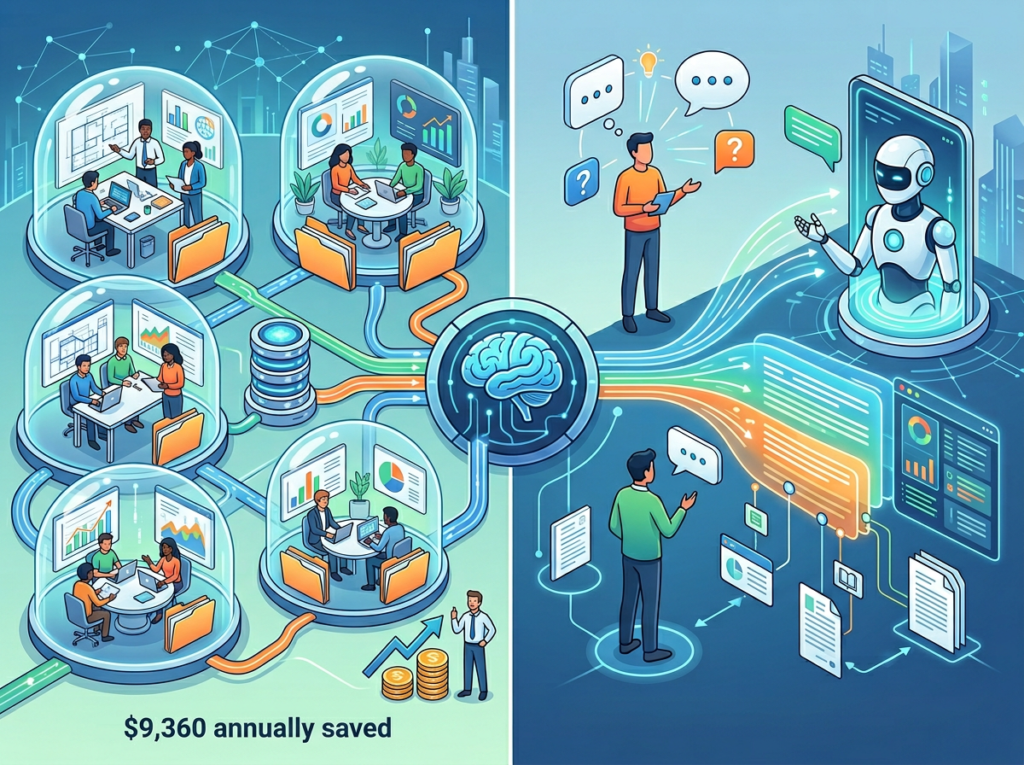
    Perplexity’s Spaces feature allows teams to create shared research environments — essentially lightweight knowledge bases where search threads, summaries, and source collections are organized by project or client. For a 3-person consulting team juggling 5–8 active clients, this replaces ad-hoc Slack threads and shared Google Docs folders as the primary research layer.

    The time savings here compound. Instead of a new team member or junior hire spending 2–3 hours re-researching context a senior team member already found, they access the Space and get up to speed in 15 minutes. At US rates, that’s a saving of $112–$225 per onboarding event. For teams that onboard 3–4 people per year with moderate turnover, that’s $1,344–$3,600 in recaptured onboarding cost — plus the harder-to-quantify benefit of decisions made on consistent information.

    The estimated annual savings assumes a team member currently spending 5 hours/month on deep research that Pro Search compresses to 1.5 hours. At $75/hour: $262.50 saved per month × 12 months = $3,150/year per team member using Pro Search monthly.

    Feature 3: Perplexity Pages for Structured Deliverables to $78,000–$124,800 annual savings

    Perplexity Pages allows users to generate structured, document-style reports directly from research threads — formatted for sharing with clients, stakeholders, or team members. For consulting firms, marketing agencies, and client-service businesses, this compresses what used to be a 3–4 hour “research-to-report” workflow into under 30 minutes.

    For a 5-person agency producing 4 client research deliverables per month at $150/hour billed labor, eliminating 3 hours of research time per deliverable saves $1,800/month in recaptured team capacity — or $21,600/year if that time is redirected to billable work.


    Ready to systemize your US team’s research workflow in under a week? Try Perplexity AI Free | No credit card required | See how Perplexity AI works for US small business teams


    Use Cases by Team Role

    Maria, Startup Founder Juggling 3 Departments — San Francisco

    Old workflow: Maria, co-founder of a 6-person SaaS company in San Francisco, was spending 8+ hours per week pulling competitive intelligence manually. She’d open 12 browser tabs, scan competitor pricing pages, read G2 review threads, and compile notes into a shared doc — a process that was inconsistent, slow, and produced reports that were outdated within two weeks.

    AI-powered workflow: Maria uses Perplexity’s Pro Search with a Focus Mode set to web + academic sources. She runs a single query — “current pricing and review sentiment for [competitor] in US SMB market” — and gets a cited, multi-source summary in under 3 minutes. She saves the thread to a Space shared with her co-founder and marketing lead. Monthly competitive reports that took 8 hours now take 45 minutes.

    Quantified result: 7.25 hours saved per week × $125/hour founder rate = $906/week, or $47,000+ annually in recaptured high-value founder time.

    Maria says: “I stopped dreading competitive analysis. Now it’s the first 45 minutes of my Monday, not an all-day thing I kept postponing.”


    James, Executive Assistant Onboarding Remote Staff — Miami

    Old workflow: James supports a 9-person consulting firm in Miami where new hires used to spend their first two weeks asking James the same questions: what vendors do we use, what are their pricing structures, what’s our current competitive landscape, how do we handle client research requests. James had no central knowledge source — just memory and a 47-page Google Doc nobody kept updated.

    AI-powered workflow: James built a Perplexity Space for each major practice area the firm covers. When a new hire joins, James shares the relevant Spaces. Questions that used to require a 30-minute call with a senior consultant are answered by running a search in the Space in under 5 minutes. James also uses Perplexity to generate vendor comparison summaries on demand — a task that previously took 3–4 hours per vendor evaluation.

    Quantified result: Onboarding time per new hire reduced from 10 days to 4 days. At a blended team rate of $85/hour and 6 productive hours per day: 6 days × 6 hours × $85 = $3,060 saved per onboarding × 4 hires per year = $12,240 annually.

    James says: “New hires stop interrupting the partners in week one. That alone is worth the subscription cost ten times over.”


    Robert, Internal Trainer Documenting Knowledge — New York

    Old workflow: Robert runs internal knowledge management for a 12-person professional services firm in New York. Building training materials required him to research industry standards, then manually write, edit, and format documents — a process that took 20+ hours per training module.

    AI-powered workflow: Robert uses Perplexity to research each training topic end-to-end — pulling cited industry standards, regulatory requirements, and best practice frameworks — then uses the structured summaries as the source material for module creation. He also uses Perplexity Pages to generate first-draft training documents directly from research threads, which he then edits and formats. Time per module dropped from 20 hours to 6 hours.

    Quantified result: 14 hours saved per module × 8 modules per year × $95/hour = $10,640 annually in labor savings, plus faster time-to-deployment for new team training.

    Robert says: “The research quality is actually higher than what I was producing manually because Perplexity pulls from primary sources I wouldn’t have found in a regular Google search.”

    For a deeper look at the feature set powering these workflows, the full Perplexity AI review on AI Plaza covers pricing tiers, integration options, and team deployment guidance.


    Join 10,000+ US small teams using Perplexity AI to eliminate research bottlenecks. See How It Works | Used by teams from Silicon Valley to New York


    Common Pitfalls & How to Avoid Them

    Mistake 1: Using Perplexity alongside 5 other disconnected tools

    The efficiency gains from Perplexity evaporate if the output gets pasted into a Slack thread, mentioned in a meeting, and then lost. Teams that see the biggest ROI designate Perplexity Spaces as the single source of truth for research — not one of seven places information might live. Set a team norm: research lives in the Space, not in your inbox.

    Mistake 2: Failing to verify AI output on high-stakes decisions

    Perplexity cites its sources, which makes verification dramatically easier than with other AI tools. But for decisions involving contracts, regulatory compliance, or financial commitments, the citations should be clicked and verified — not just trusted. Build this into your workflow explicitly: for any research that will directly inform a business decision over $5,000, one team member spot-checks three primary sources. As detailed in this guide to Perplexity’s capabilities, the tool’s source transparency is one of its core differentiators — use it.

    Mistake 3: Over-relying on Slack and email as the knowledge layer

    The most expensive mistake small US teams make is treating Slack and email as their knowledge base. Messages disappear, context is lost, and new hires have no way to access institutional research. Perplexity Spaces solve this — but only if the team commits to saving research there rather than in DM threads. Set a rule: if you searched for something that will matter in two weeks, it goes in the Space.


    For teams ready to avoid these pitfalls from day one, explore Perplexity AI’s features and use the setup checklist in the full tool profile to deploy correctly.


    FAQs

    What’s the difference between AI Efficiency and Solo DX?

    AI Efficiency focuses on doing existing tasks faster — writing emails quicker, summarizing documents, automating individual steps. Solo DX is about building systems: repeatable workflows that allow a team to operate consistently without the founder’s constant involvement. Perplexity AI supports both, but its highest value in the Solo DX context is as the research infrastructure underneath every team decision.

    Can small teams afford to use AI?

    Perplexity AI’s Pro plan costs $20/month per user. For a 5-person US team, that’s $100/month — less than two billable hours at average US contractor rates. The ROI question isn’t whether small teams can afford AI tools; it’s whether they can afford not to use them when competitors are. Most teams that deploy Perplexity systematically report recouping the subscription cost within the first week of use.

    Is Perplexity AI hard to set up?

    No. The core product requires no installation, no IT support, and no training beyond an hour of onboarding. Team Spaces can be created and shared in under 15 minutes. The complexity ceiling is low enough that a 3-person team with no technical background can deploy Perplexity AI as their team research tool in an afternoon.


    Learn more about Perplexity AI and start your free trial today.


    Conclusion

    In 2026, American small businesses don’t need enterprise budgets to build enterprise-level research capabilities. The ai search tool for business gap that used to separate 50-person companies from 5-person teams has closed — and Perplexity AI is one of the primary reasons why.

    The Solo DX value proposition is simple: stop losing $3,000–$10,000 per month in research labor and decision-making delays, and replace that cost with a $20/month subscription and a few hours of team setup. The ROI isn’t theoretical — it’s measurable in hours recaptured, decisions accelerated, and onboarding compressed.

    The teams getting the most out of Perplexity AI in 2026 share one trait: they treated it as infrastructure, not a novelty. They built Spaces, established prompt conventions, and committed to research living in one place. Start with one process — competitive monitoring, vendor evaluation, or client research briefs — and systemize it this week.

    The research bottleneck is solvable. And at $20/month, it’s the highest-ROI infrastructure investment most small US teams will make this year.


    Learn more about Perplexity AI and start your free trial today.


  • Automate product labeling with AI that’s as powerful and precise as a T-Rex.

    What is T-Rex Label?

    T-Rex Label is an AI-powered data labeling tool designed to annotate and categorize visual data. It enables users to generate precise training datasets from images and videos, which are essential for machine learning projects. Developed by the team at T-Rex Label, the system utilizes machine learning algorithms to process visual inputs and produce structured annotations. You can explore its full capabilities on the official T-Rex Label website.
    This tool is particularly effective for computer vision researchers and development teams who require high-quality, annotated data to train models for object detection and image segmentation. For professionals seeking similar data preparation solutions, the AI Plaza directory offers a comprehensive category for data annotation tools.

    Key Findings

    • AI Insights: Delivers actionable business intelligence through advanced predictive analytics and reporting.
    • Data Labeling: Provides high-quality annotated datasets for training accurate and reliable machine learning models.
    • Custom Workflows: Adapts to specific business processes with configurable automation rules and triggers.
    • Real-time Processing: Analyzes streaming data instantly for immediate decision-making and operational responsiveness.
    • Scalable Infrastructure: Grows with your business needs, handling increased data volume without performance loss.
    • Security Compliance: Ensures data protection with enterprise-grade encryption and adherence to industry regulations.
    • Seamless Integration: Connects effortlessly with existing business software and cloud platforms via APIs.
    • User Training: Offers comprehensive onboarding and resources for team adoption and skill development.
    • Performance Analytics: Tracks model accuracy and operational efficiency with detailed metrics and dashboards.
    • Predictive Maintenance: Anticipates system issues before they occur, minimizing downtime and maintenance costs.

    Who is it for?

    Office Administrator

    • Meeting minutes transcription
    • Email response drafting
    • Document formatting and cleanup
    • Data entry and list management
    • Travel itinerary creation

    Project Manager

    • Project status report generation
    • Meeting agenda creation
    • Risk log updating
    • Stakeholder communication draft
    • Task list prioritization

    Content Creator

    • Blog post ideation
    • Social media caption writing
    • Email newsletter drafting
    • Product description writing
    • Video script outlining

    Pricing

    Free @ $0/mo

    • Basic annotation tools
    • 1 project
    • 1 GB storage
    • Community support

    Starter @ $9/mo

    • Advanced annotation tools
    • 5 projects
    • 10 GB storage
    • Email support

    Pro @ $29/mo

    • All annotation tools
    • Unlimited projects
    • 100 GB storage
    • Priority support
    • Custom model training

    Enterprise @ Custom/one-time

    • Dedicated infrastructure
    • Unlimited storage
    • On-premise deployment
    • SLA & custom contract
    • Dedicated support
    • White-glove onboarding
  • Send stunning video messages that feel like you’re there.

    What is Vologram Messages?

    Vologram Messages is an AI-powered video generation tool designed to create personalized video content. It enables users to produce customized video messages from simple text prompts or other inputs. Developed by the team at Vologram, the technology utilizes machine learning algorithms to process user-provided data and synthesize dynamic visual outputs. You can explore its official features at vologram.com. This type of tool is effective for professionals and marketers seeking to enhance engagement through unique digital communication, offering a modern alternative to standard text or image-based formats. For a broader selection of similar creative AI tools, you can review various video generators available in the AI Plaza marketplace.

    Key Findings

    • Dynamic Holograms: Create stunning 3D video messages that capture attention and leave a lasting impression.
    • Personalized Engagement: Deliver unique, tailored visual communications that deeply resonate with each individual recipient.
    • Seamless Integration: Works effortlessly within your existing platforms to enhance and simplify communication workflows instantly.
    • Enhanced Connectivity: Foster stronger relationships by transforming standard messages into memorable, interactive visual experiences.
    • Brand Amplification: Elevate your corporate identity with cutting-edge visual technology that showcases innovation and vision.
    • Effortless Creation: Produce professional-grade holographic content quickly without needing specialized technical skills or expertise.
    • Memorable Impressions: Ensure your messages are unforgettable, cutting through the digital noise with immersive visual impact.
    • Data-Driven Insights: Gain valuable analytics on viewer interaction to refine and optimize your communication strategy continuously.
    • Future-Ready Communication: Adopt the next evolution in digital interaction, positioning your business as an industry leader.
    • Universal Compatibility: Share your volograms across any device or platform, ensuring broad accessibility for all audiences.

    Who is it for?

    Real Estate Agent

    • Property virtual tours
    • Client consultation follow-ups
    • Showcase neighborhood features
    • Announcing price changes
    • Remote property introductions

    Educator

    • Complex concept explanation
    • Personalized feedback delivery
    • Virtual lab demonstrations
    • Course announcements
    • Interactive homework assignments

    Retail Store Manager

    • New product launches
    • Visual merchandising plans
    • Staff training modules
    • In-store promotion announcements
    • Customer complaint resolution

    Pricing

    SHORT VM @ $499/one-time

    • 30 second experience
    • 1 vologram
    • Adaptive streaming
    • 8th Wall integration
    • 1000 views over 3 months
    • Up to 3 call-to-action links

    LONG VM @ $949/one-time

    • 60 second experience
    • 1 vologram
    • Adaptive streaming
    • 8th Wall integration
    • 1000 views over 3 months
    • Up to 3 call-to-action links

    CUSTOM VM @ Custom Pricing/one-time

    • Customize for your needs

    Free trial @ $0/one-time

    • First Vologram Message for free
  • Maximize your subscription revenue with AI-powered retention and pricing insights.

    What is ProfitWell?

    ProfitWell is a subscription analytics and retention platform designed to help businesses understand and grow their recurring revenue. It enables users to track key metrics, analyze customer behavior, and implement strategies to reduce churn. Developed by the team at ProfitWell, the platform utilizes machine learning algorithms to process subscription and financial data, providing actionable insights. You can explore its full suite of tools on the official ProfitWell website. This type of platform is particularly effective for SaaS companies and other subscription-based businesses seeking to optimize their financial performance, which is a common focus within the broader landscape of business intelligence software.

    Key Findings

    • Revenue Intelligence: Provides deep insights into customer revenue streams and identifies growth opportunities clearly.
    • Churn Prediction: Forecasts potential customer cancellations using advanced algorithms to proactively prevent revenue loss.
    • Subscription Analytics: Tracks and visualizes all subscription metrics for clear, actionable financial insights and reporting.
    • Automated Retention: Engages at-risk customers with personalized communications designed to reduce churn rates effectively.
    • Payment Recovery: Automatically recovers failed payments with intelligent retry logic to maximize collected revenue effortlessly.
    • Pricing Optimization: Analyzes customer segments and market data to recommend optimal pricing strategies for growth.
    • Revenue Recognition: Ensures accurate financial compliance by automating complex revenue reporting and recognition schedules.
    • Customer Segmentation: Groups users by behavior and value to enable targeted, high-impact marketing campaigns.
    • Financial Reporting: Generates comprehensive, GAAP-ready reports to streamline month-end close and investor communications.
    • Integration Hub: Connects seamlessly with major billing and analytics platforms for a unified data ecosystem.

    Who is it for?

    Startup Founder

    • Revenue forecasting
    • Churn analysis
    • Pricing strategy validation
    • Investor reporting
    • Customer lifetime value tracking

    Financial Operations Manager

    • Subscription revenue reconciliation
    • Dunning management optimization
    • Revenue recognition compliance
    • Expansion revenue tracking
    • Audit preparation

    SaaS Marketer

    • Campaign ROI measurement
    • Lead-to-revenue funnel analysis
    • Customer segmentation for targeting
    • Competitive pricing analysis
    • Retention campaign effectiveness

    Pricing

    Free @ $0/mo

    • Real-time subscription analytics
    • Revenue reporting
    • SaaS metrics

    Billing @ Custom pricing

    • Payment routing
    • Sales tax compliance
    • Subscription management
    • Localized checkouts
    • Fraud protection

    ProfitWell Metrics @ $0/mo

    • Accurate revenue reporting
    • Accessible dashboards
    • Subscription analytics

    Retain @ Custom pricing

    • Automatic payment recovery
    • Failed card recovery
    • Customer retention
  • The AI that transforms your expertise into a thriving, automated online business.

    What is The Leap?

    The Leap by Thinkific is an AI-powered course creation tool designed to assist educators and entrepreneurs in developing structured online learning content. It enables users to generate comprehensive course outlines, lesson plans, and educational materials from a simple text-based prompt describing their topic.
    Developed by the team at Thinkific, this tool utilizes machine learning algorithms to process user-provided course ideas and transform them into organized instructional frameworks. You can explore its official features on the Thinkific website. For creators seeking to rapidly prototype a curriculum, The Leap is effective for transforming a core concept into a ready-to-build course skeleton, streamlining a process that traditionally requires significant manual effort. This functionality is a prime example of the automation available in modern AI tools for education.

    Key Findings

    • AI Acceleration: Boosts team productivity by integrating intelligent automation into daily operational workflows seamlessly.
    • Learning Integration: Seamlessly embeds training modules directly into existing business platforms for continuous skill development.
    • Data Insights: Delivers actionable analytics from learner interactions to inform strategic decisions and improve outcomes.
    • Custom Pathways: Creates personalized learning journeys tailored to individual employee roles and performance goals automatically.
    • Content Creation: Generates and updates training materials using AI to keep all educational resources current.
    • Progress Tracking: Monitors individual and team advancement with detailed reports on completion rates and mastery.
    • Skill Analytics: Identifies organizational competency gaps and highlights strengths to better align training with needs.
    • Platform Scalability: Easily adapts to growing teams and evolving business requirements without technical complexity or delay.
    • Engagement Tools: Increases learner participation through interactive elements, social features, and gamified reward systems effectively.
    • Enterprise Security: Protects sensitive company and employee data with robust, compliant encryption and access controls reliably.

    Who is it for?

    Marketer

    • Campaign performance analysis
    • Social media content creation
    • Competitor research report
    • SEO keyword optimization
    • Customer persona development

    Project Manager

    • Project status reporting
    • Meeting minute summarization
    • Risk assessment documentation
    • Stakeholder communication draft
    • Resource planning overview

    Startup Founder

    • Investor pitch deck creation
    • Business plan refinement
    • Market trend analysis
    • Grant application drafting
    • Product roadmap communication

    Pricing

    Free @ $0/mo

    • Link-in-bio store
    • Email marketing
    • Mobile product builder
    • AI assistant
    • Landing pages
    • Lead magnets

    Pro @ $19/mo

    • Everything in Free
    • Unlimited products
    • Unlimited customers
    • Advanced analytics
    • Custom domains
    • Priority support

    Business @ $49/mo

    • Everything in Pro
    • Team members
    • White-labeling
    • Bulk actions
    • API access
    • Dedicated account manager

    Enterprise @ Custom/one-time

    • Everything in Business
    • Custom integrations
    • SLA guarantee
    • Onboarding & training
    • Volume discounts
    • Dedicated support
  • Turn ideas into animated videos with AI in minutes.

    What is Animaker?

    Animaker is a video generator designed to streamline the process of creating animated and live-action videos. It enables users to produce professional-grade visual content from text prompts, pre-built assets, and customizable templates.
    Developed by the team at Animaker, the platform utilizes machine learning algorithms to process user inputs and automate complex animation tasks. You can explore its full suite of features on the official Animaker website. This tool is particularly effective for content creators and marketers needing to produce engaging explainer videos or social media clips efficiently, a common requirement for users of video generation tools.

    Key Findings

    • AI Video: Create professional animated videos quickly with no design or technical expertise needed.
    • Drag Drop: Build complete animations visually using an intuitive drag-and-drop interface and timeline editor.
    • Character Builder: Customize expressive animated characters with diverse poses, actions, and emotions for storytelling.
    • Rich Library: Access millions of royalty-free assets, templates, and music tracks for any video project.
    • Team Collaboration: Work simultaneously with colleagues on projects using real-time editing and commenting features.
    • Voice Recording: Add voiceovers directly within the platform using text-to-speech or your own microphone.
    • Multi Format: Export videos in various resolutions and formats suitable for social media or presentations.
    • Live Interaction: Engage your audience by creating interactive videos with clickable buttons and hotspots.
    • Data Visualization: Transform complex statistics and information into clear, engaging animated charts and infographics.
    • Affordable Pricing: Scale your video creation with flexible subscription plans designed for teams and businesses.

    Who is it for?

    Marketer

    • Product launch video
    • Social media ad creation
    • Email campaign enhancement
    • Customer testimonial video
    • Brand storytelling

    Educator

    • Online course content
    • Training module development
    • Student project assignment
    • Concept explanation video
    • Engaging lecture supplement

    Social Media Manager

    • Platform trend participation
    • Announcement posts
    • Story engagement stickers
    • Video content repurposing
    • Holiday campaign asset

    Pricing

    Free @ $0/mo

    • Basic dashboard
    • 1 user account
    • 5 monthly reports

    Basic @ $10/mo

    • Unlimited reports
    • Advanced analytics
    • Team collaboration

    Starter @ $20/mo

    • Priority support
    • Custom branding
    • API access

    Pro @ $29/mo

    • Enterprise features
    • Dedicated account manager
    • SLA guarantee
  • AI-powered SEO tool that writes high-ranking content in minutes.

    What is GrowthBar?

    GrowthBar is a search engine optimization tool designed to assist with content creation and keyword research. It enables users to generate written content and analyze search engine performance metrics from provided prompts and queries.
    Developed by the team at GrowthBar, the software utilizes machine learning algorithms to process user inputs and web data. You can explore its full capabilities on its official website. For professionals in digital marketing, it is an effective solution for drafting SEO-optimized articles and conducting competitive analysis. This makes it a practical asset for anyone focused on content marketing strategy.

    Key Findings

    • Keyword Intelligence: Uncovers high-value SEO opportunities with precise search volume and difficulty metrics.
    • Content Optimization: Enhances blog posts and articles with AI-driven readability and SEO scoring tools.
    • Competitor Insights: Analyzes rival websites to reveal their top keywords and content strategies instantly.
    • Backlink Analysis: Identifies powerful linking opportunities to build domain authority and improve search rankings.
    • AI Writing: Generates marketing copy, product descriptions, and ad text tailored to your brand voice.
    • Rank Tracking: Monitors keyword positions daily across search engines to measure SEO campaign performance.
    • Topic Research: Discovers trending questions and subtopics to create comprehensive, audience-focused content clusters.
    • Site Audit: Scans your website for critical technical SEO issues that hinder search visibility.
    • Ad Copy Generator: Creates high-converting PPC ad variations for Google and social media platforms.
    • Performance Reporting: Delivers clear, actionable SEO reports showing traffic growth and ROI over time.

    Who is it for?

    Content Creator

    • Keyword research
    • SEO content brief generation
    • Competitor content gap analysis
    • Meta description optimization
    • Content readability improvement

    Marketer

    • Landing page SEO audit
    • Backlink opportunity identification
    • Local SEO optimization
    • Campaign performance reporting
    • Ad copy ideation

    Startup Founder

    • Market entry content strategy
    • Competitor website analysis
    • Investor update preparation
    • Product launch SEO planning
    • Technical issue diagnosis

    Pricing

    Standard @ $36.00/mo

    • 25 AI Blog Articles or Audits per month
    • 500 AI Paragraph Generations per month
    • Unlimited Keyword Research
    • Track 25 Keywords Across 1 Site
    • 2 User Accounts

    Pro @ $74.25/mo

    • 100 AI Blog Articles or Audits per month
    • 2,000 AI Paragraph Generations per month
    • Unlimited Keyword Research
    • Track 1,000 Keywords Across 3 Sites
    • 5 User Accounts

    Agency @ $149.25/mo

    • 300 AI Blog Articles or Audits per month
    • 5,000 AI Paragraph Generations per month
    • Unlimited Keyword Research
    • Track 5,000 Keywords Across 25 Sites
    • 10 User Accounts
    • “`
    • **Extraction Notes:**
    • – **Plan Selection:** Extracted the 3 primary paid plans (Standard, Pro, Agency). No free tier was listed in the pricing section.
    • – **Price Normalization:** Used the “Get An Extra Discount” pricing column (current discounted rates) as the primary prices: Standard $36.00/mo, Pro $74.25/mo, Agency $149.25/mo.
    • – **Feature Selection:** Selected the 6 most representative features per plan, focusing on AI writing tools and research capabilities.
    • – **Format Compliance:** All prices use `/mo` unit; no supplementary text included in price lines; features use short noun phrases only.
  • Turn documents into actionable tasks in seconds.

    What is Scanlist?

    Scanlist is a data analysis tool designed to extract and organize information from various sources. It enables users to transform unstructured data, such as text from documents or web pages, into structured formats like spreadsheets or databases for easier review and action.
    Developed by the team at Scanlist.ai, this tool utilizes machine learning algorithms to process user-provided content, identifying and categorizing key data points with reliability. You can learn more about its specific features and access the platform directly through its official website. For professionals who need to quickly compile research or manage leads, Scanlist is particularly effective for automating repetitive data collection tasks. This makes it a practical solution among other available business intelligence tools.

    Key Findings

    • Document Scanner: Converts paper documents into digital files instantly with perfect clarity and accuracy.
    • Data Extraction: Automatically pulls key information from scanned forms and invoices for quick processing.
    • Smart Organization: Categorizes and tags your digital documents automatically for effortless retrieval and management.
    • Cloud Sync: Securely backs up all your scans to the cloud from any device location.
    • Team Sharing: Enables instant document sharing with colleagues through secure, permission-based access links.
    • Searchable Archives: Makes every scanned document fully searchable by text content, date, or keyword.
    • Batch Processing: Scans and processes multiple pages or documents in one single, efficient operation.
    • Mobile Capture: Lets you scan documents clearly using just your smartphone camera anywhere, anytime.
    • Export Flexibility: Allows you to export documents in PDF, JPG, or Word formats seamlessly.
    • Security Focus: Protects sensitive business data with enterprise-grade encryption and strict access controls.

    Who is it for?

    Marketer

    • Campaign performance analysis
    • Social media content planning
    • SEO keyword report review
    • Competitor campaign monitoring
    • Marketing budget reconciliation

    Project Manager

    • Weekly status report creation
    • Meeting minutes distillation
    • Vendor proposal comparison
    • Risk log review
    • Project scope document analysis

    Office Administrator

    • Policy document summarization
    • Vendor contract review
    • Event planning detail compilation
    • Inventory audit report analysis
    • Staff meeting agenda creation

    Pricing

    Small @ $29/mo

    • 600 Scanner credits
    • No AI Writer access

    Medium @ $58/mo

    • 1200 Scanner credits
    • 10000 AI Writer credits

    Large @ $87/mo

    • 1800 Scanner credits
    • 25000 AI Writer credits
    • “`
    • **Extraction Notes:**
    • – Three pricing tiers identified: Small, Medium, and Large
    • – All prices are displayed as monthly billing ($29/month, $58/month, $87/month)
    • – No free tier or one-time payment option was found in the pricing section
    • – Features extracted from the credit allocations listed for each plan
    • – FAQ section excluded per data source guidelines
    • – No fourth plan available to reach the maximum of 4 plans
  • Turn any video into an interactive, shoppable experience in minutes.

    What is Zeacon?

    Zeacon is an AI video generator designed to create dynamic video content from user-provided prompts or data. It enables users to produce complete video sequences by interpreting textual or visual input.
    Developed by the team at Zeacon.com, the platform utilizes machine learning algorithms to process user instructions and generate corresponding visual media. You can explore its official features directly on their website. As a video generation tool, it is particularly effective for content creators seeking to rapidly prototype visual concepts, a common application among AI video generators.

    Key Findings

    • AI Integration: Seamlessly connects with existing enterprise software systems for enhanced operational efficiency.
    • Data Analysis: Processes complex datasets rapidly to uncover actionable insights and predictive business trends.
    • Workflow Optimization: Streamlines internal processes to reduce manual effort and accelerate project completion cycles.
    • Real-Time Insights: Delivers immediate, data-driven intelligence to support critical decision-making across all departments.
    • Predictive Forecasting: Anticipates market shifts and operational needs using advanced machine learning algorithms consistently.
    • Customizable Solutions: Tailors AI capabilities to meet specific industry requirements and unique business challenges.
    • Security Protocols: Implements enterprise-grade protection to safeguard sensitive data and ensure regulatory compliance always.
    • User Training: Provides comprehensive onboarding and continuous support resources for all staff levels effectively.
    • Scalable Infrastructure: Grows seamlessly with your business demands without compromising on performance or reliability.
    • Cost Efficiency: Reduces operational expenses by automating tasks and optimizing resource allocation intelligently over time.

    Who is it for?

    Social Media Manager

    • Content calendar creation
    • Crafting campaign captions
    • Audience engagement analysis
    • Trend report summarization
    • Visual content ideation

    Project Manager

    • Meeting minute generation
    • Risk assessment drafting
    • Project status updates
    • Stakeholder communication
    • Process documentation

    HR Manager

    • Job description writing
    • Policy simplification
    • Training material creation
    • Employee feedback analysis
    • Interview question drafting

    Pricing

    Free @ $0/mo

    • AI-powered video personalization
    • Manual upload
    • Instagram integration

    Pro @ $9/mo

    • Custom branding
    • AI-powered video personalization
    • 500 sessions per month
    • 10GB storage per month

    Enterprise @ Custom/mo

    • Volume based discounts
    • Advanced analytics
    • Premium support
    • Dedicated success manager
    • Unlimited video widgets
    • Unlimited videos
  • Chat privately with your documents—no data ever leaves your system.

    What is PrivateGPT?

    PrivateGPT is a private artificial intelligence assistant designed to process and generate text-based information. It enables users to query documents and data while maintaining strict local control over their information.
    Developed by the team at PrivateGPT, the system utilizes machine learning algorithms to process user-provided documents. You can learn more about its development and features on the official PrivateGPT website. This approach makes the tool particularly effective for individuals and organizations handling sensitive data who require a secure AI assistant. For those exploring similar privacy-focused tools, AI Plaza offers a curated directory of secure AI applications.

    Key Findings

    • Local Deployment: Ensures your sensitive data never leaves your secure on-premises infrastructure environment.
    • Complete Privacy: Guarantees that all documents and queries remain entirely within your own controlled private network.
    • No Internet: Operates fully offline, eliminating any risk of external data breaches or exposure completely.
    • Document Intelligence: Ingests and understands your internal files, from PDFs to presentations, with high accuracy.
    • Secure Chat: Allows employees to ask questions and get answers directly from your confidential company documents.
    • Easy Integration: Deploys simply within your existing corporate IT ecosystem using Docker for straightforward management.
    • Custom Knowledge: Builds a powerful, searchable knowledge base exclusively from your organization’s proprietary internal materials.
    • Team Collaboration: Enables secure information sharing and Q&A across departments without external cloud dependencies.
    • Persistent Memory: Maintains context from previous conversations to provide coherent and relevant follow-up answers always.
    • Open Source: Provides full transparency and control over the codebase, allowing for audits and custom modifications.

    Who is it for?

    HR Manager

    • Policy drafting
    • Employee query resolution
    • Meeting summarization
    • Report generation
    • Training material creation

    Financial Operations Manager

    • Regulatory report drafting
    • Process documentation
    • Audit response preparation
    • Executive briefing
    • Vendor contract review

    Legal Assistant

    • Discovery document review
    • Contract summarization
    • Legal research compilation
    • Meeting minute generation
    • Clause drafting assistance

    Pricing

    Free @ $0/mo

    • Basic chatbot
    • Limited messages
    • File uploads
    • Website training
    • Customizable appearance

    Starter @ $19/mo

    • Increased message limits
    • Multiple chatbots
    • API access
    • Zapier integration
    • Remove branding

    Pro @ $49/mo

    • Higher message limits
    • Team collaboration
    • Priority support
    • Advanced analytics
    • Custom domains

    Enterprise @ Custom/mo

    • Unlimited messages
    • Dedicated infrastructure
    • SLA guarantee
    • Custom AI models
    • White-label solution