
Most small businesses spending $1,500/month on video production haven’t discovered what ai video generation tools like Seedance AI can do to that bill.
In 2026, American creators, freelancers, and small business owners face a brutal content reality: social media platforms reward video — and they reward volume. Instagram Reels, TikTok, YouTube Shorts, and LinkedIn video posts drive the majority of organic reach. If you’re not publishing video consistently, the algorithm punishes you with silence.
The problem? Traditional video production is expensive, slow, and inaccessible for solo operators. A professionally shot 30-second product video costs $800–$3,000. Even DIY production — filming, editing, reformatting — burns 6–12 hours per video. For US freelancers billing $75–$150/hour, that’s $450–$1,800 in lost earning time per post.
This is exactly where ai video generation tools like Seedance AI change the equation entirely.
Seedance AI, developed by ByteDance’s Seed research lab, is a joint audio-video generation model that converts text prompts, images, and reference clips into cinematic, social-ready video content. The 1.5 Pro version generates film-grade footage — complete with native audio, spatial sound effects, and precise camera movements — from a single prompt. No camera. No crew. No editing suite.
For US content creators and small business owners, the math is compelling. Replacing even 60% of your current video production with AI tools translates to thousands of dollars reclaimed annually — and the publishing consistency that actually moves your social metrics.
This article gives you 4 specific workflows to implement this week using ai tools for marketing videos — each saving 3–8 hours of production time. Whether you run a Shopify store in Austin, freelance as a brand designer in Portland, or manage social for a service business in Chicago, these workflows apply directly to how you work.
Try Seedance AI and start generating cinematic marketing videos from your existing product photos. Get started at seed.bytedance.com | No technical skills required
Key Concepts of AI Video Generation for Marketing

Concept 1: Prompt-Driven Video Intent
Traditional video production starts with a shot list. AI video generation starts with a prompt — a written description of what you want the video to show, how the camera should move, what the lighting should feel like, and what narrative the footage should support.
The quality of your output is directly proportional to the specificity of your input. Vague prompts like “show my product” produce vague footage. Specific prompts like “slow cinematic dolly-in on a handcrafted candle, warm amber light, soft bokeh background, 8 seconds” produce footage you can actually publish.
Consider how Maya, a candle brand owner in Nashville, completely transformed her Instagram feed by shifting from expensive photoshoots to AI-generated product videos. She now generates 12 unique product clips per week, each under 12 seconds, using detailed prompts she built from her product descriptions. Her weekly video production time dropped from 9 hours to under 2 hours — and her Instagram engagement rate increased because she could finally post consistently.
Explore Seedance AI in detail to see how prompt-to-video workflows apply to specific marketing scenarios across product, service, and brand content.
Concept 2: Multimodal Reference Control
The biggest limitation of early AI video tools was consistency — character drift, style jumps, and outputs that looked nothing like the reference product or brand. The most capable ai video for social media content tools in 2026 have largely solved this through multimodal reference inputs.
Rather than relying on text alone, you can now upload a product photo, a brand style image, or a short reference clip — and the AI anchors its generation to those visual inputs. The result is footage that actually looks like your product, in your brand’s color palette, with the aesthetic your audience already recognizes.
For David, an independent marketing consultant in Chicago, this feature eliminated the most painful part of client video work: revision cycles. He uploads a client’s product photography as a reference image, pairs it with a detailed text prompt, and generates footage that’s recognizably on-brand in the first pass. His average revision cycle dropped from 3 rounds to 1 — saving roughly 4 hours per project.
Concept 3: Native Audio Generation as a Scroll-Stopping Advantage
Most create videos with ai tools produce silent footage and require you to add music and sound in post-production. This creates an extra editing step that solo operators frequently skip — producing mute videos that underperform because sound is a primary driver of social engagement.
Seedance AI’s 1.5 Pro model generates native audio synchronized with the visual output: ambient sound effects, spatial audio, background music tonality — all coordinated with what’s happening on screen. A video of a coffee shop generates the warm hum of an espresso machine. A fitness product video generates the rhythm and energy of a workout setting.
For social media content, this is a direct competitive advantage. Auto-playing video with relevant audio stops the scroll more effectively than silent footage. You’re not just saving production time — you’re improving the core performance metric your content is judged on.
How Seedance AI Helps You Create Viral-Ready Social Videos
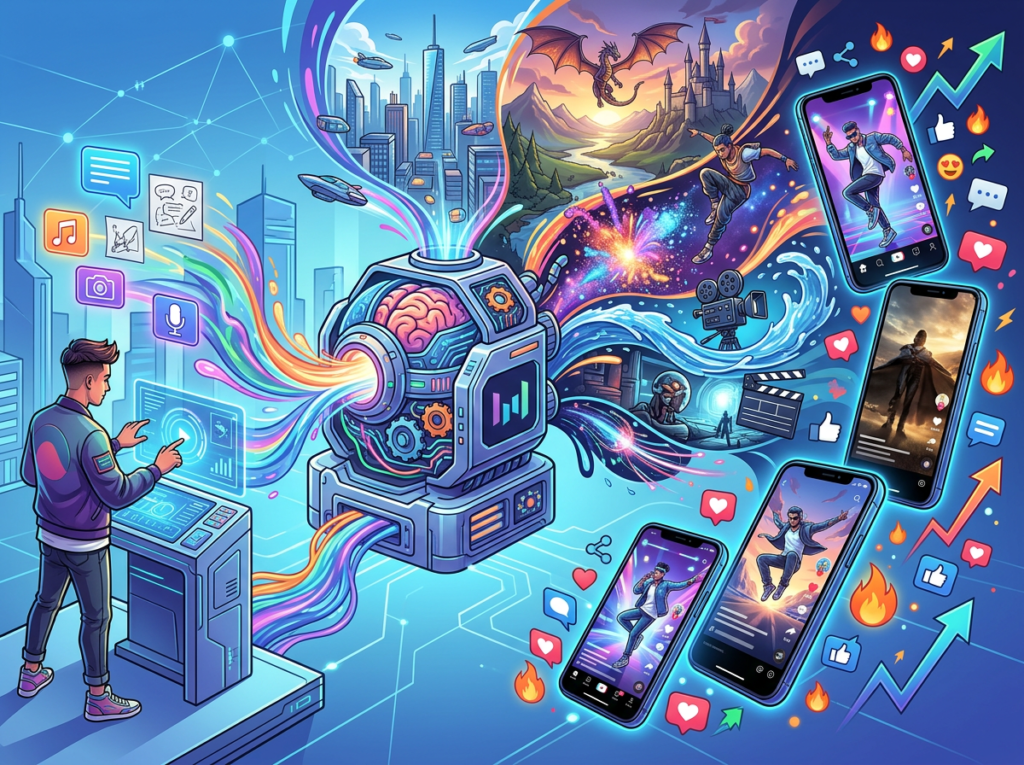
Feature 1: Text-to-Video with Cinematic Camera Control
Seedance 1.5 Pro supports complex, intentional camera movements — not just static footage or random motion. You can specify dolly-ins, tracking shots, close-ups with emotional expression, or wide-shot cinematic compositions using plain language in your prompt.
For ai tools for marketing videos, this matters because camera movement is a core component of professional video quality. Static, flat footage reads as amateur. Intentional motion reads as produced. The gap between them previously required a videographer. Now it requires a well-crafted prompt.
Annual time savings: Replacing 2 professionally shot social videos per week at 4 hours each = 416 hours/year. Even at 50% AI adoption, that’s 208 hours reclaimed = $15,600–$31,200 at $75–$150/hour.
Feature 2: Multimodal Input Support (Text + Image + Video + Audio)
Unlike earlier text-to-video tools, Seedance AI accepts multiple reference inputs simultaneously: a product photo, a reference clip for camera movement, a text prompt for narrative, and even audio cues. This multimodal architecture is what enables consistent, brand-accurate video generation at scale.
For small business owners managing their own social channels, this means you can generate a week’s worth of product videos from existing photography you already own. No new assets needed — just your product images and a clear prompt.
Annual time savings: Eliminating 3 hours/week of video asset prep = 156 hours/year = $11,700–$23,400 in recovered billing capacity.
Feature 3: Native Audio-Video Synchronization
As noted earlier, synchronized audio is one of the most underrated efficiency wins in AI video production. Seedance 1.5 Pro generates audio that is spatially and emotionally coordinated with the visual content — removing an entire post-production step from your workflow.
For creators who publish on TikTok and Reels, where native audio content consistently outperforms music-over-silence formats, this feature directly improves content performance metrics in addition to saving editing time. As this guide from WaveSpeed demonstrates, Seedance 2.0’s motion consistency and audio output put it in a different category from earlier video generation tools in terms of publish-ready quality.
Annual time savings: Removing audio post-production from 3 videos/week = 90 hours/year = $6,750–$13,500 recovered.
Ready to stop paying $1,500/month for video production? Try Seedance AI and start generating cinematic marketing videos from your existing product photos. Get started at seed.bytedance.com | No technical skills required
Best Practices for Using Seedance AI in Your Content Workflow

Successfully integrating AI video tools into your marketing workflow requires a deliberate approach — starting small, maintaining quality control, and building systems that scale without creating new overhead.
Start with your existing assets, not new production. The highest-ROI entry point is uploading product photography you already own and generating video from those references. Your Shopify product images, brand photography, and headshots are sufficient inputs for your first AI video workflow. Build the prompt library before you build new production habits.
Treat your first 10 videos as a learning investment. Your first AI-generated videos will not be your best ones. The learning curve in AI video is almost entirely about prompt craft — which language produces intentional camera movement, which scene descriptions generate publish-ready quality. Budget 3–5 hours in week one specifically for experimentation, and keep a prompt log of what works.
Don’t automate your brand voice away. AI video handles the visual and audio production layer. Your brand’s creative direction — narrative angle, emotional tone, content strategy — still requires human judgment. The most effective users of automate video content creation tools treat AI as a production assistant, not a creative director.
Measure what changes. Before integrating Seedance AI, document your baseline: hours per video, cost per video, videos published per month, average engagement rate. After 30 days of AI-assisted production, compare those numbers. The ROI of these tools shows up in measurable changes to your workflow and content performance — not in theory, but in your calendar and your P&L.
Limitations and Considerations

AI video generation tools are powerful, but understanding where they fall short helps you avoid over-relying on them in the wrong contexts.
Video length is currently limited. Seedance 1.5 Pro generates clips in the 4–15 second range — optimal for social media and brand vignettes, but not suitable for long-form content like explainer videos or product demos exceeding 30 seconds. Long-form content still requires traditional production or a hybrid approach.
Highly specific product accuracy has limits. While multimodal reference inputs dramatically improve consistency, AI-generated video is not identical to filmed footage of your actual product. For regulated industries — food, pharmaceuticals, financial services — where literal product representation matters for compliance, AI-generated footage requires legal review before publication.
Prompt dependency creates a new skill requirement. The efficiency gains are real, but they’re not automatic. They accrue to users who invest time in effective prompt engineering. Expect a 2–4 week ramp-up before your outputs are consistently publish-ready without revision.
Try Seedance AI and start generating cinematic marketing videos from your existing product photos. Get started at seed.bytedance.com | No technical skills required
Frequently Asked Questions

What are the best ai video generation tools for small businesses in 2026? The strongest options for US small businesses include Seedance AI (ByteDance), Runway Gen-4, Kling AI, and Sora. Seedance AI stands out for its native audio-video synchronization and multimodal reference input support, making it particularly effective for product and brand marketing content. The right choice depends on use case: Seedance excels at cinematic short-form social content; Runway handles longer editorial clips; Kling is strong for motion-from-image workflows.
Can AI video tools fully replace a video production team? Not entirely — and you shouldn’t want them to. AI video tools eliminate the mechanical overhead: filming, basic editing, audio sourcing, format conversion. Strategic creative direction, brand storytelling, and client relationships remain human responsibilities. Most successful solo operators use AI to handle 60–80% of their video volume while maintaining human involvement in high-stakes creative decisions.
How do freelancers use text to video ai tools to save time? The most effective workflows cluster around three use cases: product photography to video (uploading existing images as reference inputs), social content batching (generating a week’s clips in one session), and client deliverable production (using brand reference assets to generate on-brand footage without site visits). Each typically reduces per-video production time by 70–85%.
What’s the ROI of using Seedance AI for marketing video production? For US freelancers billing $75–$150/hour, saving 5 hours of production time per week equals $19,500–$39,000 in annual recovered capacity. If you’re currently outsourcing at $200–$600/clip and generating 2–4 videos weekly, AI tools eliminate $20,800–$124,800 in annual production costs. For most solo operators actively producing video, ROI ranges from 50x to 200x on the tool’s cost.
Do I need technical skills to use Seedance AI for social media content? No. Seedance AI is accessible through consumer-facing web interfaces that require nothing beyond uploading images and writing text prompts. The most important skill is prompt clarity, not technical knowledge. If you can write a detailed product description, you can write an effective video generation prompt. Most users achieve publish-ready outputs within their first week.
Conclusion

The core question for US small business owners evaluating ai video generation tools in 2026 is not whether they work — the outputs from Seedance AI 1.5 Pro are film-grade and commercially viable. The question is whether you’re willing to invest the 2–4 weeks required to build effective prompt workflows and integrate AI generation into your content calendar.
For creators and business owners currently spending $1,000–$3,000/month on video production — or 10+ hours per week on video overhead — the math is unambiguous. Seedance AI doesn’t just reduce production cost; it removes the bottleneck that prevents consistent video publishing in the first place. In a social media landscape that rewards volume and consistency, removing that bottleneck is a direct competitive advantage.
The personas in this guide — Jessica in Portland, Marcus in Chicago, Priya in Austin, Alex in San Francisco — share one thing: they didn’t wait until AI video was perfect. They started with one workflow, built a prompt library, and let the ROI compound.
Pick one workflow this week: generate product videos from existing photography, batch a week’s social content in a single session, or run 10 test generations before you publish anything.
The question isn’t “Should I use AI for video content?” — It’s “Can I afford the production overhead of NOT using it while my competitors already are?”
Try Seedance AI and start generating cinematic marketing videos from your existing product photos. Get started at seed.bytedance.com | No technical skills required
Leave a Reply