
Smart ai email automation tools don’t just save time — they reclaim the mental bandwidth that inbox chaos silently steals from every solo entrepreneur.
In 2026, American freelancers and solo entrepreneurs face a paradox that no productivity hack has fully solved: the better your business gets, the more email you receive — and the more email you receive, the less time you have to actually run your business.
Picture this: Inbox at 200 unread. Calendar packed. To-do list endless. You sit down to do your best work at 9 AM and spend the first two hours triaging client questions, supplier updates, cold pitches, and notifications that somehow all demand your attention. By the time you’re ready to focus, it’s nearly noon.
This isn’t a discipline problem. It’s a systems problem — and AI email automation tools exist precisely to solve it.
ReplylessAI is an AI-native email application built for Gmail and Outlook that helps founders, freelancers, and small business owners reach Inbox Zero through intelligent auto-sorting, AI-drafted replies, thread summaries, and smart inbox organization. It’s not a task manager bolted onto your inbox — it’s a rethink of how email should work for solo operators who can’t afford a full-time assistant.
For US freelancers billing $50–150 per hour, every hour lost to inbox management is $50–$150 not earned. This guide gives you four specific workflows to implement this week using ReplylessAI, each saving 2–5 hours — with real before/after results you can replicate without any technical background.
If your inbox is running your schedule, it’s time to run your inbox instead.
Try ReplylessAI free and experience AI email automation firsthand. Start Free | No credit card required
Key Concepts of AI Efficiency
Concept 1: Cognitive Offloading
Cognitive offloading is the practice of transferring mental work to an external system so your brain can focus on higher-order thinking. For email, this means letting AI handle the classification, drafting, and prioritization decisions that your brain currently makes dozens — sometimes hundreds — of times per day.
Every email you open requires a micro-decision: Does this need a reply? Is it urgent? What context do I need to respond? How should I phrase this? These micro-decisions are individually minor, but collectively they consume enormous cognitive bandwidth.
Consider Sarah, a freelance brand designer in Portland who manages eight active clients. Before using AI email automation tools, she spent 2.5 hours daily on client communication — reading project update threads, drafting status replies, sorting supplier invoices from new lead inquiries. After implementing intelligent auto-sorting and AI draft replies, that dropped to under an hour. The AI handled categorization and first-draft generation; Sarah reviewed and approved. Result: 1.5 hours saved daily, or roughly 390 hours per year.
At $90/hour, that’s $35,100 in recovered productive capacity — from email alone.
Concept 2: Context Switching Cost
Research consistently shows it takes an average of 23 minutes to fully refocus after an interruption. Email is one of the most persistent sources of interruption for solo entrepreneurs because it operates on an open loop — every unread message is a small unresolved task nagging at the back of your mind.
Marcus, an independent management consultant based in Chicago, tracked his email interruptions for two weeks before restructuring his workflow. He was checking email an average of 34 times per day, each check triggering context switches that fragmented his deep work into 20-minute blocks. By using split inbox automation — AI routing emails into focused categories so he could batch-process by type — he reduced email checks to three per day. That shift alone recovered five hours weekly of uninterrupted focused time.
For consultants billing $150/hour, that’s $750 per week, or $39,000 annually, from a single behavioral change enabled by smarter inbox architecture.
Concept 3: Workflow Orchestration
The most sophisticated application of AI efficiency isn’t automating individual tasks — it’s orchestrating workflows so that AI handles the connective tissue between tasks. Email is often that connective tissue: a client sends a question, you research the answer, you draft a reply, you follow up if they don’t respond. Each step is manual. Each step requires you.
Workflow orchestration means AI handles the predictable steps — the first-draft reply, the categorization, the thread summary — so you only touch the decisions that genuinely require your expertise. Tool-specific workflow guides can help you map which email types are best suited for AI handling versus human-only response.
Elena, an e-commerce owner in Denver, used this approach to handle her supplier communication. AI auto-sorted supplier emails into a dedicated inbox, generated summary briefs for long threads, and pre-drafted standard order confirmation replies. She reduced supplier email management from six hours monthly to two, reclaiming four hours for product sourcing and marketing strategy.
For advanced email automation strategies and workflow templates, explore ReplylessAI in detail.
How ReplylessAI Helps Efficiency
Feature 1: AI Auto-Categorization (Split Inboxes)
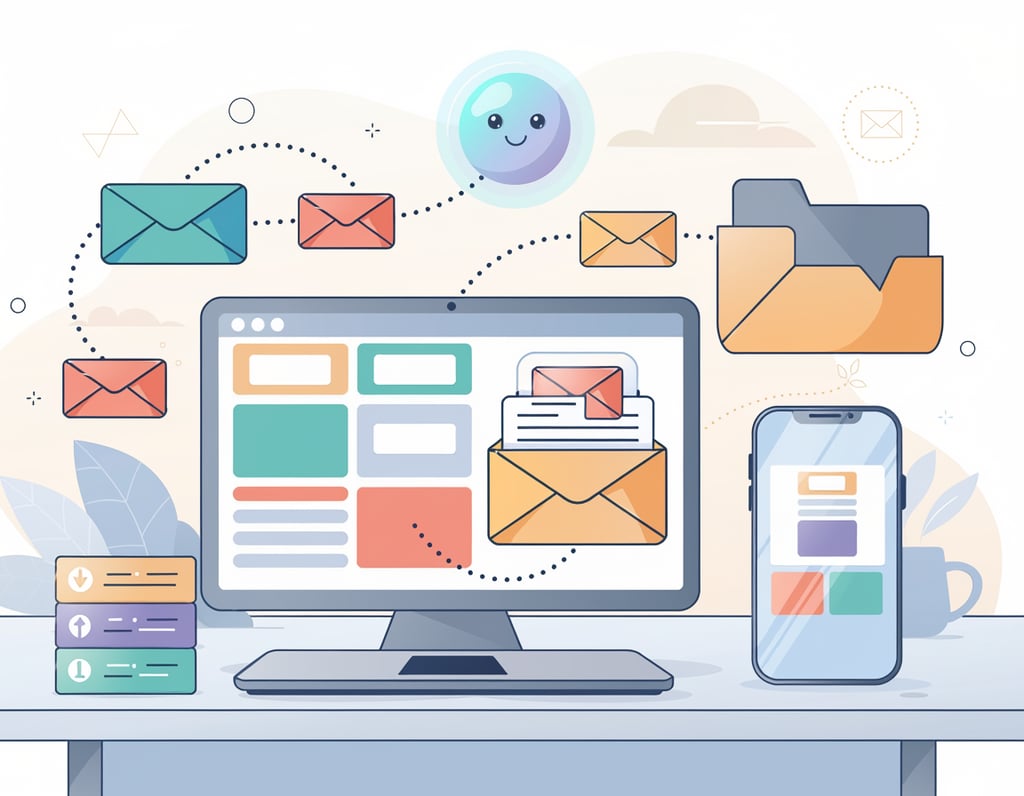
ReplylessAI automatically sorts incoming email into customizable split inboxes — separate views for client communication, leads, supplier updates, newsletters, and anything else you define. Instead of scanning a monolithic inbox where everything competes for attention, you see a structured workspace where context is already organized.
Time saved: Eliminating manual inbox sorting saves the average freelancer approximately 45 minutes per day. Over a 48-week work year, that’s 180 hours. At a $75/hour freelance rate, the annual value of this single feature is $13,500.
Workflow example: A freelance copywriter sets up split inboxes for “Client Projects,” “New Leads,” “Invoices & Payments,” and “Everything Else.” ReplylessAI auto-routes each incoming email. The copywriter processes “Client Projects” in the morning and “New Leads” in the afternoon — eliminating the decision fatigue of deciding how to handle each email as it arrives.
Feature 2: AI Draft Replies in Your Personal Tone
ReplylessAI doesn’t just generate generic replies — it learns your communication style and drafts responses that sound like you. For frequent reply types (project status updates, pricing inquiries, meeting requests, follow-ups), it can generate a ready-to-send draft in seconds.
Time saved: For a solo entrepreneur handling 30–50 emails per day, AI drafting reduces reply time by an average of 3 minutes per email on familiar threads. That’s 90–150 minutes saved daily, or approximately 600 hours annually. At $75/hour, the value is $45,000.
Workflow example: A freelance consultant receives a new project inquiry. ReplylessAI drafts a personalized response using the consultant’s standard intro language, references the client’s specific question, and formats it cleanly. The consultant reads it in 15 seconds, adjusts one sentence, and sends. Total time: 30 seconds instead of 5 minutes.
Competitors like Superhuman and Spark Mail offer some AI drafting capabilities, but ReplylessAI’s combined approach of auto-sorting plus personalized drafting is what differentiates it for solo operators managing varied communication types, as outlined in this ReplylessAI alternative breakdown.
Feature 3: AI Thread Summaries
Long email threads are a silent time thief. Returning to a client thread after a few days means scrolling back through 15 messages to reconstruct context. ReplylessAI generates AI summaries of any thread on demand — a 3–4 sentence synopsis of the conversation, key decisions made, and any open questions.
Time saved: For a freelancer managing 10–15 active client threads, thread summarization saves an average of 20 minutes daily. Annually: 80 hours. At $75/hour: $6,000.
Workflow example: A project manager returns from a long weekend and has 12 email threads with updates. Instead of reading each in full, she scans AI summaries to identify which require action and which are informational. She’s caught up in 10 minutes instead of 45.
Feature 4: Lead Qualification and Scoring
For freelancers and small business owners, not all inbound inquiries deserve equal attention. ReplylessAI includes lead qualification features that flag high-potential leads and filter low-signal outreach — helping you respond faster to the opportunities that matter and deprioritize the rest.
Time saved: Qualifying 20 inbound inquiries per week manually takes approximately 30 minutes. AI pre-qualification reduces this to 5 minutes of review. Annually: 20 hours saved, or $1,500 at $75/hour.
Combined annual ROI: Across these four features, a typical US freelancer recovers 880+ hours annually — worth $66,000 at $75/hour — on an annual subscription that costs a fraction of that.
To see these features in action with real workflow examples, see our full ReplylessAI review.
Ready to reach Inbox Zero? Try ReplylessAI free and experience AI email automation firsthand. Start Free | No credit card required
Best Practices for Implementing AI Efficiency
1. Start Small (1–2 Tasks First)
The most common mistake solo entrepreneurs make when adopting AI email tools is trying to automate everything simultaneously. This leads to configuration overwhelm, loss of control, and eventual abandonment of the tool.
Start with one workflow: auto-sorting. Spend one week configuring your split inboxes and observing how ReplylessAI categorizes your email. Once you trust the categorization, add AI draft replies for your most common email type — client status updates, pricing inquiries, or customer service responses.
Mastering two automated workflows thoroughly is more valuable than half-configuring eight.
2. Maintain a Human-in-the-Loop Approach
AI draft replies are starting points, not final answers. Every draft should pass through a human review step before sending — especially for client-facing communication. ReplylessAI’s interface is designed for this: you see the draft, read it in seconds, adjust what needs adjusting, and send. The AI handles the structure and first-pass content; you handle the nuance and final judgment.
This approach keeps you in control while eliminating the blank-page cognitive cost of starting every reply from scratch.
3. Avoid Tool Overload
A fragmented automation stack — five different tools for email, five for project management, three for scheduling — creates its own efficiency drag. The subscription costs alone add up: tool bloat can easily reach $129/month or more on overlapping productivity software. Consolidating to a primary AI email tool like ReplylessAI ($20/month or less for most users) reduces both cost and cognitive overhead.
Before adding a new automation tool, ask: does this eliminate a workflow that currently costs me more than $20/month in time? Comparative tool research can help you evaluate whether the tools you’re already paying for overlap significantly.
4. Track What AI Is Replacing
The only way to know if AI email automation is working is to measure the before and after. Before implementation, track your email time for one week — how many hours you spend reading, sorting, drafting, and following up. After two weeks with ReplylessAI, measure again.
Most solo entrepreneurs are surprised to discover they were spending far more time on email than they estimated. The data makes the ROI concrete and helps you identify which automations are delivering the most value.
Limitations and Considerations
Where ReplylessAI Is NOT Ideal
High-stakes relationship communication. If you’re navigating a difficult client conversation, managing a conflict, or delivering bad news, AI drafts are not appropriate. These situations require genuine human empathy and careful word choice that AI cannot replicate. Use ReplylessAI for routine communication; write sensitive messages yourself.
Legal, contractual, or compliance documents. Emails with legal implications — contract negotiations, termination notices, dispute resolution — should never be drafted by AI and sent without careful human review. AI may miss nuance, misstate terms, or use imprecise language in contexts where precision matters enormously.
Creative tone for brand-critical communication. If your brand voice is your competitive advantage, AI drafts may dilute it. AI email tools are excellent at clear, professional communication — but “clear and professional” isn’t always the goal. For brand-voice-defining content, write it yourself.
Key Risks to Manage
Hallucination: AI occasionally generates confident-sounding information that’s factually incorrect. Always read AI drafts before sending, especially when they reference specific details, dates, or project specifics.
Privacy concerns: ReplylessAI uses AES-256 encryption and commits to not using user data to train AI models — a meaningful privacy commitment. Still, review the privacy policy for your specific data situation, particularly if you handle client data covered by contracts or regulations.
Over-reliance and skill atrophy: If AI writes all your emails for an extended period, your own writing fluency can diminish. Maintain the practice of writing important emails yourself to keep that skill sharp.
Frequently Asked Questions
What is AI efficiency for small business?
AI efficiency for small businesses means using artificial intelligence to automate repetitive, time-consuming tasks — like sorting email, drafting replies, and summarizing threads — so business owners can focus their time and energy on high-value activities like client relationships, product development, and strategic decision-making. The goal is doing more meaningful work with less mental effort, not replacing human judgment entirely.
Can AI replace admin work entirely?
Not entirely — and it shouldn’t. AI email automation tools like ReplylessAI handle the predictable, repetitive elements of admin work exceptionally well: categorization, first-draft generation, thread summarization, lead scoring. But nuanced tasks — difficult client conversations, legal communication, creative brand voice — require human oversight. The practical target is automating 60–80% of routine communication volume, not 100%.
How do freelancers use AI to save time on email?
Freelancers typically automate three categories of email: client status updates (AI drafts the reply, freelancer reviews and sends), new lead qualification (AI categorizes and scores inbound inquiries), and inbox organization (AI routes emails into focused split inboxes so the freelancer can batch-process by category). Together, these automations routinely save 5–10 hours per week for active freelancers.
Conclusion

The inbox is where productivity goes to die — or where it gets systematically reclaimed. For US-based freelancers and solo entrepreneurs, every hour on email is an hour not spent on billable work, product development, or growth.
ReplylessAI handles the predictable 80% of email — auto-sorting, AI drafts, thread summaries — so you focus on the 20% that genuinely requires your expertise. Recovering 5–10 hours weekly from email translates to $19,500–$78,000 annually at US freelance rates of $75–$150/hour, with a 100x to 300x return on a modest subscription.
The question isn’t “Should I use AI for email efficiency?” — it’s “Can I afford NOT to?”
Try ReplylessAI free and experience AI email automation firsthand. Start Free | No credit card required
Leave a Reply