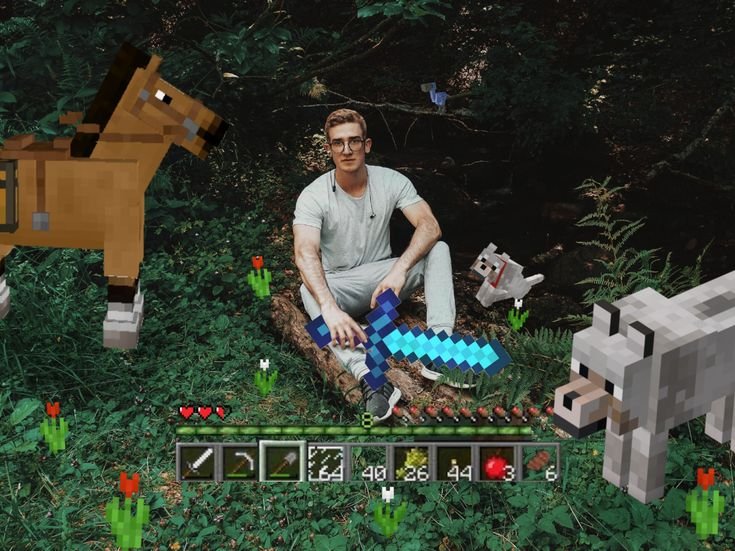
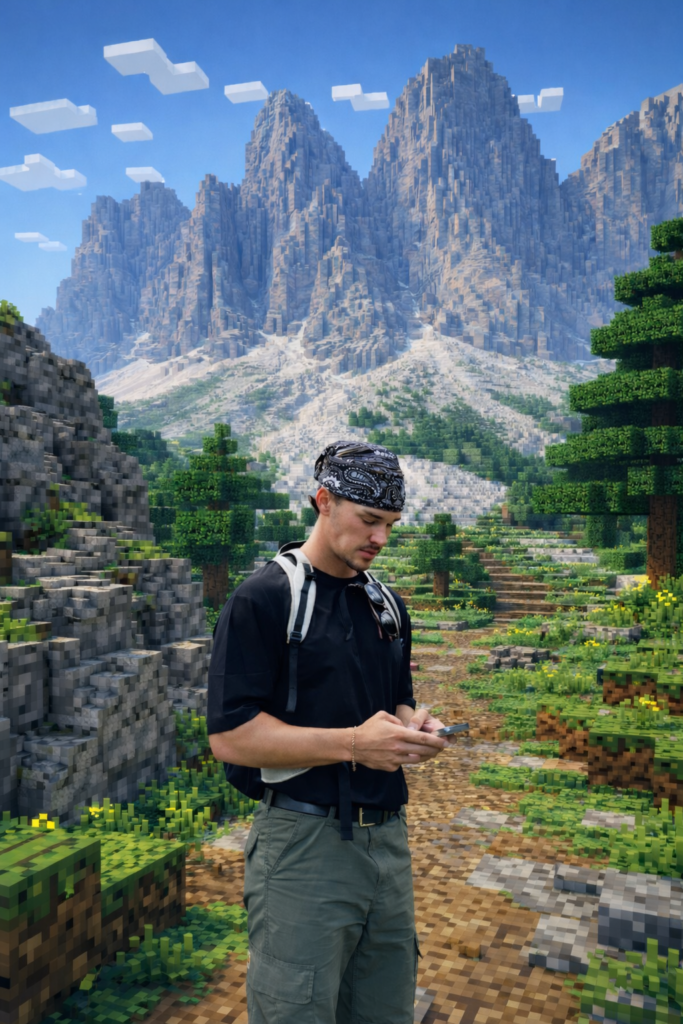
A fully realistic person standing inside a cinematic Minecraft world.
No pixel filter.
No cheap block effect.
Real Minecraft terrain — while the human stays completely untouched.
And yes
You can build this in 3 minutes.
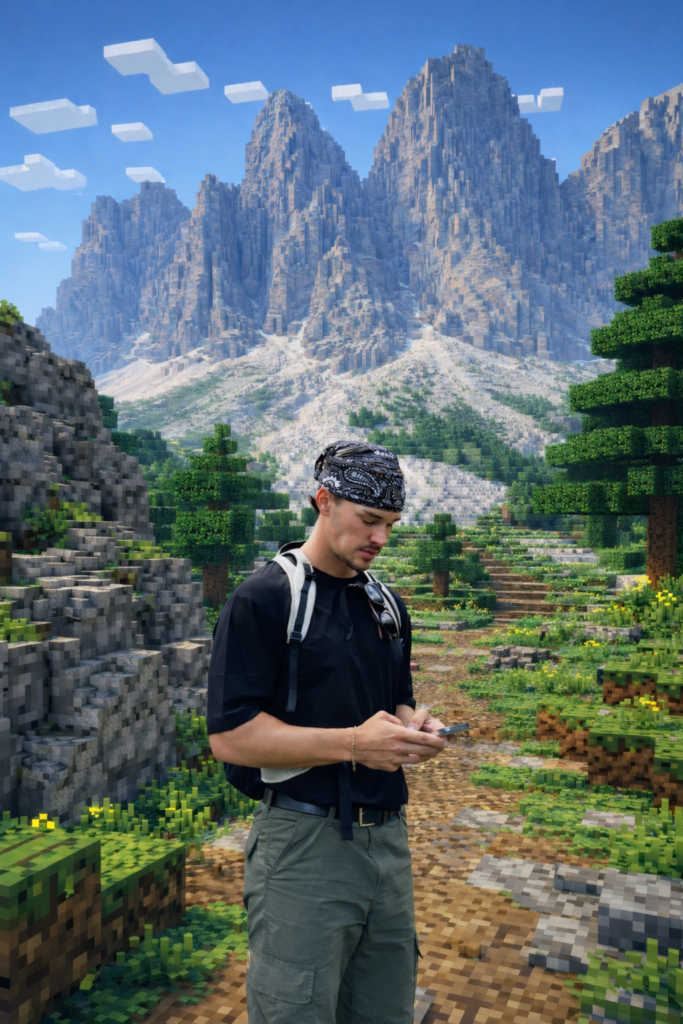
What We’re Creating
Human subject = 100% photorealistic
Environment = 100% authentic Minecraft voxel world
Clean compositing
No Unreal Engine clouds
No AI “smooth rock” mistakes
This is not a basic “pixel art filter.”
This is controlled image transformation.
Step 1: Choose the Right Photo
Best results:
- Full-body or half-body subject
- Clear lighting
- Subject separated from background
- No heavy motion blur
The cleaner the input, the cleaner the composite.
This time, I prepared this photo from pinterest
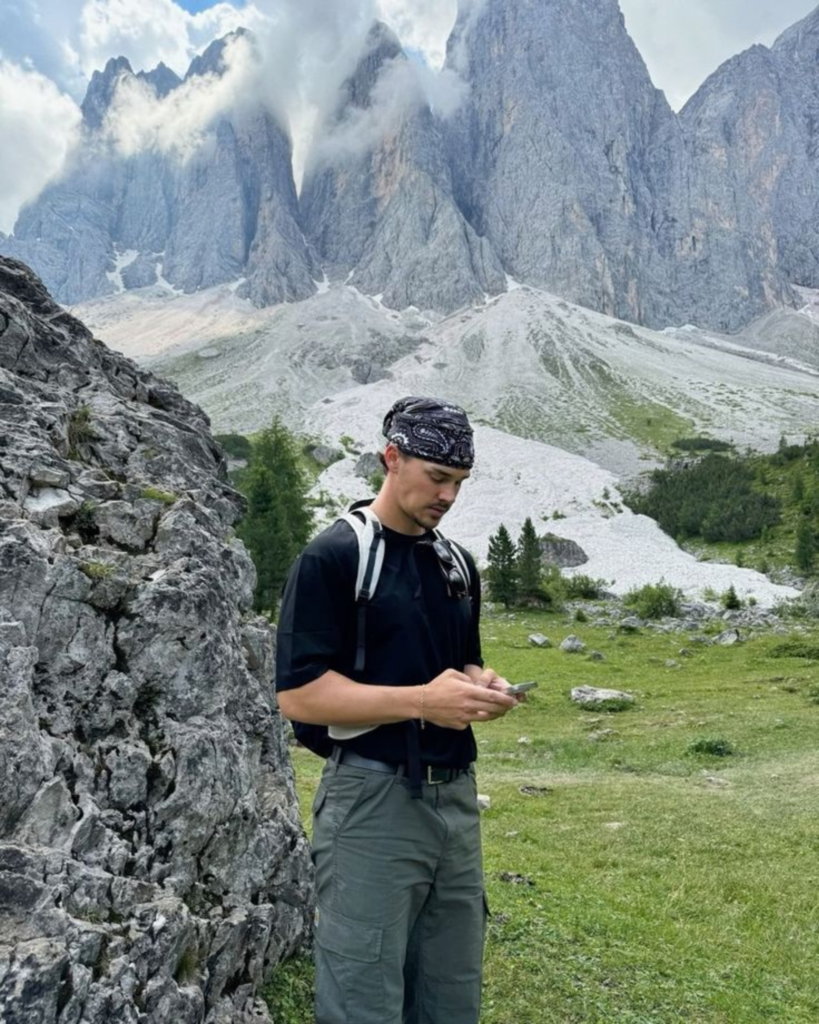

Step3: Put your photo and copy-paste this prompt
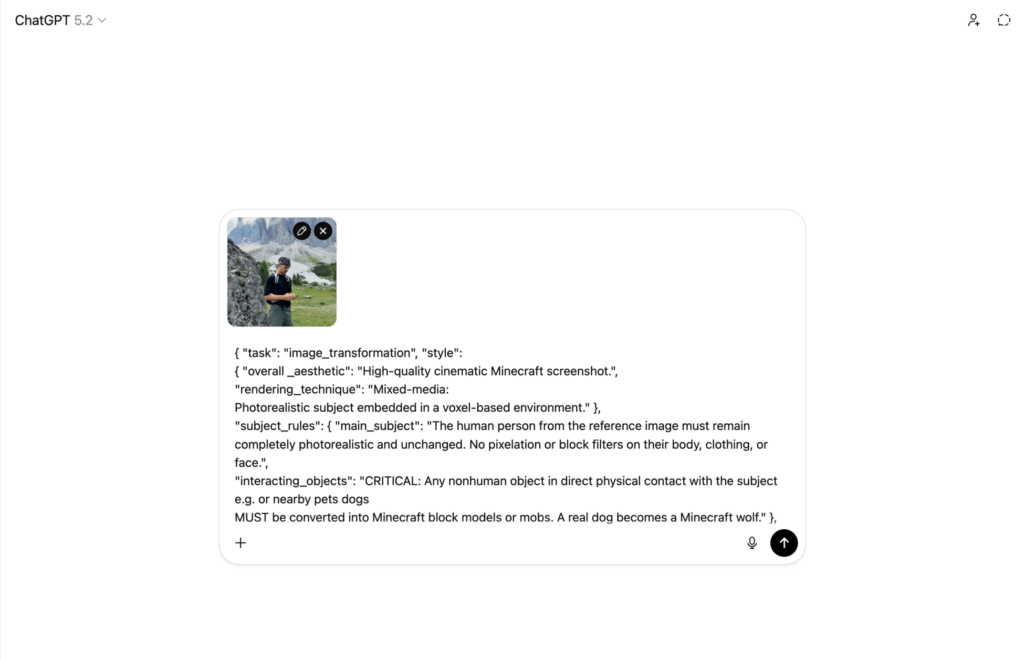
Prompt:
{ "task": "image_transformation", "style":
{ "overall _aesthetic": "High-quality cinematic Minecraft screenshot.",
"rendering_technique": "Mixed-media:
Photorealistic subject embedded in a voxel-based environment." },
"subject_rules": { "main_subject": "The human person from the reference image must remain completely photorealistic and unchanged. No pixelation or block filters on their body, clothing, or face.",
"interacting_objects": "CRITICAL: Any nonhuman object in direct physical contact with the subject e.g. or nearby pets dogs
MUST be converted into Minecraft block models or mobs. A real dog becomes a Minecraft wolf." }, "environment_rules": { "background_analysis": "Analyze the reference image background structure and recreate it entirely out of Minecraft voxel blocks.", "elements": "Trees, terrain, paths, and foliage must be cubic blocks with pixel art textures.", "atmosphere": "Replicate the foggy forest atmosphere using blocky volumetric fog layers appropriate for
Minecraft." 3, "composition _and_lighting": {
"camera": "Maintain the exact camera angle and framing from the reference photo.", "lighting": "Minecraft daylight with gentle haze and consistent block-based shadows." } } enhance
Result
You’ll get:
- A photoreal human
- Fully voxelized terrain
- Proper block clouds
- Clean compositing
- Game-screenshot realism
No Photoshop.
No plugins.
Ever notice how finding the right AI tool sometimes takes longer than finishing the actual task?
Checking pricing.
Comparing features.
Opening 10 tabs just to decide.
That’s why I built AI Plaza.
It helps you quickly find the right AI tool and go straight to the official site without wasting time.
And it’s completely free.
No noise. No paywalls. No wasted time.
https://ai-plaza.io
Leave a Reply