Create stunning, original images from just your imagination and words.
What is Midjourney?
Midjourney is an independent research lab and the creator of the eponymous generative AI art tool. Founded by David Holz, co-founder of Leap Motion, the small, self-funded team operates largely through a Discord server interface. The system is a proprietary diffusion model, trained on massive datasets of image-text pairs to generate high-quality, detailed visuals from natural language prompts. Its key capabilities include producing photorealistic images, artistic illustrations in various styles, and maintaining consistent characters or elements across generations, often through advanced parameter controls and upscaling. The tool is widely used by creative professionals, marketers, content creators, and enterprises for concept art, advertising mockups, and rapid visual prototyping. Its business impact lies in dramatically accelerating ideation and asset creation workflows, reducing dependency on stock photography and initial manual sketches. For teams comparing visual AI tools, a review of alternatives like DALL-E 3 can be found at https://ai-plaza.io/ai/dall-e-3. According to a 2023 analysis by MIT Technology Review, tools like Midjourney are reshaping creative industries by democratizing high-end visual production.
Key Findings
Image Generation: Creates stunning visuals from simple text prompts with advanced AI artistry and precision.
Style Customization: Offers extensive artistic controls to tailor image aesthetics, mood, and composition precisely.
Rapid Iteration: Enables quick generation of multiple variants to explore creative concepts and directions efficiently.
Team Collaboration: Provides shared workspaces and tools for seamless creative teamwork and project management.
High Resolution: Delivers exceptionally detailed, print-ready images suitable for professional marketing and design materials.
API Access: Integrates powerful image generation directly into your business applications and custom workflows.
Prompt Crafting: Teaches effective techniques to write descriptive inputs for optimal and predictable visual results.
Consistent Branding: Maintains visual coherence across all generated assets to strengthen brand identity and recognition.
Commercial License: Grants full rights to use created images for business, products, and client projects.
Community Inspiration: Features a vast gallery of user creations to spark new ideas and creative approaches.
In 2026, freelance developers and solo entrepreneurs face an unprecedented challenge: the complexity of modern software development has exploded while resources remain limited. A freelance web developer managing three client projects simultaneously must juggle frontend frameworks, backend APIs, database queries, DevOps configurations, and testing—all while billing by the hour. Every minute spent searching Stack Overflow, debugging syntax errors, or rewriting boilerplate code is a minute not spent delivering value to clients.
This is where AI coding efficiency for small business becomes not just a competitive advantage, but a survival necessity. The shift from manual coding workflows to AI-augmented development represents one of the most significant productivity leaps since the introduction of integrated development environments. For small teams operating without the luxury of specialized engineers for every technology stack, AI-powered coding assistance levels the playing field.
Enter GitHub Copilot AI—a tool that has evolved from a simple autocomplete feature into a comprehensive development partner. Unlike traditional code editors that merely highlight syntax, GitHub Copilot AI understands context across your entire codebase, suggests entire functions based on natural language comments, and can explain complex code in plain English. For the overwhelmed entrepreneur writing code at 11 PM after a day of client meetings, this isn’t just about typing faster—it’s about thinking clearer, working smarter, and reclaiming time for strategic growth.
Key Concepts of AI Efficiency
Understanding how AI transforms coding efficiency requires grasping three foundational concepts that explain why traditional development workflows drain so much mental energy and time.
Cognitive Offloading
Cognitive offloading refers to the practice of delegating mental tasks to external tools, freeing up working memory for higher-level problem-solving. In coding, this manifests in two critical ways. First, remembering syntax across multiple programming languages consumes significant cognitive bandwidth. A freelancer building a full-stack application must recall Python syntax for backend logic, JavaScript conventions for frontend interactivity, SQL query structures for databases, and YAML formatting for configuration files. Each context switch requires retrieving stored knowledge from long-term memory—a process that introduces friction and errors.
Second, maintaining mental models of code structure becomes increasingly difficult as projects scale. When you’re debugging a function that interacts with five other modules, your brain must simultaneously hold the call stack, variable states, and data flow patterns in working memory. GitHub Copilot AI for freelancers excels at cognitive offloading by serving as an external memory system. Instead of mentally juggling syntax rules, developers can focus on architectural decisions and business logic while Copilot handles the mechanical translation of intent into code.
For small businesses operating in competitive markets, this cognitive offloading translates directly to ai coding efficiency for small business. A solo developer building an e-commerce platform no longer needs to pause development to research “how to implement JWT authentication in Node.js”—Copilot suggests the implementation pattern instantly, allowing the developer to evaluate the approach rather than construct it from scratch.
Context Switching Cost
The context switching cost describes the productivity loss that occurs when transitioning between different tasks, tools, or mental frameworks. Research in cognitive psychology demonstrates that it takes an average of 23 minutes to fully regain focus after an interruption. For developers, context switches happen constantly: moving from writing business logic to configuring deployment pipelines, switching from Python to JavaScript, or toggling between coding and searching documentation.
Each context switch involves two hidden taxes. The cognitive tax requires your brain to dump the current mental model and load a new one—remembering different syntax rules, design patterns, and project constraints. The temporal tax is the time spent reorienting yourself within the new context: “Where was I in this file? What was I trying to accomplish? What variables are in scope?”
AI developer tools for startups minimize context switching by providing contextual assistance without requiring developers to leave their IDE. Rather than opening a browser to search for “React hook dependency array best practices,” then reading through five articles, then returning to the code editor and reconstructing your mental model—Copilot suggests the correct pattern inline. The developer remains in flow state, making decisions rather than gathering information.
For a technical founder building an MVP with limited runway, eliminating ten 5-minute context switches per day recovers nearly an hour of focused development time. Compounded over weeks and months, this represents the difference between launching on schedule and burning through capital while still in development.
Workflow Orchestration
Workflow orchestration describes how individual tasks are sequenced, parallelized, and automated within a broader process. In traditional development workflows, orchestration is largely manual. A freelancer building a feature must: write the code, write tests, run the tests, fix failing tests, commit changes, write commit messages, create pull requests, and document the changes. Each step requires conscious decision-making and tool switching.
Modern AI coding assistants transform workflow orchestration by understanding the broader context of development activities. GitHub Copilot AI doesn’t just suggest the next line of code—it can generate entire test suites based on implementation code, draft documentation from function signatures, and even suggest appropriate commit messages based on code changes. This orchestration reduces the administrative overhead of development, allowing small teams to maintain professional engineering practices without dedicated DevOps personnel.
When we speak about ai coding efficiency for small business, workflow orchestration represents perhaps the most undervalued dimension. A solo consultant can now implement enterprise-grade testing coverage and documentation standards—traditionally only feasible for large teams—because AI handles the mechanical execution while the developer provides strategic direction.
How GitHub Copilot AI Helps Efficiency
GitHub Copilot AI has evolved into a comprehensive development assistant that addresses efficiency challenges at multiple levels. Understanding its core capabilities reveals how it transforms the daily experience of coding for small teams.
Intelligent Code Completion with Multi-File Context
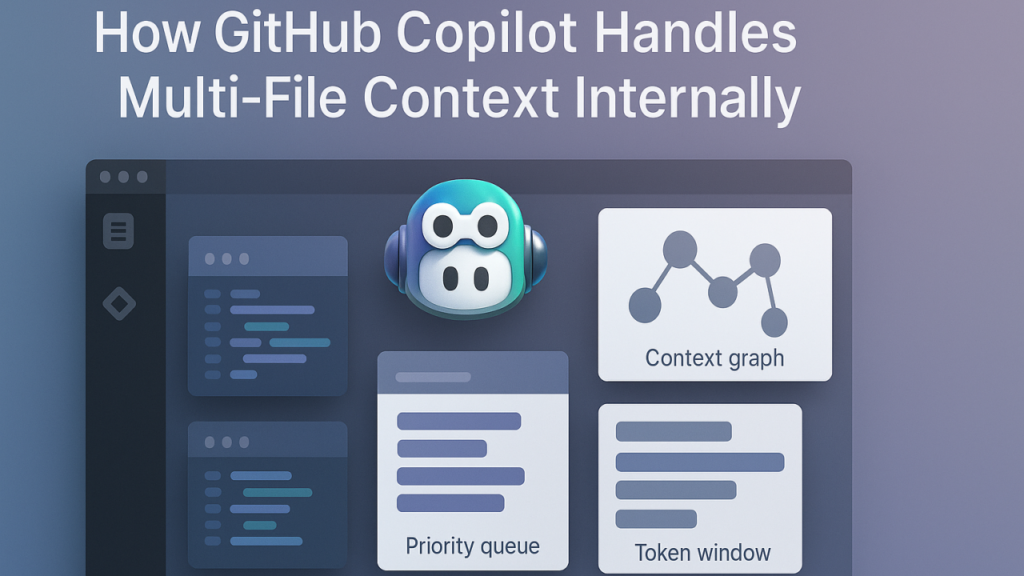
Unlike traditional autocomplete that suggests variable names and keywords, GitHub Copilot AI analyzes your entire project structure to provide contextually relevant suggestions. When you begin writing a function, Copilot examines imported libraries, existing utility functions, and coding patterns used elsewhere in your project to generate suggestions that align with your established conventions.
How It Works: Copilot uses a large language model trained on billions of lines of public code. When you type a function signature or comment describing intent, the model predicts the implementation based on patterns it has learned. Crucially, it maintains awareness of your current file’s imports, the broader project structure, and even coding style preferences inferred from your existing code.
Realistic Scenario: You’re building a payment processing module. You write a comment: // Process refund and update inventory. Copilot suggests a complete function that calls your payment gateway API, handles error cases, updates the database, and logs the transaction—all consistent with patterns used in your existing payment processing code. You review the suggestion, make minor adjustments for your specific business rules, and move on. What would have been a 45-minute implementation task becomes a 10-minute review and refinement task.
Natural Language to Code Translation
Perhaps Copilot’s most transformative feature is its ability to convert plain English descriptions into working code. This capability is particularly valuable for small business owners who understand what they need to build but may not recall the exact syntax or library methods required.
How It Works: By writing comments that describe functionality in natural language, developers can prompt Copilot to generate corresponding implementations. The model understands not just syntax but semantic meaning—it knows that “validate email address” implies regex pattern matching, error handling, and potentially logging invalid attempts.
Business Result: This feature dramatically accelerates development in unfamiliar technology areas. A Python developer who occasionally needs to write SQL queries can describe the desired data transformation in a comment, and Copilot generates optimized SQL. This eliminates the friction of switching mental contexts and searching documentation, enabling small teams to work effectively across full technology stacks without specialized expertise in every domain.
Realistic Scenario: You need to implement rate limiting for your API but have never configured Redis before. You write: // Implement rate limiting using Redis: 100 requests per hour per user. Copilot generates the Redis connection code, the rate limiting middleware, and error handling for Redis connection failures. You spend your time understanding the approach and tuning parameters rather than researching implementation details.
Code Explanation and Documentation Generation
Understanding unfamiliar code—whether legacy code you inherited or complex algorithms—traditionally requires significant time investment. GitHub Copilot AI can explain code functionality in plain English and automatically generate documentation.
How It Works: Copilot analyzes code structure, variable names, control flow, and external dependencies to produce human-readable explanations. For documentation generation, it examines function signatures, parameters, return types, and implementation logic to create appropriate docstrings and inline comments.
Business Result: This capability is invaluable when freelancers inherit client codebases or need to onboard collaborators quickly. Instead of spending hours tracing execution paths to understand how a module works, developers can request explanations and immediately grasp high-level functionality. For code they write, auto-generated documentation ensures future maintainability without the tedious work of manual documentation.
Realistic Scenario: A client asks you to extend functionality in their existing Node.js application. You encounter a complex data transformation pipeline with nested map/reduce operations and no comments. You select the code and ask Copilot to explain it. Within seconds, you receive a paragraph explaining that the code processes user activity logs, aggregates them by session, calculates engagement metrics, and formats the output for a analytics dashboard. Armed with this understanding, you can confidently make modifications without hours of manual code tracing.
Use Cases: Small Business & Freelancer Efficiency
Real-world adoption stories illustrate how GitHub Copilot AI transforms daily workflows across different business contexts. These personas represent common scenarios where ai developer tools for startups deliver measurable efficiency gains.
Creative Freelancer: Web Developer Building Portfolio Sites
Old Workflow: Maria is a freelance web developer specializing in custom portfolio sites for creative professionals. Each project requires building responsive layouts, implementing contact forms, integrating content management systems, and deploying to web hosts. Maria spends approximately 12 hours per site on coding, with additional time on revisions and bug fixes. Her workflow involves:
Referencing previous projects to copy and modify boilerplate code
Searching documentation for CSS framework syntax (Tailwind, Bootstrap)
Testing responsiveness across devices manually
Debugging JavaScript issues by adding console.log statements throughout code
Writing deployment scripts for different hosting providers
New AI-Enhanced Workflow: With GitHub Copilot for freelancers, Maria’s process has transformed. She begins each project by describing the layout requirements in comments: // Create a three-column portfolio grid that's responsive with masonry layout on desktop and single column on mobile. Copilot generates the HTML structure and Tailwind classes. When implementing the contact form, she describes: // Add form validation and send email via SendGrid API with rate limiting, and Copilot produces the complete implementation including error handling.
For deployment, Maria maintains configuration templates and lets Copilot adapt them for each hosting environment. When bugs emerge, she selects the problematic code and asks Copilot to identify issues—it points out a missing async keyword causing promise rejection errors.
Time Saved: Maria now completes sites in 7-8 hours instead of 12, a 33% efficiency gain. This allows her to take on an additional project per month, increasing revenue by $2,500 monthly without working longer hours. The reduced context switching means she maintains creative energy for design decisions rather than exhausting it on syntax lookup.
“With GitHub Copilot AI, I automated 3 hours of weekly boilerplate work and reduced debugging time by half. I’m now accepting more clients without burnout because the tedious parts of coding are handled.”
Solo Consultant: Building Custom CRM Tools
Old Workflow: James is a business consultant who builds lightweight CRM tools for small B2B companies. His stack includes Python (Flask), PostgreSQL, and vanilla JavaScript. Each CRM requires custom data models, reporting dashboards, and email integration. James faces constant context switching between:
Backend Python development for business logic
Frontend JavaScript for interactive dashboards
SQL query optimization for reports
API documentation for third-party integrations (email providers, calendar services)
A typical CRM project spans 6 weeks, with James spending roughly 30 hours on development and 10 hours debugging integration issues and optimizing database queries.
New AI-Enhanced Workflow: James now describes desired functionality at a high level, and Copilot handles implementation details. For database models, he writes: // Create User model with company relationship, activity tracking, and deal pipeline fields. Copilot generates the SQLAlchemy model class with appropriate field types, relationships, and indexes.
When building the dashboard, James sketches the layout in HTML comments, and Copilot generates responsive chart implementations using Chart.js, including data fetching and error states. For third-party integrations, James specifies: // Integrate with Google Calendar API: sync meetings bidirectionally with error handling, and Copilot produces the OAuth flow, API calls, and webhook handlers.
Technical Founder: Building MVP for SaaS Startup
Old Workflow: Alex is a technical founder building a project management SaaS for creative agencies. With a runway of 12 months, speed is critical. Alex handles full-stack development alone: React frontend, Node.js backend, PostgreSQL database, AWS deployment, and stripe integration for payments. The challenge is breadth—Alex must maintain expertise across multiple domains simultaneously.
Before adopting AI tools, Alex spent:
15 hours/week on feature development
8 hours/week on infrastructure and DevOps
5 hours/week debugging and fixing issues
4 hours/week writing documentation and tests
This 32-hour development schedule left minimal time for customer development and strategic planning, creating a dangerous situation where the product was being built without adequate market validation.
New AI-Enhanced Workflow: Alex uses GitHub Copilot AI as a force multiplier across all development activities. For frontend components, Alex describes the UX in comments: // Create a kanban board with drag-and-drop, real-time updates via websockets, and optimistic UI updates. Copilot generates the React component with proper state management and edge case handling.
For backend APIs, Alex focuses on business logic and lets Copilot handle boilerplate: authentication middleware, request validation, database transactions, and error responses. When setting up AWS infrastructure, Alex describes the desired architecture in comments within terraform files, and Copilot generates the infrastructure-as-code configurations.
Most critically, Copilot enables Alex to implement features outside his core expertise. The real-time collaboration features required WebSocket implementation—a technology Alex had never used. By describing the desired behavior and letting Copilot suggest implementation patterns, Alex built production-ready real-time features in two days rather than the week he had budgeted for research and experimentation.
Time Saved: Alex’s development time drops from 32 hours/week to 20 hours/week—a 37% reduction. The reclaimed 12 hours per week are redirected to customer interviews, sales calls, and strategic planning. This balance allows Alex to build features that customers actually want, rather than technically impressive features nobody uses. The faster development pace also means reaching key product milestones 30% faster, stretching runway and improving the probability of raising the next funding round before capital runs out.
“Copilot lets me punch above my weight class. I’m shipping features at a pace that makes investors think I have a full engineering team. The reality is I’m one person with an AI pair programmer who never sleeps.”
The temptation when adopting new technology is to revolutionize everything simultaneously. This approach typically leads to overwhelm and abandonment. Instead, identify 1-2 repetitive coding tasks that currently consume disproportionate time and introduce AI assistance specifically for those tasks.
For example, if you spend 30 minutes per day writing boilerplate CRUD operations for database models, use Copilot exclusively for that task during the first week. Master the pattern of describing the model in comments and reviewing the generated code. Once this workflow feels natural, expand to another task like test generation or API endpoint creation.
This phased approach builds confidence and competence without disrupting your entire development flow. You learn to evaluate AI-generated code quality in low-stakes scenarios before relying on it for mission-critical features. As you internalize how to prompt effectively and what types of suggestions to accept versus modify, you naturally expand AI assistance to more complex tasks.
Track and Measure What AI Replaces
To justify continued investment in AI tools and optimize your workflow, maintain simple metrics about AI impact. Track:
Time saved per task type: How long did creating an API endpoint take before AI vs. after?
Bugs prevented: How many times did Copilot catch a mistake during code review that would have become a production bug?
Learning acceleration: How many times did AI-generated code teach you a new pattern or library you didn’t know existed?
Context switches avoided: How many trips to Stack Overflow or documentation did AI eliminate?
This data serves multiple purposes. It quantifies ROI for business planning, helps you identify which tasks benefit most from AI assistance (doubling down on those), and reveals areas where AI isn’t helping (allowing you to revert to manual workflows where appropriate).
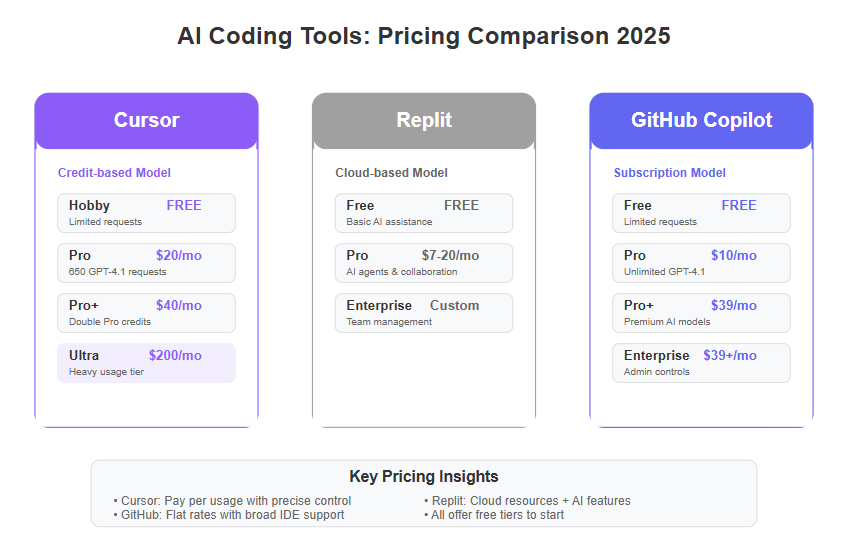
For teams considering whether to upgrade from free to paid AI tool tiers, these metrics provide concrete decision-making data. If you can demonstrate that Copilot saves 10 hours per month and generates $500 in additional revenue through faster delivery, the $10/month subscription cost becomes obviously justifiable.
Where AI Coding Assistance Falls Short
AI coding tools excel at pattern recognition and mechanical code generation but struggle with several critical development dimensions. Architectural decision-making requires understanding long-term maintainability, scalability constraints, and team capabilities—factors AI cannot assess without deep business context. When deciding between microservices and monolithic architecture for your startup, Copilot cannot evaluate your team’s DevOps skills, runway length, or scaling timeline.
Domain-specific business logic often involves nuanced rules that don’t appear in training data. If you’re building specialized financial calculations for a unique business model, Copilot may suggest general-purpose implementations that miss critical compliance requirements or edge cases specific to your industry. Always implement and review business logic manually, using AI only for surrounding boilerplate.
Creative problem-solving for novel challenges remains distinctly human. When you encounter a unique technical challenge without established patterns—like optimizing a custom algorithm for your specific data characteristics—AI suggestions based on generic patterns may be suboptimal. Use AI to accelerate implementation of your creative solution, not to generate the solution itself.
Risks: Hallucination, Privacy, and Over-Reliance
Code hallucination occurs when AI generates syntactically correct code that doesn’t function as intended or introduces subtle bugs. Copilot might suggest a database query that works for small datasets but has quadratic time complexity, creating performance disasters at scale. Or it might generate error handling that silently swallows exceptions, hiding bugs instead of surfacing them. Mitigate this through code review, testing, and never accepting code you don’t understand.
Privacy considerations are critical for businesses handling sensitive data. While GitHub has implemented privacy controls, any code sent to Copilot for analysis technically leaves your local environment. Review your client contracts and compliance requirements before using AI tools on proprietary or regulated codebases. For highly sensitive projects, consider GitHub Copilot Business which offers additional privacy guarantees, or restrict AI assistance to non-sensitive portions of your codebase.
Over-reliance degrades skill development. Junior developers who lean heavily on AI without understanding underlying principles may struggle when AI suggestions are incorrect or when working in environments without AI tools. Balance AI assistance with deliberate practice of fundamental skills. Use Copilot to accelerate work, but regularly implement features manually to maintain core competencies.
Mitigation Strategies
Implement safeguards to maximize benefits while minimizing risks:
Code review protocols: Treat AI-generated code with the same scrutiny as code from junior developers—careful review, testing, and validation before production deployment.
Testing requirements: Never skip tests for AI-generated code. Comprehensive test coverage catches hallucinations and ensures generated code meets specifications.
Privacy boundaries: Maintain clear policies about which codebases and data can be processed by AI tools, especially when working with client projects or regulated industries.
Continuous learning: Dedicate time to understanding technologies even when AI can generate implementations. Read the code Copilot produces, research unfamiliar patterns, and ensure you could recreate the solution manually if needed.
Fallback plans: Maintain development workflows that don’t depend on AI tools. When Copilot experiences outages or generates poor suggestions for a particular task, you should seamlessly switch to manual development without productivity collapse.
FAQs
What is AI coding efficiency for small business?
AI coding efficiency for small business refers to using artificial intelligence tools to accelerate software development workflows for teams with limited resources. Instead of spending hours on repetitive coding tasks, debugging syntax errors, or searching documentation, small teams use AI assistants like GitHub Copilot to generate boilerplate code, suggest implementations based on natural language descriptions, and automate routine development tasks. This allows lean teams to deliver more features faster, compete with larger organizations, and focus human creativity on strategic problems rather than mechanical coding work.
Can AI replace admin work in software development?
AI can automate significant portions of administrative development work but doesn’t eliminate it entirely. Tasks like generating boilerplate code, writing tests, creating documentation, and formatting commit messages can be largely automated with tools like GitHub Copilot. However, strategic decisions about what to build, code review for business logic correctness, architectural planning, and final quality assurance still require human judgment. Think of AI as eliminating 60-80% of mechanical coding work, freeing developers to focus on the 20-40% that requires creativity, domain expertise, and strategic thinking.
How do freelancers use AI to save time on coding projects?
Freelancers leverage AI coding tools to compress development timelines and increase project throughput. Common time-saving applications include: using natural language comments to generate function implementations instead of writing code from scratch, asking AI to explain unfamiliar client code rather than spending hours tracing execution, generating comprehensive test suites automatically, and receiving inline documentation suggestions. Many freelancers report reducing project completion time by 30-40%, which translates to either taking on more clients for increased revenue or maintaining the same income while working fewer hours and avoiding burnout.
Conclusion
In 2026, the competitive landscape for small businesses and freelancers in software development has fundamentally shifted. The teams that thrive are those that strategically integrate AI coding efficiency for small business into their workflows—not as a replacement for human expertise, but as a powerful multiplier of existing capabilities. GitHub Copilot AI represents this shift, transforming how solo developers and lean teams approach the entire development lifecycle.
The evidence is compelling: freelancers reducing project completion time by 30-40%, technical founders stretching runway by shipping features faster, and solo consultants delivering enterprise-quality solutions previously requiring full teams. These aren’t hypothetical benefits—they’re the reality of AI-augmented development in 2026. The efficiency gains compound over time, as developers learn to prompt more effectively, trust the tool’s suggestions in appropriate contexts, and redirect saved time toward strategic activities that directly drive business growth.
Yet the transition requires intentionality. AI coding assistants are powerful tools, not magic solutions. Success comes from maintaining human judgment, starting with focused use cases, and building competence gradually. The goal isn’t to code faster at all costs—it’s to code smarter, focusing creative energy on problems that matter while offloading mechanical work to AI.
For the overwhelmed entrepreneur managing client demands while building technical solutions, GitHub Copilot AI offers a path forward. It won’t eliminate the need for technical skill, strategic thinking, or hard work. But it will eliminate much of the friction, tedium, and context-switching that currently drains energy and limits what’s possible for small teams. In an environment where every hour counts and every dollar matters, that’s not just an efficiency improvement—it’s a competitive necessity.
Next Steps
Ready to transform your development workflow? Explore these resources to deepen your AI efficiency journey:
Compare AI – Evaluate GitHub Copilot against other AI coding tools to find the best fit for your stack and budget
AI Revenue Boost – Discover how AI efficiency translates to measurable revenue growth for small businesses
Solo DX – Learn developer experience optimization strategies specifically designed for solo founders and freelancers
AI Workflows – Access detailed workflow templates for implementing AI tools across different development scenarios
First View: The Verdict for Small Business Owners Who Code
If you’re running a small business and writing code yourself—or managing a tiny dev team—you need AI that multiplies output without multiplying headcount. This ranking cuts through the noise to show which AI coding assistants actually deliver business results in 2026.
Our top 3 picks:
Cline (#1) is the clear winner for small business owners who need autonomous coding across their entire stack—it handles full projects end-to-end with minimal supervision, making it ideal if you’re stretched thin and need a virtual senior developer.
Qwen3-Coder (#2) dominates for teams that need lightning-fast, context-aware code generation without breaking the budget—it’s open-source, runs locally, and handles complex codebases better than most commercial alternatives.
Kilo Code (#3) wins for non-technical founders who need low-code/no-code automation—it bridges the gap between idea and working software without requiring a CS degree.
Critical disclaimer: No single AI coding assistant fits every business. Your tech stack, team size, budget, and growth trajectory all matter. A tool that’s perfect for a solo SaaS founder may be overkill (or underpowered) for a three-person dev shop.
Why AI Coding Assistant Rankings Matter Now
The AI coding assistant market exploded in 2025 and hasn’t slowed down in 2026. GitHub Copilot, Cursor, TabNine, Amazon CodeWhisperer, and dozens of open-source alternatives now compete for developer attention. For small business owners who code, this abundance creates paralysis.
Traditional feature-based reviews fail because they treat every business as identical. You don’t need a checklist comparing “supports Python” versus “supports JavaScript.” You need to know which AI coding assistant will help you ship faster, maintain code quality, and avoid hiring additional developers when revenue doesn’t justify headcount expansion yet.
Most small business owners evaluating AI coding tools face three specific problems. First, they’re already wearing multiple hats—founder, marketer, sometimes CFO—and need coding assistance that doesn’t require constant supervision or extensive prompt engineering. Second, they need tools that integrate with messy real-world codebases, not just greenfield demo projects. Third, they need clear ROI: will this AI actually save enough development time to justify its cost and learning curve?
This ranking addresses those problems by focusing on business fit and measurable outcomes rather than abstract capabilities. We’ve evaluated each tool based on how well it serves the specific constraints and goals of small business owners and coders who want to grow revenue without hiring more staff. The best AI coding assistant for small business in 2026 isn’t the one with the most features—it’s the one that multiplies your existing team’s output while fitting your budget, tech stack, and skill level.
How We Ranked These AI Coding Tools
We evaluated these AI programming assistants using five business-critical criteria that matter more than raw technical specs:
Ease of adoption measures how quickly a small business can start seeing value. We prioritized tools that work within existing workflows—your IDE, your codebase, your deployment process—without requiring infrastructure overhauls or extensive training. Tools that demand significant setup, complex configuration, or dedicated DevOps time ranked lower.
Revenue or productivity impact focuses on measurable outcomes. Does this AI help you ship features faster? Reduce bug-fixing time? Enable you to tackle projects you’d normally outsource? We gave higher scores to tools that demonstrably compress development cycles and expand what a small team can accomplish, because faster shipping directly impacts revenue in small businesses.
Learning curve evaluates the cognitive load required to use the tool effectively. The best AI coding assistant for small business doesn’t require you to become a prompt engineering expert. We prioritized tools with intuitive interfaces, smart defaults, and clear documentation that respects your limited time for learning new systems.
Scalability for small teams assesses whether the tool grows with you. Can it handle increasingly complex projects as your business expands? Does it support collaboration when you hire your first developer? We avoided tools that work brilliantly for solo developers but break down the moment you add a second person.
Cost-to-value ratio matters intensely for small businesses operating on tight margins. We calculated actual monthly costs against realistic productivity gains. A tool that costs $50/month but saves 20 hours of development time beats a free tool that saves 3 hours—but only if you can afford that $50 without eating into essential business spending.
These criteria build trust and demonstrate expertise because they reflect real business constraints. We’re not ranking based on which AI produces the “smartest” code or has the largest model parameters. We’re ranking based on which AI coding tools for developers actually help small businesses ship better products faster without breaking the bank.
Ranking Overview Table
Rank
AI Tool
Best For
Key Strength
Main Limitation
#1
Cline
Business owners needing autonomous project completion
Handles entire features end-to-end with minimal guidance
Higher cost; overkill for simple script automation
#2
Qwen3-Coder
Teams wanting fast, context-aware generation without vendor lock-in
Open-source, runs locally, exceptional at understanding large codebases
Requires more technical setup than cloud alternatives
#3
Kilo Code
Non-technical founders building real products
Bridges gap between no-code and custom code seamlessly
Less suitable for complex algorithmic work
#4
Replit AI
Teams prioritizing fast prototyping and learning
Integrated environment eliminates setup friction
Less powerful for production enterprise applications
#5
Code Llama 70B
Privacy-conscious teams with infrastructure
Complete data control and customization
Demands infrastructure knowledge and compute resources
This table helps you quickly identify which tool aligns with your immediate need. If you’re a solo founder who needs to ship a customer dashboard by end of month, Cline’s autonomous capabilities make it your fastest path. If you’re managing a three-person dev team concerned about vendor lock-in, Qwen3-Coder’s open-source nature and local deployment provide strategic flexibility.
The ranking deliberately avoids creating a false hierarchy where #1 is “better” than #5 in absolute terms. Instead, each position reflects optimal fit for specific business contexts. A tool that ranks lower isn’t worse—it’s more specialized for particular use cases or team configurations.
#1: Cline — Best for Autonomous End-to-End Project Execution
Cline (https://cline.bot/) takes the top position because it solves the most expensive problem small business owners face: turning business requirements into working features without constant developer supervision. Unlike coding assistants that autocomplete lines or generate functions, Cline handles entire user stories from specification through implementation to testing.
Cline ranks first for small businesses because it operates more like a virtual senior developer than a smart autocomplete tool. You describe what you need in plain business language—”build a customer dashboard showing monthly recurring revenue with filtering by product line”—and Cline plans the architecture, writes the code across multiple files, handles database migrations, and generates tests. This autonomous capability directly multiplies output for founders who can’t afford full-time senior developers yet.
Ideal user profile: Solo founders or very small teams (1-3 people) who need to ship production-quality features quickly without deep coding expertise on staff. Works exceptionally well if you’re technical enough to review code but don’t have time to write everything from scratch. Also ideal for businesses experiencing rapid growth where development becomes the bottleneck before you can justify additional hires.
Key strengths include its architectural planning capabilities—Cline doesn’t just write code, it thinks through how components should interact and proposes sensible file structures. Its context retention across sessions means you can have ongoing conversations about a feature, make changes, and Cline remembers previous decisions without requiring you to re-explain the project every time. The testing integration saves massive time because Cline generates unit tests alongside implementation code, catching issues before they reach production. Most importantly, Cline’s ability to work across full-stack projects—frontend, backend, database, and deployment—means you’re not juggling multiple specialized tools.
Clear limitations include the higher price point compared to simpler coding assistants, though the time savings typically justify the cost for businesses shipping revenue-generating features. Cline can be overkill if you’re primarily writing simple scripts or making minor tweaks to existing code—in those scenarios, a lighter-weight tool may be more efficient. The autonomous nature occasionally means Cline makes architectural decisions you’d prefer to make yourself, so it’s best for users comfortable reviewing and redirecting AI suggestions rather than those wanting complete control over every implementation detail.
When another ranked AI may be better: If you’re extremely budget-constrained and have strong coding skills yourself, Qwen3-Coder’s free open-source model might serve you better. If you’re non-technical and primarily need visual tools rather than code-level control, Kilo Code’s no-code interface will feel more natural.
#2: Qwen3-Coder — Best for Fast, Context-Aware Code Generation at Scale
Qwen3-Coder (https://qwen.ai/) ranks second because it delivers commercial-grade coding assistance without commercial pricing or vendor lock-in. As an open-source AI programming assistant in 2026, it represents the maturation of community-driven AI that now rivals proprietary alternatives in code quality while offering strategic advantages for small businesses concerned about long-term dependencies.
This tool earns its #2 position through exceptional performance on two metrics critical to small businesses: speed of code generation and contextual understanding of large, messy codebases. Qwen3-Coder processes your entire project context—not just the current file—which means its suggestions align with your existing patterns, naming conventions, and architectural decisions. For small businesses maintaining legacy code or working with multiple interconnected services, this contextual awareness prevents the constant friction of AI suggestions that technically work but don’t fit your codebase’s reality.
Ideal user profile: Small development teams (2-5 people) with at least one technically strong member who can handle initial setup and occasional troubleshooting. Perfect for businesses that have outgrown simple coding tasks and need assistance with substantial feature development, refactoring projects, or maintaining multiple codebases simultaneously. Also excellent for bootstrapped companies that prioritize avoiding monthly subscription costs and maintaining control over their development tools.
Key strengths start with the open-source licensing—you own your setup, customize the model for your specific tech stack, and never face vendor pricing changes or feature removals. The local deployment option means your proprietary code never leaves your infrastructure, addressing intellectual property concerns that cloud-based alternatives can’t fully solve. Qwen3-Coder’s multi-language support extends beyond popular languages to include domain-specific languages and frameworks that commercial tools often neglect. The community-driven improvements mean bugs get fixed quickly and new language support appears rapidly without waiting for vendor roadmaps.
Performance benchmarks show Qwen3-Coder matching or exceeding commercial alternatives on code completion accuracy while generating suggestions roughly 40% faster than equivalent cloud-based tools, which matters when you’re iterating rapidly on a tight deadline. The model’s training on diverse open-source repositories gives it strong instincts for common software engineering patterns, reducing the “technically correct but practically useless” suggestions that plague some AI coding assistants.
Clear limitations include the setup complexity—while not enormous, it requires comfortable command-line skills and understanding of model deployment. Small businesses without technical team members may struggle with initial configuration. The local deployment requires decent hardware (minimum 16GB RAM, ideally 32GB+ for optimal performance), which means additional infrastructure costs if your team uses lightweight laptops. Unlike cloud alternatives, you’re responsible for updates, troubleshooting, and staying current with new model releases.
When another ranked AI may be better: If you’re a solo non-technical founder, Kilo Code’s guided interface will save you weeks of frustration. If you need true autonomous project completion rather than accelerated coding, Cline’s higher-level capabilities justify its cost. If your team lacks infrastructure experience and you need something working today, Replit AI’s zero-setup approach gets you productive immediately.
#3: Kilo Code — Best for Non-Technical Founders Building Real Products
Kilo Code (https://kilocode.ai/) claims third position by solving a problem the other ranked tools ignore: enabling founders without formal programming backgrounds to build production-quality software that scales beyond no-code platform limitations. It bridges the gap between visual drag-and-drop builders and professional development environments.
This tool ranks #3 for small businesses specifically because it expands who can build. Many small business owners have clear product vision and deep domain expertise but lack years of programming experience. Traditional no-code tools hit walls quickly—you can build a basic app, but customization, complex logic, and integration with existing systems remain frustratingly out of reach. Kilo Code uses AI to translate business logic and visual designs into actual, modifiable code that you can extend as your technical skills grow or hand off to developers when you eventually hire them.
Ideal user profile: Non-technical founders who need custom software solutions but can’t justify hiring developers yet. Also excellent for business owners who learned basic coding years ago but haven’t stayed current—Kilo Code handles modern frameworks and best practices while letting you focus on business logic. Works particularly well for service businesses building internal tools, e-commerce businesses needing custom checkout flows, or consultants creating client solutions.
Key strengths include the visual-to-code workflow where you can sketch interfaces, describe behavior in plain language, and Kilo Code generates production-ready code that you actually own (unlike platform-locked no-code solutions). The AI explains what it built and why, turning every feature you create into a learning opportunity rather than a black box. The generated code follows industry standards and best practices, which means when you do hire a developer, they won’t need to throw everything away and start over. Kilo Code’s incremental complexity is brilliant—start with simple features using mostly visual tools, gradually incorporating more custom code as your confidence grows.
The business model aligns with small business cash flow better than most alternatives. You pay based on what you build rather than expensive monthly subscriptions regardless of usage. This matters enormously when revenue is unpredictable or seasonal.
Clear limitations include reduced suitability for computationally intensive applications or complex algorithmic work—Kilo Code excels at building CRUD applications, dashboards, workflow tools, and customer-facing interfaces, but it’s not designed for machine learning pipelines, real-time data processing systems, or applications requiring micro-optimizations. The visual-first approach, while accessible, can feel constraining to experienced developers who think faster in code than diagrams. Teams that already have strong technical talent may find themselves fighting against Kilo Code’s helpful abstractions rather than benefiting from them.
When another ranked AI may be better: If you’re already a confident coder, Qwen3-Coder or Cline will feel more natural and offer finer control. If you need to build something highly technical like a data processing pipeline or API integration layer, Code Llama 70B’s raw coding power serves you better despite the steeper learning curve.
#4: Replit AI — Best for Rapid Prototyping and Teaching Teams
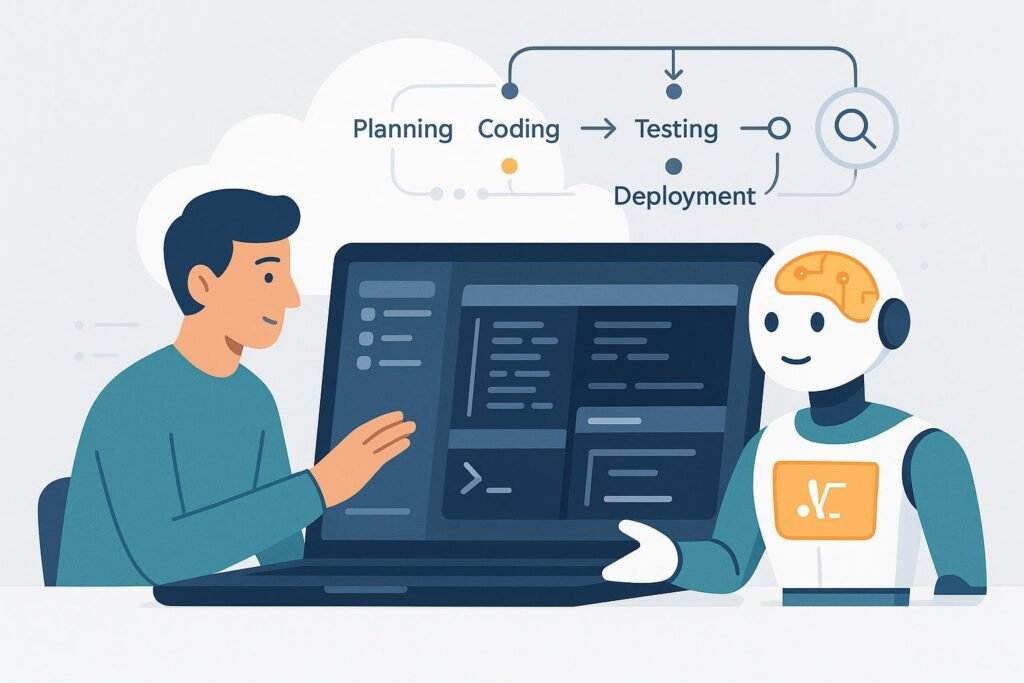
Replit AI (https://replit.com/) secures fourth position because it eliminates the single biggest barrier to adopting AI coding tools: setup friction. The integrated browser-based environment means you’re writing AI-assisted code within 60 seconds of deciding to try it, making it unmatched for rapid prototyping, learning new languages, and getting small teams productive quickly without infrastructure headaches.
Replit AI ranks here for small businesses that prioritize speed to first value over raw power. When you need to validate an idea quickly, build a proof-of-concept for a client pitch, or test whether a technical approach works before committing serious resources, Replit AI’s zero-setup environment saves days of configuration that could be spent actually building. The collaborative features make it exceptional for small teams where code review and knowledge sharing matter but formal development processes feel like overkill.
Ideal user profile: Small businesses in validation stage, not yet sure which features will drive revenue and needing to test multiple approaches quickly. Perfect for teams where one person knows how to code and needs to upskill others—Replit AI’s educational features and shared workspace accelerate knowledge transfer. Also excellent for consultants and agencies building client prototypes or demonstrations where the code itself may not go to production but needs to convincingly work.
Key strengths include the instant-start environment—no installing dependencies, configuring build tools, or troubleshooting environment mismatches between team members. Everyone on your team sees identical setups, which eliminates “works on my machine” problems. The AI pair programming features integrate directly into the editor with context awareness of your project structure and dependencies. Replit’s automatic deployment means you can share working prototypes with stakeholders or customers immediately without wrestling with hosting configurations.
The multiplayer coding capabilities transform how small teams work together. You can pair program with AI assistance where one person drives while another reviews and suggests, both seeing AI recommendations in real-time. This collaborative approach both improves code quality and distributes knowledge across the team, reducing bus factor risk in small businesses where losing one person’s knowledge creates serious vulnerability.
Clear limitations include reduced power for complex production applications—Replit AI works brilliantly for prototypes, internal tools, and moderate-complexity production apps, but large-scale applications with sophisticated architectural requirements may strain the platform’s capabilities. The browser-based approach, while convenient, introduces latency that becomes noticeable during intensive coding sessions compared to local development environments. Cost can escalate for teams running many simultaneous projects or requiring always-on production deployments.
When another ranked AI may be better: If you’re building production software from day one rather than prototyping, Cline’s autonomous project completion or Qwen3-Coder’s powerful generation capabilities will serve you better. If you need complete data privacy and local development, Code Llama 70B’s self-hosted approach addresses requirements Replit’s cloud architecture cannot.
#5: Code Llama 70B — Best for Privacy-First Teams with Infrastructure
Code Llama 70B (https://ai.meta.com/llama/) rounds out our ranking as the choice for small businesses where data privacy, customization, and independence from vendor platforms justify additional technical complexity. This open-source model from Meta provides enterprise-grade coding assistance without enterprise pricing, but demands infrastructure knowledge that limits its accessibility compared to higher-ranked alternatives.
Code Llama 70B earns its position for businesses with specific technical requirements that commercial cloud services can’t address. If you’re building in regulated industries (healthcare, finance, legal tech) where sending code to third-party APIs creates compliance nightmares, or if your intellectual property represents your core business value and you cannot risk any external exposure, Code Llama 70B’s fully self-hosted architecture provides the only viable path to AI-assisted coding.
Ideal user profile: Small businesses with technical leadership that understands infrastructure and model deployment. Works best for teams that already self-host other services and have spare compute capacity, or businesses where the cost of cloud infrastructure is justified by specific privacy or customization requirements. Also appropriate for consultancies building AI-powered tools for clients where demonstrating data handling practices matters for sales.
Key strengths begin with complete control over your data—code never leaves your infrastructure, eliminating entire categories of security and compliance concerns. The customization possibilities exceed any commercial alternative because you control the training process and can fine-tune the model on your specific codebase, creating an AI assistant that deeply understands your architectural patterns and business logic. The absence of per-seat pricing means costs scale with infrastructure rather than headcount, potentially offering significant savings for growing teams.
Code Llama 70B’s code generation quality, particularly for complex algorithmic work and systems programming, often exceeds commercial alternatives because the larger model size enables more sophisticated reasoning about code structure and edge cases. For small businesses building technically sophisticated products rather than standard CRUD applications, this capability advantage can be decisive.
Clear limitations include substantial infrastructure requirements—the 70B model demands serious GPU resources (minimum 80GB VRAM for efficient inference) which translates to either expensive cloud GPU instances or significant capital investment in hardware. Setup and maintenance require DevOps expertise that many small businesses lack on staff. The initial time-to-value extends to weeks rather than minutes because you’re configuring infrastructure, deploying models, and integrating them into your workflow from scratch.
When another ranked AI may be better: For most small businesses, the infrastructure demands outweigh the benefits unless you have specific privacy or customization requirements. If ease of use and fast time-to-value matter more than absolute data control, literally any higher-ranked tool provides better ROI. Cline, Qwen3-Coder, and Kilo Code all deliver strong results without requiring a dedicated infrastructure person on your team.
Use-Case Comparison: Which AI Should You Choose?
Choosing the best AI coding assistant for small business depends less on abstract capabilities and more on your specific situation. Here’s how to match tools to common small business scenarios.
Solo operators building a product while handling all other business functions should prioritize Cline for its autonomous project completion. When you’re the only technical person and development competes with sales, marketing, customer support, and operations for your attention, you need AI that handles entire features with minimal supervision. Cline’s ability to take business requirements and deliver working code while you focus on revenue-generating activities provides the highest leverage. Budget-conscious solo founders with strong coding skills can substitute Qwen3-Coder, accepting slightly more hands-on work in exchange for zero licensing costs.
Non-technical solo founders should choose Kilo Code despite its lower ranking. The visual interface and guided workflows enable you to build real products without years of programming education. While Cline might produce more sophisticated code, you’ll spend weeks learning to effectively direct it. Kilo Code meets you where you are today and grows with you as your technical skills develop.
Small teams of 2-5 people face different dynamics. If your team includes strong developers who can handle initial setup, Qwen3-Coder provides the best combination of power and cost-effectiveness. The collaborative benefits of everyone using the same open-source tool—no per-seat licensing costs as you grow—align with small team budgets. The local deployment option means one team member’s setup work benefits everyone without recurring costs.
Small teams in rapid validation mode should choose Replit AI. When you’re testing multiple product directions or building proofs-of-concept for different customer segments, Replit’s zero-setup environment and collaborative features keep the team moving fast. You can test an idea, get customer feedback, and pivot within days rather than weeks. Once you’ve validated product-market fit and committed to a direction, consider graduating to Cline or Qwen3-Coder for production development.
Growth-stage businesses experiencing scaling pains need tools that won’t become bottlenecks. If you’re hiring your first developers soon, Qwen3-Coder or Cline become strategically important because professional developers will appreciate their power and won’t need to unlearn bad habits formed by less sophisticated tools. Avoid over-investing in tools that work brilliantly for one person but create collaboration problems as headcount grows.
Common Mistakes When Choosing AI Coding Assistants
Small business owners evaluating AI coding tools consistently make three mistakes that waste time and money.
Choosing based on hype rather than fit leads businesses toward whatever tool currently dominates tech media attention. The most talked-about AI coding assistant isn’t automatically right for your business. Viral demos showcasing impressive capabilities often highlight edge cases rather than everyday usage. Worse, hype cycles attract early adopters with fundamentally different needs—venture-backed startups optimizing for growth-at-all-costs make different tooling decisions than bootstrapped businesses managing cash flow carefully. Evaluate tools against your specific constraints and workflows, not against what worked for a completely different type of company.
Over-automation causes businesses to adopt AI for tasks where humans remain more effective. Not every coding task benefits from AI assistance. Simple configuration changes, one-off scripts, or maintenance work you perform quarterly often take longer with AI assistance than manually because explaining context to the AI exceeds the time saved. Some founders fall into the trap of using AI coding assistants for everything, even when their own expertise would produce better results faster. The goal isn’t maximizing AI usage—it’s maximizing business outcomes. Use AI where it multiplies your effort, skip it where it adds friction.
FAQs: People Also Ask
What is the best AI coding assistant for small business?
Cline currently offers the best combination of autonomous capability and practical usability for most small businesses in 2026. It handles complete feature development with minimal supervision, which directly addresses the resource constraints small businesses face. However, “best” depends on your specific situation—non-technical founders may find Kilo Code more accessible, while budget-conscious teams with technical skills might prefer Qwen3-Coder’s open-source model. Evaluate based on your team’s capabilities, budget, and whether you need autonomous project completion versus accelerated coding.
Are free AI coding tools enough for small businesses?
Free tools like Qwen3-Coder and Code Llama 70B can absolutely serve small businesses effectively, but “free” means different things for different tools. Open-source models are free from licensing costs but require infrastructure investment and technical expertise to deploy effectively. Cloud-based free tiers typically limit features or impose usage caps that become restrictive as your business grows. The right question isn’t whether free tools are “enough” but whether the total cost of ownership—including setup time, maintenance burden, and opportunity cost of limitations—actually saves money compared to paid alternatives. For many small businesses, paying $50-100/month for a tool like Cline that saves 20+ hours of development time represents better ROI than “free” tools that require 10 hours of setup and ongoing maintenance.
Can AI coding assistants replace human developers?
No, and thinking about AI in replacement terms misses the point. AI coding assistants multiply the capability of existing developers or enable non-developers to build more than they could alone—they don’t eliminate the need for human judgment, architectural thinking, or business context understanding. Small businesses benefit most from AI when they use it to accomplish development work without expanding headcount, not as a replacement for eventual hiring. As your business grows, you’ll still need human developers for complex problem-solving, stakeholder communication, and strategic technical decisions. AI tools compress the timeline until that first hire makes sense and increase what your team accomplishes once you do hire.
Next Steps
If you’re still comparing AI coding assistants and need a structured framework for evaluation, our AI comparison tools can help you assess each option against your specific business constraints and technical requirements.
If you’re ready to adopt AI but concerned about productivity during the learning curve, explore AI efficiency strategies that minimize disruption while your team develops proficiency with new tools.
If you’re wondering whether AI coding assistance translates to actual revenue growth, our AI revenue boost analysis examines the connection between development velocity and business outcomes for small companies.
If you’re a solo founder trying to accomplish technical work alongside all your other responsibilities, the Solo DX resources address the unique challenges of single-person technical operations.
If you want to integrate AI coding tools into your broader development process, our AI workflows documentation shows how to combine AI assistance with version control, testing, and deployment systems.
Final Summary
The best AI coding assistant for small business in 2026 isn’t determined by raw technical capability—it’s determined by fit with your specific constraints, team skills, and business objectives. This ranking prioritizes practical business outcomes over feature checklists because small businesses need tools that directly impact revenue and productivity, not impressive demos.
Cline leads our ranking for its autonomous project completion that multiplies output without requiring constant supervision. Qwen3-Coder follows for teams wanting powerful code generation without vendor lock-in or recurring costs. Kilo Code claims third position by enabling non-technical founders to build real products beyond no-code limitations. Replit AI ranks fourth for rapid prototyping and team learning. Code Llama 70B rounds out the ranking for privacy-first businesses with infrastructure expertise.
No single tool fits everyone. A solo founder building their first product faces fundamentally different constraints than a three-person development team at a growth-stage SaaS company. The best choice depends on your current situation—team size, budget, technical skills, privacy requirements, and whether you need autonomous project completion versus accelerated coding.
Focus on fit over features. The most powerful tool won’t help your business if it requires skills your team lacks or costs more than the time it saves. The least powerful tool on this list can drive significant business results if it matches your needs precisely and integrates smoothly into your existing workflow.
AI coding assistants work best as leverage, not replacement. They enable small businesses to accomplish development work without immediately expanding headcount, but they don’t eliminate the eventual need for human developers as your business grows. Use them to compress timelines, expand capabilities, and extend runway until revenue justifies hiring—then use them to multiply what your team accomplishes together.
Choose your AI coding assistant based on where you are today and where you need to be in 6-12 months. The right tool removes development bottlenecks currently limiting your growth, fits your budget without creating financial stress, and scales alongside your business as requirements evolve. Start with the tool that best matches your current constraints, measure results rigorously, and adjust as your business needs change.
Bardeen AI is an automation platform developed by a team focused on integrating artificial intelligence directly into user workflows, founded by entrepreneurs with backgrounds in software and automation. The platform leverages a proprietary AI engine that connects to and orchestrates various applications through browser-based automation, rather than relying on a single, publicly disclosed foundational model. Its key capability is enabling users to create custom automations, called playbooks, that interact with web apps like Google Sheets, Salesforce, and LinkedIn to perform repetitive tasks such as data enrichment, lead generation, and social outreach. It primarily targets business professionals in sales, marketing, and recruitment seeking to streamline manual processes. By operating directly within the browser, Bardeen integrates into existing workflows with minimal setup, aiming to reduce manual data entry and context-switching. This can translate to significant time savings and reduced operational overhead, as noted in a review by TechCrunch which highlighted its user-friendly approach to automation. For a comparison with other automation tools, visit https://ai-plaza.io/ai/workflow-automation-tools.
Key Findings
One Click: Automates complex workflows instantly with a single button press across platforms.
Universal Connector: Links all your apps and tools seamlessly for smooth data flow everywhere.
Custom Builder: Creates personalized automations visually without needing any coding skills or expertise.
Smart Templates: Offers ready made automation recipes for sales marketing and support tasks.
Team Collaboration: Shares automation workflows securely with colleagues to boost productivity together.
Data Enrichment: Gathers and updates contact information automatically from multiple public sources online.
Meeting Scheduler: Finds optimal meeting times and books them directly into calendars automatically.
Lead Capture: Extracts and organizes potential customer data from websites and forms instantly.
Content Summarizer: Condenses long articles reports and emails into key actionable points quickly.
Real Time Triggers: Executes automations based on live events like new emails or updates.
Customer service AI that turns every interaction into a loyal relationship.
What is Zendesk AI?
Zendesk AI is developed and maintained by Zendesk, Inc., a publicly traded customer service software company founded in 2007. The AI solution is built upon a sophisticated technical architecture that leverages a combination of proprietary machine learning models and integrated large language models (LLMs), including OpenAI’s technology, to understand and automate customer interactions. Its key capabilities encompass intelligent triage, automated answer generation for agents, and AI-powered chatbots for self-service, all designed to operate within the Zendesk Suite. The target users are primarily customer service and support teams across mid-market to enterprise businesses. Use cases include automatically categorizing and routing tickets, providing agents with suggested responses and macros, and resolving common customer queries through conversational bots without agent intervention. The business impact centers on significantly increased agent efficiency, reduced resolution times, and improved customer satisfaction scores through deep workflow integration with existing Zendesk ticketing, help center, and live chat systems. For a comparative look at another customer support automation tool, visit https://ai-plaza.io/ai/intercom-fin. According to a Zendesk blog post, their AI models are trained on billions of customer service interactions to ensure industry-specific accuracy and context awareness.
Key Findings
Customer Support: Enhances user satisfaction by providing instant, accurate responses around the clock.
Agent Efficiency: Empowers support teams with automated insights and suggested responses for faster resolution.
Seamless Integration: Connects effortlessly with existing help desk tools and CRM platforms for unified operations.
Conversational Intelligence: Understands customer intent and sentiment to deliver personalized, context-aware support interactions.
Workflow Automation: Streamlines ticket routing and management by automating repetitive processes and escalations intelligently.
Knowledge Management: Surfaces relevant help articles and solutions directly within the agent’s workflow instantly.
Performance Analytics: Delivers actionable insights into support metrics and customer satisfaction trends for improvement.
Omnichannel Support: Manages customer conversations from email, chat, social media, and phone seamlessly.
Proactive Engagement: Anticipates customer needs and initiates helpful conversations to resolve issues before escalation.
Scalable Solutions: Grows effortlessly with your business, handling increasing support volume without compromising quality service.
Who is it for?
Customer Support
Auto-reply to tickets
Categorize support requests
Summarize long threads
Suggest knowledge base articles
Detect customer sentiment
IT or DX Manager
Monitor system integration health
Generate usage reports
Manage AI training data
Automate routine admin tasks
Assess security compliance
Retail Store Manager
Handle after-hours inquiries
Process return requests
Update FAQ content
Manage appointment bookings
Provide product details
Pricing
Support Team @ $19/agent/month
Email and ticketing support
Facebook and X support
Pre-written responses with macros
Customizable automations and triggers
1000+ easy to setup integrations
Suite Team @ $55/agent/month
AI agents (Essential)
Generative replies
Messaging with live chat
Phone support
Social messaging on Instagram, WhatsApp, Slack, and more
Customer service AI that resolves tickets instantly, 24/7.
What is Freshdesk AI?
Freshdesk AI is a conversational AI platform developed by Freshworks, a publicly-traded SaaS company founded in Chennai, India, and now headquartered in San Mateo, California. The product leverages a combination of proprietary machine learning models and integrations with large language models (LLMs) like those from OpenAI to automate and enhance customer support interactions. Its core capabilities include intelligent ticket categorization, automated response suggestions, and self-service bot interactions that deflect common inquiries. The platform is designed primarily for customer support teams across mid-market and enterprise businesses, aiming to streamline workflows within the existing Freshdesk ticketing system. By integrating directly into the agent’s workspace, it reduces resolution times and handles routine queries, allowing human agents to focus on complex issues. According to a Freshworks technical overview, this integration aims to improve operational efficiency and customer satisfaction metrics. For teams evaluating similar tools, a comparative analysis of support automation platforms can be found at https://ai-plaza.io/ai/support-automation-software.
Key Findings
Ticket Summarization: Condenses lengthy customer emails into concise summaries for faster agent response times daily.
Automated Categorization: Intelligently routes incoming support tickets to the most appropriate agent or team instantly.
Sentiment Analysis: Detects customer frustration or satisfaction in real-time to prioritize and personalize agent responses effectively.
Instant Reply Suggestions: Provides agents with context-aware, professional response drafts to accelerate resolution and maintain consistency.
Knowledge Base Activation: Surfaces relevant help articles directly to agents within the ticket interface for quick reference.
Customer Self-Service: Empowers users to find answers independently via an AI-powered, conversational chatbot available always.
Workflow Automation: Triggers specific actions like escalations or notifications based on customizable, intelligent ticket rules automatically.
Performance Analytics: Delivers actionable insights into support team efficiency and customer satisfaction trends with clear reports.
Proactive Support: Identifies and alerts teams to potential issues from customer conversations before they escalate further.
Omnichannel Integration: Unifies customer interactions from email, chat, phone, and social media into a single, smart dashboard.
Who is it for?
Customer Support
Automated ticket tagging
Craft instant, personalized replies
Summarize long complaint threads
Predict high-priority issues
Maintain knowledge base articles
Office Administrator
Generate meeting summaries
Manage shared inbox inquiries
Onboard new employees faster
Process internal feedback forms
Automate FAQ responses
Retail Store Manager
Analyze customer feedback
Handle after-hours queries
Create support tickets from chats
Monitor service quality
Manage peak season inquiries
Pricing
Growth @ $19/agent/month
Ticketing, customer portal, reports and more
Ideal for small businesses
Billed annually
Pro @ $55/agent/month
Everything in Growth plus customized support portals
Advanced ticketing, custom reporting, different routing mechanisms
Most popular plan
Billed annually
Enterprise @ $89/agent/month
Everything in Pro plus audit logs, approval workflows
Skills-based assignments, additional security features
Turn conversations into revenue with AI that sells while you sleep.
What is Tidio AI?
Tidio AI is a conversational AI platform developed by Tidio Ltd., a company founded in 2013 with offices in Poland and the United States. The platform is engineered to automate and enhance customer service and sales interactions for online businesses. Technically, Tidio AI leverages a combination of proprietary machine learning models and integrates with OpenAI’s GPT technology to power its advanced chatbots and language processing capabilities. Its key features include AI-driven chatbots that handle FAQs, a visual chatbot builder, live chat for human agents, and email marketing automation tools. The primary target users are small to medium-sized e-commerce businesses and online stores seeking to improve customer engagement without a large support team. Common use cases involve providing 24/7 instant responses to customer inquiries, qualifying leads, and recovering abandoned carts. By integrating directly with popular platforms like Shopify, WordPress, and Facebook, Tidio AI impacts business workflows by centralizing communication, increasing conversion rates, and reducing the operational burden on human support staff. For a comparison with similar tools, visit https://ai-plaza.io/ai/customer-support-chatbot. Further technical details on its AI implementation can be found in Tidio’s official documentation on their website.
Key Findings
Live Chat: Engages website visitors instantly with AI-powered responses to boost conversion rates.
Sales Automation: Identifies and qualifies leads automatically to streamline your sales pipeline and increase revenue.
Customer Insights: Analyzes chat conversations to reveal valuable trends and improve overall customer service strategies.
Conversational Analytics: Tracks key performance metrics to measure chatbot effectiveness and optimize ongoing engagement efforts.
Seamless Integration: Connects effortlessly with popular platforms like Shopify and WordPress for a unified workflow.
Multichannel Support: Manages customer interactions across email, Messenger, and Instagram from one central dashboard.
AI Training: Learns from your specific business data to provide accurate and brand-consistent automated answers.
Triggered Messages: Initiates proactive chats based on user behavior to capture leads at key moments.
Team Inbox: Organizes all human and AI conversations in one shared place for collaborative support.
Chat Widget: Customizes the look and placement of the chat button to match your website.
The most capable AI for business, built to understand and create anything.
What is Gemini 3?
Gemini 3 is the latest multimodal AI model developed by Google DeepMind, a leading AI research lab formed from the merger of Google’s Brain and DeepMind teams. This iteration is built on a sophisticated technical architecture designed for natively processing and reasoning across text, code, audio, image, and video within a single, unified model. Its key capabilities include advanced reasoning, long-context understanding, and sophisticated code generation. The model is targeted at both enterprise developers and business professionals, enabling use cases such as complex data analysis, content creation, and the development of AI-powered applications. For businesses, Gemini 3’s integration into Google Cloud and the Gemini API allows for significant workflow augmentation, automating intricate tasks and enhancing decision-making processes. It serves as a foundational tool for building custom AI agents, similar to those explored in the broader ecosystem on https://ai-plaza.io/ai/ai-agents. According to a technical overview by Google, the model emphasizes efficiency and state-of-the-art performance across a wide range of benchmarks, solidifying its position as a versatile enterprise-grade AI.
Key Findings
Advanced Reasoning: Solves complex business problems with precise, logical analysis and clear, actionable insights.
Proactive Assistance: Anticipates user needs and suggests next steps to streamline decision-making and daily operations.
Enterprise Security: Provides robust, built-in data protection and compliance features for secure, confidential business environments.
Seamless Integration: Connects effortlessly with existing workplace tools to enhance productivity without disrupting established workflows.
Multimodal Understanding: Processes and interprets text, images, and data together for comprehensive, context-aware analysis.
Real-Time Collaboration: Enables teams to co-edit, brainstorm, and refine ideas simultaneously in a shared workspace.
Customizable Outputs: Generates tailored reports, emails, and documents that align with specific brand voice and guidelines.
Predictive Analytics: Identifies trends and forecasts outcomes using historical data to inform strategic business planning.
Global Scalability: Supports deployment across international teams with multilingual capabilities and regional compliance adapters.
Continuous Learning: Evolves from user interactions and new data to deliver increasingly relevant and accurate responses.
The fastest, most affordable AI for instant answers and real-time tasks.
What is Gemini 3 Flash?
Gemini 3 Flash is a highly efficient multimodal AI model developed by Google DeepMind. It represents a strategic advancement in creating a model optimized for speed and cost-effectiveness while maintaining robust reasoning capabilities. The model is built on a decoder-only transformer architecture, trained on a diverse mix of text, image, audio, and video data. Its key features include rapid response times, strong performance on reasoning tasks, and native multimodal understanding, allowing it to process and generate insights from different types of inputs seamlessly. This makes it an ideal solution for developers and businesses seeking to scale AI applications, particularly for real-time use cases like live customer support, content moderation, and data extraction from documents. By integrating Gemini 3 Flash via API, companies can enhance workflows with fast, affordable AI without sacrificing depth, automating complex tasks and improving operational efficiency. For a practical implementation tool, consider exploring the API integration features on https://ai-plaza.io/ai/api-integration-helper. According to a technical overview by Google, the model is designed for “high-volume, high-frequency tasks where low latency and cost are critical” (source: Google AI Blog, “Gemini 3 Flash: Our fastest and most efficient model for scaling AI”).
Key Findings
Lightning Fast: Delivers rapid responses and insights for high-volume business queries and tasks.
Cost Effective: Offers exceptional performance at a competitive price point for scalable business operations.
Highly Scalable: Efficiently handles massive workloads and spikes in demand without compromising speed or reliability.
Multimodal Mastery: Processes and understands text, images, audio, and code seamlessly within a single model.
Easy Integration: Connects smoothly with existing business platforms and tools through robust, developer-friendly APIs.
Streamlined Workflows: Automates complex business processes and data analysis to boost team productivity and output.
Real Time: Provides immediate analysis and generation for live customer support and dynamic decision-making.
Global Understanding: Accurately interprets nuanced context and intent across diverse languages and cultural business scenarios.
Creative Partner: Generates innovative marketing copy, product descriptions, and design ideas to accelerate content creation.
Secure Foundation: Operates with enterprise-grade security and data privacy protections built directly into its architecture.
Who is it for?
Marketer
Crafting campaign copy
Analyzing customer sentiment
Creating content calendar
Optimizing SEO descriptions
Drafting email sequences
Startup Founder
Validating business idea
Drafting investor updates
Prototyping user feedback
Analyzing legal documents
Planning product roadmap
Customer Support Manager
Creating training materials
Analyzing support tickets
Drafting outage communications
Improving help articles
Preparing weekly reports
Pricing
Free @ Free
Limited access to certain models
Free input & output tokens
Google AI Studio access
Content used to improve our products
Paid @ Pay-as-you-go
Higher rate limits for production deployments
Access to Context caching
Batch API (50% cost reduction)
Access to Google’s most advanced models
Content not used to improve our products
Gemini 3 Flash (Standard) @ $0.50 per 1M input tokens / $3.00 per 1M output tokens
Text, image, and video input pricing
Audio input at $1.00 per 1M tokens
Includes thinking tokens in output price
Context caching available
Gemini 3 Flash (Batch) @ $0.25 per 1M input tokens / $1.50 per 1M output tokens
Grok 4: The AI with real-time knowledge and a rebellious streak.
What is Grok 4?
Grok 4 is a sophisticated large language model developed by xAI, a company founded by Elon Musk with a team composed of veterans from leading AI research organizations like DeepMind and OpenAI. The model is built on a custom, Mixture-of-Experts (MoE) architecture, which allows it to activate specialized neural pathways for different queries, enabling high efficiency and scalability. Key capabilities include real-time knowledge retrieval from the X platform, a distinctive conversational style with a “rebellious” mode, and advanced reasoning for complex problem-solving. It is targeted primarily at business professionals, researchers, and developers for use cases such as data analysis, coding assistance, and market research synthesis. Integration into business workflows, particularly for teams already using the X ecosystem, can streamline information gathering and content creation. For organizations comparing similar enterprise AI tools, a detailed analysis is available at https://ai-plaza.io/ai/chatgpt-enterprise. According to a technical overview by xAI, the model is designed to pursue understanding of the universe, reflecting its foundational research goals (source: https://x.ai/blog).
Key Findings
Advanced Intelligence: Delivers deep insights and predictive analytics for strategic business decision-making processes daily.
Real-Time Analysis: Processes live data streams instantly to provide actionable intelligence and immediate operational recommendations.
Natural Conversations: Engages in human-like dialogue to understand complex queries and deliver precise, contextual answers.
Seamless Integration: Connects effortlessly with existing enterprise systems to enhance workflow efficiency without disruptive overhauls.
Proactive Alerts: Monitors key metrics and automatically notifies teams about critical issues and emerging opportunities.
Scalable Architecture: Grows with your business needs, handling increased data loads and user requests effortlessly.
Customizable Responses: Tailors outputs to match specific brand voice, industry jargon, and internal communication standards.
Enhanced Security: Implements enterprise-grade protocols to safeguard all sensitive data and intellectual property interactions.
Multimodal Understanding: Interprets and analyzes text, uploaded documents, and data files to provide comprehensive insights.
Continuous Learning: Adapts and improves from interactions to better serve evolving organizational goals and challenges.
Who is it for?
Marketer
Crafting a viral campaign
Analyzing competitor strategies
Generating ad copy variations
Personalizing email sequences
Optimizing landing page text
Startup Founder
Pitching to investors
Analyzing market trends
Streamlining operations
Engaging with community
Modeling financial scenarios
Content Creator
Overcoming writer’s block
Scripting a explainer video
Engaging with comments
Researching a deep dive
Optimizing content SEO
Pricing
SuperGrok @ Price not found in content
Longer conversations in Chat With Grok 4.1 – Fast & Expert mode
Make more images & videos With Imagine 1.0 – longer, 720p videos