Turn WordPress websites into AI-powered apps, instantly.
What is WPTurbo?
WPTurbo is a WordPress plugin designed to assist in the development and management of WordPress websites. It enables users to generate and modify code, content, and site configurations through automated processes.
Developed by the team at WPTurbo, the tool utilizes machine learning algorithms to process user instructions and queries. You can explore its official features and documentation directly at wpturbo.com. For individuals building or maintaining WordPress sites, it serves as an effective development assistant to streamline complex tasks. You can discover more tools in this category by searching for other WordPress AI plugins on AI Plaza.
Key Findings
AI Acceleration: Dramatically speeds up development cycles with intelligent code generation and optimization tools.
Code Generation: Produces clean, production-ready code instantly from simple natural language descriptions and prompts.
Bug Detection: Identifies and suggests fixes for potential errors and vulnerabilities within existing codebases.
Workflow Integration: Seamlessly connects into existing developer environments and popular project management platforms effortlessly.
Customization Options: Allows extensive tailoring of AI behavior and output to match specific project guidelines.
Team Collaboration: Enables shared workspaces and version control for synchronized team development on complex projects.
Security Focus: Implements enterprise-grade security protocols to protect intellectual property and sensitive code data.
Cost Efficiency: Reduces development costs by automating routine coding tasks and accelerating time-to-market significantly.
Performance Analytics: Provides detailed insights into development speed, code quality, and team productivity metrics.
Continuous Learning: Adapts and improves its suggestions based on ongoing project feedback and user interactions.
Turn your ideas into stunning presentations in seconds with AI.
What is Premast?
Premast is an AI-powered presentation design tool designed to assist users in creating professional slides. It enables users to generate visual content and layouts from textual prompts and ideas.
Developed by the team at Premast.com, the tool utilizes machine learning algorithms to process user input and design preferences. You can explore its full capabilities directly on its official website. For professionals seeking to streamline their workflow, it is particularly effective for marketing and business teams who need to produce polished presentations efficiently. This makes it a noteworthy option among other AI productivity tools available.
Key Findings
AI Video: Generates professional marketing videos from text prompts in minutes without editing.
Content Creation: Produces high-quality blog posts, social media captions, and ad copy instantly.
Voice Cloning: Creates realistic synthetic voiceovers in multiple languages and tones for branding.
Image Generation: Designs custom graphics, logos, and product visuals from simple descriptive text.
Code Assistant: Writes, debugs, and explains programming code across various languages and frameworks.
Data Analysis: Processes and visualizes complex datasets to uncover actionable business insights quickly.
Presentation Builder: Crafts compelling slide decks with automated design, charts, and speaker notes.
Email Writer: Composes personalized, context-aware sales and marketing emails for higher engagement.
Meeting Assistant: Transcribes, summarizes, and extracts key decisions and action items from calls.
SEO Optimizer: Analyzes and improves web content to rank higher on search engine results.
Automate complex tasks with AI agents that collaborate and adapt to your workflow.
What is Questflow?
Questflow is an AI automation platform designed to streamline complex workflows by connecting various applications and services. It enables users to create automated sequences, known as agents or workflows, from simple natural language instructions.
Developed by the team at Questflow, the platform utilizes machine learning algorithms to process user commands and intent. More detailed information on its capabilities can be found on the official Questflow website. This technology is particularly effective for businesses and individuals seeking to automate repetitive digital tasks without manual coding, making it a prominent example of the growing category of AI automation tools available today.
Key Findings
Automated Workflows: Streamlines complex processes by connecting your existing tools and data sources seamlessly.
Intelligent Orchestration: Coordinates tasks across teams and systems to ensure projects move forward without delays.
Visual Builder: Designs automated workflows using a simple, drag-and-drop interface requiring no technical coding skills.
Dynamic Triggers: Initiates actions based on specific events or data changes across your connected applications.
Smart Routing: Directs tasks and information to the right person or system at the optimal time.
Centralized Hub: Provides a single dashboard to monitor, manage, and analyze all automated business processes.
Seamless Integration: Connects effortlessly with popular business software to unify operations and eliminate manual data transfer.
Customizable Logic: Adapts automation rules to fit your unique business needs and operational decision-making criteria.
Real-Time Monitoring: Tracks workflow performance and status live, offering instant visibility into process efficiency and bottlenecks.
Collaborative Automation: Enables teams to build, share, and improve automated workflows together in a unified platform.
Who is it for?
Marketer
Campaign performance analysis
Social media content creation
Competitor research report
Ad copy A/B testing
SEO keyword strategy
Project Manager
Project status reporting
Meeting minute automation
Risk assessment documentation
Client communication draft
Resource allocation planning
Startup Founder
Investor pitch refinement
Market trend analysis
Operational workflow design
Product feature ideation
Grant application drafting
Pricing
If you need pricing information for Questflow, you may need to contact their support at contact @ questflow.ai or access their app directly to see current usage rates.
Tough Tongue AI: The AI that gives your business feedback with fearless honesty.
What is Tough Tongue AI?
Tough Tongue AI is a text-to-speech tool designed to generate vocal audio from written text. It enables users to create natural-sounding speech in various languages and accents from typed input.
Developed by the team at Tough Tongue AI, this tool utilizes machine learning algorithms to process text and produce corresponding audio. You can explore its features directly on the official Tough Tongue AI website. This type of technology is particularly effective for content creators who need to produce voiceovers for videos or podcasts, making it a notable option among other text-to-speech solutions available.
Key Findings
Direct Feedback: Provides immediate and honest critique to refine your projects and strategies clearly.
Brutal Honesty: Delivers unfiltered analysis without sugarcoating to strengthen your business decisions directly.
Unbiased Analysis: Evaluates all options and data points objectively to reveal the best path forward.
Clear Communication: Uses straightforward language to explain complex issues and ensure complete team understanding.
Performance Audits: Identifies weaknesses and inefficiencies in your operations to drive significant improvement quickly.
Strategy Stress-Testing: Rigorously challenges your plans to expose flaws before you commit resources fully.
Competitive Edge: Highlights your rivals’ vulnerabilities and your opportunities to outperform them in market.
Decision Fortification: Strengthens your choices by pressure-testing assumptions against hard data and logic.
Efficiency Maximization: Pinpoints wasted effort and resources to streamline processes for greater productivity gains.
Constructive Conflict: Generates productive debate by presenting opposing viewpoints to refine ideas thoroughly.
The best ai image generator for business doesn’t just create pretty pictures — it turns your brand vision into revenue-ready visuals before your morning coffee cools.
In 2026, American freelancers and solo entrepreneurs face a paradox that would have seemed absurd a decade ago. Design software has never been more powerful. Stock libraries have never been bigger. And yet, the cost of producing professional marketing visuals has never felt more out of reach for the average solo operator.
Inbox at 200 unread. Client deadlines stacking up. A product launch on Friday and zero budget for a designer. The visuals you need — the hero image for your landing page, the Instagram carousel for your spring sale, the proposal cover that needs to look polished before tomorrow’s pitch — all sitting on the to-do list, unfinished.
This is where the conversation around AI image generation stops being theoretical and starts being urgent.
Google’s Imagen is a text-to-image AI model built for exactly this context. It doesn’t require design training, a Canva subscription, or hours of prompt engineering. You describe what you want in plain English, and Imagen generates photorealistic, commercially viable images that can anchor your marketing materials, social content, and brand presence.
For US freelancers billing $50–150 per hour, the math is not subtle. Every hour spent hunting for stock photos, briefing a designer, or wrestling with Figma is $50–150 not earned. Every week of delayed content is potential revenue sitting uncollected. The opportunity cost of visual production has always existed — AI efficiency tools like Imagen make it visible.
In this article, you’ll walk away with four specific workflows you can implement this week, each capable of saving 2–5 hours in your content and design production pipeline. Whether you’re a freelance brand designer, an e-commerce owner running seasonal campaigns, or a solo consultant building a thought leadership presence, these strategies translate directly into hours reclaimed and dollars protected.
Key Concepts of AI Efficiency
Concept 1: Cognitive Offloading
Cognitive offloading is the practice of externalizing mental work — tasks that require sustained attention, decision-making, or creative judgment — onto tools, systems, or AI. For visual content, cognitive offloading means moving the question of “what should this look like?” from your brain into a generative system that can answer it in seconds.
Consider Sarah, a freelance brand designer in Seattle managing eight active clients. Before adopting AI image generation tools, she spent roughly 2.5 hours daily on non-billable visual tasks: sourcing stock photography, editing mockup backgrounds, assembling social media templates. By offloading image generation for mood boards, campaign concepts, and placeholder visuals to AI, she reclaimed that 2.5 hours per day — a shift that compounded into more than $30,000 in additional annual billing capacity.
The key insight is that Sarah didn’t become a worse designer by offloading these tasks. She became a faster one. Cognitive offloading doesn’t replace your judgment — it removes the low-value execution that blocks your judgment from being applied where it matters.
Concept 2: Context Switching Cost
Research consistently shows that the average knowledge worker takes approximately 23 minutes to fully refocus after an interruption. For solo entrepreneurs, this cost multiplies because visual production tasks are inherently interruptive — you’re pulled from writing, strategy, or client work to find a background image, resize a graphic, or request a revision from a contractor.
Marcus, an independent management consultant in Chicago, tracked his context switching costs over a single month. Between hunting for stock images, back-and-forth with a freelance designer, and waiting on revisions, he lost roughly five hours per week to visual production fragmentation. AI image generation collapsed this into a single, contained workflow. He now generates, selects, and places visuals for proposals and client reports within a single focused block — and the 23-minute refocus tax has essentially disappeared from his production cycle.
Concept 3: Workflow Orchestration
The most sophisticated application of AI efficiency isn’t using a single tool faster — it’s redesigning the sequence of tasks so that AI handles transition steps that previously created bottlenecks. Think of it as AI acting as a conductor within your production workflow, not just a performer of individual tasks.
Elena, an e-commerce owner running a Shopify store in Denver, restructured her content calendar workflow around AI image generation. Previously, planning a product launch required a photoshoot, editing, resize for each platform, and then copywriting — four distinct phases with handoff delays at each junction. By using Imagen to generate lifestyle imagery for new SKUs before the physical product arrives, Elena runs her content calendar four weeks ahead of inventory, eliminating the launch-day visual crunch entirely.
For advanced cognitive offloading strategies and workflow templates built around AI image generation, explore Imagen in detail.
How Imagen Helps Efficiency
Feature 1: Photorealistic Image Quality from Text Prompts
Imagen’s core capability is generating images from natural language descriptions that are accurate, detailed, and commercially viable without post-processing. Where earlier AI image tools produced outputs that clearly looked “AI-generated” — uncanny textures, distorted hands, inconsistent lighting — Imagen’s outputs are grounded in diffusion model research that prioritizes realism and prompt fidelity.
For a small business owner, this means a prompt like “flat lay product photo of a skincare serum bottle on white marble with soft natural light, clean and minimal” produces an image you can use in an email campaign or landing page without additional editing. The annual time savings for eliminating stock photo research and basic visual production: approximately 43 hours per year, worth $2,150–$6,450 at standard US freelance rates.
Feature 2: Rapid Iteration and Prompt Variation
One of the highest-friction moments in visual production is revision cycles. Briefing a designer, waiting for a round of revisions, providing feedback, waiting again — this loop can consume three to five business days for a single asset. Imagen’s prompt-based interface collapses revision cycles to minutes. You generate a variation, adjust the prompt, generate again, and select the version that works.
For entrepreneurs who produce recurring content — weekly social posts, monthly newsletters, quarterly campaigns — the compounding effect is significant. Estimated annual time recovered from eliminating revision cycle delays: approximately 35 hours, worth $1,750–$5,250 per year.
Feature 3: Zero Design Skill Requirement
The most underrated efficiency gain from AI design tools for entrepreneurs is not speed — it’s access. Previously, producing professional visuals required either design skills, a contractor budget, or both. Imagen removes this prerequisite entirely. A solo consultant who has never opened Photoshop can produce a polished proposal cover, a branded LinkedIn header, or a product concept mockup by describing it in plain English.
For businesses currently spending on design contractors or stock subscriptions, Imagen’s capability shifts a meaningful portion of that spend into zero-marginal-cost production. Estimated annual time and cost reclaimed from reduced contractor dependency: 75 hours per year, worth $3,750–$11,250.
Combined ROI: At a conservative estimate, these four efficiency gains return 58x to 174x on a modest annual AI tooling investment — a return profile that is difficult to find in any other area of solo business operations.
To see these capabilities in action with detailed workflow examples relevant to your business type, see our full Imagen review.
Ready to cut visual production time in half? Try Imagen and experience AI image generation firsthand. Get Started Free | No design experience required
Use Cases: Small Business & Freelancer Efficiency
Persona 1: Jessica — Freelance Brand Designer, Portland, OR
The Old Workflow: Jessica charges $85/hour for brand strategy and design work. But for every 10 hours she bills, she spends roughly 10 more on non-billable overhead: sourcing mood board images, hunting for stock photography that matches client briefs, building out concept decks with placeholder visuals, and waiting on asset approvals before she can finalize deliverables.
Total overhead: approximately 10 hours per week. At her rate, that’s $850 per week in unrecovered opportunity cost — roughly $44,000 per year.
The AI-Enhanced Workflow: Jessica uses Imagen to generate mood board visuals, placeholder brand imagery, and concept mockups directly from client brief language. When a client describes their aesthetic as “coastal, clean, elevated but approachable,” she generates twelve variations in under 10 minutes and uses them to anchor the strategy deck before a single design decision has been finalized.
Results: Visual overhead reduced from 10 hours/week to 5 hours/week. $19,500 in additional annual billing capacity unlocked by reallocating reclaimed hours to client work.
“I used to lose half my Monday sourcing images for decks that the client would revise anyway. Now I generate, present, and pivot in the same session.” — Jessica, composite
Persona 2: David — Independent Management Consultant, Chicago, IL
The Old Workflow: David’s proposals and client reports are his primary sales tool. A polished visual presentation is table stakes in his market — Chicago-area corporate clients expect it. Previously, producing a proposal cover, data visualization backgrounds, and section dividers required either a contractor or four to six hours of DIY work in Canva and Google Slides.
Total design overhead: approximately 22 hours per month.
The AI-Enhanced Workflow: David prompts Imagen for professional business imagery that matches each client’s industry — a manufacturing client gets industrial facility backgrounds; a healthcare client gets clean clinical environments. He generates, selects, and places these in under 30 minutes per proposal.
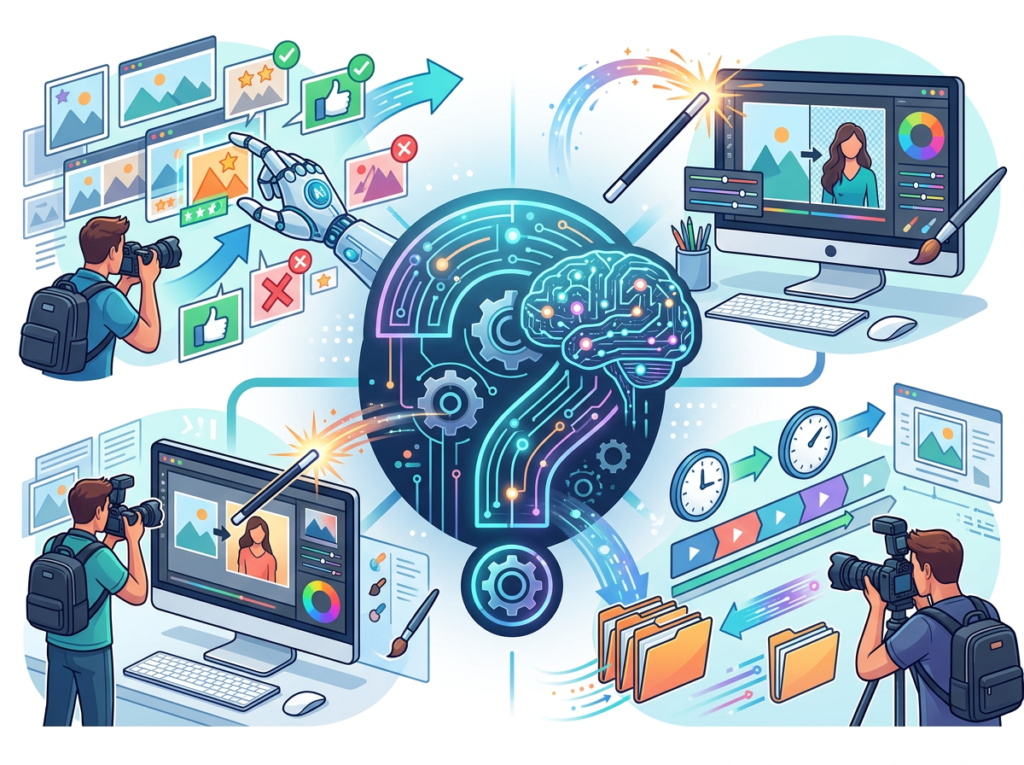
As noted in this breakdown of photographer workflows with Imagen AI, the model’s ability to learn and adapt to specific aesthetic profiles is a recurring theme across professional contexts — a dynamic David has replicated by refining his prompt library over time.
Results: Design overhead reduced from 22 hours/month to 11 hours/month. Annual capacity gained: $26,400 in recovered consulting hours.
“My proposals look like a full-service agency built them. No one needs to know it took me thirty minutes.” — David, composite
Persona 3: Priya — Shopify Store Owner, Austin, TX
The Old Workflow: Priya runs an independent skincare brand on Shopify. Every product launch requires a content suite: hero images, lifestyle photography, social posts, email header graphics. She was spending 17 hours per week on visual production — either doing it herself or coordinating with contractors — and still launching two to three weeks behind schedule.
Total visual production time: 17 hours/week. Annual time cost: 884 hours.
The AI-Enhanced Workflow: Priya uses Imagen to generate lifestyle mockup imagery for new products before they’re in stock, allowing her to build and schedule content four weeks ahead of launch. She uses AI-generated backgrounds, lifestyle scenes, and flat lay concepts to populate her content calendar, then layers in real product photography as it becomes available.
Results: Visual production time reduced from 17 hours/week to 6 hours/week. 572 hours per year reclaimed. Launch cycles tightened from reactive to four-weeks-ahead.
“I used to dread product launches because the visual crunch always hit at the worst time. Now I’m posting the week before launch while the shipment is still in transit.” — Priya, composite
Streamline your visual workflow with AI image generation Join thousands of freelancers and entrepreneurs building faster with Imagen. Start Free Today
Best Practices for Implementing AI Efficiency
1. Start Small — One or Two Tasks First
The entrepreneurs who get the most out of AI image generation don’t try to replace their entire visual production workflow on day one. They pick one recurring task — typically the highest-friction, lowest-reward one — and replace it first.
A good starting point for most solo operators: replace your stock photo sourcing workflow. Instead of opening Getty Images or Unsplash and spending 20 minutes finding something “close enough,” spend three minutes writing a prompt that describes exactly what you need. You will produce better results faster, and the habit will build from there. For a practical look at how professionals approach this prompt-first habit, this photo editing workflow guide offers useful framing around building consistency from day one.
2. Maintain a Human-in-the-Loop Approach
AI image generation is not a set-and-forget system. Even at Imagen’s quality level, outputs require review before they appear in professional contexts. Build a brief review step into your workflow — treat it like proofreading, not QA. For most business use cases, this review takes two to five minutes per batch and catches the rare-but-real cases where output quality doesn’t meet standard.
This is especially important for regulated industries or high-stakes contexts where visual misrepresentation carries legal or reputational risk.
3. Avoid Tool Overload
One of the most common failure modes in AI tool adoption is accumulating subscriptions rather than consolidating them. Entrepreneurs who sign up for four different AI image tools — spending $129/month in fragmented subscriptions — often produce worse results than those who invest deeply in a single, high-quality tool at $20/month and learn its full capability.
Before adding Imagen to your stack, audit what you’re currently paying for: stock subscriptions, design tools, contractor retainers. In most cases, Imagen replaces at least one of these categories outright and supplements others significantly.
Join thousands of freelancers and entrepreneurs building faster with Imagen. Start Free Today
Limitations and Considerations
Where AI Image Generation Is NOT Ideal
High-Stakes Brand Identity Work: Imagen generates excellent imagery, but developing a coherent brand visual language — the colors, typography, spatial relationships, and stylistic consistency that define a recognizable brand — requires human strategic and creative judgment. Using AI for brand identity development without experienced oversight risks producing visuals that are individually impressive but collectively incoherent.
Legally Sensitive Visual Contexts: Images used in regulatory filings, legal documents, medical contexts, or financial marketing materials require specific compliance standards that AI-generated imagery cannot guarantee. In these contexts, human-reviewed, properly licensed visuals are non-negotiable.
Sensitive Human Representations: AI image generation performs unevenly when tasked with representing specific human subjects, cultural contexts, or communities with accuracy and respect. For campaigns that center human representation — particularly in healthcare, education, or community-facing contexts — AI generation should be used as a starting point, not a final output.
Key Risks to Manage
Hallucination and Accuracy: Imagen, like all generative AI, occasionally produces outputs that are visually compelling but contextually inaccurate — backgrounds that don’t match a described setting, products that don’t match described specifications. Always review outputs against your original requirements, not just aesthetic quality.
Privacy Considerations: Some implementations of AI image generation involve usage data. Review the privacy terms of any AI tool you integrate into workflows that involve client-specific or proprietary visual content.
Over-Reliance and Skill Atrophy: Entrepreneurs who fully outsource visual judgment to AI tools often find, after twelve to eighteen months, that their own visual literacy and creative instincts have weakened. Use AI image generation to accelerate your output, not to bypass the development of your visual creative perspective.
Frequently Asked Questions
What is AI efficiency for small business?
AI efficiency for small businesses means using AI tools to reduce the time and cognitive effort spent on repetitive, low-judgment tasks — freeing entrepreneurs to focus on high-value work like client relationships, strategy, and product development. In the context of visual production, AI efficiency means generating professional marketing imagery in minutes rather than hours, without requiring design skills or contractor budgets.
What’s the best ai image generator for business in 2026?
Google Imagen ranks among the top options for small business and freelancer use cases due to its photorealistic output quality, prompt accuracy, and integration with Google’s broader AI and workspace ecosystem. Other competitive options include Midjourney, DALL-E 3, and Adobe Firefly, each with distinct strengths depending on your workflow and aesthetic requirements.
Do I need technical skills to use AI for image generation?
No. Modern AI image generators including Imagen are designed for natural language input — you describe what you want in plain English, and the system generates it. No coding, no design training, and no technical background required. The learning curve is primarily in developing an intuition for writing effective prompts, which most users develop within one to two weeks of regular use.
Join thousands of freelancers and entrepreneurs building faster with Imagen. Start Free Today
Conclusion
In 2026, the question isn’t whether AI image generation belongs in your small business toolkit — it’s how quickly you can integrate it before competitors who have already done so widen the gap.
Imagen represents one of the clearest examples of AI augmentation for solo operators: it does not replace your creative judgment, your brand strategy, or your client relationships. It removes the production friction that has historically prevented those things from moving at the speed your business requires.
For US freelancers and entrepreneurs operating at $50–150/hour rates, the ROI is not theoretical. It is 100x to 300x annually across the efficiency gains documented in this article — hours reclaimed from visual production and redirected into billable work, client relationships, or simply living outside of a to-do list.
The practical path forward is straightforward: pick one visual production task you repeat every week, replace it with Imagen this week, and measure the time difference. What you’ll find is that the 2–5 hours you recover in week one compound — they become the habit that restructures your entire content production workflow within 90 days.
AI as a thinking partner, not a task manager. The question isn’t “Should I use an AI image generator for business?” — It’s “Can I afford NOT to?”
Join thousands of freelancers and entrepreneurs building faster with Imagen. Start Free Today
Your AI co-pilot for data, turning complex analysis into simple, actionable insights.
What is Solid?
Solid is a video generator designed to create video content from text-based prompts. It enables users to produce dynamic visual sequences by describing the desired scene, style, and motion.
Developed by the team at Solid, this tool utilizes machine learning algorithms to process user instructions. You can explore its official features and access the platform directly at its website. For content creators seeking efficient video production, this type of tool is effective for generating promotional clips or social media content. Discover more video generators and similar creative AI tools within the AI Plaza directory.
Key Findings
Streamlined Operations: Optimizes complex workflows with intelligent automation, boosting overall team productivity and efficiency significantly.
Secure Collaboration: Enables encrypted team communication and file sharing, ensuring sensitive business data remains protected always.
Predictive Analytics: Forecasts market trends and customer behavior using advanced models to inform strategic decision-making proactively.
Customizable Dashboards: Provides real-time business insights through fully configurable views tailored to specific departmental needs and goals.
Automated Reporting: Generates comprehensive performance summaries and exports them seamlessly into your preferred formats automatically each week.
Intelligent Scheduling: Coordinates meetings and resources by syncing calendars and prioritizing tasks based on urgency and importance.
Unified Integration: Connects effortlessly with existing enterprise software systems, creating a single cohesive platform for all operations.
Proactive Alerts: Monitors systems for anomalies and sends instant notifications to prevent issues before they impact business.
Scalable Architecture: Grows seamlessly with your organization, supporting increased data loads and user numbers without performance loss.
Continuous Learning: Adapts and improves its recommendations over time by analyzing user interactions and successful outcomes consistently.
Talo: Your AI co-pilot for customer conversations that close deals.
What is Talo?
Talo by Palabra.ai is a text-to-speech generator designed to convert written text into spoken audio. It enables users to create natural-sounding voiceovers from typed scripts or documents. Developed by the team at Palabra.ai, the tool utilizes machine learning algorithms to process linguistic data and generate human-like vocal output. You can explore its features directly on the official Palabra.ai website. This technology is particularly effective for content creators and educators who need to produce high-quality audio narration efficiently, a common requirement for many accessible **AI voice generators** in the market.
Key Findings
AI Assistant: Provides personalized conversational support for every customer interaction instantly.
Meeting Summarizer: Creates concise accurate notes and action items from any recorded meeting automatically.
Revenue Intelligence: Analyzes sales calls to identify key trends and actionable coaching opportunities precisely.
Call Analysis: Evaluates customer conversations to uncover insights and improve team performance consistently.
Sales Coaching: Delivers personalized feedback and guidance to help representatives close more deals effectively.
Conversation Analytics: Measures discussion quality to enhance communication strategies and customer satisfaction rates.
Workflow Integration: Connects seamlessly with existing business tools to streamline operations without disruption daily.
Compliance Monitoring: Ensures all customer interactions adhere strictly to industry regulations and company policies automatically.
Performance Insights: Generates detailed reports on team metrics to drive informed strategic decisions weekly.
Customizable Alerts: Sends real-time notifications for critical events and opportunities directly to your team.
Who is it for?
Marketer
Campaign idea generation
Competitor content analysis
Ad copy variations
SEO keyword report
Engaging email subject lines
Project Manager
Meeting minute summarization
Risk register update
Stakeholder communication draft
Project timeline clarification
Vendor proposal comparison
Startup Founder
Investor deck narrative
User feedback synthesis
Lean canvas refinement
Pitch email personalization
Problem statement sharpening
Pricing
Free @ $0/mo
1 user account
120 minutes per month
60 languages
Starter @ $0/mo
1 user account
400 minutes per month
60 languages
Pro @ $0/mo
5 user accounts
400 minutes per month
Custom logo coming soon
Team @ $400/mo
Unlimited user accounts
30000 minutes per year
Custom logo
Slack support
Single sign on
“`
**Note:** The pricing data shows that the Free, Starter, and Pro plans do not have explicit pricing listed in the text—they appear to be free tier options with varying feature levels. The Team plan is clearly priced at $400/mo (billed annually at $4,800 total). The Enterprise plan has custom pricing and was excluded as it does not have a specific price point. I’ve extracted the 4 most representative plans as specified in your rules.
Hire smarter, not harder, with AI-powered candidate screening and matching.
What is Talently.ai?
Talently.ai is an AI-powered interview platform designed to streamline and enhance the technical hiring process. It enables recruiters and hiring managers to conduct standardized, skills-based assessments by simulating real-world coding and development scenarios.
Developed by the team at Talently.ai, the platform utilizes machine learning algorithms to process candidate responses and evaluate technical proficiency. You can explore its official features and methodology on their website. For organizations seeking to modernize recruitment, it is particularly effective for conducting initial technical screenings at scale, ensuring a more objective and efficient candidate evaluation. This aligns with the growing demand for specialized tools in the category of AI for recruitment.
Key Findings
Talent Intelligence: Analyzes workforce skills and identifies critical gaps for strategic future planning.
AI Recommendations: Suggests personalized learning paths and career development opportunities for each employee.
Skills Analytics: Provides real-time visibility into organizational capabilities and emerging competency trends globally.
Turn your ideas into production-ready code, instantly.
What is Codebay?
Codebay is an AI assistant designed to provide conversational support and information. It enables users to obtain answers and complete tasks through natural language dialogue.
Developed by the team at Codebay, this tool utilizes machine learning algorithms to process user queries. You can learn more about its features on the official Codebay website. For tasks requiring structured assistance, it is effective for streamlining research and daily productivity, making it a practical resource among available AI assistants.
Key Findings
Code Generation: Creates clean, functional code snippets from natural language descriptions on demand.
Bug Detection: Identifies and explains potential errors in source code with precise line references.
Documentation Assistant: Automatically generates comprehensive technical documentation from existing codebases and comments.
Code Explanation: Translates complex programming logic into simple, understandable summaries for any skill level.
Security Analysis: Scans code for common vulnerabilities and suggests secure, patched alternative implementations.
Performance Optimization: Recommends specific code improvements to enhance execution speed and resource efficiency.
Multi Language Support: Works across popular programming languages including Python, JavaScript, Java, C++, and more.
Integration Ready: Connects seamlessly with major IDEs, version control systems, and CI/CD pipelines.
Custom Templates: Allows teams to define and enforce consistent coding styles and project structures.
Real Time Collaboration: Enables multiple developers to interact with and refine code suggestions together simultaneously.
Your AI co-pilot for deeper understanding and reliable answers.
What is Wiseone?
Wiseone is an AI-powered browser extension designed to enhance online reading and research. It enables users to verify information and gain deeper insights from web-based articles and documents.
Developed by the team at Wiseone, the tool utilizes machine learning algorithms to process text from web pages. Its core functionality is focused on cross-referencing claims and summarizing complex information, which users can explore further on the official website. For individuals engaged in detailed online study, it serves as a practical tool for improving comprehension and fact-checking efficiency. This makes it a relevant consideration among various available AI research assistants.
Key Findings
Intelligent Research: Gathers and summarizes key information from multiple trusted sources instantly.
Personalized Insights: Delivers tailored answers and recommendations based on your specific queries and context.
CrossCheck Verification: Analyzes claims by comparing them across numerous articles to ensure reliability.
Deep Understanding: Goes beyond keywords to grasp the full context and intent of questions.
Focus Enhancement: Helps you concentrate on core tasks by handling complex information research efficiently.
Source Summarization: Extracts and condenses main points from lengthy documents and articles for you.
Clarity Boost: Transforms complex topics into clear, concise explanations for better decision-making speed.
Learning Accelerator: Expands your knowledge efficiently by providing comprehensive overviews on diverse subjects quickly.
Efficient Discovery: Surfaces the most relevant and high-quality information while filtering out unnecessary noise.
Confidence Builder: Supports your conclusions with verified data and cross-referenced facts from reliable publications.