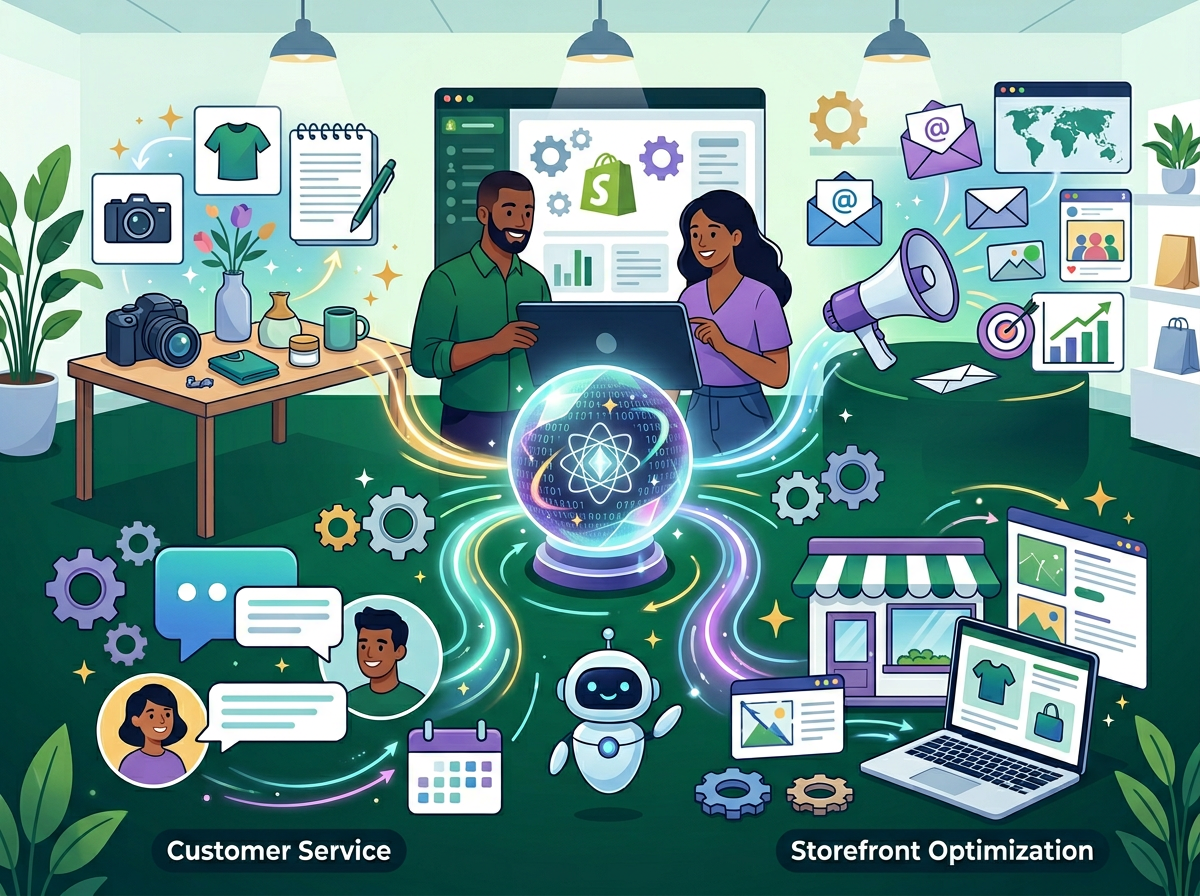
Shopify store owners running solo are bleeding 15+ hours a week on tasks AI can own — and Shopify Magic is already sitting in their dashboard, waiting to be used.
In 2026, American ecommerce founders face a uniquely modern paradox: the tools to run a successful online store have never been more accessible, yet the daily workload to keep one running has never felt heavier. You’re managing product listings, writing descriptions, answering customer messages, editing photos, and reviewing analytics — all before lunch. And that’s before you touch actual business strategy.
For US-based online store owners billing time at $50–$150 per hour in opportunity cost, every hour spent on repetitive store admin is revenue that simply doesn’t materialize. If you’re spending 15 hours a week on tasks that could be automated, you’re leaving $750 to $2,250 on the table. Every single week.
Here’s what changes that equation: Shopify Magic, Shopify’s built-in AI toolkit, is already included in your plan. No new subscription. No third-party integration headaches. Just native AI tools embedded across product listings, customer communication, email marketing, and image editing — ready to take over the cognitive grunt work while you focus on growth.
This article covers four specific workflows where Shopify Magic eliminates repetitive store management tasks, with before-and-after time estimates, persona-based scenarios built around real US ecommerce patterns, and an honest look at where the tool falls short. By the end, you’ll have a clear starting point to implement this week and start reclaiming hours that compound into real business momentum.
The question isn’t whether AI ecommerce automation for small business makes sense. In 2026, the question is which tasks you’re still doing manually that you absolutely don’t need to be.
Join thousands of Shopify merchants already using Shopify Magic to reclaim hours every week. Activate Shopify Magic | Already in your Shopify plan
Key Concepts of AI Ecommerce Automation
Concept 1: Cognitive Offloading in Store Operations

Cognitive offloading is the practice of transferring mentally taxing, repeatable tasks to an external system — in this case, AI — so your working memory stays free for creative and strategic thinking.
In ecommerce, cognitive offloading applies most powerfully to content production. Writing a single product description requires holding multiple variables in mind simultaneously: the product’s key features, your target customer’s language, your brand voice, SEO keyword targets, and length constraints. Do that 30 times a week and your decision-making quality degrades significantly by Thursday.
Consider Sarah, a solo Shopify store owner in Portland selling handmade ceramic kitchenware. Before using AI tools, she spent 2.5 hours daily on product descriptions, email subject lines, and customer response drafts. After offloading those tasks to Shopify Magic, she reduced that block to under 45 minutes — reclaiming nearly 1.75 hours per day. Over a month, that’s 35+ hours redirected toward sourcing and wholesale outreach.
For a full breakdown of how cognitive offloading applies to ecommerce workflows, explore Shopify Magic in detail.
Concept 2: Context Switching Cost in Single-Operator Stores
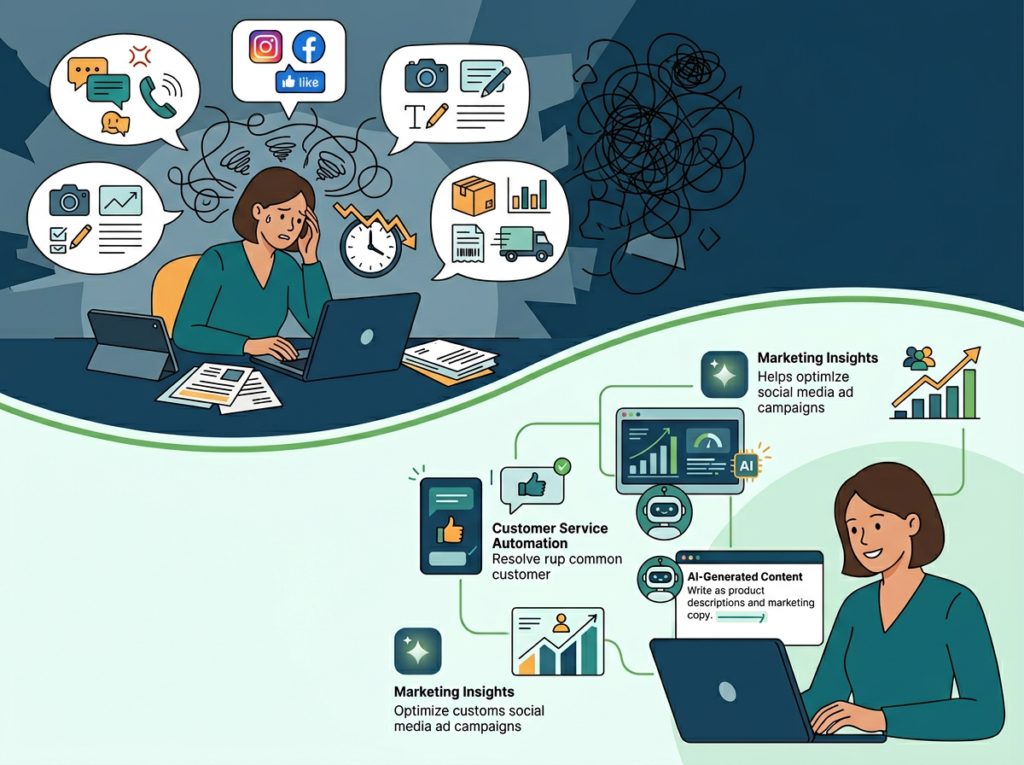
Research from the University of California, Irvine, consistently shows that it takes an average of 23 minutes to fully refocus after an interruption. For solo store owners toggling between order management, customer support tickets, and marketing copy, this fragmentation is silent revenue destruction.
Marcus, an independent Shopify consultant in Chicago who manages his own branded merchandise store on the side, tracked his weekly task-switching behavior for a month. He identified 18 distinct context switches per day between operational categories. By batching and automating routine communication tasks through Shopify Magic — drafting inbox replies, generating email subject line variants, and auto-tagging customer segments — he reduced meaningful context switches to under 7 per day and recovered roughly 5 hours per week.
Concept 3: Workflow Orchestration vs. One-Off Tool Use
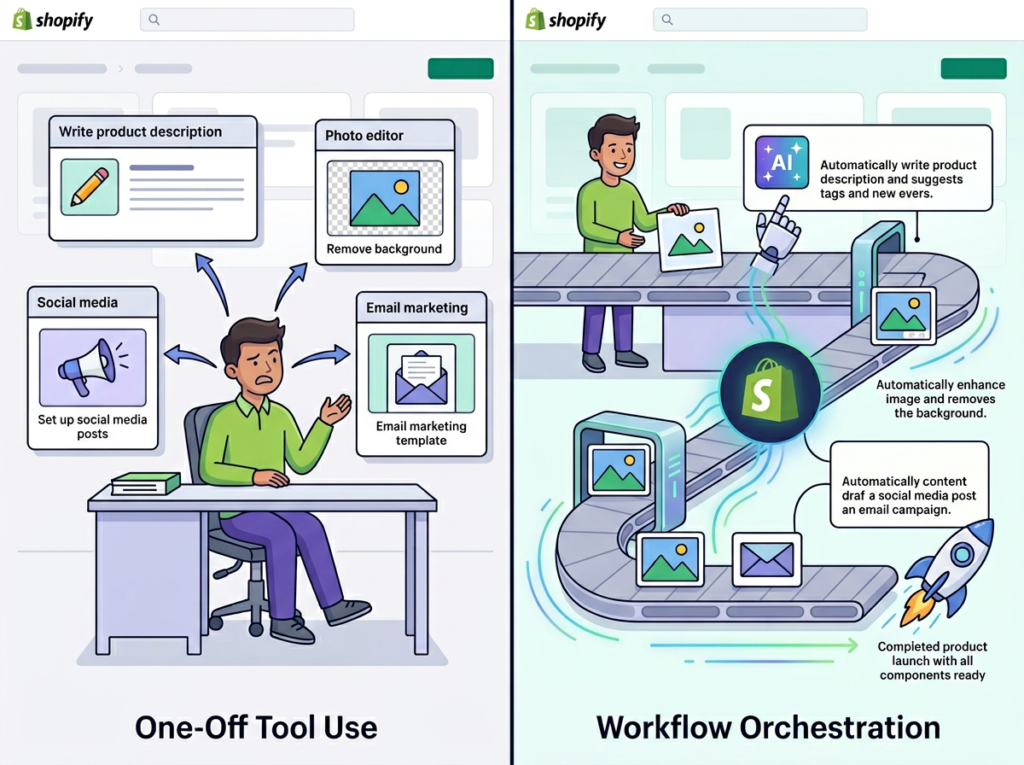
The difference between occasional AI use and genuine AI ecommerce automation is orchestration: treating AI as the conductor of a workflow, not just a tool you pick up for individual tasks.
Most store owners use AI reactively — they hit a blank page, they open an AI tool, they paste something in. That’s useful but inefficient. True orchestration means building repeatable AI-assisted workflows: a product launch sequence where AI drafts the description, generates image alt text, writes the email subject line, and suggests FAQ additions — all in a single sitting, with a consistent prompt template.
Elena, an ecommerce founder in Seattle running a skincare brand, built a product launch workflow template using Shopify Magic that compresses what used to be a 4-hour launch prep process into under 90 minutes. That’s 2.5 hours saved per launch, across roughly 8 launches a month — saving her about 20 hours monthly.
As noted in this practical breakdown of Shopify Magic’s core capabilities, building consistent usage patterns — rather than ad hoc prompting — is what separates stores that see real efficiency gains from those that dabble and give up.
Join thousands of Shopify merchants already using Shopify Magic to reclaim hours every week. Activate Shopify Magic | Already in your Shopify plan
How Shopify Magic Helps Efficiency
Feature 1: AI Product Description Generator

The most immediately impactful Shopify Magic feature for store owners with large or regularly updated catalogs is the AI product description generator. You input product attributes — materials, use case, key differentiators — and the tool generates conversion-ready copy in your brand’s tone.
For a store with 200 SKUs, writing descriptions manually at an average of 15 minutes each represents 50 hours of work. With Shopify Magic, experienced users report reducing that to 3–5 minutes per product (review and edit time included), compressing the same task to under 17 hours. That’s a one-time savings of 33+ hours on catalog builds alone.
For ongoing stores adding 10–20 products monthly, the compounding benefit is significant: Annual time saved: approximately 40 hours = $2,000–$6,000 in recovered opportunity cost at US freelance rates.
Feature 2: AI-Assisted Customer Communication (Shopify Inbox)

Shopify Magic integrates with Shopify Inbox to analyze incoming customer messages and suggest contextually relevant replies. For common queries — shipping timelines, return policies, product availability — the AI drafts responses that you review and send with minimal editing.
Store owners handling 30–50 customer messages per day (a moderate volume for a growing DTC brand) report cutting response time from an average of 4 minutes per message to under 90 seconds. That’s a 62% reduction in customer service time.
Annual time saved: approximately 35 hours = $1,750–$5,250 in recovered capacity.
Feature 3: AI Image Editing (Background Removal and Scene Generation)

Product photography consistency is a persistent bottleneck for solo store owners who can’t afford a full production setup for every new SKU. Shopify Magic’s media editor removes backgrounds with one click and generates AI-composed scenes from text descriptions — giving store owners professional-looking imagery without Photoshop skills or freelance photographer fees.
At $75–$200 per professional product photo shoot, stores adding 20+ products per month can eliminate thousands in annual photography costs while maintaining visual consistency across their catalog.
Annual savings: $1,800–$4,800 in photography costs plus 60–80 hours of editing time.
For B2B and wholesale merchants, the image consistency benefits extend further — as explored in this overview of Shopify Magic for modern merchants, catalog presentation quality is a direct driver of wholesale buyer confidence.
To see these features in action across different store types and catalog sizes, see our full Shopify Magic review.
Ready to cut store admin time in half? Shopify Magic is already included in your Shopify plan — no extra cost, no new subscription. Get started with Shopify Magic | Activate in your dashboard today
Use Cases: Small Business & Online Store Owner Efficiency
Persona 1: Jessica, Handmade Jewelry Shopify Store Owner in Austin, TX

Store type: Handmade jewelry, 180 active SKUs, solo operator, $8,000/month average revenue
Old workflow: Jessica spent 12 hours per week on store operations: 4 hours writing and updating product descriptions, 3 hours on customer email responses, 2.5 hours editing product photos in Canva, and 2.5 hours drafting email campaign copy for her weekly promotional sends.
AI-enhanced workflow with Shopify Magic: Jessica now uses the AI description generator for all new product additions (15 minutes per product vs. 45 minutes previously). Shopify Inbox AI handles first-draft customer responses, cutting her daily inbox time from 75 minutes to 25 minutes. Background removal and scene generation in the media editor replaced her Canva process. Email subject lines and promotional copy drafts now take 20 minutes instead of 90.
Quantified results:
- Weekly store operations time: 12 hours to 4.5 hours
- Annual hours reclaimed: 390 hours
- At her implicit opportunity cost of $45/hour: $17,550 in reclaimed capacity annually
“I used to dread Mondays because it meant catching up on everything the weekend orders generated. Now I have my inbox handled by 9am and I’m in my studio by 10.” — Jessica (composite persona)
Persona 2: David, Men’s Apparel DTC Brand Founder in Nashville, TN

Store type: Private label men’s basics, 60 SKUs, Shopify Plus, managing with one part-time VA
Old workflow: David’s biggest time drains were catalog management during seasonal refreshes (22 hours/month updating descriptions and metadata) and weekly email marketing (8 hours/month on copy and segmentation logic).
AI-enhanced workflow with Shopify Magic: David built a seasonal refresh template where Shopify Magic generates description variants for updated colorways and sizing in batches of 20–30 products at a time. His email workflow shifted to Shopify Magic generating five subject line variants and a base copy block for each campaign, with David editing for brand voice in under 20 minutes.
Quantified results:
- Monthly catalog and marketing operations: 30 hours ? 12 hours
- Annual hours reclaimed: 216 hours
- Additional revenue capacity: With 216 hours redirected to customer acquisition and wholesale outreach, David projects $31,200 in additional revenue potential in year one (based on his current $145/hour effective revenue rate from sales time)
“The seasonal refresh used to mean two weeks of grinding. Last quarter I finished a 45-product refresh in a day and a half.” — David (composite persona)
Persona 3: Priya, Skincare and Wellness Shopify Store Owner in San Francisco, CA

Store type: Clean beauty brand, 90 SKUs, 2 weekly email campaigns, active on Instagram
Old workflow: Priya’s operational bottleneck was content: product descriptions for new formulations took extensive time to write accurately (ingredient lists, benefit claims, regulatory-careful language). Customer messages about product ingredients and sensitivities required careful, personalized responses. She was spending 17 hours per week on store content and communication alone.
AI-enhanced workflow with Shopify Magic: Priya uses Shopify Magic to generate ingredient-focused description drafts that she reviews for compliance language before publishing — cutting her description process from 60 to 20 minutes per product. For customer inquiries about sensitive skin or ingredient concerns, the AI drafts an initial response that she customizes, reducing her per-message time from 8 minutes to 3 minutes.
Quantified results:
- Weekly operations time: 17 hours ? 7 hours
- Annual hours reclaimed: 520 hours
- With 520 hours redirected toward product development and influencer partnerships, Priya projects reaching her next revenue tier 6–8 months ahead of schedule
“My products require careful communication. Shopify Magic gives me a first draft that I can make accurate — I’m not starting from a blank page every time.” — Priya (composite persona)
For workflow templates and implementation guides tailored to product-heavy Shopify stores, learn more about Shopify Magic.
Streamline your store operations with built-in AI automation Join thousands of Shopify merchants already using Shopify Magic to reclaim hours every week. Activate Shopify Magic | Already in your Shopify plan
Best Practices for Implementing AI Ecommerce Automation
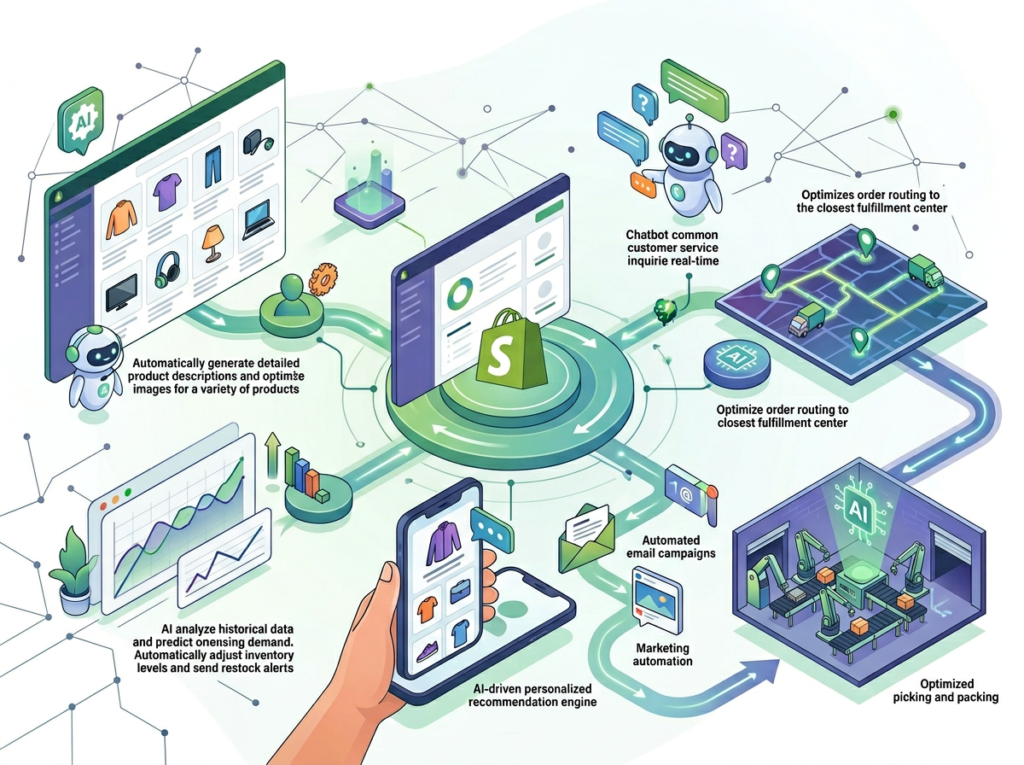
1. Start with Your Highest-Frequency Task
Don’t try to automate everything at once. Identify the single task you repeat most often — for most Shopify store owners, this is product description writing or customer inbox management — and build your AI workflow around that one task first. Get comfortable with the output quality and editing rhythm before expanding.
A useful threshold: if you do a task more than 5 times per week, it’s a candidate for AI assistance. If you do it more than 20 times per week, it’s a priority for automation.
2. Keep Human Review in the Loop for Customer-Facing Content
Shopify Magic generates drafts — not finished copy. Product descriptions require a human review pass for accuracy (especially for regulated categories like supplements, skincare, or electronics), and customer responses need a tone check before sending.
Build a 2-minute review habit: read the AI draft, make 1–3 targeted edits, then publish or send. This keeps quality high without negating the time savings. The goal is 80% AI, 20% human refinement — not 100% AI publishing.
3. Avoid Tool Sprawl
A common mistake among solo store owners is layering multiple AI subscriptions on top of Shopify Magic: a separate AI writing tool ($29/month), a standalone email AI ($49/month), a third-party image editor ($25/month). That’s $103/month in redundant spend for capabilities Shopify Magic covers natively.
Shopify Magic is included in your plan. Audit your current AI tool stack before adding anything new. Consolidating to native tools where possible can reduce SaaS overhead by $600–$1,200 annually for a typical solo operator.
Join thousands of Shopify merchants already using Shopify Magic to reclaim hours every week. Activate Shopify Magic | Already in your Shopify plan
Limitations and Considerations

Where Shopify Magic Is NOT Ideal
High-stakes brand voice content: For flagship product launches, brand manifesto copy, or content tied to a major campaign, AI-generated drafts often lack the specificity and emotional resonance of carefully crafted human writing. Use Shopify Magic for catalog volume work; hire a copywriter for cornerstone content.
Regulated product categories: If your store sells supplements, CBD products, medical devices, or children’s products, AI-generated descriptions can inadvertently include unsubstantiated health claims or miss required FTC/FDA disclosure language. All AI copy in regulated categories must be reviewed by someone with compliance knowledge before publishing.
Sensitive customer interactions: Returns escalations, complaints involving damaged goods, or messages from visibly frustrated customers require genuine empathy and judgment. AI-suggested responses in these contexts often read as formulaic and can worsen the customer’s experience. Handle these manually.
Complex segmentation strategy: Shopify Magic can describe and label customer segments, but the strategic decisions about how to segment your audience and what to do with each segment require business judgment and historical context the AI doesn’t have.
Frequently Asked Questions

What is AI ecommerce automation for small business?
AI ecommerce automation for small business refers to using AI-powered tools — like Shopify Magic — to handle repetitive store management tasks including product description writing, customer response drafting, image editing, and marketing copy generation. The goal is to reduce the time small business owners spend on operational overhead so they can focus on strategy and growth. Unlike enterprise automation platforms, tools like Shopify Magic are designed for solo operators with no technical background required.
Can AI replace all my store admin work?
Not entirely. AI ecommerce tools excel at high-volume, repeatable tasks: writing product descriptions, drafting customer replies, generating email subject lines, and removing image backgrounds. They’re less effective for tasks requiring deep brand judgment, legal review, or emotionally sensitive customer interactions. The practical target is automating 60–70% of your repetitive store operations, with human review maintained on all customer-facing output.
Do I need technical skills to use Shopify Magic for ecommerce automation?
No. Shopify Magic is designed for non-technical store owners and is accessible directly within your Shopify admin dashboard. Product description generation, Inbox AI replies, email copy tools, and media editing are all activated through the standard Shopify interface. There’s no API configuration, no prompt engineering required, and no integration setup. If you can use Shopify’s product editor, you can use Shopify Magic.
Join thousands of Shopify merchants already using Shopify Magic to reclaim hours every week. Activate Shopify Magic | Already in your Shopify plan
Conclusion
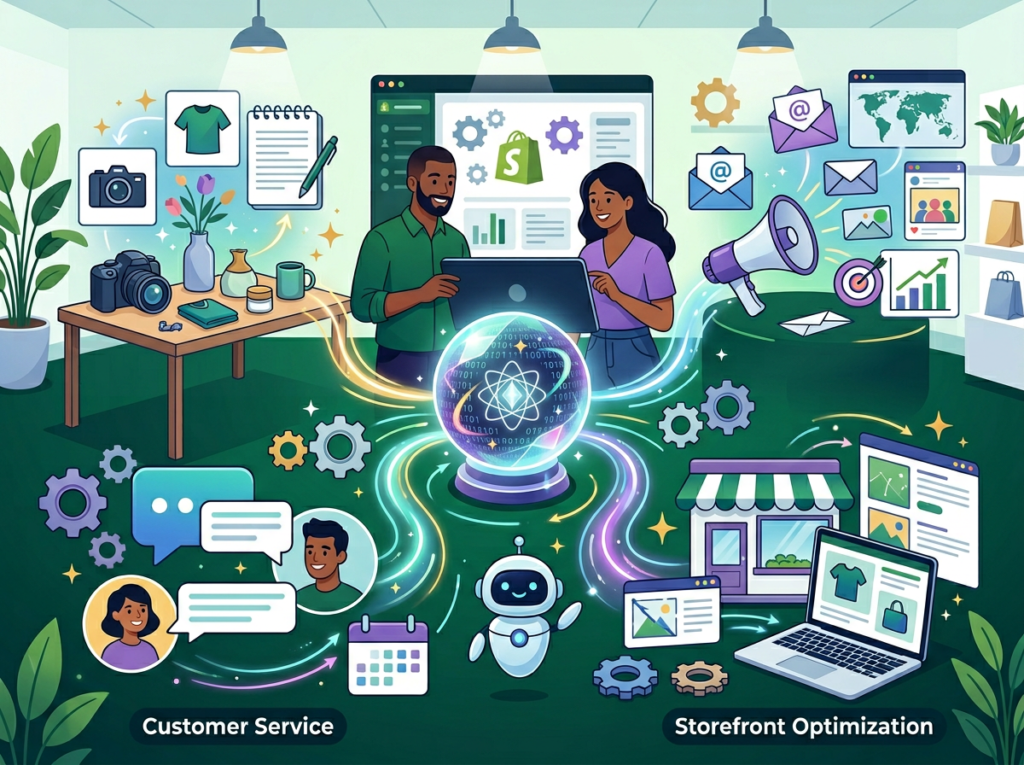
In 2026, the operational ceiling for solo ecommerce founders isn’t effort — it’s attention. You only have so many hours of focused decision-making capacity per day, and spending them on product description number 47 or inbox reply number 23 is a direct cost to your business.
Shopify Magic doesn’t replace you. It replaces the cognitive grunt work that precedes you — the blank page before the description, the template before the email, the tedious background removal before the listing goes live. What’s left is your judgment, your taste, your relationships with customers, and your strategic decisions about where the business goes next.
For US store owners at typical ecommerce revenue levels, the ROI math is straightforward. Recovering 10 hours per week at a $50/hour opportunity cost is $26,000 in annual recovered capacity. Shopify Magic is already included in your plan. The cost of not using it is real and it compounds.
The phased approach: this week, start with product descriptions. Use Shopify Magic for your next 10 new listings and track the time. Next week, activate the Inbox AI and see how it handles your most common customer queries. Within 30 days, you’ll have a concrete picture of where the leverage is in your specific store.
The question was never “Should I use AI ecommerce automation?” — it’s “How long can I afford to keep doing this manually?”
Join thousands of Shopify merchants already using Shopify Magic to reclaim hours every week. Activate Shopify Magic | Already in your Shopify plan
Leave a Reply