• 2026: How MidJourney V7 Powers AI for Team Operations and Systemization

    Introduction

    If you’re managing a small marketing team in 2026 and still manually briefing designers for every social post, ad variant, or brand asset—you’re not alone. The moment your team grows from one to five people, image creation becomes a bottleneck. What used to be a quick solo task now involves scattered Slack threads, inconsistent brand guidelines, and endless revision cycles.

    This is the hidden cost of growth: more people doesn’t always mean more output. Without systemized visual workflows, your team churns out inconsistent designs, wastes hours on approvals, and burns creative energy on repetitive requests. MidJourney V7 changes this dynamic by transforming image generation from a chaotic creative process into a repeatable, team-wide system.

    Unlike personal productivity tools, MidJourney V7 is built for collaboration. It allows small teams to document visual styles, automate asset creation, and maintain brand consistency—without hiring a full design department. For founders managing 1–10 person teams struggling with visual content production, this is the AI tool that brings structure to creative chaos. Let’s explore how the best AI for image generation helps small businesses systemize operations and scale visual output in 2026.

    What is Solo DX?
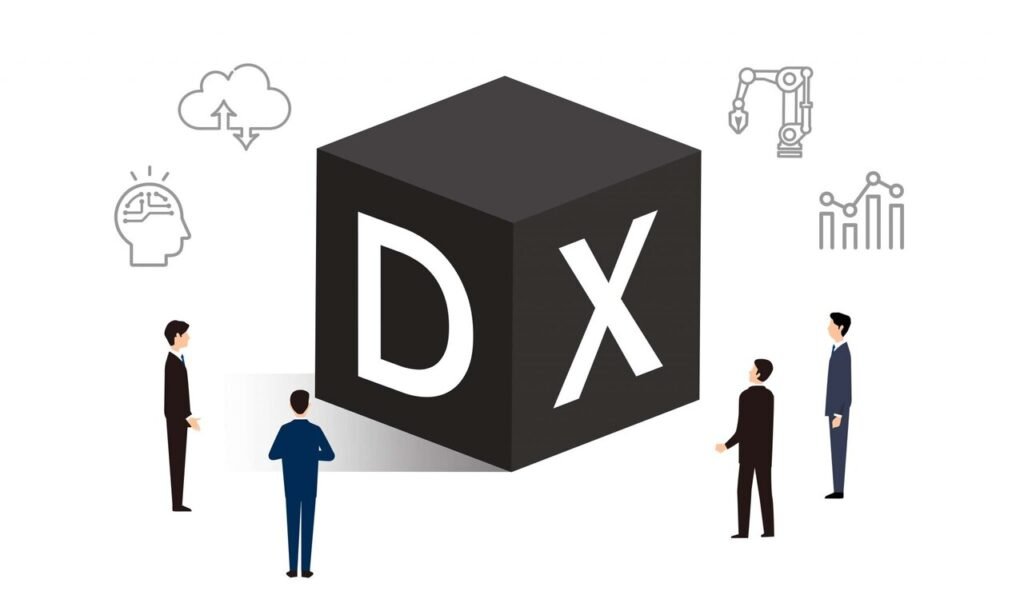
    Solo DX stands for “Solo Digital Transformation”—the process of building operational systems in small businesses without a dedicated operations manager or IT team. It’s the stage between working alone and running a formalized company. Your team has grown beyond just you, but you don’t yet have the infrastructure, processes, or documentation that larger companies take for granted.

    This transformation is different from AI Efficiency (personal productivity tools like AI writing assistants or time-savers) and AI Revenue Boost (tools focused on sales growth, lead generation, or conversion optimization). Solo DX specifically addresses the operational chaos that emerges when a founder starts delegating work but hasn’t yet built the systems to support it.

    Consider a real-world example: A 3-person design studio lands its first enterprise client and suddenly needs to produce 50 branded social media assets per month. The founder used to handle all design work solo, but now has two junior designers. Without documented brand guidelines, asset templates, or approval workflows, each designer interprets the brand differently. The founder spends 15 hours weekly fixing inconsistencies instead of growing the business.

    Solo DX is about using AI to create the operational backbone your growing team desperately needs. It’s building knowledge bases, standardizing workflows, and documenting processes—so your business can scale without breaking. For visual-heavy businesses, this means systemizing image generation, creating reusable style guides, and ensuring every team member can produce on-brand assets. MidJourney V7 serves as the foundation for this visual systemization, allowing small teams to operate like established creative agencies.

    The goal isn’t perfection—it’s consistency. Solo DX recognizes that small teams need lightweight systems that work immediately, not enterprise software that requires months of implementation. When applied to visual content, this means building AI-powered image workflows that your team can actually use from day one.

    Why AI is Key for Mini-Team Systemization

    Small teams collapse under the weight of undocumented processes. When you work solo, everything lives in your head—design preferences, brand guidelines, client expectations. But the moment you hire your second team member, that mental knowledge becomes a liability. Your team can’t read your mind, and you become the bottleneck for every creative decision.

    This problem manifests in three critical areas that AI image generation for business directly addresses:

    1. Visual Knowledge Lives Only in the Founder’s Head

    Your brand aesthetic exists as an unspoken intuition. You know what “on-brand” looks like, but you’ve never documented it. New team members create designs based on guesswork, leading to endless revision cycles. A marketing coordinator spends three days creating social graphics, only to hear “that’s not quite right” without clear direction on what needs fixing. This isn’t their fault—they’re working without a systemized visual playbook.

    AI solves this by transforming your intuition into documented, reusable prompts. With MidJourney for marketing teams, you can encode your brand preferences into saved style references, consistent parameter settings, and template prompts. Instead of saying “make it more premium,” you create a prompt template that automatically generates premium-looking assets. Your visual standards become reproducible by anyone on the team.

    2. New Hires Slow Down Visual Operations

    Onboarding a designer or marketing coordinator should accelerate output, but often does the opposite. They need to learn your visual style, understand client preferences, and navigate scattered design files. The first month becomes a training period where they produce little while absorbing tribal knowledge through osmosis. Meanwhile, you’re pulled away from strategic work to provide constant creative direction.

    AI design automation tools compress this learning curve dramatically. When your team uses MidJourney V7 with documented style parameters and organized prompt libraries, new hires immediately produce on-brand work. They’re not guessing at visual direction—they’re working from systemized templates that embed your standards. A new marketing hire can generate social assets on their first day because the AI workflow contains your creative knowledge.

    3. Quality Varies Wildly Across Team Members

    Meeting to discuss how to improve performance

    Without standardized processes, every team member develops their own approach to image creation. One person uses Canva, another uses Photoshop, a third outsources to Fiverr. The result is visual inconsistency that confuses customers and dilutes brand identity. Your Instagram feed looks like it’s managed by three different companies.

    Visual content workflow automation creates guardrails that ensure consistency. When your team generates images through MidJourney V7 using shared style references and approved prompt templates, every asset automatically maintains brand coherence. The AI becomes your creative quality control system—not replacing human creativity, but ensuring it operates within established brand parameters.

    The common thread: small teams fail when processes remain invisible. AI for team operations doesn’t replace documentation—it makes documentation executable. Your style guide becomes the prompts your team uses. Your brand standards become the parameters that generate images. What was once tacit knowledge becomes systemized workflow, allowing your team to produce consistent visual content at scale.

    How MidJourney V7 Enables Solo DX

    MidJourney V7 transforms image generation from an individual creative task into a systemized team operation. Here’s how specific features enable small businesses to build repeatable visual workflows:

    AI-Generated Brand Style Libraries

    MidJourney V7’s style reference system allows you to upload 3-5 representative brand images and automatically apply that aesthetic to all future generations. This works by analyzing color palettes, composition patterns, lighting preferences, and visual tone—then encoding them as reusable parameters.

    For a small team, this means your brand guidelines become executable, not just descriptive. Instead of explaining “we use warm tones and minimal compositions” to every designer, you create a style reference labeled “Brand Core” that automatically applies these preferences. A marketing coordinator can generate on-brand social graphics without understanding design theory.

    Business benefit: New team members produce brand-consistent assets on day one. A 5-person marketing agency reduced designer onboarding from three weeks to two days by documenting their visual standards as MidJourney style references. Every asset generated automatically matches client brand guidelines.

    Example: A fitness supplement company needed Instagram ads in their distinctive “gritty motivation” style. Previously, they briefed freelance designers with mood boards and still received inconsistent results. With MidJourney V7, they uploaded five existing ads as style references, creating a “Grit Collection” template. Now their social media manager generates 20+ on-brand ad variants weekly without creative direction from the founder.

    Workspace Prompt Libraries for Repeatable Outputs
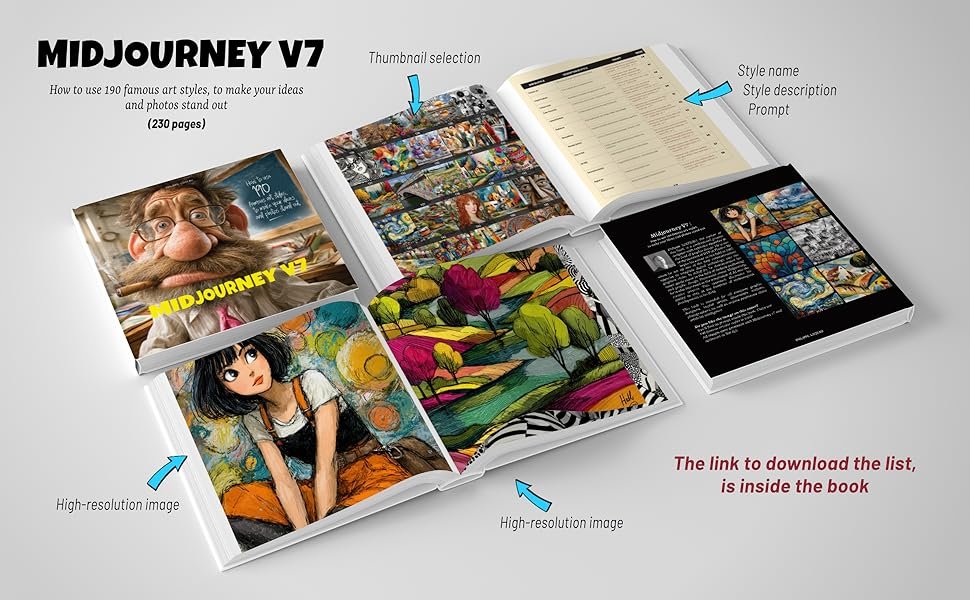
    V7 introduces shared prompt templates that teams can organize into libraries. You’re no longer starting from scratch for every image request—instead, you build a repository of tested prompts that reliably generate specific asset types.

    This feature turns image generation into a documented process. Your team creates prompt templates for common needs: “Product Photo – Lifestyle,” “Social Media – Quote Card,” “Blog Header – Tech Theme.” Each template includes pre-tested parameters, aspect ratios, and style references. Generating new assets becomes filling in variables, not writing prompts from scratch.

    Business benefit: Reduces image creation time by 60-70% and eliminates inconsistency. A SaaS company’s content team previously spent 45 minutes per blog header image. After building a prompt library with five header templates, creation time dropped to 8 minutes with higher visual consistency.

    Example quote from a content operations lead:

    “We built 23 prompt templates covering every marketing asset type we produce. Our writers now generate their own blog images instead of waiting three days for the design queue. MidJourney became our visual operations system.”

    Collaborative Review & Iteration Workflows

    V7’s shared workspaces allow multiple team members to view generations, comment on variations, and upscale preferred outputs—all within the same interface. This replaces scattered Slack threads and email attachments with a centralized review process.

    For small teams juggling client approvals, this creates a visual paper trail. Clients see image variations in one organized space, select preferences with simple reactions, and the designer knows exactly which direction to pursue. No more “I liked the third one you sent last Tuesday” confusion.

    Business benefit: Client approval cycles that previously took 5-7 days now complete in 24-48 hours. A brand consultancy reduced average project timeline by 30% simply by moving image reviews into MidJourney’s collaborative workspace.

    Example: A marketing agency managing four client accounts struggled with disorganized feedback. They created separate MidJourney workspaces per client, generating all visual concepts there. Clients now comment directly on variations, and the team has a searchable history of what each client approved. Revision requests dropped 40% because everyone references the same visual conversation.

    Template Automation for Recurring Visual Needs

    For assets your team creates repeatedly—social posts, email headers, presentation slides—V7 allows you to save complete generation settings as one-click templates. This includes prompt structure, parameters, style references, and aspect ratios.

    This feature transforms routine visual tasks from creative work to operational execution. Your social media coordinator doesn’t need to think about composition or style for daily posts—they select the “Daily Tip Card” template, input text variables, and generate. The creative decisions are pre-made and systemized.

    Business benefit: Teams produce 3-5x more visual content with the same headcount. A personal finance influencer’s team went from creating 15 social graphics weekly to 60+ by systemizing their five most-used post types as MidJourney templates.

    Example: An e-commerce brand needed product lifestyle photos for 200+ SKUs but couldn’t afford a photo studio. They created a “Product – Kitchen Lifestyle” template in MidJourney that places products in realistic home settings. Their operations team now generates consistent product imagery at a rate of 30+ images per day—work that previously required hiring freelance photographers for $5,000+ monthly.

    Ready to systemize your visual operations? Try MidJourney V7 ? https://www.midjourney.com/

    These features work together to create what small teams desperately need: visual consistency without micromanagement. The AI doesn’t replace your creative standards—it systematizes them so your team can execute independently. When a 4-person marketing team produces visual content that rivals 15-person agencies, it’s not because they’re working harder. It’s because they’ve built AI-powered systems that encode their founder’s creative knowledge into executable workflows.

    Use Cases by Team Role

    Founder Juggling Three Departments

    Old workflow: Sarah runs a 7-person sustainable skincare brand and oversees product development, marketing, and operations. She’s the only one who “gets” the brand aesthetic—earthy, minimal, wellness-focused. Every product launch requires her to brief the designer on packaging concepts, review social media graphics, and approve email header images. She spends 12+ hours weekly in creative reviews, creating a bottleneck that delays campaigns.

    AI-powered version: Sarah spends one afternoon uploading her 10 favorite brand images to MidJourney V7 and creating three style references: “Product Photography,” “Lifestyle Imagery,” and “Educational Content.” She builds five prompt templates for recurring needs: product mockups, ingredient close-ups, lifestyle scenes, quote cards, and email headers.

    Now her marketing coordinator generates all visual assets using these templates. When launching a new serum, the coordinator selects “Product Photography” style + “Glass Bottle Mockup” template, inputs the product name, and generates 15 variations in 20 minutes. Sarah reviews a curated selection once per campaign instead of micromanaging every asset.

    Impact: Sarah reduced creative oversight from 12 hours to 2 hours weekly. The team publishes campaigns 40% faster because they’re no longer waiting on her visual approval. More importantly, she can focus on product strategy while trusting her team to produce on-brand visuals.

    Simulated quote:

    “I thought I’d always be the creative bottleneck. MidJourney let me document my visual standards in a way my team can actually execute. We’re producing better content, faster, without me hovering over every design decision.”

    Executive Assistant Building Operational Systems

    A businessman standing back to us looking at the blackboard with a lot of chalk financial drawings in it. Business and finance. Success and wealth. Infographics and analysis.

    Old workflow: Marcus supports a business coach who runs workshops, masterminds, and online courses. His role includes creating presentation slides, workbook graphics, social announcements, and promotional materials. Previously, he used Canva templates that never quite matched the brand, hired Fiverr designers for custom work (inconsistent results), and frequently interrupted his boss for creative direction. Each workshop required 15-20 different visual assets, consuming 8-10 hours of scattered design work.

    AI-powered version: Marcus creates a MidJourney workspace specifically for workshop materials. He builds prompt templates for each asset type needed:

    • “Workshop Slide Background” (minimal, professional, space for text)
    • “Workbook Section Divider” (branded, includes logo lockup)
    • “Social Announcement Graphic” (eye-catching, includes workshop title)
    • “Promotional Instagram Story” (vertical format, urgency-driven)

    Each template includes the brand style reference and tested parameters. When a new workshop is scheduled, Marcus duplicates a “Workshop Assets” folder, updates text variables in each prompt, and generates the complete visual package in 90 minutes.

    Impact: Workshop prep time decreased from 8-10 hours to under 2 hours. Asset quality improved because he’s working from proven templates instead of reinventing each design. His boss no longer receives panicked “does this look right?” messages because the system ensures brand consistency.

    Simulated quote:

    “I went from design anxiety to design confidence. The templates do the heavy lifting—I just fill in the details. Our workshop materials look more professional than when we hired designers, and I created them in a fraction of the time.”

    Trainer Documenting Internal Knowledge

    Old workflow: DeAndre runs training programs for a 12-person real estate team. He creates educational materials: process diagrams, step-by-step guides, visual SOPs, and onboarding presentations. Previously, he used a mix of PowerPoint, stock photos, and hand-drawn diagrams. Creating training materials for each process took hours, and the visual quality was inconsistent—some diagrams looked polished while others looked rushed.

    AI-powered version: DeAndre builds MidJourney templates for each training visual type:

    • “Process Flow Diagram” (clean, numbered steps)
    • “Concept Illustration” (metaphorical imagery for abstract ideas)
    • “Best Practice Showcase” (professional scenario visualization)
    • “Common Mistake Warning” (attention-grabbing, problem-focused)

    When documenting a new process—like “How to Run a Client Consultation”—he generates supporting visuals using these templates. The AI creates professional diagrams and illustrations that make internal documentation look like published course materials.

    Impact: Training material creation dropped from 6+ hours per process to under 2 hours. New hires report that visual guides are clearer and more engaging than text-only SOPs. The real estate team now has a visual knowledge base that rivals what you’d find in corporate training programs.

    Want smoother operations with less stress? Start using MidJourney V7 ? https://www.midjourney.com/

    Across these roles, the pattern is consistent: MidJourney V7 transforms visual content from a creative bottleneck into a systemized operation. The tool doesn’t replace human judgment—it makes that judgment scalable across the team. When your visual standards are encoded as AI templates, your 5-person team produces output that previously required 15 people.

    Common Pitfalls & How to Avoid Them

    Pitfall 1: Using Too Many Disconnected Tools

    Many teams adopt MidJourney alongside Canva, Adobe Express, and stock photo subscriptions—creating a fragmented visual workflow. Team members don’t know which tool to use for which task, assets are scattered across platforms, and there’s no single source of truth for brand standards.

    Solution: Consolidate visual creation around one primary platform. If MidJourney becomes your core image generation tool, document which asset types it handles and which require alternatives. Create a simple decision tree: “Product mockups ? MidJourney. Social media text overlays ? Canva using MidJourney backgrounds.” Centralize your brand style references and prompt libraries in one shared workspace so the team accesses consistent creative standards.

    Pitfall 2: Delegating Without Documentation

    Founders hand off image creation to team members without documenting visual preferences or building prompt templates. The team uses MidJourney but generates inconsistent results because they’re guessing at style parameters. The founder still ends up reviewing and revising everything, defeating the purpose of delegation.

    Solution: Build before you delegate. Spend 3-4 hours upfront creating your core style references and 5-8 essential prompt templates. Document these in a shared guide that explains when to use each template and how to modify variables. Your team should be executing a system, not interpreting vague creative direction. The goal is standardized outputs, not creative freedom.

    Pitfall 3: Failing to Review AI Output

    Teams treat AI-generated images as final deliverables without human review, leading to subtle brand misalignments, inappropriate imagery for sensitive topics, or off-target visual metaphors. While MidJourney V7 is sophisticated, it doesn’t understand business context or cultural nuance.

    Solution: Build a lightweight review step into your workflow. Not a lengthy approval process, but a quick quality check. For client-facing materials, have one team member review generations before publication. Create a simple checklist: “On-brand? Appropriate for context? Clear message?” This takes 2-3 minutes per asset but prevents embarrassing mistakes. For sensitive industries (healthcare, finance, education), always have a human verify that AI-generated imagery aligns with professional standards.

    FAQs

    What is Solo DX?

    Solo DX (Solo Digital Transformation) is the process of building operational systems in small businesses without dedicated operations staff. It’s the stage between solo entrepreneurship and formalized company infrastructure. For visual operations, Solo DX means using AI to create repeatable image generation workflows, document brand standards, and enable team members to produce consistent assets without constant founder oversight. It’s about systematizing creative output so your growing team operates predictably.

    How can AI write my visual brand guidelines?

    AI doesn’t write your brand guidelines from scratch—it makes them executable. You start with your existing visual preferences (even if they’re just in your head), create 5-10 representative images that capture your brand aesthetic, and upload them to MidJourney as style references. The AI analyzes patterns in color, composition, and tone, then applies these preferences to future generations. Your visual standards become parameters and prompts your team can use, transforming subjective preferences into reproducible templates.

    Is MidJourney V7 hard to set up for team use?

    Initial setup takes 3-5 hours: creating your workspace, uploading brand style references, and building 5-10 core prompt templates. This is a one-time investment that pays back immediately. After setup, onboarding new team members takes 30 minutes—show them the template library, explain when to use each template, and they’re producing brand-consistent assets the same day. The learning curve is minimal compared to mastering traditional design software, and the systemization benefits compound as your team grows.

    Conclusion

    Solo DX isn’t about replacing human creativity with AI—it’s about building systems that allow small teams to execute creative work consistently and efficiently. When you’re managing a growing team without formal operations infrastructure, visual content becomes a bottleneck that slows campaigns, frustrates team members, and pulls founders into creative micromanagement.

    MidJourney V7 solves this by transforming your visual standards into executable workflows. Your brand preferences become style references. Your design knowledge becomes prompt templates. Your quality standards become review processes the entire team can follow. The result is a small team that produces visual content with the consistency and speed of much larger organizations.

    This is the promise of best AI for image generation in 2026—not automated creativity, but systemized operations. You’re not outsourcing design decisions to AI; you’re documenting your decisions in a format your team can reliably execute. Start with 3-5 core visual templates that address your most common needs, build your brand style library, and gradually expand as you identify repetitive visual tasks.

    Solo DX isn’t just about saving time—it’s about creating a business that works without burning you out. When your visual operations are systemized through AI, you stop being the creative bottleneck and start being the strategic leader your growing team needs.

    Next Steps

    Ready to explore more AI solutions for growing teams?

    Compare AI – Find the right AI tools for your specific business needs and team size

    AI Efficiency – Discover AI tools that accelerate individual productivity and personal workflows

    AI Revenue Boost – Explore AI solutions focused on growth, sales, and revenue generation

    AI Workflows – Learn how to build connected AI systems across your business operations


    Meta Title: Best AI for Image Generation | MidJourney V7 2026

    Meta Description: Discover how MidJourney V7 brings systemization to small teams through best AI for image generation and visual workflow consistency for marketing operations.

  • Turn conversations into deals with AI-powered sales automation.

    What is Pipedrive AI?

    Pipedrive AI is an integrated suite of intelligence features developed by Pipedrive, a CRM company founded in 2010 by a team of salespeople and software developers. The AI capabilities are built directly into the existing Pipedrive platform, leveraging proprietary models and algorithms trained on extensive sales interaction data to provide context-aware assistance. Its key features include AI-powered sales assistant tools for generating email content, call summaries, and activity descriptions, as well as predictive lead scoring and revenue forecasting. The tool is designed specifically for sales teams and managers, automating administrative tasks and providing data-driven insights to prioritize deals. By integrating seamlessly into the existing CRM workflow, it aims to reduce manual data entry, improve communication quality, and allow sales professionals to focus more on selling. This embedded approach to AI, as noted in industry analyses, represents a shift towards specialized, workflow-native intelligence rather than general-purpose tools. For a comparison with other AI-powered sales assistants, you can explore similar tools at https://ai-plaza.io/ai/sales-assistant. Further technical and implementation details are documented by Pipedrive in their official developer and product announcements.

    Key Findings

    • Lead Scoring: Prioritizes high-value prospects automatically using advanced predictive analytics and data.
    • Sales Forecasting: Predicts future revenue trends accurately by analyzing historical data and current pipelines.
    • Email Automation: Drafts and sends personalized follow-up emails based on customer behavior and interaction history.
    • Deal Management: Tracks and updates all deal stages in real-time to ensure no opportunity slips.
    • Activity Tracking: Logs calls, emails, and meetings automatically to maintain complete and accurate sales records.
    • Pipeline Visualization: Provides a clear visual overview of your sales funnel to identify bottlenecks quickly.
    • Integration Hub: Connects seamlessly with popular tools like Google Workspace, Slack, and Microsoft Teams.
    • Custom Reporting: Generates detailed sales performance reports tailored to your specific business goals and metrics.
    • Team Collaboration: Enables shared notes and updates within deals to keep everyone aligned and informed.
    • Mobile Access: Manages your sales pipeline on the go from any iOS or Android device.

    Who is it for?

    Sales Representative

    • Follow-up email draft
    • Log call summary
    • Update deal stage
    • Prospecting message
    • Forecast accuracy

    Marketing Manager

    • Campaign performance report
    • Lead nurturing email
    • Social media copy
    • Content idea brainstorm
    • Competitor analysis

    Startup Founder

    • Investor update
    • Product feedback synthesis
    • Pitch deck refinement
    • Hiring plan outline
    • Burn rate analysis

    Pricing

    Essential @ US$14.90/user/month

    • Billed annually
    • Up to 15,000 contacts
    • AI sales assistant
    • Email integration

    Advanced @ US$29.90/user/month

    • Billed annually
    • Everything in Essential
    • Revenue forecasting
    • AI-powered call summaries

    Professional @ US$49.90/user/month

    • Billed annually
    • Everything in Advanced
    • AI-powered sales documents
    • Custom onboarding

    Power @ US$64.90/user/month

    • Billed annually
    • Everything in Professional
    • AI-powered deal insights
    • Dedicated account manager
  • Turn product ideas into compelling listings in seconds with AI.

    What is Shopify Magic?

    Shopify Magic is an integrated suite of AI-powered features developed by Shopify Inc., the leading global commerce company. The tools are built directly into the Shopify platform, designed and maintained by Shopify’s own engineering and product teams. Technically, it leverages a combination of large language models (LLMs) and machine learning, though Shopify has not publicly disclosed specific model providers. Key capabilities include automated text generation for product descriptions, email subject lines, and blog posts, as well as AI-powered image editing tools to enhance product photos. It is targeted at merchants using the Shopify platform, from small entrepreneurs to larger brands, to streamline content creation and marketing tasks. The business impact centers on saving time and operational effort by integrating these AI tools directly into the merchant’s existing admin workflow, such as the product editor or email campaign builder. For a similar AI tool focused on e-commerce content, explore https://ai-plaza.io/ai/copy-ai. According to a Shopify announcement, these features are intended to “help merchants grow their businesses by removing barriers to getting started and scaling” (Shopify, 2023).

    Key Findings

    • AI Assistant: Generates compelling product descriptions instantly to boost your sales conversions.
    • Content Creation: Writes engaging marketing copy for emails, ads, and blogs in seconds flat.
    • Image Editor: Creates stunning professional product visuals and backgrounds with simple text prompts.
    • Workflow Automation: Streamlines your daily operations by handling repetitive tasks automatically and intelligently.
    • Customer Personalization: Tailors shopping experiences with dynamic recommendations based on individual buyer behavior.
    • Merchant Support: Provides instant answers and guidance for store management questions any time.
    • SEO Optimization: Improves your product page visibility in search results with smart keyword integration.
    • Sales Predictor: Analyzes trends and data to forecast inventory needs and sales opportunities.
    • Checkout Accelerator: Reduces cart abandonment by simplifying and speeding up the payment process.
    • Brand Voice: Maintains a consistent and unique tone across all your customer communications automatically.

    Who is it for?

    EC Store Owner

    • Product descriptions
    • SEO optimization
    • Email campaigns
    • Ad copy
    • Customer Q&A

    Marketer

    • Social media posts
    • Landing page copy
    • Blog outlines
    • Brand voice consistency
    • A/B testing variants

    Content Creator

    • Video scripts
    • Blog post drafts
    • Content repurposing
    • Idea generation
    • Engagement prompts

    Pricing

    Basic @ $39 USD/mo

    • Unlimited products
    • 2 staff accounts
    • 24/7 live chat support
    • Online card rates: 2.9% + 30¢
    • Third-party transaction fee: 2%

    Grow @ $105 USD/mo

    • Unlimited products
    • 5 staff accounts
    • Enhanced live chat support
    • Online card rates: 2.7% + 30¢
    • Third-party transaction fee: 1%

    Advanced @ $399 USD/mo

    • Unlimited products
    • 15 staff accounts
    • Enhanced live chat support
    • Online card rates: 2.5% + 30¢
    • Third-party transaction fee: 0.6%

    Plus @ Starting at $2,300 USD/mo

    • Unlimited products & staff accounts
    • Priority support by phone or live chat
    • Most competitive online card rates
    • Third-party transaction fee: 0.2%
    • 200 inventory locations included
  • Turn your business plan into a dynamic, actionable roadmap with AI.

    What is LivePlan AI?

    LivePlan AI is a specialized business planning tool developed by Palo Alto Software, a company with over three decades of experience in business plan software. The platform leverages proprietary algorithms and machine learning models, rather than a general-purpose LLM, to provide structured guidance and financial forecasting. Its core capabilities include generating a complete business plan narrative, creating automatically formatted financial statements, and offering industry-specific benchmarking data. The tool is designed primarily for entrepreneurs, startups, and small business owners seeking to create investor-ready plans or strategically manage growth. By integrating directly into the business planning workflow, it reduces the time spent on document formatting and complex financial projections, allowing users to focus on strategic decision-making. This facilitates a more dynamic planning process where financials and narrative automatically sync during updates. For a broader look at business-focused AI tools, consider exploring https://ai-plaza.io/ai/business-plan-generator. According to a review by the National Federation of Independent Business, tools like LivePlan help simplify the daunting task of financial modeling for new business owners.

    Key Findings

    • LivePlan AI: Crafts detailed business plans with strategic financial projections and market analysis.
    • Strategic Roadmaps: Visualizes company growth milestones with clear actionable steps and quarterly reviews.
    • Financial Forecasting: Generates accurate cash flow predictions using historical data and industry benchmarks.
    • Competitor Analysis: Identifies key market rivals and evaluates their strengths weaknesses and opportunities.
    • Investor Readiness: Prepares compelling pitch decks and financial summaries to attract potential funding.
    • Goal Tracking: Monitors business objectives with real-time progress dashboards and performance alerts.
    • Risk Assessment: Highlights potential business threats with mitigation strategies and contingency plan suggestions.
    • Team Collaboration: Enables shared editing and feedback on documents with version control features.
    • Regulatory Compliance: Checks business plans against current industry regulations and legal requirement updates.
    • Insight Reports: Delivers summarized actionable insights from complex data to guide decision-making.

    Who is it for?

    Startup Founder

    • Craft investor pitch
    • Validate product-market fit
    • Plan operational runway
    • Prioritize feature development
    • Set team OKRs

    Business Consultant

    • Diagnose client challenges
    • Develop strategic roadmap
    • Benchmark performance
    • Model scenario outcomes
    • Prepare client presentations

    Marketing Manager

    • Allocate campaign budget
    • Plan product launch
    • Analyze competitor campaigns
    • Set lead generation targets
    • Report on campaign performance

    Pricing

    Standard @ $15/mo

    • Billed annually ($20/mo if billed monthly)
    • Step-by-step instructions and examples
    • Lender-ready financial statements
    • Full financial forecast and one-page pitch builder
    • 550+ sample plans and live onboarding session
    • Human chat & email support

    Premium @ $30/mo

    • Billed annually ($40/mo if billed monthly)
    • Includes all Standard features
    • AI-powered writing assistance and financial analysis
    • Industry research and “What if” scenarios
    • Performance dashboards and real-time profit & cash forecasting
    • Connect to QuickBooks Online & Xero

    LivePlan Expert @ $30/mo

    • Add-on for Standard or Premium plans
    • One-on-one video support with an expert
    • Priority assistance with no queues
    • Dedicated guidance on features, formatting & best practices
  • Craft compelling marketing copy and content 10X faster with AI.

    What is Jasper?

    Jasper is developed by the company Jasper AI, Inc., founded by CEO Dave Rogenmoser and a team focused on leveraging artificial intelligence for practical business content creation. The platform utilizes a proprietary AI engine built upon several large language models, including OpenAI’s GPT models and other in-house developed models, to generate and refine text. Its key capabilities extend beyond basic text generation to include features like brand voice customization, SEO optimization, plagiarism checking, and support for long-form content such as blog posts and marketing copy. Jasper primarily targets marketing teams, sales professionals, and individual entrepreneurs seeking to scale their content production. Its use cases range from crafting advertising copy and social media posts to writing product descriptions and email campaigns. By integrating directly into workflows through browser extensions and team collaboration features, Jasper aims to reduce the time and resources spent on content creation. For a comparison with similar AI writing assistants, you can explore options like https://ai-plaza.io/ai/copy-ai. Further technical details on the underlying AI models are discussed in industry analyses, such as those available on VentureBeat.

    Key Findings

    • Content Creation: Generates high-quality marketing copy and blog posts quickly for any business need.
    • AI Templates: Provides professionally designed frameworks for ads, emails, and social media posts instantly.
    • Brand Voice: Learns and maintains your unique company tone across all created content consistently.
    • SEO Optimization: Integrates key search terms to improve online visibility and drive organic traffic growth.
    • Team Collaboration: Enables multiple users to work together seamlessly on projects within one platform.
    • Language Support: Creates and translates content into over thirty different languages to reach global audiences.
    • Content Repurposing: Turns existing materials like blogs into new formats such as scripts or summaries.
    • Plagiarism Checker: Ensures all generated text is original and unique to protect your brand integrity.
    • Performance Analytics: Tracks content engagement and results to guide and improve future marketing strategies.
    • Long-Form Assistant: Helps write detailed articles, reports, and documents with coherent structure and flow.

    Who is it for?

    Marketer

    • Crafting ad copy
    • Writing product descriptions
    • Developing email campaign
    • Brainstorming campaign themes
    • Repurposing blog content

    Content Creator

    • Outlining video scripts
    • Generating blog ideas
    • Writing social captions
    • Drafting newsletter content
    • Adapting content format

    Startup Founder

    • Pitching to investors
    • Drafting a business plan
    • Responding to customer feedback
    • Preparing for a podcast
    • Writing team updates

    Pricing

    Pro @ $69/month/seat

    • Includes 1 seat
    • Canvas platform for accelerated, on-brand content creation
    • Essential Apps for core marketing workflows
    • Smart customization with 2 Brand Voices, 5 Knowledge assets and 3 Audiences

    Business @ Custom pricing

    • Advanced Apps for complex campaign orchestration
    • No-code AI App Builder to create custom Apps without developers
    • Access to Jasper’s purpose built marketing Agents
    • Unlimited IQ customization: Brand Voices, Knowledge, Audiences
  • AI that writes your marketing copy, so you don’t have to.

    What is Copy.ai?

    Copy.ai is an AI-powered writing assistant developed by a company of the same name, co-founded by Chris Lu and Paul Yacoubian. The platform leverages a combination of proprietary technology and large language models, including OpenAI’s GPT architecture, to generate and refine marketing copy and business content. Its key capabilities include producing a wide array of content formats such as social media posts, blog ideas, email campaigns, and website copy. The tool is designed primarily for marketing teams, entrepreneurs, and small to medium-sized businesses seeking to scale their content creation efficiently. By integrating into workflows, it reduces the time spent on initial drafts and ideation, allowing users to focus on strategy and refinement. For teams looking to streamline broader content operations, integrating with a comprehensive digital asset management platform can be beneficial, as seen with tools like https://ai-plaza.io/ai/bynder. According to a third-party analysis by G2, users report significant reductions in time spent on content tasks, highlighting its practical business impact (source: G2 Crowd, “Copy.ai Reviews”).

    Key Findings

    • Content Creation: Generates high-quality marketing copy for ads, emails, and social media posts instantly.
    • Idea Generation: Overcomes creative blocks by instantly producing fresh concepts and brainstorming prompts for teams.
    • Brand Consistency: Maintains a uniform brand voice and style across all created content and channels.
    • Workflow Integration: Connects seamlessly with popular business tools to streamline content creation and publishing processes.
    • SEO Optimization: Creates search-engine-friendly content designed to improve online visibility and organic traffic growth.
    • Multilingual Support: Produces and translates marketing copy in over twenty-five different languages for global campaigns.
    • Team Collaboration: Enables multiple users to work together, share projects, and provide feedback in real-time.
    • Performance Analytics: Tracks content engagement and effectiveness to guide data-driven improvements and strategy adjustments.
    • Template Library: Offers a vast collection of pre-built, customizable templates for various content types and needs.
    • Time Savings: Dramatically accelerates the content production process, freeing teams to focus on strategic priorities.

    Who is it for?

    Marketer

    • Crafting campaign emails
    • Writing social media ads
    • Developing blog post outlines
    • Creating landing page copy
    • Drafting product descriptions

    Startup Founder

    • Writing investor pitch deck
    • Creating website homepage copy
    • Drafting a press release
    • Preparing sales one-pager
    • Outlining a company blog

    Social Media Manager

    • Generating post captions
    • Writing video script hooks
    • Crafting LinkedIn updates
    • Developing a hashtag strategy
    • Responding to comments

    Pricing

    Chat (Monthly) @ US$29/mo

    • 5 Seats
    • Unlimited Words in Chat
    • Unlimited Chat Projects
    • Access to OpenAI, Anthropic, and Gemini models

    Chat (Annually) @ US$24/mo

    • 5 Seats
    • Unlimited Words in Chat
    • Unlimited Chat Projects
    • Access to OpenAI, Anthropic, and Gemini models

    Growth @ US$1,000/mo

    • 75 Seats
    • Unlimited Words in Chat
    • 20K Workflow Credits/Mo

    Expansion @ US$2,000/mo

    • 150 Seats
    • Unlimited Words in Chat
    • 45K Workflow Credits/Mo

    Scale @ US$3,000/mo

    • 200 Seats
    • Unlimited Words in Chat
    • 75K Workflow Credits/Mo
  • Rewrite smarter, not harder, with AI-powered precision.

    What is QuillBot?

    QuillBot is developed by QuillBot Inc., a company founded in 2017 with a team focused on creating AI-powered writing tools to enhance clarity and efficiency. The platform utilizes advanced natural language processing (NLP) and machine learning models, including proprietary fine-tuned iterations of transformer-based architectures, to understand and rephrase text while preserving original meaning. Its core capabilities encompass paraphrasing at multiple fluency levels, grammar checking, summarization, citation generation, and plagiarism detection through its integration with Turnitin. Primarily targeting students, academics, content creators, and professionals, QuillBot assists with tasks like refining research papers, avoiding plagiarism, creating clearer business communications, and condensing lengthy documents. By integrating directly as a browser extension and with platforms like Google Docs and Microsoft Word, it streamlines the editing process, significantly reducing the time spent on drafting and revision. For teams seeking collaborative writing assistance, explore options like https://ai-plaza.io/ai/jasper. A 2023 study published in the International Journal of Educational Technology in Higher Education notes the growing role of AI paraphrasing tools in supporting academic writing integrity when used appropriately.

    Key Findings

    • Grammar Enhancement: Refines sentence structure and word choice for professional clarity and impact daily.
    • Content Paraphrasing: Rewrites existing text to preserve meaning while improving flow and originality instantly.
    • Plagiarism Checker: Scans documents for duplicate content to ensure complete originality and academic integrity always.
    • Summarization Tool: Condenses long articles and reports into concise, digestible key points and summaries quickly.
    • Tone Adjustment: Adapts writing style to match desired tones like formal, casual, or persuasive effortlessly.
    • Co-Writer Assistant: Generates ideas and continues your sentences to overcome writer’s block and boost productivity.
    • Translation Support: Translates text between multiple languages while maintaining contextual accuracy and natural phrasing.
    • Integration Ease: Connects seamlessly with popular platforms like Chrome, Microsoft Word, and Google Docs smoothly.
    • Team Collaboration: Enables shared projects and style guides for unified brand voice across all departments.
    • Data Security: Protects all your documents and intellectual property with enterprise-grade encryption and privacy controls.

    Who is it for?

    Content Creator

    • Drafting blog posts
    • Polishing social media captions
    • Rewriting product descriptions
    • Overcoming writer’s block
    • Adapting tone for audience

    Office Administrator

    • Crafting internal announcements
    • Summarizing meeting minutes
    • Writing professional emails
    • Preparing standard operating procedures
    • Responding to stakeholder inquiries

    Student

    • Paraphrasing research sources
    • Improving essay clarity
    • Expanding assignment length
    • Refining thesis statements
    • Editing application essays

    Pricing

    Annual @ US$99.95/year

    • Billed annually
    • Unlimited Paraphrasing
    • Unlimited Summarizer
    • 8,000 Words in the Plagiarism Checker
    • Unlimited Synonym Slider

    Semi-Annual @ US$49.95/6 months

    • Billed semi-annually
    • Unlimited Paraphrasing
    • Unlimited Summarizer
    • 8,000 Words in the Plagiarism Checker
    • Unlimited Synonym Slider

    Monthly @ US$19.95/month

    • Billed monthly
    • Unlimited Paraphrasing
    • Unlimited Summarizer
    • 8,000 Words in the Plagiarism Checker
    • Unlimited Synonym Slider
  • AI copywriting that turns ideas into high-converting marketing copy in seconds.

    What is HoppyCopy?

    HoppyCopy is developed by a specialized team focused on leveraging AI for marketing and sales copywriting. The platform utilizes a fine-tuned version of OpenAI’s GPT models, specifically engineered to understand brand voice and marketing best practices, ensuring outputs are commercially relevant and on-brand. Its key capabilities include generating a wide array of content such as email sequences, social media posts, blog ideas, and ad copy from simple prompts. The tool is primarily targeted at marketing teams, small business owners, and solo entrepreneurs who need to scale their content production efficiently. By integrating directly into content workflows, HoppyCopy significantly reduces the time and creative effort required for initial drafts, allowing users to focus on strategy and refinement. This impact on productivity is noted in industry discussions about AI writing assistants, such as those explored in resources like https://ai-plaza.io/ai/copywriting-tools. For an independent analysis of similar AI copywriting tools and their evolution, a credible overview can be found via Search Engine Journal’s examination of the technology.

    Key Findings

    • AI Copywriter: Generates compelling marketing copy instantly for ads, emails, and social posts.
    • Brand Voice: Learns and replicates your unique brand tone across all created content consistently.
    • Content Variety: Produces blog ideas, product descriptions, landing pages, and catchy slogans on demand.
    • Time Savings: Eliminates writer’s block and manual drafting to accelerate your entire content pipeline.
    • SEO Optimization: Creates copy with relevant keywords to help improve your search engine rankings.
    • One-Click Generation: Delivers multiple creative copy variations with a single click for rapid iteration.
    • Team Collaboration: Allows multiple users to edit, approve, and manage projects within one platform.
    • Performance Analytics: Tracks engagement metrics to show which copy versions resonate best with audiences.
    • Easy Integration: Connects seamlessly with popular marketing tools and CMS platforms for smooth workflows.
    • Cost Efficiency: Replaces expensive freelance writers or agencies with an unlimited AI writing assistant.

    Who is it for?

    Marketer

    • Crafting ad copy for a new product launch
    • Writing a weekly email newsletter
    • Creating landing page headlines
    • Drafting social media post captions
    • Developing a promotional video script

    Real Estate Agent

    • Writing property listing descriptions
    • Creating social media posts for listings
    • Drafting a monthly market update email
    • Preparing a newsletter for past clients
    • Writing personalized follow-up emails

    Startup Founder

    • Crafting an investor pitch deck
    • Writing a website homepage headline
    • Drafting a launch announcement post
    • Creating a one-page company overview
    • Writing a welcome email sequence

    Pricing

    Platform @ $249/month

    • Up to 3 users and 3 workspaces
    • 3 autopilot newsletter engines
    • 20 brand knowledge assets
    • Up to 3,000 email subscribers

    Managed @ $499/month

    • Everything in Platform, plus
    • 2-3 human-polished newsletters per month
    • 1 high-converting email flow
    • Human review, edits & sending

    Scale // Enterprise @ Custom pricing

    • Custom growth services
    • More newsletter engines, brand memory, and team members
    • Custom AI models & integrations
    • Dedicated account management
  • Create stunning, photorealistic videos from a simple text prompt.

    What is Sora 2?

    Sora 2 is a next-generation AI video generation model developed by OpenAI. The model builds upon the technical foundation of its predecessor, utilizing a diffusion transformer architecture to create highly realistic and imaginative video scenes from text prompts. This advanced architecture allows Sora 2 to generate videos with improved temporal consistency, detailed physics simulations, and complex camera motion. Key capabilities include the generation of minute-long high-definition videos, the ability to extend existing videos, and the creation of videos from static images. It is primarily targeted at creative professionals, filmmakers, marketers, and educators for use cases such as rapid prototyping, storyboarding, creating dynamic marketing content, and producing educational visuals. By integrating into creative and production workflows, Sora 2 has the potential to significantly reduce the time and cost associated with early-stage video production. For those exploring complementary creative tools, consider the capabilities of an AI image generator like Midjourney at https://ai-plaza.io/ai/midjourney. Further technical details and research can be found on OpenAI’s official research publications page.

    Key Findings

    • Video Generation: Creates high-quality, realistic video content from simple text prompts and descriptions.
    • Scene Extension: Seamlessly expands existing video footage by generating new, contextually accurate visual scenes.
    • World Simulation: Models complex physical interactions and environments with realistic lighting, motion, and dynamics.
    • Character Consistency: Maintains coherent appearance and attributes for subjects across multiple generated video sequences.
    • Prompt Interpretation: Accurately translates nuanced textual descriptions into detailed, corresponding visual elements and actions.
    • Style Adaptation: Applies specific artistic styles or visual tones to generated video content on demand.
    • Physical Accuracy: Simulates real-world physics, including natural object motion, collisions, and material interactions faithfully.
    • Temporal Coherence: Ensures smooth, logical progression of events and visuals throughout the entire video length.
    • Asset Creation: Produces ready-to-use video clips for marketing, training, and design projects efficiently.
    • Rapid Prototyping: Accelerates visual concept development by generating iterative video drafts from text quickly.

    Who is it for?

    Content Creator

    Creating engaging video content for social media and marketing campaigns.

    • UseCase
    • UseCase
    • UseCase
    • UseCase
    • UseCase

    Marketer

    Developing compelling marketing materials and campaigns to capture audience attention.

    • UseCase
    • UseCase
    • UseCase
    • UseCase
    • UseCase

    Educator

    Designing instructional materials and immersive learning experiences for students.

    • UseCase
    • UseCase
    • UseCase
    • UseCase
    • UseCase

    Pricing

    Free @ $0/mo

    • Limited access to flagship model GPT-5.2
    • Limited messages and uploads
    • Limited and slower image generation
    • Limited deep research
    • Limited memory and context

    Go @ $20/mo

    • More access to our flagship model GPT-5.2
    • More messages and uploads
    • More image creation
    • Longer memory

    Plus @ $30/mo

    • Advanced reasoning models
    • Expanded messages and uploads
    • Expanded and faster image creation
    • Expanded deep research and agent mode
    • Codex agent and Sora video generation

    Pro @ $50/mo

    • Pro reasoning with GPT-5.2 Pro
    • Unlimited GPT-5.2 and file uploads
    • Unlimited and faster image creation
    • Maximum deep research and agent mode
    • Expanded access to Sora video generation

    Business @ Contact for pricing

    • Unlimited GPT?5.2 messages, with generous access to GPT?5.2 Thinking, and access to GPT?5.2 Pro
    • 60+ apps that bring your tools and data into ChatGPT
    • A secure, dedicated workspace with essential admin controls, SAML SSO, and MFA
    • Support for compliance with GDPR, CCPA, and other privacy laws

    Enterprise @ Contact for pricing

    • Everything in Business and expanded context window
    • Enterprise-level security and controls, including SCIM, EKM, user analytics
    • Advanced data privacy with custom data retention policies
    • Support for data residency in ten regions
    • 24/7 priority support, SLAs, custom legal terms
  • Professional-grade AI video creation, now in your browser.

    What is Veo 3.1?

    Developed by Google DeepMind, Veo 3.1 is a state-of-the-art generative video model designed to create high-quality, minute-long videos from detailed text, image, and video prompts. It builds upon a sophisticated architecture that combines a transformer-based diffusion model with advanced techniques for temporal consistency, enabling it to understand and render complex cinematic styles, motions, and visual concepts with remarkable coherence. Key capabilities include generating 1080p resolution videos, simulating various visual effects, and offering precise control over shot composition and editing through natural language instructions. This tool is primarily targeted at professional filmmakers, content creators, and visual artists, facilitating use cases like storyboarding, pre-visualization, and rapid prototyping of creative concepts. By integrating into creative workflows, Veo 3.1 can significantly accelerate production timelines and lower barriers to high-quality visual storytelling. For creators exploring complementary tools for image generation, platforms like https://ai-plaza.io/ai/midjourney offer specialized capabilities. According to a technical overview by Google DeepMind, the model is trained on a diverse dataset of video content to achieve its broad understanding of visual narratives.

    Key Findings

    • High-Fidelity Video: Generates stunning, realistic video content from simple text prompts and descriptions.
    • Advanced Motion: Creates smooth, natural character and object movement with precise physics and control.
    • Cinematic Quality: Delivers professional-grade visuals with dynamic lighting, shadows, and depth of field.
    • Extended Duration: Produces longer, coherent video sequences for detailed storytelling and complex scene development.
    • Expressive Characters: Animates lifelike faces and emotions, capturing subtle performances for engaging narratives.
    • Style Adaptation: Mimics specific visual aesthetics, from classic film looks to modern digital art.
    • Object Consistency: Maintains persistent characters, items, and settings throughout generated video sequences seamlessly.
    • Complex Scenes: Constructs detailed environments with multiple interactive elements and layered background activity.
    • Audio Integration: Synchronizes generated sound effects and musical scores to match on-screen visual action.
    • Prompt Refinement: Interprets and iterates on descriptive instructions to achieve the intended creative vision precisely.

    Who is it for?

    Content Creator

    • Create viral hooks
    • Script a tutorial
    • Generate blog outlines
    • Repurpose a webinar
    • Brainstorm video ideas

    Marketing Manager

    • Draft campaign emails
    • Create ad copy variants
    • Analyze competitor messaging
    • Prepare a launch plan
    • Write product descriptions

    Startup Founder

    • Refine investor pitch
    • Draft a partnership proposal
    • Respond to customer feedback
    • Outline an operational process
    • Prepare a board update

    Pricing

    Veo (via Google AI Studio) @ Free

    • Limited usage tier
    • Access via waitlist
    • For testing and development

    Veo (via Vertex AI) @ Custom Pricing

    • Enterprise-grade access
    • Volume-based pricing
    • Contact sales for quote
    • SLA and support included