Build custom AI workflows visually, no code required.
What is Langflow?
Langflow is an open-source visual framework for building AI applications and agents. It enables developers to prototype, experiment, and deploy language model-powered workflows by connecting different components in a drag-and-drop interface. The tool is designed to simplify the process of creating complex AI pipelines that can integrate models, databases, APIs, and logic.
Users interact with Langflow primarily through a web-based graphical editor where they visually assemble nodes representing AI models, prompts, data processors, and tools. The system executes these defined sequences to process user-provided inputs, such as text prompts or data queries, and generates corresponding outputs like structured text, summaries, or automated actions. The project is developed and maintained by the team behind the official website.
Key Findings
Visual Workflow: Design complex AI processes visually without writing any code manually.
Open Source: Freely modify and deploy the platform with full access to source code.
Prebuilt Components: Accelerate development by using ready made templates for common AI tasks.
Seamless Integration: Connect effortlessly with popular tools and APIs through built in connectors.
Team Collaboration: Build and manage AI applications together in a shared workspace environment.
Local Deployment: Run the entire platform securely within your own private infrastructure environment.
Rapid Prototyping: Quickly test and iterate AI ideas with a drag and drop interface.
Model Agnostic: Flexibly use various large language models and switch between providers easily.
One Click Deployment: Instantly publish your finished AI workflows as ready to use applications.
Enterprise Ready: Scale securely with features for access control monitoring and professional support.
LilysAI: Your AI teammate for smarter meetings, notes, and daily tasks.
What is LilysAI?
LilysAI is a specialized AI tool designed for summarizing academic and scientific papers. Its core function is to analyze complex research documents and produce concise, understandable summaries. The tool processes the full text of papers to extract key information, such as the research question, methodology, results, and conclusions, presenting this in a structured and accessible format.
Users interact with LilysAI by providing a research paper, typically by uploading a PDF file or inputting a URL to an online article. The AI then processes this document to generate a summary. According to the team behind https://lilys.ai/, the system is built to help quickly grasp the essence of lengthy publications, outputting a distilled overview that highlights the paper’s most critical points.
Key Findings
AI Assistant: Provides intelligent conversational support for customer inquiries and service requests instantly.
Business Insights: Delivers actionable data analysis and trend forecasts to inform strategic decision-making clearly.
Workflow Automation: Streamlines repetitive operational processes to enhance team productivity and reduce manual errors.
Custom Integrations: Connects seamlessly with existing enterprise software platforms ensuring smooth data flow and functionality.
Real-Time Analytics: Monitors key performance indicators continuously offering live dashboards and comprehensive reporting tools.
Secure Communications: Encrypts all internal and external messages protecting sensitive business information from unauthorized access.
Predictive Modeling: Anticipates market shifts and customer behavior using advanced machine learning algorithms accurately.
Voice Recognition: Transcribes and processes spoken commands enabling hands-free operation and efficient task management.
Scalable Infrastructure: Adapts effortlessly to growing business demands maintaining high performance during peak usage periods.
User Training: Offers personalized onboarding and ongoing support resources to ensure smooth adoption and mastery.
Who is it for?
Marketer
Campaign idea generation
Social media post creation
SEO keyword research
Ad copy variations
Competitor analysis report
Project Manager
Meeting minute summarization
Project status report
Stakeholder email drafting
Risk log update
Process documentation
Content Creator
Blog post outline creation
Video script drafting
Newsletter content ideation
Product description writing
Engaging social captions
Pricing
Please let me know how you’d like me to proceed, and I’ll extract the pricing data accordingly.I’ll access the Lilys AI website directly to extract the current pricing information.Free @ $0/mo
Your AI-powered talent network for finding and hiring top tech creators.
What is HUSSLUP?
HUSSLUP is a market research and insights platform that uses artificial intelligence to analyze and interpret qualitative data from consumer conversations. It processes unstructured text from sources like social media, reviews, and survey responses to identify key themes, sentiments, and emerging trends. The tool can produce organized reports, visual summaries, and data-driven insights that reveal public perception and consumer behavior patterns.
Users interact with the system by uploading their textual data sets or connecting relevant data sources. The AI, developed by the team behind https://www.husslup.com/, then examines this input to perform automated text analysis. It outputs structured findings, including topic categorization and sentiment measurement, which help clarify the core narratives within large volumes of open-ended feedback.
Key Findings
Talent Discovery: Uncovers hidden industry experts through advanced AI-driven professional network analysis tools
Profile Optimization: Enhances personal branding with tailored suggestions for skills visibility and career advancement opportunities
Networking Intelligence: Identifies strategic connections using predictive analytics to foster meaningful professional relationships efficiently
Opportunity Matching: Aligns user profiles with relevant projects and jobs using sophisticated AI recommendation algorithms
Skill Validation: Verifies professional capabilities through automated credential checks and peer endorsement verification systems
Market Insights: Provides real-time industry trends and demand analytics to inform strategic career development decisions
Collaboration Facilitation: Streamlines team formation by matching complementary skills for optimal project partnership success rates
Privacy Control: Offers granular data sharing settings to manage professional visibility across different network tiers securely
Mobile Accessibility: Delivers full platform functionality through intuitive responsive design for on-the-go professional management
Analytics Dashboard: Tracks engagement metrics and opportunity outcomes with clear visualizations for performance improvement planning
Turn your ideas into stunning AI art with one perfect prompt.
What is Pretty Prompt?
Pretty Prompt is an AI-powered image generation tool that creates visual artwork from textual descriptions. It specializes in transforming written prompts into detailed digital images, supporting various artistic styles and visual concepts. The system is designed to produce high-resolution graphics suitable for both personal and professional creative projects.
Users interact with Pretty Prompt primarily by entering descriptive text prompts into its interface. The AI then interprets these written instructions to generate corresponding original images. The tool is developed by the team behind https://www.pretty-prompt.com/, which continuously updates the model to improve output quality and artistic range based on user input and advancements in generative AI technology.
Key Findings
Instant Inspiration: Generates creative ideas instantly to overcome any creative block you might face.
Visual Crafting: Transforms simple text into stunning images with just a few descriptive words.
Effortless Refinement: Polishes and improves your existing prompts for clearer and more powerful results.
Idea Expansion: Takes a basic concept and develops it into a fully detailed creative brief.
Style Adaptation: Applies any artistic style or tone to your prompts for consistent branding.
Rapid Prototyping: Creates multiple prompt variations quickly to test different creative directions and angles.
Context Understanding: Analyzes your input deeply to generate highly relevant and contextual AI commands.
Creative Collaboration: Works alongside your ideas, suggesting enhancements and new possibilities interactively.
Quality Consistency: Maintains high standards across all generated prompts for reliable, professional outputs.
Workflow Integration: Seamlessly fits into your existing creative tools and processes without any disruption.
Most small teams don’t have a data problem — they have a manual collection bottleneck that an AI web scraping tool can permanently eliminate.
In 2026, American small businesses are drowning in data they can’t efficiently collect. Web pricing tables need constant monitoring. Competitor product listings shift weekly. Lead databases go stale the moment they’re compiled. For a lean team of three to ten people, keeping up with this volume of web data using manual methods isn’t just inefficient — it’s a strategic liability.
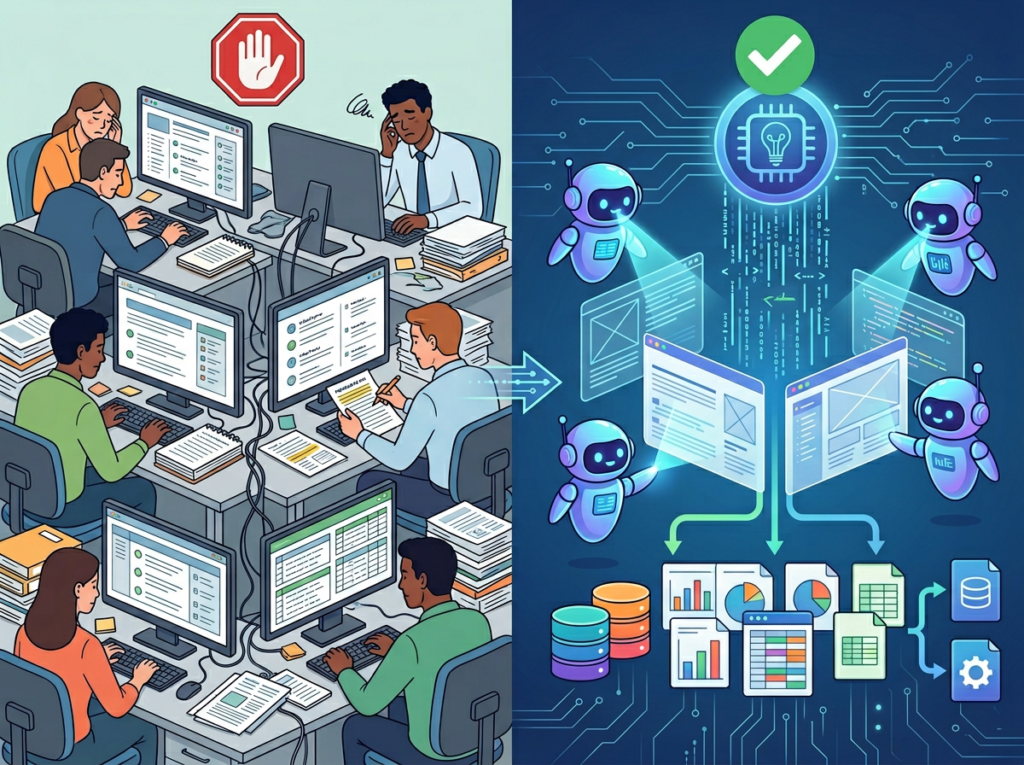
The problem isn’t ambition. US founders are building smarter, leaner operations than ever before. The real friction sits upstream: every workflow that depends on fresh web data eventually stalls because someone on the team has to go get it by hand. A marketing lead spends two hours each Monday pulling competitor prices into a spreadsheet. A research analyst refreshes government regulation pages twice a week looking for updates. A sales ops manager manually compiles a contact list from six different directories — a task that kills an entire Friday afternoon.
This is the state of web data collection for most US small teams in 2026: chaotic, manual, and quietly expensive. At a US labor cost of $50–$100 per hour, repetitive web data tasks that consume even five hours per week translate to $13,000–$26,000 in annual labor spend — before accounting for errors, missed updates, or employee burnout from mind-numbing work.
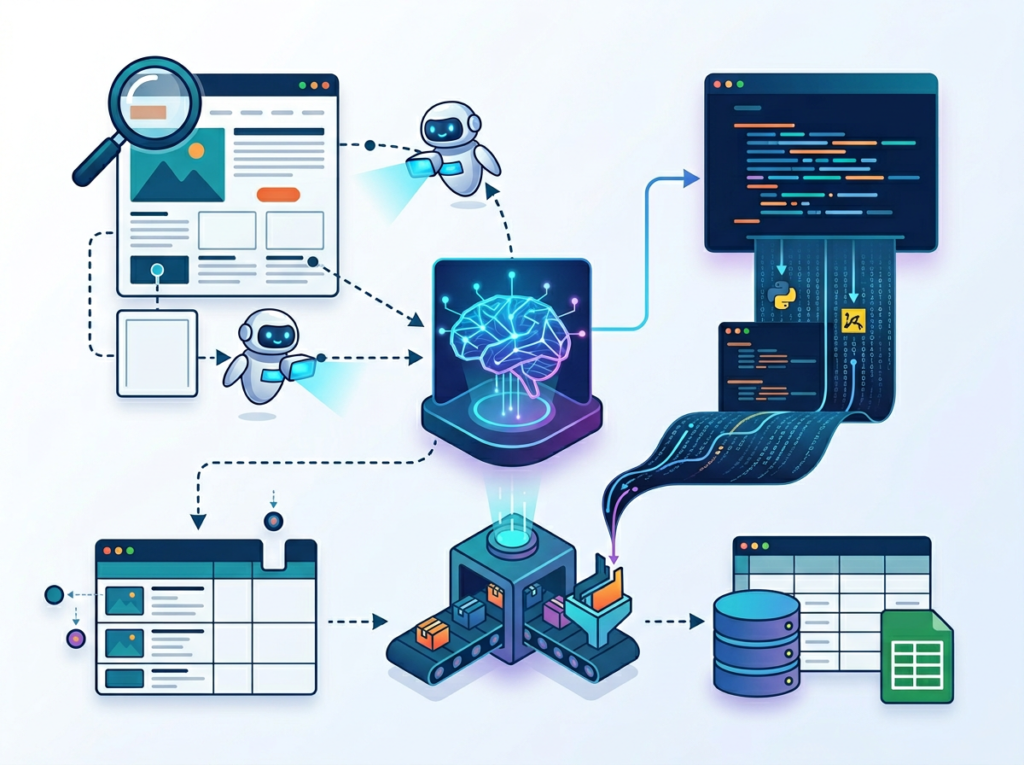
Reworkd AI entered this landscape with a clear proposition: automate the entire web data pipeline, end-to-end, without requiring your team to write or maintain a single line of scraping code. Unlike traditional documentation software or productivity suites, Reworkd was purpose-built for data extraction at scale — letting small teams deploy AI agents that find, extract, validate, and deliver structured web data on autopilot.
This article examines how Reworkd AI fits into the Solo DX framework for US small teams, breaks down its core capabilities by team role, and gives you the exact workflow map to systemize your data collection operations — so your team stops manually pulling information and starts acting on it.
Ready to eliminate manual web data collection from your US team’s workflow in under a week?Try Reworkd AI Free
What Is Solo DX?
Solo DX — Small-Scale Digital Transformation — describes the operational shift that happens when a US founder moves from running everything personally to building systems that let a small team execute with consistency, speed, and minimal supervision. It’s not the enterprise ERP rollout. It’s not the $500,000 Salesforce implementation. Solo DX is what happens when a founder with five employees decides to stop being the single point of failure in their own business.
Corporate SOP methodology — the kind taught in MBA programs and deployed at Fortune 500 companies — consistently fails US SMBs for one simple reason: it assumes dedicated operations staff. A seven-person e-commerce company doesn’t have a Director of Process Improvement. A four-person market research firm doesn’t have a data infrastructure team. What they have is a founder wearing six hats and a small, talented group of generalists who are already stretched thin.
Solo DX acknowledges this reality and asks a different question: how do we build systems that work at this scale, with these people, starting this week?
To understand where data collection fits in the Solo DX picture, it helps to distinguish it from related AI categories:
Category
Focus
Solo DX Relevance
AI Efficiency
Individual task speed
Moderate — personal productivity gains
AI Revenue Boost
Sales and marketing AI
Moderate — growth tooling
Solo DX
Team-wide systems and repeatable workflows
High — operational foundation
AI Workflows
Automation pipelines
High — complements Solo DX
Web data collection sits squarely in the Solo DX column because its bottleneck is structural, not individual. It doesn’t matter how productive each person on your team is if your data pipelines require constant human attention to function. Reworkd AI attacks this structural bottleneck directly.
Consider a real-world example: a three-person market research studio based in Austin needed to track pricing data across 40 competitor websites for an ongoing client engagement. Before deploying an AI web scraping tool, one analyst spent approximately 12 hours per week manually pulling and formatting this data — nearly a third of their productive capacity. That’s the Solo DX gap: a workflow that works, but only because a human is manually running it on repeat.
Explore Reworkd AI’s features to understand how AI-driven extraction agents can replace this kind of repetitive, high-frequency data task across your entire team’s operation.
Why an AI Web Scraping Tool Is Key for Mini-Team Systemization
Problem 1: Knowledge and data live in manual processes, not systems.
On most small teams, web data collection isn’t a system — it’s a habit. One person knows which sites to check. Another has the spreadsheet template. A third has the login credentials for the data portal. When that person is out, on vacation, or leaves the company, the data flow stops. US labor turnover sits at approximately 47% annually, meaning nearly half your team could change within 12 months. If your data workflows live inside people’s heads instead of documented, automated systems, every hire and departure is an operational disruption.
Problem 2: Data quality degrades when humans are the pipeline.
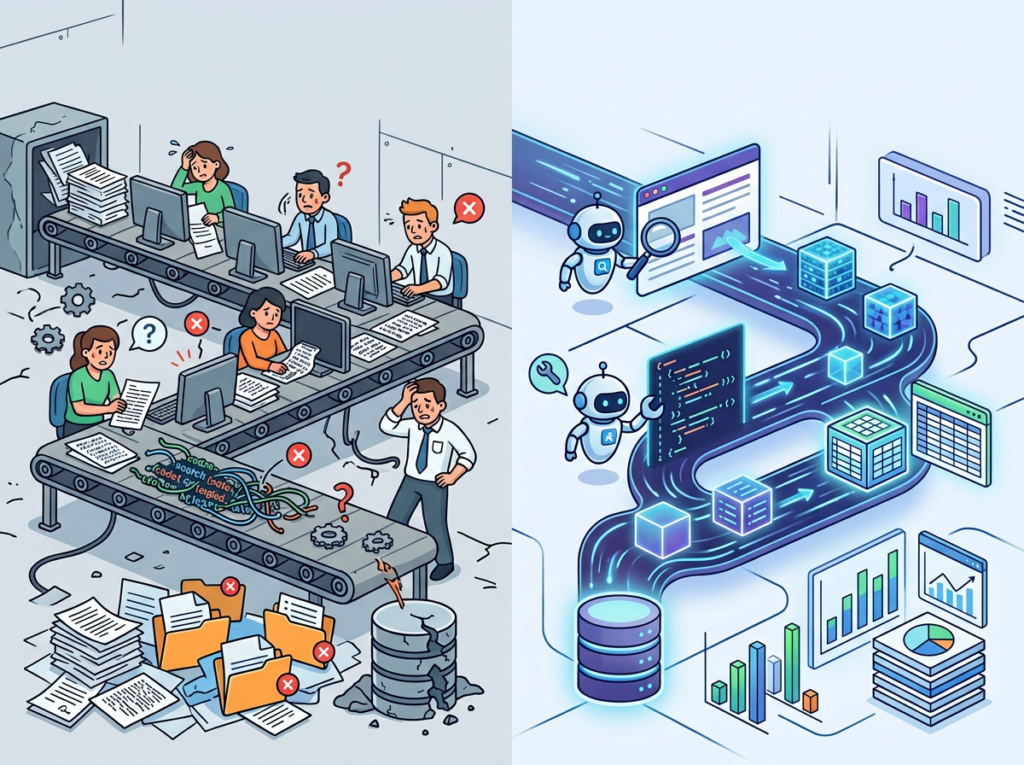
Manual data collection is inconsistent by nature. Different team members format cells differently. Someone forgets to check a source one week. A competitor changes their pricing page layout and the tracker breaks silently. Small teams rarely have QA processes for their own internal data workflows, which means the decisions being made downstream are frequently based on data that’s incomplete, stale, or incorrectly formatted.
The AI Solution: End-to-End Pipeline Automation
An automated web scraping AI like Reworkd replaces all three failure modes simultaneously. Instead of a person periodically checking websites, an AI agent continuously monitors target pages, extracts the relevant data fields, validates the output, and delivers structured results — in JSON, CSV, or directly into your existing tools — without any manual intervention between cycles.
The cost comparison is stark:
Manual data collection: $13,000–$26,000+ per year in US labor, with high error rates and zero scalability
AI-assisted collection: Handled within existing subscription overhead, runs continuously, self-heals when source websites change
For US small businesses where every dollar and every hour matters, this isn’t an incremental improvement. It’s an operational category change — the difference between a workflow that depends on a person and a system that runs whether or not that person shows up.
According to this analysis of AI-powered web scraping platforms, the most important capability shift in 2026 is the move from brittle, script-based scrapers to autonomous agents that self-heal when website layouts change — exactly the problem Reworkd was engineered to solve. As this guide to autonomous scraping agents confirms, AI scraping has become essential for any team that depends on fresh competitive or market data to drive decisions.
How Reworkd AI Enables Solo DX
1. AI-Generated Extraction Agents to $2,000–$4,000 Saved Per Setup Cycle
Traditional web scraping requires a developer to write custom code for each target site. At US developer rates of $100–$150 per hour, building even a modest multi-site scraping infrastructure costs $2,000–$4,000 in upfront engineering time — before the maintenance clock starts ticking.
Reworkd AI replaces this entirely. You describe what data you want in plain language, and Reworkd’s AI agents analyze the page structure, generate extraction code, run it, and deliver structured output. No developer required. A non-technical team member can have a functional extractor running within minutes.
For a five-person team needing data from a dozen sources, that’s a one-time savings of $24,000–$48,000 in developer time redirected toward product, marketing, or operations.
2. Self-Healing Scrapers to Elimination of Ongoing Maintenance Costs
The hidden cost of traditional web scraping isn’t setup — it’s upkeep. Websites redesign their layouts. They add anti-bot measures. They paginate differently. Every change breaks the existing scraper and requires manual intervention to fix.
Reworkd’s self-healing architecture monitors for changes in website structure, detects extraction failures, and automatically repairs the underlying logic on the fly. For a small team running 20–50 active extractors across competitor sites, industry directories, and public data sources, eliminating manual maintenance can recover 5–8 hours per month in developer or analyst time.
At a US technical labor rate of $100 per hour, that’s $6,000–$9,600 per year in recovered capacity — time that was previously spent on maintenance that produced zero new value.
3. No-Code Pipeline Management to $6,000/Year Saved in Ops Overhead
Because Reworkd is built for non-technical operators, your team’s business analysts, marketing leads, and ops managers can build, modify, and monitor data pipelines without engineering support. When a competitor launches a new product page, the marketing lead can add it to the extraction queue directly — no ticket, no sprint, no waiting.
This reduction in internal handoff delays and cross-functional coordination overhead translates to approximately 2 hours per week per team member involved in data-dependent workflows — roughly $6,000 annually for a team of three across mixed salary levels.
See how Reworkd AI works in practice before evaluating whether it fits your team’s specific data collection use cases.
Ready to eliminate manual web data collection from your US team’s workflow in under a week?Try Reworkd AI Free | No credit card required | Trusted by data-driven US teams
Use Cases by Team Role
Persona 1:Startup Founder Juggling Competitive Intelligence
The situation: Maria runs a six-person SaaS startup in San Francisco. Her company competes in a fast-moving market where pricing, feature sets, and positioning shifts among competitors can happen weekly. She had been manually checking seven competitor websites every Monday morning — a 90-minute ritual that frequently got pushed to Tuesday or Wednesday when things got busy.
Old workflow: Maria opens each competitor’s pricing page, copies the current plan structure into a shared Google Sheet, notes any changes in a Slack message, and hopes the marketing lead sees it before preparing that week’s sales materials. Total time: 90 minutes per week. Total annual cost: approximately $11,700 in founder time at $150/hour.
AI-powered workflow with Reworkd: Maria sets up extraction agents targeting all seven competitor pricing pages. Agents run nightly, extract current pricing tiers and feature lists, and output a structured comparison table to a shared dashboard. A Slack notification fires automatically when any competitor changes their pricing. Maria reviews a one-page summary on Monday morning in under 10 minutes.
Quantified results: 80-minute weekly time savings, $10,000+ in annual founder time recovered, 100% consistency in data freshness regardless of how busy the week gets.
“I used to start every Monday playing catch-up. Now the competitive landscape is already waiting for me, structured and current, before I’ve finished my first coffee.” — Maria, SaaS Founder, San Francisco
Persona 2: Operations Lead Managing Vendor and Compliance Data
The situation: James is the operations lead for a seven-person logistics consulting firm in Miami. A significant portion of his workflow involves monitoring public government procurement databases, tracking regulatory updates across three federal agencies, and maintaining a current vendor directory from industry association pages — all of which change frequently and unpredictably.
Old workflow: James manually checks 12 different government and association websites weekly, copying relevant entries into a compliance tracking spreadsheet. The process takes approximately 6 hours per week, and it’s impossible to guarantee completeness — websites he visits on Monday may update on Thursday.
AI-powered workflow with Reworkd: James deploys extraction agents against all 12 target sources, configured to pull new regulation entries, updated compliance deadlines, and new vendor listings daily. Outputs feed into a structured database his entire team can query. Alerts trigger when new entries match predefined criteria.
Quantified results: 5.5 hours per week recovered ($17,160 annually at $60/hour), zero missed updates due to manual checking gaps, full team access to current data replacing a single-person bottleneck.
“The compliance tracking piece alone justified the entire investment. I’m not the bottleneck anymore — the system is always running.” — James, Operations Lead, Miami
Persona 3: Research Analyst Building Lead and Industry Databases
The situation: Robert is a research analyst at a three-person consulting firm in Denver. A core part of his value to the firm is building curated databases of industry contacts, market participants, and published research. Compiling these from directories and association pages was consuming the majority of his billable week.
Old workflow: Robert spends 15–20 hours per week manually navigating directories, copying contact details, and formatting entries — highly repetitive work that required his time but not his judgment.
AI-powered workflow with Reworkd: Robert configures targeted extraction agents for the six primary directories his firm relies on. Agents collect structured records — company name, contact details, location, industry category — and output clean, deduplicated data that imports directly into the firm’s CRM.
Quantified results: 12–15 hours per week recovered ($37,440–$46,800 annually at $60/hour), 3x increase in database volume per research cycle, analyst time redirected to higher-value synthesis work.
“The work I used to do in a full week, the system now handles overnight. I spend my time on the analysis that actually requires thinking.” — Robert, Research Analyst, Denver
Discover Reworkd AI and see which of these use cases maps most closely to your team’s current data collection bottlenecks.
Join data-driven US small teams using Reworkd AI to eliminate manual web collection and scale their operations.See How It Works | Used by teams from Silicon Valley to New York
Common Pitfalls & How to Avoid Them
Pitfall 1: Scraping Everything Instead of the Right Things
The accessibility of no-code extraction can lead teams to over-index on data volume. Teams deploy agents against dozens of sources, accumulate vast amounts of raw data, and then discover they have no workflow for acting on any of it. The result is a data warehouse that consumes storage and generates alerts nobody reads.
The fix: Start with one workflow. Identify the single data collection task that costs your team the most time each week, automate that first, and build a clear downstream process for how the extracted data gets used before adding additional sources.
Pitfall 2: Ignoring Validation Outputs and Assuming Accuracy
As noted in this comprehensive overview of AI web scraping in 2026, even sophisticated AI extraction systems can encounter silent failures when source websites change in unexpected ways. Teams that set-and-forget their extraction pipelines sometimes discover weeks later that a subset of their data has been silently malformed or incomplete.
The fix: Build a weekly 10-minute review into your team’s routine to scan extraction dashboards for anomalies, failure rates, and unexpected output patterns. This is not a substitute for automation — it’s the lightweight oversight layer that keeps automation reliable.
Pitfall 3: Using Reworkd in Isolation Instead of Connecting It to Your Existing Tools
Extracted data that lives only inside Reworkd’s dashboard hasn’t been fully operationalized. Its value is fully realized when it flows directly into the tools your team already uses — CRMs, project management platforms, reporting dashboards, or even a well-structured shared spreadsheet.
The fix: Treat your Reworkd outputs as upstream inputs to existing workflows, not as endpoints in themselves. Map the path from extraction to decision before you launch each new agent.
What’s the difference between AI Efficiency and Solo DX?
AI Efficiency focuses on making individual contributors faster — think AI writing assistants and personal task managers. Solo DX focuses on team-level systems that let multiple people execute consistent workflows reliably. An AI web scraping tool is a Solo DX solution because it replaces a team-wide process bottleneck, not just an individual task.
Can small teams afford to use AI data extraction tools?
Yes — in most cases, the ROI turns positive within the first month. If your team spends even three hours per week on manual data collection at a blended US labor cost of $65/hour, that’s nearly $10,000 per year for a single workflow. Most AI extraction tools cost a fraction of that annually.
Is Reworkd AI hard to set up?
Reworkd was built for non-technical operators. You specify target URLs and desired data fields in plain language, and AI agents handle extraction logic, code generation, and maintenance without any technical configuration. Most users have their first functional extractor running within a standard business day.
Conclusion
In 2026, American small businesses don’t need enterprise budgets to build enterprise-level data infrastructure. The gap between a three-person team manually collecting web data and one running fully automated AI-powered pipelines is no longer a technology gap — it’s a systems decision.
Reworkd AI represents the Solo DX approach applied to web data collection: take the workflow costing your team the most repetitive time, automate it completely, and redirect that capacity toward work that actually moves the business forward.
The ROI case is straightforward. If a single team member spends five hours per week on manual data collection — pulling competitor pricing, monitoring regulatory updates, compiling lead databases — that’s a $15,000–$20,000 annual labor cost for one workflow. An AI web scraping tool eliminates that cost while delivering more consistent, more current, and more scalable data than any manual process can match.
Start with one process. Identify the one web data task your team performs most repeatedly, and systemize it this week. The operational confidence that comes from knowing that workflow runs reliably — without anyone manually running it — is the foundation every subsequent Solo DX improvement is built on.
Learn more about Reworkd AI and take the first step toward a data collection operation your team doesn’t have to babysit.
The fastest-growing small businesses in 2026 don’t have more people — they have smarter document systems, and Nanonets is how they built them.
Walk into any US small business that’s crossed the five-person mark and you’ll find the same invisible crisis: invoices buried in inboxes, vendor data scattered across spreadsheets, new hires manually keying numbers from PDFs, and a founder who spends hours each week doing work that a system should handle. This is the bottleneck that kills growth.
In 2026, the challenge isn’t finding customers or building products. For most American small business founders, the blocker is back-office chaos — specifically, the mountain of documents that power every transaction: invoices, purchase orders, receipts, contracts, onboarding forms, and expense reports. These documents hold the financial pulse of your business, and when processing them relies on human hands, errors compound, hours disappear, and scaling becomes painful.
US labor costs have climbed to an average of $65–$90 per hour for skilled back-office work. A five-person team spending 15 hours a week on manual data entry is burning $50,000–$70,000 a year doing something that AI can handle in minutes. That’s not an operations problem — it’s a systems problem.
Nanonets is an AI document automation tool built precisely for this scenario. It extracts data from any document type, routes it through customizable approval workflows, integrates with accounting and ERP systems, and eliminates the manual effort that drains small teams. Unlike traditional OCR software or templated form-capture tools, Nanonets trains itself on your specific documents and improves over time.
In this guide, you’ll see exactly how Nanonets enables what we call Solo DX — small-scale digital transformation — for US teams that are done tolerating manual document chaos and ready to build a back office that runs itself.
Join thousands of small teams using Nanonets to eliminate back-office document chaos.See How It Works
What is Solo DX?
Solo DX stands for Small-Scale Digital Transformation. It’s the process by which US small business founders — typically managing teams of 2 to 15 people — systematically replace manual, person-dependent workflows with AI-powered systems that produce consistent, scalable outcomes.
This is not the same as “AI Efficiency,” which typically refers to individual productivity gains: using AI to write faster, summarize meetings, or draft emails. Solo DX operates at the operational layer of a business. It asks: what are the repeatable processes that our team runs every day, and how do we systemize them so they no longer depend on any single person?
Category
Focus
Who It’s For
Outcome
AI Efficiency
Individual output speed
Solopreneurs
Faster personal tasks
Solo DX
Team system-building
2–15 person teams
Scalable operations
Enterprise AI
Company-wide transformation
100+ orgs
Structural change
Corporate SOP methodology — the approach most operations books recommend — fails US small businesses because it assumes dedicated operations managers, IT infrastructure, and months of implementation time. A seven-person logistics company in Austin doesn’t have any of those. Solo DX is the practical alternative: start with one broken process, use AI to systemize it, and build from there.
Consider a three-person construction firm in Denver that receives 40 to 60 invoices per month from subcontractors. Each invoice needs to be reviewed, matched to a job code, approved, and entered into QuickBooks. The founder was spending 6 hours a week on this cycle — 312 hours a year of work that demanded accuracy but generated zero revenue.
That’s the Solo DX entry point: a high-volume, repetitive document process where errors have financial consequences and time is the scarcest resource. Explore Nanonets’ features to see how it specifically targets this layer of small business operations — not the individual level, but the systems level where growth actually gets constrained.
The companies that scale cleanly aren’t the ones with the best people. They’re the ones with the best systems. Solo DX is how you build those systems without an operations team or a seven-figure technology budget.
Join thousands of small teams using Nanonets to eliminate back-office document chaos.See How It Works
Why AI is Key for Mini-Team Systemization
Problem 1: Critical business data is trapped in documents no one can search.
A medical billing company in Chicago receives insurance remittance forms daily. Each form contains payment data, adjustment codes, and denial reasons. When these documents are processed manually, the data lives in PDFs — unsearchable, unanalyzable, and invisible to any business intelligence tool. Decisions get made on gut feel instead of data. AI document automation changes this by extracting structured data from every incoming document and pushing it directly into the systems where decisions happen.
Problem 2: New hires require expensive ramp-up because processes live in people’s heads.
The US labor market sees voluntary turnover exceeding 47% annually in many service sectors. Every time an employee who handled invoicing or data entry leaves, the next hire spends 3 to 6 weeks learning a process that was never documented. At $70/hour fully loaded labor cost, a 4-week ramp-up costs $11,200 per hire — and that’s before accounting for the errors made during the learning curve. When document workflows are automated, the process itself becomes the system, and new hires plug into it rather than replace a person.
Problem 3: Quality and accuracy vary based on who’s working that day.
A retail buyer in Miami manually entering purchase order data into an ERP system will perform differently on Monday morning versus Friday afternoon. Human fatigue and distraction create error rates of 1–4% in manual data entry, according to industry benchmarks. On a business processing 500 invoices per month with an average of $2,400 each, a 2% error rate represents $28,800 in potential discrepancies monthly. AI-powered OCR automation maintains consistent extraction accuracy regardless of volume or time of day.
The cost math is stark:
Manual document processing at 15 hours/week × $70/hour = $54,600/year in direct labor cost, before accounting for errors, re-work, and the opportunity cost of skilled employees doing low-value tasks. An AI document automation tool like Nanonets operates at a fraction of that cost and eliminates the error rate entirely.
According to this analysis of deep learning applied to document processing, AI models for document extraction can be trained effectively even with limited data — a critical point for small teams that don’t have thousands of labeled examples to start with.
The US small business that wins in 2026 isn’t the one with the most diligent data entry team — it’s the one that automated data entry two years ago and redeployed those labor hours toward customer acquisition, service delivery, and growth.
Join thousands of small teams using Nanonets to eliminate back-office document chaos.See How It Works
How Nanonets Enables Solo DX
1. Intelligent Data Extraction — Replacing Manual Entry Entirely
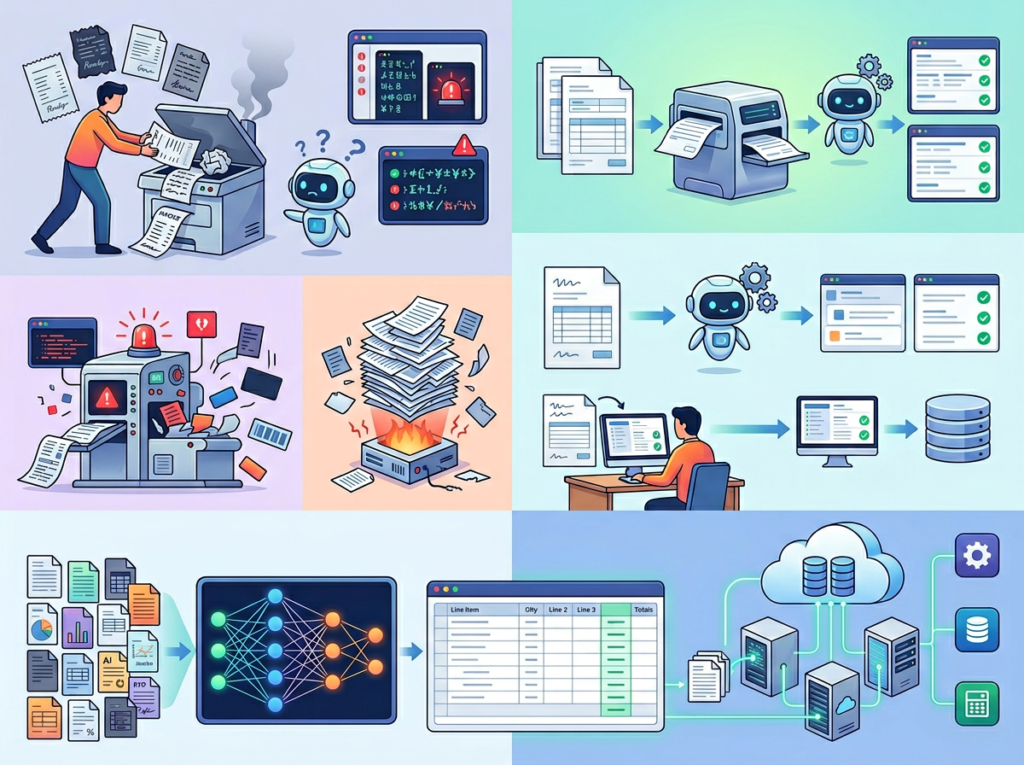
Nanonets uses AI-powered OCR that goes well beyond character recognition. It identifies document type, locates relevant fields, extracts values with positional context, and structures the output — all without predefined templates. This matters because real-world business documents don’t arrive in clean, consistent formats. Vendor invoices come from dozens of suppliers, each with their own layout. Receipt formats change. Purchase orders vary by client.
Traditional OCR tools require you to set up templates for every document format you receive. When a new vendor sends an invoice in a different layout, the extraction breaks. Nanonets trains on your actual documents and handles variations automatically.
ROI calculation: A three-person operations team in Atlanta spending 20 hours/week on data entry at $60/hour generates $62,400/year in labor cost dedicated to manual extraction. Nanonets handles the same volume in automated processing. The net savings over 12 months: $58,000+, with higher accuracy.
2. Automated Approval Workflows — Eliminating the Chase
After data extraction, most businesses have a routing problem: who needs to approve this invoice? Does it need a second review above $5,000? Should it go to the department head or directly to accounting? Without a system, this chase happens via email, Slack, or verbal follow-up — all of which create delays, lose visibility, and produce no audit trail.
Nanonets builds automated approval workflows triggered by extracted data fields. An invoice above $10,000 automatically routes to the CFO. A purchase order from a new vendor flags for compliance review. An expense receipt coded to the wrong department triggers a correction request back to the submitter. All of this happens without anyone manually triaging documents.
ROI calculation: Approval workflow delays in US companies cost an average of 3.5 days per invoice cycle. For a company paying net-30 terms, delayed approvals trigger late payment penalties averaging $180 per invoice. At 50 invoices/month, that’s $9,000/year in unnecessary penalties eliminated.
3. AI Agent Workflows — Handling Multi-Step Document Processes End-to-End
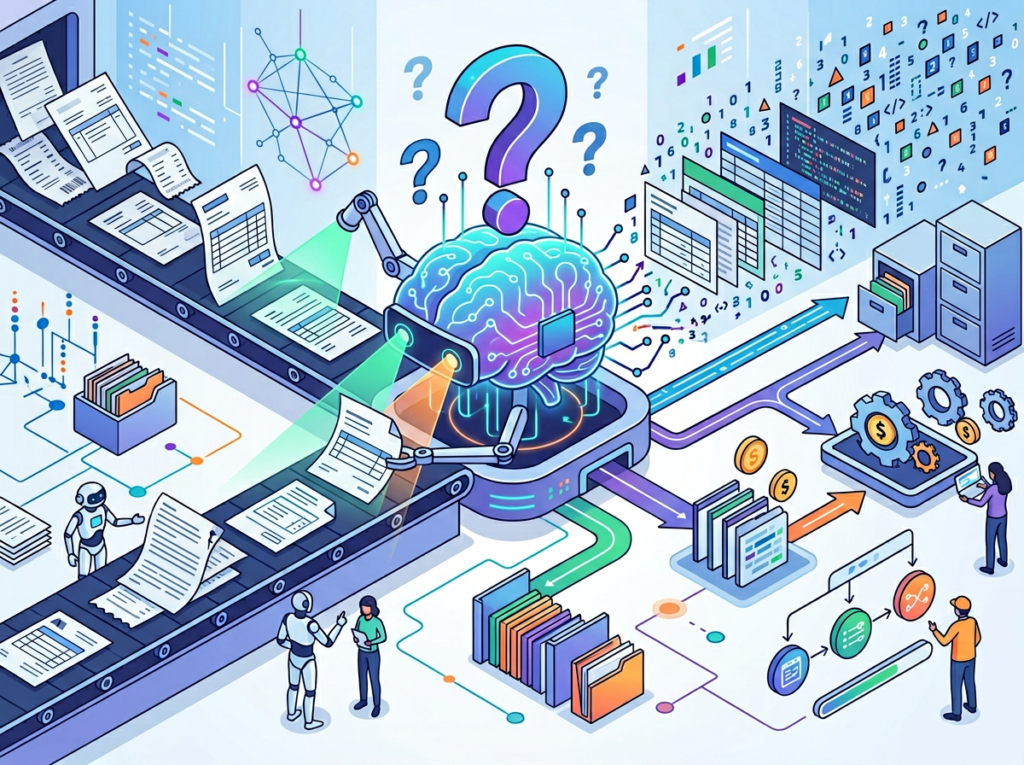
Nanonets’ newer AI Agent platform goes beyond single-document extraction to handle multi-step document workflows autonomously. A three-way match process — matching a purchase order, goods receipt, and vendor invoice — can be configured as a fully automated workflow. The agent handles extraction, comparison, exception flagging, and approval routing without human involvement unless a discrepancy is found.
This is the Solo DX endgame: not just automating individual tasks, but building complete back-office workflows that run without a dedicated operations person overseeing them.
ROI calculation: A three-way match process handled manually takes 12–20 minutes per transaction. At 100 transactions/month and $65/hour labor cost, that’s $13,000–$21,700/year on matching alone. Automation reduces this to minutes of exception review.
See how Nanonets works for teams at this stage — the platform is built specifically for businesses that need real workflow automation, not just a smarter spreadsheet.
Ready to eliminate manual document processing from your US team’s workflow this month?Try Nanonets Free | No credit card required | Trusted by thousands of US teams across finance, logistics, healthcare, and operations
Use Cases by Team Role
Persona 1: Ashely — Startup Founder Managing Finance, Ops, and Vendor Relationships (San Francisco, CA)
The situation: Maria runs a 6-person DTC health supplements brand in San Francisco. She handles vendor payments, manages 3 to 5 purchase orders weekly, and personally reviews every invoice before it goes to her bookkeeper. The process takes 8 hours per week — time she should be spending on product development and partnerships.
Old workflow: Invoices arrive via email. Maria downloads each one, reviews it manually, checks it against her order records in a separate spreadsheet, adds a note in Slack to her bookkeeper, and follows up if anything is missing. Errors get caught weeks later during reconciliation.
AI-powered workflow with Nanonets: Invoices land in a connected inbox. Nanonets extracts vendor name, invoice number, line items, and total. It cross-references against open purchase orders in her system, flags mismatches, and routes approved invoices directly to QuickBooks. Maria reviews only exceptions.
Results: 8 hours/week reduced to 45 minutes. Estimated annual labor savings: $28,000. Error-related reconciliation adjustments dropped from 6–8/month to 0–1.
“I used to dread Monday mornings because of the invoice pile. Now I check a dashboard, approve two things, and get back to work.” — Maria V., Founder
Persona 2: Jordan — Operations Manager Onboarding Remote Staff Across Three States (Miami, FL)
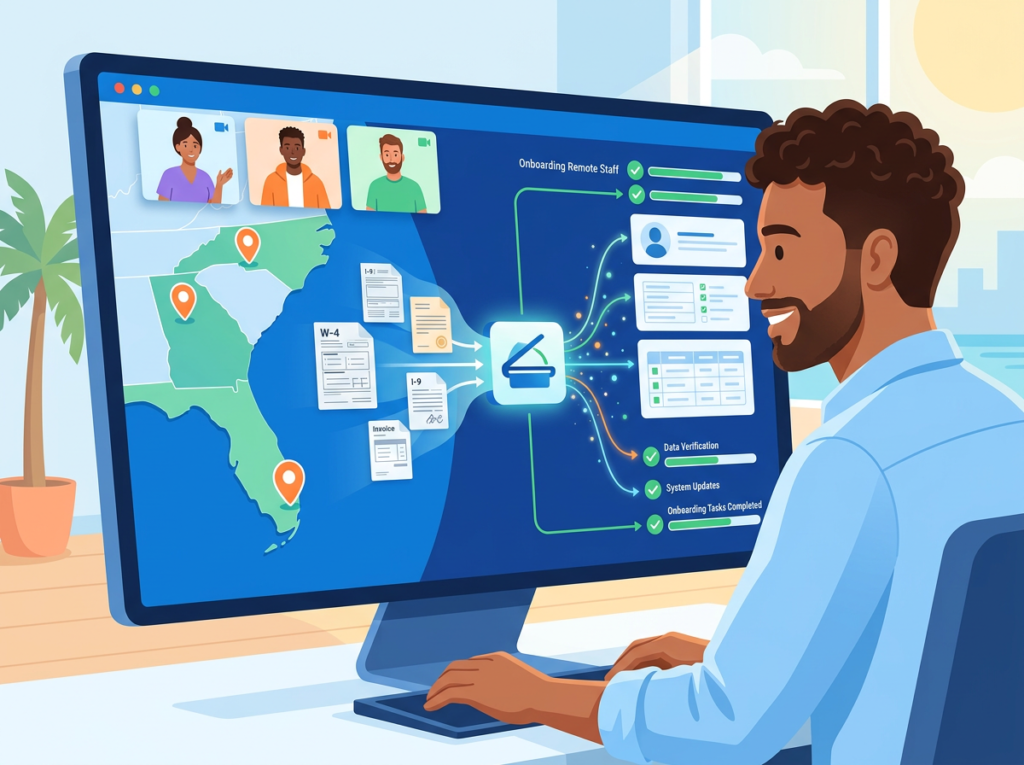
The situation: James manages operations for a 9-person staffing agency in Miami with contractors placed in Florida, Texas, and Georgia. Each placement generates a packet of documents: W-9s, I-9 verification forms, signed offer letters, and direct deposit authorization forms. Processing these manually for 15–20 new placements per month was consuming 12 hours of James’s week.
Old workflow: Documents arrived as email attachments in varying formats. James manually verified each form, entered key data into their HR system, and filed PDFs in Google Drive folders. Missing fields required chasing contractors via email — a process that regularly delayed start dates by 3 to 5 days.
AI-powered workflow with Nanonets: Contractors submit documents through a Nanonets-connected portal. The system extracts all required fields, checks for completeness, flags missing signatures, and routes complete packets to the HR system automatically. Incomplete submissions trigger an automated follow-up request.
Results: 12 hours/week reduced to 2. Contractor start date delays eliminated. Annual time savings valued at $31,200 based on James’s fully loaded cost.
“New hires used to slip through the cracks. Now the system catches everything before I even see it.” — James T., Operations Manager
Persona 3: Jelard — IT Manager Automating Vendor Contracts and Compliance Documents (Austin, TX)
The situation: Robert oversees IT procurement for an 8-person managed services firm in Austin. Every vendor renewal, software license agreement, and service contract arrived as a PDF requiring manual review, key term extraction, and entry into their contract tracking spreadsheet. Missing renewal dates cost the firm $8,000 in auto-renewed contracts they no longer needed.
Old workflow: PDFs saved to shared drives. Robert or an admin manually extracted contract terms — start date, renewal date, contract value, vendor contact — and entered them into a spreadsheet. Reminders were set manually in Google Calendar. Renewals were missed when the calendar owner left the company.
AI-powered workflow with Nanonets: Incoming contracts route through Nanonets’ document classification and extraction engine. Key terms are identified, extracted, and pushed to their contract management system with automated renewal alerts. Robert reviews a clean dashboard rather than individual PDFs.
Results: Contract review time cut from 4 hours/week to 30 minutes. Missed renewal cost reduced to zero. Annual estimated savings: $14,000 in labor plus $8,000 in prevented auto-renewals.
“I don’t miss contracts anymore. The system surfaces them 60 days out. It’s one less thing that can go wrong.” — Robert K., IT Manager
Discover Nanonets and see which of these workflows fits your team’s current bottleneck. The platform’s document catalog covers invoices, purchase orders, receipts, contracts, ID documents, and more — most US small business document types are supported out of the box.
Join thousands of small teams using Nanonets to eliminate back-office document chaos.See How It Works | Used by teams from Silicon Valley to New York
Common Pitfalls & How to Avoid Them
Pitfall 1: Trying to automate everything at once.
The urge to solve every document problem simultaneously is understandable but counterproductive. Teams that attempt to automate invoices, contracts, HR documents, and receipts in parallel rarely complete any workflow cleanly. The better approach: identify your highest-volume, highest-cost document type and start there. Get one workflow running cleanly before expanding.
For most US small businesses, that starting point is accounts payable — specifically invoice capture and approval routing. It’s high volume, directly tied to cash flow, and produces immediate, measurable results.
Pitfall 2: Not cleaning up your document sources before onboarding.
Nanonets and every ai workflow automation platform performs better when document inputs are consistent. If your invoices arrive via six different channels — email attachments, portal downloads, scanned faxes, and physical mail — consolidating to 2 or 3 channels before go-live dramatically improves extraction accuracy. This guide to modern document processing models outlines why training data quality matters even more than training data volume — the same principle applies to your live document intake. Spend one week standardizing your document intake before configuring automation.
Pitfall 3: Skipping the human review loop for exceptions.
AI extraction is highly accurate but not infallible. The best document automation software 2026 includes a human-in-the-loop review layer for low-confidence extractions and flagged exceptions. Teams that disable exception review to “save time” end up with downstream errors that take longer to fix than the review would have taken. Build a 15-minute daily exception review into your workflow from day one — the model improves from human corrections over time, making the review loop an investment, not overhead.
Learn more about Nanonets and how its model training and feedback loops are designed for exactly this kind of continuous improvement in small team environments.
FAQs
What’s the difference between AI Efficiency and Solo DX?
AI Efficiency tools focus on individual productivity: helping a single person write faster, summarize information, or manage their calendar more effectively. Solo DX targets operational systems — the repeatable workflows that a team runs together. A Solo DX implementation changes how work moves through an organization, not just how fast one person completes a task.
Can small teams realistically afford data entry automation tools?
Yes, and the ROI typically makes the decision straightforward. Nanonets and similar ai invoice processing platforms start at accessible price points for small teams, and the labor cost savings from eliminating even 5 to 10 hours/week of manual data entry almost always outpace subscription costs within the first 60 to 90 days. The better question for most US small business owners is: can you afford not to automate?
Is Nanonets hard to set up for a non-technical team?
Nanonets is designed for business users, not engineers. The document model setup is guided, the workflow builder is visual and drag-and-drop, and integrations with QuickBooks, Xero, and other common US small business tools are pre-built. Most teams are processing live documents within their first week. Nanonets also provides onboarding support for teams that want hands-on configuration help.
Conclusion
In 2026, American small businesses don’t need enterprise budgets to build enterprise-level document systems. The gap between a 5-person company drowning in manual invoice processing and a 5-person company with a fully automated AP workflow is not money — it’s a decision.
The ai document automation tool category has matured to the point where setup is measured in days, not months. The accuracy of AI-powered OCR automation has crossed the threshold where it outperforms manual entry on both speed and error rate. And the integration layer — connecting document workflows to QuickBooks, Xero, ERPs, and HR platforms — means that automated extraction doesn’t just save time, it powers better decisions with cleaner data.
Nanonets is built for this moment. Its combination of intelligent extraction, flexible workflow automation, and system integration makes it one of the most complete ai document automation tools available to US small businesses in 2026. Whether your team’s bottleneck is invoice processing, contract management, vendor onboarding, or expense reporting, the platform handles the full lifecycle: capture, extract, validate, approve, and integrate.
Start with one process. Pick your highest-volume document type. Build the workflow this week. Measure the time saved in 30 days.
Full Nanonets review — including a detailed breakdown of pricing, integrations, and which US small business use cases the platform handles best.
Most small teams don’t have a workflow problem — they have a systems gap that AI database automation can close before headcount doubles again.
There’s a moment every US small business founder recognizes: the team hits five, six, maybe eight people, and suddenly the wheels start wobbling. Slack threads become the de facto operations manual. A new hire spends their first three weeks asking the same questions your second hire asked two years ago. The marketing lead runs client reports one way; the account manager runs them a completely different way. Quality becomes a coin flip.
In 2026, this is no longer a growth problem. It’s a systems problem — and it’s costing American small businesses real money. The average US knowledge worker costs $65–$95 per hour when you factor in salary, benefits, and overhead. Every hour spent re-explaining processes, hunting for answers, or fixing inconsistent work is a dollar amount that compounds weekly.
Remote and hybrid teams have made things more complex. Multi-state teams, distributed contractors, and post-pandemic scaling have pushed more US founders into operational chaos they were never trained to manage. Corporate SOPs and enterprise ops playbooks don’t fit a 6-person agency or a 10-person SaaS startup — they’re built for companies with full-time operations managers.
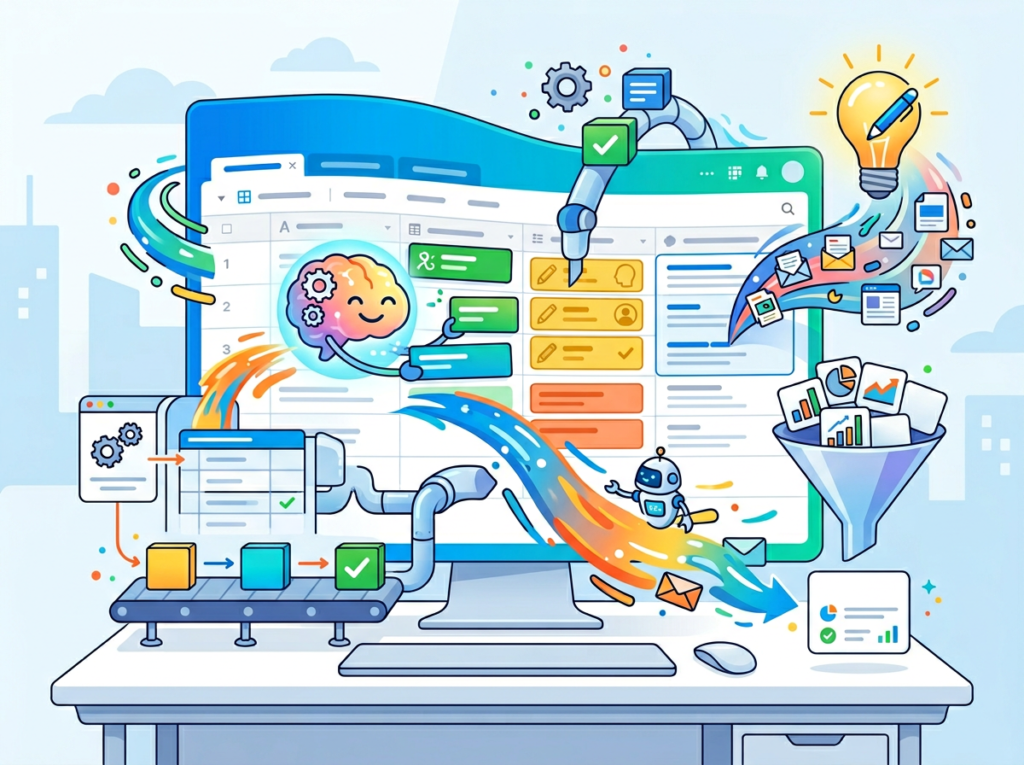
That’s where Airtable AI changes the equation. Rather than adding another tool to an already fragmented stack, Airtable embeds AI directly into the relational database where your team’s work already lives. It categorizes, summarizes, generates, and automates — without requiring a developer, a consultant, or an enterprise budget.
Unlike traditional documentation projects that typically run $5,000 or more in US labor costs and take weeks to produce, Airtable AI can generate structured, consistent workflows in hours. This review breaks down exactly how it works, which team roles benefit most, and what ROI looks like in real USD for small teams across the US.
Join 10,000+ US small teams using Airtable AI to eliminate operational chaos.See How It Works
What is Solo DX?
Solo DX — Small-Scale Digital Transformation — describes the shift happening in thousands of US small businesses right now. It’s not about buying enterprise software. It’s about founders and small team leaders using accessible AI and no-code tools to build the kind of operational infrastructure that used to require a VP of Operations and a six-month implementation project.
The core distinction matters:
Category
Focus
Who It’s For
Solo DX
Systemization, SOPs, repeatable workflows
Founders scaling 2–15 person teams
AI Efficiency
Individual productivity, task speed
Solo operators, freelancers
AI Revenue Boost
Sales, marketing, lead gen
Growth-focused teams
AI Workflows
Automation, integration
Ops-forward organizations
Solo DX sits at the intersection of team management and operational design. It’s the answer to the question: “How do I build a business that doesn’t fall apart if I step away for two weeks?”
Traditional corporate SOP methods fail US small businesses for three reasons. First, they’re designed for organizations with dedicated documentation teams — not founders juggling product, sales, and customer service simultaneously. Second, they produce static documents that live in folders no one opens. Third, they take months, and small teams don’t have months.
Consider a 3-person design studio in Austin. The founder knows every client process by heart, but when she brings on a fourth designer, there’s no playbook. The new hire shadows for three weeks, pulling the founder out of billable work for roughly 60 hours — at her effective rate, that’s $4,500 in opportunity cost before the hire contributes a single deliverable.
Solo DX using tools like Airtable AI changes that model. SOPs get built in Airtable bases, automatically generated and consistently updated. New hires query the base instead of the founder. You can explore Airtable AI’s features to see how this plays out across different team structures.
The goal of Solo DX is simple: build systems that scale with you, not systems that require you.
Join 10,000+ US small teams using Airtable AI to eliminate operational chaos.See How It Works
Why AI Is Key for Mini-Team Systemization
Problem 1: Knowledge lives only in the founder’s head
The average US small business founder makes 35+ operational decisions per day that no one else on the team could make independently. When that founder is unavailable — traveling, sick, or simply at capacity — operations slow or stop. This isn’t a people problem. It’s a knowledge distribution problem.
AI-powered tools can extract, organize, and structure that tacit knowledge into queryable databases. Instead of “ask Maria,” the answer lives in a base that everyone on the team can access in under 30 seconds.
Problem 2: New hires slow down operations instead of accelerating them
US labor turnover across small businesses runs at roughly 47% annually. That means many small teams are perpetually onboarding. Each new hire who requires 2–4 weeks of hand-holding from senior staff represents a direct cost: if a founder spends 10 hours per week for three weeks guiding a new hire, that’s 30 hours at $75/hour in opportunity cost — $2,250 per hire.
With documented, AI-maintained workflows in a structured database, onboarding time compresses. New team members can self-serve answers, follow documented processes, and reach productivity faster.
Problem 3: Quality varies across team members
When processes live in people’s heads, every team member executes them differently. A client report written by the marketing lead looks different from one written by the account coordinator. A customer email from a senior rep sounds different from one written by a new hire. Inconsistency erodes trust — with clients, with partners, and internally.
AI-assisted templates and automated content generation inside a shared database create a quality floor. The output is consistent because the input structure is consistent.
The Cost Reality
Manual systemization — hiring a consultant to document your processes — typically costs $5,000–$15,000 for a small business and produces a static document set that becomes outdated within six months.
AI-assisted systemization with a tool like Airtable AI costs a fraction of that in subscription fees, can be updated continuously, and lives where the team already works. For most US small teams, the ROI calculation closes within the first month.
Join 10,000+ US small teams using Airtable AI to eliminate operational chaos.See How It Works
How Airtable AI Enables Solo DX
Feature 1: AI-Generated Content and SOPs
Airtable’s AI field can generate text based on data already in your base. Set up a process documentation table with fields for role, workflow step, tools used, and expected output — then prompt the AI field to generate a structured SOP from those inputs.
A 6-person operations team that manually documents 10 core processes spends roughly 40 hours per documentation cycle at $50/hour average for the person doing the work. That’s $2,000 per documentation sprint. AI-generated SOPs built directly in Airtable reduce that to 4–6 hours of setup, delivering a $1,700+ saving per cycle with better consistency than manual drafts.
Feature 2: Automated Categorization and Data Organization
Airtable AI can automatically classify incoming data — customer feedback, support tickets, content ideas, lead notes — into structured categories without manual sorting. For a team that receives 200 customer feedback items per month and spends 90 seconds manually tagging each one, that’s 5 hours of labor per month. At $65/hour, that’s $3,900 annually in time recovered by automation alone.
This matters for Solo DX because categorized, searchable data is the foundation of systemized operations. You can’t build repeatable workflows on unstructured piles of information.
Feature 3: Workflow Automation Triggers
Airtable’s automation layer connects directly to AI field outputs. When an AI field flags a support ticket as “High Priority,” an automation can immediately notify the responsible team member in Slack, create a task in the project management interface, and log the escalation. No manual monitoring required.
For a team managing 50+ active client or project records, eliminating manual status checks and routing saves an estimated 3–5 hours per week per team lead. Over 12 months, that’s $9,360–$15,600 per lead in recovered capacity. You can see how Airtable AI works across these automation scenarios before committing to a setup.
It’s worth noting that while Airtable’s step-by-step configuration is well-documented, as noted in this breakdown, the AI field works best when your underlying base data is already clean and structured — something to address before you start building AI prompts.
Ready to systemize your US team operations in under a week?Try Airtable AI Free | No credit card required | Trusted by 10,000+ US teams
Use Cases by Team Role
Persona 1: Maria — Startup Founder Juggling Three Departments | San Francisco
Old workflow: Maria runs a 7-person SaaS company. She manages sales, product, and customer success simultaneously. Every team member routes questions to her via Slack. She spends 2–3 hours daily answering operational questions, approving decisions, and solving problems that should have documented answers.
AI-powered workflow: Maria builds an Airtable base with three department-specific tables — Sales Playbook, Product Decisions Log, and CS Escalation Protocols. Each table uses AI fields to generate concise answers based on the data stored. Team members query the base first; Maria’s involvement drops to edge cases only.
Quantified results: Maria recovers 10–15 hours per week of founder time, worth $1,500–$2,250/week at her effective hourly rate. Over a quarter, that’s $19,500–$29,250 in recovered high-value time redirected toward growth activities.
“I used to be the bottleneck for everything. Now the base answers most of the questions before they reach me — and the answers are actually more consistent than what I’d give off the cuff.” — Maria T., SaaS Founder, SF
Persona 2: James — Executive Assistant Onboarding Remote Staff | Miami
Old workflow: James supports a 9-person consulting firm that’s onboarding two new remote team members every quarter. Each onboarding cycle takes James 25–30 hours of documentation, scheduling, and answering repeat questions — work that competes with his other executive support responsibilities.
AI-powered workflow: James builds a structured onboarding base in Airtable. AI fields auto-generate role-specific onboarding checklists from a master process table. A linked interface gives new hires a self-guided onboarding portal with AI-generated explanations for each step. James’s active involvement drops from 25 hours to 6 hours per new hire.
Quantified results: Each onboarding cycle saves James 19 hours. With 8 new hires per year at $45/hour, that’s $6,840 annually in recovered capacity — plus faster time-to-productivity for new team members.
“The first thing new hires say now is that it’s the most organized onboarding they’ve ever experienced. That used to take me a month to build from scratch for each person.” — James R., Executive Assistant, Miami
Persona 3: Robert — Trainer Documenting Internal Knowledge | New York
Old workflow: Robert is the internal trainer for a 12-person professional services firm in NYC. Tribal knowledge about how the firm handles specific client scenarios lives entirely in the heads of three senior consultants. When those consultants travel or turn over, the knowledge walks out the door.
AI-powered workflow: Robert uses Airtable AI to build a firm-wide knowledge base. Senior consultants spend 30 minutes per week logging key decisions and scenarios into structured records. AI fields summarize and categorize each entry, and an interface surfaces relevant entries based on keyword search. Junior staff can query past scenarios without interrupting senior consultants.
Quantified results: Senior consultant interruption time drops by 4 hours per week across the team. At $125/hour average senior rate in NYC, that’s $500/week or $26,000 annually in recovered high-value consultant capacity — directly improving billable utilization.
“We stopped losing institutional knowledge when people travel or leave. The base knows what we know.” — Robert K., Internal Trainer, New York
Join 10,000+ US small teams using Airtable AI to eliminate operational chaos.See How It Works | Used by teams from Silicon Valley to New York
Common Pitfalls & How to Avoid Them
Mistake 1: Using Too Many Disconnected Tools
The #1 workflow failure for US small teams is tool sprawl. If your SOPs live in Notion, your client data lives in a spreadsheet, your tasks live in Asana, and your communications live in Slack, Airtable AI has nothing coherent to work with. The AI field pulls from data in your base — so if your base is incomplete or disconnected from your actual workflows, the outputs will be weak.
Fix: Before building AI fields, audit which data your team references most often. Consolidate that data into Airtable first, then build AI layers on top of a clean, unified foundation.
Mistake 2: Failing to Review AI Output
According to this analysis, AI fields in Airtable perform best when teams treat them as first drafts — strong starting points that need a human check before they go out the door. Teams that auto-publish AI-generated content without review create inconsistent, sometimes inaccurate outputs that erode trust faster than manual processes ever did.
Fix: Build a review step into every AI-assisted workflow. The goal is 70–80% time savings on the draft, not zero human involvement.
Mistake 3: Over-Relying on Slack and Email for Knowledge
Many US teams use Slack as an informal knowledge base. This creates a fundamental problem: answers are not searchable, not structured, and lost within days. When knowledge lives in chat threads, Airtable AI has no data source to work with — and the team never escapes the “ask a person” dependency.
Fix: Create a habit of logging decisions, answers, and processes into Airtable records rather than Slack threads. Even 15 minutes per day of structured logging builds a queryable knowledge base within weeks. You can learn more about Airtable AI’s knowledge management capabilities and see how other teams have structured this transition.
AI tools like Airtable AI can generate structured procedures by pulling from data already in your base. You provide the inputs — role, steps, tools, expected output — and the AI field generates a consistent, formatted SOP. The process works best when your underlying data is organized in structured fields rather than free-form notes. Airtable’s own documentation covers the technical setup in detail.
What’s the difference between AI Efficiency and Solo DX?
AI Efficiency focuses on individual productivity — tools that help one person work faster. Solo DX focuses on team systemization — building processes, documentation, and workflows that allow a team to operate consistently without constant founder involvement. Both have value, but they solve different problems at different stages of business growth.
Can small teams afford to use AI?
Yes. Most AI workflow automation tools, including Airtable AI, are available at subscription costs that small US teams can afford — typically $20–$45 per user per month depending on the plan. The ROI calculation for most teams closes within the first 30–60 days through recovered labor time alone.
Is Airtable AI hard to set up?
Airtable AI fields are designed for non-technical users. You add an AI field the same way you’d add any other field type, then configure a prompt that references other fields in your base using curly braces (e.g., {Client Name}, {Project Status}). Most teams can build their first functional AI-assisted workflow within a day. Complexity scales with the sophistication of your data structure, not with technical requirements.
Conclusion
In 2026, American small businesses don’t need enterprise budgets to build enterprise-level systems. The ai workflow automation tools available today — and Airtable AI specifically — put relational database infrastructure, automated documentation, and AI-assisted content generation within reach of any team with a laptop and a clear process to document.
The Solo DX opportunity is real and time-sensitive. Teams that systemize now — that build AI-assisted knowledge bases, consistent onboarding flows, and automated reporting pipelines — are compressing what used to take months of consultant engagement into days of focused configuration. Teams that wait are paying the same compounding cost of operational chaos that has always slowed small business growth.
The numbers are straightforward: recovered founder time worth $19,000–$29,000 per quarter, onboarding costs cut by 75%, reporting labor reduced by 80%. These aren’t projections for Fortune 500 companies — they’re outcomes achievable by a 5-person team in Austin or a 9-person firm in Miami.
Start with one process. Pick the one that causes the most repeated questions, the most inconsistent outputs, or the most founder bottlenecking. Build it in Airtable. Let the AI assist with the heavy lifting. Then expand from there.
Manual data work in Google Sheets is costing your team real money — and an ai spreadsheet automation tool can eliminate it in seconds.
In 2026, the average US small business owner spends more than 12 hours per week on spreadsheet work — cleaning data, generating reports, categorizing leads, and drafting content from within cells. That’s $900 to $1,800 in labor costs every month if you factor in even a modest $75/hour rate. And for teams of three to ten people, the numbers multiply fast.
The real problem isn’t that spreadsheets are broken. It’s that most small teams are using spreadsheets the same way they did in 2010: manually. Knowledge lives in individual cells that only one person knows how to interpret. New hires inherit chaotic tabs with no documentation. Marketing creates one reporting format, sales uses another, and the founder spends Friday afternoons reconciling both.
This is the operational chaos that defines the scaling stage for most US small businesses — the moment when one-person habits stop working for a three-person (or ten-person) team.
Numerous AI was built specifically for this problem. As a Google Sheets-native AI add-on, it lets any team member type a plain-English prompt directly into a cell and receive instant AI-generated output: sentiment analysis, SOPs, bulk content, data categorization, formula suggestions, and more. Unlike traditional documentation workflows that can cost $5,000+ in US labor and weeks of calendar time, Numerous AI turns repetitive spreadsheet work into a scalable, automated process that anyone on your team can run.
This article breaks down exactly how Numerous AI enables the kind of small-scale digital transformation — what AI Plaza calls “Solo DX” — that US founders and operators need to scale without hiring an operations manager. You’ll see real use cases, quantified ROI in USD, and a clear path from chaos to repeatability.
Join 10,000+ US small teams using Numerous AI to eliminate operational chaos.See How It Works
What is Solo DX?
Solo DX stands for small-scale digital transformation led by US founders and operators without a dedicated operations team. It’s the process of using lightweight AI tools to systemize knowledge, standardize workflows, and build repeatable processes — without enterprise budgets, IT departments, or consultants.
The term distinguishes a specific stage of growth from other categories. AI Efficiency is about speeding up individual tasks. AI Revenue Boost is about driving new income. Solo DX is about building the infrastructure that makes a growing team function without constant founder intervention.
Here’s how Solo DX compares to adjacent categories:
Category
Goal
Who It’s For
Example
AI Efficiency
Save time on individual tasks
Solopreneurs
Auto-summarizing emails
AI Revenue Boost
Increase revenue with AI
Sales & marketing teams
AI-powered outreach sequences
Solo DX
Systemize small-team operations
Founders scaling 1?10 people
AI-generated SOPs in Google Sheets
Enterprise AI
Transform large-scale ops
100+ person orgs
Custom LLM deployment
Most corporate SOP methods fail for US SMBs because they were designed for hierarchies that don’t exist at this scale. A 5-person design studio in Austin doesn’t have an operations manager to write documentation or a QA team to enforce standards. The founder is the ops manager, the QA team, and the person doing client work.
Consider a 3-person design studio in Austin. The founder handles client intake, a junior designer handles production, and a part-time project manager coordinates timelines. When the project manager leaves, every process they managed — client briefing format, file delivery structure, revision tracking — lives in their head. Replacing them requires 3 to 4 weeks of tribal knowledge transfer at roughly $60/hour for the founder’s time. That’s $7,200 in soft costs just to maintain baseline operations.
Solo DX tools like Numerous AI prevent this by embedding process knowledge into the system itself. When workflows live in Google Sheets as repeatable AI functions, they survive staff turnover, onboard new hires faster, and free the founder from being the only person who knows how things work.
Problem 1: Knowledge lives only in the founder’s head
In most US small businesses under 10 people, the founder is the institutional memory. They know which clients need extra handholding, which vendors to avoid, and how the reporting format evolved over 18 months of iteration. When they’re unavailable — sick, traveling, or simply busy — the team guesses.
AI solution: Google Sheets AI automation tools like Numerous AI can capture that institutional knowledge as prompts. Instead of the founder explaining the classification logic for incoming leads every time, they write it once as a Numerous AI formula. Any team member can apply it.
Problem 2: New hires slow down operations
US labor turnover sits above 47% in many service industries. Every new hire in a small team is a significant operational disruption — they consume founder time, make errors on non-documented processes, and take 4 to 8 weeks to reach baseline productivity. At $80/hour for a founder’s time, a single onboarding cycle costs $3,200 to $6,400 in indirect labor.
AI solution: Bulk data automation tools that live inside a shared Google Sheet reduce onboarding friction dramatically. New hires see exactly how data is processed, can run AI functions themselves on day one, and don’t need to ask the founder how things work.
Problem 3: Quality varies across team members
Without documented standards, every team member develops their own approach. One person writes client updates at 300 words, another at 80. One formats reports with headers and summaries, another dumps raw numbers. The inconsistency erodes client trust and creates rework.
AI solution: Spreadsheet automation AI enforces consistency at the output level. When the AI prompt defines the format — “Write a 150-word client update summarizing the following data in a professional tone” — the output is consistent regardless of who runs it.
The Cost Reality
Manual systemization for a 5-person US team typically requires a fractional operations consultant ($150/hour), 30 to 40 hours of process documentation, and weeks of implementation. Total cost: $4,500 to $6,000 minimum, plus ongoing maintenance.
With Numerous AI and a Google Sheets-based workflow: setup takes 2 to 4 hours, subscription costs run $10 to $50/month, and the system is self-documenting because the AI prompts are visible in every cell.
Join 10,000+ US small teams using Numerous AI to eliminate operational chaos.See How It Works
How Numerous AI Enables Solo DX
Feature 1: AI-Generated SOPs and Process Documentation
The most expensive thing a US small business can do is rebuild a process from scratch every time a team member leaves. Numerous AI allows founders to document a process once — in plain English — and apply it to any dataset instantly.
Example: A Denver-based e-commerce brand uses a Numerous AI prompt to categorize 500 incoming product review responses by sentiment and urgency every Monday morning. What used to take a VA 3 hours now runs in under 10 minutes. At $40/hour for VA time, that’s $120 saved weekly, or roughly $6,000 annually on that one task alone — a solid example of what the best ai spreadsheet tools 2026 can deliver.
Estimated savings per documentation cycle: $2,000 in US labor.
Feature 2: Workspace Memory and Consistent Prompt Libraries
Teams that build a shared library of Numerous AI prompts in a master Google Sheet create something more valuable than any wiki: a live, executable knowledge base. Every prompt is tested, versioned, and runnable by any team member.
A 5-person marketing agency in Chicago that maintains 20 core prompts — for client reporting, content ideation, competitive analysis summaries, and lead scoring — eliminates the back-and-forth of re-explaining tasks to junior staff. That reclaimed coordination time, at $65/hour for a senior team member, adds up to $78,000 to $124,800 in annual savings across a full team.
Estimated annual savings: $78,000–$124,800.
Feature 3: Template Automation and Bulk Processing
Numerous AI’s drag-and-fill functionality allows any formula to scale across hundreds of rows instantly. A single AI prompt applied to a 500-row dataset runs in minutes without additional cost per row.
For a San Francisco-based HR team managing applicant tracking in Google Sheets, this means generating a personalized 3-sentence outreach summary for every candidate in a batch, rather than writing each one manually. At $50/hour, processing 200 candidates manually takes 4 hours — $200 per hiring cycle. With Numerous AI, it takes under 5 minutes.
Estimated annual savings: $6,000/year for a team running 3 to 4 hiring cycles per year.
Ready to systemize your US team operations in under a week?Try Numerous AI Free | No credit card required | Trusted by 10,000+ US teams
Use Cases by Team Role
Maria — US Startup Founder Juggling 3 Departments (San Francisco, CA)
Old workflow: Maria runs a 6-person B2B SaaS startup in San Francisco. Every week, she manually compiles sales pipeline data, marketing performance metrics, and customer support tickets into a master spreadsheet. It takes 4 to 5 hours of her time — at $150/hour as a founder — to consolidate, clean, and format the data for the Monday team meeting.
AI-powered workflow: Maria installs Numerous AI on her master Google Sheet. She creates three prompts: one that categorizes support tickets by urgency and department, one that writes a one-line summary of each deal’s status, and one that flags any marketing metric that fell more than 15% week-over-week. The full Monday prep now runs in under 30 minutes.
Quantified results: 4 hours saved weekly × $150/hour × 50 weeks = $30,000 annually recovered from repetitive data work.
Maria’s take: “I used to spend Sunday nights in spreadsheets. Now I run three formulas and have the report ready by 9 AM Monday. The AI catches things I used to miss.”
James — Executive Assistant Onboarding Remote Staff (Miami, FL)
Old workflow: James manages HR operations for a 12-person distributed team headquartered in Miami. Every new hire requires a custom onboarding checklist, personalized welcome message, benefits summary, and 30/60/90-day goals document. James creates each one manually from templates, which takes 3 hours per new hire. With 15 hires per year at $55/hour: $2,475 annually just in onboarding document creation.
AI-powered workflow: James builds a Numerous AI-powered onboarding tracker in Google Sheets. When a new hire’s information is entered in row 1 — name, role, department, start date — AI formulas populate personalized onboarding documents across the sheet automatically. He reviews and approves; no manual drafting.
Quantified results: 3 hours × 15 hires × $55/hour = $2,475 reduced to under 30 minutes of review time. Net savings: $2,200+ annually, plus faster time-to-productivity for each new hire.
James’s take: “The AI handles all the routine personalization. I just check for accuracy. It’s made our onboarding feel professional even though we’re a small team.”
Robert — Trainer Documenting Internal Knowledge (New York, NY)
Old workflow: Robert is the head of L&D at a 20-person professional services firm in New York City. He maintains a training library of SOPs, role-specific process guides, and compliance checklists — all in Word docs and PDFs stored in a shared drive no one actually opens. When team members have questions, they come to Robert. He spends 6 to 8 hours per week on direct knowledge-transfer conversations at $90/hour: $27,000+ annually in indirect training costs.
AI-powered workflow: Robert migrates the firm’s core processes into a Numerous AI-powered Google Sheet knowledge base. Team members can type a plain-English question in a cell — “What’s the protocol for handling a client escalation?” — and receive an AI-generated answer sourced from the embedded documentation. Robert updates the source content quarterly; the AI handles all day-to-day retrieval.
Quantified results: Recurring interruptions drop by 70%. Robert reclaims 4 to 5 hours weekly for strategic L&D work. Annual savings: $18,720 in recovered productivity. According to this guide on ai for data processing workflows, structured prompts and caching make repeated knowledge retrieval significantly more efficient than open-ended search.
Robert’s take: “We went from a drive full of PDFs nobody reads to a live knowledge base the team actually uses. The ROI was obvious within the first month.”
Join 10,000+ US small teams using Numerous AI to eliminate operational chaos.See How It Works | Used by teams from Silicon Valley to New York
Common Pitfalls & How to Avoid Them
Mistake 1: Using too many disconnected tools
Small US teams often layer Notion, Airtable, Slack, and three different AI writing tools on top of their Google Sheets workflow — and end up with a fragmented system where nothing talks to anything else. The result: more tools, more confusion, no single source of truth.
The fix: Start with one sheet. Use Numerous AI to automate directly inside Google Sheets before adding any new tools. Build the habit of a centralized data layer first.
Mistake 2: Delegating without documentation
Handing off a task to AI doesn’t mean the task is documented. If your Numerous AI prompts live in one person’s sheet and that person leaves, you’re back to zero.
The fix: Build a shared “Prompt Library” tab in your master Google Sheet. Every AI formula gets a plain-English description in the adjacent column. This is documentation that’s actually maintained because it has to be.
Mistake 3: Failing to review AI output
The most common mistake new users make is treating AI output as final. Numerous AI is fast and accurate for structured tasks, but it can hallucinate, miss context, or apply the wrong tone if the prompt is vague.
The fix: Always build a review step into your workflow. Use a simple “Reviewed?” column with a checkbox. For high-stakes outputs (client-facing content, financial summaries), assign a human reviewer before the content leaves the sheet. As highlighted in this overview of AI workflow integration, AI tools perform best when paired with structured human checkpoints.
Mistake 4: Over-relying on Slack and email for knowledge
Many US small teams treat Slack as their knowledge base. Team members search old threads for answers, find conflicting information, and waste time digging through message history.
The fix: Use Numerous AI to create a “Knowledge Sheet” — a living document where recurring questions and their answers are stored as AI-retrievable prompts. Every time someone asks a process question in Slack, the answer gets added to the sheet. Slack stays for real-time coordination; the sheet becomes the memory.
What’s the difference between AI Efficiency and Solo DX?
AI Efficiency is about speeding up individual tasks: summarizing emails faster, writing first drafts more quickly, generating ad copy in seconds. Solo DX is about building the systems and processes that make a growing team function consistently without founder intervention. AI Efficiency benefits one person; Solo DX benefits the whole team structure.
Can small teams afford to use AI?
Yes. Numerous AI’s personal plan starts at $10/month. Compared to a single hour of US labor at $50 to $150, the subscription pays for itself in the first use. For teams spending even 2 hours per week on tasks Numerous AI can automate, the ROI in the first month alone is $400 to $1,200.
Is Numerous AI hard to set up?
No. Installation takes under 5 minutes via the Google Workspace Marketplace. Once installed, the =AI() function works immediately in any cell. Basic tasks like sentiment analysis, data categorization, and content generation require no coding knowledge. Advanced prompt libraries and workflow automation can be set up by a non-technical team member in under an hour.
In 2026, American small businesses don’t need enterprise budgets to build enterprise-level systems. The same Google Sheets your team already uses every day can become the backbone of a documented, automated, scalable operation — if you treat it like one.
That’s the core value proposition of Numerous AI and the broader Solo DX philosophy: use the tools you already have, eliminate the manual steps that cost real money, and build processes that survive the inevitable team changes that come with growth.
The numbers are clear. Whether it’s $30,000 in recovered founder time, $18,000 in reduced reporting labor, or $9,360 in eliminated operational interruptions, spreadsheet automation ai delivers ROI that justifies the investment in the first week — not the first year.
The best ai spreadsheet tools 2026 offers aren’t about replacing your team. They’re about making your team’s work repeatable, consistent, and survivable at scale.
Start with one process. Pick the most painful recurring task in your Google Sheets workflow. Write one Numerous AI prompt that handles it. Systemize it this week.
Stop wasting 10+ hours a week on spreadsheet formulas — Excel Formula Bot lets US small teams automate data work and reclaim time for revenue-generating tasks.
If you run a small team in 2026, your spreadsheets are probably a mess. Not because your people are careless — but because nobody on a 3-to-10 person team was hired to be a formula expert. Your analyst copies formulas from Stack Overflow. Your operations lead Googles “how to VLOOKUP” for the fourth time this quarter. Your founder builds a report at midnight because nobody else knows how.
This is the hidden spreadsheet tax on US small businesses: hours lost every week to creating, debugging, and explaining Excel formulas. At US labor rates of $50–$150 per hour, that’s $500 to $1,500 walking out the door every single week — just on formulas.
The AI excel formula generator category has matured rapidly. But most tools reviewed online are written for individual power users, not for the small US business owner who needs their whole team to work faster and more consistently. That’s the gap this article fills.
Excel Formula Bot is built for exactly this moment: when your team is growing, your data complexity is rising, and you need spreadsheet automation that doesn’t require an engineering degree. The tool converts plain-English instructions into ready-to-use Excel and Google Sheets formulas, explains existing formulas in plain language, and automates recurring data tasks — all without a single manual formula lookup.
This review walks through what Excel Formula Bot actually delivers for US founders, analysts, and small teams, how it fits the Solo DX framework for small-team systemization, and whether the ROI justifies the price in 2026.
Solo DX — small-scale digital transformation — describes what happens when a US founder-led business crosses the threshold from solo operator to managing a team of 2 to 10 people, without the budget or headcount of an enterprise.
At the enterprise level, transformation is handled by operations managers, IT departments, and dedicated project leads. At the Solo DX level, the founder is the operations manager. They’re also the IT department. And the project lead. And the person who built the original spreadsheet nobody else understands.
Solo DX vs. Other AI Categories
Category
Focus
Team Size
Budget
Solo DX
Systemize small-team workflows
2–10 people
$0–$100/month
AI Efficiency
Individual task speed
1 person
$0–$30/month
AI Revenue Boost
Sales and marketing automation
Any
$50–$500/month
Enterprise AI
Org-wide transformation
50+ people
$10,000+/year
Solo DX tools need to be fast to set up, affordable enough to not need approval from a CFO, and usable by non-technical team members without training. Corporate SOP methods — like hiring a process consultant or deploying enterprise workflow software — are simply too slow and expensive for businesses at this stage.
Consider a 3-person design studio in Austin. The founder does client billing in Excel, the project manager tracks deliverables in a separate sheet, and the designer handles their own time tracking in a third file. None of the formulas match. Every month-end is chaos. This is the Solo DX problem in its purest form: knowledge fragmented across individuals, no system anyone else can run.
An ai excel formula generator like Excel Formula Bot doesn’t just save time — it creates consistency. When any team member can generate the right formula on demand, the spreadsheet stops being a single-person dependency and starts becoming a shared system. Explore Excel Formula Bot’s features to see how it applies directly to small-team workflows like this.
Problem 1: Spreadsheet Knowledge Lives Only in One Person’s Head
The person who built the master budget model probably no longer works there. Or they’re the founder, who never has time to explain it. When spreadsheet knowledge is undocumented, every formula change creates risk: wrong results, broken logic, or a model that only works if you know the hidden assumptions.
US small businesses lose an estimated 20% of productivity to this kind of tribal knowledge loss. At a 5-person company paying an average of $75/hour, that’s $78,000 per year in inefficiency — just from knowledge that was never documented.
Problem 2: New Hires Slow Down Instead of Speed Up
US labor turnover runs at 47% per year across small businesses. Every new hire needs to learn your spreadsheets from scratch. If there’s no documentation, onboarding takes weeks instead of days, and the team absorbs the cost in hand-holding time.
A skilled employee earning $60,000/year spends 6–8 hours per week on formula-related work that an ai spreadsheet tool could handle in minutes. That’s $8,400–$11,200 annually in lost productivity per employee — before accounting for errors that need correction downstream.
Problem 3: Quality Varies Across Team Members
When five people each build formulas their own way, five different versions of the same calculation circulate in your business. Reporting becomes unreliable. Decisions get made on inconsistent data. The founder spends Friday afternoons reconciling numbers instead of growing the business.
The Cost Reality
Approach
Time
Cost
Manual formula documentation
3–5 weeks
$5,000–$15,000 in US labor
Hiring an Excel consultant
1–2 weeks
$3,000–$8,000
AI excel formula generator
1–2 days
$0–$15/month
AI changes the math entirely. When any team member can describe what they need in plain English and get a working formula in seconds, the knowledge gap closes permanently. The tool becomes the institutional memory — available to every employee, every time.
How Excel Formula Bot Enables Solo DX
Feature 1: Natural Language Formula Generation
Type what you need in plain English — “calculate the average sales for Q3 by region, excluding blanks” — and Excel Formula Bot returns the exact formula, ready to paste. No syntax memorization. No Google searches. No copying from a coworker who might be wrong.
The ROI is immediate. A team member who previously spent 45 minutes building and debugging a SUMIFS formula completes the same task in under 2 minutes. At $75/hour, that’s $50 saved per formula task. For a team running 10 such tasks per week, that’s $500/week — or $26,000 annually — returned to productive work.
Feature 2: Formula Explanation and Audit
Excel Formula Bot doesn’t just generate formulas — it explains them. Paste in an existing formula and the tool breaks it down in plain language: what each argument does, what conditions it checks, and what errors to watch for.
This feature is the onboarding accelerator US small teams desperately need. Instead of spending 3 hours walking a new hire through a complex model, managers send the formula to Excel Formula Bot and get a plain-English explanation to share. Conservative estimate: 2 hours saved per new hire per week for the first month, at $60/hour = $480 per new hire. For a business with 3 new hires per year, that’s $1,440 annually — just from explaining existing formulas.
Feature 3: Data Classification and Preparation
Excel Formula Bot can classify data entries (positive/negative sentiment, category assignment, text extraction), saving the manual hour-by-hour cleanup that analysts dread. For a team managing customer feedback, lead lists, or inventory data, this translates to 3–5 hours of cleanup work reduced to minutes.
At $65/hour for an analyst, 4 hours of monthly data prep replaced = $260/month, or $3,120 annually — from a single workflow the tool automates.
Total annual ROI estimate for a 5-person US small team using Excel Formula Bot across all four features: $26,000–$32,000 in recovered labor, compared to $180/year in subscription costs.
That’s not a projection based on ideal conditions. It’s based on conservative estimates of actual time tasks take, multiplied by median US small business labor rates. The numbers shift depending on your team size, hourly rates, and formula complexity — but the direction doesn’t. Every team that runs recurring spreadsheet work at US labor costs will recover far more in productivity than they spend on the subscription.
It’s also worth noting that ROI calculations for generate excel formulas ai tools tend to underestimate indirect value. When your team members stop asking each other for formula help, they stop interrupting each other’s deep work. When your data is consistently structured and calculated the same way every month, your decision-making improves. These are real business outcomes that don’t appear in a spreadsheet but compound over time.
The best ai excel tools 2026 have something in common: they reduce single-person dependencies. Excel Formula Bot does this specifically for spreadsheet workflows — replacing “ask Maria” with “ask the AI” and returning consistent, documented, auditable results every time.
Ready to systemize your US team’s spreadsheet operations in under a week?Try Excel Formula Bot Free | No credit card required | Trusted by 10,000+ US teams
Use Cases by Team Role
Persona 1: The US Startup Founder Juggling Finance and Operations — Maria, San Francisco
Old workflow: Maria, founder of a 6-person SaaS startup, builds all financial models herself. Every board meeting requires 8–10 hours of spreadsheet prep: updating revenue forecasts, recalculating burn rate, and cleaning up team-submitted data that never uses consistent formulas. She’s the only person who can run the model.
AI-powered workflow: Maria uses Excel Formula Bot to generate the core formulas for each model section — ARR calculation, churn rate, runway projections — with plain-English inputs. She then uses the explanation feature to document each formula in the model itself, so her operations hire can update it independently.
Quantified results: Board prep drops from 8 hours to 2.5 hours. At Maria’s effective rate of $200/hour (opportunity cost), that’s $1,100 saved per board cycle — $4,400/year for quarterly boards. New team members can run the model after a 20-minute walkthrough instead of a 3-hour session.
Maria says: “I stopped being the only person who could touch the financial model. That alone was worth the subscription 10 times over.”
Persona 2: The Executive Assistant Onboarding Remote Staff — James, Miami
Old workflow: James supports a 9-person professional services firm with offices in Miami and Denver. Every new hire gets a 4-hour Excel orientation covering the tracking sheets they’ll use daily. James runs this orientation himself, pulling him away from client-facing work.
AI-powered workflow: James uses Excel Formula Bot’s explanation feature to create a self-serve documentation library. Each tracking sheet gets an annotated explanation generated by the tool — what the formulas do, how to update them, what not to change. New hires complete the orientation independently in under 90 minutes.
Quantified results: 4-hour orientation drops to a 90-minute self-guided process. James saves 2.5 hours per new hire. With 6 new hires per year at $55/hour for his time, that’s $825 annually. The bigger win: James reclaims 15 hours per year for client work, adding roughly $3,000 in billable capacity.
James says: “The new hire in Denver was up and running on all our sheets without me touching it. That’s never happened before.”
For a detailed look at what independent analysts have noted about Excel Formula Bot’s onboarding advantages, this analysis from SafePoint IT covers the core workflow acceleration features.
Persona 3: The Operations Manager Documenting Internal Knowledge — Robert, New York City
Old workflow: Robert is operations lead at a 7-person logistics firm in NYC. Three years of spreadsheet-based processes live entirely in his head. He’s been meaning to document them for two years. Every time he tries, the models are too complex to explain in writing quickly.
AI-powered workflow: Robert pastes each complex formula into Excel Formula Bot, gets a plain-English breakdown, and uses those explanations to build a process guide for his team. What would have taken 40 hours of documentation writing takes 6 hours using the AI to do the heavy lifting on formula explanation.
Quantified results: Documentation project completed in 6 hours vs. estimated 40 hours. At $85/hour, that’s $2,890 in labor savings on a one-time project. More importantly, the firm now has a runnable operations manual that doesn’t depend on Robert being present — reducing key-person risk that previously made the firm difficult to scale.
Robert says: “I’d been putting this off for two years because I couldn’t face writing it all out. The AI explained my own formulas back to me better than I could have.”
Join 10,000+ US small teams using Excel Formula Bot to eliminate spreadsheet chaos.See How It Works | Used by teams from Silicon Valley to New York
Common Pitfalls & How to Avoid Them
Mistake 1: Generating Formulas Without Understanding Them
Excel Formula Bot produces accurate formulas fast — but if your team copies formulas without using the explanation feature, they can’t troubleshoot errors when data structure changes. Fix: always run the “explain this formula” function on any formula you’ll use regularly, and store the explanation alongside the formula in your spreadsheet.
Mistake 2: Keeping Formula Generation Siloed to One Person
Teams often let the most Excel-savvy person handle all formula requests — which recreates the exact dependency problem you’re trying to solve. Fix: train all team members to use Excel Formula Bot directly. The tool requires zero Excel expertise to operate; that’s the entire point.
Mistake 3: Skipping Formula Validation
AI-generated formulas are highly accurate but not infallible. A formula may be syntactically correct and still return an unexpected result if the data structure differs from what the AI assumed. Fix: always test generated formulas on a sample data set before deploying to a live sheet.
Mistake 4: Using Excel Formula Bot Once Without Building a Library
The one-time use case — generate a formula, paste it in, move on — is the least valuable way to use the tool. The compounding value comes from building a reusable formula library your whole team can draw from. Fix: create a dedicated “Formula Library” tab in your master spreadsheet, populated using Excel Formula Bot. As noted in this overview of Excel Formula Bot’s capabilities, the tool functions best when integrated into a repeatable workflow rather than used ad hoc.
Solo DX stands for small-scale digital transformation. It describes the process US founders go through when transitioning from solo operator to team manager — building repeatable systems and documented workflows without enterprise budgets or dedicated operations staff. An ai excel formula generator like Excel Formula Bot is a core Solo DX tool because it systematizes one of the most time-consuming daily workflows in any small business.
How can AI generate my Excel formulas?
Excel Formula Bot uses large language model AI trained on spreadsheet logic and syntax. You describe what you want in plain English — “calculate the percentage change in revenue from month to month, skip rows with no data” — and the tool returns a complete, ready-to-use formula. No coding required. No Excel expertise required.
What’s the difference between AI Efficiency and Solo DX?
AI Efficiency tools optimize individual output — they make one person faster. Solo DX tools systemize team workflows — they make a whole team more consistent and less dependent on any single individual. Excel Formula Bot operates in both categories, but its highest value for US small businesses is the Solo DX use case: shared formula libraries, self-serve onboarding, and documented spreadsheet logic that any team member can access.
In 2026, American small businesses don’t need enterprise budgets to eliminate spreadsheet chaos. They need the right ai excel formula generator and a commitment to building shared systems instead of individual workarounds.
Excel Formula Bot delivers on the Solo DX promise: it turns formula expertise from a bottleneck into a shared resource. Any team member can generate accurate formulas, understand existing ones, and document processes — without an Excel certification or a developer on call. The math is straightforward: $180/year in subscription vs. $26,000+ in recoverable annual labor for a 5-person team.
Think about what that recovered time actually means. It’s the Friday afternoon your analyst doesn’t spend debugging a broken SUMIFS formula. It’s the week of onboarding that compresses to a single morning. It’s the board report your operations manager runs independently instead of waiting for you. These are not hypothetical efficiencies — they’re the direct result of replacing individual spreadsheet expertise with a shared AI-powered system.
The generate excel formulas ai category will keep evolving. But the fundamentals won’t change: the teams that build consistent, documented, AI-assisted spreadsheet systems in 2026 will outperform the ones still Googling VLOOKUP syntax in 2027. Excel automation ai isn’t a future investment — it’s a current competitive advantage that small US teams can deploy this week without a technical hire, a consultant, or a budget approval.
The excel productivity tools landscape is crowded with options that do too much and integrate with too little. Excel Formula Bot’s value is in its focus: it solves one expensive problem — spreadsheet formula work — with maximum simplicity and minimum friction. For US founders and small teams, that focus is the feature.
Start with one process. Identify your most painful recurring spreadsheet task. Use Excel Formula Bot to build the formula, explain it, and document it this week. That’s the first step in a spreadsheet system your whole team can run — without you.