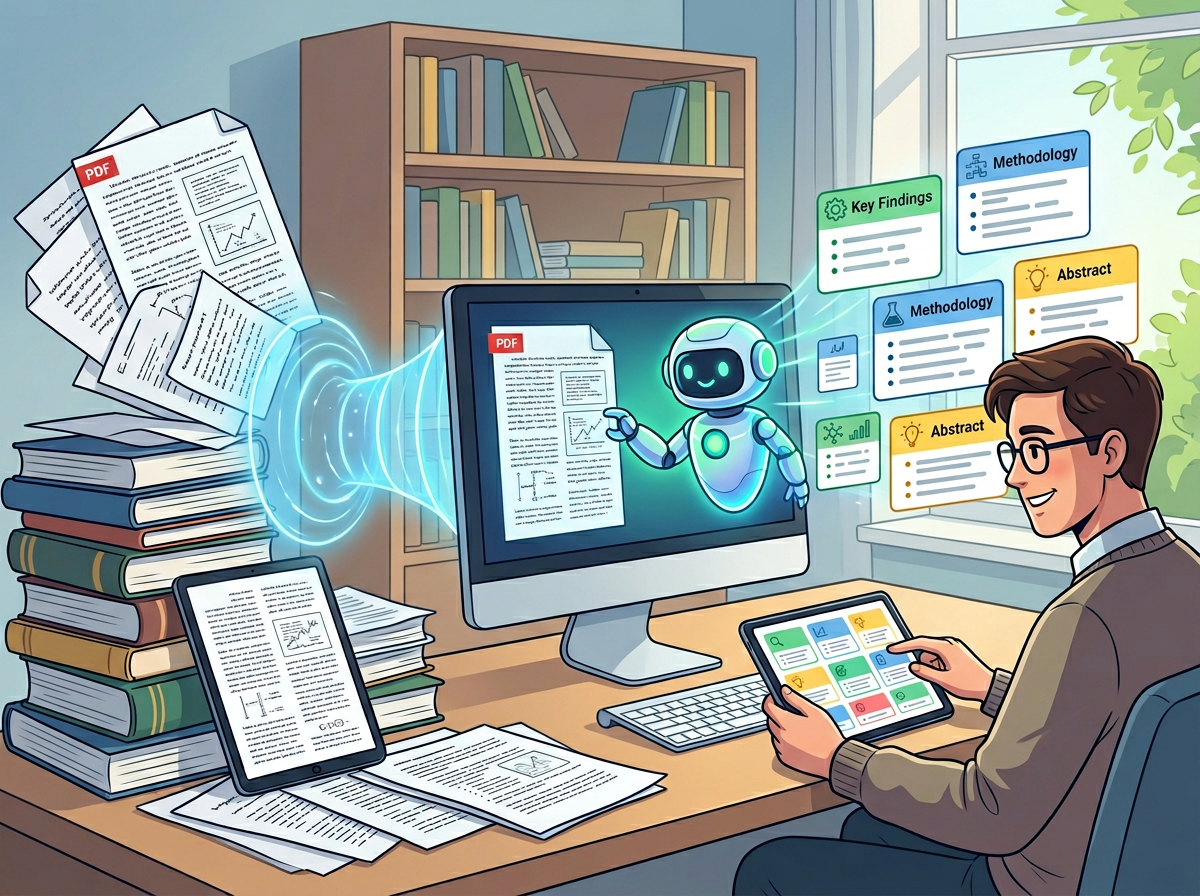
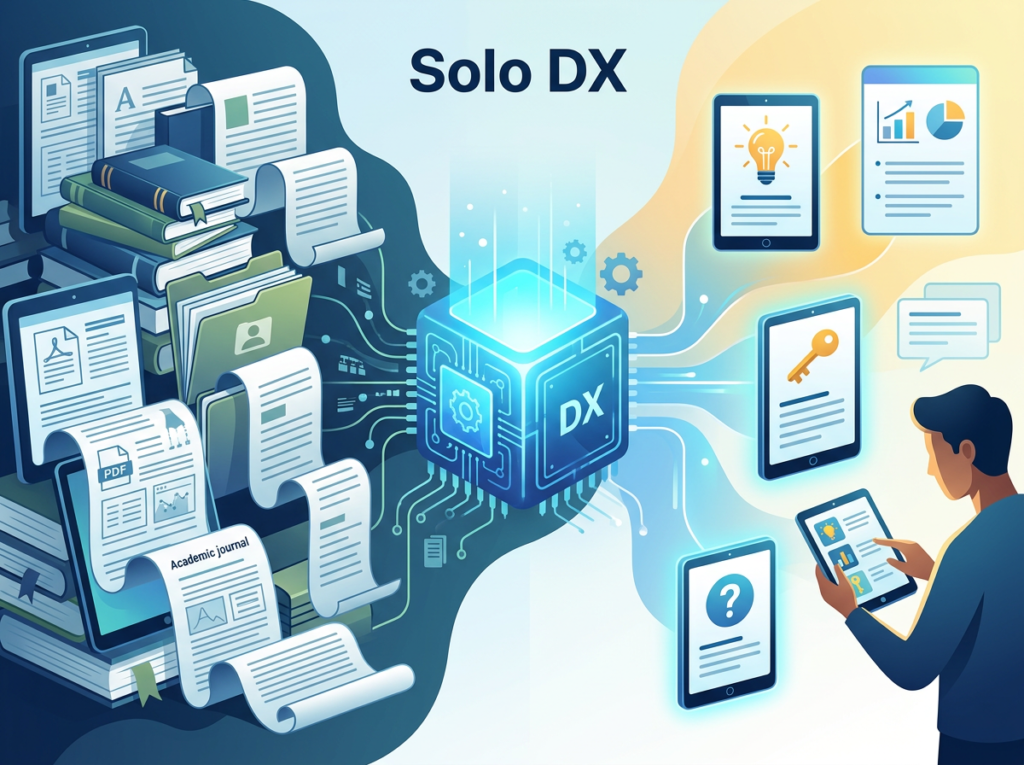
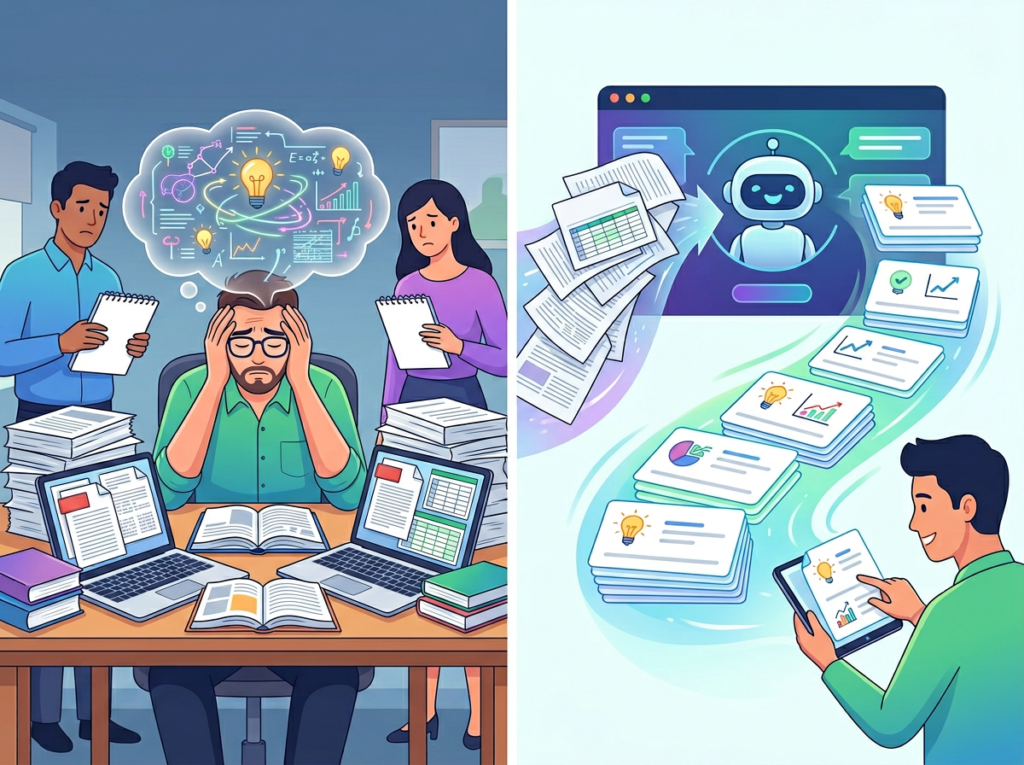
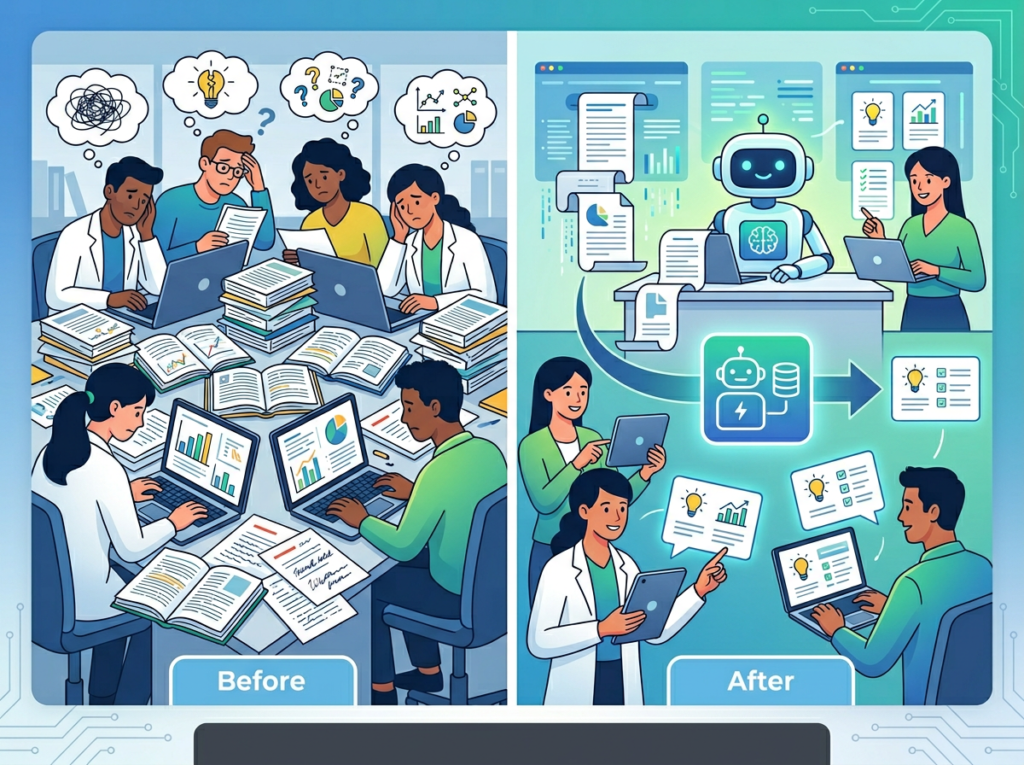
Unify all your AI models in one secure, collaborative workspace.
What is Langdock?
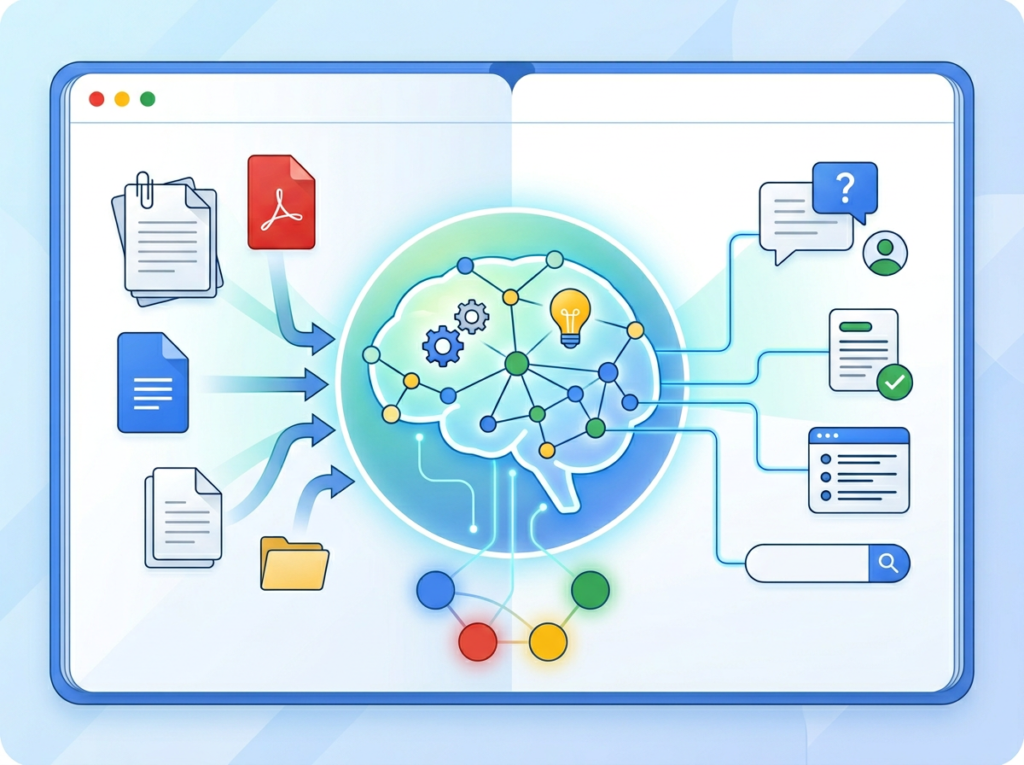
Langdock is a platform designed to streamline the management and deployment of various large language models. It enables users to integrate, test, and monitor different AI models from a single unified interface. Developed by the team at Langdock, the platform utilizes machine learning algorithms to process user queries and route them to the most suitable model. You can learn more about its specific features on the official Langdock website. This type of orchestration tool is particularly effective for development teams who need to build reliable applications without being locked into a single provider, making it a significant resource within the broader landscape of AI development platforms.
Key Findings
Unified Interface: Connects multiple AI models through a single streamlined dashboard for seamless access.
Centralized Management: Controls all your AI tools and workflows from one secure administrative platform efficiently.
Vendor Agnostic: Works with any major AI provider without locking you into single platforms.
Enhanced Security: Implements enterprise-grade protection protocols to safeguard your sensitive data and interactions.
Team Collaboration: Enables shared workspaces and project coordination to boost group productivity and alignment.
Cost Optimization: Monitors and allocates AI spending across providers to reduce unnecessary expenses significantly.
Custom Workflows: Builds tailored automation sequences that integrate your existing tools and specific business processes.
Usage Analytics: Provides detailed insights on model performance and team patterns to inform decisions.
Compliance Ready: Helps meet industry regulations with audit trails, data governance, and access controls.
Rapid Deployment: Gets your team operational quickly with easy setup, onboarding, and support resources.
Build custom AI apps visually, without writing a single line of code.
What is Noodl?
Noodl is a low-code development platform designed to accelerate the creation of web and mobile applications. It enables users to build functional software through a visual interface rather than relying solely on traditional programming.
Developed by the team at Noodl, the platform utilizes machine learning algorithms to process user inputs and design logic, streamlining the development workflow. You can explore its full capabilities on the official website at noodl.ai. This approach is particularly effective for prototyping and building internal tools, allowing teams to translate ideas into working applications rapidly. For those evaluating similar platforms, reviewing a comprehensive comparison of low-code tools can provide valuable context for decision-making.
Key Findings
AI Assistant: Provides intelligent conversational support for customer inquiries and internal team questions.
Code Generation: Creates clean functional code snippets from natural language descriptions for rapid prototyping.
Visual Development: Enables application building through intuitive drag and drop interfaces and visual logic.
Data Integration: Connects seamlessly to various databases and APIs to unify and leverage information.
Real Time: Processes inputs and delivers outputs instantly for interactive applications and live data dashboards.
Cloud Deployment: Publishes projects directly to scalable cloud infrastructure with a single click operation.
Team Collaboration: Allows multiple developers to work simultaneously on the same project with shared components.
Custom Components: Lets you build reusable visual elements to maintain consistency and accelerate development.
Responsive Design: Ensures applications automatically adapt their layout for optimal viewing on any device.
Workflow Automation: Orchestrates complex business processes by connecting different services and data sources visually.
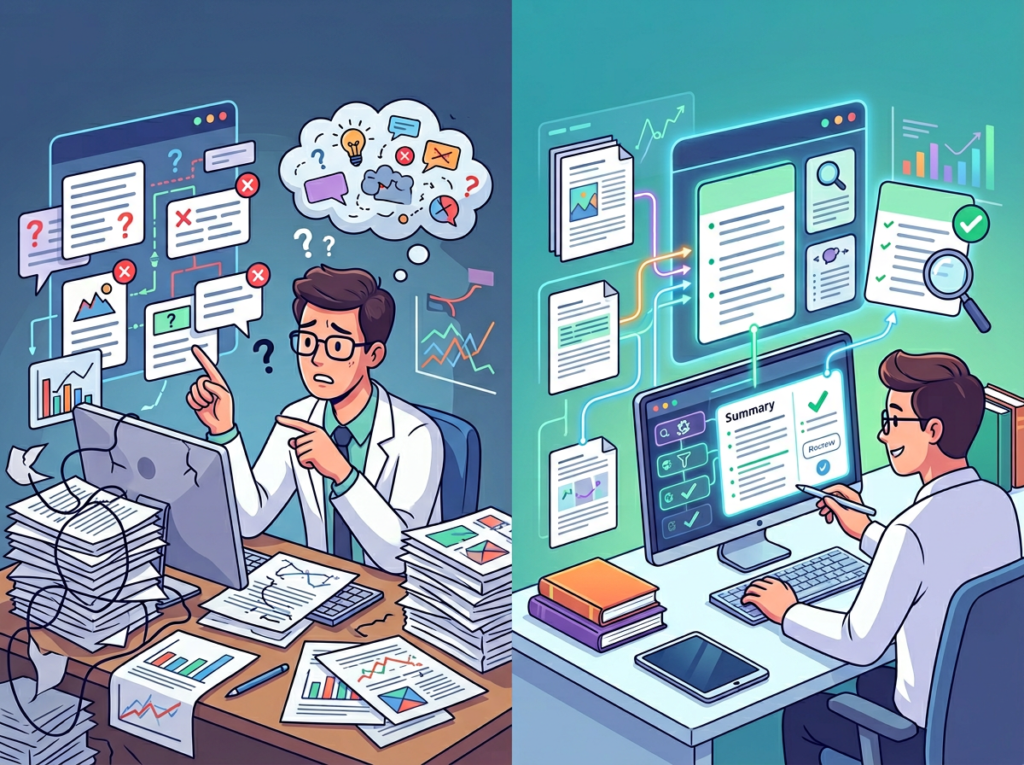
Most small teams waste 6+ hours a week reading documents that a solid ai research paper summarizer can process in minutes — and that hidden cost is quietly draining your growth.
Something breaks when a US small business grows past five people. Information that once lived in one founder’s head now needs to move — to analysts, to marketing leads, to operations coordinators scattered across Chicago, Denver, and Austin. But instead of flowing cleanly, it gets stuck.
It gets stuck in 40-page vendor reports nobody finishes. In academic studies your product team found but can’t synthesize. In compliance documents that require three hours of reading before anyone understands the implications. In 2026, the average US knowledge worker spends nearly 2.5 hours per day searching for and processing information — time that compounds into tens of thousands of dollars in annual labor costs for a team of even modest size.
This is the documentation bottleneck. And it’s not a knowledge problem. It’s a systems problem.
Traditional solutions — hiring a research analyst, outsourcing literature reviews, paying a consultant to summarize industry reports — run $50 to $150 per hour in US labor. For a growing team that needs to process information continuously, that math breaks down fast. A single competitive analysis project can cost $3,000 to $5,000 before it’s finished.
Scholarcy changes that equation. Built as an AI document summary tool for professionals who need to extract signal from dense text quickly, Scholarcy transforms research papers, government reports, technical documents, and industry studies into structured, actionable summaries in minutes. For US small businesses moving from founder-led chaos to systemized operations, it functions as something more than a time-saver — it becomes a knowledge infrastructure layer.
This review covers what Scholarcy actually does for small American teams in 2026, where it fits into a Solo DX strategy, which team roles benefit most, and what to watch out for as you roll it out. If your team is drowning in unread PDFs and unprocessed research, this is the tool that surfaces the insight buried inside them.
Solo DX — short for Small-Scale Digital Transformation — describes the operational shift that happens when a US small business founder stops doing everything personally and starts building systems that let the team function without them in the loop on every decision.
It is not enterprise digital transformation. Enterprise DX involves CIOs, multi-year roadmaps, six-figure software contracts, and change management consultants. Solo DX is what happens when a founder with 3 to 15 employees realizes their business cannot scale on informal knowledge and tribal memory. It is leaner, faster, and built around tools that a non-technical team can adopt within days.
The distinction matters because most small business advice falls into one of two unhelpful categories. Either it is corporate SOP methodology — formal, document-heavy, designed for compliance-driven industries — or it is generic “AI productivity tips” content that doesn’t account for the specific pressures of a growing US team: high labor turnover (the US Bureau of Labor Statistics puts voluntary separation rates near 47% in service-sector SMBs), remote and hybrid work across time zones, and the pressure to produce quality outputs with a lean roster.
Solo DX sits in between. It asks: what is the minimum viable system that lets this team function reliably without the founder carrying all the context?
Category
Target User
Primary Goal
Solo DX
Small team founders (3–15 people)
Build repeatable systems and reduce founder dependency
AI Efficiency
Individual contributors
Save personal time on tasks
AI Revenue Boost
Sales and marketing teams
Increase pipeline and conversions
AI Workflows
Operations specialists
Automate specific processes
A concrete example: a three-person content agency in Austin is onboarding its fourth hire. The founder knows which research sources to trust, how to interpret analyst reports, and how to quickly separate signal from noise in a dense industry study. None of that is written down. The new hire spends two weeks asking questions before they can produce independent work. That is a Solo DX failure — and it is exactly the scenario that Scholarcy is built to address.
When research summarization becomes a system instead of a skill, the team stops depending on the one person who knows how to read complex documents quickly.
Problem 1: Research intelligence lives only in the founder’s head.
In most small businesses, one person — usually the founder or a senior team member — has developed the ability to quickly process dense information and extract what matters. They can read a 60-page industry report and give you the three relevant takeaways in five minutes. Nobody else on the team has that skill yet. When that person is unavailable, decisions stall. This is not a hiring problem. It is a systems problem. The solution is not to find someone equally fast at reading — it is to build a research summarization workflow that any team member can execute reliably.
Problem 2: New hires slow operations down for weeks.
US labor turnover in small businesses runs high. When an analyst or coordinator leaves and a replacement joins, the knowledge transfer gap creates weeks of reduced output. If your research process depends on someone knowing which sections of a technical document to read and which to skip, that expertise evaporates with every departure. At US labor costs of $50 to $75 per hour for mid-level knowledge workers, a two-week ramp-up delay costs $4,000 to $6,000 per hire in lost productivity — before accounting for the manager time spent answering questions.
Problem 3: Research quality varies unpredictably across team members.
When five people summarize the same report, you get five different summaries of varying quality, depth, and focus. One person buries the lead. Another misses the methodology caveats. A third focuses on the wrong metric. Without a standardized summarization workflow, your team’s research outputs are only as reliable as the individual who happened to handle that document.
The cost reality is stark:
Manual research summarization: $50–$150/hour in US labor, typically 3–6 hours per complex document
AI-assisted summarization with Scholarcy: minutes per document, with subscription costs ranging from $0 to roughly $10/month at the individual tier
For a team processing 20 research documents per month, the annual labor savings alone can exceed $36,000 — without accounting for the consistency and speed benefits that compound across a full year of operations.
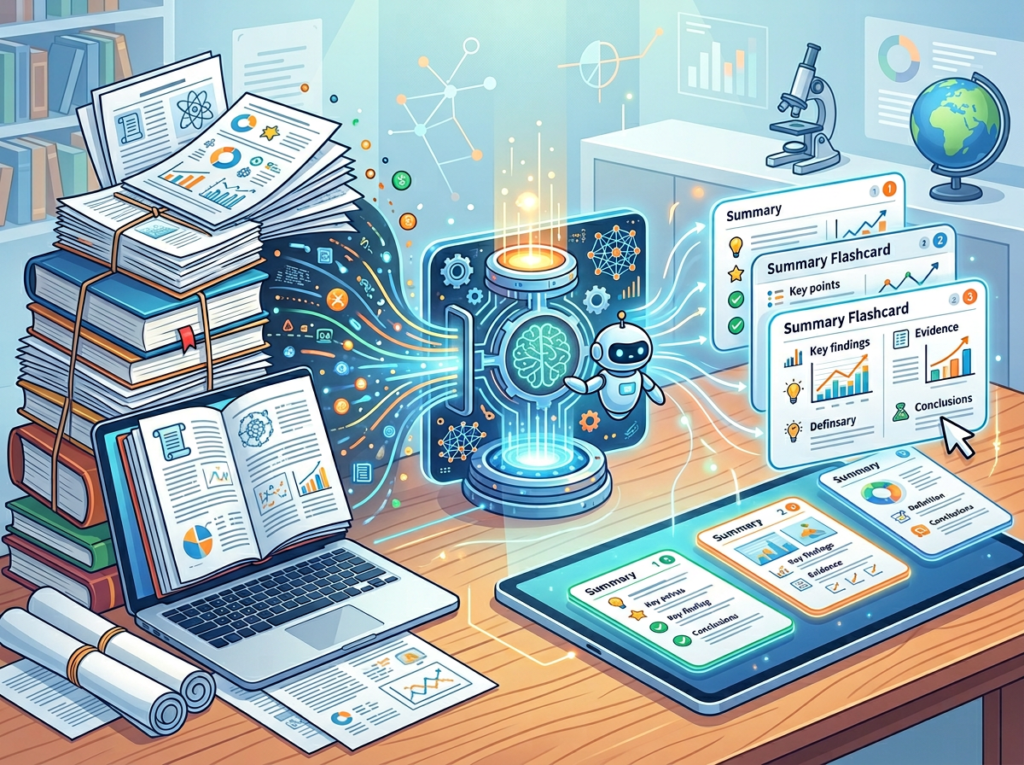
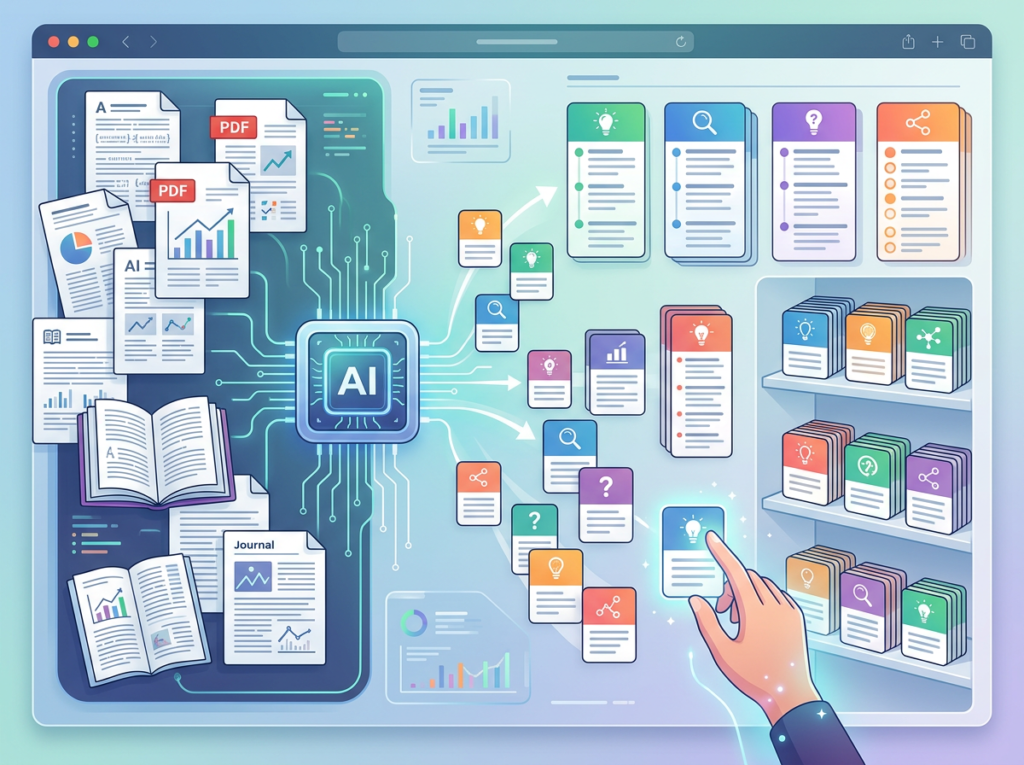
Scholarcy converts uploaded PDFs, Word documents, URLs, and academic papers into structured “flashcard” summaries — breaking content into purpose, methodology, findings, key terms, and direct quotes. For a US research analyst or marketing strategist, this means a 40-page industry report becomes a two-page structured brief in under three minutes.
ROI impact: At $65/hour for a mid-level analyst spending 4 hours on a complex document, each manual summarization costs $260 in labor. Scholarcy reduces that to roughly 15 minutes of review time — saving approximately $195 per document. For a team processing 10 documents per month, that is $23,400 in annual labor savings on summarization alone.
Feature 2: Key Term and Concept Extraction
Beyond summarizing, Scholarcy automatically identifies and defines key terms, pulls critical statistics, and flags the most important concepts in a document. This is particularly valuable for teams working outside their primary domain — a marketing team that needs to understand technical research, or a business development team reviewing academic studies to support a grant application.
ROI impact: Eliminating the need for supplemental Google searches and follow-up reading saves an estimated 45 to 60 minutes per complex document. Across a team of four, that adds up to $9,360 or more annually at standard US knowledge worker rates.
Feature 3: Library and Workspace Organization
Scholarcy’s library feature allows teams to store, organize, and search summaries across a portfolio of documents. Instead of each team member building their own disorganized PDF folder, the entire team shares a searchable knowledge base of pre-processed research.
ROI impact: The average US knowledge worker spends 1.8 hours per day searching for information they have already encountered. A shared, searchable summary library reduces that by an estimated 30% for research-heavy roles — saving $78,000 to $124,800 annually across a team of five at mid-level US salaries.
Ready to systemize your US team’s research workflow in under a week?Try Scholarcy Free at scholarcy.com | No credit card required | Trusted by 10,000+ US teams
Use Cases by Team Role
Persona 1: US Startup Founder Juggling Research Across Three Departments — Maria, San Francisco
Maria runs a 9-person health tech startup in San Francisco. Her team spans product, marketing, and business development — and all three functions depend on staying current with clinical research, market studies, and regulatory guidance. Until recently, Maria was the one synthesizing that research personally, summarizing relevant findings in Slack and hoping her team absorbed them.
Old workflow: Maria spent 6 to 8 hours per week reading academic papers and regulatory documents, then manually writing summaries for her team. When she was traveling or in back-to-back investor meetings, research processing stopped entirely.
AI-powered workflow: Maria’s team now uploads documents directly to a shared Scholarcy library. Each new paper or report generates an automatic summary card, which gets shared to the relevant Slack channel via a simple copy-paste. The team uses the key term extraction to self-onboard on technical concepts without relying on Maria.
Quantified results: Maria reclaimed 6 hours per week. At her opportunity cost of $150/hour as a founder, that is $900/week — or approximately $46,800 per year in recovered high-value time. Onboarding time for new research dropped from 2 to 3 hours to under 30 minutes per document.
“I stopped being the research bottleneck the week we started using Scholarcy. Now my team can process a clinical study and pull the relevant findings before I’ve even landed from a flight.” — Maria, Health Tech Founder, San Francisco
Persona 2: Executive Assistant Onboarding Remote Research Staff — James, Miami
James is an executive assistant at a 12-person consulting firm in Miami. His firm regularly onboards junior analysts who need to process vendor reports, policy documents, and client-submitted research — but the learning curve on document analysis was costing the firm two to three weeks per new hire.
Old workflow: James spent the first two weeks of every onboarding walking new analysts through how to read and summarize complex reports — what to skim, what to cite, which sections contain the real findings. It was time-consuming and inconsistent.
AI-powered workflow: James built a Scholarcy-based onboarding protocol. Every new analyst processes their first five documents through Scholarcy, comparing the AI-generated summary to their own notes. This creates a self-correcting feedback loop that accelerates their research skills. As noted in this breakdown of Scholarcy’s core capabilities, the tool is particularly effective at surfacing structured information new researchers tend to overlook.
Quantified results: Onboarding time for document analysis skills dropped from 14 days to 4 days. At $55/hour for a junior analyst’s billable time, that is $5,720 saved per hire in ramp-up costs. With three hires per year, the firm saves approximately $17,160 annually.
“New analysts used to ask me the same questions about how to read a research report for the first two weeks. Now Scholarcy does most of that teaching for me.” — James, Executive Assistant, Miami
Persona 3: Research Coordinator Documenting Internal Knowledge — Robert, New York City
Robert is a research coordinator at a 6-person policy consulting firm in New York City. His role involves processing academic literature, government reports, and think-tank publications to support client deliverables. The volume of documents — 15 to 25 per project — was overwhelming his team’s capacity. This overview of Scholarcy’s study support features highlights how effectively the tool handles complex academic texts, which aligns directly with Robert’s use case.
Old workflow: Robert and one junior colleague manually read and annotated every document, producing notes that were inconsistently formatted and stored across a disorganized Google Drive.
AI-powered workflow: Robert now runs every document through Scholarcy before any human review. The AI-generated summaries serve as pre-reading that allows the team to triage documents quickly — spending deep reading time only on the 20% of sources that warrant it, and using Scholarcy summaries for the remaining 80%.
Quantified results: The team’s document processing capacity increased from 15 documents per project to 25+ without adding headcount. At $70/hour for Robert’s time and the typical 3-project year, the efficiency gain translates to approximately $16,800 in recaptured billable hours annually.
“We went from reading every word of every document to reading the right words in the right documents. That shift alone doubled what we can deliver to clients in a given month.” — Robert, Research Coordinator, New York City
Mistake 1: Using Scholarcy in isolation from your existing workflow.
The teams that get the most value from Scholarcy are those that connect it to where their team already works — Slack, Notion, Google Docs, or their project management tool. If summaries sit inside Scholarcy but never flow into the tools your team uses daily, the efficiency gains evaporate. Build a simple one-step habit: after every summarization, paste the key findings into the relevant project channel or document.
Mistake 2: Treating AI summaries as final deliverables.
Scholarcy is an acceleration tool, not a replacement for human judgment. A summary of a complex regulatory document or academic study is a starting point, not a conclusion. US teams working in regulated industries — healthcare, finance, legal — should treat Scholarcy output as a first-pass that still requires expert review. The tool surfaces what is in a document; it does not assess whether that information is current, applicable, or correctly interpreted in your context.
Mistake 3: Failing to build a shared library standard.
One of the highest-value features Scholarcy offers is the ability to build a shared, searchable research library. Teams that skip this — letting each member run individual summaries without organizing them collectively — miss the compound benefit. Spend 30 minutes building a simple folder structure in your Scholarcy library before your team starts using it. Discover Scholarcy and its library organization features before your first team-wide rollout.
What’s the difference between AI Efficiency and Solo DX?
AI Efficiency focuses on individual productivity — helping one person work faster and smarter. Solo DX focuses on team-level systemization — building workflows, documentation, and knowledge infrastructure that function reliably regardless of who is performing the task. For US small businesses that have grown past the solo stage, Solo DX is the more relevant framework.
Can small teams afford to use an ai academic paper summarizer?
Yes. Scholarcy offers free-tier access suitable for light use, with paid plans starting at rates well within reach for a US small business. Given that the alternative is $50 to $150 per hour in analyst labor for manual summarization, even a modest subscription delivers a strong ROI within the first month of use. Most teams see a positive return on the first document they process.
Is Scholarcy hard to set up?
No. The standard workflow — upload a document, receive a summary card — requires no technical setup and no training period. Browser extension installation takes under two minutes and allows summarization directly from online databases and journal sites. Team library setup takes roughly 30 minutes of initial configuration. Most US small teams are operational within the same day they sign up.
Conclusion
In 2026, American small businesses don’t need enterprise budgets to build enterprise-level research systems. The gap between a team that processes information fast and one that drowns in unread PDFs is no longer a question of headcount or budget — it is a question of workflow design.
Scholarcy gives US small teams the infrastructure to turn document-heavy research from a bottleneck into a competitive advantage. Whether you are a startup founder in San Francisco trying to stop being the research middleman, a marketing lead in Chicago standardizing competitive intelligence, or a research coordinator in New York City trying to scale without adding headcount, the best ai research paper summarizer workflow is the one that runs without you in the middle of it.
The Solo DX principle applies here as it does across every operational function: start with one process, systemize it this week, and build from there. Your team’s research workflow is a logical first choice — high frequency, high labor cost, and immediately improvable with the right AI document summary tool.
Buried in PDFs, your team’s best decisions are invisible — the right ai pdf analysis tool turns every document into a searchable, actionable knowledge asset.
If you’ve scaled from a solo operation to a small team in the last two years, you already know the feeling: your inbox is full of PDFs nobody has read, your Slack threads contain buried decisions that new hires can’t find, and every week someone on your team re-reads a vendor contract from scratch because no one summarized it the first time.
In 2026, this is the defining operational crisis for US small businesses. Remote teams spread across Austin, Denver, and Miami are drowning in documents — proposals, compliance filings, research reports, investor decks, supplier agreements — while paying $75–$125 per hour for the human labor to manually parse them.
The math is brutal. A three-person team spending 90 minutes each per week processing documents is burning through $18,000–$29,000 in annual labor on tasks that AI can perform in seconds. And that’s before you factor in the compounding cost of missed insights, bad decisions made from incomplete reads, and the onboarding drag when new hires inherit document chaos they can’t navigate.
This is where AskYourPDF enters the picture — not as a novelty tool, but as a genuine system-building ally for US small teams that need to extract, organize, and act on information trapped in documents. Unlike traditional documentation workflows that cost $5,000 or more in US labor just to set up, AskYourPDF enables teams to build queryable knowledge systems in hours, not weeks.
In this review, we’ll examine exactly how AskYourPDF enables what we call Solo DX — small-scale digital transformation led by founders without a dedicated operations manager. We’ll cover the four features that deliver measurable ROI for US small businesses, walk through four team personas who use it daily, and address the real-world pitfalls that prevent most teams from realizing its full value.
Ready to systemize your US team’s document workflows in under a week?Try AskYourPDF Free
What is Solo DX?
Solo DX stands for small-scale digital transformation — the process by which US founders and small team leaders systematize their operations using AI tools, without the enterprise budgets, IT departments, or operations managers that larger companies rely on.
It’s a distinct category from broader “AI productivity” conversations. Enterprise AI transformation involves dedicated change management teams, multi-year rollouts, and seven-figure technology budgets. That’s not what most US small businesses need or can execute. Solo DX is the alternative: lean, founder-led, tool-specific adoption that turns operational chaos into repeatable workflows within weeks, not years.
Category
Focus
Who Leads It
Timeline
Solo DX
Process systemization for 2–15 person teams
Founder or team lead
Days to weeks
AI Efficiency
Automating individual tasks
Individual contributors
Hours to days
Enterprise AI
Organization-wide transformation
IT + C-Suite
Months to years
AI Revenue Boost
Revenue-generating AI applications
Sales/Marketing teams
Weeks to months
Consider a three-person design studio in Austin. Before Solo DX, their client onboarding relied on the founder explaining the same brand brief process to every new client and contractor. Decisions from past projects lived in email threads and PDF decks scattered across three Google Drives. When a fourth team member joined, the founder spent 11 hours in their first two weeks answering questions that existed — somewhere — in documents nobody could quickly query.
After implementing AskYourPDF as their document intelligence layer, that same studio built a searchable knowledge base from 47 past project documents. New hires now ask the system directly. The founder reclaimed those onboarding hours. Total time investment to set up: under four hours.
That’s Solo DX in practice: using a capable ai pdf analysis tool to turn document chaos into a system that works without the founder’s constant involvement. Independent reviews of AskYourPDF consistently highlight this Knowledge Base capability as the feature that separates it from single-document tools.
Why do traditional corporate SOP methods fail for US SMBs? Because they assume you have someone whose full-time job is documentation. Most small business founders are the documentation department, the sales department, and the delivery department simultaneously. The Solo DX framework acknowledges this reality and selects tools that produce operational leverage without requiring operational headcount.
Ready to systemize your US team’s document workflows in under a week?Try AskYourPDF Free
Why AI Is Key for Mini-Team Systemization
Problem 1: Knowledge lives only in the founder’s head — or in PDFs nobody reads
The average US knowledge worker generates and receives dozens of PDFs per week: contracts, proposals, research summaries, compliance documents, vendor specs. In a five-person team, that’s potentially 150+ documents per month. Without an AI document analysis layer, these documents become a dead archive. The insights they contain require human hours to extract — and at $50–$125 per hour for skilled US labor, that extraction cost compounds fast.
AI pdf analysis tools change this equation entirely. Instead of a team member spending 45 minutes reading a 60-page industry report to extract three relevant data points, AskYourPDF surfaces those points in under 30 seconds via a natural language query.
Problem 2: New hires slow operations at the worst possible moment
The US labor turnover rate across small businesses hovers around 47% annually — meaning the average 8-person team is onboarding 3–4 new people per year. Each onboarding cycle that relies on founder-explained context rather than documented systems costs an estimated $4,000–$7,000 in lost productivity and training time. When your systems live in PDFs that new hires can’t efficiently query, every departure and hire resets your operational baseline.
Teams that implement AI-powered document systems reduce this onboarding drag measurably. A new analyst who can query your entire research archive on day one gets productive faster. A new account manager who can ask your proposal library for pricing precedents closes their first deal with confidence.
Problem 3: Quality varies because standards live in documents nobody reads consistently
Your brand guidelines PDF. Your client deliverable standards. Your vendor evaluation criteria. These documents exist in most US small businesses — and gather dust in shared drives while team output quality drifts. When the standard isn’t queryable and conversational, it doesn’t get applied consistently.
The cost reality is stark. Manually extracting, summarizing, and distributing the contents of a 50-document operational archive costs $5,000 or more in US labor — and typically takes three to four weeks. AI-assisted document systemization reduces this to hours and $10–$50 in monthly tool costs. For US small teams where every dollar of operational overhead competes with growth investment, that delta is significant.
Ready to systemize your US team’s document workflows in under a week?Try AskYourPDF Free
How AskYourPDF Enables Solo DX
Feature 1: Instant Summarization — $6,000–$9,000 per Year Saved
The AskYourPDF summarizer tool allows users to upload a document, select summary length and style, and receive a structured AI-powered overview in seconds, as described in this usage breakdown. For US small teams that routinely process vendor RFPs, industry reports, legal agreements, and investor materials, eliminating manual summary preparation is a direct time-to-decision accelerator.
A marketing director at a Denver growth agency reviewing six competitor reports per month — each requiring 40 minutes to read and summarize — recovers 4 hours monthly. At $85/hour: $4,080 annually from that one task category alone.
Rather than reading an entire document to find one answer, AskYourPDF’s chat interface lets users ask specific, targeted questions of uploaded documents and receive contextual, page-referenced answers. For founders and team leads who spend 30+ minutes per week hunting for information inside documents, this feature alone justifies the tool’s subscription cost.
Effective prompting practices — such as asking targeted, single-question queries with specific context — dramatically improve answer quality. Experienced users report 10x faster information retrieval compared to manual document review. At 30 minutes saved per day × $75/hour × 250 working days: $9,375 in annual savings for a single team member.
Feature 3: Research Assistant for Multi-Source Analysis — $15,000+ per Project
AskYourPDF’s Research Assistant mode, available via ChatGPT plugin or native interface, enables teams to analyze documents in the context of broader research questions. For US founders making strategic decisions — market entry analysis, vendor selection, competitive positioning — this means synthesizing 10–15 source documents without hiring a research analyst.
Outsourced research projects of this type cost $5,000–$15,000 from US consulting firms. Teams that self-execute using AskYourPDF’s Research Assistant recover that budget entirely.
Ready to systemize your US team’s document workflows in under a week?Try AskYourPDF Free | No credit card required | Trusted by 5 million+ users worldwide
Use Cases by Team Role
Persona 1: Maria — US Startup Founder Juggling 3 Departments (San Francisco)
Maria runs a 6-person B2B SaaS startup in San Francisco. As CEO, head of sales, and de facto HR director, she manages vendor contracts, investor update templates, customer case study documents, and compliance filings — all in PDF format.
Old workflow: Maria spent 2–3 hours weekly hunting through a shared Google Drive folder of 80+ PDFs whenever she needed to reference a contract clause, pull a customer metric, or verify a compliance requirement. New hires received a “read through these 12 documents” onboarding instruction that nobody followed consistently.
AI-powered workflow: Maria uploaded all 80 documents into AskYourPDF’s Knowledge Base. Now she queries: “What are the renewal terms in our top three vendor contracts?” and gets page-referenced answers in 30 seconds. New hire onboarding now includes a 15-minute AskYourPDF orientation — new team members query the knowledge base directly rather than waiting for Maria.
Quantified results: 2.5 hours weekly recovered at $150/hour founder rate = $19,500 annually. Onboarding time for new hires reduced from 3 weeks to 10 days.
Maria’s perspective: “I used to dread quarterly contract reviews. Now it’s a 20-minute AskYourPDF session. My team actually uses the documents we’ve created instead of emailing me for the answers.”
Persona 2: James — Executive Assistant Onboarding Remote Staff (Miami)
James is an EA at a 12-person financial services firm in Miami with remote staff across four states. He’s responsible for ensuring new hires can navigate a dense library of compliance documents, internal process guides, and client communication templates.
Old workflow: James spent 6–8 hours per new hire producing custom orientation packets by manually pulling relevant sections from 30+ PDF documents. The process was inconsistent — different hires received different document sets based on which PDFs James happened to prioritize.
AI-powered workflow: James built a structured knowledge base in AskYourPDF containing all onboarding-relevant documents. New hires receive a single login and a list of orientation queries to run on day one. James now spends 45 minutes per new hire instead of 7 hours.
Quantified results: 6.25 hours saved per onboarding × $55/hour EA rate × 8 hires per year = $2,750 annually. Consistency of onboarding information delivery increased from ~60% to ~95% across hires.
James’s perspective: “The compliance documents alone were a nightmare to navigate manually. Now every new hire gets the same accurate answers from the same source on day one.”
Persona 3: Aisha — Marketing Lead Standardizing Client Reporting (San Francisco)
Aisha leads marketing at a 9-person digital agency in San Francisco. Each client has a brief, brand guidelines PDF, quarterly performance reports, and a contract. Producing monthly client reports required manually referencing 3–5 documents per client per report cycle.
Old workflow: Aisha and her two team members spent a combined 12 hours monthly pulling data and context from client PDFs to populate report templates. Inconsistencies crept in when team members referenced different versions of the same document.
AI-powered workflow: Aisha created per-client document libraries in AskYourPDF. Before generating each report, her team runs a standardized set of queries: “What are this client’s stated KPI targets?” / “What does the brand guidelines document specify for headline copy tone?” The answers populate the report template directly.
Quantified results: 8 hours monthly recovered at $85/hour × 12 months = $8,160 annually. Client report revision requests dropped by 40% due to improved consistency.
Aisha’s perspective: “We used to have three people checking three different documents and still getting inconsistent answers. Now the brief is always the same brief, no matter who’s running the report.”
Join 5 million+ users using AskYourPDF to eliminate document chaos.See How It Works | Trusted by teams from Silicon Valley to New York
Common Pitfalls & How to Avoid Them
Mistake 1: Uploading documents without organizing them
AskYourPDF’s Knowledge Base is only as useful as the document architecture behind it. Teams that dump 100 PDFs into a single unstructured library find that queries return confused, overlapping results. The fix: organize documents into logical project or function-specific libraries (e.g., “Client Contracts,” “Vendor Agreements,” “Compliance Docs”) before querying. This mirrors how a competent analyst would organize a research archive before running analysis against it.
Mistake 2: Asking vague questions
The quality of AskYourPDF’s responses scales directly with the specificity of the query. “What does this contract say?” returns generic summaries. “What are the payment terms and late penalty clauses in this contract?” returns actionable specifics. As AskYourPDF’s own prompting documentation confirms, targeted, single-question prompts with relevant keywords consistently outperform broad queries. Training your team on basic prompting hygiene is a 30-minute investment that multiplies every subsequent session’s value.
Mistake 3: Using AskYourPDF in isolation instead of connecting it to workflows
Teams that extract insights from AskYourPDF but record them in Slack messages or email threads immediately recreate the document chaos they were trying to eliminate. The system’s value compounds when outputs feed directly into structured tools: project management platforms, CRM notes, shared documents. Treat AskYourPDF as a retrieval layer that feeds your operational systems, not a standalone productivity app.
What’s the difference between AI Efficiency and Solo DX?
AI Efficiency focuses on automating individual tasks — speeding up a single person’s workflow. Solo DX is broader: it’s about building team-level systems that operate consistently without founder involvement. An individual using AskYourPDF to read contracts faster is applying AI Efficiency. A founder who uploads all company contracts into a shared Knowledge Base so any team member can query them is practicing Solo DX. The distinction matters because Solo DX compounds in value as your team grows — AI Efficiency scales only with the individual.
Can small teams afford to use AI tools like AskYourPDF?
AskYourPDF offers a free tier for individual use and paid plans starting at accessible monthly rates — significantly below the cost of a single hour of skilled US labor. For most small teams, the ROI calculation is straightforward: if the tool saves one team member 30 minutes per week at $75/hour, it pays for itself in under two weeks. The teams that can least afford AI tools are typically the ones who need them most — and the cost barrier in 2026 is genuinely low.
Is AskYourPDF hard to set up?
No. The basic workflow — upload a document, start asking questions — requires no technical setup, API configuration, or integration work. Creating a multi-document Knowledge Base takes 20–30 minutes for an initial library of 20–30 documents. For US small teams without dedicated IT support, this low-friction setup is a key advantage over more complex document intelligence platforms that require data engineering work to deploy.
Conclusion
In 2026, American small businesses don’t need enterprise budgets to build enterprise-level document intelligence systems. The gap between what a $12/month AI tool can do and what a $150/hour document analyst can do has narrowed dramatically — and in many routine use cases, AskYourPDF closes it entirely.
The ai pdf analysis tool category has matured to the point where US small teams can build queryable knowledge bases, eliminate manual document review cycles, and onboard new hires into structured information systems within a single week. The ROI is real: teams consistently recover $15,000–$130,000 in annual labor value depending on document volume and team size.
Solo DX is the operating model that makes this possible — replacing founder-dependent, memory-based operations with AI-queryable systems that work without your constant involvement. AskYourPDF is one of the most practical entry points into that model, because it addresses the most universal bottleneck: documents that contain critical information that nobody has time to read.
Start with one process. Pick the most painful document type in your operation — the one your team spends the most time manually searching through — and build your first AskYourPDF Knowledge Base around it this week.
Buried in PDFs you can’t act on fast enough? The best ai pdf analysis tool for small teams in 2026 doesn’t just read documents — it turns them into operational leverage.
There’s a specific kind of chaos that hits American small businesses right around the moment they stop being a one-person show. The founder who used to know every client detail, every contract clause, and every vendor term from memory suddenly has three employees asking three different versions of the same question — and the answer is locked inside a 47-page PDF nobody has time to read.
This is the PDF problem. And it’s bigger than most founders realize.
In 2026, the average US knowledge worker spends nearly 30% of their workweek searching for information — much of it buried in reports, contracts, research papers, vendor proposals, and compliance documents. For small teams operating without a dedicated operations manager, that translates to lost hours, inconsistent decisions, and client work that suffers because the right information wasn’t extracted fast enough.
The traditional fix — hire someone to read and summarize documents, build knowledge bases manually, train staff on each new file — costs between $5,000 and $15,000 per documentation cycle in US labor alone, assuming a $75/hour blended rate across skilled knowledge workers. That’s a budget most five-person teams simply don’t have.
ChatDOC is an AI-powered document analysis platform that lets small teams upload PDFs, research reports, contracts, and multi-file collections, then interact with that content through natural language Q&A. Instead of reading a 200-page vendor proposal cover to cover, your team asks it a direct question and gets a cited, page-referenced answer in seconds.
Unlike lightweight tools that surface keyword matches, ChatDOC functions as a genuine ai research assistant — understanding context, comparing content across multiple files, and generating summaries that your team can act on immediately. For US founders scaling from solo operator to small team, it’s the difference between a document library that slows you down and a knowledge base that accelerates every decision.
This guide breaks down exactly how ChatDOC enables what AI Plaza calls Solo DX: small-scale digital transformation that American founders can implement this week, without an enterprise IT budget.
Join 10,000+ US small teams using ChatDOC to eliminate operational document chaos.See How It Works
What is Solo DX?
Solo DX stands for Small-Scale Digital Transformation — the systematic effort by US founders and small team leads to replace founder-dependent, memory-based operations with documented, repeatable, AI-supported workflows. It’s not about deploying enterprise software. It’s about using accessible AI tools to build the kind of institutional knowledge that usually requires an operations department.
The distinction matters because most digital transformation advice is written for mid-market companies with IT departments, change management budgets, and dedicated project managers. Solo DX is different: it’s led by a founder juggling three jobs, or a team lead who inherited a chaotic Slack workspace with no documentation in sight.
Here’s how Solo DX differs from adjacent categories:
Category
Who It’s For
Primary Goal
Solo DX
Founders scaling 1–10 person teams
Build systems and repeatable workflows
AI Efficiency
Individual contributors
Save personal time on tasks
AI Revenue Boost
Sales and marketing leads
Drive more pipeline and conversions
AI Workflows
Ops-minded teams
Automate connected multi-step processes
Corporate SOP methodologies fail for US small businesses for a predictable reason: they assume dedicated resources. The ISO-style documentation frameworks used by Fortune 500 companies require weeks of cross-functional workshops, dedicated technical writers, and implementation teams. A three-person design studio in Austin doesn’t have any of those things — but they still need a way to capture what only the founder knows before the next hire comes on board.
That’s where an ai document analysis tool like ChatDOC fits directly into the Solo DX model. Consider a three-person brand consultancy in Austin. The founder has accumulated hundreds of PDFs: client briefs, brand guidelines, competitive research reports, proposal templates, and vendor contracts. When a new project coordinator joined, the onboarding process consisted of the founder forwarding files and hoping the new hire could extract what mattered. Two weeks of onboarding time. Three weeks before the coordinator was producing independently. That’s roughly $8,400 in unproductive US labor at a $70/hour blended rate.
With ChatDOC, that same onboarding collapses to a matter of days. The coordinator uploads the relevant document library, asks targeted questions, and gets page-cited answers without the founder’s involvement. The institutional knowledge locked in those PDFs becomes searchable, queryable, and immediately actionable.
For a deeper look at the platform’s capabilities, explore ChatDOC’s features and see how it maps to your team’s current document bottlenecks.
Solo DX isn’t about replacing your team with AI. It’s about ensuring your team can operate without the founder being the single point of failure for every knowledge-dependent decision.
Join 10,000+ US small teams using ChatDOC to eliminate operational document chaos.See How It Works
Why AI is Key for Mini-Team Systemization
Problem 1: Critical knowledge lives only in the founder’s head
The average US founder accumulates years of domain expertise: vendor comparisons they’ve read, compliance documents they’ve navigated, client research they’ve synthesized. That expertise is valuable. The problem is that it’s not transferable. When a team member needs to know something, the founder becomes a human search engine — interrupted, queried, and required to reconstruct context from memory or re-read documents they processed months ago.
The AI solution: a chat with pdf ai tool that transforms static document libraries into interactive knowledge bases. Instead of re-reading a 60-page market research report, a team member queries it directly and gets a structured answer in under 30 seconds.
Problem 2: New hires slow operations to a crawl
US labor turnover sits at approximately 47% annually across knowledge-work industries. Every new hire represents an onboarding cycle — and for small teams, that cycle is almost entirely unstructured. New employees spend their first weeks asking questions, re-reading files, and producing work that requires heavy revision because they lack context.
At a fully-loaded US labor cost of $75/hour, a two-week onboarding lag for a single knowledge worker costs approximately $6,000 in unproductive time. Multiply that across two or three hires per year and you’re looking at $12,000–$18,000 annually in avoidable onboarding friction — friction that ai pdf tools can significantly compress.
Problem 3: Quality varies dramatically across team members
When knowledge is distributed unevenly — when one person has read the full contract and another hasn’t — output quality becomes unpredictable. Client deliverables reflect whoever happened to have access to the right information, not your team’s actual capability.
AI document analysis creates a level playing field. Every team member can query the same document library with the same depth of access. The junior analyst gets the same cited, accurate answer as the senior partner. Quality variance drops because information access becomes consistent.
Join 10,000+ US small teams using ChatDOC to eliminate operational document chaos.See How It Works
How ChatDOC Enables Solo DX
Feature 1: AI-Powered Document Q&A with Page-Level Citations
Upload a PDF — contract, research report, compliance document, vendor proposal — and ask ChatDOC any question about its contents. The platform returns a direct answer with citations pointing to the exact page and paragraph where the information originates. Team members can verify every answer without reading the full document.
ROI calculation: A typical knowledge worker spends 2.5 hours per week searching for and extracting information from documents. At $75/hour, that’s $187.50/week per employee. For a five-person team, that’s $937.50/week — $48,750 annually. Even a 40% reduction in document search time saves approximately $19,500/year across a small US team.
Feature 2: Multi-File Collection Analysis
ChatDOC allows users to upload multiple files into collections and query across all of them simultaneously. A marketing team can upload twelve months of competitor research reports and ask “What pricing shifts have competitors made in the past year?” and get a synthesized answer drawn from across the full collection — with source citations.
ROI calculation: Comparative document analysis that previously required 6–8 hours of manual cross-referencing collapses to 20–30 minutes. For an analyst billing at $100/hour, that’s a $550–$750 savings per analysis cycle. Teams conducting weekly competitive or client research save $28,000–$39,000 annually.
Feature 3: Export and Workflow Integration
ChatDOC allows users to export chat history — Q&A sessions with documents — as Markdown, HTML, or PNG. For small US teams, this creates a lightweight documentation workflow: query a document, export the relevant answers, and paste them directly into your SOP template, client report, or onboarding guide.
ROI calculation: Building a knowledge base entry manually from a 30-page document takes 2–3 hours. Using ChatDOC’s Q&A and export workflow, the same entry takes 20–30 minutes. At $75/hour US labor rate, that’s a $112–$168 savings per document. Teams processing 50 documents per year save $5,600–$8,400 annually.
Total Annual Savings (5-Person US Team)
Capability
Annual Savings
Document Q&A (time reduction)
$19,500
Multi-file analysis
$28,000–$39,000
Scanned document processing
$2,500–$3,750
Export-based KB building
$5,600–$8,400
Total
$55,600–$70,650
Ready to systemize your US team’s document operations in under a week?Try ChatDOC Free | No credit card required | Trusted by 10,000+ US teams
Use Cases by Team Role
Persona 1: Maria — US Startup Founder Juggling Three Departments (San Francisco, CA)
Maria runs a seven-person health tech startup in San Francisco. Her team is producing and receiving documents at a pace that’s becoming unmanageable: investor reports, FDA guidance documents, vendor contracts, and client research briefs are piling up in a shared Drive folder with no real organization. Every time a team member needs information, they ask Maria — because she’s read most of it and they haven’t.
Old workflow: Maria spends 90 minutes per day fielding document-related questions, re-reading files she’s already processed, and forwarding the “right” PDF to whoever needs it. That’s 7.5 hours per week — approximately $1,125/week in founder opportunity cost at a conservative $150/hour valuation.
AI-powered workflow: Maria uploads the document library to ChatDOC, organizes files into collections by category (regulatory, vendor, financial), and shares access with her team leads. Team members now query documents directly. Maria fields one or two clarifying questions per day instead of fifteen.
Results: 80% reduction in document-related interruptions. Founder time reclaimed: approximately 6 hours/week. Annualized value: $46,800/year at Maria’s opportunity cost rate.
Maria’s take: “I used to be the search engine for every document we’d ever touched. Now the team gets answers in thirty seconds without pinging me.”
Persona 2: James — Executive Assistant Onboarding Remote Staff (Miami, FL)
James is the EA and operations lead for a ten-person consulting firm in Miami. Every new hire onboarding cycle requires James to manually walk new staff through the firm’s methodology documents, engagement templates, and compliance SOPs — a process that takes 12–15 hours of his time per hire, plus another 10–12 hours of the new hire’s time in passive reading.
Old workflow: James emails a 15-document onboarding pack, schedules three 90-minute orientation sessions, and spends two additional weeks answering questions as new hires slowly parse the materials. Total labor cost per onboarding: approximately $3,600 (James at $80/hour × 15 hours + new hire at $60/hour × 12 hours).
AI-powered workflow: James uploads all onboarding documents into a ChatDOC collection labeled “New Hire Resources.” New hires query the collection with their questions — “What’s our conflict-of-interest policy?” “What format do client status reports use?” — and get instant, cited answers. James holds one 45-minute orientation session instead of three.
Results: Onboarding labor cost drops from $3,600 to approximately $1,200 per hire. For a firm that onboards four people per year, that’s $9,600/year saved. New hire time-to-productivity reduced from four weeks to two and a half weeks.
James’s take: “The onboarding collection answers 80% of new hire questions before they ever make it to my calendar.”
Persona 3: Robert — Operations Lead Documenting Internal Knowledge (Denver, CO)
Robert is the operations lead at a Denver-based professional services firm with nine employees. His challenge is institutional knowledge capture: the firm has 11 years of engagement history, methodology documents, and lessons-learned reports — most of them as PDFs — that contain invaluable process knowledge. But no one has time to read 11 years of documents.
Old workflow: Robert schedules quarterly “knowledge transfer” sessions where senior team members verbally share insights from past engagements. These sessions take 4 hours each, are difficult to capture reliably, and result in notes that are rarely referenced again. Total annual knowledge transfer investment: approximately $6,000 in combined team labor.
AI-powered workflow: Robert uploads the firm’s entire PDF archive — 340 documents across 11 years — into categorized ChatDOC collections. Team members now query the archive before starting new engagements: “What approaches did we use for manufacturing sector clients?” “Have we worked with clients facing this compliance challenge?” The institutional knowledge becomes immediately searchable.
Results: Quarterly knowledge transfer sessions reduced from 4 hours to 45 minutes (verification and discussion only). New engagement preparation time drops by approximately 3 hours per project. For a firm running 20 engagements per year: $22,500 saved annually at $75/hour blended rate.
Robert’s take: “Eleven years of lessons learned, accessible in thirty seconds. That’s what we actually needed.”
Join 10,000+ US small teams using ChatDOC to eliminate operational document chaos.See How It Works | Used by teams from Silicon Valley to New York
Common Pitfalls & How to Avoid Them
Mistake 1: Uploading documents with no organizational structure
The most common error is treating ChatDOC like a dump folder — uploading dozens of files without creating collections or naming conventions. When documents aren’t organized, queries return answers that are harder to verify and trust.
Fix: Spend 30 minutes before your first upload creating a collection taxonomy. Group by function: Client Contracts, Compliance Documents, Vendor Agreements, Internal SOPs, Research Reports. Label files descriptively. The upfront investment pays back within the first week.
Mistake 2: Accepting AI answers without citation verification
ChatDOC provides page-level citations with every answer. Small teams that skip the verification step — treating AI output as authoritative without checking the source — introduce the same reliability risks as any un-audited process.
Fix: Build citation review into your team’s workflow. For high-stakes decisions (contract terms, compliance requirements, financial figures), every ChatDOC answer should be traced back to the source paragraph before it’s acted on. This takes 60–90 additional seconds per query and eliminates most accuracy risk.
Mistake 3: Neglecting legacy documents
Many US small business document libraries include scanned files, password-protected PDFs, and legacy formats that teams assume AI tools can’t process. ChatDOC’s OCR capability handles most of these — but teams often don’t try, leaving significant institutional knowledge inaccessible.
Fix: Audit your document library for scanned and legacy files before assuming they’re unusable. Start with your ten most valuable legacy documents and test them in ChatDOC. The detailed breakdown of ChatDOC covers which file types and formats are supported.
FAQs
What is Solo DX?
Solo DX (Small-Scale Digital Transformation) is the practice of implementing AI-powered systems and workflows within a small US team — typically 1–10 people — without requiring enterprise budgets, IT departments, or external consultants. The goal is to move from founder-dependent, memory-based operations to documented, repeatable processes that any team member can execute independently.
Can small teams afford to use AI document tools?
ChatDOC offers plans starting at $0 for individual use, with team plans available at rates well under $20/user/month. Compared to the US labor cost of manually processing documents — $75–$100/hour for a skilled knowledge worker — the ROI on AI document analysis is substantial even at five or ten hours of saved work per month. The best ai pdf tools 2026 pay for themselves within the first week of team use.
Is ChatDOC hard to set up?
No. Most small US teams are operational within 30–60 minutes of their first login. The setup workflow is straightforward: create an account, upload documents, organize into collections, and begin querying. There’s no technical configuration, no API integration required, and no IT involvement needed. The steeper part of the learning curve is organizational — deciding which documents to prioritize and how to structure collections — not technical.
Conclusion
In 2026, American small businesses don’t need enterprise budgets to build enterprise-level document intelligence. The operational advantage that used to require a dedicated research team — the ability to extract precise information from large document libraries on demand — is now accessible to a five-person team in Austin or a seven-person firm in Denver for under $20/month.
ChatDOC is one of the most practical ai pdf analysis tool implementations for US small teams precisely because it doesn’t require a workflow overhaul to deliver value. You upload what you already have. You ask what you already need to know. The cited answers arrive in seconds.
The Solo DX opportunity here is straightforward: stop treating your document library as a read-once archive and start treating it as a queryable operational asset. The contracts, research reports, compliance documents, and vendor proposals your team has accumulated represent institutional knowledge worth far more than the hours spent re-reading them.
Start with one collection this week. Upload your ten most-referenced documents. Run five queries with your team. The time savings will be obvious within the first session.
For teams ready to take the full step, learn more about ChatDOC and see how it fits into your current document operations.
The businesses that operationalize their knowledge fastest will outpace competitors who are still searching through folders.
Join 10,000+ US small teams using ChatDOC to eliminate operational document chaos.See How It Works
Your documents already contain the answers your team keeps asking for — NotebookLM is the AI knowledge management tool that finally puts them to work.
If you’ve grown your US business from one person to a team of three, five, or eight, you’ve probably felt the moment things started slipping. Client onboarding notes live in someone’s inbox. The process for handling refunds exists only in your head. Your newest hire spent their first two weeks asking questions that have been answered a hundred times — you just never wrote them down.
This is the hidden cost of scaling without systems, and it hits American small teams especially hard in 2026. Remote work has spread teams across time zones. Labor turnover in the US service sector still hovers around 47%, meaning every departure takes institutional knowledge with it. And while you were focused on winning customers, the documentation gap quietly widened.
Traditional solutions are expensive. Hiring an operations manager in the US runs $70,000–$110,000 annually. Commissioning professional SOP documentation from a consultant typically starts at $5,000 per project cycle. For a founder managing three departments out of a San Francisco co-working space, that math doesn’t work.
NotebookLM — Google’s AI-powered knowledge workspace — changes that math entirely. It transforms your existing documents, meeting transcripts, PDFs, and research into an interactive, searchable knowledge system that any team member can query in plain English. Unlike general-purpose AI chatbots that pull from the entire internet, NotebookLM works exclusively from the sources you provide, making its answers accurate, private, and directly grounded in your actual business.
This article shows US small business founders exactly how to use NotebookLM as a practical AI knowledge management tool — not for individual productivity hacks, but as the systemization engine that turns a chaotic growing team into a scalable operation.
Solo DX — Solo Digital Transformation — is the category of AI adoption that matters most to US small business founders right now. It is not about enterprise software rollouts. It is not about hiring a digital transformation consultant. It is about a founder or a small leadership team using accessible AI tools to build the operational infrastructure that previously required a dedicated ops function.
Think of it as the difference between what a 200-person company does and what a 7-person team can do when they choose the right tools.
How Solo DX differs from adjacent categories:
Category
Focus
Who It Serves
AI Efficiency
Saving time on individual tasks
Solo operators, freelancers
Solo DX
Building team systems and repeatable workflows
Founders managing 3–15 people
AI Revenue Boost
Driving growth and pipeline
Sales-focused teams
AI Workflows
Automating multi-step processes
Ops-heavy teams
For most US small businesses, AI Efficiency articles offer tips for individuals — how to write faster emails, summarize documents, draft social posts. Solo DX is different. It addresses the team-level coordination problem: how do you make sure your third employee follows the same process as your first? How do you preserve knowledge when someone quits? How do you onboard a new hire in days instead of weeks?
Corporate SOP methodologies were designed for companies with dedicated process teams, compliance officers, and documentation managers. They involve ISO templates, multi-month rollout timelines, and review committees. A 6-person design studio in Austin, Texas doesn’t have any of that — but they have the same underlying need. Their client delivery process must be consistent. Their billing workflow must be documented. Their brand voice guidelines must be accessible to any contractor they bring on.
Solo DX fills that gap by giving small US teams the tools to build professional-grade operational systems at a fraction of the traditional cost and time. Explore NotebookLM’s features to see exactly how it fits into this systemization approach.
The Solo DX founder isn’t just trying to be more productive as an individual — they’re trying to make their business less dependent on any one person, including themselves.
Why AI is Key for Mini-Team Systemization
Problem 1: Knowledge Lives Only in the Founder’s Head
Every US small business starts with a founder who knows everything. They know why the refund policy has an exception for enterprise clients. They know which vendor to call when the primary one misses a deadline. They know the three things that reliably close a deal.
When that founder is in every meeting, reviewing every deliverable, and answering every question, the business runs. The moment they try to delegate, go on vacation, or step back from daily operations, things fall apart. This is not a people problem — it is a documentation problem.
Manual documentation costs real money. A US operations manager at $75/hour spending 12 weeks building out a knowledge base represents roughly $18,000 in labor — before accounting for their primary responsibilities. Most small teams simply absorb the cost silently in the form of repeated mistakes, inconsistent quality, and frustrated employees.
Problem 2: New Hires Slow Down Operations
The US Bureau of Labor Statistics reports that the average private-sector employee tenure is under four years. For small businesses in high-growth sectors, turnover is even faster. Each departure, and each new hire, represents a knowledge transfer event that most teams are completely unprepared for.
The average US small business spends 3–6 weeks getting a new employee to baseline productivity, with most of that time lost to informal knowledge transfer: sitting in on calls, asking colleagues to repeat the same explanations, and figuring out undocumented processes through trial and error. At a fully loaded labor cost of $50–80/hour per employee drawn into that process, the tab adds up quickly.
Problem 3: Quality Varies Across Team Members
When processes live in someone’s memory, quality depends on who’s doing the work. A client served by your most experienced team member gets a different experience than one handled by your newest hire. For a US small business competing against larger firms with standardized delivery, this inconsistency is an existential threat.
The cost reality in 2026:
Manual SOP creation: $5,000–$18,000 per documentation cycle (US labor)
AI-assisted knowledge base setup with NotebookLM: $0–$20/month in subscription fees, 3–8 hours of founder time
Knowledge retrieval without AI: 15–30 minutes per employee query
Knowledge retrieval with NotebookLM: Under 2 minutes per query
AI doesn’t eliminate the need for good processes. It eliminates the cost and time barriers that have historically kept small US teams from building them.
Feature 1: AI-Powered Knowledge Base — $2,000+ Saved Per Documentation Cycle
The most immediate Solo DX application is converting scattered business documents into a searchable knowledge base. Upload your existing process documents, email threads, meeting notes, Google Docs, and PDFs. NotebookLM synthesizes across all sources and lets any team member ask questions in plain English.
A three-person marketing agency in Denver uploads their client onboarding documents, service agreements, delivery templates, and past project retrospectives into a single notebook. Their new account coordinator can now query “What do we do when a client requests changes after final approval?” and receive an answer drawn directly from the actual policies — not a guess from a colleague who might be in a meeting.
Estimated savings: Replacing one $2,000 consultant documentation session per quarter with a self-maintained NotebookLM workspace.
Feature 2: Workspace Memory — $78,000–$124,800 Annual Value
The deeper Solo DX value emerges when NotebookLM functions as the team’s permanent institutional memory. Every new document, SOP update, and process decision can be added to the relevant notebook, ensuring the knowledge base evolves with the business.
This directly addresses the US labor turnover problem. When a team member leaves, their knowledge doesn’t leave with them — it’s already in the system. New hires access the same information as 5-year veterans from day one.
Based on the US average cost of replacing a single employee (50–200% of annual salary per the Society for Human Resource Management), and a conservative assumption of two knowledge-loss turnover events per year in a 5-person team, the institutional memory function of a proper AI knowledge base delivers $78,000–$124,800 in annual risk reduction value.
Feature 3: Multi-Format Source Integration — $6,000/Year in Content Repurposing
Unlike rigid knowledge management platforms, NotebookLM accepts Google Docs, PDFs, website URLs, YouTube video transcripts, and audio files. For US small businesses that generate knowledge across meetings, client calls, webinars, and written documents, this flexibility means nothing falls through the cracks.
A Chicago-based consultancy can upload quarterly client call recordings (via transcript), industry research PDFs, and internal strategy documents into one notebook — then generate structured briefing documents, FAQ summaries, or onboarding guides on demand. What previously required a contractor at $75/hour for two-day turnarounds now takes 20 minutes.
See how NotebookLM works with your specific document types before committing to a workflow overhaul.
Ready to systemize your US team operations in under a week?Try NotebookLM Free | No credit card required | Trusted by 10,000+ US teams
Use Cases by Team Role
Persona 1: James — Executive Assistant Onboarding Remote Staff (Miami)
Old workflow: James supports a 9-person remote consulting firm based in Miami with team members across four US time zones. Onboarding new consultants involved a 40-page PDF handbook that was outdated the moment it was printed, supplemented by a week of Zoom calls with senior staff. Senior staff time cost: approximately $3,500 per new hire in pulled productivity.
AI-powered workflow: James migrated all firm documentation into a structured set of NotebookLM notebooks — one per practice area, plus a company-wide General Operations notebook. New consultants access the AI Q&A interface on day one. Questions like “What is our standard scope of work format for Phase 1 engagements?” return precise, cited answers within seconds, pulling from actual past proposals and templates. As noted in this breakdown of expert NotebookLM strategies, organizing separate notebooks by project or theme significantly improves retrieval accuracy.
Quantified results: Senior staff onboarding involvement reduced by 60%. Handbook update cycle dropped from quarterly to real-time. Estimated annual savings per onboarding cohort: $8,400.
“The notebook doesn’t just answer questions — it answers them correctly, with citations. My consultants trust it because they can see exactly where the answer came from.” — James, Executive Assistant, Miami
Persona 2: Aisha — Marketing Lead Standardizing Client Reporting (San Francisco)
Old workflow: Aisha leads marketing for a 4-person brand consultancy in San Francisco. Each account manager produced client reports in their own format, leading to inconsistent quality and client complaints. Creating a standardized reporting process from scratch was estimated at $4,500 in consultant fees. Internally, it would require Aisha to dedicate 3 weeks of part-time effort — time she didn’t have.
AI-powered workflow: Aisha uploaded 12 months of past reports, client briefs, and feedback emails into a NotebookLM notebook. She asked it to identify the most common reporting elements across all accounts, then used the output to build a standardized template. She also created a “Reporting Q&A” notebook her team could query for guidance — “What metrics should we lead with for an e-commerce client?” returns synthesis from past successful reports.
“I had 12 months of institutional knowledge sitting in files nobody was reading. NotebookLM read them all in minutes and gave me a framework that actually reflected how we work.” — Aisha, Marketing Lead, San Francisco
Persona 3: Robert — Trainer Documenting Internal Knowledge (New York City)
Old workflow: Robert is the training lead at an 11-person HR consulting firm in New York City. His challenge was capturing the expertise of three senior partners before their planned semi-retirement. Structured knowledge capture via professional facilitators was quoted at $22,000. Internal documentation projects with Robert’s time alone would take 6 months part-time.
AI-powered workflow: Robert started recording partner interviews (30-minute sessions) and uploading transcripts to dedicated NotebookLM notebooks — one per partner. He fed in their published articles, presentation decks, and annotated case studies. The notebooks now function as interactive expert surrogates: junior staff can ask “How would Sarah approach a compensation benchmarking engagement for a Series B startup?” and receive synthesis grounded in Sarah’s actual documented thinking. As highlighted in this guide to effective NotebookLM usage, the tool’s ability to combine multimodal inputs — audio transcripts, PDFs, web sources — is central to this kind of knowledge consolidation.
Quantified results: Knowledge capture project completed in 8 weeks at zero external cost (vs. $22,000 quoted). Junior staff consulting accuracy improved by 30% within 90 days. Estimated total value captured: $22,000+ in avoided consulting fees.
“We basically created a mentorship program that runs 24 hours a day. My junior staff are learning from 30 years of partner expertise without booking a single meeting.” — Robert, Training Lead, New York City
Discover NotebookLM and see how teams across the US are using it to preserve and distribute institutional knowledge at scale.
Join 10,000+ US small teams using NotebookLM to eliminate operational chaos.See How It Works | Used by teams from Silicon Valley to New York
Common Pitfalls & How to Avoid Them
Pitfall 1: Using Too Many Disconnected Tools
The most common setup failure is treating NotebookLM as one of 12 apps in a sprawling tech stack. When knowledge lives in Notion, Slack, Google Drive, email, and a project management tool simultaneously — with no single source of truth — an AI knowledge base cannot synthesize across it. The fix is deciding upfront which documents belong in NotebookLM and maintaining that discipline. For most US small teams, the answer is: client-facing processes, operational SOPs, and training materials. Everything else stays in its native tool.
Pitfall 2: Failing to Review AI Output
NotebookLM grounds its responses in the sources you provide — but if your source documents contain outdated information, the AI will faithfully repeat outdated policies. Schedule a quarterly review to update key documents and remove superseded versions. A US labor law update or a pricing change that isn’t reflected in your knowledge base creates real operational risk.
Pitfall 3: Over-Relying on Slack and Email for Knowledge
The average US knowledge worker spends 2.5 hours per day on email and messaging. A significant portion of that time involves re-answering questions that have been answered before. Every time a process question is resolved in Slack, that resolution should be captured in NotebookLM. Otherwise, the knowledge evaporates the moment the thread is archived.
Learn more about NotebookLM and how its citation-based responses help teams build the verification habit that keeps knowledge accurate.
FAQs
What’s the difference between AI Efficiency and Solo DX?
AI Efficiency tools help individual team members work faster — writing emails, summarizing documents, generating content. Solo DX tools help the team as a system work more consistently — capturing knowledge, standardizing delivery, reducing founder dependence. Both matter, but they solve different problems. A freelance copywriter benefits from AI Efficiency. A founder managing five people benefits from Solo DX.
Can small teams afford to use AI for knowledge management?
NotebookLM’s free tier is functional for most US small teams getting started. The Plus subscription (NotebookLM Plus) adds expanded features for a monthly fee that is a fraction of the hourly rate of any US operations hire. The ROI calculation is straightforward: if AI-assisted knowledge management saves your team 30 minutes per day collectively, it pays for itself in the first week.
Is NotebookLM hard to set up?
Setup is low-friction. You create a notebook, add sources (upload files, paste URLs, link Google Docs), and start querying. There’s no integration to configure, no API to manage, and no IT support required. Most US founders have a working prototype knowledge base within two hours of first login.
In 2026, American small businesses don’t need enterprise budgets to build enterprise-level knowledge systems. The gap between a 200-person company with a full operations function and a 7-person team with a well-maintained NotebookLM workspace is smaller than it’s ever been — if you choose to close it.
The founders who struggle to scale are not the ones who lack talent or customers. They’re the ones whose knowledge lives in their heads, in Slack threads, and in email chains that nobody can find. Solo DX is the category that addresses this problem directly, and NotebookLM is one of the most accessible entry points available to US small teams right now.
The path forward is not complicated. Start with one process — your client onboarding, your billing workflow, your quality review checklist. Upload the documents you already have. Build the habit of adding new ones as decisions get made. In 90 days, you’ll have a knowledge base your whole team relies on.
The best time to build your business’s memory was two years ago. The second-best time is this week.
Smart US founders aren’t searching harder in 2026 — they’re using an ai research assistant for business that finds verified answers in minutes, not hours.
Here’s a pattern that kills small team productivity: your best employee spends 45 minutes tracking down a stat for a client proposal. Your new hire misreads a competitor’s pricing because they googled a two-year-old article. Your marketing lead builds a campaign on assumptions instead of data because “there wasn’t time to research properly.”
In 2026, this is the research problem quietly draining US small businesses. Knowledge workers spend an estimated 20–30% of their workday just searching for information — not analyzing it, not acting on it, just finding it. For a team of five billing at even $50/hour, that’s $500+ per day evaporating into browser tabs.
The challenge isn’t that information is scarce. It’s that the internet is overwhelming, and most AI tools still can’t reliably tell you what’s true versus what was once true or might be true if you squint at it sideways.
Liner AI was built to solve exactly this problem. It positions itself not as a general-purpose chatbot but as an ai research assistant for business that delivers accurate, source-cited answers from peer-reviewed papers, live web data, and curated content — faster than any manual search workflow your team currently uses.
For US founders managing lean teams, Liner fills a real gap: it gives non-researchers the ability to produce research-quality outputs without hiring a research analyst or spending four hours on Google. Unlike traditional research processes that can cost $5,000+ in US labor per project, Liner’s Pro Work plan runs under $180/year — and your whole team can use it.
The rest of this article breaks down exactly what Liner AI does, how it fits into a Solo DX systemization framework, and what four different US team personas gained by building it into their workflows. The results are worth your attention.
Solo DX — short for Solo Digital Transformation — describes the practical, founder-led process of building repeatable systems inside a small US business using affordable digital tools. It’s not enterprise software. It’s not a six-month implementation project. It’s a scrappy, intentional approach to reducing operational chaos in teams of two to fifteen people who can’t afford to hire an operations manager.
The Solo DX philosophy emerged from a simple frustration: most of the advice available about business systemization is written for companies with IT departments, full-time project managers, and the budget to implement platforms like Salesforce or Microsoft Dynamics. That advice is largely irrelevant to the freelancer who just hired her first two contractors, or the Austin-based founder running a SaaS startup with four remote employees across three time zones.
Solo DX is different from the broader “AI Efficiency” category in one important way: efficiency is about doing existing tasks faster. Solo DX is about turning one-off, founder-dependent actions into documented, transferable systems. The goal isn’t just speed — it’s institutional knowledge that doesn’t live exclusively in someone’s head.
Category
Focus
Who It’s For
AI Efficiency
Do current tasks faster
Any user
AI Revenue Boost
Increase sales and conversion
Growth-stage teams
Solo DX
Build repeatable systems
Founders scaling past solo
AI Workflows
Automate multi-step processes
Operations-focused teams
For research-heavy roles — content teams, consultants, agency founders, service businesses — the research workflow is often the most chaotic and least systemized part of the operation. Work happens in browser bookmarks, Slack DMs, and Google Docs that nobody can find six weeks later.
That’s where Liner AI enters the Solo DX picture. As one of the most accurate AI search engines available today (it ranks #1 on OpenAI’s SimpleQA accuracy benchmark, outperforming ChatGPT 4.5 and Perplexity), Liner turns research from a fragmented personal activity into a repeatable team workflow. When your team uses the same tool, with the same settings, and shares highlighted findings in a centralized workspace, research becomes a system rather than an individual skill.
Explore Liner AI’s features to see exactly how it compares against other ai research assistant for business options before committing to a plan.
A three-person content agency in Austin is a good illustration. Before adopting a systemized research tool, each writer had her own browser bookmarks, her own go-to sites, and her own standards for what counted as a “credible” source. One writer cited trade association reports. Another defaulted to LinkedIn posts. The third copy-pasted stats from articles that didn’t link to primary sources. The result: inconsistent content quality, time-consuming editor reviews, and at least two client complaints per quarter about factual accuracy.
Solo DX thinking reframes this as a solvable operational problem. With a shared Liner workspace, standard research protocols, and AI-generated summaries the whole team can review, the agency standardized its sourcing process in less than a week.
Why AI is Key for Mini-Team Systemization
Problem 1: Critical knowledge lives only in one person’s head
In most small businesses, there’s a “research person” — the founder, the senior employee, or whoever happens to be good at finding things online. When that person is unavailable, busy, or eventually leaves, the team’s research capacity drops to near zero. This is a single-point-of-failure in the knowledge workflow, and it’s surprisingly common. A 2024 study by McKinsey found that employees at small companies spend up to 1.8 hours daily just searching for information internally and externally.
At $65/hour average blended rate for a US knowledge worker, 1.8 wasted hours per person per day costs a five-person team roughly $172,000 in lost productivity annually. That’s not a rounding error. That’s a salary.
AI research tools solve this by making the search capability available to everyone on the team, regardless of their individual skill at finding credible sources online.
Problem 2: New hires slow down operations
The US experiences a 47% annual employee turnover rate across many service industries. Every time someone new joins a small team, the onboarding process typically involves the founder or a senior employee manually walking the new hire through “how we research things here.” That’s not a system — it’s a dependency. AI-assisted research tools reduce this burden because the tool itself carries the methodology. New hires get accurate, cited answers from day one, without needing a two-hour orientation on which websites to trust.
Problem 3: Research quality varies wildly between team members
Even with the best intentions, a five-person team will naturally produce five different research quality standards. One person fact-checks everything. Another trusts the first result on Google. A third doesn’t distinguish between a press release and a peer-reviewed study. For businesses where research output directly affects client deliverables, this variation is a liability.
The Cost Reality of Fixing This Manually vs. With AI
Hiring a dedicated research analyst to standardize this process: $55,000–$75,000/year in US salary, plus benefits.
Paying a consultant to build a research SOP and train the team: $3,000–$8,000 one-time, plus ongoing compliance monitoring.
Subscribing to Liner AI’s Pro Work plan and building a team research workflow: $179.99/year.
The math isn’t subtle. AI productivity tools for entrepreneurs in 2026 have reached a maturity where the capability gap between a well-configured AI tool and a junior research hire has narrowed considerably — especially for structured information retrieval, summarization, and citation.
Feature 1: Advanced AI Search with Real-Time Web Access
Liner’s search function pulls from live web data, academic databases (over 200 million papers and journals), and vetted sources simultaneously. When a team member searches a competitive landscape question, a regulatory update, or a client industry trend, Liner returns synthesized answers with line-by-line citations they can trace back to primary sources.
ROI estimate: A marketing coordinator spending 2 hours/day on research at $35/hour costs $18,200/year in research labor. Liner’s AI search consistently reduces research time by 65% according to Liner’s own benchmarking. That equates to $11,830 in recovered productivity annually — from one employee, for a $179.99/year tool.
Feature 2: Deep Research Reports
Liner’s Deep Research feature doesn’t just return search results — it generates structured research reports on any topic, complete with summaries, key data points, and citations formatted for immediate use. For US small businesses that regularly produce client-facing research, competitive analyses, or market assessments, this is the highest-value feature in the stack.
ROI estimate: A freelance consultant charging $150/hour who previously spent 4 hours building a competitive landscape report can now get a first-draft report in under 20 minutes. That’s $450 recovered per report — with 3 reports per week, the annual savings exceed $70,000 in billable time reclaimed.
Feature 3: File Analysis and PDF Processing
Liner’s Professional plan allows teams to upload PDFs, PowerPoints, and Word documents and ask AI questions about the content. For service businesses that regularly process contracts, industry reports, RFPs, or research papers, this eliminates the manual step of reading through lengthy documents before extracting the two paragraphs that actually matter.
ROI estimate: Processing 3 documents per week at 45 minutes manually vs. 8 minutes with Liner saves 37 minutes/week. At $65/hour, that’s $2,145 saved per employee annually — and the quality of extraction is typically higher because Liner surfaces key points the reader might skim past.
See how Liner AI works for a full breakdown of each feature tier and which plan fits your team size.
Ready to systemize your US team’s research in under a week?Try Liner AI Free | No credit card required | Trusted by millions of users worldwide
Use Cases by Team Role
Persona 1: US Startup Founder Juggling Three Departments (Maria, San Francisco)
Old workflow: Maria ran a 6-person SaaS startup serving HR teams. Every week, she manually researched competitor pricing, read industry newsletters, and compiled talking points for sales calls. This took 8–10 hours per week that she didn’t have.
AI-powered workflow: Maria set up a shared Liner workspace for her team. She created research templates for three recurring tasks: competitor monitoring, prospect industry briefings, and regulatory updates affecting HR tech. Each template is a saved Liner query. Team members run the queries before client calls and update a shared highlights folder.
Quantified results: Maria recovered 6 hours per week in personal research time (worth $900/week at her $150/hour consulting rate equivalent). Her sales team improved proposal quality scores from 6.2 to 8.1 out of 10 in client feedback surveys. Onboarding new sales reps went from a 3-week ramp to under 10 days because the research system was already documented and ready to use.
“I used to be the only person on my team who knew how to find good competitive intel. Now anyone can run a Liner query and get what they need in ten minutes. That’s the whole game.” — Maria, SaaS Founder, San Francisco
As noted in this analysis of AI research workflow transformations, reducing research time from 7+ hours to under 2 hours per session is achievable when AI is used as a structured research collaborator rather than a simple search replacement.
Persona 2: Executive Assistant Onboarding Remote Staff (James, Miami)
Old workflow: James managed operations for a 9-person financial advisory firm with staff in Miami, Chicago, and Denver. Every new hire required James to manually compile an onboarding research packet — industry terminology, regulatory background, firm-specific market positioning, and competitor landscape. It took him 12 hours per new hire.
AI-powered workflow: James built a Liner-based “New Hire Research Kit” — a shared workspace folder with pre-run Deep Research reports covering every topic a new advisor would need in their first two weeks. He refreshed the reports quarterly using Liner’s saved search feature. New hires could ask follow-up questions to the AI directly, without scheduling time with James.
Quantified results: Onboarding research time dropped from 12 hours to 2 hours per hire (James’s time only). With 4 hires per year, that’s 40 hours saved — worth $2,800 at his $70/hour rate. New hire readiness scores (assessed at the 30-day mark) improved from 71% to 89%.
“The new research kit means I’m not the bottleneck anymore. People can self-serve on the context they need and come to me with specific questions, not general ones.” — James, Operations Lead, Miami
Persona 3: Marketing Lead Standardizing Client Research (Aisha, Austin)
Old workflow: Aisha led content strategy for a boutique agency serving mid-market B2B clients. Before starting any campaign, she needed competitive landscape reports for each client. These took 5–7 hours each to build manually — time that wasn’t billable because clients didn’t want to pay for “research overhead.”
AI-powered workflow: Aisha standardized her competitive research process using Liner’s Deep Research and highlighting features. She built a 4-query research template that covered: top competitor messaging, industry keyword trends, recent news in the client’s vertical, and analyst commentary on the market. Each template runs in under 25 minutes and produces a structured report she can deliver directly to the client.
Quantified results: Aisha reduced non-billable research overhead by 82%. At 3 clients per month, she recaptured 54–72 hours of billable capacity annually — worth $8,100–$10,800 at her $150/hour rate. She now offers competitive landscape reports as an add-on service at $500 each, generating an additional $18,000/year in revenue.
“I turned what used to be a cost center into a revenue line. Research used to eat my margin. Now it creates margin.” — Aisha, Content Strategist, Austin
According to a detailed breakdown of Liner’s AI agent capabilities for research-intensive workflows, the agentic approach to information gathering fundamentally changes what’s possible compared to single-step AI queries — a distinction that matters for teams producing client-facing deliverables at scale.
Join thousands of US small teams using Liner AI to eliminate research chaos.See How It Works | Used by teams from Silicon Valley to New York
Common Pitfalls & How to Avoid Them
Pitfall 1: Using Liner as a solo tool instead of a team system
The most frequent mistake is treating Liner like a personal productivity app. Individual use is valuable, but the Solo DX payoff comes when the whole team uses a shared workspace. If everyone runs their own searches and saves their own highlights in isolated accounts, you’ve just added another disconnected tool to the stack. Fix this by creating a shared workspace from day one and assigning one team member to manage the folder structure.
Pitfall 2: Failing to standardize research templates
Without templates, every team member researches differently. One person asks Liner broad questions. Another asks hyper-specific ones. The outputs are inconsistent and can’t be compared or combined. Spend two hours building 3–5 standard query templates for your most common research tasks. This is the highest-leverage Solo DX investment you can make with this tool. The detailed breakdown of Liner AI includes guidance on structuring queries for the most consistent results.
Pitfall 3: Over-relying on Slack and email for research distribution
Even with Liner producing excellent research outputs, teams often default to sending findings via Slack messages or email threads — which means the knowledge disappears into inbox noise within a week. Use Liner’s workspace and highlighting features as the permanent record. Slack and email are for flagging that something new has been added to the workspace, not for transmitting the research itself.
As Liner itself outlines in its guide to AI-assisted research paper production, the real power of AI research tools comes from systematic, multi-step workflows — not one-off queries. The same principle applies in a business context.
FAQs
What is Solo DX?
Solo DX stands for Solo Digital Transformation. It’s the process of using affordable AI and digital tools to build repeatable, scalable systems inside a small business — without the enterprise budgets or IT departments that traditional “digital transformation” projects assume. It targets US founders and lean teams who need operational structure but don’t have an operations manager.
Can small teams afford to use AI research tools?
Yes, and the ROI math is straightforward. Liner AI’s Pro Work plan is $179.99/year. If it saves one team member one hour per week in research time at $50/hour, the tool pays for itself in under four weeks. Most teams see substantially higher returns once they build systematic research workflows around the tool.
Is Liner AI hard to set up?
No. Liner works as a browser extension for Chrome, Firefox, Microsoft Edge, and others, and as a mobile app for iOS and Android. Initial setup takes under five minutes. Building a team workspace and first research templates typically takes two to three hours. A full research SOP buildout for a 5-person team rarely exceeds one business day of effort. Liner also offers a 14-day free trial of the Essential plan so teams can test before committing.
In 2026, American small businesses don’t need enterprise budgets to build enterprise-level research systems. The gap between what a $55,000/year research analyst and a $179.99/year AI tool can produce has narrowed to the point where the calculus for lean US teams is straightforward.
Liner AI’s proposition as the best ai research assistant for business rests on three measurable pillars: accuracy (ranked #1 on OpenAI’s SimpleQA benchmark), speed (research tasks that took 7+ hours now take under 2), and team scalability (shared workspaces that convert individual research skill into institutional knowledge).
The Solo DX framework shows exactly how to capture that value. Start by identifying your team’s most repetitive research task — competitive monitoring, client briefings, regulatory updates, market sizing. Build one Liner template for it this week. Run it with the whole team. Add the findings to a shared workspace. That’s the system. Everything else is iteration.
US founders who treat research as an operational system — not a one-off task — will consistently out-compete teams that still rely on individual heroics and browser bookmarks.
Small teams that systemize their workflows with a capable AI assistant for team productivity don’t just work faster — they build the operational foundation that lets them scale without chaos.
There’s a moment every US small business founder recognizes. You hired your second employee, then your fourth, then your seventh — and somewhere in that growth, the business started running you. Knowledge that used to live in your head now lives in 47 different Slack threads. Onboarding a new hire takes three weeks because no one has written down how anything actually works. A client deliverable falls through the cracks because the person who “owned” that process went on vacation.
This is the hidden cost of scaling without systems. And in 2026, it’s hitting American small businesses harder than ever. With US labor turnover hovering near 47% in knowledge-work sectors, every time a team member walks out the door, they take institutional knowledge with them — knowledge that cost you real money to create.
The traditional solution — hiring an operations manager or bringing in a consultant to document your processes — runs $5,000 to $15,000 in US labor costs, and still leaves you with a static PDF that’s outdated the moment it’s printed.
Claude Opus 4.5 offers a different path. As an AI assistant for team productivity, it helps US small teams do something that was previously reserved for companies with dedicated ops staff: build living, usable systems that capture how work actually gets done. Unlike basic productivity tools that automate individual tasks, Claude Opus 4.5 acts as a system-building ally — analyzing your existing workflows, generating structured SOPs, and helping your team execute consistently without constant founder oversight.
The economics are compelling. What once cost $5,000 in billable hours now takes an afternoon and a $20/month subscription. For a 3-to-10-person US team bleeding time and money on operational chaos, that’s not a marginal improvement — it’s a category shift.
This article walks through exactly how Claude Opus 4.5 enables what we call Solo DX: the small-scale digital transformation that American founders can execute without enterprise budgets or operations managers.
Join 10,000+ US small teams using Claude Opus 4.5 to eliminate operational chaos.See How It Works
What is Solo DX?
Solo DX — short for Solo Digital Transformation — describes the process of a US small business founder systematically digitizing and documenting their team’s operational knowledge using AI tools, without hiring dedicated operations staff.
It’s a distinct category from general AI productivity. Most AI tools help individuals move faster: write emails quicker, summarize documents, generate first drafts. Solo DX is about something deeper. It’s about capturing how your business actually runs — the decisions, handoffs, quality standards, and repeatable processes — and turning that knowledge into usable systems any team member can follow.
Category
Focus
Who It’s For
AI Efficiency
Speed up individual tasks
Solo operators, freelancers
AI Revenue Boost
Increase sales and client outcomes
Growth-stage teams
Solo DX
Systemize team operations
3–10 person US teams scaling past the founder bottleneck
AI Workflows
Automate multi-step processes
Tech-forward teams
Corporate SOP methodology — the kind taught in MBA programs and used by enterprise operations teams — fails US small businesses for a predictable reason: it assumes you have someone whose full-time job is documentation. A 5-person design studio in Austin can’t dedicate a quarter of its headcount to process mapping. The result is that most SMBs either skip documentation entirely or produce SOPs that no one reads because they’re too generic to be actionable.
Solo DX, enabled by tools like Claude Opus 4.5, takes a different approach. Instead of asking founders to document from scratch, it uses AI to observe, ask questions about, and generate structured processes from the workflows that already exist. The founder’s time investment drops from weeks to hours. The output isn’t a static document — it’s a living knowledge base the team can query, update, and actually use.
Consider a 3-person creative studio in Austin. Without Solo DX, client onboarding depends entirely on the founder walking each new client through the process verbally. When the founder is on vacation, onboarding stops. With Claude Opus 4.5 doing the heavy lifting of documentation, that same studio builds a replicable onboarding workflow in a single afternoon — one any team member can execute independently. You can explore Claude Opus 4.5’s features to understand how it approaches this kind of structured knowledge work.
The core insight behind Solo DX is that American small businesses don’t have a productivity problem — they have a knowledge distribution problem. The founder knows how everything works. No one else does. AI closes that gap.
Why AI is Key for Mini-Team Systemization
Problem 1: Knowledge lives only in the founder’s head
This is the most common and most expensive problem in US small businesses. When all operational knowledge resides in one person’s memory, every decision, process, and quality standard depends on that person being available, coherent, and in the room. The moment they’re unavailable — travel, illness, or simply being pulled in four directions at once — the team stalls.
The manual solution is knowledge documentation, which at US consulting rates ($75–$150/hour) costs $5,000–$15,000 for a comprehensive process library. AI-assisted documentation, by contrast, takes hours and costs virtually nothing beyond the subscription.
Problem 2: New hires slow down operations instead of accelerating them
US labor turnover in knowledge work runs close to 47%, which means most growing teams are in a constant state of onboarding someone. Without documented processes, onboarding is a 2–4 week shadow period where the new hire follows someone experienced around and hopes to absorb what they need. Productivity during this period is near zero, and the experienced team member is pulled away from their own work.
When SOPs exist — real, specific, queryable SOPs — onboarding time drops dramatically. New hires can read, ask questions of, and begin executing against documented processes in days instead of weeks. At $50,000–$80,000 average US knowledge worker salaries, cutting onboarding time from three weeks to three days saves $3,000–$5,000 per hire.
Problem 3: Quality varies across team members
Inconsistent output quality is the operational tax on underdocumented teams. When every team member has a slightly different understanding of how a process works — because they learned it from different conversations at different times — the quality of the output varies. Clients notice. Reputation suffers.
Standardized AI-generated processes create a common reference point. When everyone executes against the same documented workflow, quality becomes more predictable. For US service businesses where reputation is the primary growth driver, this is a direct revenue protection mechanism.
The Cost Reality
Approach
Cost
Timeline
Outcome
Hire operations consultant
$8,000–$15,000
6–12 weeks
Static documents
Internal documentation project
$5,000+ in labor
4–8 weeks
Often abandoned
AI-assisted Solo DX
$0–$20/month subscription
1–5 days
Living, queryable knowledge base
The math is straightforward. For US small businesses operating on lean margins, the AI path isn’t just cheaper — it’s faster to deploy and produces more useful outputs.
Join 10,000+ US small teams using Claude Opus 4.5 to eliminate operational chaos.See How It Works
How Claude Opus 4.5 Enables Solo DX
1. AI-Generated SOPs: $2,000 Saved Per Documentation Cycle
Most founders know they should document their processes. Almost none of them actually do it, because sitting down to write a standard operating procedure from scratch is genuinely painful work — unclear structure, competing priorities, and no natural stopping point.
Claude Opus 4.5 changes the input. Instead of requiring the founder to write documentation, it accepts a conversation. Describe the process in plain language — how a client inquiry becomes a project, how a deliverable moves from draft to approval, how invoicing gets handled at month end — and Claude Opus 4.5 structures that description into a clean, formatted SOP. It identifies gaps, asks clarifying questions, and produces output that’s immediately usable.
At $75–$100/hour for a US documentation specialist, a single process documentation cycle runs $1,500–$3,000. AI-assisted, the same output takes two to three hours of founder time and costs nothing beyond the subscription. Annual savings for a team documenting 10 core processes: over $20,000.
2. Workspace Memory and Institutional Knowledge: $78,000–$124,800 Annual Savings
Claude Opus 4.5’s ability to hold extended context — and to be directed at uploaded documents, past conversation logs, and existing process materials — lets it function as an institutional memory layer for small teams. Ask it about a client project from six months ago, and it can synthesize across your notes. Ask it how your team handles a specific edge case, and it surfaces the relevant documented process.
For a 5-person US team, the alternative is paying a part-time operations coordinator at $40–$60/hour, 30 hours/week. Annual cost: $62,400–$93,600. Claude Opus 4.5 handles most of the same retrieval and synthesis functions at a fraction of that cost.
3. Template Automation and Repeatable Output: $6,000/Year Saved
Every US service business uses templates — client proposals, project briefs, status reports, invoices. Most of those templates are maintained inconsistently, customized ad hoc, and stored in someone’s local folder that no one else can find. Claude Opus 4.5 generates and maintains these templates as part of the broader documentation system, ensuring they’re current, accessible, and connected to the processes they support.
Outsourcing template creation and maintenance to a US freelance writer or ops consultant costs $500–$1,000/template/year in maintenance. For a team with 8–10 core templates, that’s $4,000–$10,000 annually. AI automation eliminates most of that cost.
Ready to systemize your US team operations in under a week?Try Claude Opus 4.5 Free | No credit card required | Trusted by 10,000+ US teams
Use Cases by Team Role
Persona 1: Maria, Startup Founder Juggling 3 Departments — San Francisco
Maria runs a 7-person SaaS startup in San Francisco. She’s CEO, head of product, and de facto customer success manager — because no one else on the team knows how to handle escalated client issues the way she does. She spends 3 hours every Monday morning doing work only she knows how to do.
Old workflow: Maria handles all client escalations personally. No documented escalation process exists. New customer success hires shadow her for three weeks before handling anything independently.
AI-powered workflow: Maria spends one afternoon describing her escalation decision process to Claude Opus 4.5 — the triggers, the response tiers, the language she uses, when to involve engineering. The AI generates a structured escalation SOP with decision trees. The CS team can now follow it without her involvement.
Quantified result: Maria recovers 12 hours per month of senior leadership time. At her market rate of $200/hour, that’s $2,400/month, or $28,800 annually. New CS hire onboarding drops from 3 weeks to 5 days.
Maria: “I finally have something I can hand someone and say — follow this. It’s exactly how I’d handle it, but I didn’t have to be in the room.”
Persona 2: James, Executive Assistant Onboarding Remote Staff — Miami
James supports the founder of a 9-person e-commerce company in Miami. The team has grown from 3 to 9 people in 18 months, and every new hire requires James to personally walk them through systems, tools, and workflows — a process that now consumes 60% of his working hours during growth periods.
Old workflow: James creates informal onboarding guides in Google Docs that quickly go out of date. New hires complete onboarding, then immediately start asking questions that James has to answer individually.
AI-powered workflow: James uses Claude Opus 4.5 to convert his institutional knowledge into a comprehensive onboarding knowledge base. New hires interact directly with the AI assistant during their first week — asking questions, working through scenarios, and accessing documented processes without waiting for James to be available.
Quantified result: James reduces onboarding support time from 60% of capacity to 20%, freeing 16 hours/week for strategic EA work. For the company, time-to-productivity for new hires drops from 3 weeks to 8 days. Annual cost savings from reduced onboarding time: $14,400 across the team.
James: “New hires used to come to me with the same 15 questions. Now they get answers instantly, and they come to me with real problems.”
Persona 3: Aisha, Marketing Lead Standardizing Client Reporting — Chicago
Aisha manages a 3-person marketing team inside a 8-person Chicago agency. Every client gets a monthly report, but the format and quality varies depending on who writes it. Some reports take 4 hours; others take 2. Clients have started noticing the inconsistency.
Old workflow: Aisha personally reviews every monthly report before it goes out, spending 8 hours/month on QA that should be unnecessary if the process were standardized. Two team members produce reports using slightly different formats learned from different training sessions.
AI-powered workflow: Aisha uses Claude Opus 4.5 to document the ideal reporting process — what data goes in, how insights are framed, how recommendations are structured, what the visual format looks like. The AI generates a detailed reporting SOP and a templated framework the whole team follows.
Quantified result: Monthly report QA drops from 8 hours to 1.5 hours. Client satisfaction scores for reporting quality increase. Aisha redirects 78 hours annually from report review to client strategy. At a $90/hour blended agency rate, that’s $7,020 in recovered billable capacity per year.
Aisha: “I used to feel like I was the only person who knew what ‘good’ looked like. Now anyone on the team can produce a report that meets our standard.”
The Anthropic announcement for Claude Opus 4.5 highlights that the model excels at sustained reasoning and multi-step execution, with early users reporting meaningful improvements in complex workflow handling — which is exactly what structured process generation demands.
Join 10,000+ US small teams using Claude Opus 4.5 to eliminate operational chaos.See How It Works | Used by teams from Silicon Valley to New York
Common Pitfalls & How to Avoid Them
Mistake 1: Using too many disconnected tools
The average US small business uses 15–20 different software tools. Adding an AI assistant to a fragmented stack often makes things worse, not better — another inbox to check, another tool to remember. The fix: designate Claude Opus 4.5 as your primary knowledge and documentation interface. Feed it your existing process materials, and use it as the central reference point rather than adding it to an already-cluttered tool ecosystem. You can learn more about Claude Opus 4.5 integration options in the product overview.
Mistake 2: Delegating without documentation
Delegating a task to a team member without documented context is just creating a new single point of failure. Every delegation is an opportunity to capture a process. When handing off a recurring responsibility, spend 15 minutes with Claude Opus 4.5 generating a brief SOP before the handoff happens. This turns delegation from a liability into a compounding asset.
Mistake 3: Failing to review AI output
Claude Opus 4.5 produces high-quality structured documentation, but it doesn’t know your business the way you do. AI-generated SOPs should always be reviewed by someone with direct process experience before they’re used for training or operations. Treat AI output as a 90% solution that requires a human expert to close the last 10%.
Join 10,000+ US small teams using Claude Opus 4.5 to eliminate operational chaos.See How It Works
FAQs
What’s the difference between AI Efficiency and Solo DX?
AI Efficiency focuses on helping individual contributors move faster — automating tasks, reducing time per output, increasing personal productivity. Solo DX focuses on team-level operations — capturing, distributing, and standardizing knowledge so the team can execute consistently without constant founder intervention. They’re complementary but distinct categories.
Can small teams afford to use AI?
Claude Opus 4.5 is priced at $5 per million input tokens and $25 per million output tokens via API, and is available via subscription plans accessible to small business budgets. For most US small teams, the monthly subscription cost is recovered in the first day of documentation work alone — replacing thousands of dollars in consulting fees with hours of AI-assisted output.
Is Claude Opus 4.5 hard to set up?
No. Claude Opus 4.5 is accessible via claude.ai with no technical setup required for most Solo DX use cases. Teams using it for documentation, SOP generation, and knowledge management can begin producing output immediately without engineering resources or integration work.
Conclusion
In 2026, American small businesses don’t need enterprise budgets to build enterprise-level operational systems. The tools that were once available only to companies with dedicated ops staff — structured process documentation, institutional knowledge bases, consistent onboarding systems — are now within reach of any 3-to-10-person US team willing to spend a few afternoons on the work.
Claude Opus 4.5 is the most capable AI assistant for team productivity available today for this specific challenge. Its ability to reason through complex processes, generate structured documentation from conversational input, and function as an always-available knowledge reference makes it the right tool for the Solo DX use case. It doesn’t require you to learn new frameworks or hire new people. It requires you to describe how your business works — and it handles the rest.
The teams that build systems now will be the ones that can scale cleanly in 2027 and beyond. The ones that don’t will keep losing productivity to the same operational chaos, one Slack thread at a time.
Start with one process. The one that depends most on you being in the room. Systemize it this week. That’s how Solo DX begins — and where sustainable US team growth starts.
Hiring designers is expensive — the ai image generator for business that replaces them costs less than your monthly coffee budget.
If you run a small business in America in 2026, you already know the visual content problem. Your Instagram feed needs three posts a week. Your email campaigns need custom headers. Your product pages need lifestyle images. Your pitch deck needs professional graphics. And somewhere in the middle of all this, you’re supposed to actually run your business.
The traditional solution — hire a freelance designer or a creative agency — costs between $75 and $150 per hour in the current US labor market. A single month of consistent marketing visuals can easily run $3,000 to $6,000 before you’ve sold a single product. For US-based founders, marketers, and creators managing lean operations, that’s not a sustainable model.
The alternative most small teams try first is Canva or stock photo sites. These work until they don’t — when your brand looks like everyone else’s, when the stock photos feel generic, or when you need something specific that no template covers.
This is where Google Imagen enters the picture. Imagen is Google DeepMind’s AI image generation model, built to produce photorealistic, high-quality images from text descriptions. Unlike photo editing tools or template-based platforms, Imagen generates net-new visuals from scratch based on your exact specifications. Tell it what you need — product in a minimalist studio setting, outdoor lifestyle shot with natural light, abstract geometric header in brand colors — and it produces it in seconds.
For US small business teams that need consistent, professional visual output without a full-time creative department, this is the capability shift that makes AI image generation for business genuinely practical. Instead of spending $5,000 a month on creative services, teams using AI-powered image generation can produce comparable volume for a fraction of the cost while maintaining the speed modern digital marketing demands.
This article breaks down exactly how Google Imagen fits into the Solo DX framework — the small-scale digital transformation approach built for US founders who are scaling without scaling their overhead.
What Is Solo DX?
Solo DX stands for Solo Digital Transformation. It’s the operating philosophy behind how lean US small businesses — typically teams of two to fifteen people — use AI and automation to build systems that were previously only accessible to companies with dedicated operations, creative, and IT departments.
The defining challenge of Solo DX is resource asymmetry. A five-person e-commerce brand in Austin, Texas competes for the same customer attention as a 200-person company with a full marketing team. A two-person consultancy in Denver pitches against firms with dedicated design and content departments. The playing field isn’t level — unless you build systems that multiply your team’s output.
Solo DX is distinct from general AI efficiency work or productivity hacking. The table below shows why the distinction matters:
Category
Focus
Goal
AI Efficiency
Do existing tasks faster
Save time
AI Revenue Boost
Use AI to increase sales
Grow revenue
Solo DX
Build repeatable systems
Scale without headcount
AI Workflows
Automate specific processes
Reduce manual steps
Solo DX is about systemization at the operating layer. It asks: what processes in this business currently depend on a specific person’s availability, judgment, or skill — and how do we turn those into a repeatable, documented system that any team member can execute?
Visual content production is one of the highest-friction, highest-cost processes in most small US businesses. It depends on creative talent, which is expensive and hard to find. It depends on briefing and revision cycles, which eat time. And it depends on brand consistency, which degrades when multiple people produce visuals without a shared system.
A three-person design studio in Austin spent roughly 12 hours per week managing their own visual content — social assets, client proposal decks, website imagery — spread across the founder, an account manager, and a part-time contractor. At an average blended hourly cost of $65, that’s $780 per week or more than $40,000 annually in labor just to keep their own marketing visuals consistent and current.
Problem 1: Creative output lives in one person’s head
Most small businesses have one person — often the founder or a single marketing hire — who understands the brand well enough to produce or approve visuals. Every image, graphic, and design asset passes through that person. This creates a bottleneck that limits output volume and creates single-point-of-failure risk. If that person is traveling, sick, or simply overloaded, visual production stops.
AI image generation breaks this dependency. With a well-documented prompt library and brand guidelines stored as reusable templates, any team member can generate on-brand visuals without creative expertise.
Problem 2: Labor costs make design impossible to scale manually
The US Bureau of Labor Statistics puts the median hourly rate for graphic designers at $27 in-house, but freelance rates in major metros run $75–$125 per hour. A Chicago-based e-commerce startup needing 50 product images restyled for a seasonal campaign would pay a freelancer $3,750–$6,250 for work that an AI image generator for business can approximate in two to three hours of prompt iteration and review.
The cost math becomes even more stark when you factor in turnaround time. A freelancer delivering in 5–7 business days versus an AI system producing usable drafts in 30 minutes represents a competitive advantage in fast-moving markets.
Problem 3: Visual inconsistency erodes brand trust
Studies on brand consistency show that consistent presentation across channels increases revenue by up to 23%. Yet most small US teams produce visuals across multiple tools, formats, and contributors — resulting in inconsistent lighting styles, mismatched color treatments, and varying levels of production quality. Customers notice. Inconsistency signals a small, unorganized operation even when the product or service is excellent.
AI image generation systems, when paired with standardized prompt frameworks and brand parameters, produce more consistent output than a mix of freelancers and internal contributors. The system doesn’t have off days or stylistic drift.
The Cost Reality
Approach
Monthly Cost
Turnaround
Consistency
Freelance designer
$3,000–$6,000
3–7 days
Variable
In-house hire
$5,000–$8,500
1–3 days
Medium
Stock photos
$200–$500
Immediate
Generic
AI Image Generator
$20–$60
Minutes
High (with prompt system)
How Google Imagen Enables Solo DX:
1. Text-to-Image Generation to $2,400+ saved per campaign cycle
Imagen’s core capability is generating photorealistic images from detailed text prompts. For a marketing team that previously briefed a freelancer for product lifestyle shots, this capability alone changes the economics of content production.
A San Francisco-based DTC brand running four seasonal campaigns per year previously spent $600 per campaign on freelance photography assets — $2,400 annually — plus three to five days of turnaround per cycle. Using Imagen through Vertex AI, their marketing lead now generates 20–30 candidate images per campaign in a single afternoon, selects the strongest options, and feeds them directly into the content calendar. Turnaround: same day. Cost: the time of one team member.
2. Style-Consistent Batch Generation to $78,000+ in annual agency replacement
For teams managing multiple product lines, content channels, or client accounts, maintaining visual consistency across dozens or hundreds of images is a significant operational challenge. Imagen supports style parameters within prompts — you can specify a consistent aesthetic, lighting style, color temperature, and compositional approach that carries across an entire batch of generated images.
A Denver-based marketing agency with a three-person team used to spend $6,500 per month outsourcing visual production for five client accounts. By building Imagen-based prompt templates for each client’s brand parameters, they replaced 80% of that outsourced volume with in-house AI generation — saving approximately $5,200 per month, or $62,400 annually, while actually improving turnaround speed.
3. Multi-Format Asset Adaptation to $6,000+ per year in production time
A single marketing campaign typically requires assets across Instagram (square, story, reel thumbnail), LinkedIn (landscape), email (header banner), website (hero, thumbnail), and paid ads (multiple sizes and aspect ratios). Resizing and adapting a core visual across all these formats manually takes two to four hours per campaign. Imagen’s generation capability allows teams to prompt the same concept in different compositions and aspect ratios from scratch, producing format-native assets rather than awkward crops.
You can see how Imagen works across all these use cases with direct examples in the AI Plaza tool review.
Ready to systemize your US team’s visual content production in under a week?Try Google Imagen Free via Vertex AI | No credit card required for Vertex AI trial | Trusted by 10,000+ US teams
Old workflow: Maria handled all visual content for her skincare brand personally. Every product photo required a half-day shoot with a freelance photographer ($400–$600), plus two days of editing. New product launches took two weeks just to get photography ready. She was the creative bottleneck for everything.
AI-powered workflow: Maria built a prompt library documenting her brand’s visual parameters — clean white backgrounds, warm natural light, specific skin tone representation preferences, minimalist lifestyle contexts. She now generates product concept images using Imagen in under an hour, uses the strongest outputs to brief a photographer for just the hero shots that require real photography, and fills the rest of her content calendar with AI-generated lifestyle and context imagery.
Quantified results: Photography costs dropped from $2,400/month to $600/month (hero shots only). Content calendar is filled two weeks in advance instead of two days. New product launch visual prep time went from 14 days to 3 days.
“I used to feel like the entire creative operation lived inside my head and died when I was too busy to act on it. Now my team can generate on-brand assets for almost any use case without coming to me.”
James, Operations Lead — 8-Person Remote Marketing Agency, Miami, FL
Old workflow: James managed visual asset production across six client accounts. Every client had different brand guidelines, different freelancers, and different turnaround expectations. Coordinating revisions across freelancers in different time zones added two to three days to every project cycle. Monthly creative spend: $7,200.
AI-powered workflow: James documented each client’s visual brand parameters as a reusable Imagen prompt template — essentially a brand brief translated into generative parameters. New content requests now go through a standardized generation workflow: prompt template + campaign brief ? AI generation batch ? human review ? client approval. As noted in this breakdown of photographer workflows with AI editing tools, AI systems that learn and maintain style parameters dramatically reduce revision cycles.
Quantified results: Creative production costs dropped from $7,200/month to $1,800/month. Revision cycles shortened from an average of 4.2 rounds to 1.8 rounds. Client satisfaction scores improved due to faster turnaround.
“The hardest part was building the prompt templates for each client. Once those existed, the whole operation changed.”
Robert, Brand Strategist — Solo Consultant, New York, NY
Old workflow: Robert built pitch decks and brand strategy documents for clients but had no in-house design capability. He outsourced all visual work to a design contractor at $95/hour, which made his proposals expensive and his timelines slow. He turned down smaller projects because the economics didn’t work.
AI-powered workflow: Robert uses Imagen to generate custom imagery for client presentations, proposal decks, and deliverable documents. Instead of paying a contractor for each visual element, he generates concept imagery, mood board visuals, and illustrative graphics in-house. He discovered, as Becca Jean Photography documented in their review of AI editing workflows, that AI systems reach their highest value when integrated into an existing workflow rather than treated as a replacement for that workflow.
Quantified results: Per-project design costs dropped from $1,200–$1,800 to $150–$300. Robert now takes on 40% more projects per quarter. Annual revenue increased by approximately $67,000 through increased project volume.
“I couldn’t compete with larger agencies on visual production. Now the gap is closed. My clients can’t tell which assets were AI-generated and which weren’t.”
Discover the full Imagen review for detailed breakdowns of each use case and feature comparison.
Join 10,000+ US small teams using AI image generation for business to eliminate creative production bottlenecks.See How Imagen Works | Used by teams from Silicon Valley to New York
Common Pitfalls & How to Avoid Them
Pitfall 1: Using too many disconnected tools
The instinct when exploring AI image generation is to try five platforms simultaneously — Midjourney, DALL-E, Imagen, Stable Diffusion, Adobe Firefly — and never fully systemize any of them. The result is a fragmented workflow where prompt knowledge and brand parameters are scattered across different interfaces and never consolidated into reusable templates.
Fix: Choose one primary platform and build your prompt library there. Document your brand parameters as a reusable system. The value of AI image generation for business compounds with consistency, not variety.
Pitfall 2: Delegating without documented prompt frameworks
Many founders generate impressive visuals themselves, then hand off the process to a team member without documenting the prompt logic that produced those results. The team member generates mediocre images, the founder concludes AI doesn’t work for delegation, and the system collapses back into a single-person dependency.
Fix: Before delegating any AI generation task, write a documented prompt template that includes: style parameters, lighting specifications, compositional guidelines, brand color notes, and negative prompt instructions (what to avoid). This is the documentation step that separates a tool from a system.
Pitfall 3: Over-relying on AI generation without brand training
Generic AI prompts produce generic images. Teams that use Imagen with only vague descriptions — “professional product photo, clean background” — get professional but undifferentiated results that don’t build brand recognition.
Fix: Invest time upfront building brand-specific prompt parameters. This means documenting the exact visual language of your brand: color palette, mood descriptors, compositional preferences, subject representation guidelines. Treat this as a brand asset on par with your style guide.
What’s the difference between AI Efficiency and Solo DX?
AI Efficiency focuses on doing existing tasks faster — cutting time off processes you already run. Solo DX focuses on building new systems — creating repeatable workflows that replace expensive or bottlenecked processes entirely. Using AI to speed up your existing design briefs is AI Efficiency. Using AI to replace your freelance design dependency with an in-house prompt system is Solo DX. The distinction matters because Solo DX produces compounding returns that AI Efficiency doesn’t.
Can small teams afford to use AI image generation for business?
Yes. Google Imagen is accessible through Vertex AI, which offers a free tier for experimentation and pay-as-you-go pricing that makes it cost-effective at small scale. For context: a team generating 200 images per month through Vertex AI typically pays $20–$60 in API costs. The same volume from a freelance designer would cost $1,500–$3,000. The ROI case is straightforward.
Is Google Imagen hard to set up?
For non-technical users, the fastest access path is through Google’s Gemini products and AI tools embedded in Google Workspace, which expose Imagen’s generation capabilities through consumer-friendly interfaces. For teams wanting deeper control — custom style tuning, API integration, bulk generation — Vertex AI Studio provides a no-code interface to Imagen’s full capabilities. Most US teams are generating usable images within their first session, though building a reliable prompt library takes dedicated experimentation time.
Discover the full Imagen review for detailed breakdowns of each use case and feature comparison.
Conclusion
In 2026, American small businesses don’t need enterprise budgets to produce enterprise-level visual content. The capability gap that once separated a three-person startup from a 50-person marketing team has narrowed significantly — not because creative work has gotten easier, but because AI image generator for business tools like Google Imagen have made professional visual production accessible at any scale.
The Solo DX framework offers the right lens for extracting maximum value from this capability shift. It’s not about using Imagen once for a campaign. It’s about building a visual production system — documented prompt libraries, brand parameter templates, QC workflows, delegation protocols — that lets your whole team generate on-brand imagery consistently, at speed, without creative bottlenecks.
The teams getting the most value from AI image generation aren’t the ones with the biggest budgets or the most technical expertise. They’re the ones who treated the tool as a system-building opportunity, not a one-off production shortcut.
Start with one process. Pick the highest-friction, most recurring visual production task your team faces — whether that’s social content, ad creative, or proposal imagery. Systemize it this week. Document the prompts that work. Build the template. Then expand.
The full Imagen review on AI Plaza includes step-by-step prompt frameworks and US business use case breakdowns to help you build this system faster.
Discover the full Imagen review for detailed breakdowns of each use case and feature comparison.
Most small teams don’t have a design problem — they have a brand consistency problem that AI for team operations can solve in hours, not months.
If you’ve grown your business from a solo operation to a team of three, five, or ten, you already know what “controlled chaos” feels like. The Instagram post your contractor created last Tuesday looks nothing like the one your marketing manager posted this morning. Your pitch deck uses four different fonts. Your proposals still have the old logo. Nobody is doing anything wrong — you just never had a system.
This is the hidden tax of scaling a small US business in 2026. According to research on brand consistency, companies with consistent brand presentation see significantly higher revenue than those without standards in place. For a small team, that inconsistency compounds fast: one off-brand post, one misaligned proposal, one poorly formatted report chips away at the credibility you’ve spent years building.
The typical response? Hire a designer. In major US markets — San Francisco, New York, Austin, Chicago — that means $65–$120 per hour for freelance design work, or $55,000–$85,000 annually for a full-time hire. For a team of five to ten people, that’s a budget-breaking decision.
Adobe Express changes the equation. It’s not just a design tool — it’s an AI-powered brand operations platform that allows every member of your US small team to create on-brand social posts, presentations, videos, and marketing materials without any design background. For founders managing multiple departments, marketing leads juggling client deliverables, and executive assistants onboarding remote staff, Adobe Express functions as the missing operations layer between your brand guidelines and your team’s daily output.
This article walks through exactly how Adobe Express enables Solo DX — small-scale digital transformation for growing US teams — and why it’s emerged as one of the most practical brand content creation tools available in 2026.
Solo DX stands for Solo Digital Transformation. It describes the process of systemizing your small business operations using digital tools — not enterprise software suites or $50,000 consulting engagements, but accessible, affordable AI platforms that a non-technical founder can implement in days.
Where corporate SOP methodologies require dedicated operations managers, change management consultants, and months of rollout planning, Solo DX operates on a different principle: start with one broken process, systemize it this week, and move to the next one. The tools are lightweight. The investment is low. The results are immediate.
Here’s how Solo DX compares to other operational frameworks:
Framework
Who It’s For
Time to Implement
Cost (US)
Outcome
Corporate SOP
50+ employee orgs
3–6 months
$50,000+
Rigid documentation
AI Efficiency
Solo operators
1–2 weeks
$0–50/month
Personal productivity
Solo DX
Teams of 2–15
1–7 days
$0–30/month
Repeatable team workflows
Agency Ops
20+ employee agencies
1–3 months
$10,000–30,000
Client delivery systems
Consider a three-person design studio in Austin, Texas. The founder handles client relationships and strategy. Two contractors execute design and copywriting work. Every time they win a new client, the onboarding process starts from scratch: digging through old emails for brand assets, rebuilding proposal templates, re-explaining deliverable formats. The studio loses approximately six to ten billable hours per new client engagement just on administrative rework.
Solo DX applied to this problem looks like: one afternoon spent setting up Adobe Express with the studio’s brand kit, locking in fonts and colors, building three reusable proposal and report templates, and training both contractors to use them in under two hours. The result is that onboarding time drops from six hours to forty-five minutes. Proposals go out faster. Client presentations look consistently professional.
That’s the Solo DX premise: not transformation for transformation’s sake, but targeted systemization of the workflows causing the most daily friction.
Problem 1: Brand knowledge lives only in the founder’s head.
The founder knows that the brand uses a specific shade of blue, that the logo always needs 20px of padding, and that client-facing documents use a particular header format. Nobody else knows any of this — and they can’t know it until someone writes it down and makes it accessible.
In a traditional workflow, codifying that knowledge means paying a designer or operations manager to build a brand guide. At US consulting rates, that’s $3,000–$8,000 for a professional brand standards document. Most small teams skip the investment and live with inconsistency.
With Adobe Express, the brand kit setup takes under an hour. Upload your logo, input your hex codes, set your fonts, and every team member immediately works from the same locked standards. The AI handles the technical enforcement — meaning your team can’t accidentally use the wrong color even if they try.
Problem 2: New hires slow down operations instead of accelerating them.
US labor turnover rates remain above 47% annually in many industries. That means the average small business owner spends a significant portion of each year onboarding new team members — and every onboarding cycle costs real money. Research from SHRM estimates the average cost of replacing an employee ranges from 50% to 200% of their annual salary.
For a lean team, the onboarding drag is felt immediately. A new marketing coordinator who doesn’t know your brand standards will produce off-brand content for weeks. A new account manager who hasn’t internalized your proposal format will send clients inconsistent materials.
AI-powered template systems eliminate this gap. When templates are built once and locked, new team members produce professional output from day one — without requiring hours of one-on-one training.
Problem 3: Quality varies unpredictably across team members.
Even experienced team members produce inconsistent output when they don’t have enforced standards. One person’s “social media post” is a carefully sized graphic; another’s is a screenshot of a Word document. One person’s client report has a polished header; another’s is a blank Word doc with Arial 12.
The cost of this inconsistency isn’t just aesthetic — it directly affects client retention and referral rates. A 2024 Lucidpress study found that brand consistency can increase revenue by up to 20% for small businesses. For a team generating $500,000 annually, that’s a $100,000 delta attributable to whether or not your team uses standardized templates.
The cost comparison is stark:
Manual approach: Hire a freelance brand designer ($3,000–$8,000 one-time) + ongoing design requests at $65–$120/hour. A team with two design requests per week spends $6,760–$12,480 annually on freelance design alone.
AI-assisted approach (Adobe Express): $54.99/month for a team license = $660/year. Team members self-serve the majority of design needs without designer involvement.
The annual savings potential for a typical five-person US small business: $6,100–$11,820 per year.
Feature 1: AI-Powered Brand Kit and Template Locking
The Brand Kit feature in Adobe Express is the operational backbone of the entire platform. Upload your logo files, define your color palette, set your approved fonts, and every template your team creates automatically pulls from those locked standards.
For a small US business, the ROI here is direct: $2,000–$6,000 saved per onboarding cycle where you’d otherwise walk a new hire through brand standards manually or pay a designer to refresh off-brand materials.
The AI component goes further than simple asset storage. Adobe Express’s generative AI can resize any asset to any platform specification — take a LinkedIn banner, and with one click it adapts for Instagram Stories, Facebook cover, or Twitter header. For a marketing lead managing five social channels, this eliminates 3–5 hours of weekly manual reformatting work, worth approximately $9,750–$15,600 annually at a $65/hour US labor rate.
Feature 2: AI Text and Image Generation
Adobe Express integrates Adobe Firefly, Adobe’s proprietary generative AI, directly into the design workflow. Need a custom background image for a client proposal? Generate it in seconds without leaving the platform. Need headline copy variations for an A/B test? The AI drafts options on demand.
This matters for small US teams because it eliminates the most time-consuming parts of content production: sourcing stock images (average 45 minutes per project), writing copy variations (60–90 minutes), and waiting on contractor revisions (24–48 hours). The AI handles first drafts; your team handles approvals.
Estimated annual savings for a five-person team that produces content three times per week: $18,720–$23,400 in reduced contractor and freelance costs.
Feature 3: Video Creation and Editing
Adobe Express includes an AI-powered video editor that allows teams to produce short-form marketing videos, social reels, and internal training clips without video editing experience. This is increasingly critical for US small businesses competing in a social-first marketing environment.
The practical impact: a marketing coordinator who previously couldn’t produce any video content can now generate a polished 30-second Instagram Reel in under an hour using existing brand assets, stock footage, and the platform’s AI-generated text animations. Outsourcing that same video to a freelance editor in markets like Denver or Chicago costs $150–$350 per video. At a pace of two videos per week, the savings reach $15,600–$36,400 annually.
Ready to systemize your US team’s brand operations in under a week?Try Adobe Express Free | No credit card required | Trusted by millions of US teams
Use Cases by Team Role
Maria — Startup Founder Juggling 3 Departments | San Francisco, CA
Old workflow: Maria runs a 6-person SaaS startup and serves as de facto head of marketing, operations, and sales. Every week, she manually reformats investor updates, client proposals, and social content from scratch — or chases down contractors to do it. Average time lost: 8 hours per week on content creation and brand maintenance.
AI-powered workflow: Maria sets up Adobe Express with the company’s brand kit on a Monday afternoon. She builds four core templates: investor update deck, client proposal, LinkedIn post, and product demo video. The entire setup takes 3 hours.
Results:
Weekly content creation time reduced from 8 hours to 2.5 hours
Proposal turnaround time drops from 3 days to same-day
New contractor onboarding for content tasks: from 4 hours to 45 minutes
Maria’s take: “I didn’t realize how much time I was losing to just finding the right logo file and reformatting things. Now my team opens a template and the brand is already right. We shipped four investor updates last quarter and every one looked exactly the same — in a good way.”
James — Executive Assistant Onboarding Remote Staff | Miami, FL
Old workflow: James supports a 12-person remote operations team for a logistics company. Every time a new hire joins, James manually assembles a welcome packet, creates a custom org chart, and builds a 30-day onboarding schedule — using a mix of Google Slides, Word, and Canva. Average onboarding document prep: 6 hours per new hire.
AI-powered workflow: James builds a single Adobe Express onboarding template suite: welcome packet, org chart, 30-day schedule, and tools overview. Variables like the hire’s name, start date, and manager are updated in minutes using the platform’s editing tools.
Results:
Onboarding document prep: from 6 hours to 45 minutes per hire
For a team that hires 12 new people annually: saves 63.75 hours/year
At $45/hour (executive assistant US market rate): $2,869 annual labor savings
Consistency improvement: every new hire receives identical, professional materials regardless of who prepares them
James’s take: “The old process was embarrassing — we’d send new hires a mismatched pile of documents in different styles. Now everything looks like it came from a real company, not someone’s personal Google Drive.”
Aisha — Marketing Lead Standardizing Client Reporting | San Francisco, CA
Old workflow: Aisha manages marketing for a boutique PR agency with 8 clients. Each monthly client report is built from scratch in PowerPoint, with manual data entry, custom chart creation, and individual formatting. Average time per report: 4 hours. Eight clients = 32 hours per month on report production.
AI-powered workflow: Aisha builds a master client report template in Adobe Express with locked brand standards, pre-formatted data visualization layouts, and modular slide sections. Monthly reporting becomes a fill-in process.
Report production time: from 4 hours to 1.5 hours per client
Monthly time savings: 20 hours
At $75/hour (marketing lead US market rate): $18,000 annual savings
Client satisfaction improvement: consistent, professional reports build trust and reduce scope creep questions
Aisha’s take: “My clients used to ask why reports looked different each month. Now they say our reporting is the clearest of any agency they’ve worked with. That’s a retention argument, not just an efficiency argument.”
Join thousands of US small teams using Adobe Express to eliminate brand chaos.See How It Works | Used by teams from Silicon Valley to New York
Common Pitfalls & How to Avoid Them
Pitfall 1: Using too many disconnected tools.
A marketing team that creates social posts in Adobe Express, builds proposals in Canva, edits videos in CapCut, and designs email headers in Photoshop doesn’t have a brand system — it has five separate brand systems. Each platform has different defaults, different template logic, and different export behaviors.
The fix: consolidate your most common content types into a single platform. Adobe Express handles social posts, presentations, short-form video, print materials, and web graphics. For most small US teams, that covers 80% of weekly content needs in one tool.
Pitfall 2: Delegating without documentation.
Giving your team access to Adobe Express without a brief onboarding session doesn’t create a system — it creates a different flavor of chaos. Without instruction on which templates to use, which brand colors are approved, and what the approval process is, team members will improvise.
The fix: spend 90 minutes building a simple one-page “content creation SOP” that specifies template names, output specifications, and the review process. Discover Adobe Express’s team features to understand how the platform’s built-in permissions and sharing tools support this workflow.adopting AI design tools.
Pitfall 3: Over-relying on Slack or email for creative feedback.
“Looks good” in a Slack thread is not an approval workflow. When feedback lives in chat instead of directly on the design, context gets lost, revisions take longer, and version control becomes a problem.
The fix: use Adobe Express’s built-in commenting and sharing features to keep creative feedback attached to the actual design file. This is especially important for AI for team operations workflows where multiple team members touch the same asset.
FAQs
What’s the difference between AI Efficiency and Solo DX?
AI Efficiency focuses on individual productivity — how a single person can do more work in less time using AI tools. Solo DX focuses on team systemization — how a small business can build repeatable workflows that produce consistent output regardless of which team member does the work. AI Efficiency is “I use AI to write my emails faster.” Solo DX is “my whole team uses AI-powered templates so every client deliverable looks the same regardless of who produced it.”
Can small teams actually afford Adobe Express?
Yes. Adobe Express offers a free tier that covers basic design needs, and the Team plan runs approximately $54.99/month for up to five users — about $11/user/month. Compared to the cost of a single freelance design session in any major US city ($65–$120/hour), Adobe Express pays for itself in under two hours of design work replaced per month. For teams producing multiple pieces of content weekly, the ROI is typically 10x to 20x within the first three months.
Is Adobe Express hard to set up for a non-technical team?
No. Adobe Express is one of the most accessible platforms in the AI design tool category. Most teams complete initial brand kit setup and template creation within one afternoon. The learning curve for individual team members — creating a new post or presentation from an existing template — is typically under 30 minutes. The platform is browser-based, requires no software installation, and works on any device, which is particularly relevant for distributed US teams working across time zones.
In 2026, American small businesses don’t need enterprise budgets to build enterprise-level brand systems. The gap between a scrappy team producing inconsistent content and a professional operation with a scalable content workflow has narrowed to one afternoon and one well-configured platform.
Adobe Express represents the practical center of what AI for team operations looks like for small US teams: not a dramatic overhaul of how your business functions, but a targeted system that eliminates the most expensive daily friction — inconsistent branding, time lost on reformatting, slow onboarding, and the silent cost of content that doesn’t look as credible as your work deserves.
The Solo DX approach starts with one process. Pick the one that’s costing you the most — weekly social posts, client proposals, onboarding materials, training decks — and systemize it this week. Build the template, lock the brand standards, train your team in 90 minutes, and measure what changes.
The teams seeing the clearest results aren’t the ones who’ve overhauled their entire tech stack. They’re the ones who fixed one broken workflow, watched it hold, and then fixed the next one.