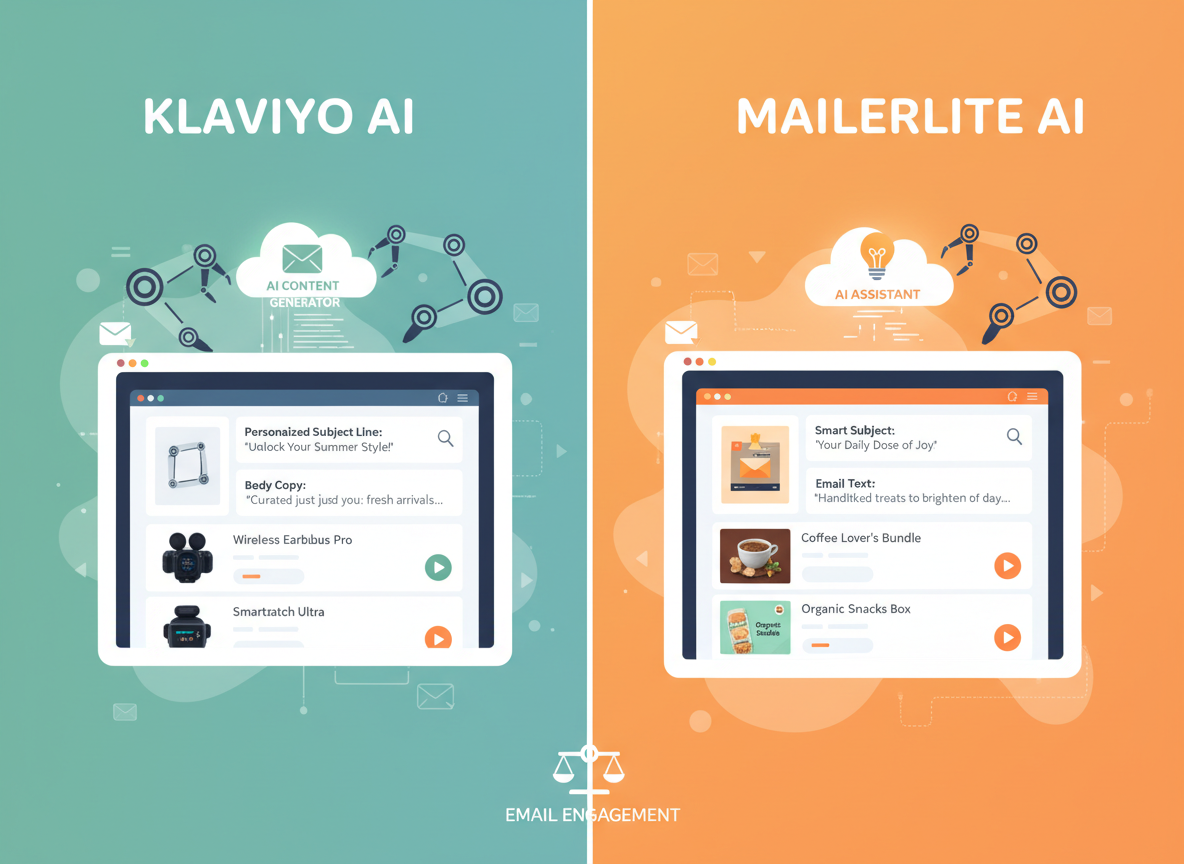
• 2026: Klaviyo AI vs MailerLite AI for Email Marketing Automation — Which Fits Your Business?

    Choosing the wrong email marketing platform doesn’t just waste money — it quietly kills revenue while you’re too busy to notice.

    If you’re a small business owner or e-commerce operator trying to grow revenue through smarter email automation, here’s the bottom line before we dive deeper.

    Klaviyo AI is the better choice if: You run a product-based business or online store with at least a modest customer list, you need deep behavioral triggers and predictive segmentation, and you’re willing to invest time (and a higher budget) to unlock serious revenue-driving automation. It’s built for businesses where email is a primary revenue channel.

    MailerLite AI pulls ahead when: You’re a service-based small business, content creator, or early-stage startup with a tight budget. You want AI-assisted email writing, simple automation flows, and a clean interface — without a steep learning curve or a pricing model that penalizes growth.

    Neither is ideal if: You need enterprise-grade CRM integration, omnichannel marketing across SMS, push, and paid ads in one unified platform, or you have zero interest in building an email list strategically. Both tools require you to actually have a working contact acquisition strategy to deliver value.

    Honest caveat: both tools now include AI features, but the depth and purpose of that AI differs significantly. Explore Klaviyo AI in detail to see how its predictive capabilities stack up — or explore MailerLite AI in detail if simplicity and affordability are your priority.


    Why This Comparison Matters in 2026

    In 2026, there are dozens of email marketing platforms all claiming to use “AI.” Most comparison articles stop at feature checklists — open rate tracking here, A/B testing there — without addressing what actually matters: does this tool fit the way your business runs today, and can it grow with you?

    The klaviyo vs mailerlite for email marketing automation question isn’t really about features. It’s about workflow fit, pricing reality, and what kind of AI actually moves the needle for a small business with limited time and a real budget to protect.

    Most small business owners aren’t choosing between tools in a vacuum. They’re already stretched — managing client relationships, fulfillment, social media, and trying to squeeze revenue from a list they’ve spent months building. Picking the wrong email platform in this context doesn’t just cost you a monthly subscription fee. It costs you the opportunity to turn that list into consistent, automated revenue.

    According to this in-depth analysis from Email Tool Tester, the platforms differ significantly in how they approach audience segmentation and pricing — a gap that becomes critical when your contact list crosses the 1,000 subscriber mark.

    Here’s why this comparison matters specifically in 2026: AI email marketing for small business has matured. Both Klaviyo and MailerLite have integrated generative AI into their platforms, but they’ve done so with very different philosophies. Klaviyo’s AI is predictive and revenue-focused. MailerLite’s AI is productivity-focused and accessibility-first. Knowing which philosophy matches your business model is the real decision you’re making.

    This article is focused exclusively on the US market, using USD pricing, realistic small business workloads (1–10 person teams), and outcomes that matter: time saved, revenue generated, and automation that actually runs without constant babysitting.


    Who This Comparison Is Best For

    This comparison is built around real business situations, not job titles. Here’s who will get the most out of reading this.

    Situation 1: E-Commerce Owner with a Growing Product Catalog

    You sell physical or digital products and you’ve got at least a few hundred subscribers. Your pain is this: you know email should be driving more revenue, but your automations are basic — a welcome sequence and maybe an abandoned cart flow you set up once and never touched again. You’re leaving money on the table every week. You need behavioral segmentation, purchase-prediction tools, and flows that fire at the right moment without you manually triggering them. This comparison will help you understand whether Klaviyo’s more sophisticated AI capabilities justify its higher cost — or whether MailerLite’s simpler approach gets you 80% of the results at a fraction of the price.

    Situation 2: Service-Based Small Business Building a Newsletter

    You’re a consultant, coach, agency owner, or local service provider. You’re building an email list to stay top of mind with prospects and past clients, nurture leads, and eventually sell a course, workshop, or retainer package. You don’t need complex e-commerce flows. You need clean templates, AI-assisted writing to save time drafting campaigns, and automation sequences that don’t require a marketing degree to set up. MailerLite was designed for people exactly like you. But Klaviyo has been expanding beyond e-commerce — and understanding whether that expansion changes the calculus is worth knowing.

    Situation 3: Startup Founder Testing Email as a Channel

    You’re pre-revenue or early revenue. Your list is small — maybe under 500 people. You’re testing whether email can become a meaningful customer acquisition or retention channel before you invest seriously in it. Budget matters enormously. Paying $45–$100/month on a tool you’re still learning to use is a real cost when cash is tight. You need to understand which platform lets you learn faster and see results sooner, not just which one has more features.

    Who this comparison is NOT for: Enterprise teams with dedicated CRM and marketing ops staff, professional email marketers evaluating tools for large-scale deployment, or businesses with highly specialized regulatory requirements (healthcare, finance) where platform compliance certifications take precedence over AI features.

    Real-world example: Jess runs a 4-person Shopify store selling skincare products in Portland. She has 3,200 subscribers, a solid welcome sequence, and an abandoned cart flow — but her repeat purchase rate is low and she suspects email is the lever she’s not pulling hard enough. She spends about 3 hours a week writing campaigns manually and isn’t sure her segmentation is working. The right tool could save her 2 of those hours and meaningfully increase her customer lifetime value.


    Why Each AI Fits Different Needs

    Klaviyo AI: Strengths and Best-Fit Scenarios

    Klaviyo has been the gold standard for e-commerce email automation for years, and its AI layer is built to serve one primary purpose: help you predict and influence purchasing behavior at scale.

    Revenue Intelligence as the Core AI Feature. Klaviyo’s AI isn’t primarily about helping you write emails faster — it’s about telling you who to email, when, and with what offer. Its predictive analytics engine estimates things like customer lifetime value, churn probability, and next purchase date. For a product-based business, these predictions can fundamentally change how you segment and sequence outreach. Instead of sending the same promotional email to your entire list, you can target customers who are statistically likely to purchase again in the next 30 days — and suppress messaging to those who are likely churned.

    Learning Curve and Time to First Value. Klaviyo is not a beginner tool. The interface is dense, the terminology assumes some familiarity with email marketing concepts, and setting up a sophisticated flow requires real configuration work. Most new users report getting a basic welcome and abandoned cart flow running within a few hours, but unlocking the platform’s full predictive power takes weeks of data accumulation and workflow iteration. If you’re starting from scratch with a small list, you may not see Klaviyo’s AI shine for 60–90 days.

    Pricing Reality for US Small Businesses. This is where Klaviyo becomes a real conversation. The free plan covers up to 500 contacts. After that, pricing scales with list size: 1,000 contacts runs roughly $45/month, 5,000 contacts around $100/month, and 10,000 contacts closer to $150/month. For a business where email drives meaningful revenue, this is usually justifiable. For a business still testing the channel, it’s a harder sell.

    See our full Klaviyo AI review for a complete breakdown of its AI feature set, pricing tiers, and integration capabilities.

    Real-World Business Result. E-commerce businesses using Klaviyo’s predictive segmentation and flow automation consistently report email as their highest-ROI marketing channel. Businesses with lists in the 2,000–10,000 range and well-configured flows often attribute 20–35% of total revenue to email — a figure that’s hard to hit with basic automation tools.


    MailerLite AI: Strengths and Best-Fit Scenarios

    MailerLite has spent years earning its reputation as the best-value email marketing tool for small businesses and creators, and its AI additions have reinforced that positioning rather than repositioning it.

    AI Writing Assistant as the Primary Value-Add. MailerLite’s AI is primarily a content creation tool. Its AI writing assistant helps you draft subject lines, email body copy, and CTAs faster — shaving meaningful time off your weekly content creation workflow. If you’re sending 2–4 campaigns per week and writing them yourself, this feature alone can save an hour or more weekly. It’s not predictive intelligence; it’s productivity acceleration.

    Learning Curve and Time to First Value. MailerLite is genuinely beginner-friendly. The drag-and-drop editor is clean, automation workflows are visual and intuitive, and the platform’s documentation is excellent. Most new users can have a functional welcome sequence and their first campaign sent within an afternoon. That low barrier to entry is a real competitive advantage for time-strapped small business owners.

    Automation Capabilities. MailerLite’s automation builder covers the core use cases well: welcome sequences, lead magnet delivery, course drip sequences, birthday emails, and conditional branching based on subscriber behavior. It’s not as sophisticated as Klaviyo’s behavioral trigger system, but for most service-based businesses and content creators, it’s more than sufficient.

    Pricing Advantage. MailerLite’s pricing is a significant differentiator. The free plan supports up to 1,000 subscribers and 12,000 emails per month — genuinely useful for early-stage businesses. The Growing Business plan starts at $9/month for up to 500 subscribers, scaling to around $19/month for 2,500 and $32/month for 5,000. For the same 5,000-contact list, MailerLite costs roughly one-third of Klaviyo. That gap is hard to ignore when margins are tight.

    Learn more about MailerLite AI including its AI writing features, template library, and free-tier capabilities.

    Real-World Business Result. Service businesses, consultants, and content creators using MailerLite report meaningful time savings on email creation and solid open rates when list hygiene is maintained. The platform is less likely to drive a step-change in revenue attribution, but it keeps businesses consistently communicating with their audiences without becoming a full-time job to manage.

    As noted in this comparison from Campaign Monitor, MailerLite’s strength lies in its simplicity and cost-efficiency, while Klaviyo’s advantage is its e-commerce data depth.

    Comparative Summary. Klaviyo AI is a revenue intelligence platform with email at its core. MailerLite AI is an email productivity platform with enough automation to serve most small businesses well. Your choice depends on whether your primary need is smarter targeting or faster content creation — and whether your budget can support the premium for predictive capabilities.


    Who Should Choose Another AI Entirely

    Before committing to either platform, it’s worth knowing when neither is the right answer.

    Need 1: Full Omnichannel Marketing Automation

    If you need to orchestrate email, SMS, push notifications, paid ad audiences, and social retargeting from a single platform, both Klaviyo and MailerLite fall short in different ways. Klaviyo has SMS capabilities, but its paid ad integration is limited. MailerLite is primarily an email tool with minimal SMS functionality. Businesses needing true omnichannel orchestration should evaluate platforms like Omnisend, Drip, or ActiveCampaign, which are purpose-built for that use case.

    Need 2: High-Volume Transactional Email

    If your primary need is transactional emails — order confirmations, receipts, password resets, shipping notifications — neither Klaviyo nor MailerLite is the ideal primary platform. These use cases are better served by dedicated transactional email infrastructure like SendGrid, Postmark, or Mailgun, which prioritize deliverability and developer-friendly API access over marketing features.

    Need 3: Advanced CRM-First Marketing
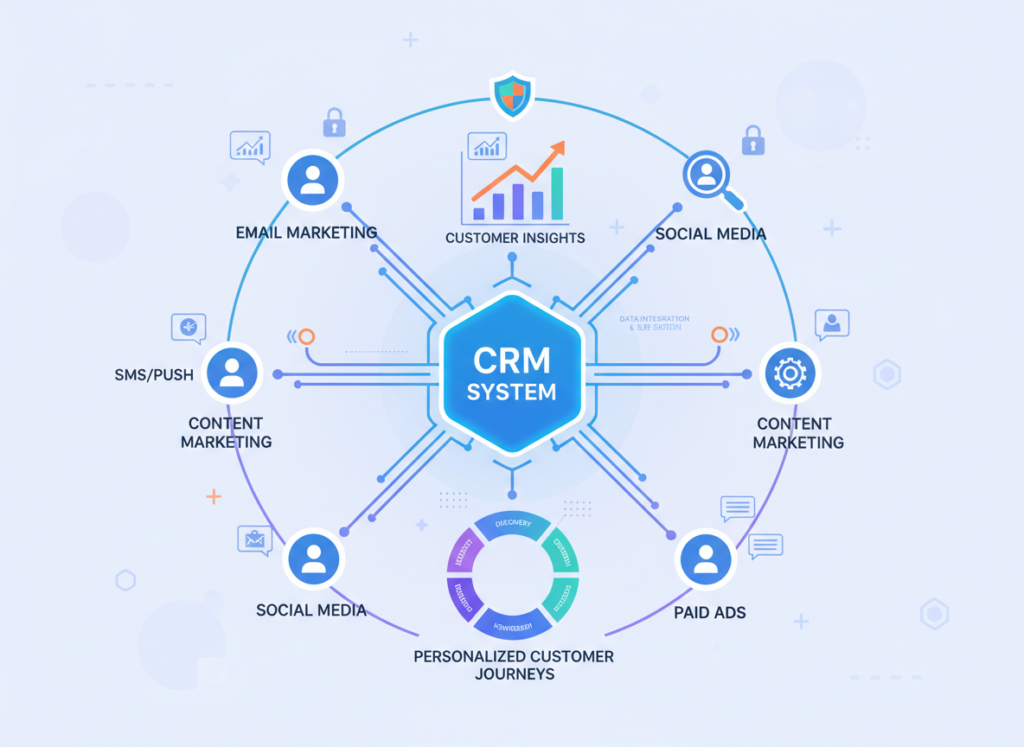
    If your business operates primarily through relationship-driven sales rather than e-commerce or content marketing — think B2B companies with long deal cycles, consulting firms with high-touch client relationships — you likely need a CRM with email marketing built in, not an email marketing tool with light CRM features. HubSpot or ActiveCampaign would serve these businesses better.


    Use Cases by Business Goal

    Productivity: Faster Campaign Creation and List Management

    Use Case: A solo consultant sending a weekly newsletter to 1,800 subscribers needs to cut email creation time from 90 minutes to 30 minutes per send.

    Klaviyo AI Approach: Klaviyo’s AI can assist with subject line generation and offers some copy suggestions, but this isn’t where it shines. Its productivity value comes from automation — emails that fire automatically based on behavior mean fewer manual sends. Time to productivity value: 2–4 weeks of setup, then ongoing automation handles the heavy lifting.

    MailerLite AI Approach: MailerLite’s AI writing assistant directly addresses this use case. You can describe the campaign angle, let the AI draft body copy, refine subject line suggestions, and send — all within 25–30 minutes. For newsletter-focused businesses, this is the more immediate productivity win. Time to value: available from day one.

    Decision Criteria: Choose Klaviyo AI if your productivity goal is “fewer manual sends through automation.” Choose MailerLite AI if your goal is “faster content creation for consistent sends.”

    For more ways to systematically reduce marketing busywork, discover AI efficiency strategies that apply across your full workflow stack.


    Revenue & Marketing: Driving Purchases Through Behavioral Email
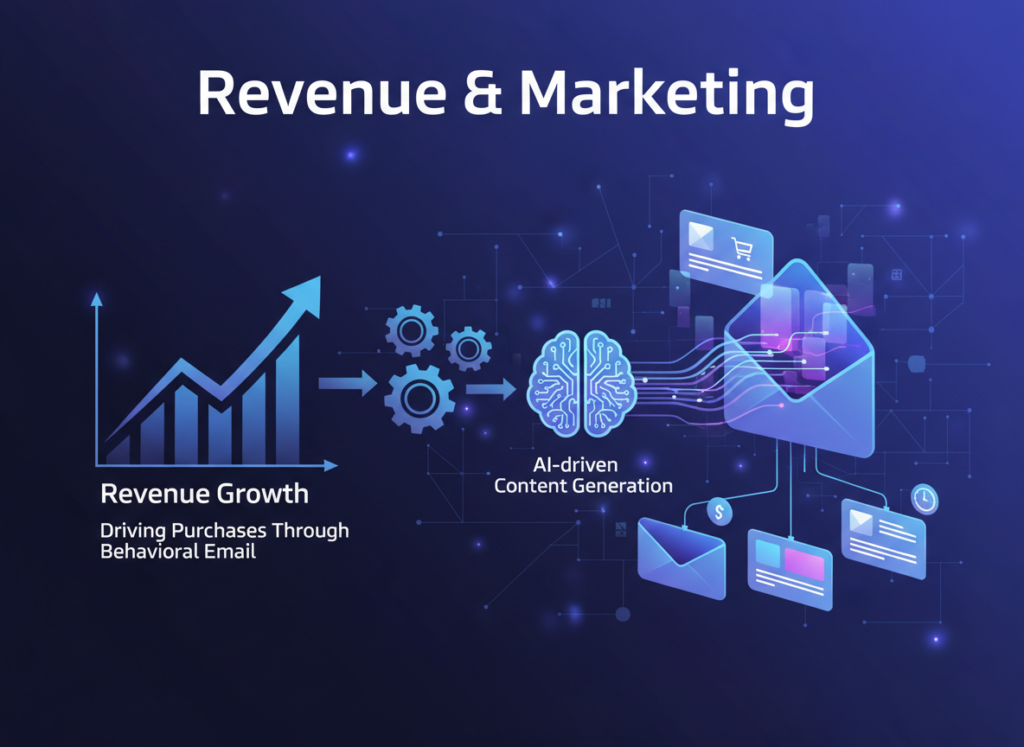
    Use Case: A Shopify store owner with 4,000 subscribers wants to increase repeat purchase rate and recover more abandoned carts.

    Klaviyo AI Approach: This is Klaviyo’s home turf. Its Shopify integration pulls in product view data, cart events, and purchase history automatically. The AI can identify customers approaching their predicted next purchase window and trigger campaigns proactively — not just reactively. Abandoned cart sequences can be configured with multi-step logic (reminder at 1 hour, follow-up at 24 hours, discount at 72 hours) and suppressed automatically once purchase occurs. Business impact: well-configured Klaviyo flows regularly contribute 20–30% of Shopify store revenue for businesses with lists in this size range.

    MailerLite AI Approach: MailerLite integrates with Shopify and supports abandoned cart emails, but the behavioral trigger sophistication is significantly lower. You can create basic conditional flows, but predictive segmentation based on purchase probability isn’t available. For a store doing meaningful volume, this limitation becomes real. Business impact: useful for basic automation but unlikely to drive the same revenue attribution as Klaviyo.

    Decision Criteria: For product-based businesses where email drives direct purchases, Klaviyo AI’s behavioral intelligence has a clear advantage. MailerLite works for basic e-commerce email; Klaviyo works for optimized e-commerce email.


    Systemization & Workflows: Building Automations That Run Without You
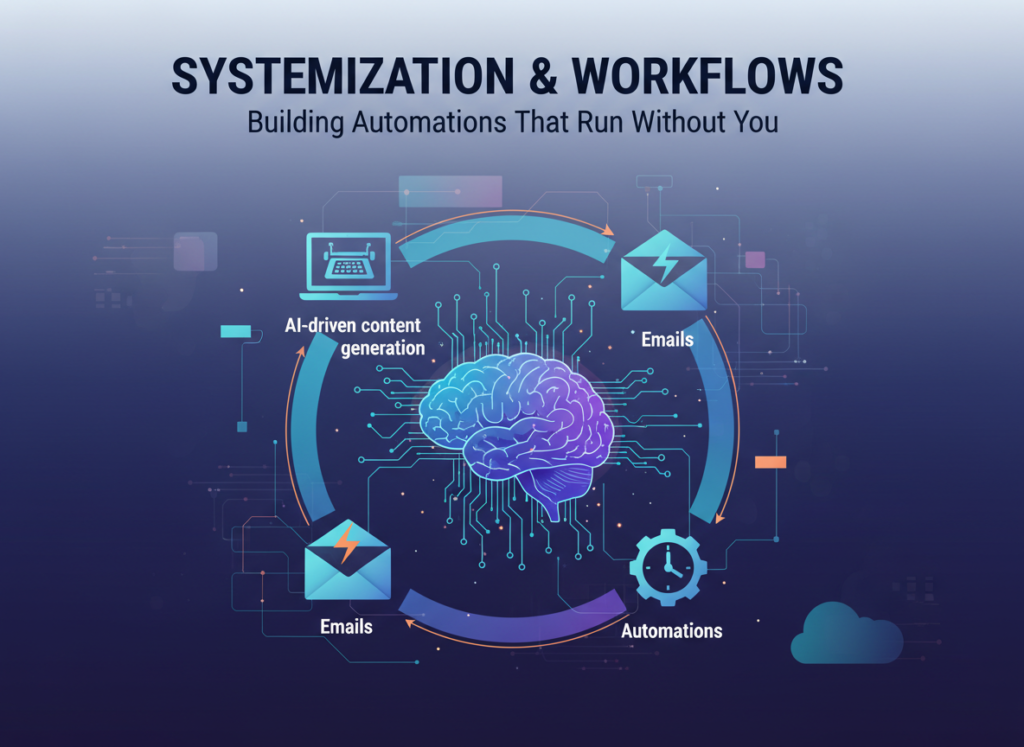
    Use Case: A 5-person marketing agency wants to build onboarding sequences, lead nurture flows, and re-engagement campaigns that run automatically across their client roster.

    Klaviyo AI Approach: Klaviyo’s flow builder is powerful but complex. Building multi-branch conditional flows takes time and some strategic thinking, but the result is highly granular automation that responds to specific subscriber behaviors. For agencies managing e-commerce clients, Klaviyo’s client-facing reporting and revenue attribution make it easier to demonstrate email ROI. Long-term stability is strong once flows are configured — they require minimal maintenance unless the underlying offer or product catalog changes significantly.

    MailerLite AI Approach: MailerLite’s automation builder is faster to set up and easier to replicate across client accounts. For agencies whose clients are service businesses, coaches, or creators (rather than e-commerce), MailerLite’s workflow simplicity is an asset, not a limitation. The visual builder makes it easy to document and hand off automation logic to clients. However, as noted in this SendPulse analysis, MailerLite’s automation lacks some of the advanced conditional logic that Klaviyo offers for complex multi-step sequences.

    Decision Criteria: Choose Klaviyo AI for e-commerce client workflows that need behavioral triggers and revenue reporting. Choose MailerLite AI for service-based clients who need reliable, maintainable automations without complexity overhead.


    Side-by-Side Comparison Table

    Comparison AxisKlaviyo AIMailerLite AI
    Primary AI FocusPredictive segmentation, revenue intelligenceAI writing assistant, content acceleration
    Ease of UseModerate to complex; assumes marketing familiarityBeginner-friendly; intuitive visual interface
    Best ForE-commerce, product businesses, high-revenue emailService businesses, creators, early-stage startups
    Free PlanUp to 500 contactsUp to 1,000 contacts + 12,000 emails/month
    Paid Pricing (US)~$45/mo (1K contacts), ~$100/mo (5K contacts)~$9/mo (500 contacts), ~$32/mo (5K contacts)
    E-Commerce IntegrationClass-leading (Shopify, WooCommerce, BigCommerce)Solid for basic e-commerce use cases
    Behavioral TriggersAdvanced — purchase probability, churn predictionStandard — clicks, opens, form submissions
    AI Writing ToolsSubject line suggestions, limited copy assistFull AI drafting: subject lines, body copy, CTAs
    Automation ComplexityHigh — multi-branch, conditional, predictiveModerate — visual builder, core use cases covered
    Learning Curve2–4 weeks to confident useSame day to first campaign sent
    Reporting & AnalyticsRevenue attribution, CLV, predictive metricsStandard open/click/conversion tracking
    SMS CapabilitiesYes — integrated SMS automationLimited — not a core feature
    API AccessRobust developer APIAvailable; less feature-complete
    Best Use CaseRevenue-driven email for product businessesConsistent email communication for service businesses
    Main LimitationPrice scales aggressively; complex for beginnersLess sophisticated AI; limited behavioral depth

    After the Table: How Business Maturity Changes the Calculus

    Early-Stage (0–12 months, under 1,000 subscribers): Budget sensitivity is high and list size limits how much behavioral AI can do anyway. MailerLite’s free plan covers this entire phase — you can build your list, test messaging, and set up basic automations without spending a dollar. Klaviyo’s free plan maxes out at 500 contacts, which you’ll outgrow quickly.

    Growth Phase (12–36 months, 1,000–10,000 subscribers): This is where the decision gets genuinely complex. If you’re in e-commerce and email is driving measurable revenue, Klaviyo’s pricing premium starts to make sense — the platform’s ability to drive incremental purchases through smarter segmentation typically generates more revenue than the cost difference. If you’re a service business or creator, MailerLite’s advanced plan at $32/month for 5,000 contacts is likely more than sufficient, and the $68/month savings versus Klaviyo is real money.

    Established Phase (36+ months, 10,000+ subscribers): At this scale, Klaviyo’s predictive intelligence and revenue attribution are nearly irreplaceable for product businesses. For service businesses, even at 10,000+ subscribers, MailerLite or alternatives like ConvertKit may still be the right answer.

    Cost-to-Value Reality Check (US Market): The pricing gap between Klaviyo and MailerLite at the 5,000-contact mark is roughly $68/month — $816/year. For an e-commerce business, a single well-configured Klaviyo flow that recovers 10–15 abandoned carts per month can easily justify that gap. For a service business sending newsletters, it almost certainly can’t.


    How to Choose the Right AI for Your Business

    Checkpoint 1: What Does Your Business Model Look Like?
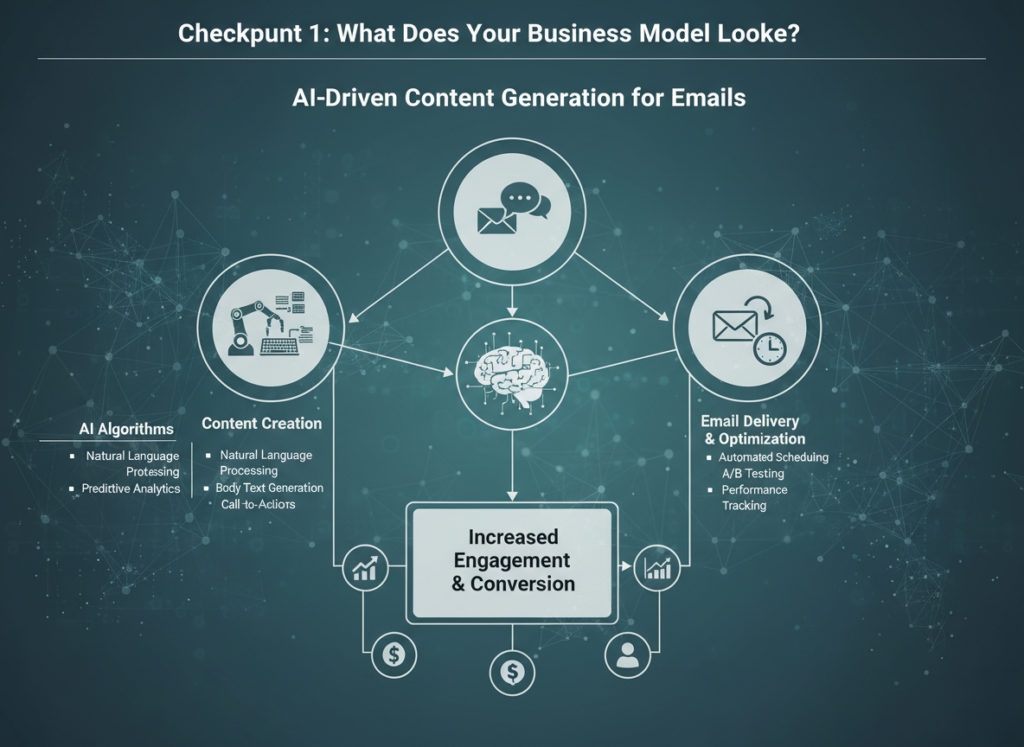
    If you sell products (physical or digital) and email directly influences purchase decisions, Klaviyo AI is the stronger investment. Its behavioral intelligence is purpose-built for this model. If you sell services, expertise, or content — and email is about relationship-building and nurture rather than direct purchase conversion — MailerLite AI is almost certainly sufficient and far more cost-effective.

    Checkpoint 2: What’s Your Current List Size and Budget?

    Under 1,000 subscribers: Start with MailerLite’s free plan. Build your list, refine your messaging, and revisit the decision when you hit 1,000–2,000 contacts. Between 1,000–5,000 subscribers: Run the numbers. If you’re in e-commerce and email is a real revenue channel, Klaviyo’s pricing is justifiable. If not, MailerLite’s $9–19/month is the smarter choice. Over 5,000 subscribers in e-commerce: Klaviyo is almost always the better investment at this stage.

    Checkpoint 3: How Important Is AI-Assisted Writing?

    If time savings on content creation is your primary pain point, MailerLite’s AI writing assistant is a more direct solution than Klaviyo’s. If your pain is targeting accuracy and revenue attribution, Klaviyo’s predictive AI wins.

    Common Mistakes to Avoid:

    The biggest mistake in this comparison is choosing based on feature lists rather than actual use cases. Klaviyo has more features — that’s true. But features you don’t use don’t generate ROI. Test whichever tool you’re leaning toward with your actual email workflow for 30 days before committing to an annual plan.

    The second most common mistake is underestimating the impact of list quality on AI performance. Klaviyo’s predictive models work better with clean, engaged lists than with large, low-quality ones. Before investing in either platform’s AI features, make sure your list is properly segmented and regularly cleaned.

    See our full MailerLite AI review for a detailed walkthrough of its AI writing features and how they perform in real campaign creation scenarios.


    Frequently Asked Questions
    Is Klaviyo AI better than MailerLite AI for small business email marketing?

    Neither is universally better — the right answer depends entirely on your business model. Klaviyo AI is better for product-based businesses that need behavioral segmentation, predictive analytics, and deep e-commerce integration. MailerLite AI is better for service businesses, creators, and early-stage companies that need an affordable, easy-to-use platform with AI writing assistance. For most small businesses comparing these two on cost-effectiveness alone, MailerLite wins. For e-commerce businesses where email drives direct revenue, Klaviyo typically generates higher returns.

    Can I use either platform if I’m new to email marketing automation?

    Yes, but with different experiences. MailerLite is genuinely beginner-accessible — you can send your first campaign within hours of signing up, and the automation builder uses plain-language visual flows. Klaviyo has a steeper curve; its interface assumes some familiarity with email marketing concepts. New users consistently report needing 2–4 weeks before feeling comfortable navigating Klaviyo’s full feature set. If you’re brand new to email marketing, MailerLite is the lower-risk starting point.

    Do I need both Klaviyo and MailerLite?

    No. These tools overlap significantly in core functionality — using both would mean paying for redundant capabilities and managing split contact lists, which creates data quality problems. Choose one platform based on your primary use case and commit to it. The only scenario where using both makes sense is if you’re an agency managing different client types — e-commerce clients on Klaviyo, service business clients on MailerLite — which is a legitimate agency workflow.

    How much time can AI email tools actually save for small business owners?

    Based on typical small business usage patterns, expect 30–60% time savings on email campaign creation with MailerLite’s AI writing assistant, particularly on subject line testing and initial draft generation. Klaviyo’s AI time savings come primarily from automation — flows that run without manual triggering save 2–5 hours per week for businesses with complex segmentation needs. Both tools deliver meaningful time savings, but in different parts of the email workflow.

  • Translate your videos into 130+ languages with your own AI voice.

    What is Rask AI?

    Rask AI is developed by a team specializing in AI-driven media localization and dubbing, focused on removing language barriers in video content. The platform leverages advanced generative AI models, specifically combining automatic speech recognition (ASR), neural machine translation, and a proprietary text-to-speech (TTS) engine that clones voices to preserve the original speaker’s tone and emotion. Its key capabilities include automated transcription, translation into over 130 languages, and lip-syncing dubbed audio to match video footage. The primary target users are businesses, educators, and content creators aiming to scale their video reach for global marketing, training, and e-learning. By integrating directly into content workflows, Rask AI significantly reduces the time and cost of traditional localization, enabling teams to produce multilingual content rapidly.

    Key Findings

    • Voice Dubbing: Instantly translates and dubs videos into over 130 languages with perfect lip sync.
    • Content Localization: Adapts your marketing and training materials for global audiences quickly and cost-effectively.
    • AI Translation: Provides accurate, context-aware translation for documents, websites, and multimedia in seconds.
    • Video Subtitling: Automatically generates and synchronizes subtitles in multiple languages to boost accessibility.
    • Text-to-Speech: Converts written scripts into natural, human-like voiceovers for presentations and explainer videos.
    • Voice Cloning: Creates a realistic digital replica of any voice for personalized audio content.
    • Multimedia Translation: Seamlessly translates audio, video, and text while preserving the original tone and intent.
    • Global Collaboration: Empowers teams to work across language barriers with unified, translated project assets.
    • Brand Consistency: Maintains your brand’s unique voice and messaging across all translated materials worldwide.
    • Efficiency Scaling: Dramatically reduces the time and budget required for professional-grade localization projects.

    Who is it for?

    Content Creator

    • Video script localization
    • Blog post translation
    • Social media caption adaptation
    • Multilingual video subtitles
    • Transcribing and translating interviews

    Educator

    • Lecture transcription and translation
    • Creating multilingual course materials
    • Feedback analysis from students
    • Localizing instructional videos
    • Accessible content creation

    Marketer

    • Global ad campaign adaptation
    • Multilingual customer testimonial videos
    • Analyzing international social sentiment
    • Localizing product launch videos
    • SEO video content repurposing

    Pricing

    Creator @ $60.00/mo

    • 25 minutes per month
    • 135 languages
    • Automated speech-to-text transcription
    • Voice cloning in 29 languages
    • No watermark

    Creator Pro @ $150.00/mo

    • 120 minutes per month
    • Multispeaker lip-sync
    • SRT upload & download
    • Automated captions/subtitles
    • Custom voice clone settings
    • Advanced video editor

    Business @ $750.00/mo

    • 500 minutes per month
    • Simultaneous multi-language translation
    • API for custom workflows
  • Your AI teammate that writes, reviews, and maintains code.

    What is npm?

    npm is a critical package manager for the JavaScript ecosystem, primarily serving the Node.js community. It is developed and maintained by GitHub, a subsidiary of Microsoft, following its acquisition of the original startup, npm, Inc., in 2020. The platform’s architecture is not a single AI model but a vast, distributed registry of open-source software packages, coupled with a command-line client for dependency management. Its key capabilities include version control for code modules, script automation, and managing project dependencies through its `package.json` manifest. The primary target users are JavaScript and Node.js developers, who use npm to integrate third-party libraries efficiently, share their own code, and manage complex project builds. By streamlining package installation and updates, npm fundamentally accelerates development workflows, reducing setup time from days to minutes and ensuring project consistency. This integration is essential for modern web development, enabling teams to leverage collective innovation.

    Key Findings

    • Package Manager: Streamlines dependency management for JavaScript projects with reliable version control and updates.
    • Open Ecosystem: Hosts the world’s largest public registry of reusable code modules and software packages.
    • Version Control: Manages project dependencies precisely to prevent conflicts and ensure consistent development environments.
    • Security Auditing: Scans projects for known vulnerabilities and provides actionable reports to mitigate security risks.
    • Team Collaboration: Facilitates shared access to private packages and manages permissions for development teams.
    • Build Automation: Integrates scripts into the development lifecycle to automate testing and deployment processes.
    • Unified Workflow: Provides a consistent command-line interface for installing, publishing, and managing code packages.
    • Access Control: Enables granular permissions for publishing and modifying packages within an organization’s private registry.
    • Dependency Resolution: Intelligently calculates and installs correct package versions to build a working dependency tree.
    • Publishing Tools: Simplifies the process of packaging and sharing code publicly or within a private registry.

    Who is it for?

    Programmer

    • Integrating a payment gateway
    • Managing project dependencies
    • Automating code formatting
    • Building a dashboard UI
    • Securing API endpoints

    Project Manager

    • Tracking development progress
    • Managing license compliance
    • Standardizing team tools
    • Documenting technical architecture
    • Evaluating technical risks

    IT or DX Manager

    • Enforcing security policies
    • Streamlining development workflows
    • Reducing build times
    • Modernizing legacy systems
    • Managing package approvals

    Pricing

    Free @ $0/mo

    • Public packages only

    Pro @ $7/mo

    • Unlimited private packages
    • Package-based permissions
    • For individual creators

    Teams @ $7/mo

    • Unlimited private packages
    • Team-based permissions
    • For teams and organizations
  • Build and launch beautiful websites in minutes, not months.

    What is Relume?

    Relume is a design system and component library created by the team at Relume, a company focused on streamlining the web design and development process. Their platform is not built on a proprietary AI model, but rather utilizes a structured system of pre-built, AI-generated components and style guides to accelerate website creation. Key capabilities include generating sitemaps, wireframes, and copy, along with providing a vast library of customizable Figma and Webflow components. This system primarily targets web designers, agencies, and in-house marketing teams who need to produce high-fidelity mockups and functional prototypes rapidly. By integrating into the early stages of the design workflow, Relume significantly reduces the time from concept to client presentation. It allows teams to bypass blank canvas syndrome and maintain design consistency at scale. For teams utilizing similar AI-augmented design tools, exploring options like https://ai-plaza.io/ai/ux-design-tools can provide valuable context.

    Key Findings

    • No-Code Builder: Build and launch custom AI agents visually without writing a single line of code.
    • Workflow Automation: Automates complex business processes and data transfers between your existing apps and tools.
    • Enterprise Security: Ensures your data remains private with SOC 2 compliance and robust, granular access controls.
    • Team Collaboration: Enables multiple users to co-edit, manage, and deploy AI agents within shared workspaces.
    • Custom Knowledge: Connects AI agents to your internal documents, databases, and APIs for accurate, relevant responses.
    • Multi-Platform Deployment: Deploy your trained AI agents directly to websites, messaging apps, or internal employee portals.
    • Real-Time Analytics: Tracks agent performance, user interactions, and operational metrics through detailed, actionable dashboards.
    • Pre-Built Templates: Jumpstart development with ready-made agent templates for customer support, HR, sales, and more.
    • Instant Integration: Connects seamlessly with popular tools like Slack, Salesforce, and Google Workspace in minutes.
    • Scalable Infrastructure: Reliably handles from dozens to millions of user interactions with enterprise-grade uptime guarantees.

    Who is it for?

    Project Manager

    • Project status reporting
    • Meeting minute generation
    • Risk register update
    • Stakeholder communication draft
    • Resource allocation summary

    Content Creator

    • Blog post ideation
    • Social media caption writing
    • Email newsletter drafting
    • Product description refinement
    • Content repurposing script

    Startup Founder

    • Investor update preparation
    • Pitch deck refinement
    • Competitor analysis summary
    • User feedback synthesis
    • Elevator pitch crafting

    Pricing

    Free @ $0/mo

    • 1 project
    • 1 page
    • Figma export only
    • 30 Webflow components
    • Read-only link sharing

    Starter @ $32/mo

    • 1 project
    • 5 pages
    • Export to Figma and Webflow
    • Commenting and team collaboration
    • Access to React component library

    Pro @ $40/mo

    • Unlimited projects
    • Unlimited pages
    • Export to Figma, Webflow & React
    • All included in Starter
    • Enhanced support
  • Generate UI code from your Figma designs instantly.

    What is Magic Patterns?

    Magic Patterns is developed by a team of experienced product engineers and designers focused on accelerating front-end development. The platform utilizes a proprietary AI model trained on a vast dataset of design systems and component code, enabling it to translate visual designs directly into production-ready code for frameworks like React, Vue, and Tailwind CSS. Its key capabilities include converting Figma designs to code, generating entire user interface sections from text prompts, and creating responsive layouts. It primarily targets product managers, front-end developers, and designers seeking to drastically reduce manual coding time and bridge the gap between design and engineering.

    Key Findings

    • Pattern Generation: Creates unique and functional design patterns instantly for any project need.
    • Visual Prototyping: Builds interactive mockups and wireframes rapidly to visualize concepts before development.
    • Code Export: Converts designs directly into clean, production-ready code for multiple frameworks seamlessly.
    • Team Collaboration: Enables real-time feedback and editing within shared workspaces for distributed teams.
    • Design Systems: Maintains consistent brand aesthetics by managing reusable component libraries and style guides.
    • Asset Management: Organizes all project icons, images, and graphics in one centralized, searchable location.
    • Version Control: Tracks every design iteration and change, allowing easy comparison and rollback if needed.
    • User Testing: Facilitates prototype sharing to gather actionable user feedback early in the cycle.
    • Responsive Preview: Displays how designs adapt across different device screens and orientations simultaneously.
    • Integration Hub: Connects with popular tools like Figma, Slack, and Jira for streamlined workflows.

    Who is it for?

    Marketer

    • Campaign performance report
    • Social media content creation
    • SEO keyword strategy document
    • Competitor analysis summary
    • Email newsletter drafting

    Content Creator

    • Blog post ideation
    • Video script outline
    • Social media carousel text
    • Product description writing
    • Content repurposing plan

    Startup Founder

    • Investor pitch deck refinement
    • Business model brainstorming
    • User problem research synthesis
    • Elevator pitch crafting
    • Initial market analysis

    Pricing

    Free @ $0/mo

    • 100 monthly credits
    • Credit rollovers
    • No data training by default
    • Private generations
    • Remove watermark on previews
    • Custom website domains

    Hobby @ $19/mo

    • Everything in Free, plus:
    • 100 monthly credits
    • Credit rollovers
    • No data training by default
    • Private generations
    • Remove watermark on previews

    Pro @ $75/mo

    • Everything in Hobby, plus:
    • 350 monthly credits
    • Credit rollovers
    • Custom design systems
    • Shared styles
    • Shared component libraries

    Enterprise @ Custom/mo

    • For AI-native enterprises
    • Revamping legacy workflows
  • Turn your data into clear, actionable insights with a simple conversation.

    What is Tate-A-Tate?

    Tate-A-Tate is developed by a specialized team focused on leveraging large language models for enterprise knowledge management. The system is built upon a fine-tuned proprietary architecture that integrates retrieval-augmented generation (RAG) with established foundational models, enabling it to query and synthesize information from a company’s internal documents and databases with high accuracy. Its key capabilities include automated document summarization, intelligent Q&A from proprietary data sources, and the generation of reports and drafts based on internal knowledge. This tool is designed for business analysts, consultants, and internal operations teams who need to rapidly access and utilize institutional knowledge. By integrating directly into workflows via API or platforms like Slack, it reduces time spent on manual research, minimizes information silos, and supports data-driven decision-making.

    Key Findings

    • AI Conversations: Simulates realistic human dialogue for training and customer service scenarios perfectly.
    • Creative Brainstorming: Generates innovative ideas and marketing copy by combining diverse concepts and styles.
    • Data Analysis: Processes complex datasets to uncover hidden patterns and provide actionable business insights.
    • Team Collaboration: Facilitates seamless project coordination and communication across departments and remote teams.
    • Personalized Training: Creates custom learning modules and simulations tailored to individual employee skill levels.
    • Market Research: Aggregates consumer sentiment and trend data to forecast opportunities and potential risks.
    • Document Drafting: Composes reports, emails, and proposals with consistent tone and brand-specific terminology.
    • Process Optimization: Identifies operational bottlenecks and recommends streamlined workflows to enhance overall productivity.
    • Brand Voice: Maintains a consistent and authentic company personality across all generated content and communications.
    • Security Focused: Operates with enterprise-grade data protection and privacy controls for confidential information handling.

    Who is it for?

    Marketer

    • Competitor analysis report
    • Social media post ideation
    • Email campaign drafting
    • Ad copy variations
    • Brand voice guideline

    Startup Founder

    • Investor pitch refinement
    • Business model explanation
    • Product feature prioritization
    • Market problem framing
    • Team update communication

    Content Creator

    • Blog post outline generation
    • Video script drafting
    • Newsletter content planning
    • Social media caption writing
    • Content idea brainstorming

    Pricing

    Free @ $0/mo

    • Basic access
    • Limited features

    Starter @ $19/mo

    • Enhanced features
    • Increased limits
    • Basic support

    Pro @ $49/mo

    • Advanced features
    • High limits
    • Priority support
    • API access

    Enterprise @ $99/mo

    • Maximum features
    • Unlimited usage
    • Dedicated support
    • Custom integration
    • SLA guarantee
  • Build, automate, and scale your business workflows with AI—no coding required.

    What is FunBlocks AIFlow?

    FunBlocks AIFlow is developed by FunBlocks, a company specializing in visual programming tools that aim to make complex technologies more accessible. Their approach centers on a low-code, node-based interface that allows users to construct AI workflows by visually connecting functional blocks. Technically, AIFlow acts as an orchestration layer, integrating various pre-trained AI models and APIs—such as those for natural language processing, image generation, and data analysis—into customizable pipelines without requiring deep coding expertise. Key capabilities include drag-and-drop workflow design, support for multi-model sequences, and built-in connectors for common data sources and applications. This tool primarily targets business analysts, product teams, and operational managers seeking to automate and enhance processes like content generation, customer support analysis, and data enrichment.

    Key Findings

    • Visual Workflows: Design complex processes visually without writing a single line of code.
    • Drag Drop: Build and modify your AI automation pipelines using an intuitive visual interface.
    • Team Collaboration: Share, edit, and comment on workflows in real-time with your entire team.
    • Enterprise Security: Protect your data with bank-grade encryption and robust access control policies.
    • Instant Deployment: Launch your automated workflows directly to your business systems with one click.
    • Smart Integrations: Connect seamlessly with over five hundred popular business applications and data sources.
    • Real-time Monitoring: Track workflow performance and receive instant alerts for any failures or delays.
    • Predictive Analytics: Gain actionable insights from your process data to optimize future automation efforts.
    • Scalable Architecture: Handles from ten to ten million executions without any infrastructure management headaches.
    • Custom Logic: Incorporate advanced decision rules and conditional branches to create intelligent, dynamic flows.

    Who is it for?

    Marketer

    • Campaign performance report
    • Social media content ideation
    • Competitor analysis summary
    • Ad copy variations
    • Monthly marketing report

    Project Manager

    • Meeting minutes summarization
    • Project status update
    • Risk log documentation
    • Stakeholder communication draft
    • Resource planning outline

    Content Creator

    • Blog post outline generation
    • Video script draft
    • Newsletter content planning
    • Product description writing
    • Social media post series

    Pricing

    Cloud @ $30/mo

    • 14-day free trial
    • Fully managed Cloud infrastructure
    • Pre-set search and document limits
    • Upgrade plan anytime
    • Ideal for prototypes, MVPs, and mid-scale apps

    Cloud Resource-Based @ Custom Setup/one-time

    • Pay by CPU, RAM, and storage
    • Real-time infra metrics and visibility
    • Upgrade anytime with zero downtime
    • Fully managed Meilisearch Cloud
    • Ideal for high-traffic apps and vector workloads

    Enterprise @ Custom quote/one-time

    • Advanced features
    • Licensed under BUSL
    • Enterprise-grade compliance
    • Long-term scalability and security
    • Premier support

    Open Source @ $0/mo

    • Customizable relevancy
    • Typo tolerance
    • Geosearch capacity
    • Sorting results
    • Faceted search
    • AI-powered search
  • Turn any document into structured, actionable data instantly.

    What is Digits?

    Digits is a comprehensive AI agent platform developed by the San Francisco-based company, Digits. The company, founded by engineers from Google and Uber, focuses on creating autonomous AI systems for business operations. Technically, Digits utilizes a multi-agent architecture, where specialized AI agents powered by large language models (LLMs) like GPT-4 collaborate to execute complex tasks. Its key capabilities include automated data analysis, financial reporting, and natural language querying of business databases. The platform is designed for finance teams, operations managers, and business analysts, targeting use cases such as month-end close reconciliation, expense auditing, and real-time KPI monitoring. By integrating directly with core systems like ERPs and databases, Digits automates manual workflows, reducing errors and freeing up strategic time. For businesses evaluating similar automation tools, a comparison of AI agents for data analysis can be found at https://ai-plaza.io/ai/ai-agents.

    Key Findings

    • Data Extraction: Digitizes and organizes unstructured documents into actionable structured data instantly.
    • Intelligent Processing: Understands context and meaning from complex documents to deliver accurate insights reliably.
    • Seamless Integration: Connects effortlessly with your existing business software and platforms for smooth operations.
    • Real-time Analytics: Provides live dashboards and reports to track performance and identify key trends.
    • Customizable Workflows: Adapts to your specific business processes and requirements for optimal efficiency.
    • Predictive Insights: Forecasts future trends and outcomes using advanced machine learning models consistently.
    • Secure Compliance: Ensures all data handling meets industry regulations and security standards completely.
    • Automated Reporting: Generates and distributes scheduled reports automatically, saving significant administrative time weekly.
    • User-friendly Interface: Offers an intuitive design that requires minimal training for team adoption quickly.
    • Scalable Performance: Grows effortlessly with your business needs, handling increased data volume without lag.

    Who is it for?

    Marketer

    • Campaign performance analysis
    • Content idea generation
    • Competitor research report
    • Social media scheduling
    • SEO keyword optimization

    Project Manager

    • Meeting minute summarization
    • Project timeline creation
    • Stakeholder update emails
    • Risk assessment documentation
    • Task delegation tracking

    Content Creator

    • Blog post drafting
    • Newsletter content curation
    • Video script outlining
    • Social media captions
    • Presentation slide writing

    Pricing

    Essentials @ $65/mo

    • Live Dashboards & Financials
    • Invoicing & Bill Pay
    • 24/7 AI Bookkeeping & Reconciliation
    • Ask Digits
    • Vendor & Customer Tracking
    • Banking & Payroll Integrations

    Core @ $100/mo

    • Revenue & Spend Integrations
    • Custom Dashboards
    • Dimensional Accounting
    • Live Dashboards & Financials
    • Invoicing & Bill Pay
    • 24/7 AI Bookkeeping & Reconciliation

    Advanced @ $185/mo

    • Close Automation
    • Custom Management Reporting
    • Multi-Entity Accounting
    • Live Dashboards & Financials
    • Invoicing & Bill Pay
    • 24/7 AI Bookkeeping & Reconciliation
  • Build custom web apps without code, powered by AI.

    What is Ycode?

    Ycode is a no-code development platform founded in 2020 by Stenver Jerkku and Allan Tark. The company, based in Tallinn, Estonia, has raised significant venture capital to build a visual tool that enables the creation of web applications and websites without traditional coding. Technically, Ycode operates on a visual builder framework where users manipulate elements and data models, which the platform then translates into clean, production-ready code. It features a drag-and-drop interface, integrated databases, e-commerce functionality, and API connections. While not an AI model itself, it integrates AI capabilities for tasks like content generation, aligning with the trend of AI-assisted development tools detailed on resources like https://ai-plaza.io/ai/no-code-ai-platforms. The platform primarily targets entrepreneurs, product managers, and marketing teams who need to build custom web apps, internal tools, or client websites rapidly, bypassing developer dependencies.

    Key Findings

    • No-Code Development: Build custom web applications visually without writing a single line of code.
    • Visual Editor: Design and modify your application interface with a powerful drag-and-drop builder.
    • Real-Time Collaboration: Work simultaneously with team members on projects for faster development cycles.
    • Integrated Database: Manage application data seamlessly with a built-in, scalable, and secure database system.
    • Workflow Automation: Automate complex business processes and logic visually to boost operational efficiency.
    • Dynamic Content: Create personalized user experiences by displaying content that changes based on data.
    • E-Commerce Tools: Launch and manage full online stores with integrated payment and cart functionality.
    • SEO Optimization: Improve search engine rankings with built-in tools for metadata and sitemap management.
    • Team Permissions: Control access and editing rights with granular user roles and permission settings.
    • Enterprise Scalability: Grow your applications confidently with robust infrastructure designed for high-traffic demands.

    Who is it for?

    Business Owner

    • Business dashboard creation
    • Customer portal development
    • Internal process automation
    • Quick prototype for investor pitch
    • Inventory management system

    Marketing Manager

    • Landing page builder
    • Event registration portal
    • Lead qualification workflow
    • Marketing asset library
    • Campaign performance report

    Real Estate Agent

    • Property listing website
    • Client inquiry management
    • Automated buyer onboarding
    • Open house registration
    • Portfolio presentation tool

    Pricing

    Free @ $0/mo

    • Unlimited pages
    • 100 CMS items
    • 10 CMS collections
    • 2 languages
    • 1GB bandwidth
    • 1K monthly visits

    Mini @ $10/mo

    • Custom domain
    • 5 pages
    • 100 CMS items
    • 10 CMS collections
    • 2 languages
    • 1GB bandwidth

    Basic @ $20/mo

    • Custom domain
    • Unlimited pages
    • 2,000 CMS items
    • 20 CMS collections
    • 3 languages
    • 10GB bandwidth

    Pro @ $30/mo

    • Custom domain
    • Unlimited pages
    • 12,000 CMS items
    • 40 CMS collections
    • Unlimited languages
    • 100GB bandwidth
  • AI that crafts hyper-personalized sales emails at scale.

    What is Salesforge?

    Salesforge is developed by a specialized team focused on leveraging artificial intelligence to automate and enhance sales communication. The platform utilizes a combination of proprietary algorithms and large language models (LLMs) to generate personalized sales emails, follow-ups, and sequences. Its core capabilities include deep personalization at scale, automated A/B testing of email content, and integration with major CRM platforms like Salesforce and HubSpot. This tool is designed primarily for sales representatives, marketing teams, and business development professionals who need to increase outreach efficiency and engagement rates.

    Key Findings

    • Lead Generation: Scans millions of prospects to deliver targeted, high-intent leads automatically daily.
    • Conversation Intelligence: Analyzes call transcripts to provide actionable insights for improving sales team performance.
    • Personalized Outreach: Crafts unique, context-aware emails for each prospect to dramatically increase engagement rates.
    • Pipeline Management: Provides a visual dashboard to track and forecast all sales opportunities accurately.
    • Email Automation: Schedules and sends personalized follow-up sequences to nurture leads without manual effort.
    • Performance Analytics: Measures key sales metrics to identify strengths and opportunities for team growth.
    • CRM Integration: Syncs seamlessly with popular platforms to ensure all customer data stays current.
    • AI Coaching: Offers real-time suggestions during calls to help representatives close more deals effectively.
    • Content Creation: Generates tailored sales collateral and proposals based on specific client needs and history.
    • Compliance Guard: Monitors all communications to ensure adherence to industry regulations and company policies automatically.

    Who is it for?

    Marketer

    • Campaign performance report
    • Social media content creation
    • SEO keyword strategy document
    • Ad copy A/B testing
    • Product launch announcement

    Sales Representative

    • Personalized cold email outreach
    • Follow-up email after meeting
    • Objection handling scripts
    • Client onboarding guide
    • Competitor comparison brief

    Startup Founder

    • Investor pitch deck narrative
    • User problem hypothesis
    • Operational process documentation
    • Grant application writing
    • Product feature prioritization memo

    Pricing

    Pro Plan @ $40/mo

    • 1000 Active Contacts in Sequence
    • 5000 Emails/Month
    • 100 Email Validation Credits/Month
    • 100 Personalization Credits/Month
    • Unlimited Contacts Storage
    • Connect Unlimited Mailboxes

    Growth Plan @ $80/mo

    • 10000 Active Contacts in Sequence
    • 50000 Emails/Month
    • 1000 Email Validation Credits/Month
    • 1000 Personalization Credits/Month
    • Unlimited Contacts Storage
    • Connect Unlimited Mailboxes

    Agent Frank @ $499/mo

    • 24/7 Automated Prospecting
    • Auto-Pilot & Co-Pilot Modes
    • Fully Customizable Agent
    • 500M+ Contacts Search Engine
    • Available in 20+ Languages
    • Dedicated Account Manager

    Forge Expert Double Session @ $500/one-time

    • Two 1:1 sessions
    • Consulting