Mermaid Chart is developed by Mermaid Chart Inc., a company founded by industry veterans with deep expertise in software development and DevOps practices. The tool leverages a proprietary parsing engine and rendering library to transform simple text-based syntax into professional diagrams. While not a generative AI model in the traditional sense, its intelligence lies in its intuitive, code-driven architecture that ensures consistency and version control. Key capabilities include converting text to diagrams (like flowcharts and sequence diagrams), real-time collaboration, and direct integrations with platforms like GitHub, Confluence, and Google Docs. It primarily targets developers, technical writers, and product managers who require maintainable documentation. By embedding diagramming directly into existing development workflows and source control, Mermaid Chart significantly reduces the friction of creating and updating technical documentation, leading to more accurate and current system designs.
Key Findings
AI Diagrams: Create professional flowcharts and diagrams directly from simple text descriptions instantly.
Visual Documentation: Transforms complex processes into clear visual charts for easy team understanding and alignment.
Real-Time Collaboration: Enables multiple users to edit and comment on diagrams simultaneously from any location.
Mermaid Syntax: Leverages the popular markdown-like language for creating diagrams through code efficiently and precisely.
Seamless Integration: Connects with popular platforms like Slack, Confluence, and GitHub for streamlined workflow incorporation.
Version Control: Tracks all changes to your diagrams automatically, allowing easy review and restoration of history.
Team Libraries: Provides a shared repository of approved diagram components to ensure brand and style consistency.
Export Flexibility: Download your diagrams in multiple formats including PNG, SVG, and PDF for any use.
Live Presentations: Present and explain your diagrams interactively with live, click-through navigation for remote teams.
Security Focus: Ensures your business data and intellectual property are protected with enterprise-grade security protocols.
Choosing the wrong AI logo generator doesn’t just cost money — it can cost your brand’s first impression, and that’s a mistake most small businesses can’t afford to repeat.
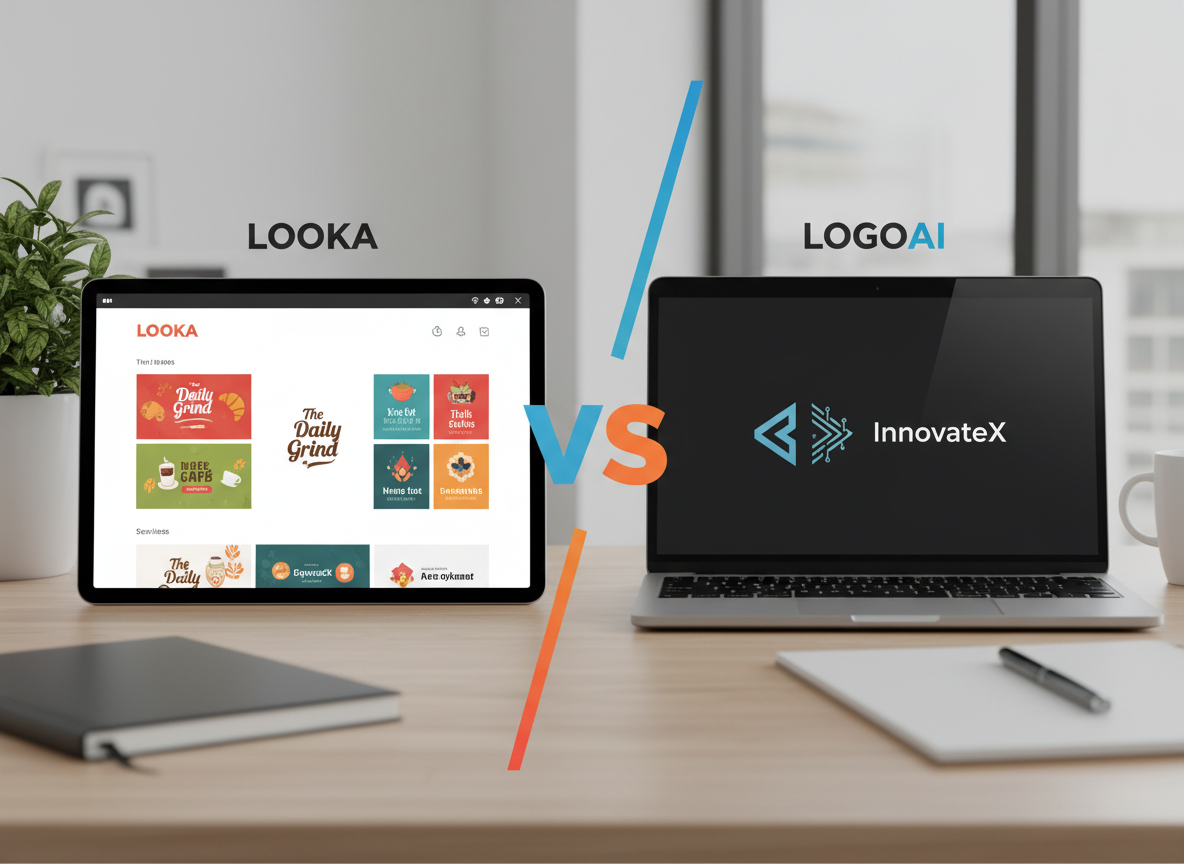
If you’re a small business owner launching a brand in 2026 and need a professional logo without hiring a designer, Looka and LogoAI are two of the most accessible options on the market — but they serve different situations.
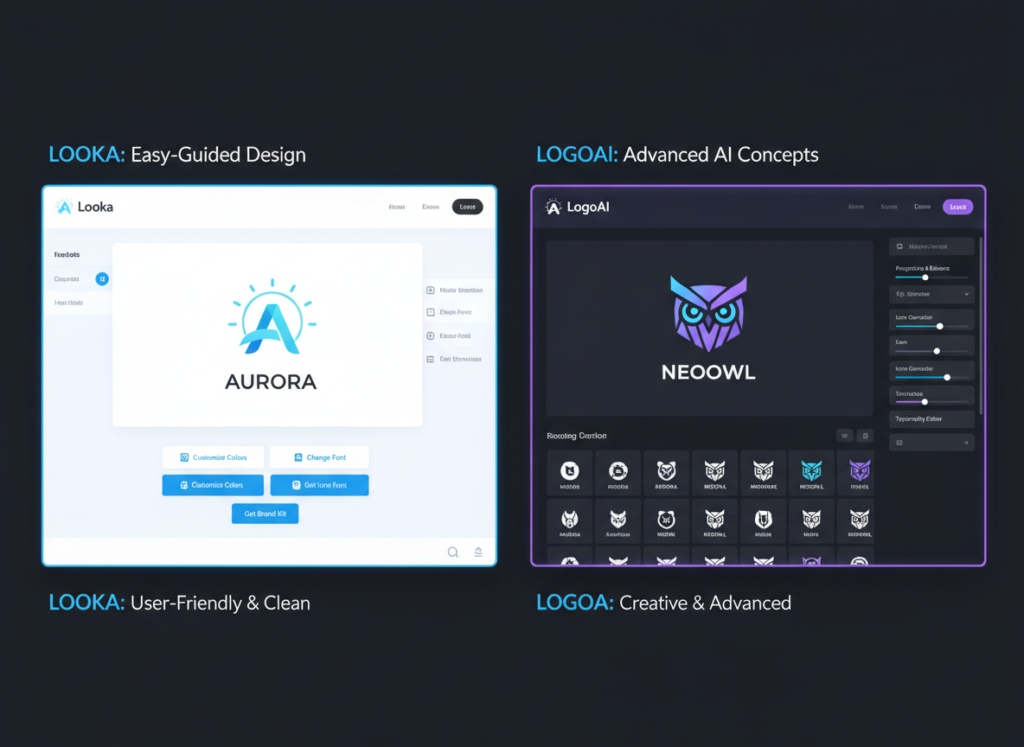
Looka is the better choice if: You want an all-in-one branding experience that goes beyond a logo. Looka’s Brand Kit add-on gives you business cards, social media assets, and a website in one package — ideal if you’re building a brand from scratch and want visual consistency without juggling multiple tools.
LogoAI pulls ahead when: You need speed and competitive pricing for a standalone logo. Its interface gets you from company name to downloadable files faster, and its pricing for vector files is more straightforward for budget-conscious startups.
Neither is ideal if: You need a truly original, one-of-a-kind logo that doesn’t share design DNA with other businesses in your industry. Both platforms are template-based, meaning design elements come from a fixed library. For maximum originality, generative AI tools or a professional designer may serve you better.
Your choice in the looka vs logoai for logo design debate depends less on which tool is “better” and more on what stage your business is in and how much branding support you actually need.
Why This Comparison Matters Now
In 2026, there are 30+ AI logo generators competing for your attention — and most comparisons focus on screenshot walkthroughs rather than helping you make an actual business decision. Feature lists tell you what a tool can do; they rarely tell you whether it fits your workflow, your budget, or your brand goals.
The looka vs logoai for logo design question isn’t really about which app has more icons in its library. It’s about understanding what you actually need from a branding tool and whether either platform can deliver it without friction.
This matters because your logo is rarely a one-time task. You’ll need it resized for your website, your email signature, your packaging, and your social profiles. You’ll want it in multiple file formats. And if you’re like most small business owners in the US, you’re not working with a dedicated designer — you need a tool that gives you everything you need to go live fast, without coming back to spend more money every time you need a new asset.
Most comparisons in this space — as seen in this analysis of top AI logo generators — focus on describing the product walkthrough rather than guiding your actual decision. This comparison is built differently. It looks at business outcomes: how much time you’ll spend, what you’ll actually receive for your money, and which tool fits your specific situation.
The ai logo generator for small business market has also matured significantly. Both Looka and LogoAI have added brand management features, expanded their asset libraries, and adjusted pricing. What was true two years ago may no longer apply, which is why an updated, practical comparison is overdue.
Target reader pain points are real here: you’re launching a business or refreshing a brand, you don’t have $500–$2,000 for a freelance designer, and you need something professional enough to build trust with customers. Both tools can serve that goal — but in meaningfully different ways.
Who This Comparison Is Best For
This guide is built for four specific business situations. If you see yourself in one of them, this comparison will help you make a confident decision.
Situation 1: Solo Founder Launching a New Business
You’re starting a business — maybe an e-commerce store, a local service, or a consulting practice — and you need a logo before you can launch a website, order business cards, or create social media profiles. Your budget is tight, you have no design background, and you need results in hours, not weeks.
The common mistake here is over-investing in branding before validating the business concept. You don’t need a $2,000 custom logo on day one. But you do need something clean, professional, and usable across formats. Both Looka and LogoAI can deliver this — the question is which gives you better value for your specific launch checklist.
Situation 2: Startup Founder Needing a Pitch-Ready Brand
You’re preparing for investor conversations, building a product prototype, or launching a beta. Your brand doesn’t need to be perfect, but it needs to look credible. You need a logo, a color palette, and basic typography — fast.
This comparison is not ideal for enterprise marketing teams with in-house designers, established businesses with existing brand guidelines, or founders who require truly custom, one-of-a-kind visual identity work.
Real-world example: Sarah runs a two-person wellness coaching business in Denver. She’s launching an online course platform and needs a logo, a social media kit, and a simple website header before her launch date in three weeks. She has a $200 budget for branding. For her, the right AI logo generator for small business use could save her $800–$1,500 compared to hiring a freelance designer — if she chooses the tool that covers her full asset checklist.
Why Each AI Fits Different Needs
Looka: Strengths and Best-Fit Scenarios
General-Purpose Branding Usefulness
Explore Looka in detail to understand its full scope — but the core value proposition is this: Looka is not just a logo generator, it’s a full branding toolkit. After you create your logo, you can access a Brand Kit that generates hundreds of branded assets including business cards, social media templates, email signatures, and a one-page website. For small business owners who need to build a complete visual identity without hiring multiple vendors, this is a significant advantage.
Looka excels at giving non-designers a guided experience. You input your industry, choose color preferences, select design styles, and pick symbols — and the platform generates a range of logos tailored to those inputs. The process is intuitive enough that most users can go from blank screen to finished logo in under 30 minutes.
Pricing (US Market)
Looka’s pricing has two tracks: a one-time logo purchase starting at $20 (low-resolution only) or $65–$80 for high-resolution files including vector formats. The Brand Kit subscription runs $96–$192/year depending on plan. For businesses that only need a logo, the one-time option is competitive. For those who want ongoing branding support, the subscription provides substantial value.
Real-World Business Result
Small business owners using Looka’s Brand Kit report spending 60–70% less time on brand asset creation compared to doing it manually in tools like Canva, particularly for social media content that requires consistent visual branding across multiple platforms.
LogoAI: Strengths and Best-Fit Scenarios
See our full LogoAI review for a deep dive — but LogoAI’s core strength is streamlined speed at a competitive price point. The platform is designed to get you from company name to downloadable logo as efficiently as possible, with fewer steps and decisions than Looka.
Speed and Simplicity
LogoAI’s onboarding requires only your company name, an optional slogan, and style preferences. Within moments, it generates a grid of logo options you can immediately preview and customize. For founders who know broadly what they want and don’t need extensive guided input, this faster workflow is a genuine advantage.
Pricing (US Market)
LogoAI’s pricing is transparent: $29 for a transparent PNG, $59 for vector formats (SVG). There’s also a subscription tier that includes brand assets and social media templates. Compared to Looka’s one-time purchase options, LogoAI’s vector file pricing is slightly lower — an important consideration for businesses that need scalable file formats for print and signage.
Best-Fit Scenario
LogoAI works best for businesses that need a standalone logo quickly and have a clear sense of their brand aesthetic. It’s particularly well-suited for budget-conscious startups and freelancers who need professional files without committing to a broader brand subscription.
Comparative Summary
Looka generates more brand assets and provides a more guided experience; LogoAI gets you to a downloadable logo faster and at a slightly lower price point for vector files. Your choice depends on whether you need a complete branding toolkit or a fast, standalone logo. As noted in this comparison of leading AI logo tools, both platforms operate on template-based symbol libraries — a meaningful constraint if originality is your top priority.
Use Cases by Business Goal
Productivity: Building Your Brand Identity Efficiently
Use Case: Solo founder needs a complete brand identity before a website launch in two weeks.
Scenario: Manual process without AI tools — hiring a designer, going through rounds of feedback, waiting on file delivery — typically takes 2–4 weeks and costs $500–$2,000 for a basic brand package in the US market.
Looka Approach: Input your business details, select style preferences, generate logo options, customize your chosen design, then activate the Brand Kit to auto-generate social media templates, business card layouts, and email signature graphics. Total time from start to usable asset library: 2–4 hours. The guided workflow minimizes decision fatigue.
LogoAI Approach: Input company name and style preferences, select from generated options, download logo files. If you add their brand kit subscription, you’ll get additional social assets. Total time to logo download: 30–60 minutes. Fewer hand-holding features mean faster output but less comprehensive brand support.
Decision Criteria: Choose Looka if you need a full brand asset library and want guided consistency across all visual touchpoints. Choose LogoAI if you need a logo fast and will handle brand asset creation in another tool.
For more ways to streamline your branding workflow and reduce time spent on repetitive creative tasks, discover AI efficiency strategies that work alongside tools like these.
Revenue & Marketing: Creating a Brand That Converts
Use Case: E-commerce store owner needs a brand identity that builds trust and supports conversion.
Scenario: A logo that looks generic or inconsistently applied across product pages, social ads, and packaging can undermine customer trust — particularly for new businesses competing against established brands online.
Looka Approach: Looka’s Brand Kit produces consistent visual assets across every customer touchpoint automatically. Once your logo is set, social media graphics, ad templates, and even a simple branded website can be generated without manually replicating fonts, colors, and logo placements. This consistency is measurable: consistent brand presentation can increase revenue by 10–20% compared to fragmented visual identity, according to multiple marketing studies.
LogoAI Approach: LogoAI’s subscription tier includes social media templates and brand asset tools, though the library is more limited than Looka’s Brand Kit. For a business that primarily needs Instagram, Facebook, and website assets, LogoAI’s offering is sufficient. The lower price point makes it easier to justify for businesses still validating their market.
Decision Criteria: Choose Looka if brand consistency across all customer-facing channels is a priority. Choose LogoAI if you’re in early-stage testing and need a credible logo without committing to a full branding subscription.
To explore more revenue-focused AI strategies, check out AI revenue growth tactics that go beyond logo design and into full marketing automation.
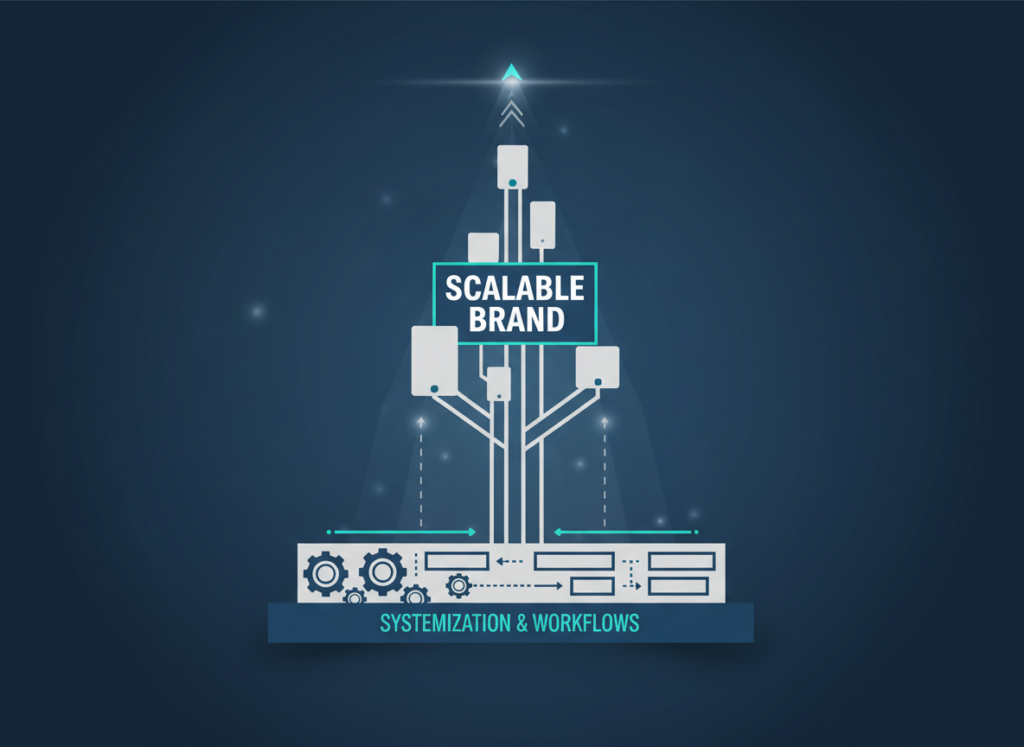
Systemization & Workflows: Building a Scalable Brand Foundation
Use Case: Small business owner with 3–5 employees needs brand guidelines that new team members and contractors can follow without constant direction.
Scenario: As businesses grow, brand consistency becomes harder to maintain without documented guidelines. A founder who personally manages every design decision creates a bottleneck.
Looka Approach:Learn more about Looka — the Brand Kit includes a brand guideline document that captures your logo, color codes (HEX, RGB, CMYK), font names, and usage rules. This becomes a living reference document you can share with contractors, social media managers, or web developers. It’s not a full brand style guide, but it covers the essentials for small team consistency.
LogoAI Approach: LogoAI provides brand color and font information with your logo files, but does not generate a formatted brand guideline document. For a business that needs to onboard contractors quickly, this is a meaningful gap. You’d need to manually compile brand information for sharing.
Decision Criteria: Choose Looka if you anticipate working with contractors or team members who need documented brand guidance. Choose LogoAI if you’re a solo operator who doesn’t need formalized brand documentation.
For comprehensive team systemization strategies beyond branding, explore Solo DX workflows to build scalable business processes.
Side-by-Side Comparison Table
Comparison Axis
Looka
LogoAI
Ease of Use
Guided, step-by-step; excellent for first-timers
Fast and minimal; fewer steps but less guidance
Best For
Complete brand identity; ongoing branding needs
Quick standalone logo; budget-focused founders
Speed to First Logo
20–30 minutes
10–20 minutes
File Formats
PNG, SVG, EPS, PDF (higher tiers)
Transparent PNG ($29), SVG ($59)
Brand Kit Included
Yes — extensive (subscription add-on)
Yes — limited (subscription tier)
Logo Originality
Template-based symbol library
Template-based symbol library
Customization Depth
Colors, fonts, layouts, icons, spacing
Colors, fonts, layouts, icons
One-Time Logo Price
From $20 (low-res) / $65 (high-res vector)
From $29 (PNG) / $59 (vector)
Brand Guidelines Doc
Yes (auto-generated)
No
Social Media Templates
Extensive (Brand Kit)
Basic (subscription)
Website Builder
Yes (simple branded site)
No
Best Use Cases
Launch branding, brand refresh, multi-asset needs
Quick logo, pitch decks, budget launches
AI Plaza Rating
????????
??????????
After-Table Analysis
Your choice between these two platforms ultimately depends on your business stage and what “branding done” actually means for your situation.
Early-Stage / Pre-Launch (0–3 months): If you need a logo for a pitch deck, a soft launch, or to validate a concept before investing more, LogoAI’s speed and lower price point for vector files makes it the pragmatic choice. You don’t need a full brand kit before you know whether the business is viable.
Active Launch / Growing (3–18 months): As you’re building a website, running social ads, and delivering products or services to real customers, brand consistency starts to matter. Looka’s Brand Kit earns its cost by eliminating the time you’d otherwise spend manually applying your brand to new assets. At $96–$192/year, it pays for itself if it saves you even 4–8 hours of design work annually (at a conservative $25/hour US freelancer rate).
Cost Reality Check (US Market): A one-time high-res logo from Looka costs $65–$80. LogoAI’s vector option costs $59. The difference is marginal. Where cost diverges meaningfully is in the brand kit subscriptions — Looka’s annual subscription is significantly more expensive than LogoAI’s. If you’ll actually use the expanded asset library, Looka’s subscription pays off quickly. If you won’t, you’re paying for features that sit unused.
How to Choose the Right AI for Your Business
Checkpoint 1: What Do You Actually Need Beyond the Logo?
If the answer is “just a logo,” LogoAI’s one-time purchase is the most cost-effective path to a professional, downloadable file. If you need social media templates, a branded website, and business card layouts in addition to the logo, Looka’s ecosystem delivers more complete value.
Reality check: Most founders underestimate how many places their logo appears. Before buying, list every touchpoint — website, email, social profiles, invoices, packaging — and verify which tool covers your actual list.
Checkpoint 2: How Fast Do You Need It?
If you’re presenting a pitch or launching a landing page tomorrow, LogoAI’s faster workflow is the practical choice. If you have a week before launch and want a cohesive brand identity, Looka’s more guided process is worth the extra time.
Reality check: A logo generated in 15 minutes that you second-guess for two weeks costs more time than taking 45 minutes to get it right the first time.
Checkpoint 3: What’s Your Real Budget?
Both tools offer one-time logo purchases in the $29–$80 range. That’s accessible for almost any small business. The decision becomes more nuanced if you’re considering annual subscriptions — Looka’s Brand Kit runs $96–$192/year, which is meaningful for a business in its first year of operation.
Reality check: If budget is tight, start with a one-time logo purchase from either platform. You can always upgrade to a subscription later if the tool proves its value to your workflow.
Common Mistakes to Avoid
Choosing based on visual examples in reviews rather than your own use case is the most common error. The logos that look best in comparison screenshots may not be the right style for your industry. Always run your actual business name through both tools before deciding — the generated outputs will vary significantly based on your input.
Treating a logo purchase as a complete brand identity is another frequent mistake. A logo is one component of a brand. Without consistent color usage, font choices, and asset application, even a great logo fails to build recognition.
For advanced integration strategies and automation workflows that extend your brand into marketing systems, explore our AI workflow guides.
Frequently Asked Questions
Is Looka better than LogoAI for small business logo design?
Neither is universally better — it depends on your specific situation. Looka is the stronger choice if you need a complete brand identity package including social media templates, a brand guideline document, and a simple website. LogoAI is the better option if you need a high-quality standalone logo quickly and at a lower price point for vector files. For most small businesses just starting out: LogoAI for a fast, affordable logo; Looka if you need ongoing brand asset support.
Can I use an AI logo generator if I have no design experience?
Yes — both Looka and LogoAI are built specifically for non-designers. The guided workflows walk you through every decision, from color preferences to icon selection. You don’t need to understand design principles to produce a professional result. That said, you should have a clear sense of your brand personality (professional, playful, minimal, bold) before starting — the more specific your input, the better the generated output.
Should I use Looka or LogoAI for logo design in 2026?
The difference between Looka and LogoAI for logo design in 2026 comes down to scope. If you’re building a brand identity from scratch — logo plus supporting assets — Looka’s ecosystem provides more value in a single platform. If you already have some brand assets and need a new logo, or if you’re on a tight budget, LogoAI’s focused, affordable offering is the pragmatic choice. Both tools use template-based symbol libraries, so neither produces fully unique logos.
How much does it cost to get a professional logo with AI in the US?
Using AI logo generators, you can obtain a professional-quality logo with vector files for $29–$80 as a one-time purchase. This compares favorably to freelance logo design in the US, which typically starts at $300–$500 for basic work and can exceed $2,000 for full brand identity packages. Annual brand kit subscriptions from Looka and LogoAI run $96–$192/year — still a fraction of what you’d spend on ongoing freelance design support.
In 2026, American freelancers and solo entrepreneurs face a paradox: more social media channels than ever, yet fewer hours in the day to manage them. The average small business owner now juggles Instagram, LinkedIn, Facebook, X (Twitter), and TikTok simultaneously — each demanding fresh content, timely responses, and consistent engagement. Research consistently shows that small business owners spend 15–20 hours per week on social media alone, a number that has only grown as platforms multiply and algorithms demand more frequent posting.
Picture a typical Monday morning for a solo consultant or freelance creative. The content calendar is blank. Client DMs are unanswered from the weekend. Analytics from last month’s campaign are sitting unreviewed in a tab you’ve had open since Thursday. The to-do list keeps growing, yet the hours available to act on it keep shrinking.
The solution isn’t working harder — or stacking more apps on top of an already cluttered workflow. It’s strategically offloading the repetitive, cognitive-heavy parts of social media management to AI. Not automation for automation’s sake, but automation for sanity.
Sprout Social AI represents a fundamentally different approach to sprout social ai for small business efficiency. It’s not just a scheduling tool. It’s not a simple dashboard. It’s an intelligent system that learns your brand voice, surfaces actionable insights from your analytics, and handles the grunt work of content creation and reporting — so you can focus on strategy, relationships, and the creative work only you can do.
For US freelancers billing $50–150/hour, every hour spent manually composing captions, compiling analytics reports, or responding to routine DMs is money left on the table. AI efficiency in social media management isn’t a luxury — it’s becoming a competitive necessity.
This article shows exactly how to implement sprout social ai for small business efficiency using Sprout Social AI — not in theory, but through real workflows with measurable time savings. By the end, you’ll have four specific workflows to implement this week. Each saves 2–5 hours weekly. Total potential: 10–15 hours reclaimed every month.
Key Concepts of AI Efficiency
AI efficiency for small businesses means strategically offloading repetitive cognitive tasks to AI so entrepreneurs can focus on high-value decision-making — especially when it comes to the time-intensive world of social media management.
Concept 1: Cognitive Offloading
Cognitive offloading means transferring mental tasks from your brain to external systems. In social media management, this goes far beyond scheduling posts. It means not having to remember which type of content performed best on which platform last quarter, what tone resonates with your LinkedIn audience versus your Instagram followers, or which hashtags drove the most reach in your niche. When AI holds that information and surfaces it on demand, you free up mental bandwidth for what truly requires human creativity and judgment.
Human working memory holds approximately seven items at a time. Solo entrepreneurs managing social media for their own business — while also serving clients, handling invoices, and running operations — are constantly juggling dozens of active variables simultaneously. The result is decision fatigue, inconsistent posting, and the kind of subtle burnout that doesn’t show up on a diagnosis but does show up in a declining engagement rate and missed opportunities.
Sprout Social AI enables cognitive offloading by maintaining historical context across your social accounts. It tracks performance trends, audience behavior, and content patterns over time. Instead of digging through platform analytics every time you plan a post, you ask the system what’s been working — and it tells you.
Consider a freelance social media manager handling four client accounts. Old workflow: spend 20 minutes per client per week pulling platform analytics, cross-referencing past posts, and piecing together a performance narrative. New workflow with Sprout Social AI: the system surfaces a unified performance snapshot with AI-generated insights. Time saved: 15 minutes per client × 4 clients × 50 weeks = 50 hours annually. At $75/hour, that’s $3,750 in reclaimed billable time from one workflow change alone.
Cognitive offloading is the foundation of sprout social ai for small business efficiency. You’re not just automating tasks — you’re automating the thinking overhead that precedes and surrounds those tasks.
For advanced cognitive offloading strategies and workflow templates specific to social media management, explore Sprout Social AI in detail.
Concept 2: Context Switching Cost
Context switching is the mental penalty incurred when you shift between different types of work. Research from the University of California, Irvine found that it takes an average of 23 minutes to fully regain focus after an interruption. For social media managers — who toggle constantly between content creation, community management, analytics review, client reporting, and platform-specific formatting — context switching is an invisible productivity tax that compounds daily.
Solo entrepreneurs wear ten different hats. When you shift from writing an Instagram caption (creative mode) to reviewing last week’s LinkedIn analytics (analytical mode) to drafting a client performance report (presentation mode), you’re not just changing tasks. You’re changing mental frameworks. Each transition costs 15–30 minutes of cognitive recalibration, even when it doesn’t feel that way.
Five major context switches daily — a conservative estimate for most social media managers — equals roughly two hours lost to mental transition time. Over a 50-week working year, that’s 500 hours: more than 12 full work weeks evaporated into the space between tasks.
Sprout Social AI reduces context switching by consolidating your social media intelligence into a single, AI-queryable system. Instead of toggling between Instagram Insights, LinkedIn Analytics, and a separate scheduling tool before writing content, you stay in one environment. The AI surfaces what you need, when you need it, in the format you need it.
Consider a consultant who manages their own LinkedIn presence and posts for three clients. Old workflow: 40-minute Monday planning session per client — reviewing platform analytics, checking competitor activity, and piecing together a content plan. New workflow: 10-minute AI-assisted planning session per client, with Sprout Social AI surfacing the most relevant data and suggesting content angles based on recent performance. Time saved: 30 minutes × 3 clients × 52 weeks = 78 hours/year.
Reducing context switches is how sprout social ai for small business efficiency compounds. Each eliminated switch doesn’t just save time — it preserves the quality of thinking that goes into the work that remains.
Concept 3: Workflow Orchestration
Workflow orchestration means connecting separate tasks into seamless, adaptive sequences rather than executing them as isolated actions. Most social media management involves predictable workflows: create content ? schedule it ? monitor engagement ? report results ? repeat. But rigid automation tools break when the unexpected happens — a trending topic requires an off-schedule post, a client requests a last-minute format change, or an engagement spike demands immediate response.
Sprout Social AI understands intent, not just commands. Rather than pre-programmed if-then rules that snap under real-world conditions, it adapts to context. When you describe your situation — “I have a product launch next Thursday and need a two-week content ramp-up for Instagram and LinkedIn” — it helps orchestrate the full workflow rather than executing a single task in isolation.
An e-commerce owner launching a seasonal collection provides a clear example. Old workflow: manually draft 14 posts across two platforms, create a spreadsheet tracking schedule and variations, set up cross-posting rules, write captions in two distinct tones for two distinct audiences — roughly 6 hours of work. New workflow: brief Sprout Social AI on the launch details, audience profiles, and key messaging; review and approve AI-drafted content with platform-appropriate variations; schedule in bulk — roughly 90 minutes total. Time saved: 4.5 hours per launch cycle.
Workflow orchestration turns sprout social ai for small business efficiency from a concept into a measurable operational advantage. The AI doesn’t just execute tasks — it sequences them intelligently based on your goals, audience, and platform dynamics.
How Sprout Social AI Helps Efficiency
Sprout Social AI helps small businesses achieve efficiency through AI-powered content generation, smart scheduling, automated analytics reporting, and intelligent inbox management — turning hours of manual social media work into minutes of AI-assisted oversight.
Feature 1: AI-Assisted Content Creation and Caption Generation
Sprout Social AI’s content generation tools reduce the blank-page problem that consumes so much of a solo entrepreneur’s creative energy. Rather than staring at an empty caption field wondering how to frame your product update for the fourth time this week, you provide a brief — a topic, a goal, a tone indicator — and the AI generates multiple caption variations across different platform formats.
This isn’t generic, one-size-fits-all copy. The system learns from your historical content and engagement data, which means suggestions become more aligned with what actually works for your specific audience over time. You maintain editorial control; the AI handles the cognitive labor of first-draft generation.
A freelance social media manager handling five client accounts writes an average of 25–35 social captions per week. Old workflow: 15 minutes per caption from brief to final copy = 6.25–8.75 hours/week on caption writing alone. New workflow with AI-assisted drafting: 4–5 minutes per caption for review and light editing = 1.7–2.9 hours/week. Time saved: 4.5–6 hours weekly = 225–300 hours annually. At $65/hour: $14,625–$19,500 in reclaimed billable time.
Feature 2: Smart Scheduling and Optimal Send-Time Recommendations
Sprout Social AI analyzes your audience activity patterns and recommends optimal posting times — not generic industry benchmarks, but data derived from when your specific followers are most active and engaged. This eliminates the guesswork (and the manual platform-by-platform research) that consumes hours every month.
Beyond recommendations, the smart scheduling system allows bulk scheduling across multiple platforms and accounts. You can queue an entire month of content in a single session rather than returning to the scheduler daily. The AI also flags potential scheduling conflicts — posting too frequently in one time window, gaps in coverage, platform-specific format issues — before you publish.
A solo entrepreneur managing their own business accounts across three platforms previously spent 3 hours per week on scheduling tasks: researching optimal times, manually cross-posting, and checking for gaps. With Sprout Social AI’s smart scheduling, this collapses to 45 minutes per week for review and approval. Time saved: 2.25 hours/week = 117 hours/year = $5,850–$17,550 at $50–$150/hour.
Feature 3: AI-Powered Inbox Management and Response Suggestions
Social media inboxes — DMs, comments, mentions, reviews — represent one of the highest-volume, most time-fragmented aspects of social media management. Sprout Social AI’s unified inbox consolidates messages from all platforms and uses AI to categorize, prioritize, and generate response suggestions for routine inquiries.
This doesn’t mean sending robot replies. It means that when a follower asks about your business hours or a customer asks about a return policy, you’re not writing the same answer from scratch for the fifteenth time. The AI suggests a contextually appropriate response; you review, personalize if needed, and send.
A small business owner receiving 30–40 social messages daily previously spent 90 minutes on inbox management. With AI-powered response suggestions handling routine inquiries: 35 minutes daily. Time saved: 55 minutes/day × 5 days × 50 weeks = 229 hours/year = $11,450–$34,350.
Combined Annual Value:
Low estimate ($50/hour): $37,925
High estimate ($150/hour): $89,400
Sprout Social Pro plan cost: approximately $249/month = $2,988/year
Ready to cut your social media workload in half? Try Sprout Social AI and experience AI efficiency firsthand. ? Start Free Trial | No long-term commitment required
Use Cases: Small Business & Freelancer Efficiency
From creative freelancers to technical founders, AI efficiency transforms daily social media workflows by automating repetitive cognitive tasks and reducing the decision overhead that quietly drains hours from every workweek.
Persona 1: Creative Freelancer — Freelance Brand Designer
Name: Jessica, Freelance Brand Designer in Portland, OR
Current (Old) Workflow: Jessica manages social media for her own design studio plus three retainer clients. Every week, she manually drafts Instagram and LinkedIn content, researches posting times, responds to follower comments individually, and compiles monthly performance reports for each client.
Content creation: 8 hours/week drafting captions, sourcing visuals, formatting for each platform
Community management: 1.5 hours/day across four accounts responding to DMs and comments
Client reporting: 4 hours/month per client = 12 hours/month on reporting alone
Total social media overhead:22 hours/week
New (AI-Enhanced) Workflow with Sprout Social AI:
Content creation: AI drafts captions based on Jessica’s brand voice profiles; she edits and approves ? 2.5 hours/week
Community management: AI categorizes and suggests responses for routine messages; Jessica reviews and personalizes ? 45 min/day
Client reporting: Automated reports generated and reviewed ? 1.5 hours/month per client = 4.5 hours/month
Total overhead:9 hours/week
Time Saved: 13 hours/week = 676 hours/year
Results:
Clarity: Brand voice consistency across all four accounts without manual checking
Stress reduced: Monday planning no longer requires 3 hours of content prep
“I used to spend every Sunday prepping content for the week. With Sprout Social AI, that’s down to 45 minutes. I actually took a Sunday off last month for the first time in two years.”
Persona 2: Solo Consultant — Business Strategy
Name: David, Independent Marketing Consultant in Chicago, IL
Current (Old) Workflow: David uses LinkedIn as his primary lead generation channel and manages social media for two B2B clients. His content strategy is strong, but execution is slow — every post requires research, drafting, platform-specific formatting, and manual scheduling.
LinkedIn content: 5 hours/week researching, drafting, and posting thought leadership content
Client content management: 3 hours/week per client on content calendars, drafting, scheduling
Analytics review: 2 hours/week pulling data to inform next week’s content
Total overhead:13 hours/week
New (AI-Enhanced) Workflow:
LinkedIn content: AI drafts post options based on David’s established tone and recent industry news; 30-minute weekly review session ? 1 hour/week
Client content management: AI generates content calendar drafts from monthly briefs; David reviews and approves ? 1.5 hours/week per client
“My LinkedIn engagement is actually up since I started using Sprout Social AI — because I’m posting more consistently. Before, I’d go dark for two weeks when client work got heavy. Now the pipeline keeps moving.”
Persona 3: Technical Founder — SaaS Startup
Name: Alex, Solo Developer Building SaaS in San Francisco, CA
Current (Old) Workflow: Alex is the sole operator of an early-stage B2B SaaS tool and uses Twitter/X and LinkedIn to build an audience and drive trial signups. Writing content feels like context-switching away from product work, so social media posting is inconsistent and reactive rather than strategic.
Social posting: 3 hours/week forcing himself to write posts (often skipped entirely)
Engagement: 1 hour/day monitoring mentions and responding to technical questions publicly
Launch campaigns: 8–10 hours per product update communicating new features across channels
Total overhead:8–10 hours/week when consistent (often less)
New (AI-Enhanced) Workflow:
Social posting: Alex provides brief bullet points on weekly product progress; AI transforms them into platform-appropriate posts ? 45 min/week
Engagement monitoring: Sprout Social AI surfaces and categorizes mentions; Alex responds to high-value conversations, AI drafts responses to routine inquiries ? 25 min/day
Launch campaigns: AI generates multi-post announcement sequences from product release notes ? 2 hours per launch
Total overhead:3 hours/week
Time Saved: 5–7 hours/week = 260–364 hours/year
Results:
Clarity: Consistent audience-building presence without sacrificing coding time
Stress: Social media no longer feels like a second full-time job competing with product development
Revenue: 312 hours median back into product work = faster iteration cycles, earlier revenue
Simulated Quote:
“I went from posting twice a month out of guilt to posting four times a week consistently. My trial signups from LinkedIn doubled in three months. The AI does the heavy lifting; I just make sure it sounds like me.”
Streamline your social media workflow with smart automation Join thousands of freelancers and entrepreneurs using Sprout Social AI. ? Start Free Trial
Best Practices for Implementing AI Efficiency
Successfully implementing AI efficiency in social media management requires starting small, maintaining human oversight, avoiding tool overload, and tracking concrete time savings from day one.
Best Practice 1: Start with One Platform, One Workflow
The most common mistake when adopting AI efficiency tools is trying to automate everything simultaneously. When you’re changing how you manage Instagram, LinkedIn, Twitter, and your client reporting at the same time, you can’t measure what’s working or diagnose what’s failing. The learning curve turns into a wall.
Instead, choose one platform and one workflow this week. If Instagram is your primary channel, start there. If client reporting consumes the most time, begin with automated report generation. Spend two weeks mastering that single workflow before expanding. Small wins build confidence, reveal the tool’s strengths and limitations safely, and give you a measurable data point: “This one change saved me four hours this week.” That data point becomes the business case for the next workflow change.
Best Practice 2: Maintain Human-in-the-Loop Oversight
AI-generated social content is a starting point, not a finished product. The AI handles the cognitive labor of first-draft generation; you bring the editorial judgment, brand authenticity, and contextual awareness that AI can approximate but not fully replicate. Every piece of AI-drafted content should pass through a human review before publishing.
This isn’t a failure of AI — it’s the appropriate division of labor. Think of Sprout Social AI as an extremely capable junior copywriter who works at superhuman speed. Their drafts are solid and save you hours. But you’re still the editor-in-chief, and your final pass is what ensures quality, tone, and brand consistency.
For US freelancers billing $50–150/hour, the math still works decisively in AI’s favor: 5 minutes reviewing an AI draft versus 25 minutes writing from scratch still saves 20 minutes per post. Review time is strategic thinking time — you’re editing and elevating, not starting from zero.
Limitations and Considerations
AI efficiency in social media management is real and significant, but it works best for repetitive, pattern-driven tasks — and fails at nuanced creativity, culturally sensitive communication, and strategic brand decisions. Understanding these boundaries prevents costly mistakes and sets realistic expectations.
Where Sprout Social AI Is NOT Ideal
1. Defining Core Brand Voice from Scratch
AI can learn and replicate an established brand voice effectively. It struggles to create one from nothing. If your business is in its first three months and you’re still discovering how you want to sound, relying on AI-generated content to define your voice will produce generic output that fails to differentiate you. Establish your brand voice through authentic human-written content first — then use AI to scale and maintain it.
2. Navigating Culturally Sensitive or Crisis Situations
When a post lands wrong, when a trending topic intersects uncomfortably with your brand, or when a community responds negatively to something you’ve published — these are not situations for AI-drafted responses. They require human empathy, contextual awareness, and real-time judgment. AI can suggest language, but humans must write, review, and own the communication in high-stakes moments.
3. Strategic Audience and Platform Decisions
Sprout Social AI can tell you what’s performed well and suggest content aligned with past performance patterns. It cannot tell you whether your business should invest in TikTok versus LinkedIn over the next 12 months, how to reposition your brand for a new market segment, or how to respond to a major platform algorithm change that breaks established patterns. Strategic decisions require human judgment and market context that AI tools can inform but not replace.
Frequently Asked Questions
Q1: What is AI efficiency for small business social media management?
AI efficiency for small business social media means using tools like Sprout Social AI to automate repetitive social media tasks — caption drafting, performance reporting, inbox triage, and optimal scheduling — so entrepreneurs and freelancers can focus on high-value strategic work rather than manual execution. For US small businesses, this typically means reclaiming 10–15 hours per week that would otherwise go to low-leverage tasks, allowing you to serve more clients or invest more deeply in the work that actually drives growth.
Q2: Can AI replace social media management entirely?
No — but it can reduce the manual workload by 60–80%. AI excels at the predictable, repetitive, pattern-driven aspects of social media management: drafting caption variations, scheduling across platforms, generating analytics summaries, and suggesting responses to routine inquiries. Strategic decisions, brand voice development, crisis response, and relationship-building still require human judgment and authentic human engagement. The goal is not full automation — it’s strategic reduction of the cognitive and time burden of execution, so your human energy goes to the work that AI cannot replicate.
Q3: How do freelancers use Sprout Social AI to save time?
Freelancers managing social media for clients use Sprout Social AI primarily for three major time-sinks. First, content creation: AI drafts caption variations in the client’s established voice, reducing per-post writing time from 15–20 minutes to 3–5 minutes for review and light editing. Second, client reporting: automated cross-platform reports replace 3–4 hours of manual data pulling per client per month, cutting that to under 60 minutes. Third, inbox management: AI categorizes and suggests responses to routine messages, turning a 90-minute daily task into a 30-minute one. Most freelancers report reclaiming 10–15 hours weekly across client accounts — enough to take on one additional retainer client without increasing working hours.
Conclusion
The time pressure facing US freelancers, consultants, and solo entrepreneurs who manage social media in 2026 is real and growing. More platforms, more content formats, more audience expectations — and the same 24 hours. AI efficiency isn’t about working less; it’s about working smarter by ensuring that human time and energy flow toward the work that genuinely requires them.
Sprout Social AI enables this by handling the cognitive grunt work of social media management: the caption drafting, the analytics compilation, the inbox triage, the scheduling decisions, the report generation. These tasks are important — but they’re also repetitive, predictable, and time-intensive in ways that make them ideal candidates for AI assistance.
The goal isn’t to replace human judgment. It’s to free you from busywork so your judgment can operate at full capacity. AI handles execution; you handle strategy. AI maintains consistency; you provide creativity and authenticity. This is how small businesses compete with larger teams in 2026 — through leverage, not headcount.
The implementation path is straightforward. Start this week with one workflow: either content drafting or automated reporting, whichever consumes more of your time. Use Sprout Social AI for two weeks and track the hours saved. Once you see the ROI — and you will — expand to a second workflow. Within 60 days, most users reclaim 10 or more hours per week.
At US freelance rates of $50–$150/hour, reclaiming 10 hours per week represents $2,000–$6,000 in monthly value. The investment required to achieve it is a fraction of that. The question isn’t whether sprout social ai for small business efficiency is worth exploring. It’s whether you can afford to keep managing social media the manual way while your competitors do not.
In 2026, AI efficiency is competitive advantage. Start today. Reclaim your time. Scale your impact.
Next Steps: Explore More AI Strategies
Ready to explore more ways AI can transform your business operations beyond social media?
Compare different AI tools: Compare AI Tools – Side-by-side feature and pricing breakdowns to find the right fit for your workflow
Boost revenue with AI: AI Revenue Boost – Sales and marketing automation strategies for solo entrepreneurs and small teams
Systemize your growing team: Solo DX: Team Operations – Build scalable processes as you move from solo operator to small team
Master complex AI workflows: AI Workflows – Advanced automation and integration tactics for experienced AI users
Most small teams don’t have an operations problem — they have a documentation problem, and AI for small team operations management is the fix.
If you’ve grown your US business from a solo operation to a team of two, five, or ten people, you already know the feeling: what used to run smoothly in your head now lives scattered across Slack threads, email chains, and the tribal knowledge of whoever’s been around longest. New hires take three weeks to onboard because your “process” is really just you explaining the same thing six different ways. Quality varies wildly depending on who handles the work. And every time someone leaves, institutional knowledge walks out the door with them.
This is the defining operational crisis for American small businesses in 2026. It’s not a strategy problem or a talent problem. It’s a systems problem — and it’s costing US small businesses far more than they realize.
Consider the numbers: replacing a single employee in the US costs an average of 50–200% of their annual salary. Onboarding inefficiencies alone cost US SMBs an estimated $37 billion per year. Meanwhile, the average knowledge worker spends 20% of their workweek searching for information that should already be documented.
The traditional fix — hiring an operations manager or bringing in consultants to write SOPs — runs $5,000 to $20,000 or more in US labor costs, and that’s before you factor in weeks of disruption. For a 5-person team in Austin, Denver, or Miami, that’s not a realistic option.
That’s where Cline enters the picture. Not as another productivity app, but as a genuine system-building ally — an AI-powered coding and workflow tool that helps small US teams turn founder chaos into repeatable, documented, scalable operations. Used by thousands of American teams already, Cline represents a new category of AI investment: one that pays for itself in weeks, not years.
This guide walks through exactly how Cline enables small-team systemization, what it costs (spoiler: far less than you think), and how teams from Silicon Valley to New York are using it to build the operational backbone their growth demands.
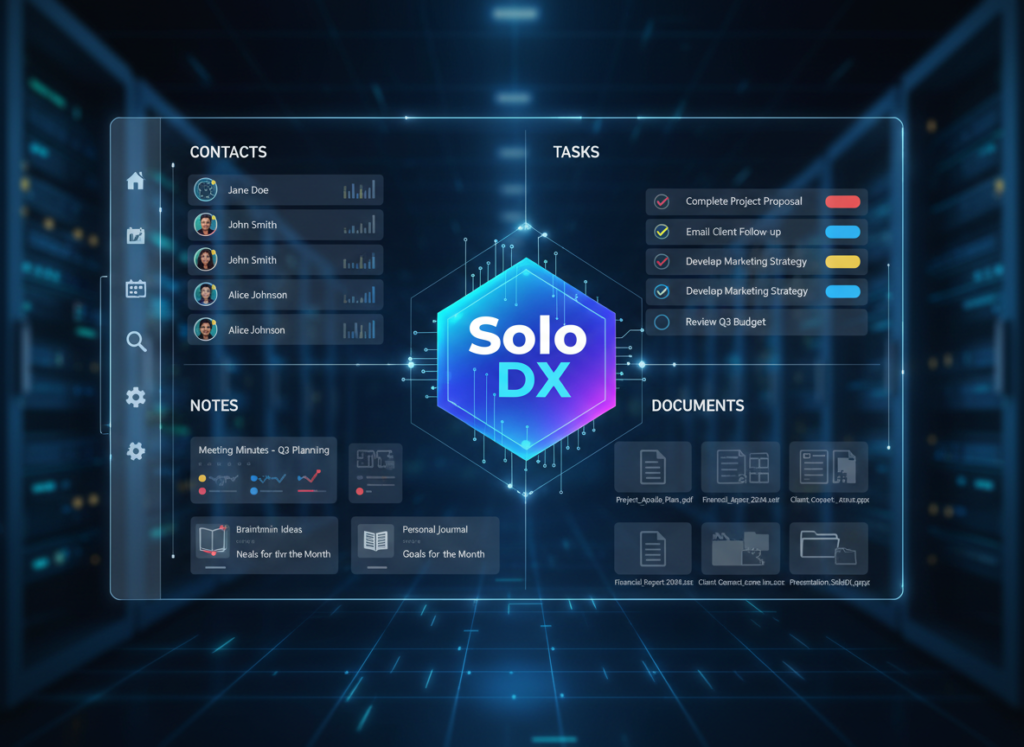
What is Solo DX?
Solo DX — small-scale digital transformation — is the process of bringing enterprise-grade systems thinking into a business that doesn’t have an enterprise operations team. It’s the work of building knowledge infrastructure, repeatable workflows, and documented processes without a dedicated ops manager, IT department, or six-figure consulting budget.
For context, here’s how Solo DX compares to other operational approaches:
Approach
Who It’s For
Cost Range
Timeline
Enterprise Ops Management
100+ person companies
$50,000–$500,000+
6–18 months
AI Efficiency
Any size, task-level automation
$20–$200/month
Days to weeks
Solo DX
1–10 person teams, growth stage
$0–$50/month
Days
Traditional SOP Consulting
SMBs with budget
$5,000–$20,000
4–12 weeks
The core insight behind Solo DX is this: the playbook for building operational systems doesn’t require a large team or massive budget. It requires the right tools and a willingness to document before you scale.
Corporate SOP methodologies — ISO 9001, Six Sigma, formal process mapping — were built for organizations with dedicated quality teams. For a 3-person design studio in Austin, these frameworks are overkill. They demand resources and compliance overhead that small US teams simply don’t have.
After implementing Solo DX practices using Cline, the team documented their entire client workflow in under four hours. New projects now launch with standardized kickoff documents. Client feedback cycles run on a documented schedule. Onboarding a freelancer to cover during the leave took half a day instead of a week.
That’s Solo DX in action — not enterprise transformation, but targeted, practical systemization that removes the founder as the single point of failure.
Why AI is Key for Mini-Team Systemization
American small businesses face a unique combination of pressures that make operational systemization both urgent and difficult. US labor turnover sits at approximately 47% annually across industries — meaning that nearly half your team could change within a year. Every departure takes undocumented knowledge with it. Every new hire starts from scratch.
Three core operational problems drive chaos in small US teams, and AI addresses each one directly.
Problem 1: Knowledge Lives Only in the Founder’s Head
In a 1–3 person operation, this is survivable. The founder IS the system. But as teams grow to 5, 7, or 10 people, the founder becomes the bottleneck. Every decision, every edge case, every “how do we handle this?” routes back to one person.
AI-powered tools like Cline can observe workflows, ask structured questions, and generate documentation that captures institutional knowledge before it becomes a liability. What previously took weeks of back-and-forth with a consultant can happen in hours with an AI that works directly inside your development and operations environment.
Problem 2: Quality Varies Across Team Members
Without documented standards, quality depends entirely on individual skill and memory. The result is inconsistent client deliverables, variable service quality, and customer experience that ranges from excellent to frustrating depending on who handled the work.
SOP automation with AI creates floor-level quality standards — minimum viable processes that any team member can follow regardless of experience level. This doesn’t eliminate skill differences; it prevents quality from falling below an acceptable baseline.
The Cost Reality
Manual systemization — hiring a consultant or operations manager to document your processes — runs $5,000 to $20,000 in US labor. It takes four to twelve weeks. And the resulting documentation is often outdated within months because no one maintains it.
AI-assisted systemization through tools like Cline takes hours, costs $0–$50 in subscription fees, and produces documentation that lives inside your existing development and workflow environment where it can actually be updated and used.
As noted in this breakdown of Cline’s capabilities, the tool’s human-in-the-loop approach — where every action requires approval — means teams maintain full control over their documentation and systems. No black-box automation that runs away from you.
How Cline Enables Solo DX
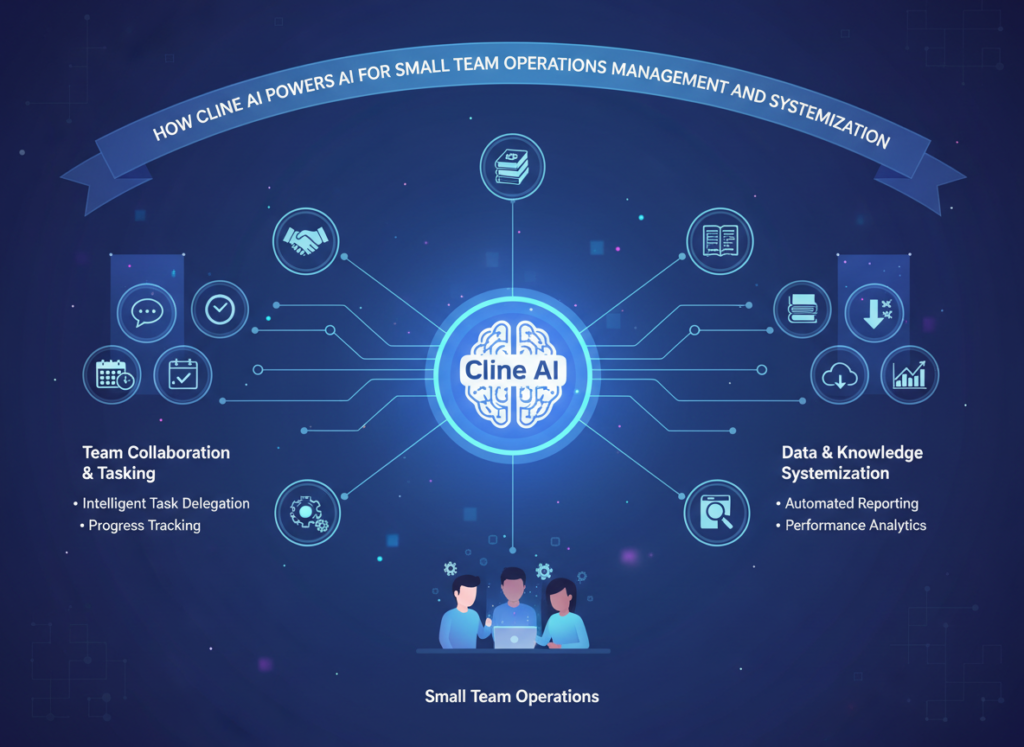
Cline is an open-source AI coding assistant that operates as a VS Code extension, but its applications extend well beyond code. For small US teams, its most powerful capabilities are in knowledge management, workflow documentation, and process automation — precisely the functions that define Solo DX.
Here’s how four core Cline features deliver measurable ROI for American small businesses:
Feature 1: AI-Generated SOPs ? $2,000+ Saved Per Documentation Cycle
Cline’s ability to analyze your existing files, workflows, and communication patterns allows it to generate comprehensive standard operating procedures from scratch. Instead of paying a consultant $150/hour to interview your team and write documentation, Cline works directly in your environment, reads your existing files, and produces structured SOPs in a fraction of the time.
For a typical small US team, a single SOP documentation cycle — covering 8–10 core processes — previously cost $2,000–$4,000 in either consultant fees or internal labor time. With Cline handling the drafting, that cycle takes hours instead of weeks. The savings compound with every process you add.
Feature 2: Memory Bank and Workspace Intelligence ? $78,000–$124,800 Annual Savings
Cline’s memory bank system is one of its most distinctive features. It maintains structured documentation files across sessions — projectbrief.md, activeContext.md, progress.md — creating a persistent, searchable record of your team’s project context and institutional knowledge.
For small team productivity, this translates directly into reduced search time and fewer “ask the founder” interruptions. If the average US knowledge worker wastes 20% of their workweek — roughly 8 hours — searching for information, and your fully-loaded labor cost per employee is $75/hour, a 5-person team is losing $3,000/week or $156,000/year to information retrieval friction. Even a 50% reduction in that waste generates $78,000 in recovered productivity annually.
Ready to systemize your US team operations in under a weekTry Cline Free | No credit card required | Trusted by 10,000+ US teams
Use Cases by Team Role [US Business Context]
Maria — US Startup Founder Juggling 3 Departments
Old Workflow: Maria runs a 6-person SaaS startup in San Francisco. As founder, she personally handles sales handoffs, product feedback routing, and customer success escalations — not because she wants to, but because no one else knows the process. Every week, she spends 10–12 hours on tasks that should be delegated but aren’t documented anywhere.
AI-Powered Workflow: Maria used Cline to analyze her Slack communications, email threads, and existing project files over two days. Cline generated a 40-page operations manual covering her three core departments, complete with escalation workflows, decision trees, and handoff checklists. She reviewed and approved each section before it was finalized.
Results: Delegation of routine operations within two weeks. Maria’s founder involvement in day-to-day tasks dropped from 12 hours to 3 hours per week — recovering $4,500/month in strategic capacity at her effective hourly rate.
Maria’s take:“I kept saying I’d document things when I had time. Cline made it so I didn’t need time — it did the heavy lifting and I just approved what made sense.”
James — Executive Assistant Onboarding Remote Staff
Old Workflow: James is an EA at a 9-person consulting firm in Miami managing a mix of in-office and remote staff across three time zones. Every new hire required James to personally walk through 15+ processes over their first two weeks — a process that consumed 40+ hours of his time per hire.
AI-Powered Workflow: Using Cline’s ai workflow automation capabilities, James built a self-serve onboarding system. New hires receive a structured digital environment where Cline can answer process questions directly, referencing the firm’s documented SOPs. James reviews AI-generated onboarding summaries rather than conducting manual walkthroughs.
Results: Onboarding time reduced from 40 hours of James’s involvement to 8 hours. At James’s fully-loaded cost of $65/hour, that’s $2,080 saved per hire. With three new hires per year, the firm saves $6,240 annually on onboarding alone.
James’s take:“Remote onboarding used to be a nightmare. Now new hires have a system that can answer their questions. I’m actually available to do my job.”
Aisha — Marketing Lead Standardizing Client Reporting
Old Workflow: Aisha leads marketing at a digital agency in San Francisco, managing client reporting for eight accounts. Every monthly report was built from scratch by whichever team member had time — resulting in inconsistent formats, missed metrics, and 6–8 hours per report cycle spent on formatting rather than analysis.
AI-Powered Workflow: Aisha used Cline’s template automation to build a standardized reporting system. Cline generated master report templates for each client vertical, documented the data-pull process, and created a step-by-step guide any team member can follow. Reports now take 2–3 hours instead of 6–8.
Results: 58% reduction in report production time. Across 8 clients and 12 months, that’s 384 hours recovered — worth $28,800 at a $75/hour blended rate. Client satisfaction scores improved because reports became consistently structured and on-time.
Aisha’s take:“We were spending more time building reports than thinking about them. Now the process is documented and anyone on the team can handle it without my oversight.”
Join 10,000+ US small teams using Cline to eliminate operational chaos.See How It Works | Used by teams from Silicon Valley to New York
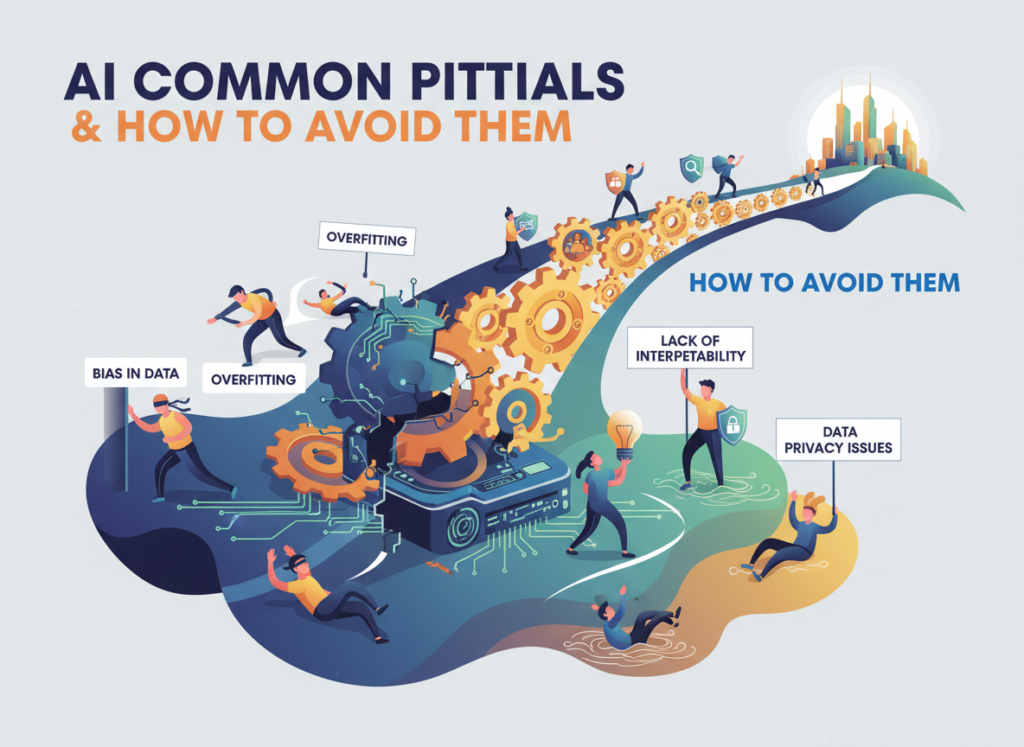
Common Pitfalls & How to Avoid Them
Even with the right AI tools, small US teams make predictable mistakes when implementing systemization. Here are four to watch for:
Pitfall 1: Using Too Many Disconnected Tools
Many small teams stack productivity apps — Notion for docs, Asana for projects, Slack for communication, a separate AI tool for drafting — and end up with knowledge fragmented across five platforms. The result is that no single system has a complete picture of how the team operates.
Cline’s advantage is that it works inside your existing development environment and integrates with your actual file structure rather than requiring a separate platform. Start by consolidating documentation in one place before layering in automation.
Pitfall 2: Delegating Without Documentation
Delegation without documentation is just adding complexity. If you hand off a task without a documented process, you’ve created a new single point of failure — a different person’s memory instead of your own.
The rule: document before you delegate. Use Cline to generate a process draft before the handoff, then refine it with the person taking on the work.
Pitfall 3: Failing to Review AI Output
AI tools generate useful drafts, not finished products. Small teams that implement AI-generated SOPs without review risk enshrining incorrect or outdated processes in their documentation.
Solo DX is small-scale digital transformation — the process of building operational systems and documented workflows in a business with 1–10 team members, without a dedicated operations manager. It focuses on practical systemization that removes the founder as the sole keeper of institutional knowledge.
How can AI write my SOPs?
AI tools like Cline analyze your existing files, workflows, and communications to generate structured standard operating procedures. The process typically involves reviewing your current documentation and work patterns, then producing drafts for your team to review and approve. The AI handles the drafting; your team maintains quality control.
What’s the difference between AI Efficiency and Solo DX?
AI Efficiency focuses on task-level automation — making individual tasks faster or cheaper. Solo DX addresses system-level transformation — building the operational infrastructure that makes your entire team more capable and less dependent on any single person. Both are valuable; Solo DX creates the foundation that makes AI Efficiency sustainable.
Can small teams afford to use AI for operations management?
Cline operates on a model where you pay for your own AI provider API access, making the entry cost minimal — often $20–$50 per month for a small team’s usage. Compare that to $5,000–$20,000 for traditional SOP consulting, and the ROI case is clear. Most small teams recover their first month’s cost within the first documentation session.
Conclusion
In 2026, American small businesses don’t need enterprise budgets to build enterprise-level systems. The tools that once required a dedicated operations team and months of implementation are now available to any founder willing to spend an afternoon getting set up.
The core value of Solo DX isn’t just efficiency — it’s resilience. When your team’s knowledge lives in structured documentation rather than individual memory, you’re protected against turnover, capable of scaling onboarding, and free to focus on growth rather than constantly re-explaining the same processes.
Cline brings ai for small team operations management within reach of any US business with an internet connection and a willingness to invest a few hours in documentation. The teams seeing the best results aren’t those with the biggest budgets — they’re the ones who started with one process, documented it properly, and built from there.
Start with one process. Systemize it this week. Build the operational foundation your growth requires.
ChatGPT, Claude & more in one sidebar. Your AI copilot for any task.
What is Sider?
Sider is developed by a team focused on creating AI-powered assistants that integrate directly into the user’s web browser and desktop environment. The tool leverages multiple large language models, including GPT-4, Claude, and its own proprietary models, to provide a versatile and context-aware assistance layer across various applications. Its key capabilities include side-by-side chat, document reading and analysis, web page summarization, and AI-powered writing and rewriting. This makes it particularly valuable for professionals such as researchers, content creators, and business analysts who need to process information from multiple sources efficiently. By operating as a browser extension and desktop application, Sider integrates seamlessly into existing workflows, reducing the need to switch between tabs and platforms. This integration can significantly accelerate research, drafting, and data comprehension tasks.
Key Findings
AI Copilot: Works alongside you in any app to research and write with one click.
Sidebar Assistant: Provides instant answers and summaries from any webpage you visit.
Chat Support: Engages with documents and images to extract and explain key information instantly.
PDF Master: Reads, summarizes, and answers your questions from any uploaded PDF file quickly.
Writing Partner: Helps you compose emails, articles, and social posts with improved clarity and tone.
Research Expert: Finds and synthesizes the latest online information for reports and decisions.
Image Analysis: Describes, interprets, and extracts text from any screenshot or picture you upload.
Translation Pro: Translates text between dozens of languages directly within your current workflow.
Code Helper: Explains, debugs, and generates snippets of code in multiple programming languages seamlessly.
Privacy Guard: Ensures your data and conversations are kept secure with enterprise-grade protection always.
Turn any idea into stunning 3D visuals in seconds.
What is Luma AI?
Luma AI is a company focused on building generative AI for 3D content creation, founded by researchers and engineers with expertise in computer vision and neural rendering. The core of their technology is a proprietary neural radiance field (NeRF) model, which reconstructs complex 3D scenes from a series of 2D images or video clips. This advanced architecture enables the creation of high-fidelity, photorealistic 3D models with realistic lighting and materials. Key capabilities include the Luma AI mobile app for easy capture and their web platform for refining and exporting models in standard formats like USDZ and glTF. The primary target users are 3D artists, game developers, architects, and e-commerce professionals. Use cases range from prototyping and virtual production to creating digital twins and immersive online product visualizations. By significantly reducing the time, cost, and skill barrier traditionally associated with 3D modeling, Luma AI integrates into workflows for marketing, design, and simulation, allowing for rapid iteration and visualization.
Key Findings
3D Generation: Creates photorealistic 3D models from simple text prompts or uploaded 2D images instantly.
Instant Environments: Builds immersive, interactive digital scenes for prototyping, marketing, or virtual presentations with ease.
Video Synthesis: Produces high-quality video content from descriptive text, enabling rapid creation of promotional or training materials.
Material Capture: Accurately scans real-world object textures and properties for use in realistic digital twin projects.
API Access: Provides developers with powerful tools to integrate advanced 3D capabilities directly into custom business applications.
Rapid Prototyping: Drastically accelerates product design cycles by visualizing concepts in full, interactive 3D within minutes.
Immersive Marketing: Generates engaging 3D product visuals and interactive experiences to captivate customers and boost sales.
Virtual Showrooms: Enables the creation of detailed online spaces where clients can explore products realistically from anywhere.
Collaborative Workflows: Allows teams to share, review, and edit 3D projects in real time from different locations.
Scalable Rendering: Delivers fast, high-fidelity visual outputs for projects of any complexity, from simple models to vast scenes.
Hasura is developed by Hasura Inc., a company founded in 2017 with a team specializing in simplifying data access for developers. The core technology is not a traditional AI model but a high-performance GraphQL engine. This engine creates a real-time GraphQL API instantly by connecting to your data sources, including databases, REST APIs, and GraphQL services. Its key capabilities include automated generation of CRUD operations, fine-grained access control, and seamless handling of database events through triggers. The platform primarily targets backend and full-stack developers, enabling use cases such as rapidly building internal tools, powering mobile and web applications, and creating efficient microservices architectures. By providing a unified, secure data layer, Hasura significantly accelerates development cycles, reduces boilerplate code, and simplifies the integration of disparate systems into a cohesive workflow.
Key Findings
GraphQL Engine: Provides instant real-time GraphQL APIs over your new or existing data sources instantly.
Instant Backend: Accelerates development by instantly generating a scalable backend from your database schema.
Role Permissions: Offers granular access control with customizable permissions for users and API operations securely.
Event Triggers: Automates business logic by triggering serverless functions on database events reliably and instantly.
Remote Schemas: Integrates external GraphQL services seamlessly to create a unified API layer effectively.
Real-time Subscriptions: Enables live data updates through GraphQL subscriptions for dynamic applications and dashboards instantly.
Unified API: Consolidates multiple data sources into a single GraphQL endpoint for simplified access securely.
Performance Monitoring: Delivers detailed insights and metrics on API performance and usage patterns continuously.
Enterprise Security: Ensures robust security with advanced features like allow lists and rate limiting.
Scalable Infrastructure: Supports high-traffic applications with a cloud-native, auto-scaling architecture for reliability.
Turn your ideas into full songs with AI, in seconds.
What is Suno?
Suno is an AI music generation platform developed by a team of engineers and musicians, including co-founders Mikey Shulman, Keenan Freyberg, Georg Kucsko, and Martin Camacho. The company is based in Cambridge, Massachusetts, and has secured significant venture funding to advance its mission of democratizing music creation. The platform utilizes proprietary AI models, likely a combination of large language models for lyric generation and diffusion-based architectures for audio synthesis, to produce complete songs from simple text prompts. Key capabilities include generating vocals with realistic timbre and emotion, producing full instrumental tracks, and offering user controls for style and structure. It primarily serves content creators, marketers, and hobbyists for creating original soundtracks, jingles, and musical prototypes. By integrating directly into creative workflows, Suno significantly reduces the time, cost, and technical skill required for music production, enabling rapid prototyping of audio content.
Key Findings
Music Creation: Generates original songs and melodies from simple text prompts in seconds.
Lyric Crafting: Writes complete song lyrics in various styles based on your descriptive ideas.
Voice Synthesis: Produces realistic vocal tracks in multiple languages and distinct singing styles.
Genre Versatility: Creates music across all popular genres from classical to electronic and hip-hop.
Rapid Prototyping: Enables quick audio mockups for media projects, commercials, and creative concepts.
Content Amplification: Provides unique, royalty-free audio tracks to enhance videos, podcasts, and presentations.
Creative Collaboration: Acts as an instant co-writer to overcome musical blocks and spark inspiration.
Emotional Soundscapes: Crafts instrumentals that evoke specific moods and atmospheres for any scene.
Customizable Output: Allows adjustment of song length, tempo, and structure to fit precise needs.
Seamless Integration: Exports high-quality audio files ready for use in any professional digital workflow.
Your AI teammate that handles tasks while you focus on strategy.
What is Eden AI?
Eden AI is developed by a Paris-based team focused on simplifying access to diverse AI engines through a unified API. The platform’s technical architecture is model-agnostic, integrating hundreds of pre-configured AI models from providers like OpenAI, Google, Anthropic, Cohere, and Amazon Web Services. This allows users to access capabilities in areas such as text generation, image analysis, speech-to-text, and document parsing without vendor lock-in. A key feature is its ability to let users compare outputs and costs from different providers for each task, then route requests to the best-performing or most cost-effective option. It primarily targets developers and businesses seeking to integrate AI into their workflows, with common use cases including automated content moderation, multilingual customer support, and document processing. By consolidating multiple AI services into a single API, Eden AI reduces development complexity and operational overhead, enabling more efficient experimentation and deployment.
Key Findings
Intelligent Automation: Streamlines complex workflows with adaptive AI, boosting operational efficiency and reducing manual effort.
Predictive Analytics: Forecasts market trends and customer behavior using advanced models to inform strategic business decisions.
Natural Conversations: Engages users with human-like dialogue, enhancing customer support and interaction quality across all channels.
Real-time Insights: Delivers immediate data analysis and actionable intelligence, enabling swift and informed decision-making for teams.
Seamless Integration: Connects effortlessly with existing enterprise systems and software, ensuring a smooth implementation without disruption.
Custom Solutions: Tailors AI capabilities to specific industry needs, providing personalized tools for unique business challenges.
Proactive Security: Monitors and protects data integrity with continuous threat detection, safeguarding sensitive business information always.
Scalable Performance: Grows with your business demands, maintaining high-speed processing and reliability during peak usage times.
Visual Recognition: Identifies and analyzes images and videos to extract valuable insights for marketing and operations.
Continuous Learning: Evolves and improves its algorithms over time, ensuring the AI remains cutting-edge and highly effective.
Turn meeting notes into action items and insights instantly.
What is HyNote AI?
HyNote AI is a specialized tool developed by the team at Hyperwrite, a company focused on creating practical AI applications that enhance productivity. The system leverages a combination of proprietary models and advanced large language models (LLMs) to process and generate content from audio inputs. Its core functionality revolves around transforming spoken language into structured, actionable text. Key features include high-accuracy meeting transcription, automatic summarization that extracts decisions and action items, and the generation of ready-to-send emails or reports from the transcript. This makes it particularly valuable for professionals such as consultants, project managers, and executives who regularly conduct meetings and need to streamline administrative follow-up. By integrating directly into workflows through browser extensions and note-taking apps, HyNote AI reduces the manual burden of note-taking and ensures critical information is captured and organized, directly improving meeting efficiency and accountability.
Key Findings
Voice Transcription: Converts spoken meetings into accurate searchable text notes instantly.
Meeting Summarization: Extracts key decisions and action items from long conversations automatically.
Team Collaboration: Shares notes and summaries securely with your team in real-time.
Speaker Identification: Labels each part of the transcript with the correct speaker automatically.
Searchable Archives: Finds any past discussion or decision using simple keyword searches instantly.
Action Tracking: Highlights assigned tasks and deadlines from meetings for clear follow-up.
Secure Storage: Keeps all your confidential business conversations encrypted and protected always.
Platform Integration: Connects directly with your calendar, Slack, and Google Drive seamlessly.
Custom Highlights: Lets you mark important moments to review and share later easily.
Insight Analytics: Reveals meeting patterns and topics to improve team productivity over time.