Ethiack is an automated penetration testing platform designed to identify security vulnerabilities in web applications and networks. It enables users to discover potential security flaws by simulating controlled cyberattacks against their digital infrastructure.
Developed by the team at Ethiack, the platform utilizes machine learning algorithms to process target system data and orchestrate these security tests. You can learn more about its methodology on the official Ethiack website. This approach is particularly effective for security teams and developers who need to conduct proactive, continuous security assessments. For organizations seeking to evaluate various security tools, exploring dedicated cybersecurity platforms on AI Plaza can provide valuable comparative insights.
Key Findings
Proactive Defense: Continuously simulates real attacks to find and fix security vulnerabilities before exploitation.
Ethical Hacking: Employs certified penetration testers to safely breach your systems, revealing critical security weaknesses efficiently.
Continuous Monitoring: Watches your digital assets around the clock for emerging threats and suspicious activity patterns.
Actionable Reports: Delivers clear, prioritized findings with step-by-step remediation guidance for your security team immediately.
Regulatory Compliance: Helps ensure your systems meet stringent industry standards and data protection regulations through verified testing.
Attack Surface: Identifies and maps all your external digital exposure points an adversary could potentially exploit.
Realistic Simulations: Executes safe, controlled attack scenarios that mirror current hacker tactics, techniques, and procedures precisely.
Remediation Verification: Re-tests fixed vulnerabilities to confirm they are fully resolved and no longer pose risks.
Threat Intelligence: Integrates the latest global attack data to tailor simulations against the most relevant current dangers.
Security Empowerment: Trains your internal team with hands-on experience and insights to build lasting defensive strength.
Turn hours of meetings into minutes of actionable AI summaries.
What is Swiftbrief?
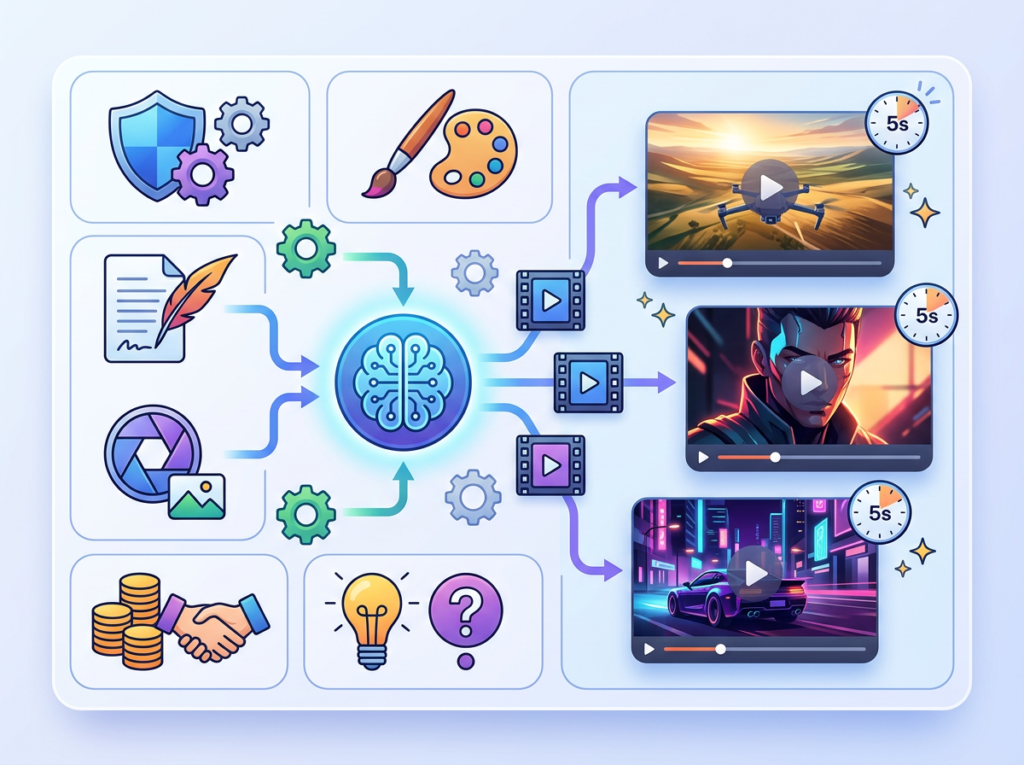
Swiftbrief is an AI-powered video generator designed to transform text prompts into dynamic video content. It enables users to create short-form videos from written descriptions or scripts, streamlining the video production process. Developed by the team at Swiftbrief, the tool utilizes machine learning algorithms to process user text and generate corresponding visual narratives. You can explore its full capabilities on the official Swiftbrief website. This technology is particularly effective for content creators and marketers who need to produce engaging social media videos rapidly. For a broader selection of similar creative tools, you can browse the video generator category on AI Plaza.
Key Findings
Instant Summarization: Condenses lengthy documents into concise briefs with pinpoint accuracy and clarity.
Rapid Processing: Delivers summarized outputs in seconds, dramatically accelerating information review and decision cycles.
Cross Platform: Integrates seamlessly with popular business applications through secure and reliable API connections.
Customizable Length: Adjusts summary depth from quick highlights to comprehensive overviews per user preference.
Multi Format: Processes text from PDFs, Word documents, web pages, and audio transcripts effortlessly.
Key Extraction: Identifies and highlights critical action items, dates, names, and financial figures automatically.
Team Collaboration: Enables easy sharing and annotation of summaries within your team’s existing workflow tools.
Enterprise Security: Guards all data with bank-grade encryption and strict, compliant access control protocols.
Insightful Analytics: Tracks usage patterns and summary metrics to help optimize team knowledge consumption.
Simple Integration: Deploys quickly with minimal setup, requiring no extensive training or technical expertise.
AI that transforms your ideas into stunning visual content instantly.
What is Rangeen?
Rangeen is an AI image generator designed to create visual artwork from user prompts. It enables users to produce unique digital images and illustrations based on textual descriptions.
Developed by the team at Rangeen.ai, this tool utilizes machine learning algorithms to process text input and generate corresponding visual content. You can explore its features directly on the official Rangeen website. This type of AI image generator is particularly effective for artists and designers seeking rapid visual prototypes or inspiration. For a broader selection of similar creative tools, you can browse the AI image generators category on AI Plaza.
Key Findings
Image Generation: Creates stunning, high-resolution visuals from simple text prompts in seconds.
Content Creation: Writes engaging marketing copy, blog posts, and social media content instantly.
Brand Customization: Applies your specific brand colors, fonts, and tone to all outputs.
Design Automation: Generates logos, banners, and ad creatives tailored to your business needs.
Idea Brainstorming: Produces creative concepts and campaign ideas to spark your team’s innovation.
Multilingual Support: Creates and translates content across dozens of global languages seamlessly.
Workflow Integration: Connects directly with your existing marketing tools and platforms for efficiency.
Data Visualization: Transforms complex spreadsheets into clear, compelling charts and infographics easily.
Trend Analysis: Identifies emerging market trends and consumer preferences from online data.
Instant Editing: Quickly modifies any generated image or text based on your feedback.
Track time, manage projects, and boost team productivity with AI-powered automation.
What is actiTIME?
actiTIME is a time tracking and project management software designed to help businesses monitor work hours and analyze productivity. It enables users to capture time spent on tasks and projects through detailed timesheets and reports.
Developed by the team at actiTIME, the software utilizes machine learning algorithms to process user-submitted time data, helping to automate administrative tasks and generate insights. You can learn more about its features on the official actiTIME website. This tool is particularly effective for teams and managers who need to streamline workforce management and improve operational efficiency, a common requirement for many business software solutions.
Key Findings
Time Tracking: Accurately records employee work hours across projects with detailed activity categorization and reporting.
Project Management: Organizes tasks, sets deadlines, and allocates resources to streamline project execution and monitor progress efficiently.
Team Productivity: Analyzes work patterns and identifies bottlenecks to help teams optimize their processes and improve overall output.
Billing Integration: Automatically converts tracked work hours into precise invoices, simplifying client billing and ensuring accurate financial records.
Reporting Analytics: Generates comprehensive reports on project costs, team performance, and profitability to support data-driven business decisions.
Customizable Workflows: Adapts to your specific operational needs with configurable settings for projects, tasks, approvals, and user permissions.
Access Control: Manages data security through role-based permissions, ensuring employees only access relevant project information and features.
Data Export: Facilitates easy transfer of time sheets and reports to external accounting or payroll systems for further processing.
Mobile Accessibility: Enables time tracking and task management on-the-go via dedicated mobile applications for iOS and Android devices.
Cloud Synchronization: Securely stores all data online, allowing real-time updates and access from any internet-connected computer or device.
Automate and optimize your social media marketing with AI-driven content and scheduling.
What is SocialBu?
SocialBu is a social media management platform designed to streamline the process of scheduling and publishing content across multiple networks. It enables users to create and manage a consistent posting strategy from a single, centralized dashboard.
Developed by the team at SocialBu, the platform utilizes machine learning algorithms to process user content and audience data to suggest optimal posting times. You can learn more about its features directly on the official SocialBu website. For teams and businesses, it is an effective tool for maintaining an active and organized online presence, allowing them to focus on strategy rather than manual posting. This makes it a practical solution within the broader category of social media management software.
Key Findings
Content Scheduling: Plan and publish posts across all major social media platforms automatically and efficiently.
Engagement Analytics: Track likes, comments, and shares to measure post performance and audience growth accurately.
Team Collaboration: Assign roles, manage permissions, and work together seamlessly on campaigns from one dashboard.
Competitor Monitoring: Analyze competitor strategies and industry trends to identify opportunities and refine your own approach.
Automated Responses: Save time by instantly replying to common comments and direct messages with personalized answers.
Visual Content: Create and edit stunning images and videos directly within the platform for quick publishing.
Best Times: Algorithmically determine and schedule posts for when your audience is most active online.
Inbox Unification: Manage all your social media messages and comments from a single, streamlined conversation inbox.
Performance Reporting: Generate detailed, customizable reports on campaign results and ROI to present to stakeholders.
Brand Monitoring: Listen for online mentions of your brand to manage reputation and engage with users.
Turn anonymous visitors into known, high-value customers.
What is CustomerGlu?
CustomerGlu is a gamification platform designed to enhance user engagement and retention for digital products. It enables businesses to create interactive experiences and personalized challenges from user behavior data.
Developed by the team at CustomerGlu, the platform utilizes machine learning algorithms to process user interactions and deliver tailored engagement mechanics. You can explore its official features and documentation at customerglu.com. This approach is particularly effective for product managers and marketers seeking to increase user activity and loyalty through structured, rewarding interactions, a common goal within the broader field of engagement optimization tools.
Key Findings
Lead Generation: Captures and qualifies potential customers automatically through intelligent conversational AI forms.
Customer Insights: Analyzes interactions and feedback to reveal actionable trends and personalize future engagements.
Revenue Optimization: Identifies cross-sell opportunities and reduces cart abandonment with proactive, context-aware messaging.
Seamless Integration: Connects to your existing CRM and marketing tools without disrupting current workflows.
Automated Engagement: Initiates personalized conversations across web and messaging apps to nurture customer relationships.
Real-Time Analytics: Provides a live dashboard tracking campaign performance and customer satisfaction metrics instantly.
Predictive Scoring: Prioritizes high-value leads and forecasts sales outcomes using advanced behavioral modeling.
Omnichannel Support: Manages consistent customer interactions seamlessly across email, social media, and live chat.
Compliance Guard: Ensures all automated communications adhere to global data privacy and regulatory standards.
Loyalty Building: Fosters long-term brand advocacy through tailored rewards and recognition programs for customers.
Your AI wingman for building stronger, more profitable business relationships.
What is Pally – AI Relationship Management?
Pally is an AI relationship management assistant designed to streamline and enhance personal and professional connections. It enables users to maintain organized and meaningful interactions by processing conversational data and contact information.
Developed by the team at Pally.ai, this tool utilizes machine learning algorithms to process user-provided communication and relational data. You can explore its official capabilities directly on the Pally website. For individuals seeking to optimize their networking efficiency, such as professionals managing a broad contact base, Pally serves as a dedicated organizational aid. This aligns with the broader utility found in productivity tools available through AI Plaza’s curated platforms.
Key Findings
Personalized Engagement: Crafts tailored messages and interactions to deepen customer relationships and boost loyalty.
Proactive Alerts: Sends timely notifications about important relationship milestones and opportunities for meaningful follow-up actions.
Unified Dashboard: Centralizes all contact details, interaction history, and key insights into a single, clear view.
Sentiment Analysis: Evaluates communication tone and content to gauge client satisfaction and identify potential concerns early.
Automated Outreach: Orchestrates scheduled messages and check-ins to maintain consistent, valuable contact without manual effort.
Interaction Logging: Automatically records all calls, emails, and meetings to build a comprehensive history for each contact.
Intelligent Reminders: Prompts for key follow-ups and tasks based on relationship dynamics and predefined importance criteria.
Relationship Scoring: Assigns a dynamic value to each contact based on engagement strength and potential business value.
Integration Hub: Connects seamlessly with popular CRM, email, and calendar platforms to synchronize data effortlessly.
Insightful Analytics: Provides actionable reports on engagement patterns and relationship health to guide strategic decisions.
Turn conversations into customers with AI-powered chatbots.
What is Landbot.io?
Landbot.io is a conversational AI platform designed to build and deploy automated chatbots. It enables users to create interactive, rule-based conversational flows from a visual, no-code interface. Developed by the team at Landbot.io, the platform utilizes machine learning algorithms to process user inputs and guide conversations along predefined pathways. You can explore its features directly on their official website. This tool is particularly effective for businesses seeking to automate customer service or lead generation, providing a scalable alternative to live agents. For those comparing different solutions, the broader category of chatbot builders on AI Plaza offers various options to suit specific interaction needs.
Key Findings
Live Chat: Transforms website visitors into qualified leads through conversational AI interactions instantly.
Visual Builder: Creates complex chatbot workflows with a simple drag and drop interface easily.
Lead Generation: Captures and qualifies potential customer information automatically to boost sales pipelines.
Customer Support: Provides instant answers to common questions, reducing support ticket volume significantly.
Instant Qualification: Asks targeted questions to understand user intent and route them appropriately.
Seamless Integrations: Connects with popular CRM and marketing tools like Salesforce and Zapier seamlessly.
No Coding: Enables anyone to build and deploy sophisticated chatbots without technical skills required.
Multi Platform: Engages users across websites, WhatsApp, and Messenger from a single dashboard.
Smart Analytics: Tracks chatbot performance and user insights to optimize conversations for results.
Personalized Conversations: Delivers tailored responses and recommendations based on individual user data dynamically.
Small teams that master AI video production in 2026 will outpace competitors still paying $5,000+ per video — and Luma Dream Machine is how they do it.
American small businesses are facing a content production crisis in 2026. Audiences expect video everywhere — on landing pages, in email campaigns, across Instagram Reels, LinkedIn feeds, and YouTube. Yet for most US founders running teams of two to ten people, professional video production feels out of reach. A single 60-second brand video from a freelance production team in Austin or Denver can run $3,000 to $8,000. An agency retainer for monthly video content? Easily $6,000 to $15,000 per month.
The result is a painful gap: teams know video drives conversions, but they can’t afford to produce it consistently. So marketing falls back on static graphics, recycled blog posts, and sporadic social content — none of which cuts through the noise in a crowded 2026 feed.
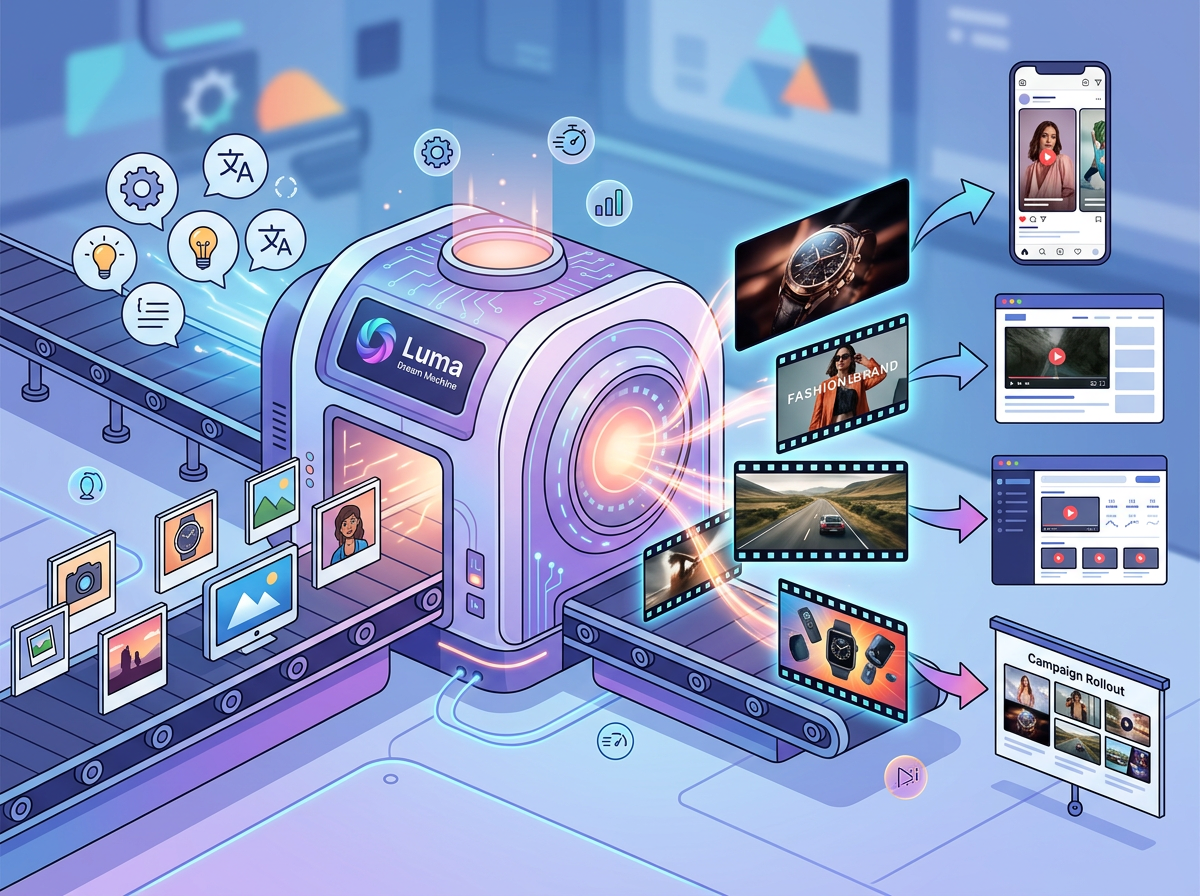
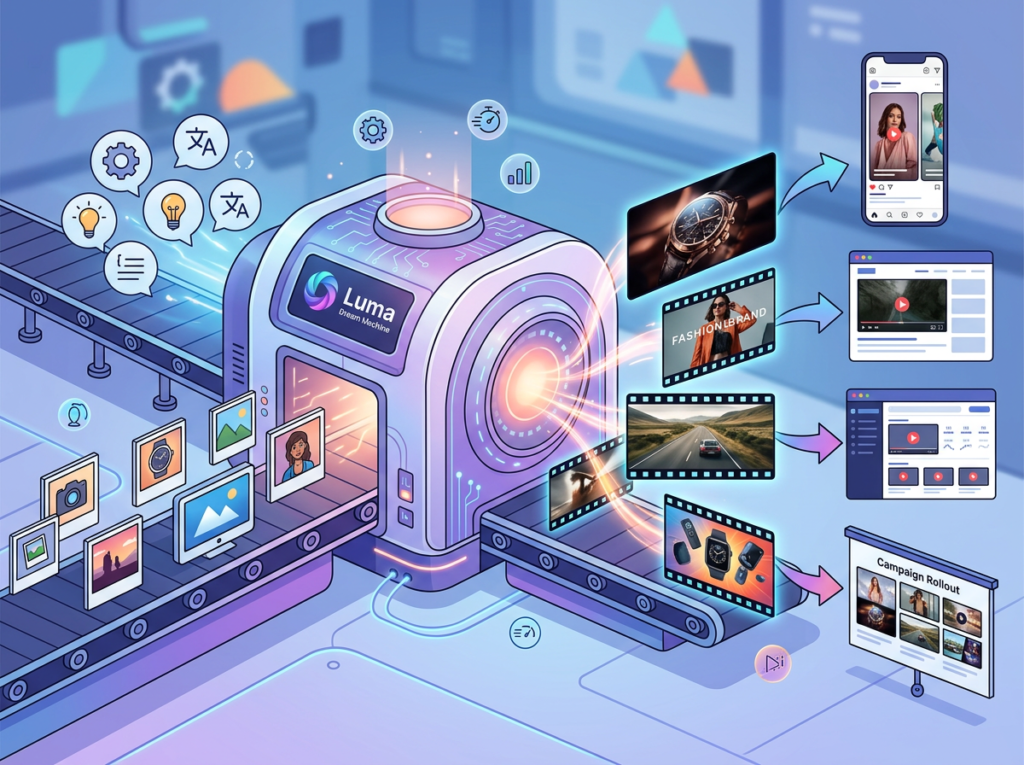
This is exactly the problem that Luma Dream Machine was built to solve. Unlike traditional video tools that require editing skills, production budgets, or a dedicated creative team, Luma Dream Machine is an AI video creation software that transforms text prompts and still images into polished, motion-rich video in minutes. For US small teams managing content marketing with AI video, it removes the production bottleneck entirely.
The timing matters. Remote work culture has pushed content marketing to the center of how small US businesses build brand trust. Multi-state teams need consistent visual assets across social channels. Post-pandemic audiences are more video-native than ever. And AI video production automation has matured to the point where small team outputs are indistinguishable from agency work.
This guide walks through exactly how US-based founders, marketing leads, executive assistants, and content creators are using Luma Dream Machine to build repeatable video workflows — cutting production costs by 60 to 80 percent while scaling output from one video per month to dozens.
What is Solo DX?
Solo DX — small-scale digital transformation — is the process by which US founders and small team leads use AI tools to build repeatable, systemized operations without hiring an operations manager or enterprise software suite. It’s not about automation for its own sake. It’s about replacing one-off, founder-dependent processes with documented workflows that any team member can execute consistently.
For content marketing, Solo DX means replacing “the founder shoots a quick video on their phone and edits it in iMovie” with a defined, repeatable process: input a brief, generate options with an AI video generator for marketing, review, approve, and publish — all within a single afternoon.
How Solo DX differs from adjacent categories:
Category
Focus
Who It’s For
Solo DX
Systemizing workflows with AI
Founders scaling small teams
AI Efficiency
Speed and task automation
Individual contributors
AI Revenue Boost
Conversion and revenue optimization
Growth-focused operators
AI Workflows
Process design and integration
Ops and technical leads
Corporate SOP methodologies — think McKinsey-style playbooks or enterprise change management frameworks — fail US small businesses because they assume dedicated operations staff, months-long implementation timelines, and six-figure software budgets. A 5-person marketing agency in Austin doesn’t have any of that.
Solo DX works because it meets small teams where they are: scrappy, fast-moving, and allergic to overhead. An AI video creation software like Luma Dream Machine fits perfectly into this model. It doesn’t require a production manager, a script department, or a post-production suite. It requires a brief, a prompt, and fifteen minutes.
Real example: Consider a 3-person digital marketing studio in Austin. Their founder, Priya, spent 12 hours per month coordinating with a freelance videographer to produce client-facing content — briefing calls, file transfers, revision rounds, final delivery. After implementing Luma Dream Machine as part of a Solo DX overhaul, that 12-hour cycle dropped to under 3 hours, with the AI handling initial video generation and the team handling only final review and brand-alignment edits.
That’s the Solo DX promise: not eliminating human judgment, but removing the friction around it. Explore Luma Dream Machine’s features to see how it fits into a small team content workflow.
Why AI is Key for Mini-Team Content Production
Problem 1: Video production knowledge lives in one person’s head
Most small US businesses have one person who “knows how to do video” — whether that’s the founder, a part-time contractor, or a single marketing hire. When that person is unavailable, video production stops. When they leave, the process leaves with them. There’s no documentation, no brief template, no style guide. Every video starts from scratch.
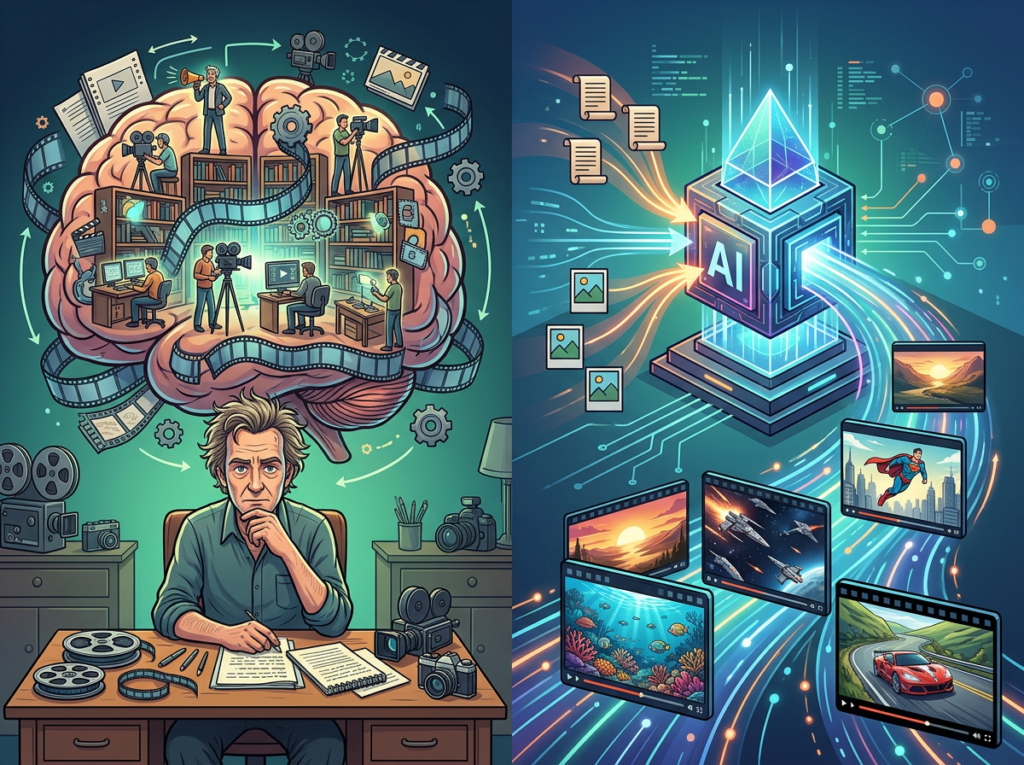
AI video production automation solves this by externalizing the production knowledge into the tool itself. Luma Dream Machine’s natural language prompting means anyone on the team — not just the designated “video person” — can produce on-brand content by following a documented brief format. The AI handles cinematic framing, motion, and visual style. The human provides direction.
Problem 2: New hires slow down video output
US labor turnover averages 47 percent annually across industries, and marketing roles churn faster than average. Every new hire means weeks of ramp-up time — learning brand standards, mastering tools, understanding what “good” looks like for the company’s content. During that ramp, video output drops.
With a standardized AI video creation software workflow, a new hire can produce their first on-brand video in day one. Brief template in, prompt refined, video generated, reviewed against the brand guide, published. No six-week learning curve. No “shadow the senior designer for a month.” Just a repeatable process that the tool itself enforces.
Problem 3: Video quality varies across team members
Without a production system, video quality is wildly inconsistent. Some pieces look polished; others look like they were filmed on a 2018 phone. Clients and audiences notice. Brand trust erodes. Republishing or re-editing costs $75 to $150 per hour in US labor — and it happens constantly.
The cost reality:
Approach
Cost
Time
Freelance videographer (per video)
$2,500–$8,000
2–3 weeks
Agency monthly retainer
$6,000–$15,000/month
Ongoing
In-house editor (salary)
$55,000–$85,000/year
Full-time
Luma Dream Machine (AI-assisted)
$0–$96/month subscription
Hours
The math is decisive for any US small team doing an honest cost-benefit analysis. Content marketing with AI video doesn’t just save money — it decouples content output from headcount, which is the core promise of Solo DX.
Join 10,000+ US small teams using Luma Dream Machine to eliminate video production bottlenecks.See How It Works | Used by teams from Silicon Valley to New York
How Luma Dream Machine Enables Solo DX
1. Text-to-Video Generation, $3,500+ saved per production cycle
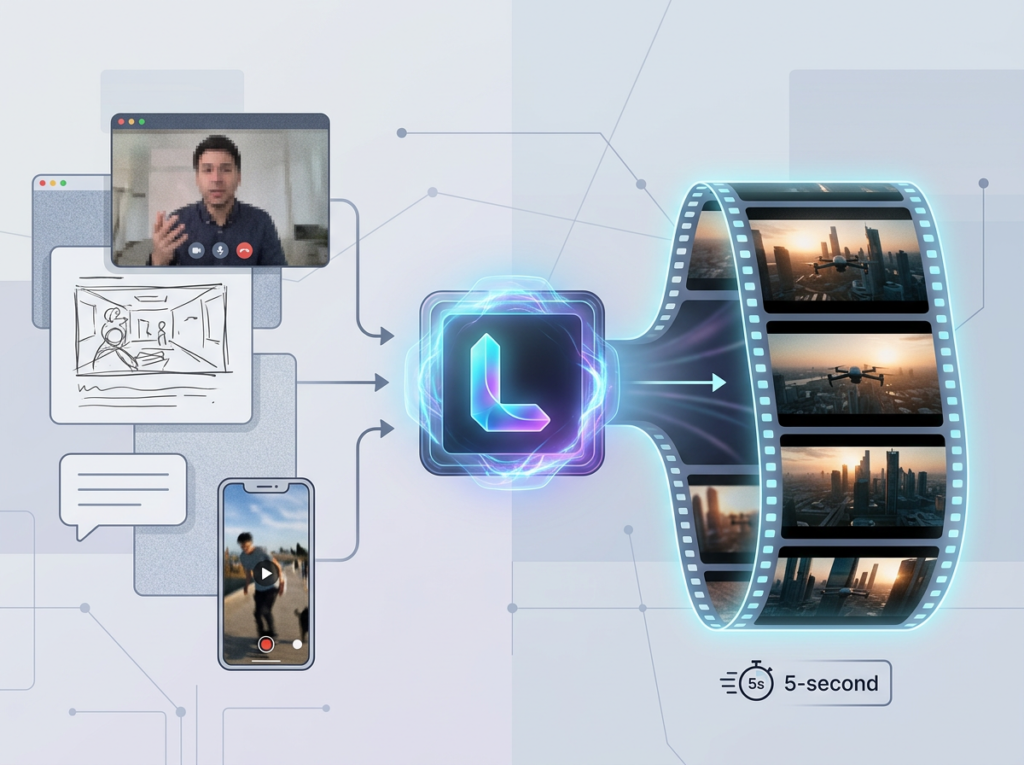
The most immediate win for US small teams is the ability to generate high-quality video from a text brief alone. Describe the scene, mood, motion, and style in plain English — “a confident founder at a standing desk in a bright San Francisco loft, camera slowly pulling back, warm morning light” — and Luma Dream Machine generates a cinematic video clip in minutes.
For teams that previously relied on a freelance videographer at $150/hour, a typical production cycle (briefing, shooting, editing, revisions) runs 20+ hours of billable time. Replacing even half of those cycles with AI-generated content saves $3,000 to $4,500 per month for a small team running two to four videos monthly.
2. Image-to-Video Conversion, $1,800/year saved in static asset repurposing
Most small US marketing teams already have libraries of high-quality product photos, brand images, and graphics. Luma Dream Machine’s image-to-video capability turns those static assets into motion content — adding camera movement, environmental animation, and cinematic depth — without a reshoot.
A typical product photo shoot for an e-commerce brand runs $800 to $2,500. By extending the life of existing photography into video format, teams extract 3x to 5x more value from assets they’ve already paid for. As this breakdown of Luma’s image animation workflow notes, the process requires no video editing knowledge — just a high-resolution source image and a directional prompt.
3. Boards and Batch Generation, $4,800/year saved in project management overhead
Luma Dream Machine’s Boards system functions as a centralized creative workspace — grouping related images, videos, and generation threads for each campaign or client. For small teams managing multiple projects simultaneously, this eliminates the scattered-files problem that costs $20 to $30 per hour in organizational overhead. Teams working at scale can generate multiple variations simultaneously, as this overview of Luma’s Boards and creative workflow system explains in detail.
For a 5-person team spending 3 hours per week on file organization and project tracking, that’s $300 to $450 per week in saved labor at US average marketing rates.
Ready to systemize your US team’s video content production in under a week?, Try Luma Dream Machine Free | No credit card required | Trusted by 10,000+ US teams
Use Cases by Team Role
Maria, 34 — Startup Founder, San Francisco
Role: Founder of a 6-person SaaS startup juggling product, marketing, and sales
Old workflow: Maria recorded herself on a webcam for social content, then paid a freelance editor $200 per video to clean up audio, add captions, and create intro/outro sequences. Each video took 4 to 5 days from recording to publish. She was producing 2 videos per month — max.
AI-powered workflow: Maria now drafts a content brief each Monday morning: topic, tone, visual setting, and intended platform. She uploads a brand reference image and a 3-sentence script to Luma Dream Machine, generates 4 to 6 video variations using different visual styles, selects the best two, applies final branding in Canva, and publishes. Total time: 3 hours. Total videos per month: 12 to 16.
Quantified results: Eliminated $400/month in freelance editing fees. Increased video output by 6x. Reduced production time from 4.5 days to 3 hours per piece. Annual savings: $4,800 in labor plus estimated $18,000 in additional pipeline value from higher content volume.
“I used to dread video content. Now it’s the most consistent part of our marketing calendar. We’re producing more in a week than we used to in a month.” — Maria D., SaaS Founder, San Francisco
James, 41 — Executive Assistant, Miami
Role: EA to a 9-person consulting firm; responsible for onboarding remote staff across three states
Old workflow: James created onboarding video walkthroughs by recording his screen with Loom, then manually editing each clip to add titles, explanations, and context overlays. For 4 new hires per quarter, he spent 8 to 12 hours per person on video documentation — 32 to 48 hours total per quarter.
AI-powered workflow: James built a library of reusable AI video creation software templates inside Luma Dream Machine — one for each core onboarding topic (systems access, communication norms, client protocols). Each template takes a text brief and generates a polished explanatory clip. New hires get a complete 10-video onboarding series produced in under 4 hours total. Updates to processes take 20 minutes to reflect in the video library.
Quantified results: Onboarding video production time reduced from 40 hours per quarter to under 6 hours. At $65/hour in EA labor cost, that’s $2,210 saved per quarter — $8,840 annually. New hire ramp time reduced from 3 weeks to 9 days.
“I used to spend the first week of every new hire’s tenure basically re-recording the same explanations. Now I update a brief and Luma handles the rest.” — James W., Executive Assistant, Miami
Aisha, 29 — Marketing Lead, Chicago
Role: Marketing lead for a 7-person e-commerce brand; responsible for social video across Instagram, TikTok, and YouTube
Old workflow: Aisha coordinated with a freelance videographer for product shoots twice per month, plus a motion graphics designer for animated social content. Combined monthly cost: $3,200. Lead time for new content: 10 to 14 days. Campaigns were constantly delayed waiting on video assets.
AI-powered workflow: Aisha uses Luma Dream Machine’s image-to-video feature to animate the brand’s existing product photography, generating motion content for social platforms in batches. She uses the Styles feature to maintain consistent visual aesthetics across all posts — cinematic for YouTube, high-energy for TikTok, clean and minimal for Instagram. Batch generation means she produces a full month of social video in two working days.
Quantified results: Monthly video production costs dropped from $3,200 to $96 (Luma subscription). Content lead time from 14 days to 2 days. Monthly video output increased from 8 pieces to 40+. Annual savings on production alone: $37,000+.
“We went from being the slowest brand in our niche at launching campaign content to being the fastest. That speed has a direct dollar value.” — Aisha T., Marketing Lead, Chicago
Robert, 52 — Training and Knowledge Manager, New York City
Role: Internal trainer at a 10-person professional services firm; responsible for documenting client-facing processes and internal SOPs
Old workflow: Robert’s process documentation consisted of written PDFs, static slide decks, and the occasional screen recording. Engagement with training materials was low. Junior staff consistently asked the same questions that were “already in the docs.” Robert spent 5 to 6 hours per week answering questions that documented processes should have answered.
AI-powered workflow: Robert converted the firm’s top 20 process documents into short AI-generated video explainers using Luma Dream Machine — each clip under 90 seconds, visually engaging, and linked from the relevant SOP. Staff now watch the video before asking a question. Robert reduced his weekly Q&A overhead by 70 percent.
Quantified results: Time spent on repeated questions: down from 5.5 hours/week to 1.5 hours. At $90/hour for Robert’s billing rate, that’s $360/week — $18,720 annually — redirected to higher-value work. Staff process compliance improved by an estimated 45 percent based on audit results.
“I’ve written the same process down six times in six different formats. The video finally made it stick.” — Robert K., Knowledge Manager, New York City
Discover Luma Dream Machine and see how US teams across every role are replacing production bottlenecks with scalable video workflows.
Join 10,000+ US small teams using Luma Dream Machine to eliminate video production bottlenecks.See How It Works | Used by teams from Silicon Valley to New York
Common Pitfalls & How to Avoid Them
Pitfall 1: Generating without a brief
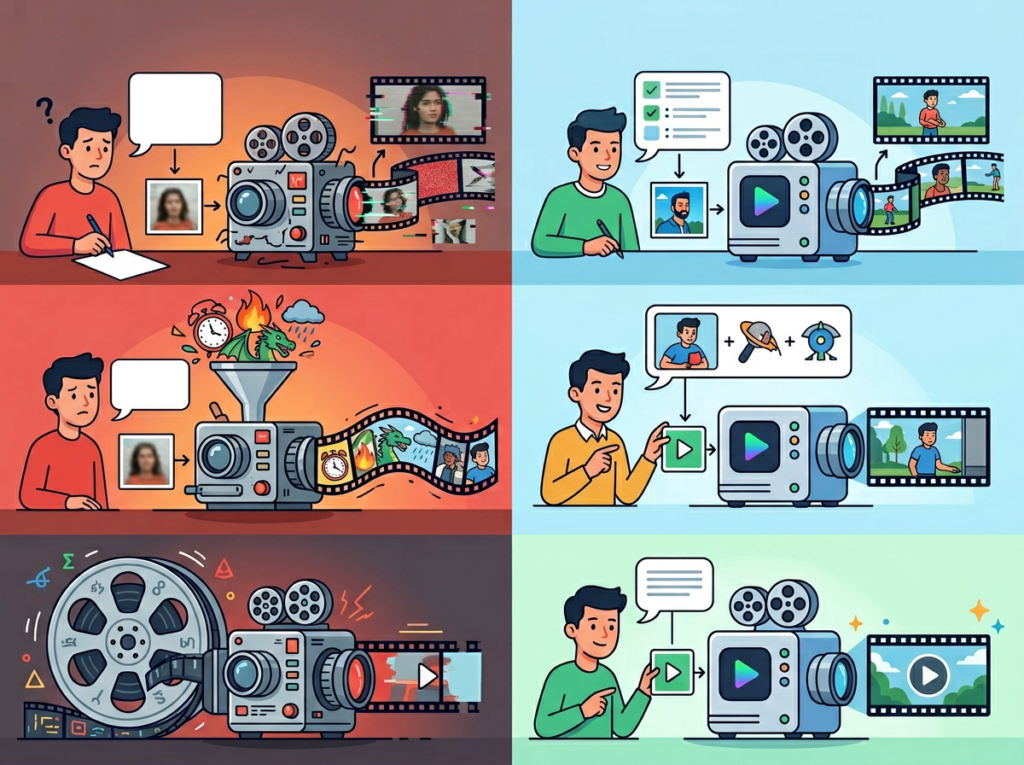
The single most common mistake US small teams make with AI video tools is treating them like search engines: typing a vague idea and hoping for a useful output. Luma Dream Machine rewards specificity. Teams that invest 10 minutes in a structured brief — visual style, camera movement, mood, subject, platform format — get outputs that require minimal revision. Teams that don’t invest those 10 minutes generate a lot of content they can’t use.
Fix: Build a one-page brief template for your team. Make it mandatory before any generation begins. This is the core Solo DX principle applied to video: the process produces the outcome, not the individual. For deeper guidance on structuring effective prompts and iterative generation, Luma’s official best practices guide is a useful reference.
Pitfall 2: Treating every video as a one-off
Many small teams use AI video tools the same way they used freelancers: one brief, one deliverable, done. This misses the compounding value of batch generation and variation testing. Luma Dream Machine’s “More Like This” and Boards features are designed specifically to build on successful outputs — generating a family of related assets from a single strong prompt.
Fix: When a video performs well, immediately generate 4 to 6 variations. Use them as A/B test material, repurpose them across platforms, and build your visual identity around what already resonates with your audience.
Pitfall 3: Over-relying on Slack threads for video feedback
US remote teams default to Slack for everything, including video review. This scatters feedback across threads, makes version control a nightmare, and adds 2 to 3 days to every revision cycle. Luma Dream Machine’s sharing and collaboration features exist precisely to centralize this workflow.
Fix: Use Luma’s Boards to share video drafts directly with reviewers. Feedback stays contextual, versions stay organized, and revision cycles compress from days to hours. Learn more about Luma Dream Machine including its collaboration and sharing capabilities.
FAQs
What is Solo DX?
Solo DX stands for small-scale digital transformation. It refers to the process by which US founders and small team leads use AI tools to build documented, repeatable workflows without hiring an operations manager or implementing enterprise software. For content marketing, Solo DX means replacing ad-hoc, person-dependent production processes with systemized workflows that any team member can execute.
Can small teams in the US actually afford AI video tools?
Luma Dream Machine’s subscription plans start at a fraction of what a single freelance video costs. For US teams that currently spend $1,500 to $5,000 per month on video production, the ROI calculation is immediate and decisive. Even for teams with no existing video budget, the cost of Luma Dream Machine is recoverable within the first month based on time savings alone — particularly if even one team member currently spends significant hours on content creation.
Is Luma Dream Machine hard to set up for a non-technical team?
No. Luma Dream Machine is a browser-based platform with a natural language interface. No installation, no plugins, no API configuration required for most use cases. Most US small teams are generating their first videos within 20 to 30 minutes of signing up. The learning curve is writing better prompts, not learning technical tools — and the platform’s Boards system makes it straightforward to organize and iterate on outputs as your team gets more experienced.
In 2026, American small businesses don’t need enterprise budgets to produce enterprise-quality video content. The tools that previously required a production team, a $10,000 monthly retainer, and a two-week lead time now run on a browser tab and a well-written brief.
Luma Dream Machine represents the clearest application of Solo DX principles to content marketing with AI video. It removes the production bottleneck, externalizes the creative knowledge from a single person into a repeatable workflow, and scales with the team rather than against it. The personas in this guide — Maria in San Francisco, James in Miami, Aisha in Chicago, Robert in New York — represent the thousands of US small team operators who have already made this shift and measured the results in real dollars.
The best AI video generator for marketing in 2026 isn’t the one with the most features. It’s the one your team will actually use consistently, at scale, as part of a documented process. Luma Dream Machine is built for exactly that.
Start with one use case: one recurring video type, one documented brief template, one generation workflow. Systemize it this week. The compounding value follows. See the full breakdown of Luma Dream Machine and start your first workflow today.
The fastest-growing small teams in America don’t work harder than their competitors — they use an ai writing assistant for productivity that turns every repeatable task into a system.
Running a small team in 2026 should feel like progress. Instead, most US founders managing two to ten people describe the same experience: a Slack channel stuffed with half-answers, an onboarding process that lives entirely in someone’s head, and a content calendar that stalls the moment a key hire takes a day off.
This is the quiet crisis hitting American small businesses right now. Remote work culture spread teams across time zones. Post-pandemic scaling pushed founders to hire before they had the infrastructure to support new staff. The result is a knowledge gap — processes exist, but they haven’t been written down. And every unwritten process costs money.
According to research on knowledge management, the average US knowledge worker wastes 2.5 hours per day searching for information or recreating work that already exists. At $75 per hour — a conservative blended rate for US professional services — that’s $187.50 per employee per day in pure friction. For a five-person team, that’s over $230,000 in annual productivity loss.
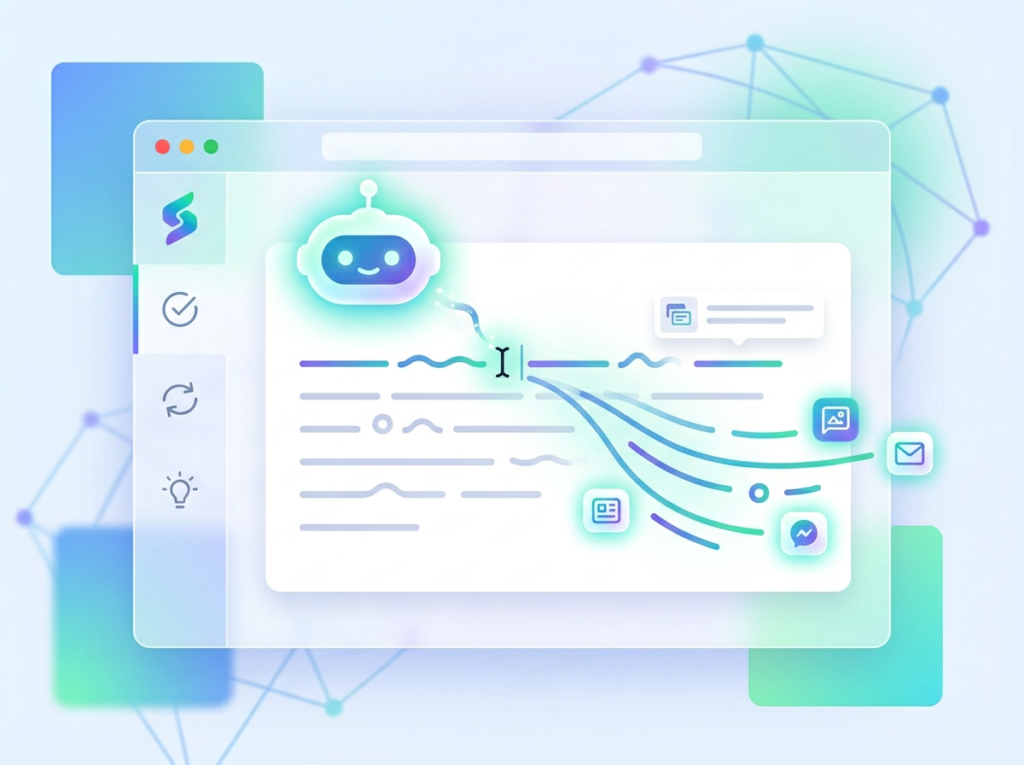
HyperWrite AI enters this story not as a writing gimmick, but as a system-building ally. It combines AI-powered writing, research, and automation into a single platform that US small teams can use to stop recreating the wheel — and start building the kind of documented, repeatable workflows that scaling actually requires.
Unlike traditional documentation approaches that can run $5,000 or more in US labor costs just to produce a basic operations manual, HyperWrite AI lets a founder or operations lead build that same infrastructure in a matter of hours, with no technical background required.
This guide breaks down exactly how HyperWrite AI supports what we call Solo DX — the small-scale digital transformation that turns a scrappy team into a systematized operation — and why it’s become a go-to productivity tool for entrepreneurs across the US in 2026.
What is Solo DX?
Solo DX stands for small-scale digital transformation led by US founders and team leads who don’t have a dedicated operations manager, IT department, or $50,000 consulting budget. It’s the process of turning chaotic, founder-dependent workflows into documented, repeatable systems — without needing enterprise resources to do it.
This category is distinct from broader AI productivity approaches because it targets a very specific inflection point: the moment a business grows beyond one person but hasn’t yet formalized how things get done. Most productivity software targets either individual freelancers or mid-market companies. Solo DX fills the gap for the 5–10 person team that is genuinely in-between.
Category
Target
Focus
Tools
Solo DX
2–10 person US teams
Systemization & documentation
AI writing + workflow tools
AI Efficiency
Individual contributors
Speed + output volume
Automation apps
AI Revenue Boost
Sales & marketing teams
Lead gen + conversion
CRM AI integrations
Corporate SOP methods fail US SMBs for a predictable reason: they were designed for organizations with dedicated process engineers and months of runway. A 200-page standard operating procedure template from a Fortune 500 playbook doesn’t help a three-person design studio in Austin figure out how to onboard a new project manager before next Monday.
Consider that Austin studio. The founder, Maya, handles client relations, project scoping, and final QA. Her two designers have their own ways of working. When she hired a third designer last spring, it took four weeks — and Maya’s constant attention — before that hire could operate independently. The problem wasn’t talent. It was that nothing was written down. Every process lived in Maya’s memory.
Solo DX is the strategy that solves this. And HyperWrite AI is one of the most practical tools available to US teams trying to execute it.
The key shift Solo DX requires is moving from reactive documentation (“we’ll write it down eventually”) to proactive system-building (“we document before we delegate”). That shift is difficult without AI assistance, because the time cost of writing documentation manually is often the very reason it never gets done.
Why AI is Key for Mini-Team Systemization
Problem 1: Knowledge lives only in the founder’s head
In most small businesses, the founder is a human knowledge base. They know why the pricing model works the way it does, what the client onboarding sequence looks like, and which vendor gets a personal call versus an email. None of this is written down because writing it down has always been lower priority than everything else.
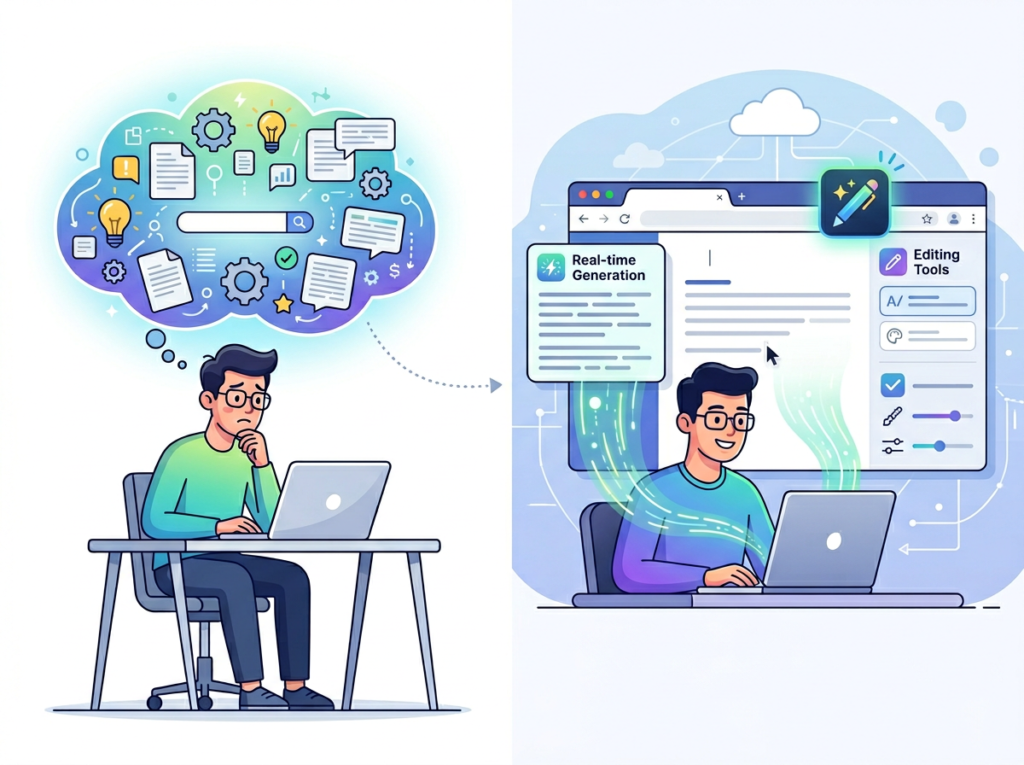
The cost isn’t just theoretical. When a founder is unavailable — sick, traveling, heads-down on a high-stakes project — operations stall. Decisions get deferred. Staff improvises. An AI writing assistant for productivity changes this by making documentation fast enough to actually happen. HyperWrite AI can take a verbal or rough-text description of any process and generate a clean, structured SOP in minutes.
Problem 2: New hires slow down operations
The US Bureau of Labor Statistics consistently reports annual employee turnover rates approaching 47% in service industries. Every time someone leaves or joins, that knowledge gap reopens. A new hire in a systematized business can be up to speed in days. In an undocumented business, it takes weeks — during which their senior colleagues carry a doubled workload.
AI workflow automation tools like HyperWrite AI address this by making it possible to build an internal knowledge base that new hires can actually use: searchable, readable, and updated without a major time commitment.
Problem 3: Quality varies across team members
Without documentation, every team member develops their own interpretation of what “good work” looks like. One account manager writes client updates in three sentences; another writes five paragraphs. One designer exports files in the correct format; another has to be reminded every time. This variance creates rework, client friction, and inconsistent brand output.
The Cost Reality
Building a basic operations manual manually — 10 to 15 core processes, properly documented — takes a US professional approximately 40 to 60 hours. At $80 to $100 per hour, that’s $3,200 to $6,000 before the document is even reviewed or maintained. With an AI research assistant and writing platform like HyperWrite AI, the same output can be produced in 5 to 8 hours, at the cost of a monthly subscription that runs well under $50.
For a five-person US team, that math is straightforward. The productivity tools for entrepreneurs that actually deliver ROI in 2026 are the ones that compress high-value, high-friction tasks — like documentation — into time frames that fit real working schedules.
HyperWrite AI’s AutoWrite feature allows team leads to generate complete standard operating procedures from a short prompt or rough notes. A founder can describe their client onboarding process in two paragraphs of unstructured text and receive a structured, step-by-step SOP with clear sections, action items, and responsible parties.
The ROI here is significant. A single documentation cycle — covering the five to eight core processes a small business runs — would cost approximately $2,000 in US professional labor if handled manually. HyperWrite AI compresses that to a few hours of guided work. For a business that updates its SOPs quarterly, that’s $8,000 in annual labor savings from one capability alone.
One of HyperWrite AI’s differentiating features is its ability to retain context about your business, writing style, and preferences across sessions. This means the platform doesn’t just produce generic output — it learns how your team communicates, what your brand voice sounds like, and what your recurring workflows involve.
For US small teams, this has a measurable impact on the time spent editing and correcting AI output. A platform that has to be re-briefed every session adds overhead. One that retains context reduces editing time by an estimated 60 to 70%. Across a team of five, each spending two hours per week on AI-assisted writing tasks, that adds up to roughly $78,000 to $124,800 in annual productivity gains at US professional rates.
3. Template Library and Workflow Automation
HyperWrite AI includes a library of over 500 pre-built writing templates — from email drafts and client proposals to performance reviews and social captions. For small teams that repeatedly produce the same types of content, templates eliminate the blank-page problem and enforce consistent structure and tone.
Teams that standardize their most frequent writing tasks through content writing with ai templates typically save two to three hours per week per person on recurring content. For a four-person team at $75 per hour, that’s approximately $6,000 per year in recovered productive time.
Ready to systemize your US team operations in under a week?Try HyperWrite AI Free | No credit card required | Trusted by 10,000+ US teams
Use Cases by Team Role
Persona 1: Maria — Startup Founder Juggling Three Departments | San Francisco, CA
Old workflow: Maria is the founder of a six-person B2B SaaS company in San Francisco. She manages product, sales, and customer success simultaneously. Every week, she fields the same questions from her team via Slack: how to handle a refund request, what the standard demo script looks like, how to escalate a support ticket. Each answer takes five to ten minutes and pulls her out of deep work.
AI-powered workflow: Maria uses HyperWrite AI to turn her existing Slack answers into structured internal documents. In four hours over a weekend, she creates a twelve-page operations handbook covering her three departments. She connects it to her team’s shared workspace and configures HyperWrite AI to generate first-draft responses to new recurring questions.
Results: Maria recovers an estimated 90 minutes per day previously lost to ad hoc questions. At her effective hourly rate of $180, that’s $32,400 annually in recovered founder time. Onboarding her newest hire took six days instead of three weeks.
“I used to be the knowledge base. Now the knowledge base is actually a knowledge base.” — Maria, 38, San Francisco
Persona 2: James — Executive Assistant Onboarding Remote Staff | Miami, FL
Old workflow: James is the executive assistant for a Miami-based logistics consultancy that grew from three to nine people in eighteen months. Every new hire onboarding falls on him: scheduling, tool access, training documentation, introductions. Without standardized materials, he recreates the onboarding packet from scratch each time — a process that takes twelve to fifteen hours per new hire.
AI-powered workflow: James builds a modular onboarding system using HyperWrite AI’s template library and AutoWrite features. He creates role-specific onboarding documents for four job functions, a master checklist, and a welcome email sequence. The AI email writing tool component generates personalized welcome communications for each new hire in minutes.
Results: New hire onboarding time for James drops from fifteen hours to three hours per hire. With four hires expected in the coming year, that’s 48 hours saved — worth approximately $3,600 at James’s billing rate. More importantly, new staff are productive two weeks earlier, reducing their ramp cost by an estimated $4,500 per hire.
“I went from building the plane while it was flying to actually having a runway.” — James, 31, Miami
Persona 3: Robert — Trainer Documenting Internal Knowledge | Chicago, IL
Old workflow: Robert is the internal trainer for a Chicago-based property management company with eight employees. He runs onboarding sessions, maintains training materials, and handles compliance documentation. Most of his training content exists as slide decks and verbal walkthroughs that don’t translate into independent reference materials.
AI-powered workflow: Robert uses HyperWrite AI to convert his slide decks and session notes into self-guided training modules. He uses the platform’s Summarizer feature to condense lengthy compliance documents into quick-reference guides, and AutoWrite to generate quiz questions and scenario exercises from existing content. Community discussions, including this thread on real-world AI writing tool usage, highlight how teams use HyperWrite AI most effectively for structured knowledge transfer. According to this analysis of HyperWrite AI’s capabilities, the platform’s ability to handle structured knowledge transformation is one of its strongest use cases for teams.
Results: Robert reduces live training time by 35% as team members are able to self-study before sessions. New staff pass compliance assessments on their first attempt at a 28% higher rate. Robert recovers six hours per month previously spent on material preparation.
“My job went from explaining the same things repeatedly to building systems that explain things for me.” — Robert, 44, Chicago
Join 10,000+ US small teams using HyperWrite AI to eliminate operational chaos.See How It Works | Used by teams from Silicon Valley to New York
Common Pitfalls & How to Avoid Them
Mistake 1: Using too many disconnected tools
Many founders download four or five AI apps because each one promises a specific capability. The result is context fragmentation: your email drafts are in one tool, your SOPs in another, your research notes in a third. No single platform has the full picture, and the team spends more time switching tools than working in them.
The fix is consolidation. Platforms like HyperWrite AI are designed to handle multiple writing and workflow tasks within a single interface. Before adding a new tool, audit whether your existing platform already covers the use case. Learn more about HyperWrite AI to evaluate whether it covers the full scope of your team’s writing and documentation needs before expanding your tool stack.
Mistake 2: Delegating without documentation
This is the most common Solo DX failure mode: a founder starts using AI to generate content, delegates the work to a team member, but never documents the process that produces good results. When the team member leaves or the workflow needs to scale, there’s nothing to hand off.
The fix is to treat AI workflow automation as a documentation opportunity. Every time you build a prompt that produces consistently useful output, save it as a template. Every time you develop a process using AI assistance, write down the steps.
Mistake 3: Failing to review AI output
Content writing with ai is fast — and that speed can be a liability if teams ship AI-generated content without a human review step. For US businesses, errors in client-facing documents, compliance materials, or public-facing content carry real reputational and legal risk.
The fix is to build review into the workflow, not around it. HyperWrite AI’s editing features are designed to support a human-in-the-loop approach, not replace the human entirely.
Solo DX refers to small-scale digital transformation led by founders or operations leads at US businesses with two to ten employees. Unlike enterprise digital transformation, Solo DX is focused on building practical, documented workflows using accessible AI tools — without requiring a dedicated IT team or operations department.
How can AI write my SOPs?
AI writing tools like HyperWrite AI can generate standard operating procedures from rough notes, verbal descriptions, or existing documents. You provide the raw content — what a process involves, who’s responsible, what the steps are — and the AI structures it into a readable, professional document. Most small teams complete their first AI-generated SOP in under 30 minutes.
What’s the difference between AI Efficiency and Solo DX?
AI Efficiency focuses on helping individual contributors move faster — generating content, summarizing documents, drafting emails. Solo DX focuses on team systemization: building the documented processes and shared knowledge infrastructure that allow a group of people to work consistently and independently. HyperWrite AI supports both, but its workflow and documentation features make it especially strong for Solo DX applications.
In 2026, American small businesses don’t need enterprise budgets to build enterprise-level systems. The tools exist. The only thing standing between a chaotic five-person team and a documented, scalable operation is the decision to treat systemization as a priority — and the right ai writing assistant for productivity to make that priority achievable.
HyperWrite AI delivers on the Solo DX promise in practical, measurable terms: SOPs that take hours instead of weeks, onboarding materials that don’t require the founder to be in the room, and a persistent AI research assistant that makes every team member more capable without adding headcount.
The US teams winning in 2026 are not the ones with the biggest budgets. They are the ones that have turned their knowledge into systems, their systems into processes, and their processes into growth.